


Selecting Ergonomic Seating for Extended Programming Work
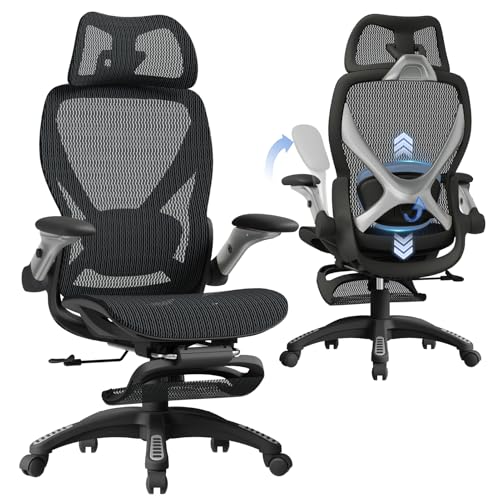
Long coding sprints demand furniture that keeps your arms, neck, and lower spine aligned without forcing awkward body angles. Typical task seating often lacks upper back support, while heavily bolstered racing buckets can restrict your thighs during hours of typing. That is why selecting the best gaming chair for developers requires a close look at seat widths, recline options, and adjustable armrests. Options with flat, wingless seats let you shift postures or sit cross-legged while compiling code, whereas pocket springs help cushions keep their form. If posture support is a priority during marathon builds, reviewing dedicated gaming chairs for back support highlights models with targeted lumbar cushioning.
Workstation clearance is another practical concern when matching seating to your desk. You need adjustable armrests that slide easily under keyboard trays, paired with smooth pneumatic cylinders to maintain neutral wrist angles. Looking at general advice on what are the best gaming chairs can help clarify how racing designs contrast with traditional office ergonomics. Checking product dimensions and stated weight capacities beforehand ensures the chair fits both your frame and your workspace.





Frequently Asked Questions
Why do armrest adjustments matter for software developers?
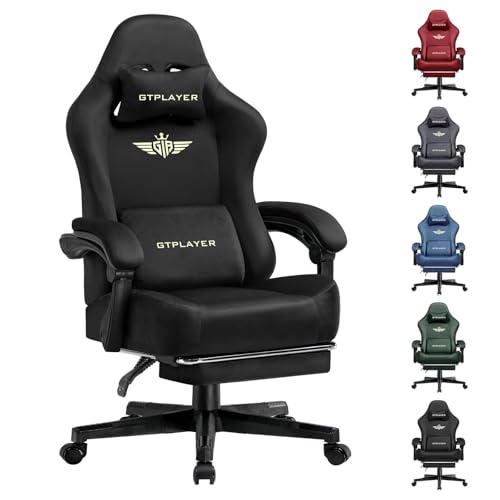
Multidirectional armrests allow you to match desk height and keep your wrists neutral while typing code. Models like the GTPLAYER chairs feature 3D armrests that rotate and shift vertically to support your forearms during keyboard use. Fixed armrests often collide with desk surfaces or encourage shoulder slouching. Proper arm positioning reduces shoulder tension during long programming sessions.
How does a wingless seat design help during long coding sessions?
Wingless seats provide an open surface that accommodates diverse postures, such as sitting cross-legged or shifting sideways. Chairs like the JECQCUPG Video Gaming Chair feature a 51-centimeter flat cushion without restrictive side bolsters that pinch your thighs. This extra space lets you move naturally during long debugging blocks. Dual-layer foam and pocket springs also distribute pressure evenly across the seat.
Can gaming chairs support developers who need higher weight capacities?
Heavy-duty models feature reinforced frames and broader seats to support larger users securely. For example, the N-GEN GAMING Big and Tall chair offers a 400-pound stated weight capacity alongside a wide base and high-density cushioning. Checking the manufacturer’s stated weight limit helps verify frame stability for daily work. Reviewing listed seat dimensions ensures comfortable hip room before you buy.
What caster features protect hardwood floors from office damage?
Whisper-quiet rubber or nylon wheels roll smoothly while preventing scuffs on delicate flooring. Chairs from Wismestr and HELXQEXB feature anti-scratch casters designed for wood, tile, and laminate. Adding a protective gaming chair rug provides an extra layer of defense against continuous wheel friction. It also muffles movement noise during team video calls.
How can programmers customize seat firmness if extra support is needed?
Adding specialized seat pads is an easy way to tweak cushioning density to your liking. While pocket-spring seat cushions resist flattening, personal firmness preferences vary widely. Exploring aftermarket cushions for gaming chairs can provide targeted pressure relief for your tailbone. Wiping down the chair’s PU leather regularly also preserves surface suppleness over time.


Write Your Review
No reviews yet. Be the first to share your experience!