


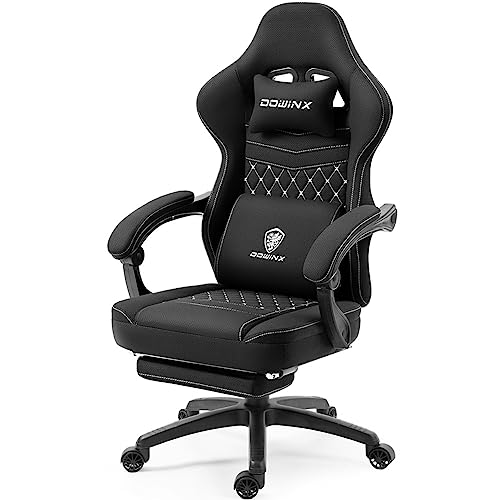
Standard gaming seats often feature aggressive racing bolsters and rigid flat backs that leave a hollow gap behind your lower spine. Extended PC gaming or desk sessions quickly reveal whether a chair provides sufficient curve to keep your back relaxed. Adding the best lumbar support pillow for gaming chair setups can bridge that empty space without forcing you to replace an entire seat. Many gamers explore aftermarket gaming chair cushions to fine-tune their posture, especially when stock cushions lack density or shift out of alignment during intense matches.
Selecting the right cushion comes down to foam thickness, strap design, and outer fabric breathability. Molded memory foam cores adapt to body heat to cradle the natural inward curve of the lower back, while dual elastic straps keep the support centered against the backrest. Thicker cushions fill deep bucket seat contours nicely, but compact options prevent you from being pushed too far forward on shallow seat pans. Balancing these dimensions ensures your gaming chair supports your setup rather than crowding your sitting space.


Frequently Asked Questions
How do you know if a lumbar pillow will fit your gaming chair?
Check your chair backrest width and compare it with the strap length of the cushion. Most gaming chairs have tall backrests ranging from 18 to 22 inches across, which require dual adjustable straps or extension bands to prevent slipping. Compact cushions work across almost any chair, but high-back models require sufficient vertical clearance so they do not push your shoulders out of position.
Will a thick lumbar cushion reduce seat depth too much?
Yes, cushions over 4 inches thick push your torso forward and reduce usable seat depth. If your gaming seat depth is shallow, look for a low-profile ergonomic cushion or a wedge design with a tapered base. That design supports the lumbar curve without crowding your thighs or forcing your knees past the seat edge.
Why are dual straps important for racing-style gaming chairs?
Dual straps secure both the top and bottom of the cushion around the backrest wings to stop sliding. Racing-style gaming chairs often have harness pass-through cutouts, letting you anchor the upper strap securely through the openings. Single-strap designs frequently slip down into the chair crease every time you shift weight or stand up.
Does memory foam trap body heat during long gaming sessions?
Dense memory foam retains heat unless it is paired with a well-ventilated cover. Look for cushions with 3D or 4D breathable mesh covers that let warm air escape from behind your back. If staying cool is your main priority, pairing your setup with breathable gaming chair options helps prevent sweat buildup over long hours.
How firm should a lumbar support pillow be for gaming?
Medium-firm memory foam offers the best balance of spinal support and pressure distribution. Soft foam easily collapses flat under your body weight, leaving your lower spine unsupported during multi-hour gaming sessions. High-density foam yields slightly to body heat while retaining its molded shape to keep you sitting upright.
Can you wash a lumbar support pillow cover?
Most lumbar cushion covers feature zippered closures that make them safe for machine washing on gentle cycles. However, you should never wash or submerge the inner memory foam core in water. Exposing memory foam to moisture damages the cell structure and ruins its slow-rebound response.



Write Your Review
No reviews yet. Be the first to share your experience!