


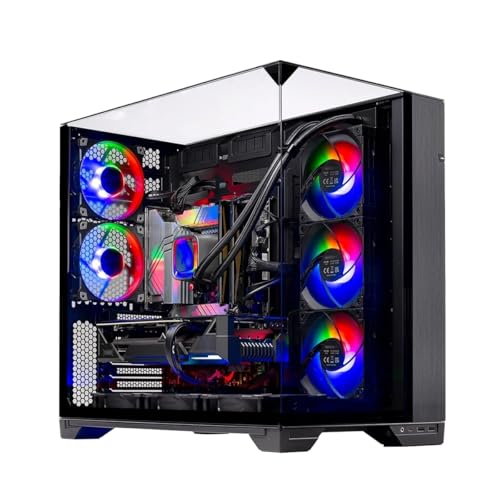
Desk space and wire clutter often create headaches when you want room-filling audio without wearing a headset for hours. Many players struggle with weak monitor speakers that sound tinny and lack directional awareness during fast matches. Adding the best gaming pc speakers delivers clear stereo separation, punchy mid-bass, and crisp dialogue right at your workstation. Matching your audio gear to your physical space keeps your desk tidy. When you plan how to setup a gaming PC, allocating room for dedicated drivers ensures great sound and convenience.
Modern computer audio units feature versatile inputs, ranging from standard 3.5mm auxiliary jacks and direct USB cords to wireless Bluetooth. Some designs incorporate dynamic RGB lighting that syncs with music, while others use dense wooden cabinets to dampen box resonance. You can pick between plug-and-play USB powered soundbars or compact 2.0 bookshelf systems engineered for desktop audio. Reviewing key specifications like peak wattage, driver size, and physical knobs helps you secure balanced acoustics for your gaming desk.

Pros
- Clear, balanced sound with surprising bass for its size and price
- Eye-catching RGB lighting that syncs with music and offers multiple modes
- Compact, space-saving design fits easily under monitors or in tight setups
- Simple plug-and-play setup with USB power and 3.5mm audio, no extra drivers needed
- Affordable price point makes it an accessible upgrade for any gaming desk
Cons
- Limited bass depth compared to larger speakers or subwoofer setups
- Lacks Bluetooth connectivity, requiring a wired 3.5mm connection
- Touch controls can be slightly sensitive and may require adjustment
The Redragon GS560 RGB Desktop Soundbar is a 2.0-channel computer speaker designed to bring both audio and visual flair to your gaming setup. It's an ideal choice for PC gamers, casual gamers, streamers, and RGB setup enthusiasts who want to upgrade their desktop sound without breaking the bank. Whether you're building a new gaming rig, enhancing a dorm room, or just want better audio for games and music, this soundbar offers a simple, affordable solution.
In terms of real-world performance, the GS560 provides clear and crisp sound with a noticeable bass boost that works well for most in-game audio, music, and voice chat. The upgraded drivers handle midrange and highs well, making dialogue and footsteps easy to hear. The RGB lighting is the standout feature here - it syncs with your audio and cycles through 4 backlit modes, including dynamic and static options. This creates an immersive lightshow that reacts to explosions, music, or voice, adding a new layer of engagement to your gaming sessions.
Build quality is solid for a budget soundbar. The compact plastic body measures 15.8 inches wide, making it perfect for sliding under a monitor or placing on a cluttered desk. The volume knob is tactile and doubles as a power switch, offering precise control. The touch controls for lighting modes are responsive, though they can be a bit sensitive if you accidentally brush them. The soundbar is powered via USB and uses a standard 3.5mm audio cable, so it works with PCs, laptops, TVs, and even smartphones - no extra power bricks or adapters needed.
Setup is incredibly easy: just plug in the USB for power, connect the 3.5mm cable, and you're ready to go. There's no software to install, and the soundbar is recognized immediately by Windows, macOS, and other devices. However, there are a few limitations to consider. The bass, while decent for its size, won't satisfy audiophiles or those who want deep, room-shaking lows. Additionally, there's no Bluetooth connectivity, so you'll always need a wired connection. The touch controls may also be a minor annoyance during intense gaming if you accidentally hit them.
Overall, the Redragon GS560 is a practical buy for gamers, streamers, and setup builders who want an affordable way to improve audio and add RGB ambiance. It's especially well-suited for those with limited desk space, limited budgets, or who want a simple plug-and-play solution. While it's not for serious music production or critical listening, it delivers exactly what's promised: clear sound, fun lighting, and easy setup. For anyone looking to upgrade their desktop audio without hassle, this soundbar is a solid choice.
The Redragon GS560 offers four different RGB lighting modes - Wave, Disco, Rain, and a static glow - all controlled via the touch-sensitive panel on top. The lighting bar spans the front of the soundbar and can be set to sync with your audio for a dynamic lightshow that reacts to music, game sounds, or voice chat. This customization adds a personalized touch to any gaming setup, complementing other RGB peripherals. The modes are easy to cycle through, and the brightness is well-balanced for both daytime and dark room use. For those who prefer a more subtle look, the static mode provides a constant glow without the pulsing.

Pros
- Excellent audio clarity with solid mid-range and clear highs for in-game details
- Minimalist design saves desk space and reduces cable clutter
- Vibrant Chroma RGB with extensive customization through Synapse
- Plug-and-play USB-C connectivity with no separate power brick needed
- Bluetooth 5.0 offers smooth, low-latency wireless streaming from any device
Cons
- Lacks a dedicated subwoofer, so bass feels less punchy for action-heavy games and movies
- Only USB-C and Bluetooth inputs; no 3.5mm or optical options for older devices
- Software (Synapse) required for full RGB and EQ customization, which may not appeal to all users
The Razer Leviathan V2 X is a compact PC soundbar designed to elevate your desktop audio without taking over your desk. It fits neatly beneath nearly any monitor, making it a great choice for gamers, streamers, content creators, and anyone who wants a cleaner, more immersive audio setup than built-in monitor speakers can provide. Whether you are grinding in competitive shooters, hosting Discord calls, or building a vibrant RGB setup, this soundbar aims to deliver solid performance in a small footprint.
Under the hood, the Leviathan V2 X uses two full-range drivers along with two passive radiators. This combination produces clear mids and highs while adding some depth to low-end frequencies. In real-world use, it handles game audio like footsteps, environmental effects, and voice lines with clarity. For movies and music, it maintains a balanced sound profile that avoids distortion at moderate volumes. The rated 90dB output is enough to fill a small room without sounding strained.
Setup couldnt be simpler. The soundbar connects via a single USB-C cable that carries both power and audio, so you just plug it into your PC or laptop and hear sound instantly. No separate power adapter or complex wiring. For mobile devices and consoles with Bluetooth, 5.0 offers a low-latency wireless option, and you can seamlessly switch between paired devices using the Razer Audio app. This makes it easy to jump from gaming on your PC to watching videos on your tablet without unplugging anything.
Build quality is solid for its size. The soundbar weighs just under 2 pounds and has a matte black finish that blends into most setups. The 14-zone Chroma RGB lighting is a highlight, especially if you already use Razer peripherals or other Chroma-compatible gear. You can customize lighting effects through Synapse, sync them with supported games, or let them cycle through presets. It adds personality to your desk without being distracting during gameplay.
That said, the Leviathan V2 X has realistic limitations. Without a dedicated subwoofer, the bass response is adequate but not thunderous. For explosive action sequences or bass-heavy music, you might miss the rumble a separate sub provides. Also, the only physical connection is USB-C, so if you have an older PC without USB-C, you may need an adapter. Some users might prefer a 3.5mm or optical input for broader compatibility, but the included USB-C and Bluetooth cover most modern setups.
Overall, the Razer Leviathan V2 X is a smart pick for PC gamers and setup enthusiasts who value desk space and want a step up from basic speakers without adding a bulky system. It works just as well for streaming, video editing, or casual listening. If you prioritize strong bass or need multiple wired inputs, you might want a larger soundbar or a 2.1 setup. Otherwise, this compact soundbar offers great audio clarity, easy setup, and eye-catching RGB in a package that keeps your desktop tidy.
The Leviathan V2 X uses two full-range drivers and two passive radiators to produce a sound signature that is clear and balanced. Dialogue, vocals, and in-game cues come through with good detail, while the passive radiators add a modest amount of low-end presence without muddying the mids. The 90dB max volume is sufficient for a typical gaming desk setup, and the sound remains clean at higher levels. Bass is present but not overwhelming; if you enjoy intense explosions or bass-heavy music, you may notice the lack of a dedicated subwoofer. Still, for its size and form factor, the audio performance is impressive and well-suited for competitive games where clarity matters more than rumble.
The soundbar features 14 individually addressable Chroma RGB zones, allowing for a wide range of lighting effects and colors. Through Razer Synapse, you can customize patterns, brightness, and speed, or sync the lighting with other Chroma-enabled devices and games for a cohesive desk aesthetic. The Razer Audio App provides additional control for mobile pairing and EQ adjustments. The lighting is vibrant and diffuses well along the front edge, making it visible without being harsh. For users who want to match their setup theme, the customization options are extensive and easy to use.

Pros
- Clear, balanced sound for the price with decent stereo separation.
- Space-saving 2-in-1 design adapts to different desk layouts.
- Easy plug-and-play setup with wide OS compatibility.
- Touch RGB lighting adds ambiance without a separate controller.
- Long cables provide flexibility for larger desks or dual-monitor rigs.
Cons
- No Bluetooth connectivity only USB and 3.5mm wired.
- Lacks deep bass ideal for casual listening but not bass-heavy genres.
- Speaker-to-speaker cable can be slightly awkward to manage without cable ties.
The OFFSIR Computer Speakers are a 2-in-1 stereo system designed for PC gamers and desktop enthusiasts who want a clean audio setup without sacrificing desk space. These compact speakers can be used separately for a wider stereo field or snapped together to form a single soundbar-like unit. This flexibility makes them a strong contender for anyone building a tidy gaming station or a minimalist home office.
Aimed at casual to moderate gamers, streamers, and RGB lovers, these speakers provide a noticeable step up from built-in laptop or monitor audio. The dual 5W drivers deliver clear mids and highs with enough volume for a small to medium room. While they won't reproduce thumping bass, the Hi-Fi stereo core offers good clarity for spoken dialogue in games, music, and video calls. For competitive esports titles where audio cues matter, they perform adequately, though a dedicated headset is still recommended for pinpoint accuracy.
Setup is truly plug-and-play. Connect the USB cable for power and the 3.5mm audio cable to your PC, laptop, or console, and you're ready. No drivers or software are required, which is great for quick installations or sharing between devices. The extended 58-inch cables give you plenty of reach even on larger desks, and the speaker-to-speaker cable is long enough to place the speakers far apart or keep them close together.
Build quality feels solid for the price point. The black plastic housing is lightweight but sturdy, and the touch-sensitive RGB lighting on top is a neat touch. You can cycle through four lighting modes (including static, breathing, and off) with a simple tap. The volume knob on the right speaker works smoothly and doubles as the power switch. It's a clean interface that avoids extra buttons or on-screen controls.
One realistic limitation is the lack of Bluetooth, which means all audio must come through the 3.5mm jack. Also, the speaker-to-speaker cable can get a bit messy if you don't have a cable management plan. But for the price and simplicity, these are minor trade-offs. They work well for Twitch streams, Discord chats, casual gaming, and everyday productivity tasks like music or YouTube.
Overall, the OFFSIR 2-in-1 speakers are an excellent budget choice for PC gamers, college students, and setup builders who want decent sound with a dash of RGB flair. They offer great value for under $25, especially if you're looking to clear desk clutter while improving audio quality. Pair them with a subwoofer later if you crave more bass, but as a standalone desktop solution, they deliver exactly what most casual users need.

Pros
- Compact, space-saving design ideal for small desks or multi-monitor gaming setups.
- Touch-controlled RGB lighting adds style without complicated software or extra cables.
- Clear, distortion-free sound at low volume, suitable for casual gaming, videos, and voice calls.
- Simple plug-and-play installation with USB-C adapter included for modern laptops.
- Affordable price point for budget-conscious gamers or streamers looking to upgrade audio.
Cons
- Limited bass response – not ideal for immersive action games or bass-heavy music genres.
- 3.5mm audio cable required – no Bluetooth or wireless connectivity for clutter-free setups.
- Touch light control lacks customization options (no colors or patterns) compared to premium RGB speakers.
The LENRUE G11 computer speakers are a compact, budget-friendly audio solution designed for desktop gamers, streamers, and casual PC users who want to add a touch of RGB flair without breaking the bank. These speakers combine a slim profile with touch-activated lights and surge stereo sound, making them a practical choice for anyone looking to upgrade their gaming setup or home office audio.
Best suited for PC gamers, casual gamers, streamers, and RGB setup enthusiasts, the G11 offers a straightforward plug-and-play experience. With a USB-C or USB-A power connection and a standard 3.5mm audio jack, compatibility is wide – from Windows PCs to MacBooks and Chromebooks. The compact design sits neatly under most monitors, helping to keep your desk tidy while delivering clear audio for dialogue, game soundtracks, and occasional multiplayer sessions.
In terms of performance, the G11 uses four amplifier horns to produce distortion-free sound at moderate volumes. While it won't shake the room with deep bass, it provides clear mids and highs suitable for esports titles like Valorant or Overwatch, where footstep clarity matters. The touch-sensitive RGB light adds a subtle glow to your setup, controlled by a single tap on the top panel – no app required. For streamers, these speakers are adequate for monitoring audio during streams or Discord calls, though a dedicated headset is better for precise audio.
Build quality is decent for the price. The plastic enclosure feels lightweight but sturdy enough for daily use. The cables are glued together to reduce clutter, which is a thoughtful touch for cable management. The top volume knob is easy to reach and turn, though it lacks a mute button. The touch light control is responsive, but the lighting is fixed to a single color pattern – no RGB customization beyond on/off.
Setup is as simple as it gets: plug the USB cable into a power source, connect the 3.5mm audio cable to your device, and you're ready to go. No drivers, no software, no fuss. Cleaning is easy with a dry cloth, and the compact size means they won't collect much dust. One limitation is the lack of Bluetooth or wireless connectivity, so cable management is necessary to keep your desk tidy. Also, the speakers are designed for near-field listening – they won't fill a large room with sound.
Overall, the LENRUE G11 is a practical, affordable upgrade for budget-conscious gamers and streamers who want better audio than built-in laptop speakers without spending a lot. They're a great fit for dorm rooms, home offices, or compact gaming setups where space is premium. If you need deep bass or wireless freedom, look elsewhere, but for everyday gaming, video watching, and voice calls, these speakers deliver solid value.
The LENRUE G11 speakers feature four amplifier horns that provide surge stereo sound with minimal distortion at low to moderate volumes. The audio profile is clear in the mids and highs, making dialogue and in-game footsteps easy to hear. However, bass response is limited – don't expect deep thumping for explosion-heavy games or EDM. For casual gaming, YouTube videos, and voice calls, the sound is perfectly adequate. At higher volumes, some distortion may creep in, so they're best used within a few feet of your ears.
The touch-activated angular game lights are a standout feature at this price point. A single tap on the top of the speaker toggles the lights on and off – no app or remote required. The lighting is a fixed color pattern (likely a multicolor cycling effect), so you can't change colors or brightness. While not as customizable as more expensive RGB speakers, the glow adds a nice ambient touch to any gaming setup, especially under the monitor.
These speakers are designed to save space. Measuring just 2.48 x 14.96 x 2.55 inches, they fit neatly under most monitors, keeping your desk surface free. The cables are glued together to reduce tangling, and the included USB-C adapter ensures compatibility with modern laptops. The top-mounted volume knob is easy to reach, and the compact footprint means you can place them without blocking your screen or keyboard. Ideal for minimalists and gamers with limited desk real estate.

Pros
- Impressive audio clarity and power for the price
- Versatile connectivity options including Bluetooth 5.3
- Sturdy MDF construction reduces unwanted vibrations
- Compact size fits neatly on most desks
- Front volume knob is convenient
Cons
- No built-in subwoofer for deep bass (rear port helps but limited)
- Black-only color may not suit all setups
- No remote control included
The OHAYO 60W Computer Speakers are a pair of active stereo 2.0 speakers designed to upgrade your desktop audio experience. With a compact bookshelf form factor, they fit easily into gaming setups, home offices, or small room systems. These speakers are aimed at PC gamers, streamers, content creators, and casual listeners who want better sound than built-in monitor speakers without taking up too much desk space.
Performance-wise, the speakers deliver 30 watts per channel (60W total) through a 0.75-inch carbon fiber silk dome tweeter and a 3-inch carbon fiber full-range driver. The result is surprisingly clear highs and a warm mid-bass that works well for in-game audio, music streaming, and video calls. The rear bass port adds some low-end depth, though it won't replace a dedicated subwoofer for heavy bass needs. For the price, the audio quality is impressive—detailed and distortion-free at moderate volumes.
Build quality is a standout feature. The MDF wooden enclosure feels solid and helps reduce cabinet resonance, keeping the sound clean and precise. The front panel includes a volume control knob that's easy to reach during gameplay or streaming. The materials used suggest long-term durability, and the black finish looks subtle and professional in any setting.
Connectivity is versatile: Bluetooth 5.3 for wireless audio from phones or tablets, plus RCA, AUX, and USB inputs for wired connections to PCs, laptops, TVs, or audio mixers. This makes the speakers easy to integrate into multi-device setups—just switch sources as needed. Setting them up is plug-and-play; the included cables cover most needs, and the compact size means you can position them without cluttering your desk.
One realistic limitation is the bass response—while adequate for casual use and gaming, bass-heavy genres may leave you wanting more. The speakers also lack a remote control, so all adjustments are manual at the speaker. The only color option is black, which may not match every RGB-heavy build, but it does fit cleanly into most modern setups.
Overall, the OHAYO 60W Computer Speakers offer a practical audio upgrade for PC gamers, streamers, and work-from-home users who value clarity, connectivity, and desk-friendly design. They're a great alternative to basic budget speakers and provide enough power to fill a small room. If you're building a gaming station or looking for a simple but capable audio solution, these are worth considering.
Pros
- Clear stereo sound quality suitable for casual gaming and media consumption
- Attractive RGB lighting with multiple modes that sync with gaming setup aesthetics
- Compact size fits easily on most desks without taking up too much space
- Simple volume control buttons provide accurate adjustments without hunting for knobs
- USB power and 3.5mm input work with nearly any device, including PC, laptop, and TV
Cons
- Limited bass response compared to larger speakers with subwoofers
- RGB lighting is not software-controllable and cannot sync with other RGB peripherals
- Cable length between speakers may be too short for wider desk setups
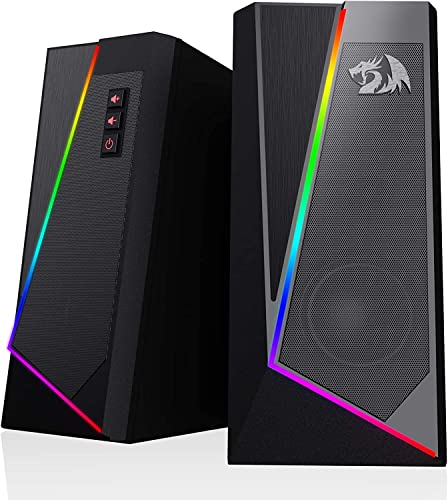
The Redragon GS520 ANVIL desktop speakers are a budget-friendly 2.0 channel stereo set designed to enhance the audio experience for PC gamers, streamers, and casual users who want a simple upgrade from built-in monitor speakers. These USB-powered speakers deliver clear sound with a touch of RGB flair, making them a practical addition to any gaming desk or dorm room setup.
For PC gamers and esports players, the GS520 provides solid audio clarity for footsteps, gunfire, and environmental cues in games like Valorant or Fortnite, though the lack of deep bass means explosion-heavy titles won't feel as punchy. Casual gamers and content creators will appreciate the easy-access volume buttons for quick adjustments during streams or Discord calls. The touch-controlled RGB lighting offers six modes, letting you match the vibe of your gaming setup without needing extra software.
Build quality is respectable for the price point, with a brushed texture finish that looks more premium than its cost suggests. The compact dimensions (3.5 x 4 x 7 inches) and lightweight 1.8-pound design make them easy to place on either side of your monitor, even on cramped desks. The 31-inch cable between the two speakers gives you some flexibility in positioning, though wider setups might find it limiting.
Setup is truly plug-and-play: connect the USB cable for power and the 3.5mm audio cable to your PC, laptop, or TV, and you're good to go. There's no software to install, which is a plus for gamers who want a hassle-free experience. The volume buttons are responsive and let you dial in the perfect level without fumbling with a dial.
One realistic limitation is the audio performance for competitive gaming or music production. The GS520 lacks a subwoofer, so bass-heavy soundtracks and explosions may feel thin. Additionally, the RGB lighting cannot be synced with other RGB components via software, which might disappoint enthusiasts building a fully integrated lighting ecosystem.
Overall, the Redragon GS520 ANVIL speakers are a great value for budget-conscious PC gamers, streamers, and college gamers looking to add decent audio and RGB aesthetics to their setup. They're not for audiophiles or competitive players demanding pinpoint sound positioning, but for everyday gaming, YouTube, and Discord use, they get the job done without breaking the bank.

Pros
- Powerful 240W peak output with deep bass from the subwoofer for immersive gaming
- DTS:X Ultra 7.1 surround sound enhances positional awareness in competitive games
- LIGHTSYNC RGB lighting adds dynamic desk aesthetics that sync with gameplay
- Bluetooth support offers flexibility for music and media from mobile devices
- Logitech G HUB software provides extensive customization for lighting and audio
Cons
- Relatively large footprint may require ample desk space for the two speakers and subwoofer
- DTS:X surround sound is not supported on Mac OS X, limiting compatibility for Mac users
- Some users may find the RGB lighting distracting during focused gaming sessions
The Logitech G560 is a 2.1-channel PC gaming speaker system that combines powerful audio with dynamic RGB lighting. It is designed for PC gamers, streamers, content creators, and RGB setup enthusiasts who want a more immersive desktop experience. With 240 watts of peak power and a dedicated subwoofer, this system can fill a room with clear highs, detailed mids, and punchy bass that enhances everything from gunfire in FPS games to atmospheric soundtracks in open-world titles.
For competitive gamers, the integrated DTS:X Ultra surround sound is a standout feature. It renders 3D positional audio, allowing you to hear the direction of footsteps, reloads, and environmental cues with greater accuracy. This can give you a tactical edge in games like Call of Duty, Overwatch, or Apex Legends. Casual gamers and streamers will also appreciate the immersive soundstage, which makes single-player adventures and live streams feel more engaging.
One of the most unique aspects of the G560 is its LIGHTSYNC RGB lighting. The system has four customizable lighting zones that react to in-game audio, pulsing and shifting colors based on explosions, dialogue, or music. You can also customize the lighting effects using Logitech's G HUB software, choosing from 16.8 million colors and patterns to match your gaming setup. This makes the G560 a great choice for RGB enthusiasts and those building a cohesive desk aesthetic.
In terms of build quality, the speakers and subwoofer feel solid and well-constructed. The subwoofer is fairly compact but still delivers deep bass that can shake the floor. The speakers have a modern, angular design with a black finish that blends into most setups. Setup is straightforward: you connect the speakers to your PC via USB, and the subwoofer connects to the left speaker with a standard cable. Bluetooth connectivity also lets you stream audio from your phone or tablet, adding versatility for music or podcasts.
However, there are a few limitations to consider. The speaker system takes up a decent amount of desk space, so you will need enough room for the two satellites and the subwoofer. Additionally, DTS:X Ultra surround sound is only supported on Windows PCs, not on Mac OS X. Some users may also find the RGB lighting too bright or distracting during long sessions, though you can dim or turn it off in the software.
Overall, the Logitech G560 is a compelling choice for PC gamers who want a step up from basic desktop speakers. It delivers powerful, immersive sound with the added benefit of customizable RGB lighting that syncs with your games. If you are a competitive or casual gamer, streamer, or RGB enthusiast looking for a feature-rich audio upgrade, the G560 is a solid investment that enhances both gameplay and desk aesthetics.
Pros
- Clear and punchy audio with enough power for desktop gaming and streaming.
- Versatile connectivity including Bluetooth 5.1, USB, and analog inputs for multiple devices.
- Compact build saves desk space while adding visual flair with RGB lighting.
- Easy plug-and-play setup with no drivers required on Windows, macOS, or PS4.
Cons
- Bass may feel limited for those who prefer heavy low-end without a separate subwoofer.
- No dedicated subwoofer output or optical input for more advanced audio setups.
- Sound mode presets are convenient but lack custom EQ adjustment via software.
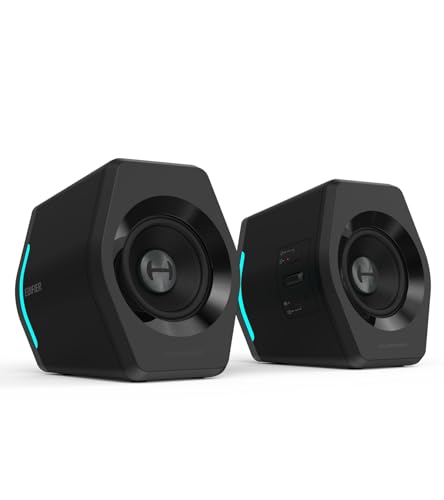
The Edifier G2000 RGB Gaming Speakers are compact desktop speakers designed specifically for PC gamers, esports players, streamers, and anyone building a stylish gaming setup. With a total peak power of 32 watts and 2.75-inch full-range drivers, these speakers aim to deliver clear, immersive sound without taking up too much desk real estate. They also feature a trio of sound modes - Game, Movie, and Music - plus dynamic RGB lighting, making them a versatile choice for both competitive play and everyday entertainment.
When it comes to audio performance, the G2000 offers solid clarity and enough volume to fill a typical gaming desk area. The Game mode emphasizes footsteps and environmental cues, which can give you an edge in FPS and MOBA titles. Movie mode boosts the soundstage for cinematic experiences, while Music mode keeps things balanced for listening to tracks or streams. The 32W peak power ensures clean playback at moderate levels, though bass-heavy content may leave some wanting more low-end punch - something to keep in mind if you enjoy explosion-heavy games or bass music.
The RGB lighting is one of the standout features for setup enthusiasts. With 12 different effects, you can cycle through colors, patterns, and brightness levels to match your rig or mood. The lighting syncs well with other RGB components and adds a vibrant glow to your battlestation. The control knob on the front lets you switch between lighting modes, adjust volume, and change input sources with simple presses, keeping everything within easy reach during gaming sessions.
Connectivity is another strong point. You can connect via Bluetooth 5.1, USB, or the standard 3.5mm AUX jack, making it compatible with PCs, laptops, PS4, phones, and more. Switching between sources is seamless, and there's no driver installation required - just plug in and play. This is especially convenient for streamers or gamers who use multiple devices and want a single speaker setup to handle them all.
In terms of build quality, the Edifier G2000 feels sturdy and well-made. The matte black finish resists fingerprints and scratches, while the metal knobs add a premium touch. The compact dimensions (about 4.1 x 4.1 x 5.1 inches each) and 10-degree upward tilt help direct sound toward your ears, and the anti-slip pads keep them firmly in place on your desk. Setup takes just a few seconds, and the small footprint leaves room for your monitor, keyboard, and other gear.
While the G2000 excels as a compact all-in-one gaming speaker, there are a few realistic limitations. The lack of a dedicated subwoofer output means you can't easily add extra bass later without using a separate audio splitter. Additionally, the sound modes are preset and can't be customized via software, which might bother audiophiles who like to fine-tune EQ curves. However, for the price point and intended audience - desktop gamers, dorm-room setups, casual streamers, and RGB lovers - these speakers offer a compelling mix of performance, style, and convenience. If you prioritize desk space, easy connectivity, and a splash of RGB, the Edifier G2000 is a strong recommendation.
In gaming scenarios, the Edifier G2000 provides clear directional audio that helps you pinpoint footsteps, gunshots, and ability sounds in competitive titles like Valorant, CS2, and Apex Legends. The Game mode tightens the frequency response to highlight mid and high frequencies, making critical audio cues stand out without overwhelming bass. While not a substitute for a dedicated surround sound system, the stereo separation is respectable for a compact speaker pair. The 32W peak power is sufficient for near-field listening at typical gaming distances, and the 10-degree tilt ensures the drivers aim toward your ears for better clarity.
For casual gamers playing open-world RPGs or racing games, the Movie mode adds a bit more low-end presence, though again, don't expect thundering sub-bass. The RGB lighting reacts to on-screen action via the included USB sound card? Actually, the lighting is independent but can be set to pulse to audio, adding to the immersion. Overall, the G2000 handles gaming audio well for its size, making it a solid companion for both competitive and casual play.
Pros
- Versatile triple-input connectivity (Bluetooth, USB, 3.5mm AUX) works seamlessly with virtually any device on your desk
- Dedicated Game EQ mode enhances spatial audio cues like footsteps and gunshots for competitive play
- 12 RGB lighting effects add visual flair without requiring separate software or controllers
- Compact footprint fits comfortably on smaller desks, dorm room setups, and tight gaming stations
- Subwoofer output port offers a clear upgrade path for users who want more bass down the road
Cons
- At 32W peak power, these speakers may not deliver enough volume or bass depth for larger rooms without adding a subwoofer
- No dedicated companion software for fine-tuning EQ beyond the three preset modes
- RGB lighting effects are not individually addressable or syncable with popular RGB ecosystems like Razer Chroma or iCUE
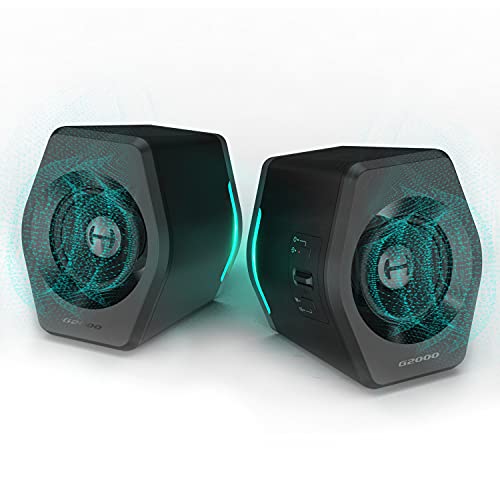
The Edifier G2000 is a 2.0 desktop gaming speaker system designed to sit on either side of your monitor and deliver clear, punchy audio for gaming, streaming, and everyday media. Each speaker houses a 2.75-inch full-range driver paired with a rear-facing bass port, and together they push out 16W RMS (32W peak). That's a solid amount of power for a near-field desktop setup, and the column-shaped cabinets with their 10-degree upward tilt aim the sound right at ear level, which is a thoughtful design touch you don't always see at this price range.
These speakers are a strong fit for PC gamers, casual gamers, and gaming setup builders who want quality audio without the bulk of a traditional 2.1 system. The three preset EQ modes, Game, Music, and Movie, are professionally tuned according to Edifier, and they let you quickly switch sound profiles depending on what you're doing. The Game mode is particularly useful for FPS titles where hearing directional cues like footsteps and reloads can give you a real edge. Music mode smooths things out for Spotify or background listening, while Movie mode opens up the soundstage a bit for cinematic content.
Connectivity is one of the G2000's strongest features. You get Bluetooth for wireless streaming from your phone or tablet, a USB input that acts as a built-in sound card (great for laptops or PCs without a dedicated audio output), and a standard 3.5mm AUX jack for direct analog connections. This makes the speakers compatible with PCs, Macs, PS4, Xbox, and even CD players or TVs. Streamers and content creators will appreciate how easy it is to switch between sources without swapping cables. There's also a subwoofer output, so if you decide you want deeper bass later, you can add a powered sub without replacing the whole setup.
Build quality feels considered for the price point. The matte panel finish resists fingerprints, the metal laser-engraved details add a premium touch, and the anti-slip foot pads keep the speakers planted during intense gaming sessions. At roughly 4.2 pounds total and just over 9 inches tall, they're compact enough for a dorm room desk or a tight streaming station. The 12 RGB lighting effects are a nice bonus for anyone building an RGB-themed setup, though it's worth noting these lights aren't syncable with ecosystems like Razer Synapse, Corsair iCUE, or ASUS Aura Sync, so they operate independently.
Setup is about as straightforward as it gets. Plug in the power, connect your preferred input, and you're ready to go. There's no companion app or software to install, which is both a pro and a con: you get instant usability, but you lose the ability to do granular EQ adjustments beyond the three presets. Cable management is simple since you're only dealing with a power cable and one audio input at a time. Cleaning the matte surface is easy with a dry microfiber cloth, and there are no mesh grilles to collect dust.
The realistic limitation here is raw power. At 32W peak, the G2000 speakers fill a desk area and a small to mid-sized room nicely, but they won't shake the walls. Bass-heavy genres and explosion-filled games will benefit from adding a subwoofer via the included output. If you're a competitive gamer who primarily uses a headset, these speakers make an excellent secondary audio option for casual play, music, and Discord calls. For PC gamers, streamers, college gamers, and anyone looking to upgrade from built-in laptop or monitor speakers without spending a fortune or sacrificing desk space, the Edifier G2000 is a practical and visually appealing choice.
The Edifier G2000 delivers 16W RMS with 32W peak power through dual 2.75-inch full-range drivers. For a compact 2.0 system, the sound is surprisingly full and well-balanced. The rear-facing bass port adds noticeable low-end warmth without muddying the mids, which keeps dialogue, voice chat, and in-game callouts clear and intelligible.
The three EQ presets are genuinely useful rather than gimmicky. Game mode emphasizes spatial cues and mid-range frequencies, making it easier to pick up directional audio in titles like Valorant, Apex Legends, or Warzone. Music mode provides a flatter, more balanced response that works well for background listening or casual Spotify sessions. Movie mode widens the perceived soundstage slightly, which helps with immersive single-player experiences and streaming content.
For users who want more bass impact, the subwoofer output jack is a welcome addition. Pairing these with even a budget powered sub can transform the low-end response for bass-heavy games, action movies, and music genres like EDM or hip-hop. Without a sub, the bass is present but won't rattle your desk, which is perfectly acceptable for most desktop gaming scenarios.
The G2000 features 12 built-in RGB lighting effects that cycle through a full spectrum of colors. The lighting emanates from the front and sides of each speaker, creating a nice ambient glow that complements RGB keyboards, mice, and case lighting. For gamers who enjoy building a cohesive color-themed setup, these speakers add a solid visual accent without needing any additional software.
The main limitation is that the RGB effects are self-contained. You can't sync them with popular PC lighting ecosystems like Corsair iCUE, Razer Chroma, or ASUS Aura Sync. The lighting modes are controlled directly from the speaker itself, which keeps things simple but limits customization for users who want their entire setup to pulse in unison. That said, for most casual and mid-tier gaming setups, the standalone RGB effects look great and add real visual appeal to your desk.
Three input options give the Edifier G2000 excellent versatility. The USB connection doubles as a sound card, which is ideal for laptops or desktops that lack a dedicated audio output or have noisy onboard audio. The 3.5mm AUX input provides a universal analog connection for virtually any device with a headphone jack. Bluetooth connectivity lets you wirelessly stream from phones, tablets, or even a secondary laptop without any cables.
Switching between sources is quick and painless, which is a real convenience for streamers or work-from-home gamers who jump between a PC, phone, and console throughout the day. The subwoofer output rounds out the connectivity options, giving you a clear upgrade path if you decide to expand your audio setup later. Overall, the G2000 covers all the bases for a desktop speaker system and should integrate smoothly into almost any gaming or productivity setup.
At approximately 5.5 x 8.3 x 9.1 inches per speaker, the Edifier G2000 has a compact footprint that works well on standard gaming desks, compact workstations, and even crowded dorm room setups. The column shape takes up less horizontal space than traditional bookshelf-style speakers, leaving more room for your mouse pad, keyboard, and other accessories.
The 10-degree upward tilt is a smart ergonomic touch that angles the drivers toward your ears when the speakers sit on a desk surface below monitor height. This means you get better sound directionality without needing to prop the speakers up on stands or angled pads. Anti-slip foot pads keep them firmly in place, and the matte finish resists fingerprints and smudges, keeping your setup looking clean with minimal effort. Cable management is straightforward since each speaker only requires a power connection and a single audio cable.
Pros
- Affordable price point for decent stereo sound with enhanced bass
- Touch-controlled RGB lighting adds visual flair to any gaming desk
- Simple knob control for volume and power is intuitive and convenient
- Plug-and-play setup with USB power and 3.5mm aux works with multiple devices
Cons
- Limited soundstage and power compared to larger or more expensive speaker systems
- No Bluetooth connectivity; relies on wired aux connection only
- RGB lighting may be too bright or distracting for some users in dark rooms
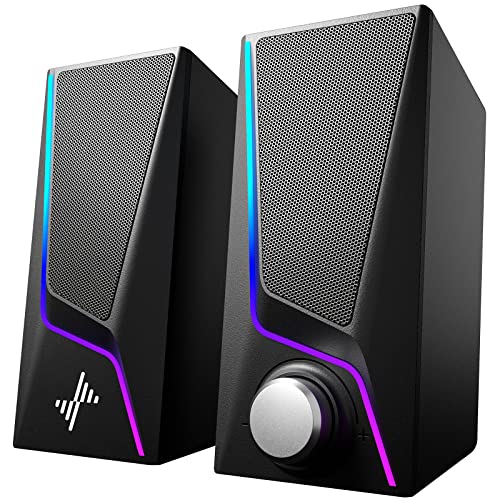
The Nylavee Computer Speakers are a budget-friendly desktop audio solution designed for PC gamers, casual listeners, and RGB setup enthusiasts. These USB-powered speakers feature two full-range dual-magnet driver units and dual bass-boost ports, aiming to deliver clearer sound and deeper bass than typical built-in monitor or laptop speakers. With 6 touch-controlled lighting modes and a simple knob for volume and power, they offer an easy way to upgrade your gaming or work-from-home audio without breaking the bank.
For competitive and casual gamers alike, audio clarity and bass response can make a difference in immersion and situational awareness. While these speakers won't replace a high-end gaming headset for pinpoint positional audio, they provide a noticeable improvement over basic computer speakers for games like open-world adventures, MOBAs, or single-player titles. The dual bass ports help emphasize explosions and soundtracks, adding a bit of rumble without distorting at moderate volumes. That said, audiophiles or those seeking room-filling sound may find the output limited for larger spaces.
Build quality is typical for this price range: a lightweight plastic construction with a compact footprint (about 7 inches tall) that fits easily on most desks. The touch-sensitive lighting controls on the top are responsive, though they can be accidentally triggered if you rest items on the speakers. The single knob for volume and on/off is a nice touch, reducing clutter and making adjustments quick during gaming sessions. The speakers are powered via USB and connect through a 3.5mm aux cable, so no drivers or Bluetooth pairing is needed - just plug into your PC, laptop, monitor, or even a phone or tablet.
One of the main selling points is the RGB lighting, which offers six modes including symphony, flowing, breathing, and three solid colors. This allows users to match their gaming setup's aesthetic or create a dynamic visual effect. The lighting is controlled by touch, but there's no software or remote, so customization is limited to the built-in modes. For RGB enthusiasts, this adds a nice pop of color without needing extra controllers or hubs.
In terms of limitations, the lack of Bluetooth means you're tethered by the aux cable, which may be a dealbreaker for those wanting wireless flexibility. Also, the bass, while enhanced, won't satisfy users seeking deep, thumping low-end - it's more of a subtle boost than a subwoofer experience. The speakers are best suited for small to medium-sized desks, and the plastic build feels less premium than metal or wood alternatives. Setup and cleaning are straightforward: just plug in, place, and wipe with a dry cloth if needed.
Overall, the Nylavee Computer Speakers are a practical choice for budget-conscious gamers, college students, or anyone wanting to improve their desktop audio and add RGB flair. They're not for hardcore competitive gamers who need precise audio cues, but they work well for casual gaming, streaming, watching videos, or music. If you're building a compact gaming setup or need an affordable speaker upgrade, these are worth considering for their ease of use and visual appeal.
Frequently Asked Questions
What connection types do gaming computer speakers use?
Most desktop speakers connect through 3.5mm auxiliary jacks, USB cables, or wireless Bluetooth. For example, the Razer Leviathan V2 X uses a single USB Type C cord for power and audio delivery, while the OHAYO 60W system provides Bluetooth 5.3 alongside RCA, AUX, and USB inputs. USB connections simplify setup, while 3.5mm cables ensure broad compatibility across PCs and monitors.
Are desktop soundbars better than traditional 2.0 speakers?
Compact soundbars save space beneath your monitor, whereas traditional 2.0 pairs deliver wider stereo separation. Soundbars like the Redragon GS560 offer a low-profile footprint for narrow desks. In contrast, bookshelf models like the Edifier G2000 feature angled cabinets for directional audio. When you plan to upgrade your gaming PC setup, measure desk clearance to pick between a central bar and satellite units.
Do USB powered computer speakers require a separate power adapter?
USB powered speakers draw energy directly from your PC or monitor without requiring a dedicated wall adapter. Options like the OFFSIR 2-in-1, LENRUE G11, and Redragon GS520 run entirely through USB cords paired with 3.5mm lines. This keeps power strips uncluttered and simplifies cable routing on compact desks.
Can you control and customize RGB lighting on desktop speakers?
Yes, many units offer integrated touch controls or dedicated software to adjust illumination modes. Models like the Nylavee speakers and LENRUE G11 include touch-sensitive housings to cycle through dynamic breathing and static colors. Higher-tier systems like the Logitech G560 use desktop software to customize four LIGHTSYNC RGB zones with 16.8 million colors.
How do built-in bass ports enhance audio without a subwoofer?
Bass-reflex ports channel internal air vibrations outward to reinforce low frequencies naturally. Nylavee speakers feature dual bass-boost ports, while Edifier G2000 units use backward bass ports for deeper low-end response. If you are exploring a practical beginner guide for 2026, selecting speakers with tuned acoustic ports provides satisfying bass depth without taking up floor space.







Write Your Review
No reviews yet. Be the first to share your experience!