


Online competitive matches often hinge on fractions of a second, making network routing, server hops, and packet stability just as critical as raw graphics power. PC players often ask what is the best vpn for gaming when attempting to reduce packet loss, bypass ISP throttling, or shield their IP addresses from unwanted targeted disruptions. Running an encrypted tunnel introduces data wrapping that can increase latency, so selecting the proper protocol and deployment method is vital for preserving fluid gameplay on your system. Evaluating whether software solutions or dedicated hardware routers best address your network needs helps protect your connection without introducing lag.
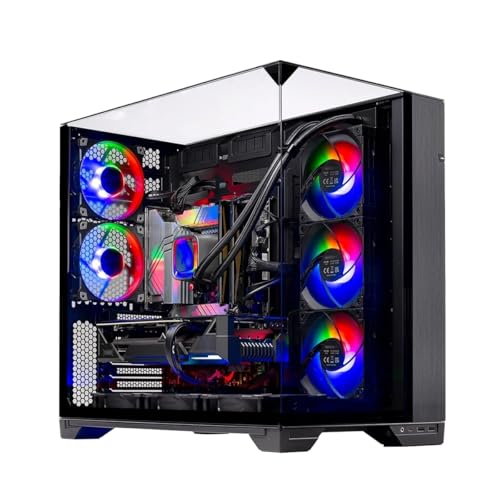
While many players default to software applications running on Windows, offloading encryption tasks to dedicated network hardware ensures your desktop processor focuses entirely on high frame rates and game logic. If you manage a high-performance system such as a dedicated desktop gaming tower, pairing your rig with a router that features native protocol acceleration can maintain responsive connections without introducing client-side background drag. Understanding hardware capabilities alongside lightweight protocols like WireGuard helps ensure your local setup delivers consistent throughput and stable ping during demanding multiplayer matches.

Pros
- Exceptional WiFi 7 performance with MLO and 4K-QAM for competitive low-latency gaming
- Five 2.5G Ethernet ports provide future-proof wired speeds for gaming PCs and streaming gear
- Built-in VPN client and server with WireGuard/OpenVPN at high throughput for secure gaming and remote access
- Long-range coverage up to 2,500 sq. ft. works well in large homes or multi-room setups
- OpenWRT OS offers deep customization with plugins like AdGuard Home and Bark for ad blocking and parental controls
Cons
- OpenWRT interface may feel complex for non-technical users; some networking knowledge recommended for full features
- Lacks dedicated 6 GHz band (dual-band only), which may limit peak WiFi 7 speed in some setups
- No individual Ethernet port status LEDs, which can be inconvenient for quick troubleshooting
The GL.iNet GL-BE6500 (Flint 3e) is a WiFi 7 router designed for PC gamers, streamers, and gaming setup builders who demand low latency, wide coverage, and advanced networking features. It combines the latest wireless standards with five 2.5G Ethernet ports, built-in VPN support, and an OpenWRT operating system. This router is best suited for competitive gamers, esports players, content creators, and anyone with a large home or dorm room who wants reliable, high-speed internet for gaming, streaming, and remote work.
Real-world performance is where the Flint 3e shines. With WiFi 7 features like Multi-Link Operation (MLO) and 4K-QAM, it delivers ultra-low latency and fast speeds up to 6.5 Gbps, making it ideal for competitive FPS and MOBA games where every millisecond matters. The five 2.5G Ethernet ports ensure your gaming PC, console, and streaming devices get wired speeds without bottlenecks. According to user feedback, users have seen massive speed improvements over older routers, with wireless downloads jumping from 52 Mbps to nearly 600 Mbps, and even outperforming some wired connections. The integrated WireGuard and OpenVPN support at up to 680 Mbps provides a secure, low-lag gaming VPN experience, which is great for protecting your connection during ranked matches or accessing geo-restricted content.
Build quality is solid, with a compact black chassis that fits easily on any desk or shelf. The router includes an Ethernet cable, power adapter, and user manual. While it lacks individual Ethernet port status LEDs, the overall design is clean and functional. The OpenWRT OS offers deep customization, including AdGuard Home for ad blocking and Bark for parental controls, but it may have a learning curve for those new to advanced networking. Setup can be done via the web admin panel or a mobile app, and many users report it as straightforward.
For ease of use, the Flint 3e is relatively simple to get running out of the box, especially if you follow the included video tutorial. However, to fully leverage its advanced features like VPN, MLO, and custom plugins, some networking knowledge is beneficial. The router supports over 100 devices, making it suitable for busy households or gaming setups with multiple consoles, PCs, and smart devices. Cable management is straightforward thanks to the rear port layout, and the router's small footprint leaves plenty of desk space.
One realistic limitation is that this model is dual-band (2.4 GHz and 5 GHz) and lacks a dedicated 6 GHz band, which means you won't get the absolute peak WiFi 7 speeds possible with tri-band routers. For most gamers, though, the performance is more than adequate. Also, the lack of Ethernet port LEDs may be a minor inconvenience for quick network troubleshooting. Overall, the GL.iNet GL-BE6500 offers excellent value for its price, combining cutting-edge WiFi 7, multi-gig wired connectivity, and powerful VPN and ad-blocking features.
If you're a PC gamer, streamer, or esports player looking to upgrade from an ISP-provided router or an older model, the Flint 3e is a practical choice. It delivers the low latency and high speeds needed for competitive gaming and 4K streaming, while its long-range coverage and device capacity make it ideal for large homes or gaming setups. For those who want robust VPN support and ad-free browsing without sacrificing performance, this router is a strong recommendation.

Pros
- Exceptional VPN throughput (WireGuard up to 900 Mbps) for secure, low-latency gaming and streaming.
- Dual 2.5G Ethernet ports future-proof your wired connection for high-speed fiber internet.
- Powerful quad-core CPU and 1GB DDR4 RAM handle heavy traffic and multiple devices without slowdown.
- AdGuard Home integration blocks ads and tracking network-wide, improving browsing and gaming performance.
- Compact, sleek design fits well on a desk or entertainment center without dominating the space.
Cons
- Setup may require firmware update for optimal performance, which adds an extra step for less tech-savvy users.
- Limited advanced features compared to some high-end gaming routers, such as RGB lighting or dedicated gaming dashboard.
- Price point may be higher than entry-level routers, though justified by VPN speeds and 2.5G ports.
The GL.iNet GL-MT6000 (Flint 2) is a WiFi 6 gaming router built to deliver high-speed, low-latency connectivity for PC gamers, streamers, and esports players who demand reliable performance. With dual 2.5G Ethernet ports and support for the latest WiFi 6 standard, this router is designed to handle bandwidth-heavy tasks like 4K streaming, competitive gaming, and large file transfers without breaking a sweat.
This router is best suited for competitive gamers who need minimal lag in fast-paced titles like Call of Duty or Valorant, as well as streamers who rely on stable upload speeds for Twitch or YouTube broadcasts. Casual gamers and gaming setup builders will also appreciate the Flint 2's ability to connect over 100 devices, making it a great fit for households with multiple consoles, PCs, and smart home gadgets. Content creators working from home will benefit from the dual 2.5G ports for wired connections to their main rig, ensuring fast file transfers and smooth video calls.
Performance-wise, the Flint 2 excels in delivering low latency and high throughput. The quad-core 2.0GHz CPU and 1GB DDR4 RAM handle heavy traffic without hiccups, while WiFi 6 speeds up to 6 Gbps provide ample bandwidth for 4K streaming and online gaming. The WireGuard VPN speed of up to 900 Mbps is a standout feature, allowing gamers to secure their connection without sacrificing performance. According to user feedback, the router maintains stable connections even during intense gaming sessions, with minimal packet loss or jitter.
Build quality is solid, with a compact black chassis that fits neatly on a desk or shelf. The included Ethernet cable and power adapter are standard, but the router's dual 2.5G ports are a premium touch for future-proofing. The GL-MT6000 also supports AdGuard Home, which blocks ads and trackers at the network level, reducing page load times and improving online privacy. For gamers who want to customize their network, the OpenVPN and WireGuard support offer flexibility for secure remote play or accessing geo-restricted content.
Setup is straightforward, though the manufacturer recommends updating the firmware upon initial setup to unlock full performance. The web admin panel is intuitive, and the video tutorial on Amazon guides you through the process. One limitation is the lack of advanced gaming-specific features like a dedicated gaming dashboard or RGB lighting, which some high-end routers offer. However, for users focused on raw performance and VPN speeds, these omissions are minor.
In summary, the GL.iNet GL-MT6000 (Flint 2) is a practical choice for PC gamers, streamers, and esports players who prioritize low latency, high-speed VPN, and reliable multi-device connectivity. Its dual 2.5G ports and powerful hardware make it a strong contender for gaming setups, home offices, and dorm rooms. While it may not have flashy gaming aesthetics, its performance-focused design delivers where it matters most: keeping your connection fast and stable.
Evaluating Network Tunneling and Hardware Integration for PC Gaming
Determining what is the best vpn for gaming requires looking beyond software marketing and examining how network routing, encryption protocols, and local hardware interact. Gaming packets rely heavily on the User Datagram Protocol (UDP) where transmission speed and minimal jitter matter far more than bulk data delivery. Traditional virtual private networks wrap every data packet in an encrypted layer, which can introduce physical distance overhead and processing delays. Understanding how routing choices influence real-world packet travel helps PC gamers decide whether a software client or a dedicated hardware gateway best protects their connection without degrading competitive responsiveness.
The Relationship Between Encryption Overhead and Gaming Latency
Latency represents the round-trip duration required for game data to travel from your desktop to the host game server and return. When an encrypted tunnel is active, that packet must first travel to an intermediary server where it is decrypted before heading toward the destination. This intermediary stop inevitably adds physical distance, which can raise your in-game ping if the intermediary server is located far from the game host. A well-routed tunnel can occasionally stabilize ping if your local internet service provider uses suboptimal peering paths, but most users should expect a slight baseline ping increase.
Beyond physical distance, computational latency occurs when encrypting and decrypting continuous streams of real-time packets. If your desktop operating system must process cryptographic ciphers while rendering demanding visual scenes, minor processing bottlenecks can occur. Even on a capable budget gaming PC build, delegating networking tasks allows system resources to remain dedicated to rendering frames and processing input commands. Keeping packet processing fast and lightweight is the primary technical objective when attempting to integrate network security into competitive gaming environments.
Comparing Modern Tunnel Protocols: WireGuard Versus OpenVPN
Selecting the underlying tunnel protocol plays an immense role in determining whether a secure network setup remains viable during online play. OpenVPN has long served as an industry standard, but its older code architecture and higher resource overhead often restrict total throughput and introduce variable latency spikes. While OpenVPN remains secure and configurable, its heavier cryptography can struggle with high-bandwidth gaming connections or rapid packet bursts. Gamers who utilize OpenVPN frequently observe higher processing temperatures on network hardware along with lower overall bandwidth caps.
WireGuard represents a modern alternative developed with streamlined code, modern cryptographic algorithms, and lower operating overhead. The protocol runs directly within the system kernel in many operating environments, resulting in substantially faster connection handshakes and higher sustained transfer speeds. Manufacturer specifications for modern routers indicate that WireGuard often yields significantly higher throughput compared to legacy implementations while maintaining tighter latency bands. For players who demand high-tick-rate responsiveness in first-person shooters, selecting WireGuard provides a much more suitable environment than older tunnel protocols.
Software Applications Versus Router-Level Gateway Solutions
Most players interact with encrypted tunnels through desktop software installed directly onto Windows. While standalone desktop applications offer quick server switching and simple user interfaces, they consume local memory and require background services to remain running while you play. These background processes can occasionally conflict with aggressive anti-cheat systems, causing unexpected game crashes, launch errors, or automated security flags. In addition, desktop software only protects that single machine, leaving gaming consoles, secondary streaming PCs, and smart home devices completely exposed on the local network.
A dedicated hardware router with native client support resolves these software limitations by managing the encrypted tunnel before traffic ever reaches your desktop. By terminating the secure connection at the network gateway, every device connected via Ethernet or Wi-Fi can route through the tunnel without installing local client programs. This hardware approach ensures that game launchers and anti-cheat modules see a clean, standard local network interface with no virtual network adapters interfering with your system. Maintaining your network gateway with a reliable uninterruptible power supply for gaming can also prevent sudden disconnects and dropped sessions during unexpected power fluctuations.
Hardware Tunneling Capabilities of Flint 2 and Flint 3e
The GL.iNet GL-MT6000 (Flint 2) is designed specifically to handle high-demand local network environments while executing intensive cryptographic operations. Built with 1GB of DDR4 memory and 8GB of onboard eMMC storage, the Flint 2 provides substantial computing capacity to run complex networking services simultaneously. The listed specifications highlight WireGuard speeds up to 900Mbps and OpenVPN speeds up to 880Mbps, which are exceptionally high marks for consumer-tier routing equipment. Furthermore, manufacturer documentation recommends updating the firmware immediately during initial setup to ensure optimal operational stability and performance across all network interfaces.
The GL.iNet GL-BE6500 (Flint 3e) advances home networking into the Wi-Fi 7 standard, featuring combined wireless throughput potential of up to 6.5 Gbps alongside Multi-Link Operation (MLO) and 4K-QAM modulation. On the tunnel processing side, the Flint 3e is listed to deliver speeds of up to 680Mbps for both WireGuard and OpenVPN protocols. While its maximum raw tunnel throughput is slightly lower than the Flint 2 in manufacturer ratings, its upgraded wireless capabilities provide superior handling for dense wireless environments spanning up to 2,500 square feet. Both routers feature robust processors capable of maintaining high-speed connections without causing local network bottlenecks during multiplayer gaming.
Multi-Gigabit Ethernet and Local Network Throughput for PC Gamers
Modern gaming desktop motherboards increasingly feature 2.5G Ethernet ports as a standard connectivity feature, moving beyond older 1Gbps limitations. Having multi-gigabit capability allows for rapid game installation downloads from digital platforms while preserving bandwidth for simultaneous background voice chat and stream broadcasts. The GL-BE6500 (Flint 3e) stands out in this regard by offering five separate 2.5G Ethernet ports, accommodating multiple high-speed desktop rigs or network-attached storage devices without needing an auxiliary switch. This extensive physical port configuration ensures that your primary desktop rig maintains an unthrottled wired connection directly into the core network gateway.
In contrast, the GL-MT6000 (Flint 2) includes two 2.5G Ethernet ports alongside four standard gigabit LAN ports. This configuration allows a gamer to dedicate one 2.5G port to a high-speed fiber internet modem and the second 2.5G port directly to a high-performance gaming PC. Wired Ethernet connections remain the gold standard for competitive gaming because physical cables eliminate the wireless interference, channel crowding, and physical wall degradation common to Wi-Fi. Pairing either router with a high-bandwidth wired link guarantees that any measured latency originates from external server routing rather than local cable or switch limitations.
Managing Jitter, Bufferbloat, and Packet Stability
When evaluating network health during online play, consistent packet intervals are far more important than raw download capacity. Jitter refers to the variance in packet arrival times, which causes unpredictable rubber-banding and micro-stuttering during fast-paced multiplayer engagements. Standard consumer internet providers occasionally route gaming traffic through congested regional exchange nodes, leading to sudden packet loss during peak evening hours. A properly configured tunnel can direct traffic across private routing backbones, effectively bypassing congested public peering routes and stabilizing packet intervals.
Bufferbloat further degrades gaming stability when network hardware queues excessive data packets during periods of concurrent local traffic. Advanced routers mitigate this problem through queue management algorithms that prioritize time-sensitive gaming packets over large file transfers and background streams. Both the Flint 2 and Flint 3e run open-source firmware architectures that permit the installation of specialized queue management plugins to keep ping flat under load. Combining hardware-based traffic prioritization with a lightweight WireGuard tunnel delivers the most consistent connection profile possible for high-stakes PC gaming.
Mitigating DDoS Attacks and Preserving Online Privacy
Competitive players, particularly those who stream their gameplay or compete in community tournaments, face the constant threat of distributed denial of service (DDoS) attacks. Malicious actors frequently attempt to harvest opponent IP addresses through direct peer-to-peer game matchmaking or third-party voice communications. Once your true residential IP address is exposed, targeted packet floods can knock your home modem offline, forcing disconnects and match forfeitures. Utilizing a secure tunnel masks your residential IP behind the provider server address, shielding your home network from direct assault.
If a malicious party attempts to flood the masked IP address, the robust infrastructure of the secure server provider absorbs the hostile traffic instead of your home modem. The router hardware handles this separation cleanly at the network boundary, ensuring that other household members experience no interruption during targeted incidents. Both GL.iNet models feature built-in firewall configurations and isolated network profiles to keep your core computing devices separated from external threats. This perimeter protection offers peace of mind for competitive gamers who cannot afford unexpected network dropouts during ranked play.
DNS Management and Ad Blocking Integration via AdGuard Home
Domain Name System (DNS) resolution speed is another hidden factor that impacts how fast web resources, game launchers, and matchmaking services respond. Both the Flint 2 and Flint 3e include native integration for AdGuard Home, an open-source network-wide software utility that intercepts and filters DNS requests. By maintaining a local DNS cache directly on the router, frequently accessed gaming domains resolve in fractional milliseconds without querying external servers repeatedly. This local caching mechanism eliminates minor lookup delays and creates a noticeably snappier experience when browsing game libraries or connecting to store backends.
AdGuard Home also provides robust network filtering by blocking telemetry trackers, unwanted digital advertisements, and malicious domains before they ever enter your local network. Many modern free-to-play titles and PC gaming launchers include integrated advertising frameworks and background analytical trackers that consume background bandwidth. Blocking these requests at the gateway level reduces background network clutter and conserves system processing overhead on your gaming machine. Because the filtering occurs directly on the router hardware, no third-party browser extensions or background Windows utility software are required to maintain a clean digital environment.
Practical Setup and Configuration Workflow for Gamers
Setting up an encrypted gateway router for optimal PC gaming performance involves several deliberate configuration steps to avoid common connection traps. After unboxing either the Flint 2 or Flint 3e, connect an Ethernet cable from your existing modem into the designated 2.5G WAN port and plug your gaming desktop into one of the available LAN ports. Access the web administration panel via your desktop browser to perform the essential initial firmware update as recommended by the manufacturer. Updating the firmware ensures that all wireless drivers, protocol binaries, and security patches operate at peak stability before you begin loading custom configuration profiles.
Once the core system is updated, import your preferred WireGuard configuration file directly into the router web interface rather than relying on legacy OpenVPN profiles. Test your connection using local server nodes that match your regional geographic area to establish a baseline ping before engaging in competitive matchmaking. Enable the router policy routing feature to designate your gaming desktop as a high-priority device, or configure specific routing rules so that game traffic bypasses the tunnel if maximum raw ping reduction is required for a specific title. Taking this structured approach allows you to tailor network routing to your specific game library and performance targets.
Final Considerations When Selecting a Gaming Network Gateway
Determining the right approach ultimately depends on your physical living space, internet tier, and whether you prefer wired or wireless desktop connectivity. The GL-MT6000 (Flint 2) is an exceptional choice for users who prioritize raw WireGuard throughput up to 900Mbps and desire a proven Wi-Fi 6 platform with ample memory and processing capacity. Its dual 2.5G ports provide the exact connectivity needed to bridge a multi-gigabit modem directly to a single high-end gaming PC. Players who primarily game over Ethernet cables will find the Flint 2 to be an efficient, powerful network anchor that easily handles simultaneous network encryption.
On the other hand, the GL-BE6500 (Flint 3e) caters to forward-looking setups requiring the latest Wi-Fi 7 wireless standards and extensive multi-gigabit wired infrastructure. With five dedicated 2.5G Ethernet ports, the Flint 3e accommodates multi-PC gaming rooms, dedicated streaming rigs, and local storage servers without requiring additional network switches. While its rated WireGuard speed reaches up to 680Mbps, its broad wireless coverage of up to 2,500 square feet and Multi-Link Operation support make it well suited for expansive home environments. Aligning your router selection with your specific PC hardware and home layout ensures a stable, responsive, and secure gaming experience across every match.







Write Your Review
No reviews yet. Be the first to share your experience!