


Competitive players frequently research what are the best iems for gaming when bulky over-ear headsets produce excess warmth or physical pressure across multi-hour play sessions. In-ear monitors sit securely inside the ear canal, utilizing passive acoustic isolation to mute room distractions while presenting direct spatial audio cues. Running these low-latency wired monitors directly into a modern desktop gaming PC setup gives players immediate access to high-resolution positional cues without needing complex virtual surround sound processing. This clean signal path ensures that rapid environmental feedback reaches your ears with minimal interference from surrounding hardware noise.
Identifying the ideal in-ear monitor configuration involves weighing driver counts, sound separation, acoustic seal quality, and communication needs. Multi-driver hybrid earphones combine magnetic dynamic units for tactile explosions with specialized balanced armatures for crystal-clear footsteps and weapon reloads. These hardware designs deliver distinct frequency channels so subtle movement details remain audible even during frantic firefights. Understanding how sensitive wired monitors connect to desktop motherboard audio ports helps clarify what are the best iems for gaming while keeping your physical workspace streamlined and clutter-free.

Pros
- Exceptional sound clarity and detail for the price, with strong high-frequency extension and punchy bass
- Comfortable, secure fit suitable for extended wear (up to 5 hours per session recommended)
- Detachable cable allows easy replacement or upgrade to improve sound or add a microphone
- Solid build quality with durable stainless steel and resin materials
Cons
- Cable may feel thin for some users; upgrading to a thicker aftermarket cable can improve longevity
- No microphone included in the base version, so separate mic needed for in-game chat or streaming
- Front PC audio jacks may introduce noise; using rear jacks or a USB DAC is recommended
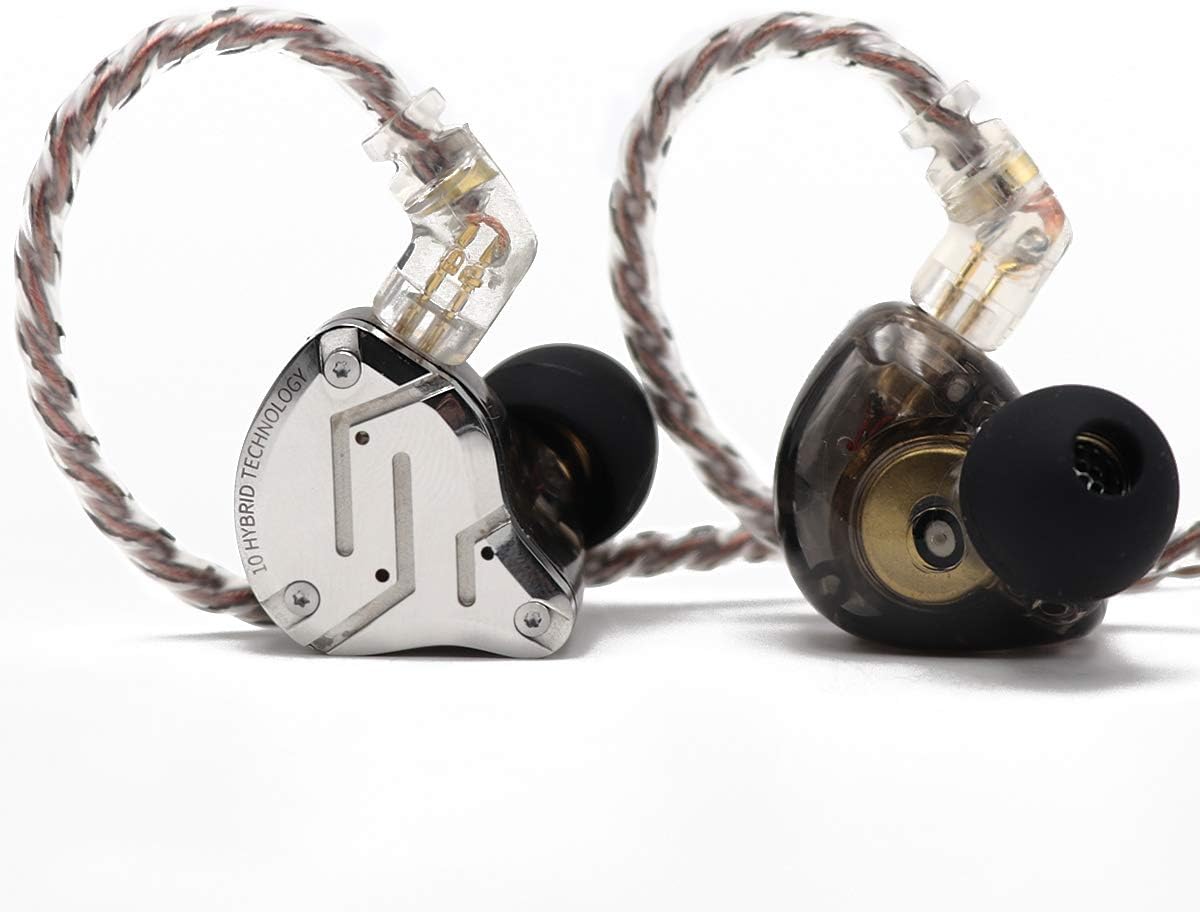
The Linsoul KZ ZS10 Pro is a hybrid in-ear monitor that combines four balanced armature drivers with one dynamic driver, offering a multi-driver setup typically found in much pricier audiophile gear. This wired IEM is designed for PC gamers, competitive esports players, streamers, and music enthusiasts who want detailed, immersive sound without breaking the bank. Its 4BA+1DD configuration delivers crisp highs, articulate mids, and punchy lows, making it easier to pick out footsteps, gunshots, and environmental cues in fast-paced FPS or MOBA titles.
For competitive gamers, audio responsiveness is key, and the ZS10 Pro provides a transient, dynamic sound signature that helps you react faster in-game. The custom-tuned balanced armatures extend highs beyond 40kHz, while the second-generation Tesla double magnetic dynamic driver adds depth to explosions and bass-heavy moments. This combination creates a wide soundstage that can give you a competitive edge, especially when paired with a decent USB DAC or sound card to minimize noise from your PC's front audio jack.
Build quality is impressive for the price. The faceplate is made from 304 stainless steel with a sleek, shimmering finish, while the cavity is molded from imported resin for durability. The detachable gold-plated 0.75mm 2-pin cable allows for easy upgrades or replacement, and the limit slot design protects the pins from bending over time. The earbuds also feature an ergonomic shape based on cochlear data, ensuring a secure fit for most ear shapes, which is crucial during intense gaming sessions or long streams.
The noise isolation rating of 26dB effectively blocks out ambient noise, letting you focus on your game or music without distraction. However, keep in mind the base version doesn't include a microphone, so you'll need either the with-mic cable option or a separate USB mic for voice chat or streaming. The lightweight 1.06-ounce build means you can wear these for hours without discomfort, though the manufacturer recommends not exceeding five continuous hours to avoid ear fatigue.
Setting up the ZS10 Pro is straightforward: just connect the 3.5mm plug to your PC, console, or mobile device. For PC gaming, using the rear audio jack or a dedicated DAC/amp can minimize static noise often introduced by front panel connections. Cleaning is simple - remove the ear tips, rinse with lukewarm water and mild soap, and let them air dry completely. Foam tips should be replaced every three months, silicone every six months for best hygiene.
Overall, the Linsoul KZ ZS10 Pro is a solid choice for budget-conscious PC gamers, audiophiles, and streaming newcomers who want high-fidelity audio without the bulk of over-ear headphones. It's not a full gaming headset, so you'll need a separate mic solution, but for pure sound performance in its price range, it's hard to beat. If you're building a gaming setup on a budget or looking for a portable IEM for both gaming and music, this is a strong contender.
Pros
- Excellent audio clarity for footsteps and environmental cues in FPS and MOBA games
- Comfortable, secure fit with multiple ear tip options for long sessions
- Detachable cable adds durability and upgrade potential
- Mic version works well for Discord calls and in-game communication
Cons
- May require a DAC or audio adapter for optimal sound on some PCs with noisy front jacks
- Not wireless, so cable management is needed for desktop use
- Fit may not suit all ear shapes, and extended wear beyond 5 hours can cause discomfort
The Linsoul KZ ZS10 Pro is a hybrid in-ear monitor (IEM) that packs five drivers into a compact, lightweight shell. It combines four custom-tuned balanced armatures with one dynamic driver, aiming to deliver a sound profile that is detailed, bright, and punchy. This makes it a versatile option for PC gamers, streamers, and content creators who want clear audio without the bulk of over-ear gaming headsets.
For gamers, the ZS10 Pro excels at reproducing in-game audio cues like footsteps, gunshots, and environmental sounds. The balanced armatures handle high and mid frequencies with precision, while the dynamic driver adds low-end thump for explosions and bass-heavy soundtracks. This combination can give you a competitive edge in FPS games like Valorant or Call of Duty, where audio awareness is critical. Streamers and Discord users will appreciate the optional microphone cable, which picks up voice clearly for team chat or live commentary.
Build quality is a highlight here. The faceplate uses 304 stainless steel with a sleek black finish, while the cavity is made from imported resin for durability. The detachable gold-plated 0.75mm 2-pin cable reduces signal interference and allows easy replacement if the cable wears out. The included ear tips provide a secure fit, and the IEMs offer up to 26dB of noise isolation, helping you stay immersed in your game or music without distraction.
Comfort during long sessions is generally good, but it is worth noting that the manufacturer recommends not wearing them for more than five hours at a time to avoid ear fatigue. The lightweight design and ergonomic shape help, but individual ear anatomy will vary. For desktop use, you may want to pair these with a USB DAC or a front audio jack that is properly grounded to minimize static noise, as some users have reported issues with noisy PC ports.
One limitation is the lack of wireless connectivity. These are wired IEMs, so you will need to manage the 1.25-meter cable on your desk. The cable is detachable, which helps with storage and upgrades, but it is not ideal for those who prefer a clutter-free wireless setup. Additionally, the microphone version is convenient for calls, but audio quality is basic compared to dedicated gaming headsets.
Overall, the KZ ZS10 Pro is a strong choice for budget-conscious gamers, streamers, and music enthusiasts who want high-quality audio in a portable, durable package. It works well for competitive gaming, casual listening, and content creation, especially if you already have a good audio interface or DAC. If you prefer wireless freedom or need a built-in boom mic, look elsewhere, but for the price, these IEMs deliver impressive sound and build quality for PC gamers and setup builders.
Evaluating In-Ear Monitors for Competitive Desktop Gaming
Understanding what are the best iems for gaming starts with looking at how acoustic clarity directly impacts your competitive reaction time. Gamers are increasingly moving away from heavy broadcast headsets because in-ear monitors deliver detailed audio separation right into the ear canal without physical heat accumulation. These compact listening devices isolate your hearing from computer fan noise while rendering subtle positional movements that standard stereo gaming drivers often blur together. Deciding on the most effective setup requires analyzing internal driver arrangements, acoustic shell materials, connection cables, and the sound processing capabilities of your desktop computer.
Acoustic Architecture and Hybrid Driver Distribution
Most conventional gaming headsets depend on a single large dynamic driver per ear cup to recreate the entire frequency spectrum from deep rumble to sharp treble. While a single driver can produce punchy explosions, it frequently suffers from acoustic congestion when complex audio scenes play simultaneously. In contrast, advanced in-ear monitors like the Linsoul KZ ZS10 Pro, 4BA+1DD 5 Driver in Ear deploy a hybrid multi-driver architecture that separates distinct frequency ranges across five dedicated components in each earpiece. This approach delegates specific sonic tasks to specialized internal hardware instead of forcing one diaphragm to execute every acoustic demand.
In a hybrid design, a dedicated dynamic unit manages the lowest frequencies to deliver physical bass impact without muddying the surrounding acoustic spectrum. The KZ ZS10 Pro integrates a second-generation Tesla double magnetic dynamic unit engineered specifically to drive clean sub-bass and mid-bass energy. Having a dedicated magnetic diaphragm prevents sudden explosions, gunfire, or environmental rumblings from masking quieter operational cues. This separation ensures that high-energy gameplay events never overwhelm the subtle acoustic details necessary for maintaining situational awareness in fast-paced competitive environments.
Higher frequencies receive dedicated treatment through balanced armature drivers that provide fast transient response and crisp detail reproduction. The hardware configuration utilizes two custom 30095 balanced armatures for high frequencies extended beyond 40kHz, alongside two 50060 balanced armatures dedicated to mid-range vocal and movement tones. A physical printed circuit board frequency dividing crossover directs incoming audio signals to their respective drivers smoothly. This internal crossover keeps footstep friction, weapon swaps, and audio cues remarkably sharp and separated from heavy ambient game sounds.
Spatial Imaging and Positional Accuracy in Tactical Games
Positional imaging defines how accurately an audio device conveys the exact angle and distance of an approaching opponent. While open-back studio headphones are famous for wide soundstage boundaries, quality in-ear monitors excel in surgical directional placement. The direct coupling between the silicone ear tip and your ear canal eliminates internal room reflections and outside acoustic interference. This focused acoustic delivery allows competitive players to immediately determine whether an audio cue originated from an upper walkway, a doorway to the left, or directly behind their character.
Passive noise isolation plays an equally critical role in competitive audio clarity during demanding gaming sessions. Molded resin cavities are designed to fit closely within the human ear, mechanically blocking external ambient noise by up to 26dB without active electronic cancellation. This passive sound attenuation is especially valuable when sitting near a desktop PC whose graphics card and radiator fans are operating at peak thermal velocity. Eliminating background workstation hum ensures that quiet, critical enemy sound cues remain noticeable even at conservative, hearing-safe listening volumes.
Fast acoustic feedback directly complements your physical aiming habits when tracking fast targets across competitive battlegrounds. When you can pinpoint an enemy’s trajectory by ear before they appear around a corner, you can pre-aim your reticle with higher confidence. Pairing reliable directional audio with precise mouse DPI adjustments creates a synchronized physical and auditory setup that enhances overall mechanical consistency. Clean spatial positioning removes the hesitation that typically occurs when players try to interpret muddy or diffused audio cues during frantic team engagements.
Desktop Motherboard Audio CODECs and Electrical Noise
Connecting highly sensitive in-ear monitors to a desktop PC requires attention to how your computer processes and outputs analog audio. Because multi-driver monitors have relatively low impedance and high electrical sensitivity, they draw signal easily from standard motherboard audio jacks. High sensitivity means you will not need an expensive headphone amplifier to achieve adequate volume levels from basic 3.5mm outputs. However, this same sensitivity can also expose underlying electrical flaws or grounding imperfections within your desktop chassis.
Front-panel audio jacks on computer cases often route long, unshielded internal cables directly past power supply leads and high-power graphics cards. When your graphics processing unit draws heavy wattage during 3D gaming loads, electrical interference can bleed into the audio lines as an audible buzzing or static hiss. Plugging your in-ear monitors into the rear motherboard I/O panel generally yields a cleaner signal because trace lines on modern motherboards feature isolated audio circuitry. If faint background hiss persists through your sensitive monitor drivers, adding an external USB digital-to-analog converter can isolate the audio stream completely.
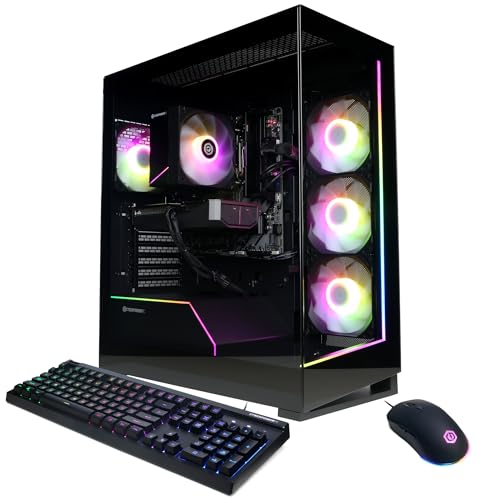
Integrating a clean audio path is just as important as selecting high-speed graphics hardware when assembling a complete gaming battle station. If you are building or configuring a balanced gaming PC build, prioritizing motherboard audio shielding or setting aside headroom for a small USB audio dongle prevents unwanted electrical interference. High-grade audio components on modern motherboards deliver sufficient dynamic range to let hybrid balanced armature drivers present footsteps with high fidelity. Maintaining clean electrical delivery ensures that quiet tactical moments remain pitch-black rather than compromised by electronic hum.
Detachable Cable Architecture and Desk Cable Routing
Desktop gaming places unique physical demands on headphone cables due to constant keyboard movement, mouse sweeps, and chair adjustments. Both the standard and microphone-equipped versions of the KZ ZS10 Pro utilize detachable gold-plated 0.75mm 2-pin cables with protective limit slots. This mechanical recessed slot design protects delicate connector pins from bending or snapping if the wire is accidentally yanked during sudden movement. Having a detachable interface also means you can easily replace a worn cable without having to discard your fully functional earpieces.
Cable microphonics, which refers to the mechanical friction noise transferred through the cord when it rubs against clothing or desk corners, can disrupt focus during gameplay. Most professional in-ear monitors solve this issue by utilizing an over-ear wire loop routing system that directs the cable over the top of the ear before dropping down. This looped configuration anchors the earbud firmly inside the ear canal while absorbing mechanical tugs and reducing annoying cable rustle. Routing the main line behind your keyboard or beneath a desk clamp keeps the wire free from interfering with your mouse pad.
Manufacturer notes indicate that stock cables may vary in physical braid appearance across production batches while retaining identical electrical transmission performance. Players seeking further flexibility, softer braided texture, or reduced cable memory often upgrade to third-party cables such as Tripowin options. Aftermarket braided cables can provide a tangle-resistant weave and a softer hand-feel that rests smoothly against your chest during intense gameplay. Choosing a durable cable with reliable strain relief ensures your physical audio connection remains steady across thousands of hours of intense desk usage.
Inline Voice Microphones Versus Dedicated Desktop Mics
Selecting between an in-ear monitor with an inline microphone and an audio-only model depends on your desktop communication habits. The Linsoul KZ ZS10 Pro, 4BA+1DD 5 Driver in Ear includes an integrated microphone along the cable, providing an all-in-one solution for casual voice chat. Having a built-in inline microphone keeps your desktop completely free of bulky boom arms, desktop stands, or auxiliary USB cabling. This simplified setup appeals to minimalist gamers who want quick voice communication without managing multiple audio input devices.
Desktop PC connectivity for inline microphones requires verifying whether your computer offers a combined TRRS audio jack or dual separate jacks. Most modern laptops and compact gaming cases use a single four-pole 3.5mm headset port that accepts both microphone input and stereo output simultaneously. Traditional desktop motherboards, however, often feature separate pink microphone and lime-green headphone jacks on the rear panel. If your PC uses separate ports, using a basic 3.5mm TRRS to dual-TRS splitter cable is required so the desktop detects both your microphone input and stereo audio playback.
While inline microphones provide convenient voice transmission for casual Discord calls, they naturally pick up more ambient desk clatter than directional boom mics. Because the microphone capsule rests near your chest or collarbone, mechanical keyboard switches and aggressive mouse clicks can transmit through open voice channels. Competitive players who frequently communicate in tactical team environments often pair the audio-only version of the KZ ZS10 Pro with a separate directional USB microphone. Combining dedicated in-ear listening with a cardioid desktop mic gives you pristine positional monitoring alongside broadcast-quality team voice isolation.
Shell Ergonomics, Acoustic Seals, and Extended Wear Comfort
Physical comfort is essential when wearing in-ear monitors for competitive gaming tournaments or weekend play sessions. The acoustic cavity of the KZ ZS10 Pro is molded based on large aggregates of human cochlear data to create an ergonomic contoured profile. This custom-style shape rests naturally within the outer ear bowl without creating sharp pressure points against delicate cartilage. Meanwhile, the outer faceplate is crafted from 304 stainless steel, pairing an elegant brushed aesthetic with physical durability that withstands drops or desk bumps.
Achieving a proper acoustic seal inside your ear canal is vital for both sound quality and physical stability. If an ear tip fits too loosely, low-frequency sound waves immediately escape, leaving weapon discharges and explosions sounding thin and hollow. Testing the included silicone ear tips of various sizes allows you to find the diameter that creates an airtight seal without exerting excessive pressure. Many players also experiment with aftermarket memory foam ear tips, which expand gently within the ear canal to provide improved comfort and superior passive noise isolation.
Unlike traditional over-ear gaming headsets that clamp tightly against your temples and trap heat around your ears, monitors leave your head feeling weightless. This structural difference prevents the sore spots on the crown of the head that heavy padded headbands frequently cause over time. In addition, players who wear corrective eyeglasses can game for hours without experiencing uncomfortable frame pressure against the sides of the skull. The combination of lightweight resin cavities, contoured ergonomics, and over-ear cable stabilization makes in-ear monitors exceptionally well suited for marathon gaming stretches.
Key Factors When Selecting IEMs for Your PC Station
Evaluating your specific gaming priorities helps you select the monitor configuration that best enhances your daily play experience. If you prioritize maximum voice clarity for streaming or competitive team coordination, choosing the audio-only model paired with a dedicated desk mic yields professional vocal results. If you prefer a portable, clutter-free setup that plugs effortlessly into laptops, handhelds, or single-jack PC ports, the inline microphone variant delivers practical convenience. You should also confirm your PC port layout so you have any necessary 3.5mm splitters or USB adapters ready before plugging in.
Focusing on proven hybrid hardware with dedicated balanced armatures, reliable passive isolation, and sturdy detachable cabling ensures dependable in-game performance. By separating bass dynamics from high-frequency directional cues, quality monitors give tactical players an immediate positional edge over conventional single-driver gaming headsets. Verifying a clean electrical connection on your motherboard and securing an airtight ear tip seal unlocks the full acoustic potential of your monitors. With the proper hardware balance in place, in-ear monitors offer a lightweight, highly accurate audio solution for any serious desktop gaming rig.




Write Your Review
No reviews yet. Be the first to share your experience!