


Modern PC games routinely demand over one hundred gigabytes of storage space, forcing many players to run out of capacity on their primary solid-state drives. When capacity runs low, many players naturally ask whether is an external hard drive good for gaming or if an internal expansion is necessary. Portable mechanical hard drives provide an accessible way to add terabytes of room through a simple USB connection without opening a computer case. This plug-and-play convenience makes external storage an attractive option for players looking to store massive game libraries across multiple gaming platforms. Understanding how these drives handle active gaming helps prevent frustrating performance bottlenecks.
While extra capacity is always welcome, running modern titles directly from an external drive introduces clear technical trade-offs compared to high-speed internal storage. Mechanical drives rely on spinning platters that read and write data significantly slower than internal solid-state options found in modern budget gaming PC builds. Connection protocols like USB 3.0 or USB 3.2 also influence how quickly game assets load into system memory. Exploring how transfer speeds, asset streaming, and connection bandwidth influence your experience will clarify whether an external drive fits your gaming routine or serves better as secondary archive storage.

Pros
- 1TB capacity provides plenty of room for multiple AAA game titles and media files
- USB 3.0 ensures fast data transfer speeds for quicker load times and file transfers
- Cross-platform compatibility with PC, Mac, PlayStation, and Xbox makes it a flexible storage option
- Plug-and-play setup with no installation hassle — ideal for users who want instant storage expansion
Cons
- HDD technology is slower than SSD, so game load times directly from the drive may be longer
- May require reformatting for use with Mac computers, which could be a minor inconvenience
- Capacity advertised is 1TB but actual usable space may be slightly less due to formatting overhead
The Seagate Portable 1TB External Hard Drive is a straightforward storage solution built for gamers, streamers, and content creators who need to expand their digital library without overhauling their system. While it isn't a gaming keyboard, mouse, or headset, it fills a crucial role in any gaming setup: reliable, portable storage. Whether you're a PC gamer looking to store a backlog of Steam titles, a console player needing extra space for Xbox Game Pass installs, or a streamer archiving hours of Twitch VODs, this drive delivers essential extra capacity at a reasonable cost.
For PC gamers, this external HDD is a practical way to offload large game files from your primary SSD, keeping your boot drive fast while still having quick access to your library via USB 3.0. The 1TB capacity holds roughly 15-25 modern games depending on size, and the drag-and-drop simplicity means you can start moving data within seconds of unboxing. It's also a great companion for college gamers or those with limited desk space — the drive is small enough to tuck beside your monitor or toss into a laptop bag for gaming on the go.
Build quality is typical for a portable external drive: a matte black plastic shell that feels sturdy enough for daily use. The included 18-inch USB 3.0 cable is short but practical for keeping close to your PC or console. One notable feature is the 1-year Rescue Service, which provides data recovery in case of accidental deletion or drive failure — a welcome safety net for preserving precious game saves, clips, and projects.
Setup is as easy as it gets: plug the drive into a USB port on your PC, Mac, PlayStation, or Xbox, and it's automatically recognized. No software installation is needed. If you're using a Mac, note that reformatting may be necessary (the drive ships in NTFS format for Windows). On consoles, the drive can be used to store and play games directly (on Xbox) or as external storage for PS4/PS5 games (PS5 games require internal storage to play). This cross-platform compatibility makes the Seagate Portable a versatile addition to any gaming household.
Performance-wise, this is a traditional HDD, not an SSD, so you're limited to mechanical drive speeds (~120-140 MB/s sequential read/write). For storing and transferring large files, that's perfectly fine — it will handle game installs and media backups without issue. However, for playing games directly off the drive on PC, expect longer loading screens compared to internal SSDs. It's best used as a secondary storage device for titles you play less frequently or for bulk backups. For competitive gamers who need the fastest possible load times, an internal or external SSD would be a better fit, though at a higher price point.
Overall, the Seagate Portable 1TB External Hard Drive is a sensible buy for gamers who need affordable extra storage without complex setup. It works well for PC gamers, console players, streamers archiving content, and content creators backing up projects. If you prioritize speed above all, consider an external SSD — but for value and capacity, this HDD remains a reliable workhorse in any gaming or streaming setup.

Pros
- Fast USB 3.0 transfer speeds suitable for moving large game files
- Wide compatibility with PC, Mac, PS4, Xbox One, and Xbox 360
- Compact and portable - easy to take to LAN parties or dorm rooms
- Plug-and-play simplicity with no driver installation required
- Affordable price point for budget-conscious gamers
Cons
- 500GB capacity may fill quickly with modern game sizes
- Mechanical HDD is slower than SSD for game loading times
- Plastic build may not be as durable as metal alternatives
The Aiolo Innovation 500GB External Hard Drive is a practical storage solution for gamers who need extra space for their growing game libraries. This ultra-slim portable HDD connects via USB 3.0, offering read speeds up to 133MB/s and write speeds up to 103MB/s, which is sufficient for transferring game files and backups without long waits. Its compact size (0.5 x 4.56 x 3.15 inches) and light weight (under half a pound) make it easy to slip into a pocket or backpack, ideal for college gamers or those who attend LAN events.
This drive is compatible with a wide range of devices including PC, Mac, Linux, Android, PS4, Xbox One, and Xbox 360. For console gamers, it provides a straightforward way to store and play games directly from the external drive (on supported consoles). The plug-and-play functionality means no software installation is required - just plug it in and it's ready to use. The included USB-C adapter adds flexibility for modern laptops and devices.
Build quality is decent for the price point. The aluminum anti-interference layer helps with heat dissipation and protects your data. The drive operates quietly thanks to a noise-free motherboard design, which is a plus for gaming sessions where background noise can be distracting. However, as a mechanical HDD, it won't match the loading speeds of an SSD - gamers who prioritize fast load times in open-world games or competitive titles may want to consider a portable SSD instead.
One realistic limitation is the 500GB capacity. With many modern games exceeding 50GB each, this drive can fill up quickly. It's best used as secondary storage for older games, media files, or backups rather than a primary game drive for a large library. The plastic casing feels a bit basic but should hold up to normal use if handled carefully.
Setup is effortless: connect the USB cable, and the drive is recognized immediately on Windows, Mac, and most consoles. No formatting or driver installation is needed. Maintenance is minimal - just keep it away from moisture and extreme temperatures. The three-year warranty and free technical support add some reassurance.
Overall, the Aiolo Innovation 500GB External Hard Drive is a solid budget-friendly option for casual gamers, college students, or anyone needing extra portable storage for their gaming setup. It's not a performance upgrade, but it gets the job done for storing and transferring games without hassle. If you're on a tight budget and need reliable extra space, this drive is worth considering.
Pros
- Massive 4TB capacity at a reasonable price point for gamers and creators
- Plug-and-play simplicity with automatic recognition on multiple platforms
- USB 3.0 provides solid transfer speeds for large game installations and backups
- Compact and portable, easy to take to LAN parties or between setups
- Includes 1-year Rescue Service for added data protection
Cons
- Not an SSD, so load times for games stored on this drive will be slower than internal drives
- Requires a USB cable (included) and may add cable clutter to a clean gaming desk setup
- Limited to 5400 RPM spindle speed, which may not be ideal for running the latest AAA games directly
For PC gamers, streamers, and content creators, storage space is always at a premium. Modern game installs can easily exceed 100GB, and high-quality recordings or streams eat up terabytes quickly. The Seagate Portable 4TB External Hard Drive HDD offers a straightforward, affordable way to expand your capacity without cracking open your PC case or console. This USB 3.0 drive is designed for portability and ease of use, making it a practical addition to any gaming setup or content creation workflow.
This external hard drive is best suited for casual gamers, competitive players who need to archive older titles, streamers storing VODs and overlays, and college gamers who want to carry their game library between dorm and home. It's also a great solution for work-from-home gamers who need extra backup space for both work files and gaming clips. With plug-and-play compatibility on Windows, Mac, Xbox, and PlayStation, you can instantly offload games or media without any software setup - just drag and drop.
In terms of real-world performance, the USB 3.0 interface delivers transfer speeds that are adequate for moving large game installations and backups. While it won't match the loading speed of an internal SSD, it's perfectly fine for storing games you play less frequently or for archiving screenshots and recordings. The 4TB capacity gives you plenty of room for dozens of AAA titles or hundreds of hours of 1080p stream footage. For gamers who prefer to keep their primary drive lean, this is a reliable secondary storage option.
Build quality is typical Seagate: a compact, lightweight plastic casing that feels sturdy enough for travel. The drive is under 0.6 inches thick and weighs just over half a pound, so it slips easily into a laptop bag or desk drawer. The included 18-inch USB 3.0 cable is short, which helps keep desk clutter minimal but may require a closer USB port. There's no RGB lighting or flashy design - this is purely functional storage. However, its minimalist look can blend into any gaming desk setup without drawing attention.
Setup is as easy as it gets: plug the drive into a USB port, and your computer or console recognizes it automatically. No drivers or software are required for basic file transfers. Managing your game library is simply a matter of dragging game folders or using platform-specific settings to change install locations. One realistic limitation is that this is a traditional HDD, not an SSD. If you plan to run modern games directly from this drive, expect longer load times and potential stutter in open-world titles. It's better suited for cold storage, backup, or less demanding games.
Overall, the Seagate Portable 4TB External Hard Drive is a practical, budget-friendly storage expansion for gamers and streamers who need extra space without complexity. It's ideal for console gamers who want to store more titles on an external drive, or PC gamers looking to offload older games and media. While it won't enhance gaming performance directly, it solves the very real problem of running out of space. If you need a reliable, large-capacity portable HDD that works across all your devices, this is a solid choice.
As an external HDD, the Seagate Portable 4TB won't improve FPS or reduce load times compared to an internal SSD. However, it provides ample storage for your game library, allowing you to keep dozens of titles installed without filling up your main drive. For older games or titles that don't require fast loading, this drive works fine. For competitive games or open-world AAA titles, you'll want to install them on a faster internal drive. The USB 3.0 interface offers up to 5 Gbps theoretical speed, but real-world transfers are limited by the HDD's mechanical platters. It's best used for storage and backup rather than primary gameplay.
This drive is compatible with Windows PCs, Macs, Xbox One, Xbox Series X/S, PlayStation 4, and PlayStation 5 (for storing and playing PS4 games). Simply plug it in via USB, and it's ready to use. For Xbox and PlayStation, you may need to format the drive for game storage, but the process is straightforward. On PC and Mac, it works out of the box for drag-and-drop file transfers. The drive comes pre-formatted NTFS for Windows; Mac users can reformat if needed. This broad compatibility makes it versatile for gamers with mixed-platform setups.
The Seagate Portable 4TB has a slim, matte-black chassis that measures approximately 4.6 x 3.1 x 0.58 inches. It's lightweight at 0.57 pounds, making it easy to toss into a backpack for LAN events or between work and gaming spaces. The plastic shell feels durable enough for regular travel, though it's not shockproof or waterproof. The included 18-inch USB 3.0 cable is short, which helps reduce desk clutter but may require the drive to sit close to your PC or console. There's no included carrying case, but the compact size protects it in a padded pocket.

Pros
- Wide compatibility with multiple consoles and PC platforms, no software needed
- Durable silicone sleeve adds real peace of mind for portable use
- Compact and lightweight design fits easily in a backpack or desk drawer
- Affordable price point for budget-conscious gamers needing extra storage
Cons
- Cannot store or run PS5 or Xbox Series X/S native games directly due to console limitations
- 500GB capacity may fill quickly with modern game sizes (some AAA titles exceed 100GB)
- Mechanical HDD speeds are slower than SSD alternatives, which may affect game load times
The YOTUO 500GB portable external hard drive is a straightforward storage expansion tool built for gamers and everyday users who need extra space without breaking the bank. It's designed to work with consoles like PS4, PS5, Xbox One, and Xbox Series X/S, as well as Windows, Mac, and Linux computers. For console owners running out of room for their digital library, this drive lets you store and play older-gen games directly, while freeing up internal storage for newer, larger titles.
This drive is best suited for casual and competitive gamers who juggle multiple games across different platforms, as well as streamers and content creators who need a quick way to back up large video files or projects. College gamers and work-from-home users will also appreciate the plug-and-play simplicity and portability. The USB 3.0 interface delivers transfer speeds up to 5Gbps, which means copying a 50GB game takes under two minutes - a real time-saver compared to standard USB 2.0.
Build quality is a highlight here: the patented silicone sleeve acts like a shock-absorbing bumper, so drops and bumps are less likely to damage your data. The drive itself is lightweight (just 0.16 kg) and small enough to slip into a pocket or laptop bag. The mirrored and frosted finish gives it a subtle, modern look that won't clash with your gaming setup or desk decor.
Setup is truly plug-and-play - no drivers, no formatting headaches. On a PC or Mac, it shows up as an external drive instantly. On consoles, you simply plug it into a USB port and follow the on-screen format prompt. For PS5 and Xbox Series X/S users, note that you can only play backward-compatible games (PS4, Xbox One) from this drive; native next-gen titles must remain on internal storage or a certified SSD expansion card. That's a common limitation for external HDDs, but it still effectively frees up internal space.
One realistic limitation is the 500GB capacity. With many modern games exceeding 100GB, you might fill this drive after installing just a handful of titles. If you have a larger library, you may want to consider the higher-capacity versions. Also, being an HDD, load times won't match SSDs - expect slightly longer waits in open-world games or when booting up. But for the price, it's a very reasonable trade-off.
Overall, the YOTUO 500GB external hard drive is a solid, affordable choice for console and PC gamers who need extra storage for their older-gen games, media, or work files. It's particularly good for dorm room setups, budget gaming rigs, or anyone who moves between multiple devices. If you're looking for a no-fuss way to expand storage without spending a lot, this drive fits the bill nicely.
For gaming, the YOTUO external hard drive performs adequately for PS4 and Xbox One titles. Load times are similar to the internal HDDs found in those consoles, so you won't notice a major slowdown. USB 3.0 ensures that file transfers and game installations are reasonably quick. However, for native PS5 or Xbox Series X/S games, direct play is not supported - you'll need to move those to internal storage or a compatible SSD.
The silicone sleeve is the standout feature here, providing real drop protection without adding bulk. The drive's exterior uses a mix of mirror and frosted plastic that resists fingerprints reasonably well. The USB port feels secure, and the overall weight is impressively low. It's built for daily carry and casual use, not heavy industrial environments, but for a consumer external drive, it feels well put together.
This drive works out of the box with Windows, Mac, and Linux PCs, as well as PS4, PS5, Xbox One, Xbox Series X/S, and even Xbox 360. No formatting or driver installation is needed for most devices - just plug it in and go. For consoles, you'll be prompted to format the drive for game storage. Note that on PS5 and Xbox Series X/S, only backward-compatible games can be played directly from this HDD.

Pros
- Compact and portable – easy to carry between dorm, LAN parties, or home office.
- Quiet operation won't distract during gameplay or streaming.
- USB 3.0 offers decent transfer speeds for game backups and moving libraries.
- Works with consoles out of the box – no formatting or extra software needed.
- Affordable way to add 1TB of storage for PC or console gamers on a budget.
Cons
- Mechanical hard drive – slower than an SSD for loading large open-world games or booting games.
- Plastic build may not be as durable as metal alternatives.
- USB 3.0 cable is short – you may need a longer cable for desk setups.
The UnionSine 1TB Ultra Slim Portable External Hard Drive is a practical storage solution for PC gamers, console players, streamers, and content creators who need extra space without breaking the bank. Designed to work with Windows, macOS, PlayStation 4, Xbox One, and Xbox 360, this plug-and-play drive lets you quickly expand your game library or store recorded streams and video projects.
For competitive and casual gamers, the USB 3.0 interface offers read speeds up to 125MB/s and write speeds up to 103MB/s. While not as fast as an internal SSD, that speed is more than enough for transferring large game files, backing up save data, or moving your library between setups. The drive's quiet JMicron 578 controller ensures noise-free operation, so you won't hear spinning disks during intense gaming sessions or Twitch streams.
Build quality focuses on portability and practicality. The shell features a mirror logo strip and non-slip textured design, with rounded corners that make it comfortable to hold. The aluminum anti-interference layer inside helps with heat dissipation during sustained transfers. At just 0.5 inches thick and weighing half a pound, it easily slips into a laptop bag or even a large pocket – ideal for college gamers or those who move between setups.
Setup is truly hassle-free. No software to install, no drivers to download – just connect the included USB 3.0 cable and the drive is ready. It formats automatically for your platform, so swapping between PC and console is straightforward. The drive is also compatible with USB 2.0 ports (with lower speeds), ensuring it works even on older machines.
One limitation to consider is that this is a mechanical hard drive, not an SSD. If you’re looking for ultra-fast game loading times on PC, an external SSD will be noticeably quicker. However, for storing your backlog of games, moving files between devices, or expanding storage on a PS4 or Xbox One, the UnionSine 1TB offers excellent value. Its 3-year warranty adds extra confidence for budget-conscious buyers.
Overall, the UnionSine 1TB portable hard drive is a solid choice for PC gamers, console players, streamers, and content creators who need reliable, affordable storage. It's especially well-suited for anyone running a gaming setup in a dorm, home office, or LAN party environment where space and quiet operation matter.

Pros
- Plug-and-play simplicity for instant setup
- Compact and portable design saves desk space
- Fast USB 3.0 data transfer speeds
- Affordable high capacity for game libraries
- Quiet and reliable operation
Cons
- No USB-C port – requires USB-A or adapter
- Not the fastest SSD speeds – better for game storage than active play
- External cable could be longer for some setups
If you're a PC gamer, console player, or streamer running out of local storage, the WD 2TB Elements Portable External Hard Drive is a straightforward and budget-friendly way to expand your game library. This compact drive is designed to store photos, videos, music, and documents, but for gamers, it's an excellent companion for holding game installs, captures, and backup files. At just 0.29 pounds and smaller than a smartphone, it won't take up much space in your bag or on your desk.
Best suited for casual gamers, college gamers, and content creators who need extra space without breaking the bank, this drive works seamlessly with PC, Mac, Xbox, and PlayStation consoles. The USB 3.2 Gen 1 (USB 3.0) interface offers read and write speeds up to 5Gbps, which is fast enough for most games loading from an external HDD – though you'll want an SSD for heavy active play. For moving large game files or backups, the transfer rates are solid and consistent.
Build quality is typical WD: a matte black plastic enclosure that's scratch-resistant and feels sturdy enough for travel. The drive runs cool and quiet, so you won't notice it humming during a gaming session. Setup is as easy as plugging the included USB cable into an available port – no drivers or software needed. The drive is pre-formatted in NTFS for Windows, but Mac users can reformat quickly.
One realistic limitation is the lack of a USB-C port. It uses USB-A, so if your modern laptop or console only has USB-C, you'll need an adapter or a different cable. Also, as an HDD, it's not ideal for holding games you play daily – load times will be slower than an internal or external SSD. For a game library you swap in and out, it's perfect, but for active titles, consider an external SSD.
Overall, the WD Elements 2TB is a practical choice for gamers who want affordable, reliable bulk storage. It's great for archiving older games, storing captured gameplay clips, or backing up your saves and creative projects. If you value simplicity and capacity over cutting-edge speed, this drive delivers exactly what it promises: easy, portable expansion.
For PC gamers, this drive works as a secondary storage library. You can set it to automatically install non-primary games, or use it to store game saves and mods. On Xbox One and Xbox Series X|S, you can store and play Xbox One, 360, and original Xbox games from the drive – though Series X|S optimized titles must be on the internal storage. For PlayStation 4 and PS5, you can store and play PS4 games, and use it for PS5 game storage (but not direct play). Streamers and content creators will appreciate the 2TB space for saving high-quality video captures and streams without clogging their main drive.

Pros
- Wide compatibility with consoles and computers - works with PS4, PS5, Xbox One, Xbox Series X/S, PC, and Mac
- Fast USB 3.0 transfer speeds reduce waiting time for game and file transfers
- Portable and lightweight with a protective silicone sleeve for added durability during travel
- Plug-and-play operation with no software installation required, ideal for quick setup
- Affordable 1TB storage expansion for gamers on a budget
Cons
- Cannot directly run or store PS5 or Xbox Series X/S games - only supports backwards compatible titles from previous generations
- As an HDD, load times may be slower compared to SSD for game installations and boot times
- USB-C connector may require an adapter for devices without native support (though USB-A is included)
The YOTUO Portable External Hard Drive is a straightforward storage expansion accessory designed for gamers and everyday users alike. This 1TB drive connects via USB 3.0 or USB-C, offering broad compatibility with gaming consoles like PS4, PS5, Xbox One, and Xbox Series X/S, as well as Windows, Mac, and Linux computers. Its primary purpose is to offload older games and files from your internal drive, freeing up space for newer titles and improving system performance without breaking the bank.
For PC gamers, this drive is a practical add-on for those with limited internal storage or as a portable library for LAN parties and game swaps. Console gamers will appreciate the ability to store and play PS4 and Xbox One games directly from the external drive, while freeing up the console's internal SSD for next-gen titles. Note that PS5 and Xbox Series X/S games cannot be run from this external HDD, but for backward-compatible games, it's a seamless solution.
Performance-wise, the USB 3.0 interface delivers read and write speeds up to 5Gbps, which is sufficient for large game files and media backups. While not as fast as an external SSD, it handles standard gaming loads without noticeable lag. The patented silicone sleeve adds a layer of drop protection, making it a reliable companion for on-the-go gamers who toss their drive into a backpack. Its lightweight build (0.16 kg) and compact dimensions (4.84 x 3.07 x 0.67 inches) mean it won't clutter your desk or gaming station.
Setup is truly plug-and-play. No drivers or software are needed; simply connect to a console or computer, and the drive is ready for use. The dual USB-A and USB-C connectors ensure compatibility with modern ultrabooks and older PCs alike. Cable management is minimal, though a short cable is included. For cleaning, a quick wipe with a microfiber cloth keeps the mirror-finish exterior looking sharp.
A realistic limitation is that this is a mechanical hard drive, so it won't match the speed of SSDs for game load times or large file transfers. Additionally, the inability to run next-gen console games directly might be a dealbreaker for some PS5 or Xbox Series X owners. However, for its price point, it offers solid value as a secondary storage device for older libraries and backup tasks.
Overall, the YOTUO 1TB external hard drive is a sensible choice for casual gamers, college students, and work-from-home users who need extra space without a premium price. It's especially useful for PS4 and Xbox One players looking to expand their game collection without upgrading internal storage. For competitive gamers or those who prioritize lightning-fast load times, an SSD might be a better fit, but for general storage and affordability, this drive gets the job done.
Evaluating External Hard Drives for Modern Gaming Setups
Determining whether an external hard drive is suitable for gaming depends heavily on the specific games you play and how you intend to use the extra space. For retro releases, lightweight indie games, and digital game backups, a portable hard drive offers a reliable and cost-effective expansion method. When running modern blockbuster titles that demand high-speed data streaming, mechanical drives struggle to deliver the smooth experience that modern gamers expect. Understanding the mechanical limitations and data transfer protocols helps you make the right storage choice for your gaming rig.
Understanding Transfer Rates and Mechanical Limitations
Mechanical external drives rely on physical platters spinning at high speeds while magnetic read heads move across the disk surface to access data. This mechanical movement introduces physical seek latency that does not exist in solid-state hardware. Most portable external drives operate across a standard USB 3.0 or USB 3.2 Gen 1 interface capable of theoretical interface throughput up to five gigabits per second. The physical drive inside the enclosure rarely reaches that theoretical interface limit because mechanical components cap sequential read and write speeds. Typical portable hard drives achieve sequential read speeds between one hundred ten and one hundred thirty-three megabytes per second.
Sequential write speeds for these portable units generally hover around one hundred megabytes per second during typical file operations. While these transfer rates handle standard document backups and media playback without interruption, gaming workloads present a completely different set of demands. Games rarely read data in clean sequential blocks because engines continuously request scattered textures, audio files, physics tables, and character models. Because the drive head must physically reposition itself across the platters, random read operations suffer significant latency drops. These physical realities directly dictate how responsive a game feels when loaded from external magnetic storage.
Game Loading Times and Real-Time Asset Streaming
The most immediate difference you will observe when launching a game from an external mechanical drive is significantly longer loading screens. Loading a dense level requires transferring multiple gigabytes of geometry, uncompressed audio, and high-resolution textures into system RAM and video memory. A modern solid-state drive can accomplish this task in a matter of seconds, while a mechanical drive may take several minutes to process identical data. For titles with frequent transitions between zones or repeated respawns, these lengthy waits disrupt your gaming rhythm. Patience becomes a necessity whenever a complex game pulls its core files from an external platter.
Beyond initial loading screens, real-time asset streaming introduces an even greater performance concern during active gameplay. Modern game engines stream environments dynamically as your character moves through open terrain, loading assets in the background to avoid loading interruptions. When a mechanical drive cannot deliver textures quickly enough, you may witness severe texture pop-in, invisible objects, or temporary audio dropouts. In extreme situations, the game engine may pause rendering entirely while waiting for disk reads to complete, producing noticeable micro-stutter. Fast-paced action titles and dense open-world adventures suffer the most when forced to stream assets through mechanical read heads.
Comparing External Mechanical Storage to Internal SSDs
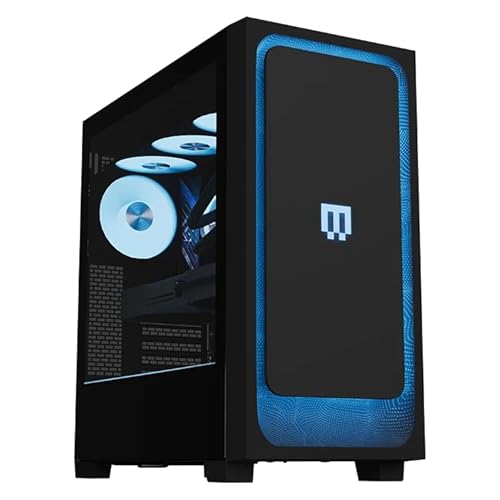
Modern desktop computers rely primarily on solid-state drives connected directly to the motherboard via SATA or high-speed PCIe NVMe lanes. Even a modest internal SATA SSD achieves read speeds near five hundred megabytes per second, which easily triples the transfer rate of typical external mechanical drives. Advanced NVMe solid-state options push throughput into several thousand megabytes per second, virtually eliminating storage bottlenecks. When building or configuring a desktop, choosing a dedicated graphics card and pairing it with an internal SSD ensures that your storage matches your rendering hardware. Storage speed plays an essential role in keeping high-end graphics processors fed with data.
DirectStorage APIs and modern operating system optimizations increasingly assume that gaming systems have access to rapid non-volatile storage. These technologies bypass traditional processor overhead by routing compressed game data straight to graphics memory for rapid decompression. Mechanical external drives cannot participate effectively in these high-bandwidth streaming pipelines due to their physical access times. If a modern game lists a solid-state drive as a mandatory system requirement, installing it onto an external hard drive may lead to unstable performance. Understanding these architectural differences ensures that you do not blame your graphics card or processor for performance hitches caused by slow storage.
Where External Hard Drives Provide Genuine Value
Despite their limitations with cutting-edge releases, external hard drives remain exceptionally valuable tools for managing large digital gaming libraries. Many modern players maintain collections spanning hundreds of titles across various desktop launchers. Keeping every title installed on premium internal solid-state capacity can become impractical and expensive over time. An external drive provides an affordable cold storage repository where you can park finished games or unplayed backlog titles. Moving game files between an external drive and your internal drive takes far less time than redownloading massive files over a standard home internet connection.
Older games and lightweight indie titles also run remarkably well directly from an external mechanical drive. Classic games from earlier generations were developed specifically for mechanical drives and do not rely on aggressive asset streaming to function properly. Two-dimensional platformers, retro emulators, turn-based strategy titles, and smaller indie releases load quickly because their total asset footprints remain small. For these specific genres, the performance difference between an internal solid-state drive and an external hard drive is often negligible. Utilizing external capacity for lighter titles frees up your fastest internal storage for demanding modern releases.
Console Storage Compatibility and Architecture Differences
Many external drives highlight broad compatibility across personal computers and popular gaming consoles, but platform rules differ substantially. On legacy consoles such as the PlayStation 4 and Xbox One, external hard drives function exactly like internal storage. You can install, store, and play compatible console titles directly over the USB 3.0 connection without restriction. Because these legacy systems originally shipped with mechanical hard drives, the external drive delivers an experience comparable to the internal drive. This straightforward plug-and-play capability makes external storage an effortless upgrade for extending previous-generation console setups.
Current-generation consoles like the PlayStation 5 and Xbox Series X adopt a much stricter approach to external USB storage. These modern consoles utilize custom high-speed internal solid-state architecture designed specifically for rapid asset delivery. As a result, next-generation console titles cannot run directly from an external mechanical hard drive connected via USB. You can still utilize external drives to store and play backward-compatible previous-generation titles directly, which saves valuable internal space. External drives also serve as cold storage archives for next-generation titles, allowing you to transfer game installations back to internal storage when you want to play.
Enclosure Design, Thermals, and Physical Durability
Because mechanical hard drives contain sensitive moving platters, physical build quality and shock resistance are vital considerations. Some portable drives incorporate internal shock-absorbing features, such as patented silicone sleeves, to cushion the internal disk against unexpected bumps and desk vibrations. Drops and harsh impacts during active read operations can cause drive heads to contact spinning platters, resulting in permanent data corruption. Aluminum anti-interference layers and ventilated enclosures also play a critical role in dissipating heat during extended gaming sessions. Keeping drive temperatures stable protects the internal bridge chip and preserves consistent data transmission.
Acoustic noise is another practical factor when placing an external drive near your gaming desktop or desk setup. Mechanical drives emit a soft hum as their platters spin, alongside audible clicking sounds during intense head seeking. Many modern portable drives utilize specialized bridge controller solutions, such as JMicron noise-free chipsets, to minimize vibrational sound and ensure quiet operation. High-quality shielded USB cables help maintain clean signal delivery without electrical interference from surrounding desktop components. Selecting a well-built enclosure ensures reliable operation whether the drive stays permanently parked on your desk or travels in a laptop bag.
Configuring Desktop Launchers and Operating System Libraries
Setting up an external hard drive for PC gaming on Windows requires minimal effort, but proper configuration ensures a trouble-free experience. When you connect a new drive, Windows will recognize the hardware and assign it a permanent drive letter. Major gaming platforms, including Steam, the Xbox App, and the Epic Games Launcher, allow you to create secondary installation folders on external drives. You can easily manage multiple game libraries through launcher settings, designating the external path as an alternative install target. This flexibility lets you decide precisely where each individual title resides based on its performance requirements.
Maintaining drive letter consistency is essential to avoid broken game shortcuts and launcher errors. If you disconnect an external drive and reconnect it while other USB storage devices are plugged in, Windows might assign a different drive letter. This change can cause launchers to report that your installed games are missing until you restore the original drive assignment in Disk Management. Safely ejecting the external drive before disconnecting the USB cable prevents file system corruption and incomplete write cycles. Following these simple operating system habits keeps your external game repository organized and ready for action.
Strategic Storage Management for Gaming PCs
Adopting a tiered storage strategy offers the most practical balance between budget efficiency and responsive gaming performance. In this hybrid approach, your high-speed internal solid-state drive houses your operating system and your primary modern multiplayer or open-world titles. Meanwhile, your external mechanical drive acts as a vast secondary warehouse for game installers, media files, and retro libraries. When exploring prebuilt gaming desktop options, choosing a system with an internal SSD alongside an external drive delivers both high capacity and fast response times. This separation guarantees that your most demanding games enjoy unhindered access to rapid internal solid-state architecture.
Managing this hybrid arrangement requires only occasional maintenance to keep your active storage clean and responsive. When you finish a massive single-player campaign, you can transfer its installation folder to your external drive in a few clicks through your launcher. If you ever wish to revisit that world, moving the files back to your solid-state drive takes only a few minutes. This workflow eliminates the need to delete games permanently and redownload hundreds of gigabytes over metered or slow internet connections. Smart storage habits allow a mechanical external drive to complement your high-performance gaming hardware without holding back your gaming experience.
When to Choose an External SSD Over an External HDD
If your primary goal is running modern games directly from portable storage rather than cold archiving, an external solid-state drive is a better alternative. External SSDs utilize flash memory rather than mechanical platters, delivering transfer speeds that often exceed five hundred to one thousand megabytes per second over USB 3.2. These solid-state speeds easily handle real-time asset streaming, eliminating the texture popping and hitching associated with mechanical drives. External solid-state options also lack moving parts, providing superior durability against accidental bumps during active gaming sessions. While external hard drives offer significantly more raw capacity for the cost, external SSDs provide the speed necessary for active modern play.
Deciding between these two storage types ultimately comes down to your primary use case and performance expectations. If your budget prioritizes maximizing terabytes for file archiving, game backups, and retro gaming, an external hard drive represents an unbeatable storage solution. If you refuse to tolerate long loading times and want to run modern AAA titles directly from a portable plug-and-play drive, an external SSD remains the correct hardware choice. Evaluating your game library and understanding your patience for loading screens ensures that your purchase aligns perfectly with your gaming habits. Matching your storage medium to your gameplay needs guarantees a balanced and frustration-free experience.
An external hard drive can be a useful companion for a gaming PC when deployed with realistic performance expectations. It excels as an affordable, high-capacity repository for archiving game files, running legacy titles, and managing library overflows across multiple platforms. For demanding modern releases with intensive asset streaming, internal solid-state drives remain essential for maintaining smooth frame pacing and rapid level transitions. Balancing your high-speed primary drive with external mechanical storage lets you enjoy vast storage capacity without compromising your active gameplay performance.





Write Your Review
No reviews yet. Be the first to share your experience!