


Maintaining Smooth Pointer Control and Grip at Your Desk
Moisture accumulation along your desk surface can quickly disrupt cursor precision during extended computing sessions. Intense gaming matches or long spreadsheets often cause hand perspiration, turning standard desk surfaces slick and inconsistent for optical sensors. Using a dependable mousepad for sweaty hands keeps your pointing device gliding evenly while preventing erratic tracking drops. Pairing the right surface with proper mouse speed for gaming ensures that rapid swipes remain accurate even when palms get warm. These accessories stabilize your desktop workspace and help maintain consistent hand traction throughout the workday.
Modern desktop accessories address palm moisture through textured weaves, specialized ergonomic cushions, and sweat-wicking materials. Ergonomic resting pads support natural forearm alignment, while dedicated gaming grips help reduce friction between your skin and mouse shell. Readers exploring wider desk coverage often compare dedicated wrist rests against extended desk mat options to accommodate expansive forearm movement. A review of manufacturer specifications and functional design profiles helps identify which support style fits your particular grip technique and desk configuration.



Frequently Asked Questions
How does surface moisture affect mouse sensor tracking?
Moisture disrupts optical tracking by altering how the sensor reads micro-textures on the pad surface. Sweat droplets or slick residue can cause pointer skipping and irregular cursor registration during swift movements. Using a dedicated mousepad for sweaty hands with a structured weave helps maintain uniform sensor reflection. Consistent surface friction allows your mouse sensor to track motion smoothly without sudden cursor stutter.
Do mouse sensitivity and DPI settings compensate for a slick mousepad?
No, adjusting DPI values does not fix physical friction inconsistencies caused by palm sweat. While tuning your mouse DPI settings for gaming refines hardware sensitivity, moisture still hinders physical hand control and mouse stability. A supportive pad or textured grip provides the physical traction required for reliable input. Proper hardware calibration works best on a surface that stays clean and dry.
Can gaming gloves work alongside a standard desktop pad?
Yes, specialized gaming gloves create a barrier between damp palms and desktop equipment. Products like the ONISSI Pro Gaming Gloves for Sweaty Hands are designed to absorb perspiration while maintaining positive fingertip grip on mouse buttons. This accessory combination prevents palm sweat from soaking into cloth mousepads during intense gaming sessions. It also reduces skin dragging across desk edges during wide arm sweeps.
What is the benefit of an integrated wrist rest for long sessions?
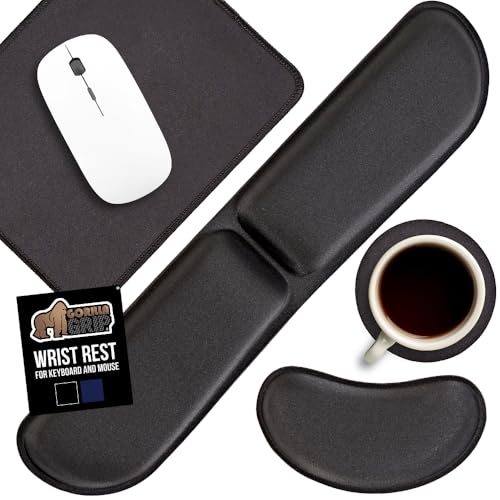
Integrated wrist rests elevate the heel of your hand to promote a neutral forearm position. As seen on models like the Aszqvd Ergonomic Mouse Pad with Wrist Rest, Comfy, raised cushioning keeps your wrist elevated above desk surfaces where perspiration tends to pool. This design separates sensitive skin from direct contact with hard desktop corners. It also distributes downward pressure more evenly during routine office tasks.
Does a heated mouse pad increase hand sweating during computer work?
Heated mouse pads are intended for chilly office environments rather than warm conditions. Accessories like the ValueRays USB Heated Mouse Pad Original Heat Hand warm cold fingers to maintain joint mobility during winter. If you already experience heavy hand perspiration in moderate room temperatures, an unheated, breathable mousepad provides a much cooler, drier contact area.
How should you clean an ergonomic mouse pad to prevent moisture buildup?
Wiping the surface regularly with a damp microfiber cloth and mild soap prevents grime buildup. Residue from sweat and skin oils can settle into fabric fibers, causing slick spots that degrade mouse feet glide. Allow the pad to air dry completely before placing your pointing device back on the surface. Routine cleaning preserves tracking accuracy and maintains positive desk grip throughout 2026.






Write Your Review
No reviews yet. Be the first to share your experience!