


Sluggish frame rates and soldered components ruin mobile gaming sessions when your hardware cannot keep up with demanding AAA titles. Figuring out how to build a custom gaming laptop or configure a modular barebones chassis solves that headache by giving you direct control over memory, storage, and thermal cooling pads. Instead of being stuck with sealed hardware, enthusiasts looking at a hybrid rig or a laptop for creators and gaming can match high-speed DDR5 memory modules and fast PCIe Gen 4 SSDs to their specific needs. Modern chassis designs with vapor chambers and liquid metal thermal compound let you bypass the heat traps that plague standard mobile rigs.
Evaluating component synergy prevents serious hardware bottlenecks before you spend a single dollar on parts. High-performance gaming demands careful pairing between dedicated graphics chips like the GeForce RTX 4050 or RTX 5080 and fast multi-thread processors to avoid 1% low frame dips. Many mobile gamers wonder is Asus a good gaming laptop option for tool-free expansion, especially when platforms like the ROG Strix SCAR feature quick-release latches for instant M.2 SSD upgrades. Selecting an upgrade-friendly chassis ensures your setup delivers top esports frame rates without forcing you to buy an entirely new machine every few years.

Pros
- Strong price-to-performance ratio with RTX 4050 and 165Hz display
- AI-powered graphics and DLSS 3.5 support for modern games
- Easy RAM upgrade path to overcome the 8GB bottleneck
- Solid connectivity including Thunderbolt 4 and Wi-Fi 6
- Effective cooling system with customizable fan profiles
Cons
- 8GB RAM is insufficient for many modern AAA titles out of the box
- Some user reports of screen ghosting at high refresh rates
- Fan noise can be noticeable under heavy load in performance mode
The Acer Nitro V 15 (model ANV15-52-586Z) is a budget-friendly gaming laptop that aims to deliver solid performance without breaking the bank. It's powered by an Intel Core i5-13420H processor and an NVIDIA GeForce RTX 4050 laptop GPU, which together provide enough muscle for esports titles, popular battle royale games, and even some AAA experiences at medium settings. The 15.6-inch Full HD IPS display with a 165Hz refresh rate is a standout feature at this price point, offering smooth motion and decent color reproduction for both gaming and content consumption.
This laptop is best suited for PC gamers on a tight budget, college gamers looking for a portable rig, and casual gamers who want to play modern titles without spending a fortune. It also works well for light content creation or streaming, thanks to the RTX 4050's AI capabilities and DLSS 3.5 support. However, it's not a turn-key solution for demanding users right out of the box, as the 8GB of DDR5 RAM is a clear bottleneck. Many user reviews highlight that upgrading to 16GB or 32GB significantly improves performance and eliminates stuttering in games like Hogwarts Legacy.
In terms of real-world gaming performance, the RTX 4050 handles most games at 1080p with high settings, and the 165Hz screen makes fast-paced shooters feel responsive. The dual-fan cooling system does a good job keeping temperatures in check, though the fans get loud in performance mode. The keyboard is comfortable for gaming with a backlit layout and numeric keypad, but the spacebar lacks backlighting, which some users may find odd. Build quality is typical for this price range: mostly plastic with a sturdy feel, and the laptop weighs 4.66 pounds, making it portable enough for a backpack.
Connectivity is a strong point, with Thunderbolt 4, HDMI 2.1, three USB 3.2 Gen 1 ports, and Wi-Fi 6. This makes it easy to connect to external monitors, high-speed storage, or a gaming dock. The Acer PurifiedVoice noise reduction technology helps with in-game chat and Discord calls, though the built-in microphone is average. Setting up the laptop is straightforward, but you'll want to update drivers and consider a fresh Windows install if you encounter any pre-installed software issues, as some users reported.
The biggest limitation is the 8GB RAM, which causes stuttering and high memory usage even on the desktop. Upgrading the RAM is simple (two DDR5 slots), and many users recommend doing it right away. Another potential issue is screen ghosting at 165Hz, which may be noticeable in fast-paced games. Fan noise under load is also worth noting if you play in a quiet room. Despite these drawbacks, the Acer Nitro V 15 offers excellent value for its price, especially after a RAM upgrade.
If you're a budget-conscious gamer, a college student, or someone building their first gaming setup, this laptop is a practical choice. It's not perfect out of the box, but with a small investment in more RAM, it becomes a very capable machine for gaming, streaming, and everyday use. For esports players or those who prioritize competitive performance, the 165Hz display and RTX 4050 provide a smooth experience in games like Valorant, Fortnite, and Overwatch 2. Just be prepared to spend a little extra time and money to unlock its full potential.
The Acer Nitro V 15's RTX 4050 GPU and Intel i5 processor deliver solid 1080p gaming performance. In esports titles like CS:GO and Valorant, you can expect well over 100 FPS on high settings, taking full advantage of the 165Hz display. For more demanding games like Cyberpunk 2077, DLSS 3.5 and frame generation help maintain playable frame rates at medium settings. The 8GB RAM is a bottleneck here, causing occasional stutters in open-world games; upgrading to 16GB resolves this. The dual-fan cooling system keeps the CPU and GPU from throttling during long sessions, though the fans become audible in performance mode. Overall, this laptop offers great gaming value once you address the memory limitation.
The Acer Nitro V 15 features a dark, understated design with a glossy Acer logo on the lid and subtle gradient accents. The chassis is primarily plastic but feels sturdy enough for daily use. At 4.66 pounds and 0.93 inches thick, it's reasonably portable for a 15.6-inch gaming laptop. The keyboard includes a backlit layout with a numeric keypad, though the spacebar lacks illumination. The touchpad is responsive, but most gamers will use an external mouse. The display has thin bezels on the sides, giving an 82.64% screen-to-body ratio, and the hinge feels solid. Port placement is practical, with USB ports on both sides and the HDMI and Thunderbolt 4 on the rear. Overall, the build quality meets expectations for the price range, with no major creaking or flex during normal use.

Pros
- Exceptional OLED display with 165Hz refresh rate and 1100 nits peak brightness for HDR gaming.
- Powerful AMD Ryzen 7 CPU and RTX 5060 GPU handle modern games and creative workloads with ease.
- Generous 32GB RAM and 1TB SSD provide fast load times and smooth multitasking.
- Robust build quality with a sleek black design and RGB keyboard for a premium feel.
- Versatile port selection including USB-C with DisplayPort and HDMI 2.1 for multi-monitor setups.
Cons
- At 5.07 pounds, it's heavier than some ultraportable gaming laptops, which may affect portability.
- Battery life under heavy gaming load may be limited, typical for high-performance gaming laptops.
- No Thunderbolt support due to AMD processor, but USB-C with DisplayPort 2.1 covers most needs.
The Lenovo Legion 5 Pro is a high-performance gaming laptop built for PC gamers, competitive esports players, streamers, and content creators who demand top-tier specs in a portable package. With an AMD Ryzen 7 8745HX processor and NVIDIA GeForce RTX 5060 graphics, this machine is designed to handle the latest AAA games, intensive streaming workflows, and creative tasks like video editing or 3D rendering.
Performance is where the Legion 5 Pro shines. The 8-core Ryzen 7 8745HX can boost up to 5.1GHz, providing snappy responsiveness in CPU-bound games like CS2 or Valorant. Paired with the RTX 5060's 8GB GDDR7 VRAM, you can expect smooth frame rates at high settings on a 1440p display. The 32GB of DDR5 RAM ensures you can keep multiple tabs, Discord, and OBS open without hiccups, while the 1TB SSD offers fast load times and plenty of space for your game library.
The display is a standout feature: a 16-inch WQXGA OLED panel with a 165Hz refresh rate and 1100 nits peak brightness. This delivers incredibly vibrant colors, deep blacks, and fluid motion, making it ideal for competitive gaming where every millisecond matters. The 100% DCI-P3 coverage also benefits content creators who need accurate color reproduction. The 24-zone RGB backlit keyboard adds a touch of personalization, and the Nahimic audio by HARMAN provides clear, immersive sound for gaming or streaming.
Build quality is solid, with a sleek black chassis that feels sturdy despite its 5.07-pound weight. Connectivity is generous: you get USB-A, USB-C with Power Delivery and DisplayPort 2.1, HDMI 2.1 (supporting up to 8K at 60Hz), and Ethernet. Wi-Fi 7 ensures fast wireless speeds for online gaming and large downloads. The laptop also includes a privacy camera and Windows 11 Pro, which is useful for professionals who need advanced security features.
Setting up the Legion 5 Pro is straightforward – it comes preloaded with Windows 11 Pro, and Lenovo's Vantage software lets you manage performance profiles, RGB lighting, and system updates. While the laptop is thicker than some ultrabooks, the cooling system (with dual fans and multiple heat pipes) keeps temperatures manageable during long sessions. One realistic limitation is battery life; under heavy gaming load, you'll likely need to stay plugged in, but that's common for this class of machine. Also, the weight might be a factor if you frequently carry it to LAN parties or classes.
Overall, the Lenovo Legion 5 Pro is a fantastic choice for gamers and creators who want a powerful, portable workstation with a world-class display. If you prioritize a high-refresh OLED screen, raw CPU/GPU performance, and ample RAM, this laptop delivers excellent value. It's less suited for those seeking extreme portability or all-day battery life, but for a dedicated gaming rig that can double as a productivity powerhouse, it's a strong contender.
The AMD Ryzen 7 8745HX and RTX 5060 combination provide excellent performance for modern gaming. In titles like Call of Duty: Modern Warfare III or Cyberpunk 2077, you can expect high frame rates at 1440p with ray tracing enabled. The 165Hz OLED display ensures smooth, tear-free visuals, giving you a competitive advantage in fast-paced shooters.
For streamers, the 32GB of RAM and powerful CPU allow for seamless multitasking – you can game, stream, and run chat overlays without stuttering. The RTX 5060's NVENC encoder also offloads video encoding, keeping in-game performance high. The laptop's thermal design, while not silent, effectively dissipates heat during extended sessions, so you won't experience throttling in most scenarios.
Content creators will appreciate the color-accurate OLED display and fast storage. The 1TB SSD provides quick access to large project files, and the USB-C port supports fast data transfer. Overall, this laptop is a versatile tool for gaming, streaming, and creative work, making it a solid investment for those who need a do-it-all machine.
Pros
- Strong performance for the price with AMD Ryzen 3 and 16GB RAM
- Large, vibrant 16-inch FHD display with slim bezels
- Fast boot and app loading thanks to the 512GB SSD
- Decent battery life for all-day use
- Lightweight and portable for easy travel
Cons
- Integrated graphics limit gaming to less demanding titles at lower settings
- Only 802.11ac WiFi, not WiFi 6 as advertised in some descriptions
- No dedicated GPU, so not suitable for AAA gaming
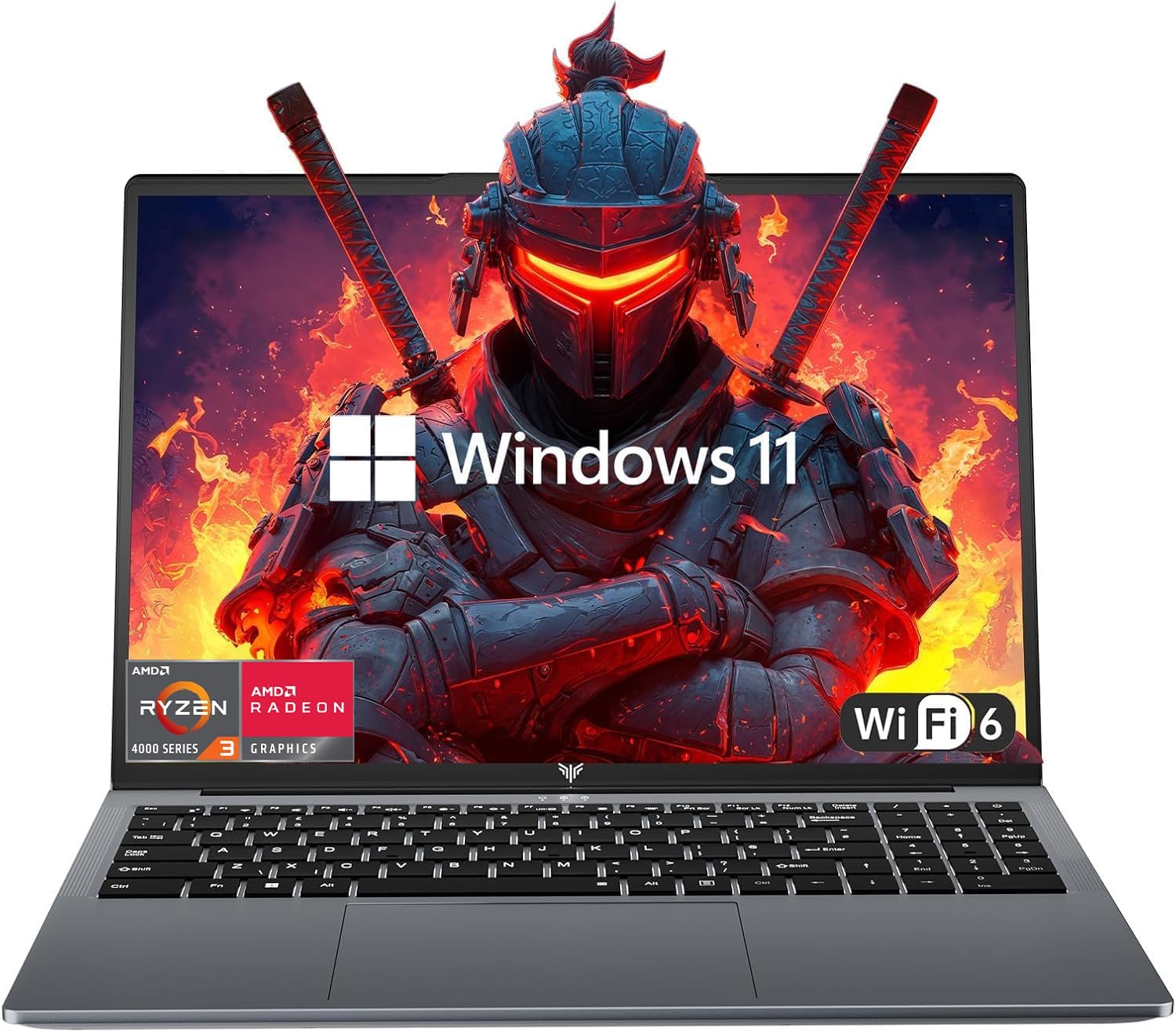
The KAIGERR LX16PRO is a traditional laptop that aims to deliver solid performance for everyday computing and light gaming. At its core, it features an AMD Ryzen 3 4300U processor, a quad-core chip that can boost up to 3.7GHz. This CPU is a noticeable step up from older budget processors like the Celeron N5095, offering enough power for web browsing, office work, streaming, and even some casual gaming. Paired with 16GB of DDR4 RAM, multitasking feels smooth, and you can keep multiple tabs and applications open without slowdowns.
This laptop is best suited for college gamers, work-from-home users, or anyone who needs a reliable machine for both productivity and entertainment. It's not designed for hardcore esports or AAA gaming, but it handles older or less demanding titles like League of Legends, Minecraft, or indie games at lower settings. The integrated UHD graphics are fine for light gaming, but don't expect to run modern shooters at high frame rates. For streaming, video calls, and content consumption, the 16-inch FHD display with its thin bezels provides a crisp and immersive experience.
Build quality is what you would expect at this price point: a lightweight plastic chassis that feels sturdy enough for daily use. The laptop weighs just over 6 pounds, making it easy to toss in a backpack. The keyboard includes a numeric keypad, which is a nice bonus for data entry or gaming binds. The touchpad is smooth and responsive, according to user feedback. Port selection is generous, with two USB 3.0 ports, one USB 2.0, and a USB Type-C, so you can connect peripherals like a gaming mouse or external drive without needing a hub.
Storage is handled by a 512GB M.2 SSD, which ensures fast boot times and snappy application loading. If you need more space, the SSD can be swapped out for a 2TB drive, and there is also support for a 128GB TF card. The laptop runs Windows 11 out of the box, making setup straightforward. Battery life is rated at up to 8 hours, which should get you through a day of classes or work, though real-world usage will vary depending on screen brightness and workload.
One limitation to keep in mind is the WiFi: while the product title mentions WiFi 6, the specifications list 802.11ac (WiFi 5). This is still fast enough for most online gaming and streaming, but it is a discrepancy worth noting. The integrated graphics also mean you will not be playing the latest triple-A titles at high settings. However, for the price, this laptop offers excellent value for its intended audience.
Overall, the KAIGERR LX16PRO is a practical choice for budget-conscious gamers and students who need a versatile laptop for work and play. It excels at everyday tasks, handles light gaming, and offers a large, sharp display. If you are looking for a portable machine that won't break the bank and can handle moderate gaming, this is a solid option to consider.

Pros
- Blazing performance in AAA games and creative apps thanks to RTX 5080 and Ultra 9 CPU.
- Beautiful 240Hz 2.5K display with excellent contrast and minimal glare.
- Robust cooling system keeps temperatures in check even during extended gaming sessions.
- Easy access to upgrade RAM and SSD - no tools required.
- Premium build quality and eye-catching RGB light bar.
Cons
- Touchpad has a number pad overlay that can accidentally activate and disable mouse input.
- Only comes with Windows 11 Home - upgrading to Pro costs extra.
- Built-in speakers are adequate but lack volume and bass; external speakers or headset recommended.
The ASUS ROG Strix G16 (2025) is a high-performance gaming laptop designed for gamers, streamers, and content creators who need desktop-level power in a portable chassis. Equipped with an NVIDIA GeForce RTX 5080 laptop GPU on the new Blackwell architecture and an Intel Core Ultra 9 275HX processor, this machine handles demanding AAA titles, 3D rendering, and live streaming with ease. The 16-inch ROG Nebula display, running at 2560x1600 with a 240Hz refresh rate and 3ms response time, delivers smooth, tear-free visuals that competitive gamers and esports players will appreciate.
In real-world gaming, the RTX 5080 and DLSS 4 technology enable high frame rates at ultra settings, even in ray-traced titles. The 32GB of DDR5-5600MHz memory and 1TB PCIe Gen 4 SSD (with 7,000MB/s read speeds) ensure fast load times and seamless multitasking for casual users and heavy workloads alike. The advanced ROG Intelligent Cooling system, featuring a vapor chamber, tri-fan design, and liquid metal on the CPU, keeps performance consistent during long sessions without excessive noise or heat buildup.
Build quality is solid with a sturdy chassis and a premium feel. The customizable full-surround RGB light bar and per-key Aura Sync keyboard allow for extensive personalization, matching any gaming setup. The keyboard itself is responsive and comfortable for typing or gaming, though the touchpad's numeric keypad overlay can be accidentally activated, which some users may find frustrating. Upgrading RAM or storage is straightforward, making this laptop a good long-term investment for PC builders who want a mobile rig.
Connectivity includes Wi-Fi 7, three USB 3.0 ports, HDMI output (tested easily with external monitors), and a headphone jack. The speakers are decent but not exceptional - most gamers will want to use a headset for immersive audio and clear voice chat. The laptop comes with Windows 11 Home, which meets most needs, but power users may prefer the Pro edition for additional control features.
Overall, the ROG Strix G16 (2025) is a versatile powerhouse suitable for competitive and casual gamers, streamers, content creators, and college gamers who need a reliable, high-performance machine. While it carries a premium price and has minor quirks (touchpad overlay, speaker volume), its performance, display quality, and cooling make it a top choice among 2025 gaming laptops. Based on product specifications and user feedback, this laptop is highly recommended for anyone seeking a portable desktop replacement without sacrificing gaming or creative productivity.

Pros
- Exceptional performance for AAA gaming and content creation
- Brilliant Mini LED display with high brightness and contrast
- Robust cooling system keeps thermals in check
- Tool-free upgradeability for RAM and storage
- Customizable RGB lighting with AniMe Vision
Cons
- Premium price tag may be out of reach for budget-conscious gamers
- Laptop weight of 6.28 pounds makes it less portable
- Battery life under load may be limited due to powerful components
The ASUS ROG Strix SCAR 16 (2025) is a flagship gaming laptop designed for the most demanding PC gamers, esports professionals, and content creators. It packs Intel's latest Core Ultra 9 275HX processor and NVIDIA's RTX 5080 GPU, delivering desktop-class performance in a portable chassis. This machine is built to handle anything from competitive shooters at 240 FPS to 4K video editing and streaming on Twitch or YouTube.
At the heart of the experience is the 16-inch ROG Nebula HDR display, a Mini LED panel with over 2,000 dimming zones, 2.5K resolution, and a blazing 240Hz refresh rate. Colors are vivid at 100% DCI-P3, and the high contrast makes HDR games like Cyberpunk 2077 or Call of Duty truly immersive. Competitive gamers will appreciate the 3ms response time, ensuring every frame is crisp and tear-free.
Performance is further enhanced by 32GB of DDR5-5600MHz RAM and a 2TB PCIe Gen 4 SSD with read speeds up to 7,000MB/s. Game load times are near-instant, and multitasking between Discord, OBS, and your game is seamless. The MUX Switch with Advanced Optimus lets you toggle between iGPU and dGPU for maximum frame rates or battery efficiency without a restart.
ROG's Intelligent Cooling system is a highlight. It uses a vapor chamber covering the CPU and GPU, tri-fan technology, and Conductonaut extreme liquid metal on the chipset. This setup keeps the laptop cool and quiet even during long gaming sessions, allowing the RTX 5080 to maintain boost clocks without thermal throttling. The tool-free bottom panel is a practical touch - slide a latch to access RAM, SSD, and fans for easy upgrades.
On the aesthetics side, the AniMe Vision matrix on the lid lets you display custom animations or GIFs, while the full-surround RGB light bar adds a 360-degree glow. Stealth Mode lets you turn off lighting for a professional look in meetings or classes. Build quality is solid with a metal chassis, though at 6.28 pounds, it's not the lightest laptop to carry around.
While the price is steep at over $3,000, the SCAR 16 offers top-tier specs and future-proofing for serious gamers and creators. If you need a laptop that can replace a desktop for high-end gaming and streaming, this is one of the best options available in 2025. Just be aware that battery life under heavy load is limited, and you'll likely want to keep it plugged in for maximum performance.
The Intel Core Ultra 9 275HX and RTX 5080 deliver exceptional frame rates in modern titles. Expect 200+ FPS in esports titles like Valorant or CS2 at 1080p, and smooth 60+ FPS in demanding AAA games at native 2.5K with ray tracing enabled. The MUX Switch boosts performance by bypassing the iGPU, giving you up to 10% more frames.
The 32GB of DDR5-5600MHz RAM ensures zero stutter during intense firefights, while the 2TB SSD loads maps and game assets instantly. For streamers, the hardware handles encoding effortlessly, so you can broadcast in 1080p60 without impacting gameplay.
The 16-inch ROG Nebula HDR Mini LED display is a standout feature with 2,000+ dimming zones, achieving 1,100 nits peak brightness. HDR content looks phenomenal, with deep blacks and vibrant highlights. The 240Hz refresh rate and 3ms response time make motion blur a thing of the past, perfect for fast-paced shooters.
On the cooling side, the vapor chamber and Conductonaut liquid metal keep CPU and GPU temperatures under 85°C even during extended gaming sessions. The tri-fan design pushes air efficiently through the chassis, and the fans remain relatively quiet in Balanced mode. The tool-free access to fans makes cleaning and maintenance straightforward.

Pros
- Strong 1080p gaming performance for the price with capable Radeon RX 6550M GPU
- 144Hz display offers fluid motion for fast-paced shooters and racing games
- Modern DDR5 RAM and PCIe Gen4 SSD boost multitasking and loading speeds
- Good audio from B&O tuning and HP Audio Boost for immersive sound
- Windows 11 Pro provides advanced security and productivity features for work and gaming
Cons
- 512GB SSD may fill up quickly with modern game installations; consider external storage
- Laptop weighs 5.05 pounds, which may be less portable for daily campus carry
- Backlit keyboard has single-zone lighting, not per-key RGB customization
The HP Victus 15.6 is a budget-friendly gaming laptop that balances performance and practicality for a wide range of users. Powered by an AMD Ryzen 5 7535HS processor and a dedicated AMD Radeon RX 6550M GPU with 4GB of GDDR6 memory, this machine is built to handle modern 1080p gaming at medium to high settings. With a 144Hz FHD anti-glare display, gamers benefit from smoother visuals and reduced motion blur in fast-paced titles like Valorant, Apex Legends, and Fortnite.
This laptop is best suited for entry-level competitive gamers, college students on a budget, and casual streamers who want a reliable system for both gaming and productivity. The 16GB of DDR5 RAM and 512GB PCIe Gen4 NVMe SSD ensure quick boot times and snappy multitasking, while the 144Hz screen keeps gameplay fluid. According to product specifications, the RX 6550M outperforms the RTX 2050, making it a solid choice for 1080p gaming without overspending.
In terms of build quality, the HP Victus features a mix of recycled plastics and ocean-bound materials in its construction, which adds an eco-friendly angle without sacrificing durability. The backlit keyboard allows comfortable typing in dim environments, though the lighting is single-zone and not per-key RGB. The laptop weighs around 5.05 pounds, which is reasonable for a 15.6-inch gaming laptop but may feel a bit heavy for daily backpack carry. The 0.93-inch thickness fits well in most laptop bags.
Audio performance is a standout: dual speakers tuned by B&O with HP Audio Boost deliver clear, room-filling sound that enhances gaming and media consumption. The HP Wide Vision HD camera with 88-degree field of view and AI noise removal works well for Discord calls or entry-level streaming. Connectivity is future-proof with Wi-Fi 6 and Bluetooth 5.3, ensuring low latency for online gaming and peripherals.
One realistic limitation is the storage capacity; 512GB may fill up quickly with several modern games, so users may need an external SSD or cloud storage. Additionally, while the GPU is capable, it won't handle ray tracing at high settings, and AAA titles at maximum detail may require lowering settings. The laptop runs Windows 11 Pro, which adds business-grade features but may feel overkill for pure gaming use.
Overall, the HP Victus 15.6 is a practical recommendation for budget-conscious gamers, students balancing gaming and coursework, and anyone building their first gaming setup. It offers strong 1080p performance, a smooth 144Hz panel, and modern internals at a competitive price point. For users who prioritize RGB lighting or ultra-light portability, other options exist, but for raw value and reliability, this laptop is hard to beat.
The combination of the AMD Ryzen 5 7535HS (6 cores, 12 threads) and Radeon RX 6550M with 4GB GDDR6 delivers solid 1080p gaming performance at medium to high settings. According to official specs, the GPU beats the NVIDIA RTX 2050, making it suitable for titles like Fortnite, Valorant, and Rocket League at high frame rates. The 144Hz display ensures smooth motion without tearing, enhancing competitive gameplay. While more demanding AAA games like Cyberpunk 2077 or Red Dead Redemption 2 may require lowering settings to maintain playable FPS, the Victus handles esports and older titles with ease. The 16GB of DDR5 RAM and fast PCIe Gen4 SSD minimize load times and stutter during gameplay.
The HP Victus 15.6 features a practical design with eco-conscious materials: the bezel and speaker enclosures incorporate ocean-bound plastic, while the keycaps and scissor switches use post-consumer recycled plastic. The chassis feels sturdy with minimal flex, though the Mica Silver finish may show fingerprints. The backlit keyboard is comfortable for extended typing and gaming sessions, but the single-zone lighting lacks per-key RGB customization. The large touchpad is responsive, but most gamers will use an external mouse. The 5.05-pound weight is acceptable for a 15.6-inch gaming laptop, though it may be less portable than ultrabooks. Port selection includes USB-A, USB-C, HDMI, and a headphone jack, covering essential connectivity without dongles.
Frequently Asked Questions
Can you build a custom gaming laptop from scratch like a desktop?
No, building a laptop entirely from scratch like a desktop tower is not practical due to proprietary chassis dimensions, soldered mobile processors, and unique ribbon cables. Enthusiasts instead start with white-label barebones chassis from manufacturers like Clevo or Tongfang. You then supply and install your own DDR5 SODIMM memory, M.2 NVMe solid-state drives, and Wi-Fi modules while relying on factory-integrated mobile graphics.
Which components can you actually customize or upgrade in a modern gaming laptop?
Dual M.2 PCIe Gen 4 SSD slots, SODIMM DDR5 RAM slots, and M.2 Wi-Fi network cards represent the primary user-serviceable parts. Selected high-performance machines offer tool-free bottom latches to let you swap memory up to 32GB or 64GB and install high-capacity solid-state drives. Mobile processors and graphics chips remain permanently soldered via BGA mounts on modern production motherboards.
Can you upgrade the dedicated GPU in a custom gaming laptop?
No, mobile graphics chips are soldered directly onto the system board rather than using removable MXM modules. Buyers must pick their graphical tier based on targeted monitor refresh rates and game resolutions upfront. Anyone evaluating what are the best graphics cards for gaming must consider that mobile RTX 4050 and RTX 5080 chips feature non-upgradable board designs with strict thermal limits.
Does installing custom SSDs and RAM void your laptop warranty?
No, upgrading storage and system RAM generally does not void consumer warranties in the United States, provided you avoid physical damage to surrounding circuitry. Major brands like Lenovo, HP, and ASUS provide documented guides detailing user-accessible expansion bays. You must always unplug the internal battery and follow proper anti-static precautions before handling bare circuit boards.
How do thermals impact a custom gaming laptop build?
Thermal limits directly control sustained clock speeds and prevent throttling in cramped laptop chassis. High-end barebones platforms use dual exhaust blowers, copper heat pipes, and vapor chambers to disperse heat away from dense silicon dice. Setting custom fan profiles in vendor control software helps keep internal temperatures stable during multi-hour gaming sessions.
Is configuring a barebones laptop cheaper than buying a pre-configured model in 2026?
No, complete retail systems often offer better total pricing because mass manufacturers purchase processors, panels, and graphics chips at bulk volume. Checking the best thin gaming laptop under 1000 frequently reveals cheaper total package deals than buying a bare chassis and standalone parts. Sourcing your own barebones rig is best when you already have compatible DDR5 sticks and high-speed NVMe drives ready to repurpose.









Write Your Review
No reviews yet. Be the first to share your experience!