


Balancing internal component synergy against monitor refresh rates often creates a frustrating bottleneck for PC gamers seeking smooth, responsive motion. Pairing a fast graphics card with an underpowered processor or modest cooling can easily cause frame drops during intense firefights. Pinpointing the best gaming pc for fps requires evaluating how the graphics processing unit, processor, and system memory work together to push frames consistently. Many shoppers prioritize raw clock speeds, yet balanced hardware matching is what prevents stutter in fast-paced competitive titles. Exploring verified options across reliable prebuilt gaming PC configurations helps identify machines assembled to deliver dependable performance without configuration guesswork.
System requirements also shift dramatically depending on whether your target display runs at standard high definition or sharper quad high definition. While budget-friendly towers can maintain smooth frame pacing on standard monitors, demanding modern titles often call for higher video memory and robust cooling solutions found in dedicated 1440p gaming systems. Storage speeds play a key role as well, since solid state drives reduce loading pauses that can interrupt fluid gameplay. Assessing case airflow, power supply headroom, and expansion slots ensures your desktop investment remains capable across multiple gaming seasons.


Pros
- Excellent value for entry-level gamers and budget-conscious buyers.
- Quiet operation with effective cooling from the ARGB fan setup.
- Simple plug-and-play setup with Windows 11 preinstalled.
- Stunning ARGB lighting with remote control enhances any gaming setup.
- Adding a dedicated graphics card dramatically improves gaming performance.
Cons
- Integrated Vega graphics limit gaming to low settings for demanding titles.
- A small number of user reports mention reliability issues after a few months.
- Stock 550W power supply may need upgrading for high-end dedicated GPUs.
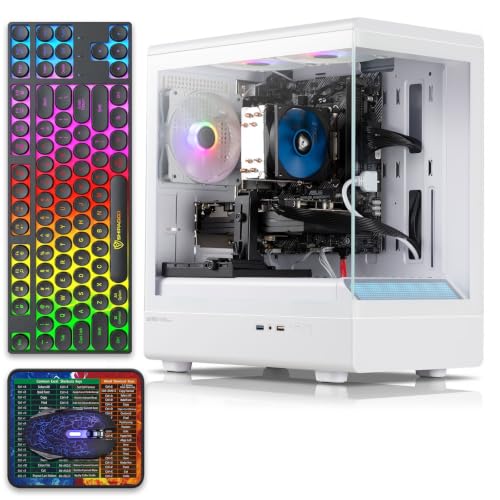
The YAWYORE MX240 is a prebuilt gaming PC tower designed for gamers who want solid everyday performance without breaking the bank. At its heart, the AMD Ryzen 5 5600GT processor, paired with 16GB of DDR4 RAM and a speedy 1TB NVMe SSD, makes light work of web browsing, office tasks, and even some light gaming. The standout feature is the visually impressive case with five ARGB fans that you can control with the included remote, adding a vibrant touch to any gaming desk setup.
In real-world use, the integrated Radeon Vega graphics can handle popular titles like Fortnite, Valorant, and CS at 1080p with low to medium settings. Many user reviews mention that adding a dedicated GPU, such as a GTX 1070 Ti, transforms the PC into a capable machine for higher frame rates and better graphics. This makes it a smart choice for first-time PC gamers, college students on a budget, or anyone looking for a reliable workstation that can be upgraded later.
Build quality is impressive for the price. The tempered glass side panel shows off the clean interior and RGB fans, while the cable management keeps things tidy. Setup is straightforward Windows 11 Home comes preinstalled, and you only need to connect a monitor, keyboard, and mouse. The system runs quietly even under load, and the ARGB fans provide good airflow to keep temperatures in check during long gaming sessions or streaming.
There are some limitations to consider. The integrated graphics won't deliver smooth performance in AAA titles at higher settings, so this PC is best viewed as a starting point. A few negative reviews mention hardware failures after a couple of months, but the majority of feedback is positive. Additionally, the 550W power supply is adequate for the stock configuration, but if you plan to install a power-hungry GPU, you'll likely need to upgrade the PSU.
Overall, the YAWYORE MX240 offers strong value for its price point. It's perfect for casual gamers, students, or anyone building a budget-friendly gaming setup that can grow with their needs. If you're looking for a prebuilt that looks great, runs quietly, and leaves room for upgrades, this desktop is a practical choice for both work and play.
Out of the box, the integrated AMD Radeon Vega graphics are best suited for less demanding games. User feedback indicates that Fortnite and Valorant run at playable frame rates on low settings, and some light indie titles run smooth. For a significant boost, many users recommend pairing this PC with a dedicated graphics card like a GTX 1070 Ti or RX 6600, which allows for 1080p gaming at higher settings. The Ryzen 5 5600GT processor has enough power to keep up with mid-range GPUs without bottlenecking, making this a great platform for gradual upgrades.
The YAWYORE MX240 features a sturdy steel chassis with a tempered glass side panel. The five ARGB fans are pre-installed and come with a remote control for easy lighting customization. Internal cable management is tidy, leaving plenty of room for future upgrades. The power supply is a 550W 80 Plus Bronze unit, which is adequate for the stock configuration but may limit higher-end GPU installations. Overall, the build feels solid and well put together for its price range.

Pros
- Powerful CPU and GPU combo handles modern games at high settings.
- Plentiful 32GB RAM supports heavy multitasking for gaming and streaming.
- Effective liquid cooling with customizable ARGB lighting adds visual appeal.
- Large 1TB NVMe SSD provides fast load speeds and ample storage.
- Easy plug-and-play setup with Windows 11 pre-installed.
Cons
- Reviews mention potential reliability issues after extended use.
- Some users may find the stock graphics card brand varies, which can affect performance consistency.
- Limited upgrade room for high-end GPUs due to the 650W power supply.
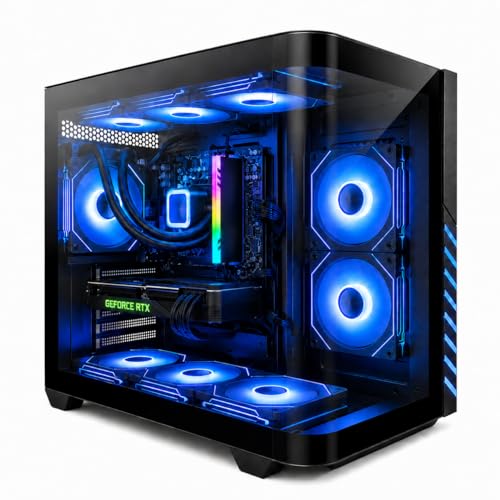
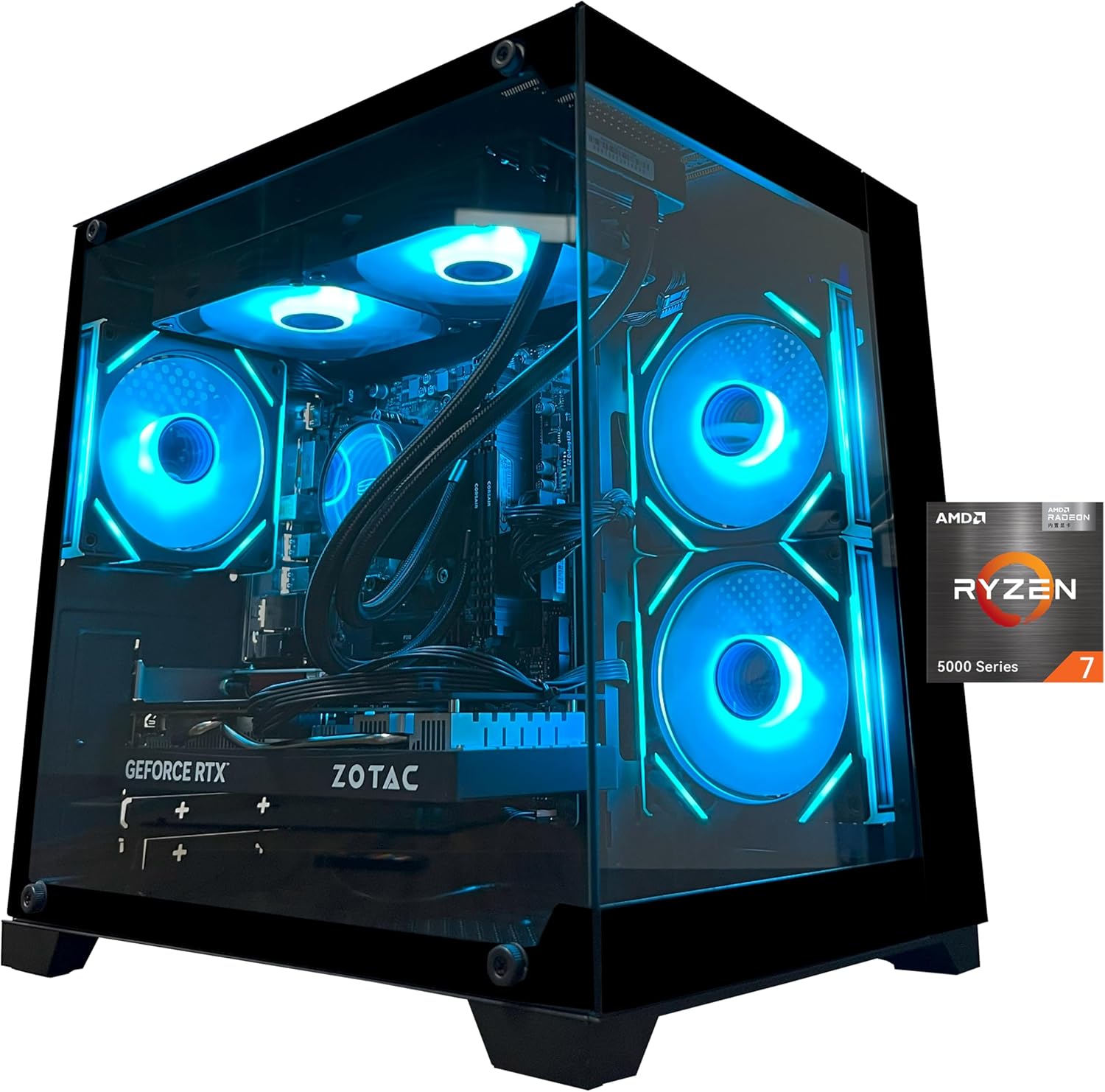
The YAWYORE gaming PC desktop is a pre-built tower designed for gamers, streamers, and content creators who want strong performance without the hassle of building their own rig. It packs an AMD Ryzen 7 5700X CPU, an NVIDIA GeForce RTX 5060 GPU, 32GB of DDR4 RAM, and a 1TB NVMe SSD into a stylish case with liquid cooling and ARGB fans. This setup targets a wide audience, from competitive esports players to casual gamers and even those who need a versatile machine for work-from-home or college tasks.
In real-world gaming, the RTX 5060 with 8GB of GDDR7 memory and DLSS 4 support delivers smooth frame rates in modern titles at 1080p and even 1440p with some settings adjustments. The Ryzen 7 5700X’s eight cores handle multitasking well, allowing you to stream or run Discord alongside gameplay without noticeable stutter. User feedback highlights quiet operation during sessions, which is a plus for immersive gaming or content creation. The included 240mm liquid cooler and three ARGB fans keep temperatures in check, even during extended use, and the lighting can be controlled with a remote for easy desktop customization.
Build quality appears solid, with an MSI B550M-A PRO motherboard that offers good stability and upgrade paths. The case has a tempered glass side panel, though not explicitly stated in specs, typical for this price range. The 650W 80 Plus Bronze power supply is sufficient for the current components but may limit future GPU upgrades to mid-range options. Setup is straightforward: Windows 11 is pre-installed, and the system boots quickly thanks to the NVMe SSD. However, the product description advises removing internal foam padding upon arrival, which adds a small initial step.
One limitation noted in user reviews is mixed reliability. While many users praise the performance and appearance, some report issues after a few months, with one reviewer experiencing a system failure after two months. This suggests that while the PC offers great value on paper, quality control may vary. Also, the graphics card brand may differ from what’s listed, which could affect performance consistency. The 650W PSU might struggle with future high-end upgrades, so buyers should plan accordingly.
For desk setup, the tower is relatively compact for a liquid-cooled system, and the RGB fans add flair to any gaming station. Cable management inside appears tidy based on user images. The included WiFi and Bluetooth eliminate the need for dongles, simplifying connectivity. Overall, this PC is well-suited for gamers who want a ready-to-run machine with strong out-of-box performance and visual appeal, especially those building their first gaming setup or upgrading from a laptop. However, those seeking long-term reliability might want to consider extended warranty options or build their own system for more control.
Frequently Asked Questions
Which component matters most when targeting high frame rates?
The graphics card and processor combination serves as the primary driver for high frame rates in desktop gaming. A dedicated GPU handles high-resolution rendering and visual effects, while the CPU directs game physics, draw calls, and multiplayer logic. If either component lacks adequate speed, overall system output can drop noticeably during heavy action scenes. Balancing both ensures your monitor receives a consistent stream of rendered frames.
Can budget prebuilt desktops deliver smooth frame rates in competitive titles?
Yes, entry-level towers can provide sufficient hardware for smooth competitive gaming at 1080p resolution. Systems pairing dedicated graphics cards like an RX 590 or GTX 1070 with 16GB of system memory list smooth performance exceeding 60 to 100 FPS in competitive titles such as Fortnite, Valorant, and Counter-Strike 2. Buyers considering a gaming PC under $1000 can achieve reliable frame output by adjusting in-game settings to match their hardware limits.
Why is dual-channel RAM important for gaming frame rates?
Dual-channel memory doubles the data bandwidth between your processor and system RAM, reducing latency and stabilizing minimum frame rates. Configurations using two matched memory modules prevent micro-stutters in demanding scenes where game assets load rapidly into active memory. Most performance-oriented builds feature 16GB or 32GB setups to prevent multitasking background programs from compromising active game performance.
How does liquid cooling help sustain frame rates during long gaming sessions?
Liquid cooling helps prevent thermal throttling by quickly transferring heat away from high-wattage processors via liquid radiators and fans. When a CPU reaches high thermal thresholds, it automatically lowers its clock speeds to protect hardware, resulting in sudden frame rate dips. Systems equipped with 240mm or 360mm all-in-one liquid coolers maintain lower operating temperatures under continuous load, allowing clock frequencies to remain stable.
What monitor port should you connect to ensure proper graphics card performance?
You must connect your display cable directly to the horizontal video ports on the discrete graphics card rather than the vertical ports on the motherboard. Plugging your monitor into the motherboard ports can bypass your dedicated GPU, leaving your display running on integrated graphics or resulting in no display signal at all. Using the DisplayPort or HDMI ports located on the lower GPU bracket ensures your system utilizes its full graphics rendering power.
Are prebuilt systems upgradeable for future frame rate improvements?
Upgrade potential depends entirely on the specific motherboard chipset, case clearance, and power supply wattage included with the desktop. Certain builds provide extra DDR5 memory slots, multiple M.2 NVMe storage connections, and 650W or higher power supplies ready for newer graphics upgrades. Checking these hardware specifications before purchase ensures you can swap in newer components as gaming requirements advance over time.








Write Your Review
No reviews yet. Be the first to share your experience!