


Sudden system reboots and stiff power leads can ruin an otherwise pristine custom PC assembly. Bulky factory power supply bundles often resist smooth bends, choke front intake airflow, and put excessive mechanical tension on delicate graphics card sockets. Upgrading to the best gpu pcie cable ensures stable 12V rail delivery while keeping your case interior tidy and thermally efficient. Whether you are assembling a quiet workstation or pairing powerful graphics cards with an AMD Ryzen 5 7600X processor setup, reliable power delivery wires make all the difference.
Careful evaluation of copper wire gauges, terminal pinouts, and heat dissipation materials helps prevent common hardware failures under load. Modern high-draw graphics cards require pristine connections, especially with newer 12V-2×6 and traditional 8-pin PCIe interfaces demanding tight contact integrity. Based on product specifications and user feedback, choosing cables with robust 18AWG tinned copper wiring and flexible sleeving provides both safety and aesthetic polish. Verifying modular power supply pin compatibility guarantees steady current without risking electrical shorts.


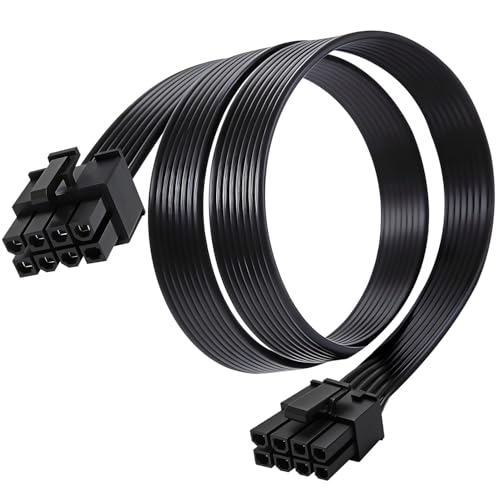

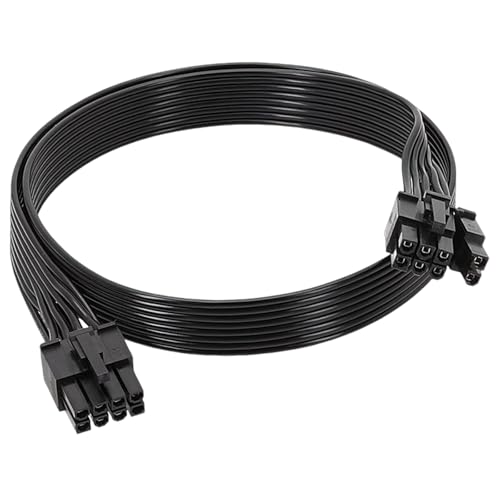


Hardware Questions and Answers
Can I plug any modular PCIe power cable into any power supply brand?
No, modular power supply cables are not universally interchangeable across different brands or even different product lines. While the connector on the graphics card end follows standard PCIe pinouts, the power supply side varies widely between Corsair, EVGA, Seasonic, and Thermaltake units. Plugging an incompatible cable into your PSU can route 12V power straight into ground pins, triggering catastrophic electrical shorts. Always confirm your exact PSU model and series before selecting the best gpu pcie cable for your rig.
What wire gauge is ideal for powering demanding modern graphics cards in 2026?
18AWG or thicker 16AWG wiring is standard and recommended for delivering clean, continuous current to modern graphics cards in 2026. Thicker copper wire cores reduce electrical resistance, minimizing heat generation during intense 1440p or 4K gaming loads. Standard 18AWG tinned copper leads reliably support up to 10 amps per circuit. Cables built with thinner conductors can overheat under sustained workloads, risking terminal degradation over time.
How does a native 12V-2×6 connector improve on earlier PCIe power designs?
A native 12V-2×6 connector delivers up to 600 watts through a single compact plug with recessed sense pins to ensure solid seating. Earlier 12VHPWR connectors risked overheating if slightly dislodged, but the refined 12V-2×6 standard prevents current flow until fully inserted. Modern cables also offer optional thermal sensors to halt power delivery if temperatures spike. This configuration eliminates bulky adapter clusters and improves internal case airflow.
Does installing a PCIe 4.0 riser cable reduce graphics card bandwidth?
No, a high-quality PCIe 4.0 x16 riser cable maintains full 32 GB/s bandwidth without noticeable latency or frame drops. Shielded differential pairs and silver-plated conductors protect data signals against electromagnetic interference from nearby power supplies or motherboards. Custom builders mounting graphics cards vertically can easily maintain balanced gaming performance with an AMD Ryzen 9 5900X rig without sacrificing interface speed.
Can a 6-pin to 8-pin PCIe adapter provide extra wattage to an underpowered GPU?
No, a physical adapter only alters connector pin shapes and cannot increase the wattage capacity of your power supply. A standard 6-pin PCIe connection is rated for 75 watts, whereas an 8-pin input demands up to 150 watts. Using an adapter on an undersized 12V rail risks triggering power supply over-current protection shutoffs during gaming spikes. Always verify that your power supply rail wattage exceeds total graphics card demands.



Write Your Review
No reviews yet. Be the first to share your experience!