


Background noise bleeding into customer calls ruins professional credibility fast, especially when dogs bark or office chatter spikes. Stiff headbands and hot ear cushions only add to the irritation during an eight-hour shift. Choosing the best wireless headset for call center ensures your voice stays crisp and audible while eliminating distractions on both ends of the line. Modern communication headsets combine dedicated environmental noise cancellation microphones with balanced clamping force, so you can manage continuous client conversations without ear fatigue. Pairing your setup with a reliable ergonomic work mouse helps streamline your desk workflow during busy call queues.
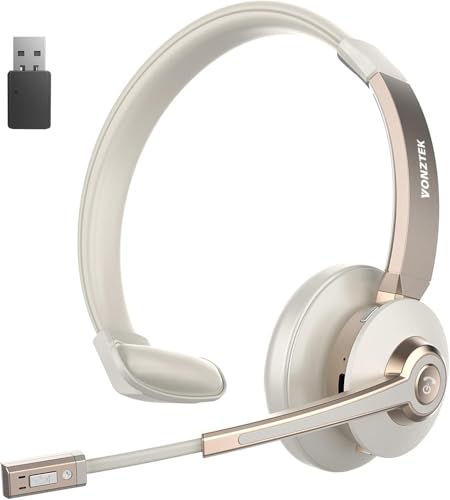
Based on product specifications and user feedback, reliable call performance relies on smart hardware choices rather than gimmicks. Advanced models feature dedicated USB-A dongles to bypass unstable computer Bluetooth connections, alongside physical flip-to-mute boom microphones for instant privacy. Generous battery reserves ranging from 26 to 50 hours of talk time keep you productive across back-to-back schedules without constant recharging anxiety. Evaluating acoustic drivers, breathable memory foam pads, and dual-device connectivity makes finding the right gear straightforward and practical for any customer support workspace.




Frequently Asked Questions
Does the best wireless headset for call center need a USB dongle to work with office computers?
Yes, a dedicated USB dongle provides the most stable, plug-and-play connection for desktop computers and laptops. While many headsets support native Bluetooth, office PCs often have restricted administrative permissions or audio latency issues. The included USB-A adapter bypasses standard operating system Bluetooth quirks, delivering instant pairing and enabling hardware-level mute synchronization across UC platforms like Zoom and Microsoft Teams.
What is the difference between ANC and ENC on a call center headset?
ENC protects what your callers hear, while ANC protects what you hear. Environmental Noise Cancellation (ENC) uses microphone sensors and onboard processing to strip background chatter from your outgoing voice. In contrast, Active Noise Cancellation (ANC) generates reverse sound frequencies inside the earcups to quiet your ambient room environment, helping you stay focused on the customer.
Can a best wireless headset for call center pair with both a smartphone and a PC simultaneously?
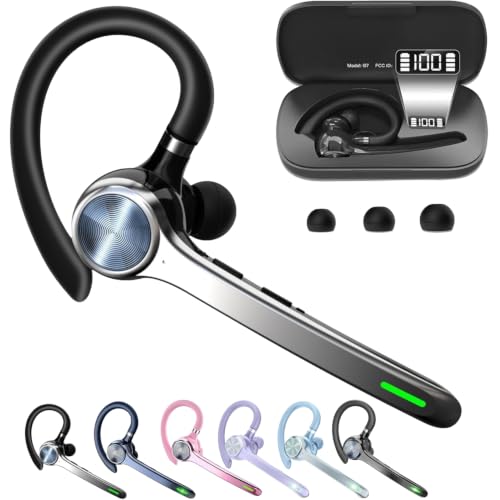
Yes, dual-connectivity models allow you to pair with two devices at the same time using Bluetooth multipoint or a combined USB dongle setup. This dual-device capability lets you take customer calls on a computer softphone and immediately switch to incoming mobile calls without manual re-pairing. Just like matching your workspace with a cordless desk mouse, dual-pairing eliminates messy cable swaps across multiple machines.
Are single-ear mono headsets better than dual-ear stereo headsets for support agents?
Single-ear mono headsets are better if you must stay alert to colleagues and physical office announcements. A mono design keeps one ear open, which also prevents you from raising your speaking voice unnaturally on calls. However, dual-ear stereo designs provide superior passive noise isolation and richer acoustic balance if you work in a loud open office or busy household.
How does a physical mute button or flip-to-mute boom mic function during calls?
Flip-to-mute booms and dedicated hardware buttons physically cut microphone transmission without requiring on-screen software clicks. Rotating the boom arm upward or tapping an onboard button instantly silences your voice, often accompanied by an audible voice prompt confirming status. This hardware-level control prevents accidental audio leaks when consulting colleagues or taking quick notes between customer inquiries.
How long does the battery last on the best wireless headset for call center during full-day shifts?
Most modern wireless office headsets offer between 26 and 50 hours of continuous talk time on a single charge. High-capacity battery designs easily handle multiple full eight-hour work shifts before requiring a recharge via USB-C or a desktop charging stand. Mastering basic fast desktop shortcuts alongside quick-charging gear helps maintain high productivity throughout demanding workweeks.




Write Your Review
No reviews yet. Be the first to share your experience!