


Matching high-tier PC hardware to realistic gaming demands often creates confusion around thermal limits, power delivery, and actual core scaling. Enthusiasts seeking peak responsiveness frequently look at top-tier desktop processors to eliminate bottlenecks across demanding gaming titles and multitasking setups. Selecting the best intel i9 14th gen hardware requires examining motherboard socket compatibility, boost clock ceilings, and memory configuration rather than chasing raw core counts alone. For builders planning an extreme setup, following a step-by-step custom build approach helps ensure power delivery components match high-wattage hardware.
System balance matters just as much as peak clock speeds because high-tier silicon requires adequate airflow and reliable board power to sustain advertised frequencies. While flagship processors provide up to 24 cores and boost up to 6.0 GHz, pairing them with the right DDR5 memory dictates everyday stability. If you plan to assemble a system from scratch, consulting a gaming PC assembly guide provides clear setup fundamentals before mounting LGA-1700 hardware. Reviewing verified specifications across standalone processors and prebuilt configurations helps buyers determine whether unlocked multipliers, integrated graphics, or high core counts provide genuine value.
Pros
- Excellent multi-core performance for gaming and productivity workloads
- Integrated graphics provide useful backup for troubleshooting or light tasks
- Unlocked multiplier for easy overclocking with compatible Z-series motherboards
- Good compatibility with both DDR4 and DDR5 memory platforms
- Backward compatible with many LGA1700 motherboards with BIOS update
Cons
- Runs hot under load, requiring a high-end air or liquid cooler for optimal performance
- Power draw can be high, especially when overclocked or under sustained workloads
- May require BIOS update for older 600-series chipset motherboards
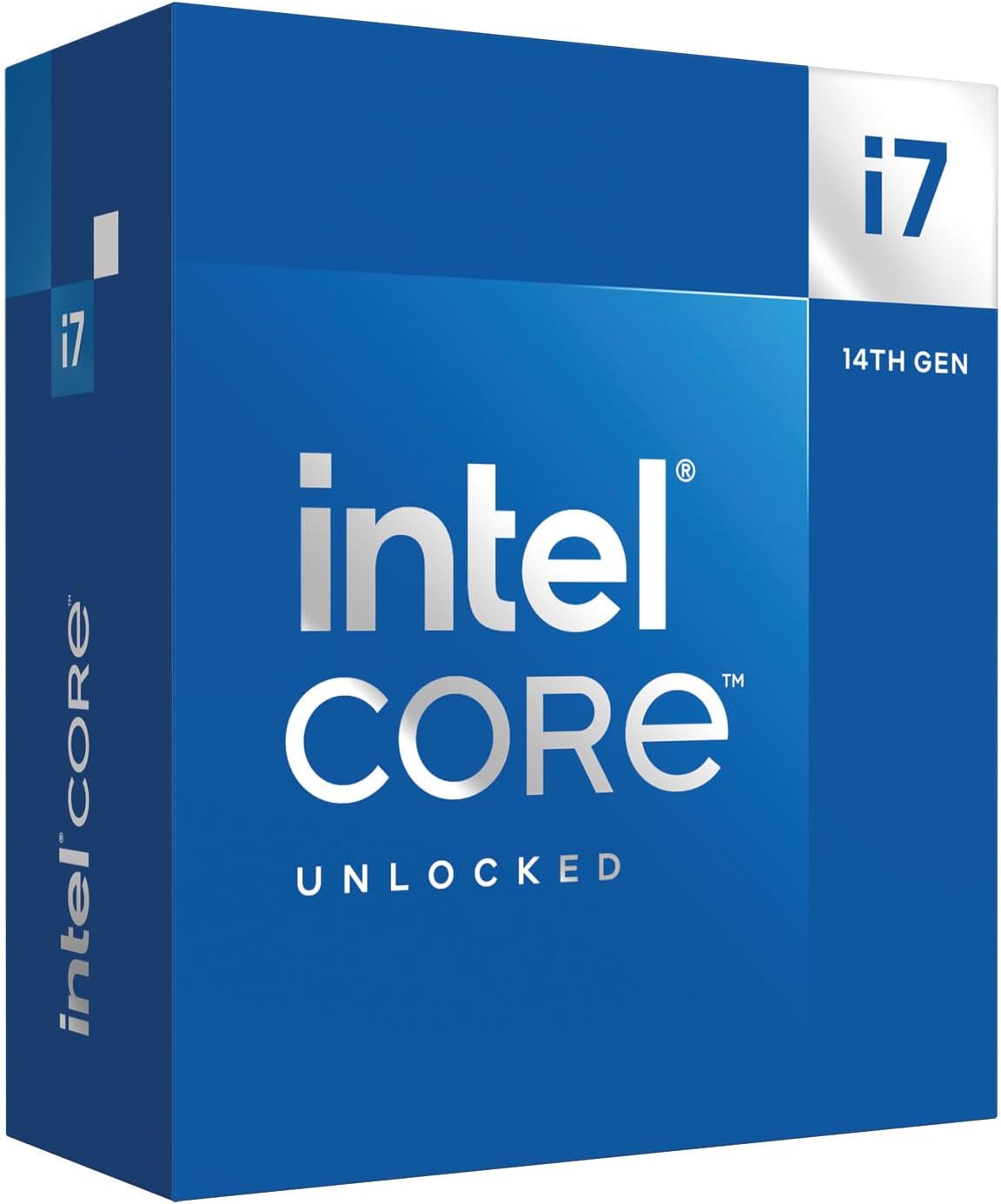
The Intel Core i7-14700K is a 14th-generation desktop processor that blends high-performance P-cores with efficient E-cores, giving PC gamers and content creators a versatile chip for demanding workloads. With 8 performance cores and 12 efficiency cores for a total of 20 cores and 28 threads, it offers strong multi-threaded performance for gaming while streaming, video editing, or running productivity tasks in the background. This processor is designed for the LGA1700 socket and works with both Intel 600 and 700 series motherboards, though a BIOS update may be needed for older boards.
This CPU is best suited for PC gamers who want high frame rates in modern titles, competitive esports players who need consistent responsiveness, streamers who multitask during broadcasts, and content creators who edit video or render 3D assets. Its hybrid architecture allows demanding games to run on the performance cores while background apps like Discord, OBS, or Chrome tabs are handled by the efficient cores, keeping your gameplay smooth and your stream stable. The unlocked multiplier also appeals to enthusiasts who want to push clock speeds beyond stock with adequate cooling.
When it comes to gaming, the i7-14700K delivers strong single-core performance for snappy responsiveness in fast-paced shooters like Valorant, CS2, and Call of Duty, as well as in CPU-intensive titles like Cyberpunk 2077 and Microsoft Flight Simulator. Users report noticeable gains over previous-gen i7s, especially in games that benefit from higher core counts and faster cache. The 33 MB Intel Smart Cache helps reduce latency, while support for PCIe 5.0 and DDR5 memory means this chip can take full advantage of the latest GPUs and fast RAM kits for even better frame rates.
Cooling is a critical consideration with this processor. Under full load, the i7-14700K can draw significant power and generate substantial heat. Most builders will want at least a quality 240mm AIO liquid cooler, and a 360mm AIO or custom loop is recommended for sustained all-core workloads. Undervolting is a popular technique among enthusiasts to reduce temperatures without sacrificing much performance, as noted in user feedback. A good contact frame for the LGA1700 socket can also help with even thermal paste spread and lower temps.
Setup is straightforward if you have a compatible motherboard and a BIOS updated to support 14th-gen chips. The processor integrates Intel UHD Graphics 770, which is handy for troubleshooting or basic display output without a dedicated GPU. Overclocking headroom is available for those who want to push frequencies further, though the stock Turbo Boost performance is already strong for most gaming scenarios. The chip works with both DDR4 and DDR5 memory, giving builders the option to save money with existing DDR4 kits or invest in faster DDR5 for future-proofing.
Realistically, the i7-14700K sits in a sweet spot for high-end gaming builds where you want strong multi-core performance without stepping up to the i9 price tier. It handles gaming, streaming, and productivity tasks simultaneously without breaking a sweat, making it a versatile choice for a gaming PC that also doubles as a workstation. Just be ready to invest in adequate cooling and a quality power supply, as this chip pulls significant power under load. For gamers building a new rig or upgrading from a 12th-gen or earlier platform, this CPU offers a compelling balance of price and performance.
In gaming scenarios, the i7-14700K delivers excellent single-core performance thanks to its high boost clock and Intel Turbo Boost Max Technology 3.0. This translates to high frame rates in competitive shooters like Valorant and CS2, where CPU speed often dictates performance. The 8 P-cores handle the game logic while the 12 E-cores manage background tasks like Discord, streaming software, and game launchers, resulting in smoother gameplay with fewer stutters. Users report strong performance in AAA titles at 1440p and 4K when paired with a modern GPU, with the CPU rarely becoming the bottleneck.
For streaming, the hybrid architecture lets you game on the P-cores while encoding and streaming tasks run on the E-cores, keeping in-game performance consistent. The integrated graphics are not intended for gaming but provide a useful fallback for troubleshooting or basic display output. Overclockers will appreciate the unlocked multiplier and robust VRM support on Z790 boards, though thermal headroom varies by silicon quality.

Pros
- Excellent gaming performance with high clock speeds and hybrid core design.
- Unlocked multiplier for overclocking enthusiasts.
- Supports both DDR4 and DDR5 memory for flexible builds.
- Strong multitasking capabilities for streaming and content creation.
- Competitive price point for a high-end CPU.
Cons
- Requires discrete graphics card, no integrated GPU.
- Higher power draw under load may need robust cooling solution.
- Older platform compared to newer 13th and 14th gen options.
The Intel Core i9-12900KF is a desktop processor built for gamers, streamers, and content creators who want top-tier performance without compromise. As part of Intel's 12th Gen lineup, this CPU uses a hybrid architecture that combines 8 high-performance cores (P-cores) with 8 efficient cores (E-cores), totaling 16 cores and 24 threads. This design allows the processor to handle demanding games and background tasks like streaming or Discord calls simultaneously without stuttering.
For PC gamers, the i9-12900KF delivers impressive responsiveness in titles like Call of Duty, Fortnite, and Cyberpunk 2077. With a single P-core turbo speed up to 5.2 GHz and 30MB of Intel Smart Cache, you can expect low-latency performance and smooth frame rates, especially when paired with a fast GPU and DDR5 memory. The unlocked multiplier also gives overclocking enthusiasts room to push performance further, though a capable cooler is recommended due to the 125W base power and higher thermal output under load.
Streamers and content creators will appreciate the multitasking prowess. The E-cores handle encoding, chat, and browser tabs while the P-cores focus on gaming, thanks to Intel Thread Director technology that prioritizes workloads intelligently. This makes the i9-12900KF a solid choice for those who game and stream on Twitch or YouTube, or edit videos in between matches. Compatibility with PCIe Gen 5 and DDR5 ensures you can build a system that stays relevant for years.
Build quality is typical of Intel's desktop processors: reliable and well-engineered. The LGA1700 socket fits a wide range of Intel 600 and 700 series motherboards, giving you flexibility in choosing features like Wi-Fi 6E, Thunderbolt 4, and ample M.2 slots. Setup is straightforward if you're familiar with PC building, though you'll need to apply thermal paste and attach a compatible cooler. Cable management is simplified by the CPU's single power connector, but the lack of an integrated GPU means you must have a discrete graphics card for display output.
One realistic limitation is that the i9-12900KF is now a previous-generation chip, with newer 13th and 14th gen processors offering incremental improvements. However, its price has dropped significantly, making it a value option for high-end gaming builds. It also runs hotter than some competitors, so investing in a quality air or liquid cooler is wise for sustained performance. For casual gamers or those on a tighter budget, a Core i5 or i7 might be more practical, but for enthusiasts who want maximum gaming and multitasking muscle, the i9-12900KF remains a strong contender.
Overall, the Intel Core i9-12900KF is a powerful processor that excels in gaming, streaming, and content creation. It's best suited for PC gamers who want high frame rates, streamers who need smooth multitasking, and builders who value overclocking headroom. If you're assembling a gaming PC with a dedicated GPU and want a CPU that balances performance and price, this is a smart buy.


Pros
- Exceptional multitasking performance with 24 cores and 32 threads
- Very high turbo clock speeds up to 6.0 GHz for gaming and productivity
- Unlocked multiplier for flexible overclocking with proper cooling
- Backward compatible with Intel 600 and 700 series motherboards
- Supports both DDR4 and DDR5 memory for upgrade flexibility
Cons
- High power draw and heat output require a robust liquid cooler or high-end air cooler
- No integrated graphics, so a discrete GPU is mandatory
- Some early stability issues reported, but BIOS updates have mitigated them
The Intel Core i9-14900KF is a desktop processor designed for PC gamers, streamers, content creators, and esports enthusiasts who demand top-tier performance. With 24 cores (8 Performance-cores and 16 Efficient-cores) and 32 threads, this unlocked CPU is built to handle intense multitasking while delivering smooth gaming experiences. It targets users who want the best of both worlds: high frame rates in competitive titles and the ability to run demanding creative workloads without slowing down.
In real-world use, the i9-14900KF shines in hybrid scenarios. Gamers can play demanding open-world games or fast-paced esports titles while streaming, recording, or running Discord in the background without noticeable lag. The P-cores handle the bulk of gaming tasks, while E-cores manage background applications, ensuring consistent performance. According to user feedback, frame rates are impressive in titles like Cyberpunk 2077 and Call of Duty, and multitasking feels snappy. However, for pure gaming, some reviews note that AMD's Ryzen 7 7800X3D may offer slightly higher average FPS in CPU-bound games due to its larger cache, but the i9-14900KF excels when productivity tasks are added to the mix.
Build quality and practicality are solid. The processor itself is a standard LGA1700 package, compatible with Intel 600 and 700 series motherboards. Setup requires a BIOS update on 600-series boards to ensure stability and fix early issues. A discrete graphics card is necessary since the KF model lacks integrated graphics. Cooling is critical - this chip runs hot under load, reaching 70-80 degrees Celsius with a good AIO liquid cooler, and can spike higher during stress tests. Users should invest in a 240mm or larger AIO, or a high-end air cooler, and ensure good case airflow. The unlocked nature allows overclocking via Intel's Extreme Tuning Utility, which is straightforward for enthusiasts.
Ease of setup is manageable for experienced builders. The processor installs easily into compatible motherboards, but proper cooling and power delivery (recommended Z790 or Z690 board) are essential. Maintenance involves periodic cleaning of the cooler and thermal paste replacement. Cable management considerations include routing the CPU power cable and AIO tubing neatly in the case. The chip's power draw is significant, so a quality power supply (850W or higher) is recommended.
Limitations include high heat output and power consumption, as well as the need for a discrete GPU. Some users reported initial stability issues, but these have been largely resolved with motherboard BIOS updates. The processor also does not include a stock cooler, so an aftermarket cooler is mandatory. Despite these points, the i9-14900KF offers compelling performance for those who need the extra cores for productivity alongside gaming.
Overall, the Intel Core i9-14900KF is a strong choice for PC gamers and content creators building a high-end rig focused on multitasking and maximum performance. It works well for streamers running OBS or Streamlabs alongside games, for esports players who want to keep their system responsive under load, and for casual gamers who also edit videos or work from home. If your primary use is pure gaming, you might prefer a chip like the 7800X3D, but for a versatile powerhouse that doesn't compromise on productivity, the i9-14900KF delivers excellent value.
The Intel Core i9-14900KF delivers outstanding gaming performance, especially in CPU-intensive titles. With single-core boost up to 6.0 GHz, games like Valorant, CS2, and Apex Legends see very high frame rates, reducing input lag and improving responsiveness. In open-world games like Cyberpunk 2077, the processor maintains stable FPS even with background tasks. However, for pure gaming, the additional cores may not provide a noticeable benefit over a 14th-gen i7 or AMD's 7800X3D, which often matches or slightly exceeds it in average FPS due to its larger L3 cache. Where the i9-14900KF pulls ahead is in multitasking while gaming - for example, streaming without sacrificing performance. According to user reviews, it handles demanding games plus OBS or Discord flawlessly, making it ideal for streamers.
The i9-14900KF uses the LGA1700 socket and is compatible with Intel 600-series (with BIOS update) and 700-series chipset motherboards. It supports both DDR4 and DDR5 memory, giving builders flexibility in choosing memory kits. PCIe 5.0 support enables fast NVMe SSDs and the latest graphics cards. Users should ensure their motherboard has a robust VRM design to handle the processor's power draw, especially when overclocking. Intel's 600-series boards (Z690, B660) require a BIOS update before installation, which can be done with a compatible CPU or via USB flashback on supported boards. The chip also works with Windows 11 and many Linux distributions.

Pros
- Incredible multi-core performance for gaming, streaming, and content creation
- High boost clock speeds up to 6.0 GHz for snappy responsiveness
- Unlocked for easy overclocking with Intel XTU software
- Broad memory and PCIe support for future-proof builds
- Reliable integrated graphics for troubleshooting or secondary displays
Cons
- High power draw and heat output require a robust cooling solution
- May need BIOS update on older 600-series motherboards
- Premium price point compared to previous-gen or AMD alternatives
The Intel Core i9-14900K is a flagship desktop processor designed for PC gamers, competitive esports players, streamers, content creators, and anyone building a high-performance gaming PC. With 24 cores (8 Performance-cores and 16 Efficient-cores) and 32 threads, it handles demanding games, multitasking, and creative workloads with ease. The unlocked multiplier lets enthusiasts overclock using Intel's Extreme Tuning Utility, pushing clock speeds beyond the already impressive 6.0 GHz boost.
For gamers, this CPU delivers smooth, high-frame-rate gameplay in titles like Call of Duty, Cyberpunk 2077, and Fortnite. The hybrid architecture ensures that gaming sessions remain responsive even with streaming software, Discord, or browser tabs running in the background. The large 36 MB Intel Smart Cache helps reduce load times and stutter, providing consistent performance during intense firefights or open-world exploration.
Streamers and content creators will appreciate the 32 threads for encoding video, rendering 3D models, or editing high-resolution footage. The processor works well with OBS, Adobe Premiere Pro, and DaVinci Resolve, handling multiple concurrent tasks without bottlenecking. Its compatibility with DDR5 memory (up to 5600 MT/s) and PCIe 5.0 storage ensures fast data access and quick project load times.
Build quality is typical of Intel's reliable engineering. The LGA 1700 socket fits both 600- and 700-series motherboards, though a BIOS update may be needed on older boards. The processor includes integrated Intel UHD Graphics 770, which is handy for troubleshooting or light productivity without a discrete GPU. However, for gaming, a dedicated graphics card is required.
Setup is straightforward for those familiar with PC building. The CPU installs easily into compatible sockets, and a high-quality cooler is essential due to the 125W base power and potential for higher draw under load. Users should plan for a robust cooling solution, like a 360mm AIO or high-end air cooler, to maintain stable temperatures during extended sessions. Cable management and case airflow are also important considerations for this power-hungry chip.
A realistic limitation is the high power consumption and heat output, which may require a premium cooler and a well-ventilated case. Some users have reported stability issues with certain motherboards, often resolved by updating BIOS and adjusting voltage settings. For most PC gamers and builders, the i9-14900K is an excellent choice for a future-proof, high-performance gaming PC. It shines in scenarios where maximum CPU power is needed, though budget-conscious buyers might consider the i7-14700K for a better price-to-performance ratio.
Frequently Asked Questions
What is the main difference between the Core i9-14900K and Core i9-14900KF?
The primary difference is that the Core i9-14900K includes integrated Intel UHD Graphics 770, whereas the Core i9-14900KF lacks integrated graphics and requires a discrete graphics card. Both processors share identical architecture featuring 24 cores (8 Performance cores and 16 Efficient cores) alongside 32 threads. Each chip offers maximum clock speeds reaching up to 6.0 GHz via Thermal Velocity Boost. Both units support DDR4 and DDR5 memory on compatible 600-series or 700-series motherboards.
What motherboard chipsets support 14th Gen Intel processors?
Intel 14th Gen desktop processors are compatible with Intel 700-series motherboards as well as Intel 600-series boards, though 600-series models may require a BIOS update. Both platforms utilize the LGA-1700 socket design for physical component installation. Maintaining clean system fans and clear heatsink fins through regular PC hardware cleaning maintenance helps these boards manage heat generated by high-wattage components. Checking motherboard manufacturer documentation before purchase ensures your specific board supports out-of-the-box CPU recognition.
Does the Intel Core i7-14700K offer competitive gaming specifications compared to i9 models?
The Intel Core i7-14700K provides a substantial 20-core configuration, consisting of 8 Performance cores and 12 Efficient cores with 28 threads. It reaches clock frequencies up to 5.6 GHz using Turbo Boost Max Technology 3.0, compared to the 6.0 GHz limit on the i9 models. For setups where extreme clock headroom is secondary, the i7-14700K offers integrated UHD Graphics 770 and dual DDR4/DDR5 platform compatibility.
How does networking connectivity impact competitive gaming on modern platforms?
Modern gaming systems, such as laptops featuring advanced wireless adapters and Gigabit LAN, rely on consistent network throughput to prevent packet loss. Learning how low-latency wireless standards perform helps gamers assess whether modern Wi-Fi or wired Ethernet suits their multiplayer setup. Systems equipped with high-bandwidth wireless or physical LAN ports allow players to maintain stable online sessions during heavy downloads and gaming matches.
Do Intel 14th Gen desktop processors include bundled CPU coolers?
The supplied product specifications do not list bundled cooling solutions for unlocked desktop processors like the i9-14900K or i9-14900KF. Unlocked processors with high boost clock ceilings generally require robust aftermarket liquid coolers or high-capacity air coolers to manage operating temperatures under load. Buyers should verify cooler socket compatibility with the LGA-1700 platform before finalizing their system hardware.








Write Your Review
No reviews yet. Be the first to share your experience!