


Balancing case airflow, electrical supply, and graphical power is a key challenge when planning a desktop gaming setup. Deciding on the best geforce rtx 3060 ti pcs means weighing dedicated Ampere architecture graphics against complete prebuilt configurations that bundle matched processors and memory. If you are comparing a self-assembled system with a turnkey tower, reading a step-by-step PC building guide clarifies the hardware assembly process. Technical details such as 8GB GDDR6 memory, 256-bit interfaces, and PCIe 4.0 compatibility dictate how these components fit your computing demands.
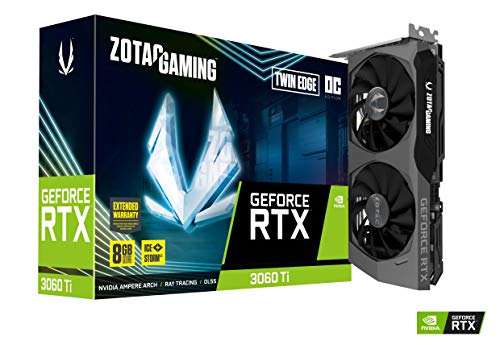
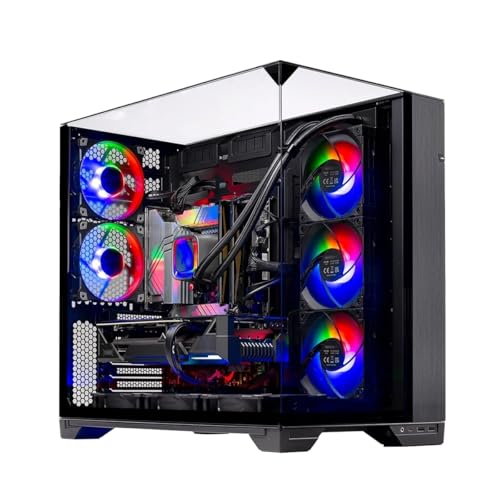
Chassis cooling and long-term hardware health also matter, making practices from a desktop PC maintenance guide valuable for sustained performance. Options in this lineup include standalone graphics cards from ZOTAC and MSI alongside full prebuilt rigs like the Olialia gaming desktop featuring an AMD Ryzen 7 5700X. Checking power supply wattage, physical slot clearances, and multi-monitor display outputs helps you select the right hardware configuration without unexpected surprises.



Frequently Asked Questions
What power supply wattage is recommended for an RTX 3060 Ti setup?
A desktop with an RTX 3060 Ti typically requires a 600W or higher power supply depending on overall components. The Olialia prebuilt gaming desktop includes an ATX 600W 80 PLUS Bronze power supply to support the GPU and an AMD Ryzen 7 5700X CPU. Standalone cards like the ZOTAC Twin Edge list a 200W power consumption, requiring sufficient headroom from your desktop PSU.
Does an RTX 3060 Ti desktop include Wi-Fi 6 connectivity?
Wireless capability depends on the motherboard and prebuilt system specifications rather than the graphics card itself. For instance, the Olialia desktop features an Intel Wi-Fi 6 AX200 module for wireless networking and Bluetooth connectivity. Reviewing whether Wi-Fi 6 is good for gaming can help you evaluate your home networking preferences.
How much video memory is included on an RTX 3060 Ti?
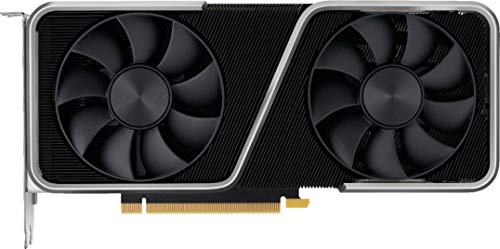
GeForce RTX 3060 Ti models in this selection typically feature 8GB of GDDR6 memory on a 256-bit bus. This configuration is present on both the ZOTAC Twin Edge OC and NVIDIA Founders Edition models. In comparison, standard non-Ti RTX 3060 cards provide 12GB of GDDR6 video memory across a 192-bit interface.
What display outputs are standard on these graphics configurations?
Most models provide three DisplayPort 1.4a connections and one HDMI 2.1 port for multiple screens. The ZOTAC and MSI graphics cards, as well as the Olialia desktop, support multi-display setups reaching up to 7680 x 4320 digital maximum resolution. This allows connectivity with high-resolution gaming monitors and multi-screen workstation layouts.
How much physical slot space does an RTX 3060 Ti require?
The majority of RTX 3060 Ti graphics cards utilize a standard dual-slot profile suitable for mid-tower cases. For example, the ZOTAC Twin Edge and NVIDIA Founders Edition occupy two expansion slots. Always measure your desktop chassis interior to confirm adequate clearance before installing a new graphics card.







Write Your Review
No reviews yet. Be the first to share your experience!