


Mac workstations often run into frustrating bottlenecks when shifting from creative tasks to fast-paced action, leaving players with input stutter or fuzzy native resolution scaling. Selecting the best gaming monitor for mac requires balancing crisp pixel density with high refresh rates and seamless Type-C connectivity. Standard office screens frequently suffer from ghosting and sluggish pixel response times that make competitive play feel unresponsive. Pairing your desk with a high-bandwidth display or a dedicated monitor for fps gaming immediately sharpens motion clarity and reduces input lag during intense matches.
Modern Apple silicon systems drive high framerates with surprising efficiency, but the connected panel must support those speeds without display handshake errors. Essential features like AMD FreeSync, fast response times, and versatile ports such as DisplayPort 1.4 or full-function USB-C ensure you avoid screen tearing and messy adapter cables. Whether you prefer an ultra-sharp 5K panel for hybrid creative tasks or budget-friendly gaming monitors under $549.99, matching panel specs to your desk space transforms your setup into an agile gaming station.

Pros
- Smooth 100Hz refresh rate and 1ms response for responsive gameplay.
- Rich color reproduction with 100% sRGB for vibrant visuals.
- Multiple connectivity options including DisplayPort and two HDMI ports.
- Frameless bezel design fits well in multi-monitor arrays or tight desk setups.
- Included VESA mount support allows flexible placement options.
Cons
- Built-in speakers are adequate for basic use but lack bass and volume for immersive gaming.
- Stand offers tilt only, no height adjustment or swivel, so an aftermarket arm may be needed for ergonomic setups.
- 100Hz refresh rate is a step up from 60Hz but not as high as 144Hz monitors preferred by competitive esports players.
The Sceptre E275W-FW100T is a 27-inch gaming monitor that hits a sweet spot for PC gamers who want a smooth, vivid display without breaking the bank. With a 100Hz refresh rate and 1ms response time, this monitor handles fast-paced action in FPS games like Call of Duty or Valorant with minimal blur. The 100% sRGB color gamut ensures that every game world pops with accurate, rich colors, making it a strong option for both casual gamers and content creators who need decent color accuracy for light editing work.
This monitor is best suited for budget-conscious PC gamers, casual gamers, college students building their first rig, or streamers looking for an affordable secondary display. The inclusion of AMD FreeSync helps reduce screen tearing when paired with compatible AMD graphics cards, delivering a smoother experience during intense gameplay. The built-in speakers are a nice convenience for quick sessions, though you will likely want a dedicated headset or external speakers for immersive audio during long streams or multiplayer sessions.
In terms of build quality, the frameless design gives it a modern look and works well in multi-monitor setups where thin bezels minimize distractions. The stand is functional but basic, offering only tilt adjustment, so you may need to invest in a VESA mount or monitor arm for better ergonomics and desk organization. The monitor itself is lightweight at just over 7 pounds, making wall mounting straightforward. Cable management is a bit limited with the stock stand, but the VESA mount option helps keep things tidy.
Setup is plug-and-play: connect via DisplayPort for the full 100Hz, and the monitor automatically detects the signal. The on-screen display menus include FPS and RTS game modes that tweak contrast and brightness for specific genres, plus a Blue Light Shift feature to reduce eye fatigue during late-night gaming. While the monitor lacks a USB hub or advanced software customization, the hardware controls are easy to navigate. Maintenance is minimal, just occasional dusting of the matte screen.
A realistic limitation is the 100Hz refresh rate, which is a noticeable upgrade from standard 60Hz monitors but not as high as 144Hz or 240Hz panels favored by competitive esports professionals. However, for the price, this is a fantastic value. The built-in speakers are also basic they work fine for system sounds or casual YouTube watching, but don't expect rich audio for gaming. If you prioritize sound quality, plan to use a separate audio solution.
Overall, the Sceptre E275W-FW100T is a practical choice for gamers who want a larger 27-inch screen with smooth motion and great colors without spending a fortune. It works well as a primary monitor for casual to mid-level competitive gaming, as a secondary display for streamers, or as a budget-friendly option for a home office setup that also handles light gaming. If your budget allows only one monitor upgrade and you value high refresh rates, this monitor delivers where it counts.
The 100Hz refresh rate and 1ms response time on the Sceptre E275W-FW100T provide a noticeable lift in responsiveness over standard 60Hz monitors. In fast-paced games like Apex Legends or Rocket League, motion looks smoother and ghosting is minimal. AMD FreeSync further refines the experience by synchronizing the monitor's refresh rate with your GPU, reducing stutter and tearing without adding input lag. The dedicated FPS and RTS modes adjust brightness and contrast to highlight details in dark corners or keep the UI crisp in strategy games, giving you a small competitive edge in your favorite titles.

Pros
- 144Hz refresh rate provides smooth, responsive gameplay in fast-paced titles
- Plug-and-play setup with included cables - no driver installation required
- Compact and lightweight, ideal for travel and dorm room gaming setups
- Kickstand feels sturdy and allows flexible viewing angles
Cons
- Lacks adaptive sync (FreeSync/G-Sync), so screen tearing may occur in some games
- Built-in speakers are adequate for basic use but not for immersive gaming audio
- May drain laptop battery faster when powered via USB-C (best used with power source)
The ARZOPA Z1FC is a 16.1-inch portable gaming monitor designed for PC gamers, esports players, streamers, and anyone who wants a high-refresh-rate second screen on the go. With a 144Hz refresh rate, 106% sRGB color gamut, and 1080P FHD resolution, it aims to deliver a smooth and vivid visual experience without breaking the bank. Priced affordably and backed by strong user reviews, this monitor could be a solid addition to your gaming setup, whether at home, in a dorm room, or while traveling.
Performance-wise, the 144Hz panel provides noticeably smoother motion compared to standard 60Hz monitors. In fast-paced games like Fortnite and Call of Duty, the higher refresh rate reduces motion blur and makes tracking targets feel more responsive. While it doesn't support adaptive sync technologies like FreeSync or G-Sync, many users report minimal screen tearing when frame rates stay stable. The 106% sRGB coverage ensures colors look rich and accurate, which also benefits photo editing or video work if you're a content creator.
Build quality is impressive for a portable monitor. The chassis is slim and lightweight at just over 3 pounds, and the integrated kickstand feels solid when adjusting the tilt angle. The matte screen helps reduce glare during bright lighting conditions. However, there is no included protective case, so you may want to purchase a separate sleeve for safe transport. The monitor works best when powered via a USB-C connection to your laptop or via an external power source for console use.
Setup is straightforward thanks to plug-and-play USB-C and Mini HDMI ports. It connects seamlessly to most laptops, PCs, PlayStation 5, Xbox Series X/S, and even Steam Deck. For Mac users, some reviewers found that adjusting display settings with third-party software like BetterDisplay improves text clarity. The included cables cover common setups, but note that you may need a power adapter if connecting via HDMI without USB-C power delivery.
Limitations include modest built-in speakers that lack bass and volume, so headphones or external speakers are recommended for gaming and streaming. The 16.1-inch size is great for portability but may feel small for extended desktop use as a primary monitor. Additionally, using the monitor solely via USB-C from a laptop can drain the battery faster, so keeping your laptop plugged in is advisable during long sessions.
Overall, the ARZOPA Z1FC offers excellent value for gamers and professionals seeking a high-refresh-rate portable monitor without spending a fortune. It's particularly well-suited for competitive gamers who need low-latency visuals on the road, college gamers with limited desk space, or streamers wanting a secondary display for chat and alerts. If you can live without adaptive sync and plan to use external audio, this portable monitor delivers a smooth, colorful experience that punches above its price point.
The 144Hz refresh rate is the standout feature for gaming, providing a noticeable improvement in motion clarity for fast-paced shooters, racing games, and MOBAs. The 1080P resolution keeps the GPU load manageable, which helps maintain high frame rates on mid-range gaming laptops and consoles. While the lack of FreeSync or G-Sync means you may encounter some screen tearing if frame rates fluctuate, many users find the experience smooth enough for casual and competitive play. The 106% sRGB color gamut makes game worlds look vibrant, and the IPS panel offers good viewing angles from any position.
The monitor features a slim aluminum-alloy body that feels durable yet lightweight. The built-in kickstand is hinged and adjustable, allowing you to tilt the screen to a comfortable angle. At just 0.37 inches thick and 3.12 pounds, it easily fits alongside a laptop in most backpacks. The matte screen finish reduces reflections, making it easier to use in brightly lit rooms. The included cables are of decent quality, though some users note they are a bit stiff for tidy cable management. Overall, the construction inspires confidence for daily travel and setup.

Pros
- High 165Hz refresh rate and fast 1ms MPRT for responsive gaming.
- Ultrawide 21:9 ratio enhances immersion in open-world and racing games.
- PIP/PBP feature adds versatility for multitasking or streaming.
- Strong color accuracy with DCI-P3 95% coverage.
- Affordable price point for a 34-inch UWQHD gaming monitor.
Cons
- No built-in speakers; external audio is required.
- Maximum 100Hz over HDMI; full 165Hz requires DisplayPort connection.
- Limited ergonomic adjustments (tilt only) and no height or swivel.
The SANSUI 34-inch curved gaming monitor is a wide-screen ultrawide display designed for PC gamers, esports players, and streamers who want an immersive field of view without breaking the bank. With a 1500R curvature, UWQHD 3440x1440 resolution, and a 165Hz refresh rate, this monitor aims to deliver smooth, detailed visuals for everything from fast-paced shooters to expansive open-world titles.
This monitor is best suited for competitive and casual gamers who prioritize responsiveness and visual clarity. The 1ms MPRT response time and FreeSync support help reduce motion blur and screen tearing, making it a reliable choice for FPS games like Valorant or Call of Duty, as well as racing sims and MOBAs. Streamers and content creators will also appreciate the PIP/PBP mode, which lets you display two inputs at once, handy for monitoring chat or using a second PC.
In terms of performance, the 165Hz refresh rate over DisplayPort ensures smooth, low-latency gameplay, while the VA panel offers good contrast and wide viewing angles. The sRGB 125% and DCI-P3 95% color coverage provides punchy, accurate colors out of the box, beneficial for both gaming and light creative work. The 300 nits brightness is adequate for indoor use, but may struggle in very bright rooms.
Build quality is solid for the price, with a sturdy stand that offers tilt adjustment but lacks height or swivel. The monitor is VESA 75x75mm compatible, so you can easily mount it on an arm or wall. Cable management is basic, but the included DP cable and multiple ports (2x DP 1.4, 2x HDMI) give you flexibility. Note that the HDMI ports are limited to 100Hz, so you'll need DP for the full 165Hz.
Setting up the monitor is straightforward, and the on-screen display is easy to navigate. There are no built-in speakers, so you'll need a headset, external speakers, or a soundbar for audio, which is common for gaming monitors. The lack of speakers may be a consideration for those who prefer a clean all-in-one setup. Maintenance involves occasional screen cleaning with a microfiber cloth.
A realistic limitation is the absence of height adjustment and swivel, which might require a separate monitor arm for optimal ergonomics. Additionally, the 100Hz cap on HDMI means you'll need a compatible DP cable (included) to hit 165Hz. Overall, this monitor is an excellent value for PC gamers and gaming setup builders looking for an ultrawide high-refresh experience without spending a fortune. It works well for dorm room gaming, home office productivity, and streaming rigs where desk space is at a premium.
The SANSUI 34-inch curved monitor delivers a compelling gaming experience thanks to its 165Hz refresh rate and 1ms MPRT response time. In fast-paced FPS games, motion blur is minimal, and the UWQHD resolution provides a wider peripheral view, giving you a competitive edge in shooters. FreeSync compatibility helps eliminate screen tearing when paired with an AMD GPU, ensuring fluid gameplay. The VA panel's deep blacks and good contrast ratio further enhance immersion in darker game environments.
The monitor's construction is sturdy for its price segment, with a matte black plastic bezel and a solid stand that supports tilt adjustment. The VESA 75x75mm mounting pattern allows for easy attachment to monitor arms or wall mounts, freeing up desk space. While the stand lacks height and swivel adjustments, it feels stable on a desk. The port placement at the rear is convenient, and the included DP cable is a nice touch. Overall, build quality is reliable for everyday gaming and work use.
The 34-inch UWQHD (3440x1440) VA panel offers sharp image quality with a 21:9 aspect ratio that's great for immersive gaming and multitasking. Color accuracy is above average with 95% DCI-P3 and 125% sRGB coverage, so games and movies look vibrant. The 300 nits brightness is fine for indoor use, and the 1500R curvature wraps around your field of view without being too aggressive. Viewing angles are good for a VA panel, with minimal color shift when viewed from the sides.

Pros
- Sharp 1080P IPS display with good color accuracy and wide viewing angles
- Plug-and-play USB-C connectivity works with many devices without extra drivers
- Lightweight and thin for easy portability to LAN parties or dorm rooms
- Included smart cover is practical for protection and stand use
- Multiple connectivity options (USB-C, HDMI) support various gaming platforms
Cons
- Requires USB-C DP Alt Mode or Thunderbolt 3 for single-cable operation, limiting compatibility with older devices
- Built-in speakers may lack depth for immersive gaming audio
- Matte screen can reduce contrast in bright environments compared to glossy panels
The MNN Portable Monitor is a 15.6-inch Full HD 1080P IPS display designed for PC gamers, streamers, content creators, and anyone who needs a second screen for their gaming setup. This ultra-slim external monitor connects via USB-C or HDMI, making it versatile for use with laptops, PCs, phones, and consoles like the PS5, Xbox, and Nintendo Switch. Its lightweight build and included smart cover make it a practical choice for gamers who want to extend their desktop or take their gaming on the go.
In terms of performance, the 1080P resolution and IPS panel deliver clear visuals with decent color accuracy and 178-degree viewing angles. The matte screen helps reduce glare and blue light, which is a nice touch for long gaming sessions or late-night streaming. While the 60Hz refresh rate is standard for portable monitors, it works well for strategy games, casual gaming, or as a secondary screen for Discord, chat, or productivity tasks during competitive play. The HDR mode adds a bit more pop to colors and contrast, though it's not a replacement for a high-end gaming monitor.
Build quality feels solid for its price range, with a slim profile that measures just 0.3 inches thick and weighs 1.53 pounds. The smart cover is made of durable PU leather and doubles as a stand, offering protection during travel and flexible orientation options (landscape or portrait). This is especially useful for streamers who want to manage chat or OBS on a vertical screen. The dual USB-C ports support plug-and-play connectivity, but note that your device must support USB-C DP Alt Mode or Thunderbolt 3 for single-cable operation. If not, you'll need to use the included USB-C cable for power and HDMI for video.
Setting up the MNN monitor is straightforward: just connect it to your laptop, PC, or phone, and it works as an extended or mirrored display. The multiple display modes (copy, extend, second screen, portrait) give you flexibility for different tasks, whether you're gaming, working, or creating content. The built-in speakers are adequate for basic audio, but most gamers will prefer using a gaming headset or external speakers for better sound quality. Cable management is simple thanks to the compact design, and the monitor requires minimal maintenance beyond occasional screen cleaning.
One realistic limitation is that the 60Hz refresh rate and 5ms response time (typical for portable monitors) won't satisfy competitive esports players who need high refresh rates for fast-paced FPS games. Additionally, the single-cable USB-C convenience depends on your device's compatibility, so check your laptop or phone specs before buying. The speakers are also basic, so don't expect rich audio for movies or games.
Overall, the MNN Portable Monitor is a solid choice for PC gamers, streamers, and gaming setup builders who want an affordable, portable second screen for multitasking, travel, or casual gaming. It works well as a companion for laptops in dorm rooms, home offices, or on the go. If you need a high-refresh-rate gaming monitor for competitive play, look elsewhere, but for general productivity and light gaming, this is a practical and budget-friendly option.

Pros
- Exceptional portability – thin, light, and comes with a protective cover/stand for travel
- Clear 1080p IPS display with HDR and good contrast (1200:1) for the price
- Versatile connectivity via two USB-C ports and Mini-HDMI, works with most modern devices
- Easy plug-and-play setup – no drivers, just connect and go; smart cover adds protection and utility
Cons
- No built-in battery – requires external power via USB-C or USB-A cable, limiting true portability
- Built-in speakers are quiet and lack bass, so external speakers or headphones are recommended for gaming
- 60Hz refresh rate limits competitive gaming performance – better suited for casual gaming, media, and productivity
The KYY Portable Monitor (model K3) is a 15.6-inch 1080p IPS display designed for gamers, streamers, and professionals who need a second screen without the bulk. At just 1.7 pounds and 0.35 inches thick, it's built to slip into a laptop bag alongside your main device. The included smart cover serves double duty as a protective case and a foldable stand, making it a practical companion for gaming on the go or setting up a dual-monitor workstation anywhere.
This monitor is best suited for PC gamers who travel frequently, streamers who want a secondary display for chat or OBS controls, college gamers in dorm rooms, and content creators who extend their canvas. It's also compatible with consoles like PS4, Xbox, and Nintendo Switch via HDMI, plus USB-C phones (like newer iPhones and Android devices) for mobile gaming or media. However, it's not a high-refresh-rate monitor (60Hz), so competitive esports players may prefer a faster panel, but for casual gaming, media, and productivity, it delivers solid performance.
In terms of real-world performance, the 1080p IPS panel offers decent color accuracy and wide 178-degree viewing angles. HDR support boosts contrast in supported content, though peak brightness is 300 cd/m², which is fine for indoor use but can struggle under direct sunlight. For gaming, the 60Hz refresh rate and 5ms response time (typical for portable IPS) are adequate for RPGs, strategy games, and slower-paced titles, but fast-twitch FPS players might notice some motion blur. Input latency feels low enough for casual play, and the monitor works in both extended and mirror modes via USB-C 3.1 or HDMI.
Build quality is a standout. The metal back panel feels premium, and the smart cover's PU leather exterior protects against scratches and bumps. The magnetic attachment is secure, and the two-position stand groove offers flexibility for typing or viewing. The thin bezels give a modern look, and the matte screen surface reduces glare during long sessions. Cable management is minimal since you only need one USB-C cable for power and video if your device supports it, though older laptops may require the included HDMI and USB-A power cables.
Setup is straightforward: plug the USB-C cable into your laptop or phone, and the monitor is detected immediately. No driver installation is needed for Windows, Mac, or Linux. The on-screen menu wheel lets you adjust brightness, contrast, and color settings easily. One limitation is the lack of a built-in battery – you need to power the monitor via the USB-C port, which means you can't use it completely untethered unless connected to a power bank or wall outlet. The built-in speakers are weak, but the 3.5mm audio jack works well with headphones or external speakers.
Overall, the KYY Portable Monitor is a practical and affordable solution for gamers and multitaskers who want a second screen on the move. It excels as a portable dual-monitor companion for laptops, a console gaming display for trips, or a quick screen extender for presentations. If you prioritize portability and versatility over raw gaming performance, this monitor is an excellent value. For competitive gamers needing 144Hz or better, look elsewhere, but for casual gaming, streaming setup, or productivity, it's a reliable choice.
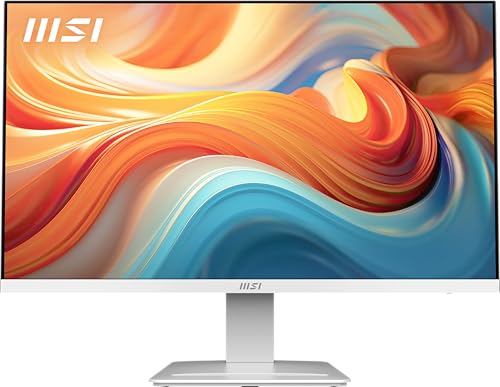
Pros
- 144Hz and 1ms response for smooth, responsive gaming
- IPS panel with great color and viewing angles
- Eye care features reduce strain during long sessions
- Versatile ports including VGA for legacy devices
- White design fits well in bright or themed setups
Cons
- Only 1080p resolution - not ideal for those seeking 1440p or 4K
- Built-in speakers are basic; external speakers or headset recommended
- No height adjustment or swivel stand - tilt only
The MSI PRO MP273W E14A is a 27-inch IPS monitor that strikes a smart balance between performance and price, making it a solid pick for budget-conscious gamers, streamers, and setup builders. With its white chassis and slim four-side bezels, it's also designed to complement clean, modern gaming desks or home offices. While it's marketed as a professional office monitor, the specifications clearly lean toward gaming use, thanks to the 144Hz refresh rate and 1ms response time.
In real-world gaming, the 144Hz panel makes a noticeable difference in fast-paced titles like first-person shooters and racing games. Motion looks much smoother compared to standard 60Hz monitors, and the 1ms response helps keep ghosting and blur to a minimum. Add in AMD FreeSync support, and you get tear-free gameplay when paired with a compatible GPU. The IPS panel further enhances the experience with vibrant colors and wide viewing angles, so the image stays consistent even if you're not sitting dead center. This monitor is a great match for competitive gamers who want high refresh rates without jumping to 1440p or 4K resolution.
Build quality is typical for this price range - mostly plastic but solid enough, with a sturdy stand that offers tilt adjustment. The lack of height or swivel adjustment is a realistic limitation, but the VESA mount compatibility (100x100mm) lets you attach it to a monitor arm or wall mount for better ergonomics. The slim bezel design is great for multi-monitor setups, and the white color scheme is a nice departure from the usual black panels. Cable management isn't built-in, but the array of ports (HDMI, DisplayPort, and VGA) provides flexibility for hooking up both modern and older devices.
MSI has packed several eye-care features into this monitor, including TUV certification for low blue light and anti-flicker technology. The EyesErgo system and Eye-Q Check tool are practical touches that help remind you to take breaks during long gaming or work sessions - useful for anyone spending hours in front of a screen. The built-in speakers are basic but functional for system sounds or casual video; for immersive gaming or streaming, you'll still want a dedicated headset or external speakers.
Setting up the monitor is straightforward out of the box. It includes the necessary cables and the stand attaches without tools. The on-screen display is easy to navigate, giving you quick access to preset modes and brightness controls. While the 1080p resolution may feel limiting for productivity or creative work that demands more screen real estate, it's perfectly adequate for gaming at this size. Higher resolution options would push the price up, so the trade-off makes sense for the target audience.
Overall, the MSI PRO MP273W E14A is a reliable choice for gamers who want a responsive 144Hz IPS display with eye-care extras, all in a clean white package. It's especially suited for competitive and casual gamers on a budget, streamers building a secondary streaming monitor, or anyone putting together a white-themed gaming setup. If you can live with a tilt-only stand and basic speakers, this monitor delivers excellent value for its price.
The 144Hz refresh rate and 1ms response time are the headline specs for gaming. In practice, this means buttery smooth motion in fast-paced titles like Valorant, Call of Duty, and Rocket League. The IPS panel ensures colors pop and viewing angles stay wide, so there's no color shift when you lean in. FreeSync support eliminates screen tearing when used with a compatible AMD or adaptive-sync capable GPU. Input lag feels low, and the quick response keeps motion blur in check. While 1080p is standard for competitive play, the 27-inch size gives you a larger picture without needing super high GPU power.
Long gaming sessions can strain your eyes, but this monitor includes several features to help. TUV certification means reduced blue light emission and flicker-free operation, which reduces fatigue. MSI's EyesErgo technology combines these into a comfortable viewing experience, and the Eye-Q Check feature periodically reminds you to rest your eyes and even self-check your vision. The tilt adjustment allows you to angle the screen downward to reduce glare, and VESA mounting gives the option to raise the monitor to eye level with an arm or bracket. These features make the PRO MP273W a smart choice for college gamers and work-from-home users who spend hours in front of their screen.

Pros
- Excellent 180Hz refresh rate for smooth, responsive gaming performance
- Sharp 2.5K QHD resolution with vibrant colors and HDR support
- Lightweight and portable with a sturdy built-in kickstand
- Easy plug-and-play setup with USB-C and HDMI connectivity
- Great value for the price compared to similar portable monitors
Cons
- Onboard speakers are basic and may not satisfy users who prefer richer audio
- Some Mac users may need third-party software (BetterDisplay) for optimal resolution scaling
- Larger 16.1-inch size may not fit in smaller laptop sleeves or backpacks
The ARZOPA Z3FC is a 16.1-inch portable gaming monitor that brings together a high 180Hz refresh rate and a crisp 2.5K QHD resolution in a slim, travel-friendly package. Designed for PC gamers, competitive players, streamers, and gaming setup builders, this monitor aims to deliver smooth visuals and solid performance whether you are at home, in a dorm, or on the go. It also works well as a second screen for productivity, making it a versatile addition for work-from-home gamers and content creators alike.
When it comes to real-world gaming performance, the 180Hz refresh rate is a standout feature. It provides noticeably smoother motion in fast-paced games like first-person shooters or racing titles, reducing screen tearing and input lag. The 2560x1440 QHD resolution adds sharpness and detail, making open-world environments and competitive arenas look more immersive. With 400 nits of brightness and 107% sRGB coverage, colors appear vibrant and lifelike, which also benefits photo editing or video work. The HDR support further enhances contrast in supported content, though results may vary depending on the source.
Build quality feels solid for a portable monitor. The metal casing and integrated kickstand are sturdy, and the stand allows for tilt adjustments to find a comfortable viewing angle. At just 1.72 pounds and 0.39 inches thick, it is easy to slip into a backpack or laptop bag, though the 16.1-inch size means you will need a larger sleeve or protective case. The included cables (USB-C to USB-C, USB-A to USB-C, and Mini HDMI to HDMI) make connectivity straightforward with laptops, PCs, PS5, Xbox, and even some smartphones. Setup is truly plug-and-play with no driver installation required, which is a big plus for gamers who want a hassle-free experience.
For those building a dual-screen setup, the ARZOPA Z3FC integrates seamlessly. It works as an external second monitor for laptops or desktops, and the matte screen surface helps reduce glare in bright rooms. The on-screen menu is easy to navigate for adjusting brightness, contrast, and other settings. However, some Mac users have noted that third-party software like BetterDisplay may be needed to get the best resolution scaling, so that is something to keep in mind if you primarily use a MacBook. The built-in speakers are adequate for casual use but lack the depth and volume for an immersive gaming or streaming experience, so external speakers or a headset are recommended for serious sessions.
Limitations are few but worth mentioning. The monitor draws power from the connected device via USB-C, which can drain a laptop battery faster during extended use, so plugging both into a power source is advisable. The included cables are a bit stiff, making cable management on a desk a little tricky, but this is a minor inconvenience. The lack of a hard carrying case or screen cover in the box means you will want to invest in a protective sleeve if you travel frequently with the monitor. Overall, the ARZOPA Z3FC offers a compelling mix of high refresh rate, sharp resolution, and portability at a very reasonable price point.
For PC gamers, streamers, esports enthusiasts, or anyone needing a reliable portable second monitor, the ARZOPA Z3FC is a strong choice. It delivers smooth gameplay, vibrant visuals, and easy setup without the premium cost of some competitors. Whether you are using it for competitive gaming, casual play, content creation, or boosting your productivity on the road, this monitor provides solid value and performance that should satisfy most users.

Pros
- 144Hz refresh rate for smooth gaming performance at a very competitive price.
- Built-in speakers eliminate need for external audio for basic use.
- Minimal bezels make for an immersive multi-monitor experience.
- Blue-Light Shift helps reduce eye fatigue during long sessions.
Cons
- Only 22-inch screen may feel small for immersive single-monitor gaming.
- Built-in speakers typically lack depth and volume for serious gaming audio needs.
- No VESA mount support mentioned, limiting desk mounting options.
The Sceptre E225W-FW144 Series is a 22-inch Full HD gaming monitor built for gamers who prioritize smooth performance on a tight budget. With a 144Hz refresh rate and 1080p resolution, this display offers a noticeable upgrade over standard 60Hz office monitors, especially in fast-paced games like Call of Duty, Valorant, or Apex Legends. The combination of HDMI and DisplayPort inputs makes it easy to connect to most modern gaming PCs or laptops, and the integrated speakers provide basic audio without needing extra gear on your desk.
This monitor is best suited for casual gamers, competitive players looking for a low-cost secondary screen, and college gamers setting up a dorm room battle station. The 22-inch size keeps the desk footprint small, and the nearly bezel-free design means it pairs well in a dual-monitor arrangement for streaming or productivity. Gamers who play mostly esports titles will appreciate the 144Hz responsiveness, which helps reduce motion blur and gives a slight edge in competitive play.
Build quality is typical for this price range a lightweight plastic frame that feels sturdy enough for desk use but not rugged for frequent moves. The Blue-Light Shift feature is a practical addition for those who game or work late, as it filters some harmful blue light and may reduce eye fatigue over time. The stand offers basic tilt adjustment, but you won't find height, swivel, or pivot options, which is expected at this price point.
Setup is straightforward: attach the stand, plug in power and video cable, and the monitor is ready to go. The on-screen display (OSD) menus are simple to navigate for adjusting brightness, contrast, and gaming presets. Cable management is minimal since there are no integrated routing channels, but the compact size keeps wires from getting too messy.
One realistic limitation is the lack of VESA mounting support, so you cannot easily attach this monitor to an arm or wall mount. Also, the built-in speakers are functional but won't satisfy gamers who want rich sound for immersion or crisp audio for competitive footstep detection. Most users will want to pair this monitor with a dedicated gaming headset or external speakers.
Overall, the Sceptre 22-Inch 144Hz Monitor is a solid choice for budget-minded PC gamers, streamers needing a secondary display, or anyone building a cost-effective gaming setup. It delivers the essential performance needed for smooth 1080p gaming without the premium price. If you're focused on high-refresh-rate gameplay and keeping your budget in check, this monitor is worth considering for your desk.
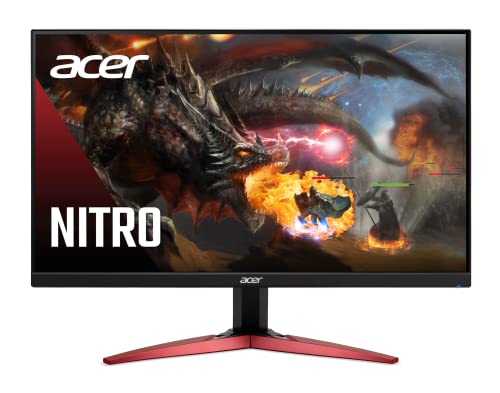
Pros
- High 165Hz refresh rate and 1ms VRB response time ideal for esports and fast-paced shooters
- VA panel delivers better contrast and black levels than typical IPS at this price point
- FreeSync Premium works smoothly with compatible AMD GPUs for tear-free gaming
- ZeroFrame design looks clean and works well for dual-monitor setups
- Affordable price makes it accessible for budget-conscious gamers and college students
Cons
- Only 23.8-inch size may feel small for immersive single-player or open-world games
- No height adjustment or swivel stand – limited ergonomics without a VESA arm
- Built-in speakers are not included, requiring external audio for console or casual use
The Acer Nitro KG241Y Sbiip is a 23.8-inch Full HD VA gaming monitor designed for PC gamers who want high performance without breaking the bank. It targets competitive gamers, esports players, and casual users who need a fast, responsive display for titles like Valorant, Fortnite, or Call of Duty. Its 165Hz refresh rate and 1ms VRB response time ensure minimal motion blur and smooth visuals, giving you an edge in fast-paced matches.
In real-world gaming, the combination of AMD FreeSync Premium and a VA panel stands out. FreeSync Premium synchronizes the monitor's refresh rate with your GPU to eliminate screen tearing, while the VA technology delivers deeper blacks and better contrast than many TN or IPS panels at this price. Colors are decent at 72% NTSC, though not as vibrant as higher-end monitors. For competitive play, the 165Hz feels snappy, and 1ms VRB helps reduce ghosting during rapid movements.
Build quality is solid for a budget monitor. The ZeroFrame design with thin bezels looks modern and works well in multi-monitor setups. The stand offers only tilt adjustment (-5° to 15°), so you may want to invest in a VESA mount (100x100mm) for better ergonomics. The monitor is lightweight at about 8.4 pounds, making it easy to position on a desk or wall.
Setup is straightforward: plug in the included HDMI cable or use DisplayPort for full 165Hz support. The on-screen display menu is simple to navigate, though it lacks advanced gaming features like crosshairs or built-in speakers – something to note if you plan to use it with consoles without external audio. Cable management is basic since the ports are rear-facing, but the compact size helps keep your desk tidy.
A realistic limitation is the lack of height adjustment and USB ports. For long gaming sessions, you might need to tweak your desk setup or add a monitor arm. Also, the VA panel has slightly slower pixel response than some TN panels, but the 1ms VRB compensates in most scenarios. Overall, this monitor offers excellent value for budget-conscious gamers, especially those building a first gaming PC or upgrading from a 60Hz display.
I recommend the Acer Nitro KG241Y for competitive PC gamers on a tight budget, esports players who prioritize refresh rate, and college gamers looking for a reliable monitor for dorm setups. It's also a good secondary display for streamers who need a fast panel for gameplay monitoring. If you need height adjustment or built-in audio, consider other options, but for pure gaming performance at this price, it's hard to beat.
The Acer Nitro KG241Y delivers strong gaming performance for its price. The 165Hz refresh rate provides fluid motion, and the 1ms VRB response time reduces ghosting during fast scenes. AMD FreeSync Premium ensures tear-free gameplay on compatible AMD GPUs, with a variable refresh rate range that covers typical frame rates in competitive titles. In shooters like Overwatch or Apex Legends, the monitor feels responsive and snappy, giving you a clear advantage. The VA panel offers good contrast for dark scenes, making it easier to spot enemies in shadows.
This monitor uses a VA panel with a 1920x1080 resolution and 72% NTSC color saturation. Blacks are deep and contrast is higher than typical IPS panels, which enhances immersion in games with dark environments. Viewing angles are decent but not as wide as IPS, so colors shift slightly when viewed from the side. Brightness is adequate for indoor use, but it's not HDR-capable despite being labeled 'HDR Ready' – it can accept HDR signals but won't display true HDR. For everyday gaming and media consumption, the image quality is solid for the price.

Pros
- Exceptional 5K resolution (5120x2880) with 217 PPI provides ultra-sharp visuals for gaming, design, and productivity.
- Dual-mode feature offers flexibility: 5K 60Hz for detailed work and 2K 120Hz for smoother gaming responsiveness.
- 65W Type-C port simplifies connectivity and charges devices, reducing cable management headaches in a gaming desk setup.
- Accurate color reproduction with 135% sRGB and HDR400 enhances immersion in games and content creation.
- Eye-care features like blue light reduction and flicker-free technology improve comfort during long sessions.
Cons
- 60Hz at 5K may feel limited for competitive gamers who prefer higher refresh rates, though the 2K 120Hz mode helps.
- Stand only offers tilt adjustment, so users may need a VESA mount for full ergonomic flexibility in a gaming setup.
The KTC 27 Inch 5K Monitor (model H27P3) is a high-resolution display that blends productivity and gaming into one versatile package. With a native 5120x2880 resolution and 217 PPI, this IPS panel delivers incredibly sharp details that make everything from game textures to spreadsheet text look crisp and clear. It's designed for PC gamers who also dabble in content creation, as well as for those who need a reliable monitor for work-from-home tasks or college projects. The inclusion of HDR400 support further enhances contrast and color vibrancy, bringing games and movies to life with deeper blacks and brighter highlights.
One of the standout features is its dual-mode capability: you can run the monitor at 5K 60Hz for maximum clarity during design work, video editing, or casual gaming, then switch to 2K 2560x1440 at 120Hz for smoother gameplay in fast-paced titles like FPS and MOBA games. This flexibility is a huge plus for gamers who want both high-resolution detail and responsive motion without owning two separate monitors. Adaptive Sync technology helps reduce input lag and ghosting, ensuring a fluid experience during competitive sessions.
Connectivity is well thought out for a modern gaming desk. The 65W Type-C port supports full functionality, including video, data, and power delivery, so you can connect a laptop or Mac mini with a single cable. This greatly simplifies cable management and keeps your workspace tidy. Additional ports include DP 1.4 and HDMI 2.0, giving you options for gaming consoles, PCs, and other peripherals. The monitor also supports VESA 75x75mm mounting, which is ideal for gamers who want to free up desk space with an arm or wall mount.
Build quality feels solid for its price point, with a slim bezel design that looks clean in any setup. The stand offers tilt adjustment, but lacks height, swivel, or pivot options, so you might need a separate mount for full ergonomic comfort. Color accuracy is impressive out of the box, covering 135% sRGB and 100% sRGB gamut, which is great for photo editing, video work, or simply enjoying vibrant game worlds. The 2000:1 contrast ratio adds depth to dark scenes, making horror games or cinematic titles more immersive.
Ease of setup is straightforward: plug in the power, connect your source via the included cables, and you're ready to go. The on-screen display menu is intuitive, allowing you to adjust brightness, contrast, and switch between modes quickly. Eye-care features like blue light reduction and flicker-free technology are a nice touch for long gaming marathons or late-night work sessions, reducing fatigue and strain. Maintenance is minimal, just occasional dusting of the screen and vents.
A realistic limitation is that the 5K resolution is best suited for users with powerful GPUs or those who prioritize clarity over ultra-high refresh rates. While the 2K 120Hz mode is great for gaming, competitive esports players might prefer a dedicated 144Hz or higher panel. That said, for the majority of gamers, streamers, and content creators who want a single monitor that handles both detailed work and smooth gameplay, the KTC 27 Inch 5K Monitor offers excellent value. It's a practical choice for gaming setup builders, college gamers, and anyone looking to upgrade their desk setup with a high-resolution display that doesn't compromise on versatility.
For gaming, the KTC 27 Inch 5K Monitor offers a unique dual-mode experience. At 5K 60Hz, you get stunning visual clarity that makes open-world games like Red Dead Redemption 2 or Cyberpunk 2077 look incredibly detailed. However, for faster-paced titles like Call of Duty or Valorant, switching to 2K 120Hz provides smoother motion and improved responsiveness. Adaptive Sync technology helps minimize screen tearing and stuttering, keeping gameplay fluid. The 5ms response time (likely typical for IPS) is adequate for casual and competitive gaming, though hardcore esports players might want a faster panel. Overall, this monitor balances high-resolution immersion with a decent refresh rate option, making it a solid choice for gamers who play a variety of genres.
The monitor features a black, slim-bezel design that looks modern and professional. The stand is sturdy but only offers tilt adjustment, which may require a VESA mount for users who need height or swivel. The IPS panel is built with solid materials, and the overall construction feels durable for daily use. The ports are well-placed and accessible, and the cable management options via the stand are basic. For a monitor in this price range, the build quality is commendable, though the limited ergonomic adjustments are a minor drawback for some users.
Long gaming sessions or work marathons are more comfortable thanks to the monitor's blue light reduction and flicker-free technology. These features help reduce eye strain and fatigue, allowing you to stay focused for hours. The 27-inch size is a sweet spot for most desks, providing ample screen real estate without overwhelming your field of view. The IPS panel offers wide viewing angles, so colors remain consistent even when you shift position. However, the lack of height adjustment means you may need to prop the monitor up with a stand or mount to achieve optimal eye level.
The KTC 27 Inch 5K Monitor is well-equipped for a modern gaming setup. It includes a full-function 65W Type-C port that can charge your laptop or Mac mini while transmitting video and data, reducing cable clutter. You also get DP 1.4 and HDMI 2.0 ports, providing flexibility for connecting a gaming PC, console, or additional devices. The VESA 75x75mm compatibility allows for easy mounting on monitor arms, which is great for gamers who want a clean, organized desk. Overall, the connectivity options make this monitor a versatile hub for both gaming and productivity.
With its slim bezels and 27-inch size, this monitor fits well on most desks without dominating the space. The single-cable Type-C solution is a game-changer for cable management, allowing you to connect a laptop with just one cord. The VESA mount option further enhances desk organization by freeing up the footprint. The monitor's weight of 8.27 pounds makes it easy to mount or adjust. For gamers building a clean, minimalist setup, this monitor is a great addition that balances performance with aesthetics.
Hardware Insights and FAQs for Best Gaming Monitor For Mac
Input latency and refresh rate mismatches can easily disrupt your gaming sessions on Apple hardware. Selecting the right display resolves resolution scaling and stutter issues while keeping your desk uncluttered for 2026.
Can a Mac run games at high refresh rates on external gaming monitors?
Yes, modern Macs equipped with Apple silicon or discrete GPUs can drive external screens at 120Hz, 144Hz, and up to 180Hz depending on port specifications. You can adjust the refresh rate directly under macOS display settings to eliminate choppy motion during fast matches. Using a compatible DisplayPort 1.4 or high-bandwidth USB-C cable ensures your Mac outputs these higher framerates reliably.
Does macOS support AMD FreeSync and variable refresh rates?
Yes, macOS supports Variable Refresh Rate (VRR) and Adaptive Sync over compatible DisplayPort and USB-C connections. Enabling this feature in your display preferences synchronizes your GPU frame delivery directly with the monitor refresh cycle. This setting prevents screen tearing and preserves smooth frame pacing during demanding gaming moments.
Is 1080p resolution sharp enough for a Mac gaming setup?
Yes, 1080p monitors work reliably for high-refresh gaming, though macOS desktop text rendering will appear softer than on native Retina displays. Competitive gamers frequently accept the lower pixel density in exchange for higher frame rates and reduced GPU load. If text sharpness for daily productivity is equally important, a 1440p or 5K display offers a cleaner balance.
What cable connection provides the lowest input lag between a Mac and a monitor?
DisplayPort 1.4 through a direct USB-C to DisplayPort cable generally offers the most stable connection with minimal input latency. While HDMI 2.0 works well for standard 60Hz or 100Hz output, DisplayPort avoids common macOS refresh rate limits. Connecting directly to the computer without unpowered hubs also prevents dropped frames and signal dropouts.
Are curved monitors practical for gaming on a Mac?
Yes, ultrawide curved panels deliver an expansive field of view that enhances peripheral vision in simulation and adventure games. Determining whether are curved monitors good for gaming comes down to your preferred titles and available desk depth. The curvature reduces neck movement across wide 21:9 aspect ratios without introducing visual distortion.
Do portable USB-C monitors draw sufficient power directly from a MacBook?
Yes, portable USB-C monitors receive both video signal and operating power through a single full-function USB-C cable. However, running a portable display at maximum brightness or high refresh rates will drain your laptop battery much faster. Connecting a separate power adapter directly to the monitor or your laptop ensures steady voltage and uninterrupted gaming sessions.


Write Your Review
No reviews yet. Be the first to share your experience!