


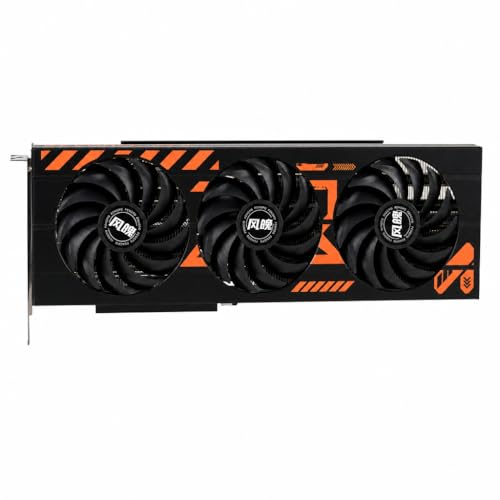
Many laptop buyers and budget-conscious PC users often wonder if an integrated graphics solution can handle modern leisure entertainment, leading directly to the question of whether is intel uhd graphics 620 good for gaming in daily practice. Integrated silicon found within eighth-generation mobile processors balances power efficiency and display output rather than heavy rendering throughput. While discrete desktop hardware provides substantial compute resources, mobile integrated graphics share memory and power with the host processor. Gamers searching for fluid experiences frequently explore dedicated budget graphics cards to understand how dedicated rendering silicon contrasts with built-in processors.
Everyday gaming feasibility depends heavily on the titles you intend to play alongside your tolerance for reduced graphical fidelity. The Intel UHD Graphics 620 silicon handles video playback, desktop multitasking, and casual 2D puzzle games with complete ease. Demanding three-dimensional environments, however, quickly expose the physical boundaries of low-voltage mobile hardware. Pairing realistic performance goals with a capable gaming processor helps clarify where integrated solutions succeed and where dedicated hardware becomes essential.

Realistic Gaming Performance and Architecture of Intel UHD Graphics 620
Determining whether is intel uhd graphics 620 good for gaming requires a direct answer grounded in hardware architecture. The short answer is no, the Intel UHD Graphics 620 is not suitable for modern AAA titles, high-refresh competitive shooters, or visually intensive 3D rendering. It was engineered primarily as an ultra-low-power display and media engine for business laptops and thin ultrabooks. Users can still enjoy a vast library of retro titles, lightweight indie experiences, and older classic PC releases if they accept modest visual settings.
Setting practical expectations prevents unnecessary frustration when loading software on an integrated graphics platform. The underlying silicon lacks the raw shader throughput, dedicated video memory, and thermal headroom found in discrete gaming hardware. Understanding how this graphics processor operates under the hood explains why some games run adequately while others fail to maintain playable frame rates. Examining architectural characteristics, memory dependencies, and real-world performance profiles reveals what this ubiquitous processor can realistically accomplish.
Architectural Specifications and Execution Unit Configuration
The Intel UHD Graphics 620 relies on the GT2 tier of Intel’s Gen 9.5 graphics architecture, featured across eighth-generation mobile processors. This processor includes 24 Execution Units (EUs), providing 192 individual shading pipelines to handle geometry, pixel processing, and compute commands. Core clock speeds typically range from a base frequency of 300 MHz up to a dynamic boost frequency of approximately 1150 MHz depending on the specific CPU model. These modest operating frequencies prioritize battery endurance and minimal heat output over sustained rendering power.
Rasterization throughput on this architecture remains constrained by the limited number of execution resources. Modern graphics engines distribute lighting calculations, volumetric effects, and particle simulations across thousands of shader cores, whereas 24 execution units struggle to keep pace with complex vertex calculations. Rendering APIs such as DirectX 12 and Vulkan are supported at basic feature levels, but theoretical API support does not guarantee playable frame rates. The hardware includes fixed-function QuickSync blocks that decode video formats efficiently, yet 3D rendering pipelines remain fundamentally limited.
Comparing these specifications to contemporary discrete graphics makes the performance gap abundantly clear. Entry-level dedicated mobile graphics cards from the same era feature dedicated memory buses and hundreds of specialized compute units. The Intel UHD 620 operates without hardware-accelerated ray tracing, tensor operations, or advanced spatial reconstruction algorithms. It exists primarily to drive external displays at 60 Hz, manage operating system window compositing, and accelerate web browsing without draining battery reserves.
System Memory Bandwidth and the Dual-Channel Memory Imperative
Dedicated graphics cards carry their own high-speed video memory, such as GDDR6, connected via wide buses to deliver hundreds of gigabytes per second of throughput. The Intel UHD Graphics 620, conversely, possesses zero dedicated onboard VRAM and carves out video memory from system RAM. When a game requests video memory, the graphics driver allocates a slice of system DDR4 or LPDDR3 memory through Dynamic Video Memory Technology. Standard system memory is significantly slower than dedicated VRAM, creating an immediate data bottleneck for high-resolution texture streaming and framebuffer operations.
Memory channel configuration plays a massive role in dictating actual in-game frame rates on this integrated solution. A laptop running in single-channel memory mode provides only a 64-bit wide memory bus, cutting theoretical bandwidth down to roughly 17 gigabytes per second. Upgrading or configuring the host system to run in dual-channel mode doubles the memory bus width to 128 bits, lifting bandwidth toward 34 gigabytes per second. This single configuration difference often yields a 25 to 40 percent improvement in frame rates across memory-bound game titles.
Single-channel memory starvation introduces severe frame pacing instability and erratic 1% low frame rates during gameplay. As the processor core and integrated GPU simultaneously request cache updates across a single 64-bit bus, memory contention spikes dramatically. The system experiences micro-stutters, sudden input latency jumps, and noticeable texture pop-in even in older titles. Ensuring your laptop utilizes matching dual-channel memory modules represents the single most effective hardware adjustment for integrated graphics performance.
Memory capacity also influences background system stability when sharing resources between Windows and gaming workloads. An eight-gigabyte system memory footprint leaves minimal breathing room once the operating system claims four gigabytes, leaving the GPU starved for assets. A sixteen-gigabyte configuration provides adequate shared buffer space, ensuring the integrated graphics adapter can allocate shared memory without forcing Windows to page memory to storage. Even with abundant system memory, however, total bandwidth remains a fraction of what modern 3D rendering engines demand.
Thermal Constraints and Power Limits in Thin-and-Light Laptops
Thermal management and power budgets severely restrict how long the Intel UHD Graphics 620 can sustain its peak boost clock. Most laptops equipped with this iGPU feature U-series processors carrying a nominal Thermal Design Power (TDP) rating of just 15 watts. This compact 15-watt energy budget is shared dynamically between four physical CPU cores, the integrated graphics core, the system memory controller, and internal uncore logic. When a 3D game places heavy loads on both the CPU and the GPU simultaneously, the chip quickly collides with its power limit.
Power limit throttling forces the processor package to downclock either the CPU cores or the graphics execution units to prevent exceeding power targets. In practice, the graphics core often drops from its maximum 1100 MHz boost down toward 700 MHz or 800 MHz under sustained gaming sessions. This reduction in clock speed directly translates into framerate drops after just five to ten minutes of gameplay. Thin chassis designs with modest single-fan cooling assemblies exacerbate this behavior by allowing internal temperatures to climb rapidly toward thermal ceiling limits.
Chassis cooling designs vary significantly across business laptops like the Lenovo ThinkPad line and budget consumer ultrabooks. Enterprise-grade laptops often feature conservative thermal throttling thresholds designed to keep keyboard deck temperatures comfortable and acoustic fan noise low. When skin temperatures rise, aggressive firmware fan curves kick in while processor power limits drop dynamically to protect internal components. Understanding these thermal throttling realities helps explain why benchmark runs from a cold boot rarely reflect performance during extended multi-hour gaming sessions.
Practical Performance Across Diverse Gaming Categories
Evaluating gaming suitability requires dividing the PC gaming landscape into distinct categories rather than treating all titles equally. Modern blockbuster AAA titles released within the past several years are fundamentally unplayable on the Intel UHD Graphics 620. Games featuring complex physics engines, high-polygon character models, and advanced dynamic lighting will fail to reach 20 frames per second even when dialed down to 720p with all settings minimized. Attempting to launch titles like Cyberpunk 2077 or modern entries in the Call of Duty franchise often results in crashes, missing shader warnings, or unplayable stutter.
Competitive multiplayer esports titles present a more nuanced picture with selective playable outcomes at lowered resolutions. Games like League of Legends and Dota 2 can achieve steady 45 to 60 frames per second at 720p or 900p on low-to-medium graphics settings. Valorant can also maintain 40 to 60 frames per second at 720p low settings if the laptop is equipped with dual-channel memory. Fast-paced modern tactical shooters like Counter-Strike 2, however, demand far more GPU fillrate and shader power than the UHD 620 can supply, resulting in unplayable sub-30 frame rates.
Two-dimensional indie titles and isometric puzzle adventures represent the true sweet spot for this integrated graphics chip. Exceptional games like Stardew Valley, Terraria, Undertale, Celeste, and Slay the Spire run smoothly at native 1080p display resolutions without breaking a sweat. These titles place minimal demands on 3D vertex processing and memory bandwidth, allowing the processor to run cool and quiet. Lightweight roguelikes such as Dead Cells and FTL also deliver fluid, responsive controls without demanding dedicated rendering silicon.
Classic 3D games from the Xbox 360 and PlayStation 3 era, roughly spanning from 2005 to 2012, offer another fantastic library of playable content. Legendary PC releases like Half-Life 2, Portal 2, The Elder Scrolls V: Skyrim (original release), and Fallout: New Vegas run reliably at 720p with medium settings. These older graphics engines were optimized for hardware with lower fillrates and simpler pixel shaders than modern titles require. Exploring classic back catalogs allows laptop owners to enjoy deeply engaging gaming experiences without purchasing costly new hardware.
Optimizing Software and System Settings for Maximum Frame Rates
Extracting every ounce of performance from an integrated Intel GPU requires deliberate software and operating system optimization. The most impactful adjustment is lowering your in-game display resolution from native 1080p down to 1280×720 or 1366×768. Rendering at 720p cuts the total pixel count by more than half, drastically reducing the fillrate burden placed on the 24 execution units. While the rendered image will appear slightly softer on high-resolution laptop panels, the resulting boost in frame rates often transforms an unplayable slideshow into an enjoyable experience.
In-game graphical settings should always be tuned with aggressive conservation in mind. Dynamic shadows, ambient occlusion, volumetric fog, particle density, and motion blur must be turned off or set to their absolute minimum values. Screen-space reflections and complex anti-aliasing techniques like MSAA or heavy TAA should be disabled in favor of lightweight FXAA or no anti-aliasing at all. If a game supports dynamic resolution scaling or modern spatial upscalers, enabling them can provide a noticeable frametime stabilization buffer during chaotic scenes.
Windows operating system settings also provide opportunities to reclaim precious computing cycles. Switching the Windows power plan to high performance ensures the processor does not aggressively downclock execution units during minor rendering pauses. Disabling background recording overlays such as Xbox Game Bar, Discord screen capturing, and unnecessary startup utility software frees up system memory and CPU cycles. Keeping graphics drivers updated through the Intel Driver and Support Assistant ensures that you receive bug fixes and driver-level stability patches released for legacy Gen 9.5 architectures.
Upgradability Limits and Viable Platform Alternatives
Prospective buyers and existing laptop owners must understand that laptop graphics processors cannot be upgraded internally. In virtually all thin-and-light laptops, the Intel Core i5 or i7 processor and its integrated UHD 620 silicon are permanently soldered to the motherboard using a BGA interface. You cannot simply purchase a new mobile graphics card and insert it into an expansion bay. If your current mobile hardware cannot deliver the frame rates required by your favorite games, your upgrade options remain tied to external peripherals or platform replacements.
Certain premium business laptops featuring Thunderbolt 3 ports can technically support an external graphics card enclosure. Connecting a discrete graphics card through Thunderbolt 3 offloads the rendering workload from the internal UHD 620 entirely. While this setup unlocks modern 1080p and 1440p gaming capabilities, the cost of the external enclosure, power supply, and desktop graphics card often matches the price of a dedicated gaming PC. When evaluating platform upgrades, exploring modern desktop processor architectures provides a far more cost-effective foundation for long-term gaming performance.
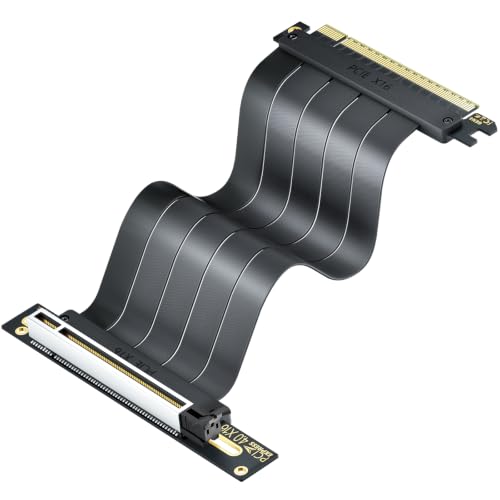
Building or purchasing an entry-level desktop computer completely sidesteps the inherent power and thermal limitations of mobile integrated graphics. Desktop motherboards provide full PCIe x16 slots, robust power delivery phases, and dedicated airflow channels designed to sustain continuous 3D loads without throttling. Selecting reliable desktop motherboard options allows PC enthusiasts to install dedicated graphics cards and upgrade individual components over time. For users who must remain mobile, purchasing a modern gaming laptop equipped with an entry-level discrete GPU represents a far better investment than attempting to game heavily on integrated silicon.
Practical Guidance and Final Buying Considerations
Answering whether is intel uhd graphics 620 good for gaming ultimately depends on your personal gaming definition and budget parameters. If you need an affordable, dependable machine for office productivity, study, web browsing, and casual retro gaming, an integrated laptop serves admirably. Devices like refurbished enterprise laptops offer tremendous build quality, comfortable keyboards, and long battery life at highly accessible price points. Expecting those same low-power machines to conquer modern 3D titles, however, leads to immediate disappointment and poor user experiences.
Before purchasing hardware or attempting to launch demanding games, audit the system requirements of your desired game library. If your passions center on lightweight 2D indies, point-and-click adventures, and classic PC masterworks, the Intel UHD Graphics 620 delivers sufficient performance to keep you entertained. For competitive shooters, immersive open-world adventures, and modern graphics-intensive engines, investing in dedicated graphics hardware remains an absolute necessity. Aligning your gaming aspirations with hardware reality ensures you invest your budget wisely while avoiding unplayable frame rate frustrations.




Write Your Review
No reviews yet. Be the first to share your experience!