


Selecting the right processor forms the bedrock of any desktop gaming rig, dictating how cleanly frame rates hold up when complex scenes unfold on screen. Enthusiasts and new builders frequently ask whether a six-core design remains sufficient for current titles, especially as modern game engines adopt multithreaded rendering techniques. If you find yourself asking is the ryzen 5 9600x good for gaming, the short answer is that its updated architecture offers substantial per-core responsiveness that serves competitive esports and large-scale titles alike. Many players looking through our guide to gaming desktop processors notice that balancing core count against clock speeds is critical for maximizing visual performance without overspending.
The processor relies on AMD’s Zen 5 architecture, delivering up to 5.4 GHz boost frequencies and pairing with high-speed DDR5 system memory on Socket AM5 motherboards. Because gaming workloads lean heavily on single-thread efficiency and low-latency cache, a fast 6-core and 12-thread chip often keeps pace with higher-tier options at mainstream resolutions. But choosing this processor also requires thinking through supporting components like graphics cards, cooling solutions, and power delivery to prevent unwanted system bottlenecks. Understanding how this specific chip behaves inside complete prebuilts and custom configurations helps you decide whether it aligns with your target refresh rates and visual settings.

Pros
- High boost clock of 5.4 GHz for snappy gaming performance
- New Zen 5 architecture improves efficiency and IPC
- Unlocked for overclocking, giving enthusiasts flexibility
- Compatible with AM5 platform and PCIe 5.0 for future upgrades
Cons
- Cooler not included, so you'll need to budget for an aftermarket cooler
- Requires a new AM5 motherboard and DDR5 RAM, which may increase overall build cost
- Limited to 6 cores, which might be less ideal for heavy multitasking or professional workloads
The AMD Ryzen 5 9600X is a desktop processor that brings AMD's latest Zen 5 architecture to the mainstream market. With 6 cores and 12 threads, it's designed to deliver strong gaming performance and smooth multitasking for a wide range of users, from casual gamers to competitive esports players. This CPU is part of the Ryzen 5 lineup, which has long been a favorite among PC gamers and gaming setup builders for its balance of price and performance.
This processor is best suited for PC gamers who want high frame rates in popular titles like Fortnite, Call of Duty, and Valorant, where the 5.4 GHz max boost clock can really shine. It's also a good fit for streamers and content creators who need reliable performance for gaming while running OBS or Discord. College gamers and work-from-home users will appreciate its ability to handle everyday productivity tasks without breaking a sweat. However, if you're into heavy video editing or 3D rendering, you might want to consider a higher-core-count option.
In terms of gaming responsiveness, the Ryzen 5 9600X is built to provide smooth 100+ FPS experiences in the world's most popular games, according to AMD's claims. The combination of Zen 5's improved instructions per clock (IPC) and the high boost clock means lower latency and snappier input response, which is crucial for competitive gaming. The 38 MB cache helps reduce memory access times, further boosting frame rates in CPU-bound scenarios. While we haven't tested it ourselves, the specifications suggest it will perform admirably in most modern titles.
Build quality is typical for AMD's Ryzen lineup: the processor is a standard LGA package that fits securely into AM5 sockets. The unlocked multiplier allows for overclocking, giving enthusiasts the ability to squeeze out extra performance with proper cooling. However, note that a cooler is not included in the box, so you'll need to purchase an aftermarket cooler separately. This also means you have the freedom to choose a cooling solution that matches your setup, whether it's an air cooler or an AIO liquid cooler for better thermal performance.
Setup is straightforward if you're familiar with PC building. The AM5 platform requires a compatible motherboard and DDR5 RAM, which may be a consideration if you're upgrading from an older system. Cable management and software setup are minimal once the CPU is installed and the cooler is mounted. As for maintenance, keeping the CPU clean and ensuring adequate airflow in your case will help maintain performance over time. One realistic limitation is the 6-core count; while sufficient for gaming and light productivity, it may not future-proof as well as 8-core or 12-core alternatives for more demanding workloads.
Overall, the AMD Ryzen 5 9600X is a strong recommendation for PC gamers and gaming setup builders who want a modern, high-performance processor without spending a fortune. It's particularly well-suited for those building a new AM5 system or upgrading from an older platform. For competitive gamers, the high boost clock and Zen 5 efficiency offer a tangible advantage in fast-paced titles. If you're a streamer or content creator on a budget, this CPU can handle your needs, but consider pairing it with a capable cooler and a good graphics card to maximize its potential.


Evaluating the Ryzen 5 9600X for Desktop Gaming Performance
When evaluating whether this processor fits your setup, the direct answer depends on the types of games you prioritize and the graphics card you plan to pair with it. The AMD Ryzen 5 9600X operates as an agile mid-range gaming processor built on AMD’s Zen 5 microarchitecture. By pairing six high-speed cores with twelve processing threads, it concentrates raw performance where modern game code demands it most. Gamers moving from older platforms will notice immediate benefits in frame consistency and responsiveness, particularly in fast-paced multiplayer titles.
Gaming performance relies heavily on how fast individual CPU instructions process during real-time rendering loops, physics calculations, and asset streaming. While workstation tasks and video rendering scale cleanly across dozens of cores, most mainstream games still thrive on high boost frequencies and robust per-thread throughput. This chip provides a maximum boost clock of up to 5.4 GHz, which ensures that draw calls and background simulation tasks clear without choking the graphics pipeline. That capability gives builders a well-balanced foundation for modern platform features without paying for excessive server-style multi-threading.
Zen 5 Architectural Advantages and Core Allocation
The Zen 5 microarchitecture introduces refined execution units and wider instruction pipelines designed to handle complex computational loads with minimal latency. For PC gamers, this architectural progress translates into higher instruction-per-clock execution, allowing the processor to accomplish more work during every clock cycle. Games that place heavy strain on single-core speed, such as simulation engines and competitive first-person shooters, benefit directly from these efficiency gains. Rather than spreading game threads thin across slower compute clusters, the chip focuses its energy on delivering rapid response times.
Having six physical cores and twelve logical threads matches the resource allocation targeted by the majority of modern gaming titles. Most game development studios optimize their engines around six active compute cores, reserving auxiliary threads for operating-system tasks, audio processing, and background services. Because each Zen 5 core delivers strong throughput, the processor avoids the thread-contention issues that can cause noticeable micro-stuttering in dense environments. As a result, the hardware sustains steady performance across both open-world adventure titles and high-speed competitive arenas.
Cache size serves as another crucial element in determining gaming stability, especially during rapid camera pans or chaotic multiplayer engagements. The processor features 38 MB of combined cache, including 32 MB of dedicated L3 cache accessible across the compute complex. This generous cache pool allows the processor to store frequently referenced game data directly on the die, reducing the need to pull information from system memory. Minimizing external memory requests helps maintain consistent frame-time pacing, which directly prevents sudden frame drops during intense combat scenarios.
Resolution Dynamics: High-Refresh 1080p Versus 1440p and 4K Gaming
Resolution choice dramatically alters the workload distribution between your desktop processor and graphics card during active gaming sessions. At 1080p resolution, visual textures demand less raw graphics compute, which shifts the system bottleneck toward the central processor. In this scenario, the high clock speeds of the Ryzen 5 9600X allow the graphics card to receive frame instructions as quickly as possible. Competitive gamers seeking triple-digit frame rates on high-refresh monitors will find that this processor easily keeps pace with demanding render loops.
Moving up to 1440p resolution strikes a practical sweet spot where computational demand distributes more evenly across the entire system. At this pixel density, the graphics card shoulders a significantly larger burden rendering fine textures, complex lighting, and post-processing effects. Because the graphics card works harder on every frame, the processor rarely becomes the limiting factor in overall performance. This dynamic makes the six-core configuration an excellent companion for modern visual settings, keeping frame delivery smooth without demanding top-tier processor pricing.
At 4K resolution, the graphics processor runs under near-constant maximum load, rendering millions of pixels per frame. Under these demanding conditions, the central processor primarily focuses on background simulation, artificial intelligence routing, and sound processing. The Ryzen 5 9600X handles these supporting tasks effortlessly, ensuring that frame delivery remains stable regardless of visual complexity. Builders planning high-resolution visual setups can comfortably pair this processor with capable graphics hardware, allocating more of their component budget toward GPU horsepower rather than redundant CPU cores.
Balancing GPU Pairings: From Mid-Range Cards to High-Tier Graphics
Selecting an appropriate graphics card ensures that neither component holds back the gaming potential of your desktop system. The processor pairs comfortably with modern mid-range and upper-mid-range graphics cards, including options like the NVIDIA GeForce RTX 5060 and AMD Radeon RX 9060 XT. Prebuilt systems frequently combine these exact parts because their processing capacities align naturally across current game releases. Such balanced hardware combinations prevent one component from idling while the other struggles under sustained rendering strain.
System balance also plays a vital role when configuring configurations for specific gaming genres and targeted visual standards. In our entry-level gaming desktop hardware coverage, we emphasize that matching compute capability to graphics power preserves smooth frame pacing. Pairing a high-speed Zen 5 processor with a capable mid-range GPU ensures that both components operate within their intended performance bands. This balance prevents frustrating bottlenecks where a slow processor starves the graphics card of essential frame data.
Modern graphics technologies like AI frame generation and latency-reduction modes place unique demands on system communication. When features such as DLSS Multi Frame Generation or low-latency modes activate, the processor must supply underlying gameplay frames with minimal frame-time variance. The high boost frequencies of the Ryzen 5 9600X support steady frame dispatch, allowing modern GPUs to generate interpolated frames without introducing visual tearing or erratic pacing. Players can therefore take full advantage of advanced visual features without worrying about processor-induced latency.
Socket AM5 Platform Features, Chipsets, and DDR5 Memory
Investing in a processor also means investing in its underlying motherboard platform and connectivity standards. The Ryzen 5 9600X installs into AMD’s Socket AM5, granting access to modern technologies like PCIe 5.0 lanes and high-speed NVMe storage interfaces. Mainstream motherboards built on the B850 chipset offer generous connectivity, including multiple M.2 slots and expanded USB transfer speeds. These platform capabilities ensure that your desktop stays ready for modern storage drives and next-generation expansion cards over several hardware cycles.
System memory configuration represents another critical factor that directly influences gaming frame rates on Socket AM5 motherboards. The processor supports DDR5 memory natively at 5600 MT/s, with memory overclocking profiles enabling speeds of 6000 MT/s or higher on compatible motherboards. Running dual-channel memory configurations ensures that data routes quickly between the system memory controller and the CPU cache. Builders should always install two matched memory modules rather than a single stick to unlock full memory bandwidth during heavy gaming sessions.
Long-term platform support provides substantial value for players who prefer updating components incrementally over several years. AMD has demonstrated a consistent history of supporting processor sockets across multiple hardware architectures, giving AM5 considerable longevity. Choosing this platform today means you can upgrade your processor in future generations without purchasing a brand-new motherboard or replacing your DDR5 memory kit. This long-term flexibility makes the platform an attractive choice for practical gamers who value an accessible upgrade path.
Thermal Requirements, Power Supplies, and Cooling Choices
Thermal management requires deliberate planning because AMD does not include a stock cooling fan inside the retail processor box. Desktop builders must supply an aftermarket cooler capable of handling sustained thermal loads during long gaming marathons. Fortunately, the efficient design of the processor keeps thermal output manageable compared to higher core-count chips in the family. A standard tower air cooler equipped with copper heat pipes or a modest liquid cooling radiator provides ample heat dissipation.
Cooling performance directly influences how long the processor can sustain its peak 5.4 GHz boost frequencies during intensive gaming scenes. If temperatures climb toward thermal limits, built-in protection mechanisms automatically dial back boost clocks to preserve hardware stability. Prebuilt systems often employ high-airflow cases equipped with multiple intake fans and digital display coolers to monitor real-time operating temperatures. Maintaining steady airflow across the CPU heatsink and motherboard voltage regulators ensures that gaming performance never degrades due to thermal throttling.
Power supply selection completes the thermal and electrical foundation necessary for reliable desktop gaming operation. A quality 650W power supply carrying an 80 PLUS Gold efficiency certification provides clean, stable DC voltage to both the processor and graphics card. High-efficiency power supplies generate less internal heat, operate quietly, and offer essential protection circuits against electrical anomalies. Ensuring your power supply includes dedicated PCIe power cables also prevents voltage drops during sudden spikes in graphics and processor utilization.
Prebuilt Desktops Versus Custom Motherboard and CPU Bundles
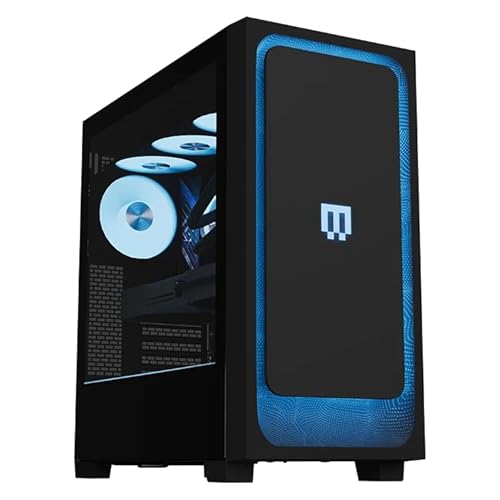
Gamers considering this hardware must decide whether to purchase a turn-key prebuilt system or assemble their own custom configuration. Prebuilt systems, like those offered by ZOTAC and KOTIN, arrive fully assembled with Windows 11 Home, pre-installed drivers, and manufacturer warranty coverage. Readers evaluating prebuilt gaming desktop systems frequently value the convenience of unboxing a fully tested machine that connects straight to a monitor. This route eliminates assembly anxiety while ensuring all internal components work harmoniously right from day one.
On the other hand, motherboard and processor bundles provide an economical alternative for hands-on builders who enjoy personal customization. Bundles that combine a B850 motherboard, the Ryzen 5 9600X, and matched DDR5 memory eliminate component compatibility guesswork while preserving assembly freedom. This approach allows you to select your preferred computer chassis, cooling configuration, power supply brand, and storage capacity. For experienced users with existing hardware components to carry over, a core bundle represents a cost-conscious upgrade route.
Choosing between these two buying paths ultimately balances convenience against fine-grained component control. Prebuilt desktops handle cable routing, operating system activation, and initial hardware testing, but they limit your choice of individual brands. Custom builds grant complete control over every fan curve, aesthetic detail, and storage drive, but they require personal troubleshooting if hardware issues arise. Both paths deliver the same dependable gaming engine at their core, allowing you to select the procurement method that best matches your comfort level.
Multitasking, Background Applications, and Game Streaming Capabilities
Modern PC gaming rarely happens in isolation, with players frequently running background voice chat, web browsers, and performance overlays simultaneously. The twelve processing threads on the Ryzen 5 9600X provide sufficient headroom to manage these secondary applications without degrading active game frame rates. Operating systems allocate background tasks to auxiliary threads, leaving primary physical cores free to focus on real-time rendering. This capability ensures that listening to music or chatting on Discord never causes sudden stuttering during competitive matches.
Live game streaming presents another common workload that prospective buyers frequently consider when evaluating mid-range processors. When streaming games to platforms like Twitch or YouTube, modern graphics cards utilize dedicated hardware encoders to handle video compression. Because modern GPU encoders process video streams independently, the central processor experiences very little additional overhead while broadcasting. The six cores on this processor remain fully dedicated to running the game, delivering a seamless experience for both the player and their viewers.
Users who intend to tackle intensive multi-threaded workloads alongside gaming might still wonder whether a higher core-count processor is warranted. If your daily routine includes heavy 4K video rendering, 3D model compiling, or CPU-based software encoding, step-up processors with eight or twelve cores offer faster export times. However, for users whose primary objective remains pure gaming accompanied by everyday multitasking, the six-core configuration delivers ideal balance. Investing beyond this processor tier yields diminishing returns in gaming frame rates for most mainstream titles.
Practical Verification Checklist Before Upgrading Your Gaming Setup
Before finalizing your gaming PC purchase or upgrading your existing rig, verify that your surrounding hardware aligns with your performance goals. Check your monitor specifications to ensure your target resolution and refresh rates match the capabilities of your processor and graphics card combination. Verify that your desktop chassis provides adequate clearance for your chosen CPU air cooler and provides sufficient intake airflow. Finally, confirm that your motherboard BIOS supports the processor natively or includes a USB BIOS flash utility for seamless initial startup.
Ultimately, the processor easily justifies its position as a compelling, highly capable option for modern desktop gaming systems. By pairing Zen 5 architectural enhancements with high boost frequencies and efficient power draw, it handles today’s demanding game releases with confidence. Whether purchased inside a turnkey prebuilt desktop or integrated as the centerpiece of a custom build, it establishes a dependable foundation for smooth gameplay. Ensuring balanced component pairing will allow you to enjoy responsive, stutter-free performance across your entire gaming library for years to come.





Write Your Review
No reviews yet. Be the first to share your experience!