


Figuring out what’s a good computer for gaming requires looking past flashy chassis lights and examining the components that actually generate smooth frame rates. Many first-time buyers feel overwhelmed by technical jargon, overlapping component generations, and wide pricing tiers. A capable machine balances processor throughput with graphic rendering power, ensuring neither part holds the other back during intense gameplay. When planning a setup, choosing a balanced gaming processor provides a solid foundation before you decide on the rest of the configuration.
Finding the right match also depends heavily on your specific gaming ambitions, preferred resolutions, and intended visual settings. An entry-level machine tailored for esports titles has vastly different hardware requirements than a system built for demanding modern blockbusters. By focusing on verifiable component specifications such as graphics card memory, system RAM capacity, and power delivery, shoppers can avoid common hardware mismatches. Taking time to assess your actual workload ensures you get dependable performance without overspending on unnecessary extras.


Pros
- High-end specs at a competitive price point for a pre-built desktop.
- Excellent thermal management with four fans and an ARGB air cooler.
- Generous 32GB DDR5 RAM and 2TB NVMe SSD provide ample speed and storage.
- User-friendly RGB customization through MSI Center software.
- Compact tower design (16 x 8.38 x 19 inches) fits well on most desks.
Cons
- Limited upgradeability due to potential proprietary components common in pre-built systems.
- No mention of integrated Wi-Fi or Bluetooth in the specifications - may require a USB adapter.
- RGB lighting may not appeal to users who prefer a minimalist or stealth look.
The MSI Codex Z2 (model A8NVP-436US) is a pre-built gaming desktop that brings together a potent combination of components for PC gamers, competitive players, streamers, and content creators. At its core, it features an AMD Ryzen 7-8700F processor and an NVIDIA GeForce RTX 5070 graphics card, paired with 32GB of DDR5 RAM and a 2TB NVMe SSD. This setup is designed to tackle modern games at high settings, handle streaming workloads, and support virtual reality experiences right out of the box.
When it comes to real-world gaming performance, the RTX 5070 and Ryzen 7-8700F deliver strong results for 1440p and even 4K gaming in many titles. The 32GB of DDR5 memory ensures smooth multitasking whether you are gaming, streaming, or running creative applications. The 2TB NVMe SSD provides lightning-fast load times for games and applications, reducing downtime and keeping you in the action. As a VR-ready system, it is also well-suited for immersive experiences like Half-Life: Alyx or Beat Saber.
Cooling is handled by an ARGB air cooler paired with four system fans: three in the front pulling in cool air and one in the rear exhausting heat. This configuration helps maintain stable temperatures during long gaming sessions, which is critical for both performance and component longevity. The built-in RGB lighting can be cycled using the MSI LED button on the chassis or customized further through MSI Center software, allowing you to match the look of your gaming desk setup.
Build quality is solid for a pre-built system. The case dimensions (16 x 8.38 x 19 inches) are relatively compact for a desktop with these components, and the 21.3-pound weight makes it manageable to move if needed. Setup is straightforward: connect your monitor, keyboard, mouse, and power, and Windows 11 Home is ready to go. The inclusion of a USB-C port provides modern connectivity for peripherals and external drives. Cable management inside the case appears tidy based on the product description, but as with many pre-built PCs, some users may find internal access limited for future upgrades.
One realistic limitation is that pre-built desktops often use proprietary motherboards, power supplies, or cooling mounts, which can make it harder to upgrade individual parts down the line. The product data does not specify wireless networking, so users who need Wi-Fi or Bluetooth may need to add a USB adapter or PCIe card. Additionally, the RGB lighting is present but is not as extensive as fully customizable RGB setups in enthusiast-level cases.
Overall, the MSI Codex Z2 is a strong recommendation for gamers who want high performance without the hassle of building a PC. It works well for competitive gaming (thanks to the fast CPU and GPU), casual gaming, streaming, and even light content creation. If you value convenience, strong out-of-box performance, and a cohesive aesthetic, this desktop is worth considering for your gaming setup.
The combination of the AMD Ryzen 7-8700F and NVIDIA RTX 5070 provides excellent gaming performance for both competitive and single-player titles. In games like Call of Duty: Warzone, Fortnite, and Apex Legends, you can expect high frame rates at 1440p with medium to high settings. The 32GB of DDR5 memory helps prevent stutters during intense scenes or when running background apps like Discord or streaming software. The 2TB NVMe SSD ensures maps and levels load quickly, giving you an edge in fast-paced games. For ray tracing and DLSS supported titles, the RTX 5070 delivers crisp visuals while maintaining smooth gameplay.
The MSI Codex Z2 uses a four-fan cooling setup with an ARGB air cooler on the CPU. Three front intake fans draw cool air across the components, while one rear exhaust fan pushes hot air out. This design helps keep temperatures manageable even during extended gaming sessions. The ARGB cooler adds a touch of style while ensuring the processor stays within safe operating limits. Users who plan to push the system hard may still want to monitor CPU and GPU temperatures, but the overall airflow configuration is effective for a pre-built system in this class.

Pros
- Clear, balanced sound for the price with decent stereo separation.
- Space-saving 2-in-1 design adapts to different desk layouts.
- Easy plug-and-play setup with wide OS compatibility.
- Touch RGB lighting adds ambiance without a separate controller.
- Long cables provide flexibility for larger desks or dual-monitor rigs.
Cons
- No Bluetooth connectivity only USB and 3.5mm wired.
- Lacks deep bass ideal for casual listening but not bass-heavy genres.
- Speaker-to-speaker cable can be slightly awkward to manage without cable ties.
The OFFSIR Computer Speakers are a 2-in-1 stereo system designed for PC gamers and desktop enthusiasts who want a clean audio setup without sacrificing desk space. These compact speakers can be used separately for a wider stereo field or snapped together to form a single soundbar-like unit. This flexibility makes them a strong contender for anyone building a tidy gaming station or a minimalist home office.
Aimed at casual to moderate gamers, streamers, and RGB lovers, these speakers provide a noticeable step up from built-in laptop or monitor audio. The dual 5W drivers deliver clear mids and highs with enough volume for a small to medium room. While they won't reproduce thumping bass, the Hi-Fi stereo core offers good clarity for spoken dialogue in games, music, and video calls. For competitive esports titles where audio cues matter, they perform adequately, though a dedicated headset is still recommended for pinpoint accuracy.
Setup is truly plug-and-play. Connect the USB cable for power and the 3.5mm audio cable to your PC, laptop, or console, and you're ready. No drivers or software are required, which is great for quick installations or sharing between devices. The extended 58-inch cables give you plenty of reach even on larger desks, and the speaker-to-speaker cable is long enough to place the speakers far apart or keep them close together.
Build quality feels solid for the price point. The black plastic housing is lightweight but sturdy, and the touch-sensitive RGB lighting on top is a neat touch. You can cycle through four lighting modes (including static, breathing, and off) with a simple tap. The volume knob on the right speaker works smoothly and doubles as the power switch. It's a clean interface that avoids extra buttons or on-screen controls.
One realistic limitation is the lack of Bluetooth, which means all audio must come through the 3.5mm jack. Also, the speaker-to-speaker cable can get a bit messy if you don't have a cable management plan. But for the price and simplicity, these are minor trade-offs. They work well for Twitch streams, Discord chats, casual gaming, and everyday productivity tasks like music or YouTube.
Overall, the OFFSIR 2-in-1 speakers are an excellent budget choice for PC gamers, college students, and setup builders who want decent sound with a dash of RGB flair. They offer great value for under $25, especially if you're looking to clear desk clutter while improving audio quality. Pair them with a subwoofer later if you crave more bass, but as a standalone desktop solution, they deliver exactly what most casual users need.

Pros
- Strong price-to-performance ratio for budget-conscious gamers
- Generous 32GB RAM for multitasking and future-proofing
- Includes WiFi 6 and Bluetooth 5.0 for modern connectivity
- White case with RGB fans looks great in a gaming setup
- Comes with keyboard, mouse, and Windows 11 pre-installed
Cons
- RX 580 is an older GPU, may struggle with newer AAA titles at high settings
- Only 512GB SSD may fill up quickly with modern games
- Case dimensions may limit future GPU upgrades or custom cooling
The STGAubron Gaming PC Desktop is a pre-built tower designed for gamers who want a ready-to-play system without the hassle of building one themselves. It targets a wide audience, from casual gamers and esports players to streamers, content creators, and even work-from-home users. With its Intel Core i7 processor, Radeon RX 580 8GB graphics, and a whopping 32GB of RAM, this machine aims to deliver smooth performance across popular titles and everyday tasks.
In terms of real-world gaming, the RX 580 is a proven 1080p performer. Based on product specifications and user feedback, it can handle games like Fortnite, Valorant, Apex Legends, and GTA V at 60+ FPS on medium to high settings. The 32GB of RAM is a standout feature, allowing you to keep multiple browser tabs, Discord, and streaming software open while gaming without noticeable lag. The 512GB SSD provides fast boot times and quick game loads, though you may need to manage storage carefully with larger modern titles.
Build quality is typical for a budget pre-built. The white case has a clean aesthetic with a tempered glass side panel to show off the three included RGB fans. The fans provide decent airflow for the components, but the case is not the most spacious, which could limit future upgrades like a larger graphics card or aftermarket CPU cooler. Cable management inside is adequate, but not as tidy as a custom build. The included RGB keyboard and mouse are basic but functional for getting started.
Setup is straightforward: plug in the power, connect to your monitor via HDMI or DisplayPort, and you're ready to go with Windows 11 Home pre-installed. WiFi 6 and Bluetooth 5.0 are welcome additions, ensuring fast wireless internet and easy connection to peripherals. The system is relatively quiet under normal load, though the fans can become audible during intense gaming sessions.
One realistic limitation is the RX 580's age. While it still holds up well for esports and older titles, newer AAA games like Cyberpunk 2077 or Starfield may require lower settings to maintain playable frame rates. The 512GB SSD is also on the smaller side, so you might want to add a secondary drive for your game library. Additionally, the case's compact dimensions could make future upgrades a bit tight.
Overall, this STGAubron gaming PC is a practical choice for budget-conscious gamers, college students, or anyone looking for an affordable entry into PC gaming. It offers solid 1080p performance, plenty of RAM for multitasking, and modern connectivity features. If you're okay with the GPU's limitations and don't mind adding extra storage down the line, this system provides good value for the price.

Pros
- Exceptional value for the price - feels more premium than its budget tag suggests.
- Solid build quality with comfortable ergonomics for medium to large hands.
- Easy-to-use software for remapping buttons and adjusting DPI settings.
- Responsive optical sensor with no noticeable lag or tracking issues.
- Vibrant RGB lighting with multiple modes and on-the-fly controls.
Cons
- Click sound is louder than some silent mice, which may bother others in quiet spaces.
- Software must be downloaded from the manufacturer's website, not included on a disk or plug-and-play.
- Wired design limits mobility compared to wireless options, though the cable is flexible.
The Redragon M612 Predator is a wired optical gaming mouse that delivers a surprising amount of performance and customization for its budget-friendly price point. Aimed at PC gamers, competitive esports players, streamers, and even casual users who want reliable hardware, this mouse packs features typically found in more expensive models.
Under the hood, the M612 uses an advanced optical sensor with a maximum DPI of 8000, adjustable in five levels via a dedicated button or through Redragon's software. This allows you to tailor sensitivity for different games - from fast flicks in FPS titles to precise cursor control in MOBAs or productivity apps. User reviews consistently highlight the accurate tracking and lack of input lag, making it a dependable choice for responsive gameplay.
Build quality is where the M612 really shines for its price. The plastic shell feels solid, and the frosted coating resists fingerprints while providing a comfortable grip. The left side features a rubberized texture for extra control, and the overall ergonomic shape suits palm and claw grips equally well. The 11 programmable buttons include two side macros and a rapid fire button, all of which can be reassigned through the software. Clicks have a satisfying mechanical feel, though some users note they are louder than silent alternatives.
Setting up the mouse is straightforward: plug it into a USB port, and it works immediately. To unlock full customization, you'll need to download Redragon's software from their website - a minor step that many gamers will appreciate for the ability to remap buttons, adjust DPI in finer increments, and create macros. The RGB lighting offers five preset modes and can be controlled via the software, adding a nice visual touch to your desk without being overbearing.
One realistic limitation is the lack of wireless connectivity, but the wired design ensures zero latency and no need to charge batteries. The braided cable is durable and flexible enough for most setups. The loud click may be a concern for streamers using open microphones or those sharing a room, but it's a minor trade-off for the overall value.
Overall, the Redragon M612 Predator is an outstanding budget gaming mouse that punches well above its weight. It's ideal for competitive and casual gamers alike, offering dependable performance, extensive customization, and comfort for long sessions. If you're building a gaming PC or upgrading your peripheral setup without breaking the bank, this mouse is a smart choice.
The M612 Predator is built for responsive gaming. Its 8000 DPI optical sensor handles fast movements with ease, and the adjustable reporting rate ensures clicks register instantly. The five DPI levels can be switched on the fly, letting you adapt to different in-game scenarios without diving into menus. User feedback confirms no noticeable lag or tracking issues, making it suitable for competitive play in FPS, MOBA, and battle royale titles.
Despite its low price, the M612 feels well-constructed. The plastic body is rigid, and the frosted coating resists smudges. The rubberized thumb grip adds stability during intense sessions. The braided USB cable is durable and flexible, reducing drag on your desk. Mechanical switches under the main buttons provide a crisp, tactile response. Overall, the build quality exceeds expectations for a mouse in this price range.
Designed for medium to large hands, the M612's claw-grip shape supports natural hand positioning. The frosted surface and rubber side grip prevent slipping, even during long gaming marathons. At 4.4 ounces, it's light enough for quick flicks but still has a solid feel. Users with small hands may find it less comfortable, but for most gamers, the ergonomics reduce fatigue effectively.
Pros
- Strong CPU and GPU combo for smooth 1080p gaming and streaming.
- Generous 32GB RAM and 1TB NVMe storage for multitasking and fast load times.
- Attractive ARGB fans with remote control add visual flair and effective cooling.
- Includes WiFi and Bluetooth, reducing cable clutter and setup complexity.
- Prebuilt design saves time and effort for those not comfortable building their own PC.
Cons
- 550W 80+ Bronze power supply may limit future GPU upgrades without replacement.
- Brand SKYESEV is less established, so long-term support and reliability are unknown.
- No reviews yet, so real-world performance feedback is unavailable at launch.
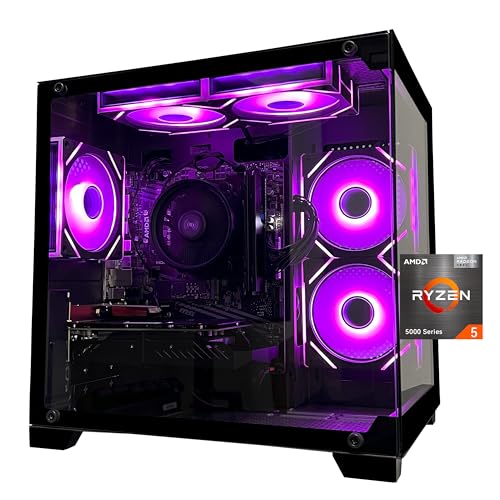
The SKYESEV Gaming Desktop PC is a prebuilt tower designed for gamers, streamers, and content creators who want a balanced system without the hassle of building one themselves. It combines an AMD Ryzen 5 5600 processor with an NVIDIA GeForce RTX 3050 6GB graphics card, 32GB of DDR4 RAM, and a 1TB NVMe SSD. This configuration targets smooth 1080p gaming, efficient multitasking, and light streaming or productivity tasks.
For PC gamers and competitive players, the Ryzen 5 5600 offers solid responsiveness in titles like Valorant, Fortnite, and Apex Legends, while the RTX 3050 handles ray tracing in games like Cyberpunk 2077 at medium settings. The 32GB of dual-channel RAM is overkill for most games but beneficial for streamers running OBS, Discord, and a game simultaneously. The 1TB NVMe drive ensures quick boot times and snappy level loads, reducing downtime.
Build quality is typical for a budget prebuilt: the case features a tempered glass side panel and five ARGB 120mm fans with a remote control for lighting effects. The motherboard is an MSI A520M-A PRO, a reliable entry-level board. However, the power supply is a 550W 80+ Bronze unit, which is adequate for the current components but may require an upgrade if you plan to install a more power-hungry GPU later. The system includes WiFi and Bluetooth, which is convenient for wireless peripherals and internet connectivity.
Setup is straightforward: the PC comes with foam inside for shipping protection, which you need to remove before powering on. After that, it's plug-and-play. Cable management inside the case appears tidy based on product images, though the included PSU is non-modular, which can limit routing options. The ARGB fans can be controlled via the remote, but there is no software customization mentioned.
A realistic limitation is the lack of customer reviews, so long-term durability and customer support are unproven. The 550W PSU may also feel restrictive for enthusiasts who want to overclock or upgrade to a higher-tier GPU. Additionally, the RTX 3050 6GB is a budget card, so 4K gaming or high-refresh-rate 1440p is not realistic.
Overall, this SKYESEV prebuilt is a practical choice for casual and competitive gamers who want a ready-to-use system for 1080p gaming, streaming, or college dorm setups. It offers good value with its 32GB RAM and fast storage, but buyers should be aware of the PSU limitation and the brand's newer market presence. If you prefer a hassle-free experience and don't plan heavy upgrades, this PC may work well for your gaming and streaming needs.
Pros
- Versatile triple-input connectivity (Bluetooth, USB, 3.5mm AUX) works seamlessly with virtually any device on your desk
- Dedicated Game EQ mode enhances spatial audio cues like footsteps and gunshots for competitive play
- 12 RGB lighting effects add visual flair without requiring separate software or controllers
- Compact footprint fits comfortably on smaller desks, dorm room setups, and tight gaming stations
- Subwoofer output port offers a clear upgrade path for users who want more bass down the road
Cons
- At 32W peak power, these speakers may not deliver enough volume or bass depth for larger rooms without adding a subwoofer
- No dedicated companion software for fine-tuning EQ beyond the three preset modes
- RGB lighting effects are not individually addressable or syncable with popular RGB ecosystems like Razer Chroma or iCUE
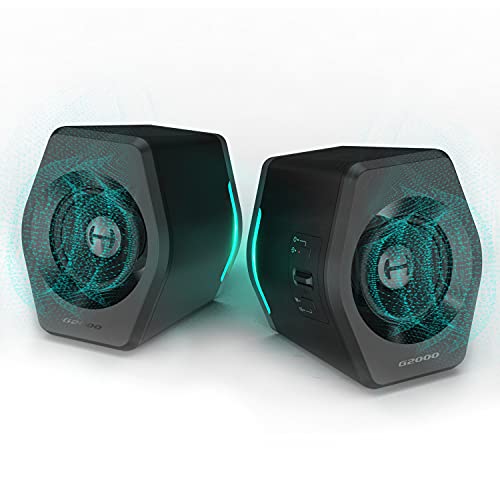
The Edifier G2000 is a 2.0 desktop gaming speaker system designed to sit on either side of your monitor and deliver clear, punchy audio for gaming, streaming, and everyday media. Each speaker houses a 2.75-inch full-range driver paired with a rear-facing bass port, and together they push out 16W RMS (32W peak). That's a solid amount of power for a near-field desktop setup, and the column-shaped cabinets with their 10-degree upward tilt aim the sound right at ear level, which is a thoughtful design touch you don't always see at this price range.
These speakers are a strong fit for PC gamers, casual gamers, and gaming setup builders who want quality audio without the bulk of a traditional 2.1 system. The three preset EQ modes, Game, Music, and Movie, are professionally tuned according to Edifier, and they let you quickly switch sound profiles depending on what you're doing. The Game mode is particularly useful for FPS titles where hearing directional cues like footsteps and reloads can give you a real edge. Music mode smooths things out for Spotify or background listening, while Movie mode opens up the soundstage a bit for cinematic content.
Connectivity is one of the G2000's strongest features. You get Bluetooth for wireless streaming from your phone or tablet, a USB input that acts as a built-in sound card (great for laptops or PCs without a dedicated audio output), and a standard 3.5mm AUX jack for direct analog connections. This makes the speakers compatible with PCs, Macs, PS4, Xbox, and even CD players or TVs. Streamers and content creators will appreciate how easy it is to switch between sources without swapping cables. There's also a subwoofer output, so if you decide you want deeper bass later, you can add a powered sub without replacing the whole setup.
Build quality feels considered for the price point. The matte panel finish resists fingerprints, the metal laser-engraved details add a premium touch, and the anti-slip foot pads keep the speakers planted during intense gaming sessions. At roughly 4.2 pounds total and just over 9 inches tall, they're compact enough for a dorm room desk or a tight streaming station. The 12 RGB lighting effects are a nice bonus for anyone building an RGB-themed setup, though it's worth noting these lights aren't syncable with ecosystems like Razer Synapse, Corsair iCUE, or ASUS Aura Sync, so they operate independently.
Setup is about as straightforward as it gets. Plug in the power, connect your preferred input, and you're ready to go. There's no companion app or software to install, which is both a pro and a con: you get instant usability, but you lose the ability to do granular EQ adjustments beyond the three presets. Cable management is simple since you're only dealing with a power cable and one audio input at a time. Cleaning the matte surface is easy with a dry microfiber cloth, and there are no mesh grilles to collect dust.
The realistic limitation here is raw power. At 32W peak, the G2000 speakers fill a desk area and a small to mid-sized room nicely, but they won't shake the walls. Bass-heavy genres and explosion-filled games will benefit from adding a subwoofer via the included output. If you're a competitive gamer who primarily uses a headset, these speakers make an excellent secondary audio option for casual play, music, and Discord calls. For PC gamers, streamers, college gamers, and anyone looking to upgrade from built-in laptop or monitor speakers without spending a fortune or sacrificing desk space, the Edifier G2000 is a practical and visually appealing choice.
The Edifier G2000 delivers 16W RMS with 32W peak power through dual 2.75-inch full-range drivers. For a compact 2.0 system, the sound is surprisingly full and well-balanced. The rear-facing bass port adds noticeable low-end warmth without muddying the mids, which keeps dialogue, voice chat, and in-game callouts clear and intelligible.
The three EQ presets are genuinely useful rather than gimmicky. Game mode emphasizes spatial cues and mid-range frequencies, making it easier to pick up directional audio in titles like Valorant, Apex Legends, or Warzone. Music mode provides a flatter, more balanced response that works well for background listening or casual Spotify sessions. Movie mode widens the perceived soundstage slightly, which helps with immersive single-player experiences and streaming content.
For users who want more bass impact, the subwoofer output jack is a welcome addition. Pairing these with even a budget powered sub can transform the low-end response for bass-heavy games, action movies, and music genres like EDM or hip-hop. Without a sub, the bass is present but won't rattle your desk, which is perfectly acceptable for most desktop gaming scenarios.
The G2000 features 12 built-in RGB lighting effects that cycle through a full spectrum of colors. The lighting emanates from the front and sides of each speaker, creating a nice ambient glow that complements RGB keyboards, mice, and case lighting. For gamers who enjoy building a cohesive color-themed setup, these speakers add a solid visual accent without needing any additional software.
The main limitation is that the RGB effects are self-contained. You can't sync them with popular PC lighting ecosystems like Corsair iCUE, Razer Chroma, or ASUS Aura Sync. The lighting modes are controlled directly from the speaker itself, which keeps things simple but limits customization for users who want their entire setup to pulse in unison. That said, for most casual and mid-tier gaming setups, the standalone RGB effects look great and add real visual appeal to your desk.
Three input options give the Edifier G2000 excellent versatility. The USB connection doubles as a sound card, which is ideal for laptops or desktops that lack a dedicated audio output or have noisy onboard audio. The 3.5mm AUX input provides a universal analog connection for virtually any device with a headphone jack. Bluetooth connectivity lets you wirelessly stream from phones, tablets, or even a secondary laptop without any cables.
Switching between sources is quick and painless, which is a real convenience for streamers or work-from-home gamers who jump between a PC, phone, and console throughout the day. The subwoofer output rounds out the connectivity options, giving you a clear upgrade path if you decide to expand your audio setup later. Overall, the G2000 covers all the bases for a desktop speaker system and should integrate smoothly into almost any gaming or productivity setup.
At approximately 5.5 x 8.3 x 9.1 inches per speaker, the Edifier G2000 has a compact footprint that works well on standard gaming desks, compact workstations, and even crowded dorm room setups. The column shape takes up less horizontal space than traditional bookshelf-style speakers, leaving more room for your mouse pad, keyboard, and other accessories.
The 10-degree upward tilt is a smart ergonomic touch that angles the drivers toward your ears when the speakers sit on a desk surface below monitor height. This means you get better sound directionality without needing to prop the speakers up on stands or angled pads. Anti-slip foot pads keep them firmly in place, and the matte finish resists fingerprints and smudges, keeping your setup looking clean with minimal effort. Cable management is straightforward since each speaker only requires a power connection and a single audio cable.

Pros
- Excellent value for entry-level gamers and budget-conscious buyers.
- Quiet operation with effective cooling from the ARGB fan setup.
- Simple plug-and-play setup with Windows 11 preinstalled.
- Stunning ARGB lighting with remote control enhances any gaming setup.
- Adding a dedicated graphics card dramatically improves gaming performance.
Cons
- Integrated Vega graphics limit gaming to low settings for demanding titles.
- A small number of user reports mention reliability issues after a few months.
- Stock 550W power supply may need upgrading for high-end dedicated GPUs.
The YAWYORE MX240 is a prebuilt gaming PC tower designed for gamers who want solid everyday performance without breaking the bank. At its heart, the AMD Ryzen 5 5600GT processor, paired with 16GB of DDR4 RAM and a speedy 1TB NVMe SSD, makes light work of web browsing, office tasks, and even some light gaming. The standout feature is the visually impressive case with five ARGB fans that you can control with the included remote, adding a vibrant touch to any gaming desk setup.
In real-world use, the integrated Radeon Vega graphics can handle popular titles like Fortnite, Valorant, and CS at 1080p with low to medium settings. Many user reviews mention that adding a dedicated GPU, such as a GTX 1070 Ti, transforms the PC into a capable machine for higher frame rates and better graphics. This makes it a smart choice for first-time PC gamers, college students on a budget, or anyone looking for a reliable workstation that can be upgraded later.
Build quality is impressive for the price. The tempered glass side panel shows off the clean interior and RGB fans, while the cable management keeps things tidy. Setup is straightforward Windows 11 Home comes preinstalled, and you only need to connect a monitor, keyboard, and mouse. The system runs quietly even under load, and the ARGB fans provide good airflow to keep temperatures in check during long gaming sessions or streaming.
There are some limitations to consider. The integrated graphics won't deliver smooth performance in AAA titles at higher settings, so this PC is best viewed as a starting point. A few negative reviews mention hardware failures after a couple of months, but the majority of feedback is positive. Additionally, the 550W power supply is adequate for the stock configuration, but if you plan to install a power-hungry GPU, you'll likely need to upgrade the PSU.
Overall, the YAWYORE MX240 offers strong value for its price point. It's perfect for casual gamers, students, or anyone building a budget-friendly gaming setup that can grow with their needs. If you're looking for a prebuilt that looks great, runs quietly, and leaves room for upgrades, this desktop is a practical choice for both work and play.
Out of the box, the integrated AMD Radeon Vega graphics are best suited for less demanding games. User feedback indicates that Fortnite and Valorant run at playable frame rates on low settings, and some light indie titles run smooth. For a significant boost, many users recommend pairing this PC with a dedicated graphics card like a GTX 1070 Ti or RX 6600, which allows for 1080p gaming at higher settings. The Ryzen 5 5600GT processor has enough power to keep up with mid-range GPUs without bottlenecking, making this a great platform for gradual upgrades.
The YAWYORE MX240 features a sturdy steel chassis with a tempered glass side panel. The five ARGB fans are pre-installed and come with a remote control for easy lighting customization. Internal cable management is tidy, leaving plenty of room for future upgrades. The power supply is a 550W 80 Plus Bronze unit, which is adequate for the stock configuration but may limit higher-end GPU installations. Overall, the build feels solid and well put together for its price range.

Pros
- Affordable entry-level gaming PC with solid 1080p performance for esports and older titles
- Includes WiFi 6 and Bluetooth 5.0 for fast wireless connectivity
- Generous 16GB RAM and 512GB SSD for smooth multitasking and quick boot times
- RGB lighting on fans and included peripherals adds a clean gaming aesthetic
- 1-year parts & labor warranty plus free lifetime tech support offers peace of mind
Cons
- Radeon RX 550 4GB is entry-level; not suitable for high-demand AAA games at max settings
- Only 2 RGB fans may require aftermarket cooling for heavy workloads or hot environments
- Case design with red accents may not fit all RGB or minimalist desk setups
The STGAubron Prebuilt Gaming PC Desktop is a budget-oriented tower aimed at PC gamers who want a ready-to-run system without the hassle of building from scratch. It combines an Intel Core i5 processor (up to 3.6GHz), 16GB of DDR4 RAM, a 512GB SSD, and an AMD Radeon RX 550 4G graphics card. This setup is designed to handle popular competitive games like Fortnite, Valorant, CSGO, and League of Legends at smooth 60+ FPS, as well as lighter creative tasks like photo and video editing.
This PC is best suited for casual gamers, college students, streamers getting started, and anyone who wants a reliable desktop for work and play. The included WiFi 6 and Bluetooth 5.0 make it easy to connect to modern networks and peripherals without extra dongles. The dual RGB fans not only look good but also provide enough airflow for moderate gaming sessions. However, the RX 550 is an entry-level GPU, so expect to dial down settings for newer AAA titles like Elden Ring or Hogwarts Legacy to maintain playable frame rates.
Build quality is decent for a prebuilt at this price point. The case has a black finish with red accents, which may not match all setups but is fairly standard. The included RGB keyboard and mouse are basic but functional, giving you everything to start gaming right away. The 512GB SSD offers fast load times, but you might need to add more storage later if you have a large game library. The 16GB of RAM is a nice touch, as many budget prebuilts only offer 8GB.
Setup is straightforward: plug in, connect to WiFi, and you're gaming. Windows 11 Home preinstalled means no extra OS purchases. The 1-year warranty and free lifetime tech support add value, especially for first-time PC buyers. One limitation is the cooling – only two RGB fans may not be enough for intense CPU/GPU loads over long periods. Adding an extra exhaust fan or upgrading the CPU cooler could help if you plan to push the system hard.
For the price, this STGAubron desktop delivers practical performance for esports and light productivity. If you're a competitive gamer focused on high FPS in shooters or a streamer using OBS, this rig can handle 1080p streaming and gaming simultaneously. Just don't expect to max out Cyberpunk 2077. It's a solid choice for budget-conscious gamers who want a prebuilt with modern connectivity and decent specs right out of the box.
Core Components That Define a Capable Gaming Computer
Determining what’s a good computer for gaming begins by understanding that gaming performance depends on balanced internal hardware rather than aesthetic styling. A desktop tower might look like a gaming powerhouse with vibrant lighting, but the actual experience in modern games is dictated by the graphics card, processor, and system memory. Different players have different expectations, ranging from casual play in esports titles to graphically demanding single-player releases. Establishing what you intend to play and the resolution you want to use is the primary step in evaluating any desktop build.
Shoppers encounter many system configurations across modern prebuilt desktops, from entry-level towers using older architectures to advanced systems with newer generations of silicon. For instance, catalog specifications range from legacy Xeon or older Core i5 and i7 processors to modern AMD Ryzen 5000 and 8000 series platforms. Understanding how these hardware tiers function in practice helps clarify why some systems handle recent releases effortlessly while others require lower visual settings. A clear breakdown of core subsystems reveals what truly separates a capable machine from an underpowered office desktop.
The Central Role of the Dedicated Graphics Card
The graphics processing unit, commonly called the GPU, remains the most influential component for visual fidelity and rendering speed. Discrete graphics cards carry their own dedicated video memory, which frees the main system memory to handle background computing tasks. Entry-level options often feature older dedicated cards such as the Radeon RX 550 with 4GB of memory or the Radeon RX 580 with 8GB of memory. These discrete chips generally handle lighter multiplayer titles better than baseline integrated chips, but modern releases may quickly push their memory limits.
Integrated graphics represent another distinct tier of desktop configuration. A processor like the AMD Ryzen 5 5600GT includes integrated Radeon Vega graphics, meaning the chip shares memory directly with system RAM rather than utilizing independent high-speed VRAM. While integrated graphics can handle routine desktop duties and lighter games, they inevitably face performance limits as scene complexity and texture resolutions rise. Dedicated cards provide substantially higher memory bandwidth, which helps stabilize frame delivery during intense combat or complex world rendering.
Modern mainstream and high-end towers rely on dedicated graphics cards equipped with newer architectures. Mid-tier configurations frequently incorporate cards such as the GeForce RTX 3050 with 6GB of GDDR6 memory, offering dedicated hardware for modern rendering techniques. Enthusiast desktops push performance further by utilizing newer architectures, such as the GeForce RTX 5070 found in advanced systems like the msi Codex Z2. A more capable GPU allows players to increase visual fidelity, run higher display resolutions, and maintain smoother motion across demanding games.
Processor Architecture and Platform Longevity
A gaming computer requires a central processing unit, or CPU, capable of feeding instructions to the graphics card without hesitation. In fast-paced games, the processor handles physics, non-player character intelligence, background scripts, and input responsiveness. When a processor lacks sufficient per-core speed, even a powerful graphics card will sit idle waiting for instruction pipelines to clear. Balancing the CPU and GPU prevents this bottleneck, allowing each component to work efficiently together.
Architectural generation matters far more than arbitrary marketing labels such as core counts or maximum clock speeds. For example, older multi-core chips like the Intel Xeon E5 family offer high thread counts designed originally for server duties, but they feature older per-core architecture compared to modern processors. In contrast, modern six-core processors like the AMD Ryzen 5 5600 or the eight-core Ryzen 7 8700F feature updated microarchitectures with significantly higher single-core efficiency. Modern architectures handle the rapid calculations of contemporary game engines far more effectively than legacy enterprise silicon.
Platform longevity is another major consideration tied directly to the processor and its underlying socket. Choosing a modern platform ensures access to faster bus interfaces, updated communication lanes, and current operating system feature sets. Desktops built around contemporary consumer sockets offer a clearer path for prospective CPU replacements down the line. Older platforms often lock users into legacy memory generations and obsolete expansion slots, limiting long-term serviceability.
Memory Capacity and Modern Storage Solutions
System memory, or RAM, provides the temporary workspace where games cache active game worlds, textures, and executable files. Today, 16GB of system RAM functions as a practical standard for running mainstream PC games without excessive background memory swapping. Entry-level configurations featuring 16GB of DDR4 memory running at 3200MHz, such as those found on MSI A520M platforms, handle single-game workloads with reasonable stability. However, users who multitask with voice chat and browser tabs often benefit from expanding their headroom.
Configurations packing 32GB of memory provide substantially more breathing room for both modern games and simultaneous productivity tasks. Modern enthusiast desktops, including systems featuring DDR5 memory, supply both greater overall capacity and substantially higher data transfer bandwidth. Dual-channel memory configurations, where two identical memory sticks operate simultaneously, further enhance data throughput compared to single-stick setups. Ensuring that your desktop runs in a dual-channel arrangement helps stabilize system response during heavy computational scenes.
Storage speed directly impacts computer boot times, game loading intervals, and asset streaming within massive open worlds. Older mechanical hard drives have largely been phased out in modern gaming towers in favor of solid-state drives. A 512GB solid-state drive offers rapid access, though storage space fills rapidly once several modern games and operating system updates are installed. Desktops equipped with 1TB or 2TB M.2 NVMe PCIe solid-state drives provide both superior sustained transfer speeds and enough storage volume to maintain a diversified library without constant uninstallation.
Motherboards, Power Delivery, and Thermal Management
A reliable motherboard serves as the communication backbone connecting every piece of hardware inside the chassis. Mainstream systems often utilize reliable budget-friendly boards, such as the MSI A520M-A PRO, which supply essential expansion slots, audio processing, and networking ports. The quality of a motherboard dictates electrical stability and determines how many expansion cards or storage drives you can add in the future. Checking the motherboard’s rear panel connectivity also ensures sufficient ports for all intended displays and external devices.
Power supply units, often abbreviated as PSUs, provide steady electrical currents to sensitive computer components. A solid gaming configuration frequently specifies a 550W power supply carrying an 80-Plus Bronze efficiency certification. This rating confirms that the power supply converts wall alternating current into computer direct current with verified efficiency under typical operating loads. Adequate wattage headroom is essential, as modern graphics cards and processors can experience transient power spikes during demanding rendering sequences.
Thermal management directly preserves hardware stability and prevents thermal throttling, which slows performance to protect chips from overheating. Gaming cases frequently incorporate dedicated fan arrays, ranging from three to five 120mm ARGB fans positioned to direct fresh air across components. Positive or neutral air pressure inside the chassis pushes heated exhaust out while minimizing dust accumulation through intake vents. Ensuring your chosen desktop features sufficient ventilation ports and dependable fan arrangements keeps internal temperatures controlled during extended gaming sessions.
Prebuilt Systems Versus Custom Builds
Many players weighing their options debate whether to purchase a preassembled machine or assemble individual components themselves. Browsing retail prebuilt gaming desktops offers the distinct advantage of immediate setup, complete system warranties, and included software installation. Ready-to-use systems arrive with genuine Windows 11 Home already configured, saving first-time buyers from troubleshooting initial operating system installations or hardware assembly steps. Furthermore, prebuilts often include dedicated technical support, providing a safety net if a component exhibits unexpected hardware faults.
Custom builds grant complete control over every specific component, allowing enthusiasts to handpick the exact power supply, motherboard, and cooling fans. However, building a custom computer demands time, hands-on assembly knowledge, component compatibility checks, and individual part troubleshooting when issues arise. If a component fails in a custom build, the user must isolate the faulty part and process warranty claims with that specific component manufacturer. For players who prioritize simplicity and immediate plug-and-play gaming, a well-configured prebuilt desktop eliminates those assembly barriers.
Exploring high-tier gaming computer builds also illustrates how performance scaling changes as hardware budgets increase. Enthusiast desktop systems incorporate specialized cooling solutions, advanced chassis materials, and expansive connectivity options designed for intensive multitasking. Conversely, entry-level desktop models focus on core efficiency, trading advanced expandability for accessible entry into PC gaming. Selecting between these paths depends on your comfort with computer hardware and your long-term setup ambitions.
Clarifying Desktop Towers Versus Bundled Accessories
When researching desktop setups, shoppers often see complete listings that package peripheral equipment alongside the computer tower. Some prebuilts ship with basic RGB keyboards and mice, while adjacent product listings feature standalone accessories like the Redragon M612 gaming mouse or Edifier G2000 desktop speakers. While dedicated speakers and ergonomic mice certainly enhance daily comfort and audio immersion, they do not impact how smoothly your computer runs a game. Peripheral gear represents an adjacent setup category rather than a factor in computing power.
Evaluating a computer requires isolating the internal desktop components from external decorative add-ons. A system that includes vibrant case illumination and bundled input devices may look enticing, but the graphics card and processor remain the sole determinants of visual performance. Shoppers should assess the internal hardware specifications first before considering bundled accessories or external audio solutions. Investing your primary budget into the desktop tower itself yields substantially better long-term gaming enjoyment than spending extra on bundled peripherals that can easily be added later.
Matching Hardware Specifications to Target Games
Every video game publishes official minimum and recommended system requirements that indicate the necessary hardware baseline. Competitive esports titles like Valorant, League of Legends, and CSGO feature accessible engines capable of running on modest quad-core processors and entry-level graphics cards. These titles prioritize fast response times over heavy graphical detail, making them well-suited for entry-level gaming desktops. Players focusing exclusively on competitive titles can achieve satisfactory frame rates without investing in top-tier graphics hardware.
Demanding modern action titles, expansive open worlds, and simulation games present a much heavier computational challenge. Games such as Elden Ring, Hogwarts Legacy, or modern Call of Duty installments demand substantial graphic memory, modern processor instruction sets, and fast NVMe storage for seamless texture streaming. Attempting to run these titles on older architectures or integrated graphics will necessitate significantly lowering resolution and detail presets. Reviewing the published requirements for your favorite titles allows you to select a desktop tailored to your actual gameplay habits.
Practical Verification and Final Setup Considerations
Before finalizing any desktop purchase, buyers should verify physical dimensions, internal clearance, and included connectivity options. Modern desktops require adequate desk or floor clearance to allow unimpeded airflow through front intake and rear exhaust fan vents. Additionally, checking for built-in Wi-Fi 6 and Bluetooth 5.0 ensures reliable wireless networking if an Ethernet cable is not directly accessible. Ensuring the power cord and display cables match your monitor inputs prevents initial connection headaches when unboxing the machine.
Ultimately, answering what’s a good computer for gaming requires aligning your hardware expectations with the real-world demands of your gaming library. A capable machine combines a modern multi-core processor, a dedicated graphics card with adequate video memory, fast NVMe solid-state storage, and a reliable power supply within a well-ventilated chassis. By focusing on verified component specifications rather than marketing buzzwords, you can select a dependable desktop that delivers consistent gaming performance for years to come.






Write Your Review
No reviews yet. Be the first to share your experience!