
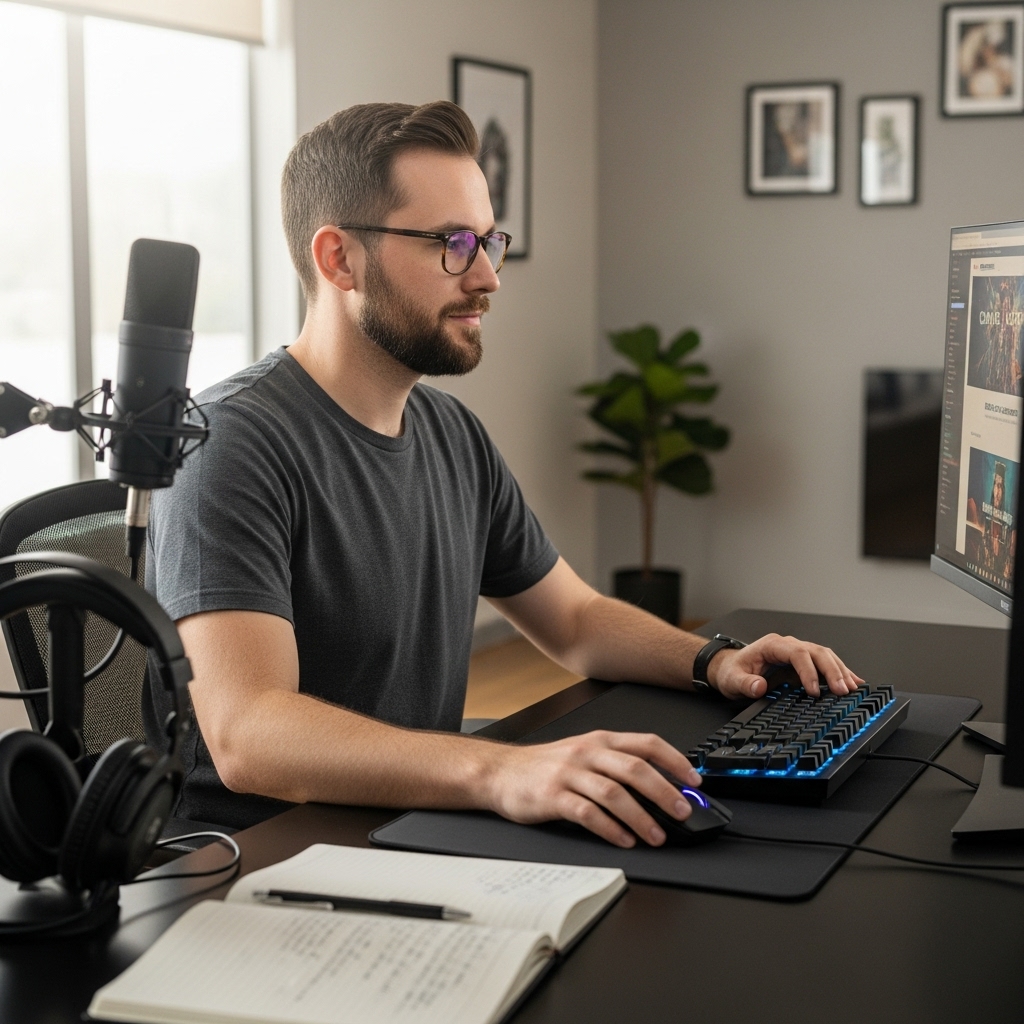

Nothing kills a gaming session faster than a hot chassis or a sore wrist. Many players overlook how much small accessories impact their overall experience. You might have a powerful rig, but if your hands are cramped or your laptop is throttling, performance suffers. These essential gaming laptop accessories address those specific pain points directly. They help maintain stability, reduce fatigue, and keep your system running cool. We analyzed the specifications of top-rated items to find practical solutions.
From precision tools to ergonomic supports, these items make a real difference. A good cooler prevents thermal throttling during long sessions. A quality mouse adds precision and comfort for competitive play. Even simple wrist rests can change how long you can sit comfortably. These picks cover essential needs without breaking the bank. Check out our guide to portable gaming laptops to see how these accessories complement your hardware.

Pros
- Massive 122-piece set with 101 bits covers all common and specialty screws used in gaming PCs, consoles, and peripherals
- Magnetic mat and magnetizer dramatically reduce frustration during multi-step builds or repairs
- Cr-V steel bits with heat treatment offer professional-grade hardness and long lifespans
- Ergonomic handle and flexible shaft make it easy to work in cramped chassis or behind motherboard trays
Cons
- Some users may find the case a bit bulky for pocket carry, though it's still compact for a drawer or backpack
- The magnetic mat, while helpful, may not hold screws as firmly during heavy movement or if bumped
- Flexible shaft may feel slightly less torque than a rigid extension for stubborn screws, but it's a trade-off for reach
Whether you are dropping a new NVMe drive into your gaming rig, swapping out a faulty GPU fan, or rebuilding a console for smoother streaming, having the right tools on hand can turn a frustrating hour into a quick ten-minute job. The SHOWPIN 122 in 1 Precision Computer Screwdriver Kit is built exactly for these moments. It bundles 101 magnetic drill bits and 21 auxiliary tools into a neatly organized case, making it a practical companion for PC gamers, esports players, streamers, and anyone who regularly cracks open electronics.
This kit is especially suited for DIY-minded PC builders and competitive gamers who like to keep their systems at peak performance. Upgrading RAM, swapping an SSD, or mounting a new CPU cooler becomes straightforward when you have the correct bit for each tiny screw. The included flexible shaft and extension rod let you reach deep inside a gaming chassis - even around cable management channels - without stripping fasteners. For streamers who maintain multiple devices, the same bits work on laptops, capture cards, microphone arms, and even gaming chairs with hidden screws.
Performance-wise, the kit focuses on precision and reliability. The Cr-V steel bits are heat-treated to 60 HRC, so they resist wear and deformation over countless builds. The ergonomic handle spins smoothly and reduces hand fatigue during long repair sessions, while the dual-magnet design (magnetizer plus magnetic mat) keeps every screw accounted for. These features directly address the frustration of losing tiny M2 screws during a drive upgrade or mixing up standoffs during a motherboard swap.
Build quality and practicality stand out at this price point. The bits are clearly labeled and stored in a compact grey case that fits easily in a desk drawer or laptop bag. The magnetic mat provides a clean workspace, which is a huge plus for anyone building a gaming setup on a cramped desk. The flexible shaft is a lifesaver for reaching screws tucked behind a GPU or inside a laptop hinge. While the kit isn't meant for heavy-duty construction, it excels in the delicate yet varied tasks that gaming gear demands.
Setup and maintenance are effortless. Open the case, select the bit, and you are ready. The magnetizer instantly magnetizes a bit when you need extra hold, and cleaning is as simple as wiping down the bits after use. One realistic limitation: the flexible shaft trades some torque for flexibility, so for extremely tight screws, you may prefer the solid extension rod. But for the vast majority of gaming PC tasks - from installing RGB strips to replacing thermal paste - this kit handles everything without fuss.
For any U.S. PC gamer, streamer, or content creator who builds, upgrades, or repairs their own gear, the SHOWPIN 122 in 1 Precision Screwdriver Kit is a smart investment. It saves you from buying multiple cheap sets or paying for professional service on minor fixes. Whether you are a college gamer building your first rig or a seasoned esports player maintaining multiple peripherals, this all-in-one tool kit delivers the versatility and durability to keep your gaming setup running smoothly.

Pros
- Includes dedicated, matching wrist cushions for both mouse and keyboard setups
- High-density memory foam distributes wrist pressure evenly along desk edges
- Anti-skid silicone underside prevents slipping during rapid mouse movements
- Silky Lycra fabric cover offers a smooth, non-irritating surface against the skin
Cons
- This is an ergonomic accessory set only and does not include an electronic computer mouse or keyboard
- The 0.83-inch height may sit too high when paired with ultra-slim or low-profile computer mice
- Requires at least 3.15 inches of clear desk depth in front of your mouse and keyboard
The Vaydeer Wrist Rest set is an ergonomic desk accessory kit containing two separate cushions: a 17.32-inch support for computer keyboards and a 5.94-inch support for your computer mouse. Designed for office workers, students, writers, and gamers who spend long hours navigating with a mouse or typing at a desk, this set serves as an external comfort upgrade rather than an electronic input device. It is intended for anyone looking to raise their palms and wrists level with their peripherals, reducing direct friction against hard desktop edges.
Because this product is a physical wrist support accessory, it requires no cables, Bluetooth connections, USB receivers, or software drivers. In terms of hardware compatibility, the standalone mouse pad rest works alongside any wired, wireless, trackball, or ergonomic mouse regardless of operating system or computer brand. The keyboard cushion spans 17.32 inches wide, making it compatible with full-sized mechanical or membrane keyboards, compact tenkeyless boards, and standalone laptop setups.
Both pieces are constructed with dense memory foam interior padding wrapped in a breathable, diamond-patterned Lycra fabric cover. The mouse support measures 5.94 by 3.15 inches with an approximate thickness of 0.83 inches, giving your hand a dedicated resting point whether you use a claw, palm, or fingertip mouse grip. The manufacturer features a subtle concave contour across the middle, designed to support the wrist joint naturally without impeding mouse gliding. On the bottom, a textured silicone rubber base grips flat wood, laminate, or glass desks to resist unwanted shifting during active navigation.
Setup is entirely manual and takes only seconds by aligning each pad directly in front of your mouse and keyboard. The independent mouse rest allows flexible positioning, accommodating left-handed or right-handed mouse users and letting you set your preferred distance from your mouse pad. Daily maintenance is straightforward since the Lycra exterior can be wiped down gently with a damp cloth if dust or oils accumulate from regular computer sessions.
When planning your workspace, keep in mind that this accessory set requires clear desk depth of at least 3.15 inches in front of your peripherals. At roughly 0.83 inches in height, it pairs best with standard-profile or mechanical peripherals; users of slim travel mice or ultra-low-profile touchpads might find the cushion slightly elevated compared to their mouse sensor height. Furthermore, while the manufacturer markets the padding to reduce wrist stress and fatigue, an ergonomic rest does not provide medical treatment or guarantee freedom from repetitive strain.
For American computer users wanting to enhance desk comfort while working, studying, or browsing, the Vaydeer Wrist Rest combo offers a dependable physical foundation for your mouse and keyboard setup. It provides effective cushioning and non-slip stability at an accessible entry point. If your current mouse setup leaves your wrist resting uncomfortably against a hard desk surface, this two-piece memory foam accessory is a sensible addition to verify before buying a completely new mouse.
The Vaydeer wrist rest set provides specific sizing to complement desktop peripherals. The keyboard pad measures 17.32 inches long, 3.15 inches wide, and 0.83 inches thick, matching the width of standard full-size computer keyboards. The mouse support measures 5.94 inches long, 3.15 inches wide, and 0.83 inches thick, offering ample width for typical wrist movements without occupying excessive mouse mat area.
Both rests feature a subtle ergonomic concave contour down the center to cradle the wrist joints. Because the mouse cushion is entirely separate from the keyboard cushion, it adapts equally well to ambidextrous, left-handed, or right-handed mouse setups. Buyers should measure their desk space to confirm they have roughly 3.15 inches of depth available directly in front of their keyboard and mouse.
This accessory package includes two individual items: one large keyboard wrist cushion and one compact mouse wrist cushion, weighing a combined total of approximately 0.71 pounds. Both pads feature a classic black finish with an embossed diamond geometric pattern on the surface.
The build consists of responsive memory foam encased in silky smooth Lycra fabric that minimizes skin irritation during repetitive wrist contact. The underside is lined with a non-slip silicone rubber base that stays securely anchored to smooth desk materials such as glass, treated wood, and metal without leaving adhesive residue.

Pros
- Excellent cooling performance with 13 fans and adjustable speeds for gaming and streaming.
- RGB lighting adds immersive desk aesthetics with memory function for personalized setups.
- 9 height adjustments improve ergonomics and comfort during long gaming or work sessions.
- Dual USB ports and laptop-powered design simplify cable management and desk clutter.
- Built-in phone holder is a thoughtful bonus for streamers and multitaskers.
Cons
- Cooling pad is powered solely via laptop USB, which may slightly drain battery on unplugged systems.
- Phone holder is small and may not accommodate larger smartphones with thick cases.
- Fan noise, though described as ultra-quiet, may still be audible in very quiet environments at high speeds.
The KYOLLY Gaming Laptop Cooler is a versatile cooling pad designed for PC gamers, streamers, and anyone who puts their laptop through long hours of heavy use. With 13 ultra-quiet fans (three large and ten small), it pushes a serious amount of airflow across your laptop's bottom panel, helping keep temperatures in check during marathon gaming sessions, video editing, or live streaming on Twitch or YouTube. The smart LCD screen displays current fan speed and lets you adjust it on the fly, so you can match cooling to your workload without blind guesswork.
RGB enthusiasts will appreciate the 10 lighting modes, from static and breathing to color cycle, plus a one-touch control to turn them off when working or watching movies. The memory function remembers your last setting, so you don't have to reconfigure every time you plug it in. For competitive gamers focused on low-latency performance, the cooler's direct USB connection means no extra power brick or software is needed, keeping your desk setup clean and responsive.
Ergonomics are a big win here. The pad offers nine adjustable tilt angles from 10 to 45 degrees, helping you find a comfortable viewing angle that reduces neck strain during long sessions. It works equally well on a desk, on your lap, or on a bed or sofa, thanks to a non-slip base that keeps your laptop steady even on uneven surfaces. The built-in silicone phone holder is a nice extra for streamers who need to keep their phone visible for alerts or chat.
Build quality feels practical for the price. The plastic construction is lightweight (about 3.5 pounds) and fits laptops from 15 to 21 inches, making it a good match for most gaming notebooks. Dual USB ports add convenience, letting you connect a mouse or headset directly through the cooler. Since it draws power from your laptop, there's no extra wall adapter to manage, which simplifies cable management and makes it easy to toss in a bag for LAN parties or dorm room gaming.
One realistic limitation is that the cooler relies entirely on your laptop's USB port for power. If you're running unplugged, this will drain your battery a bit faster. Also, the phone holder is fairly small, so larger phones with thick cases might not fit securely. Fan noise is low at default speeds but can become audible if you crank them up to maximum. That said, for the price, the KYOLLY cooler delivers solid cooling performance, useful ergonomics, and enough RGB bling to satisfy most gaming setup builders.
Overall, this cooling pad is a smart buy for PC gamers, streamers, and work-from-home users who want to extend their laptop's lifespan and improve comfort without breaking the bank. It's especially handy for college gamers or anyone gaming on a couch or bed, where proper airflow and posture are often neglected. If you're looking for an affordable, feature-packed cooler that balances performance and convenience, this KYOLLY model is worth considering.

Pros
- Highly accurate 26K DPI sensor with zero smoothing for responsive aiming
- Versatile HyperScroll wheel with three modes adapts to different tasks
- Comfortable ergonomic design with thumb rest for extended use
Cons
- Wired USB connection may limit desk cable management for some setups
- Software required for full customization, which may be a minor setup step
- Larger hand size may prefer a more extended shape for palm grip
The Razer Basilisk V3 is a wired ergonomic gaming mouse designed for PC gamers who demand precision, customization, and comfort. It features a 26K DPI optical sensor, 11 programmable buttons, and a unique HyperScroll tilt wheel that can switch between tactile and free-spin modes. This mouse caters to competitive gamers, casual players, streamers, and content creators looking for reliable performance and vibrant RGB lighting.
In real-world gaming scenarios, the Focus+ 26K DPI sensor delivers crisp tracking with zero smoothing, making it ideal for fast-paced FPS games and precise MOBA clicks. The optical switches actuate at 0.2ms, reducing input lag and preventing accidental clicks during intense matches. The HyperScroll wheel is a standout feature: use tactile mode for weapon cycling or free-spin mode for rapid document scrolling, with Smart-Reel automatically switching based on scroll speed.
Build quality is solid with a durable USB cable and a comfortable ergonomic shape that includes a thumb rest. The 11 programmable buttons are well-placed for quick access to macros, push-to-talk, or pings. The 11 RGB lighting zones are customizable via Razer Synapse, allowing syncing with over 150 games for dynamic lighting effects that enhance any gaming setup.
Setup is straightforward: plug into a USB port, install Razer Synapse for full customization, and adjust DPI, lighting, and button assignments. The mouse is lightweight at 3.56 ounces, reducing fatigue during long sessions. However, the wired connection may require cable management to keep the desk tidy.
One limitation is the need for Razer Synapse software to unlock all features, which might be a minor inconvenience for some users. Additionally, while the ergonomic design suits most hand sizes, gamers with larger hands might prefer a more extended shape for palm grip. Despite this, the Basilisk V3 offers excellent value for its price.
Overall, the Razer Basilisk V3 is a practical choice for PC gamers, streamers, and esports players who want a customizable, comfortable mouse with top-tier sensor accuracy and versatile scroll wheel options. It performs well across various genres and integrates seamlessly into RGB-heavy setups, making it a reliable addition to any gaming desk.

Frequently Asked Questions
Do these accessories fit all laptop sizes?
Most items are designed for standard dimensions. The cooler supports 15 to 21 inch screens, which covers most gaming models. Wrist rests fit under typical keyboard widths. Always check your specific laptop measurements before buying to ensure a perfect fit.
Is a laptop cooler necessary for gaming?
It is highly recommended for sustained loads. Thermal throttling can reduce frame rates significantly over time. A cooler with multiple fans helps dissipate heat efficiently. This keeps your CPU and GPU running at optimal speeds. It extends the lifespan of your internal components as well.
Can I use the mouse with any laptop?
Yes, it connects via USB or Bluetooth. The Razer Basilisk V3 works with Windows and macOS systems. It does not require special drivers for basic functionality. You can use it with any laptop that has a standard USB port. It is a universal choice for gamers.
How do I maintain the screwdriver kit?
Store the bits in the provided case. Keep the magnetic mat clean to ensure proper function. Avoid dropping the bits to prevent damage. The Cr-V steel construction is durable but not indestructible. Regular inspection helps maintain the kit’s longevity and performance.
Do LED light bars affect battery life?
They draw minimal power from USB ports. The impact on battery life is negligible during normal use. They are designed for low-power operation. You can leave them on during gaming sessions without worry. They add visual flair without significant energy cost.






Write Your Review
No reviews yet. Be the first to share your experience!