


Staring at a blurry screen during long coding sessions or fast-paced matches is frustrating. Many users struggle with motion blur or poor text sharpness when their display resolution doesn’t match their workflow needs. Finding the right Best 2560 By 1440 Monitor means balancing pixel density with refresh rate smoothness. You want a display that handles both productivity tasks and entertainment without compromising on clarity or speed. This roundup analyzes six popular options to help you make an informed decision based on real specifications.
Each monitor listed here offers distinct advantages, from high refresh rates for competitive gaming to ergonomic stands for office work. The Dell 27 Plus QHD Monitor focuses on adjustability and eye comfort, while the AOC Gaming Q27G41ZE prioritizes speed with a 240Hz panel. If you prefer a larger canvas, the Sceptre 32-inch model provides extra screen real estate. We have carefully reviewed the product details, including port availability and panel types, to ensure these picks suit various setups. Whether you are a gamer or a remote worker, these displays offer solid value. Check out our guide on monitors for eye strain if comfort is your top priority.

Pros
- Smooth 144Hz performance with 1ms MPRT and FreeSync for competitive edge
- Sharp QHD resolution that balances detail and GPU demands
- Ergonomic stand with full adjustability reduces neck and shoulder fatigue
- Built-in speakers save desk space and handle basic audio needs
- Eye comfort certification protects eyes during long gaming sessions
Cons
- No USB-C or built-in USB hub limits connectivity for peripherals
- Speakers are adequate but lack bass and volume for immersive gaming audio
- Stand base is relatively wide, may need ample desk space
The Dell 27 Plus QHD Monitor S2725DSM is a 27-inch display designed for PC gamers who want a fast, high-resolution monitor without breaking the bank. With a 144Hz refresh rate, 1ms Moving Picture Response Time (MPRT), and AMD FreeSync, it targets competitive gamers, esports players, and streamers who need smooth gameplay and minimal input lag. Casual gamers and content creators will also appreciate the QHD resolution for crisp visuals and extra screen real estate.
Performance-wise, the 144Hz refresh rate ensures fluid motion in fast-paced titles like Call of Duty, Valorant, and Apex Legends. The 1ms MPRT helps reduce ghosting, keeping fast-moving objects sharp. Combined with AMD FreeSync, screen tearing is virtually eliminated when paired with a compatible graphics card. The QHD 2560x1440 resolution hits a sweet spot between Full HD and 4K, delivering detailed textures without demanding as much GPU power.
The build quality is solid with an ash white finish that stands out. The stand offers full ergonomic adjustments: height, tilt, pivot, and swivel, making it easy to find a comfortable viewing angle for long sessions. Setup is straightforward with HDMI and DisplayPort 1.4 inputs. The integrated dual 3W speakers provide clear audio for browsing or casual gaming, but serious gamers will want a dedicated headset or external speakers for immersive sound.
Eye comfort is a key feature with TUV-certified low blue light technology that reduces harmful emissions without washing out colors. This is a big plus for college gamers or anyone who spends hours in front of the screen. The Dell Display and Peripheral Manager software lets you control settings and manage multiple monitors, which is helpful for streaming setups or multi-taskers.
On the downside, the monitor lacks USB-C and a USB hub, so connecting peripherals requires separate cables. The speakers are decent for the price but lack punchy bass and high volume. The stand base is a bit wide, so measure your desk if space is tight. For work-from-home gamers and desk setup enthusiasts, the versatile ergonomics and slim bezels make it a practical choice for both productivity and play.
Overall, the Dell S2725DSM is a well-rounded monitor that delivers strong gaming performance, excellent adjustability, and eye comfort features at an accessible price. It's best suited for PC gamers who want a reliable 144Hz QHD screen for competitive play and everyday use, especially those who value ergonomics and a clean ash white aesthetic.
The 144Hz refresh rate and 1ms MPRT make the Dell 27 Plus monitor a strong performer for competitive gaming. In fast shooters and racing games, motion clarity is impressive with minimal blur. AMD FreeSync keeps the experience tear-free, providing a smooth visual flow. The QHD resolution delivers enough detail for spotting enemies at distance while maintaining high frame rates on mid-to-high-end GPUs. Input latency is low thanks to the quick response time, though hardcore esports pros might still prefer a 240Hz panel. Overall, it’s a great balance of speed and resolution for most gamers.
The fully adjustable stand is a standout feature. You can easily tweak height (up to 5.1 inches), tilt, swivel, and pivot to portrait mode, which is rare at this price point. This flexibility helps maintain proper posture during marathon sessions, reducing neck and eye strain. The TUV-certified low blue light mode works well without making the screen look yellow, so you can keep it on all day. VESA mount compatibility is also available if you prefer a monitor arm. For gaming setup builders and streamers who sit for hours, this level of ergonomic support is a real benefit.


Pros
- Excellent color accuracy with DCI-P3 95% coverage for vivid visuals
- Smooth 180Hz refresh rate with low input lag for competitive gaming
- Affordable price point for a QHD IPS monitor with high refresh rate
- Built-in speakers provide basic audio for casual use without extra desk clutter
- AMD FreeSync effectively eliminates tearing and stuttering across compatible GPUs
Cons
- Stand lacks height adjustment and feels flimsy; a VESA mount is recommended
- HDMI ports limited to 144Hz; DisplayPort required for full 180Hz
- Brightness can feel low in well-lit rooms in standard mode; HDR mode helps but disables brightness control
The Acer Nitro KG271U N3bmiipx is a 27-inch QHD (2560x1440) IPS gaming monitor that strikes a solid balance between performance, color quality, and price. Designed for PC gamers, esports players, and streamers, it offers a 180Hz refresh rate and 0.5ms GTG response time, making it a strong contender for fast-paced shooters like Valorant or Call of Duty. The AMD FreeSync support also helps eliminate screen tearing when paired with compatible AMD or adaptive-sync compatible NVIDIA GPUs.
For competitive gamers, the high refresh rate and low response time translate to buttery-smooth motion and quick reaction awareness. The QHD resolution gives you extra screen real estate without the high GPU demands of 4K, making it a practical choice for both gaming and content creation. The DCI-P3 95% color coverage is a highlight, delivering vibrant, accurate colors that appeal to graphic designers and video editors working from the same setup.
Build quality is decent for the price, though the all-plastic construction and non-adjustable stand are noticeable drawbacks. The monitor feels lightweight, and the included stand lacks height, tilt, or swivel adjustments. Many users recommend using a VESA mount or a simple monitor riser to improve ergonomics and free up desk space for cable management. The zero-frame design is a plus for multi-monitor arrays, as it minimizes bezel gaps.
Setup is straightforward: connect via DisplayPort 1.2 to achieve the full 180Hz, or use HDMI 2.0 for up to 144Hz. The on-screen display is controlled by a rear joystick, which makes navigating settings like overdrive and color presets easy. One limitation is that the HDMI ports cap at 144Hz, so console gamers with HDMI-only setups won't reach the maximum refresh rate. Also, the built-in speakers are basic and lack bass, so most users will want dedicated gaming headphones or external speakers for an immersive experience.
In terms of real-world use, the monitor performs well in both competitive and casual gaming. The IPS panel offers wide viewing angles, and the matte coating reduces glare during long sessions. However, in brightly lit rooms, the standard mode's brightness may feel dim; switching to HDR mode boosts brightness but locks out manual brightness adjustments. The overdrive setting should be kept at normal or off to avoid visible overshoot at extreme levels.
Overall, the Acer Nitro KG271U is a great value monitor for U.S. PC gamers and streamers looking for QHD resolution, high refresh rates, and strong color accuracy without spending a fortune. It works well for competitive esports, casual play, and even productivity tasks. If you can work around the stand limitations and use a VESA mount, this monitor offers exceptional performance for its price. Recommended for gamers upgrading from 1080p or budget-conscious setup builders.
The 27-inch IPS panel delivers 2560x1440 QHD resolution with a 16:9 aspect ratio. DCI-P3 95% color gamut ensures vibrant, accurate colors suitable for gaming and creative work. HDR10 support adds extra dynamic range in compatible content, though peak brightness is modest. The matte screen surface reduces reflections, making it easy to use in various lighting conditions.
With a native 180Hz refresh rate and 0.5ms GTG response time, the monitor minimizes motion blur and input lag. AMD FreeSync synchronizes frame delivery with your GPU to prevent tearing during intense gameplay. Overdrive settings can be adjusted to fine-tune response, but extreme mode may cause overshoot. Ideal for FPS, racing, and fast-paced esports titles.
Pros
- Incredible 240Hz refresh rate and 0.3ms response for competitive edge
- Sharp QHD resolution with vibrant IPS colors and wide viewing angles
- G-Sync compatible and Adaptive-Sync for smooth, tear-free visuals
- Frameless design and VESA support great for multi-monitor and clean setups
- Easy-to-use OSD with practical gaming presets and Shadow Control
Cons
- Stand only offers tilt adjustment - no height, swivel, or pivot options
- HDMI 2.0 ports limit refresh rate to 144Hz over HDMI; use DisplayPort for full 240Hz
- Glossy screen surface may cause reflections in brightly lit rooms
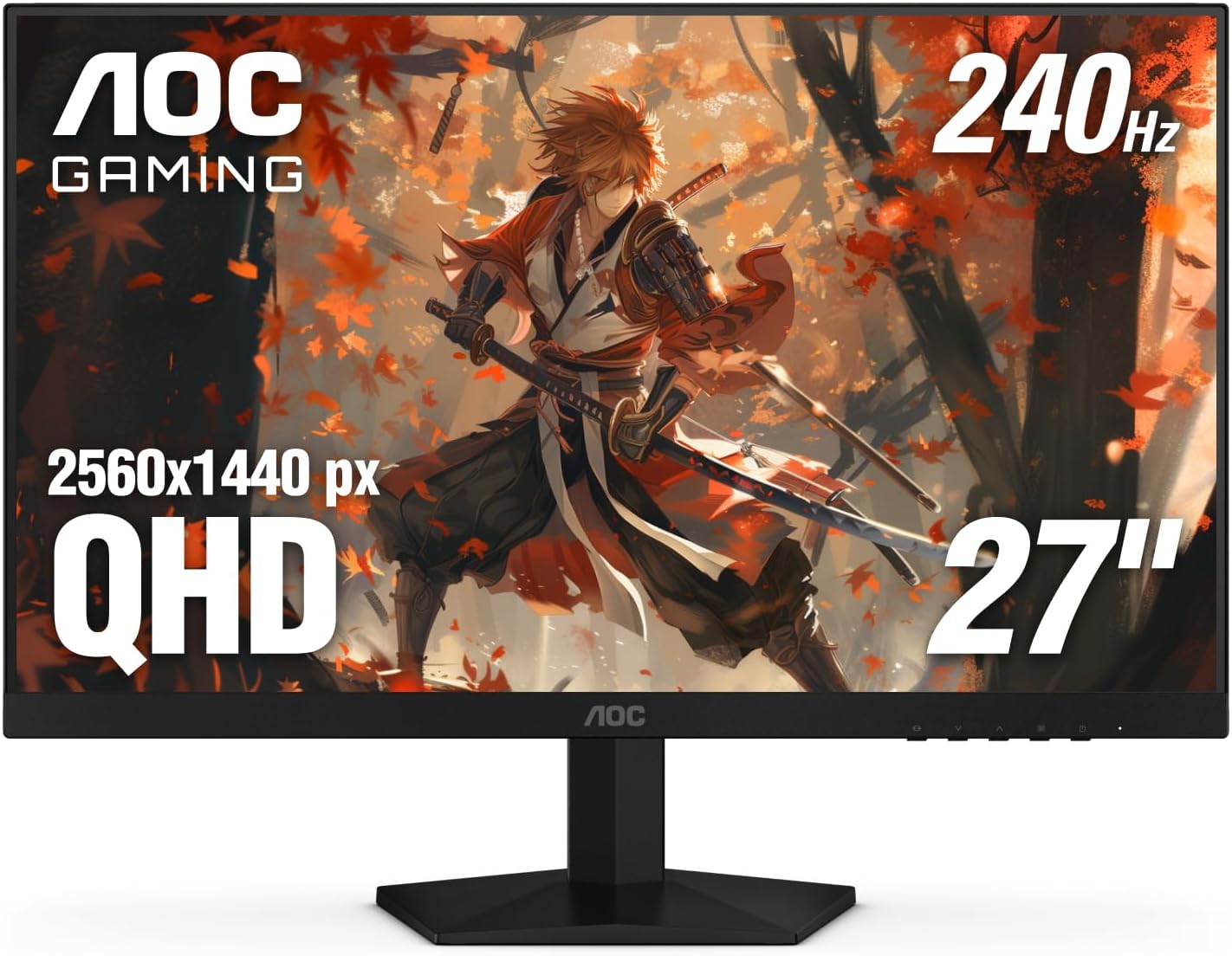
The AOC Gaming Q27G41ZE is a 27-inch QHD IPS monitor built for gamers who prioritize speed and clarity. With a native 240Hz refresh rate that can be overclocked to 260Hz and a 0.3ms MPRT response time, it targets competitive esports players, serious PC gamers, and streamers who need every frame to count. The QHD resolution (2560x1440) strikes a balance between sharpness and performance, making it a solid choice for both high-fidelity single-player games and fast multiplayer titles.
When it comes to real-world performance, this monitor delivers. The combination of high refresh rate and ultra-low response time minimizes motion blur and ghosting, which is crucial in fast-paced shooters like Valorant or Apex Legends. Adaptive-Sync technology (G-Sync compatible) keeps gameplay smooth and tear-free, working seamlessly with both NVIDIA and AMD GPUs. The IPS panel offers vibrant colors and solid viewing angles, so you won't lose image quality when leaning back or sharing your screen on stream.
Build quality is practical for a gaming setup. The three-sided frameless design reduces bezel distraction and makes multi-monitor arrays look clean. The stand only allows tilt adjustment (-3 to +21 degrees), which might be limiting for some users, but the 100x100mm VESA mount lets you swap in an arm or height-adjustable stand. The textured black and red finish gives it a sporty gaming look without being too over-the-top.
Setting up the monitor is straightforward: connect via DisplayPort 1.4 to unlock the full 240Hz refresh rate, since HDMI 2.0 caps at 144Hz. The on-screen display (OSD) is intuitive, with joystick navigation and quick shortcuts for gaming presets like FPS, RTS, and racing. Shadow Control brightens dark areas without washing out the whole image - a handy feature for spotting enemies in shadows. The monitor also includes a headphone jack for easy audio routing.
That said, there are some realistic limitations. The lack of height adjustment on the stock stand means you'll likely want an aftermarket monitor arm for ergonomic positioning, especially during long sessions. The glossy screen surface can also produce reflections if you have bright lights behind you. While the connectivity covers the basics (2x HDMI 2.0, 1x DisplayPort 1.4, audio out), it lacks USB ports or USB-C, which some users may miss for peripherals.
Overall, the AOC Gaming Q27G41ZE is a fantastic value for gamers who want high-refresh QHD performance without paying a premium. It's best suited for competitive gamers who use DisplayPort and either already have a monitor arm or don't mind the basic tilt stand. Streamers and content creators will appreciate the color accuracy and smooth motion for gameplay footage. If you're building a gaming PC on a budget or upgrading from 1080p, this monitor delivers where it matters most: speed, clarity, and responsiveness.


Pros
- High 180Hz refresh rate and 1ms response time deliver excellent motion clarity for competitive gaming.
- The 1000R curve provides an enveloping viewing experience that enhances immersion in games and movies.
- AMD FreeSync works well to prevent tearing, especially when frame rates fluctuate.
- Borderless design and slim profile look great on any desk and save space for cable management.
- Black Stabilizer and FPS counter are useful in-game tools for improving performance in dark environments.
Cons
- Stand only offers tilt adjustment, lacking height, swivel, or pivot options for ergonomic flexibility.
- Built-in speakers are not included, so you'll need external speakers or a headset for audio.
- The 1000R curve may be too aggressive for some users who prefer a flatter screen for productivity work.
The LG 27GS60QC-B Ultragear is a 27-inch QHD curved gaming monitor designed for PC gamers who want a balance of high performance and immersive visuals. With a 2560x1440 resolution, 180Hz refresh rate, and 1ms GtG response time, this monitor is well-suited for competitive esports titles like Valorant or Overwatch, as well as casual open-world games. The steep 1000R curvature wraps around your peripheral vision, making you feel more connected to the action, which is especially beneficial for racing and flight simulators.
This monitor is best for competitive gamers, streamers, and gaming setup builders who prioritize smooth motion and low input lag. The AMD FreeSync support helps eliminate screen tearing when paired with compatible GPUs, while the HDR10 and 99% sRGB color gamut deliver vibrant colors that enhance visual clarity. The borderless design on three sides reduces distractions and looks sleek in a multi-monitor configuration, whether you're streaming on Twitch or working from home.
In real-world gaming, the 180Hz refresh rate and 1ms response time provide a noticeable improvement in responsiveness compared to standard 60Hz or 144Hz monitors. Fast-paced sequences feel fluid, and the Black Stabilizer feature brightens dark areas without overexposing highlights, giving you an advantage in games like Call of Duty or Escape from Tarkov. The Dynamic Action Sync further reduces input lag, ensuring your actions register almost instantly.
Build quality is solid for a monitor in this price range. The plastic chassis feels sturdy, and the slim bezels give it a modern look. The stand is tilt-adjustable only, which might be a limitation if you need height or swivel adjustments for ergonomic comfort. However, the VESA mount compatibility (100x100mm) allows you to use an aftermarket arm or stand for better desk organization and cable management.
Setup is straightforward: connect via DisplayPort for the full 180Hz at QHD resolution, or use HDMI for 144Hz. The on-screen display (OSD) is easy to navigate with a joystick, and you can quickly switch between gaming modes like FPS or RTS. The lack of built-in speakers means you'll need headphones or external speakers, which is common among gaming monitors. Maintenance is minimal - just wipe the screen with a microfiber cloth.
A realistic limitation is the aggressive 1000R curve, which may not suit everyone, especially if you use the monitor for productivity tasks like photo editing or coding. Additionally, the stand's limited adjustability might require an aftermarket solution for optimal viewing angles. Overall, the LG 27GS60QC-B offers excellent value for PC gamers who want a high-refresh-rate QHD curved monitor without breaking the bank. It's a strong recommendation for competitive and casual gamers alike, particularly those building a dedicated gaming setup.
The LG 27GS60QC-B delivers a fluid gaming experience thanks to its 180Hz refresh rate and 1ms GtG response time. In fast-paced games like Apex Legends or Fortnite, motion blur is minimal, and transitions between frames are crisp. The AMD FreeSync compatibility ensures tear-free gameplay when frame rates vary, which is common in demanding titles. The Black Stabilizer feature enhances visibility in dark corners, giving you an edge in tactical shooters. Overall, this monitor performs well for both competitive and casual gaming sessions.
The 27-inch QHD (2560x1440) panel offers a sharp image with good pixel density for gaming and media consumption. The 1000R curvature creates an immersive viewing experience, though it may cause slight distortion for non-gaming tasks. With 99% sRGB coverage and HDR10 support, colors appear vibrant and lifelike, making games like Red Dead Redemption 2 or Cyberpunk 2077 look stunning. Brightness levels are adequate for indoor use, but the monitor lacks local dimming, so HDR performance is entry-level. For the price, the display quality is impressive.
The monitor features a virtually borderless design on three sides, which minimizes bezel distraction and looks clean in any setup. The stand is sturdy but only offers tilt adjustment (-5° to 15°), which may require an aftermarket arm for full ergonomic control. The back panel has a textured finish that resists fingerprints, and the ports are recessed for cleaner cable routing. VESA 100x100mm compatibility allows for easy mounting. Overall, the build quality is solid for a budget-friendly gaming monitor.
Frequently Asked Questions
Is 1440p better than 1080p for gaming?
Yes, 1440p offers significantly sharper image quality and more screen real estate than 1080p. The higher pixel density reduces pixelation, making text and game environments look cleaner. However, you need a capable graphics card to maintain high frame rates at this resolution.
What is the difference between IPS and VA panels?
IPS panels generally provide better color accuracy and wider viewing angles, which is ideal for creative work. VA panels offer deeper blacks and higher contrast ratios, making them suitable for dark-room gaming. Your choice depends on whether you prioritize color fidelity or contrast performance.
Do I need a high refresh rate for office work?
No, a standard 60Hz or 75Hz monitor is sufficient for most office tasks. Higher refresh rates like 144Hz or 240Hz are primarily beneficial for gaming and fast-scrolling content. For productivity, focus on resolution, text clarity, and ergonomic stand adjustability instead of speed.
Can I use these monitors with a console?
Yes, most of these monitors feature HDMI ports compatible with modern consoles. However, high refresh rates like 120Hz or 144Hz may require specific HDMI 2.1 support. Check the product specifications to ensure your console can output the desired resolution and frame rate.
How important is VESA mounting for a monitor?
VESA mounting allows you to attach the monitor to an arm or wall bracket. This is useful for saving desk space or adjusting height and angle precisely. It is a valuable feature for users who want a flexible and ergonomic workspace setup.


Write Your Review
No reviews yet. Be the first to share your experience!