


High VRAM capacity and system power matter
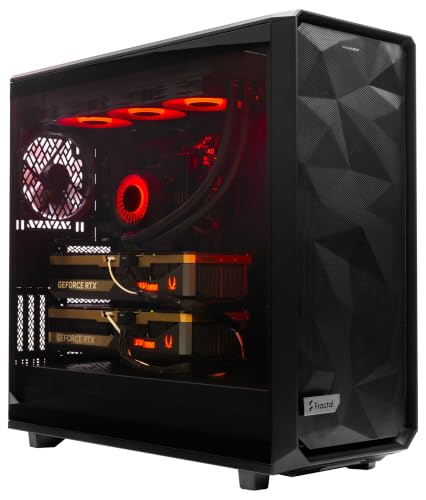
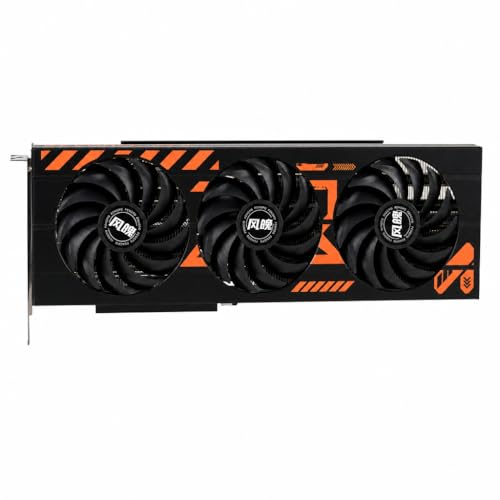
Large AI models, detailed 4K assets, and ray-traced games can push a graphics card hard, so VRAM capacity and a suitable power setup deserve attention before you buy. The best gpu servers with rtx 5090 in this roundup cover two very different approaches: a standalone triple-fan card for a custom desktop and a complete dual-GPU workstation. That distinction affects more than performance. The card requires you to check case clearance, motherboard support, cooling, and power connections, while the prebuilt system bundles its processor, memory, storage, liquid cooling, and power supply.
Based on the listed specifications, the ASUS card offers 32GB of GDDR7, a 512-bit memory interface, 28 Gbps memory, 21,760 CUDA cores, and 3,352 AI TOPS. It also lists DLSS 4, ray tracing, and five display outputs, although the stated maximum is up to four displays, so confirm the exact connection configuration for your setup. The ArsenalPC workstation pairs two RTX 5090 GPUs with 256GB of DDR5 memory, an 8TB NVMe drive, and a 1,600W power supply. Check the manufacturer’s full system and card dimensions, connector requirements, and cooling details before committing. For a broader look at graphics hardware, browse our graphics card picks for gaming builds and gaming CPU options.

FAQs
Is the ASUS RTX 5090 suitable for local AI inference?
Yes, its listed 32GB of GDDR7 and 3,352 AI TOPS are intended to support on-device AI workloads. Actual model size and performance depend on software, model configuration, and system setup, so check the memory requirements for your specific tools.
What power supply should I use with an RTX 5090?
Follow the card or system maker’s stated PSU guidance; the ASUS card’s recommended wattage and connector details aren’t provided here. The ArsenalPC system lists a 1,600W power supply, but confirm its configuration and cable connections before installation or operation.
Will the ASUS card fit in my PC case?
Confirm the card’s length, height, and slot thickness against your case before buying, since those dimensions aren’t supplied in the product details here. Also allow room for power cables and airflow; the included GPU holder may help support the card and reduce sag.
How many monitors can the ASUS card support?
The listing specifies three DisplayPort 2.1b outputs and two HDMI 2.1b outputs, with up to four displays and a maximum digital resolution of 7680 x 4320. Check the monitor connection and resolution requirements for your particular multi-display setup.
Is the dual-GPU ArsenalPC workstation a better choice than a single card?
It may suit workloads that can use two GPUs, but dual-GPU support depends on the applications and tasks you run. The system lists two RTX 5090 GPUs, 256GB DDR5, 8TB NVMe storage, liquid cooling, and Windows 11 Pro. Review the software requirements and workstation dimensions before purchase.
Does the ASUS card support DLSS and ray tracing?
Yes, the product listing names DLSS 4 and ray tracing support. DLSS features depend on supported games, and the performance benefit varies by title and settings, so verify compatibility with the games you play.
Should I choose a GPU card or a complete workstation?
Choose the ASUS card if you already have a compatible desktop and want to select the rest of your components. Choose the ArsenalPC workstation if its included dual GPUs, memory, storage, operating system, and power supply match your workload and budget. Compare system dimensions and application support before deciding.





Write Your Review
No reviews yet. Be the first to share your experience!