


Stuttering during open-world traversal often stems from a slow drive choking on asset streams. Modern gaming demands swift data delivery so your GPU never waits on background files. Upgrading your rig with the Best Ssd Upgrade For Gaming Laptop eliminates texture pop-in and launches heavy games quickly. After analyzing controller designs and PCIe bandwidth specs, choosing a drive with solid sustained read speeds ensures consistent frame pacing during competitive play. It is an easy way to revitalize your mobile setup without breaking the bank.
Thermal throttling in compact laptop enclosures can quickly degrade performance during marathon sessions. Pairing your drive with an efficient controller keeps operational temperatures stable under prolonged gaming loads. If you balance editing tasks with competitive matches, checking out a laptop for creators and gaming helps ensure your entire system stays balanced. Reliable storage gives your hardware instant asset access, keeping 1% low frame rates steady when the action heats up.

Pros
- Blazing fast read/write speeds significantly reduce game load times and improve system responsiveness.
- Large 4TB capacity offers plenty of room for AAA games, media, and projects.
- Enhanced power efficiency makes it suitable for battery-powered devices like gaming laptops and handhelds.
- Competitive pricing compared to other high-end 4TB Gen4 SSDs, offering great value.
Cons
- Software support (WD Dashboard) currently limited; some users report issues with the newer Kitfox utility.
- The 4TB model may run hotter under sustained heavy loads, though still within safe limits without a heatsink.
- No built-in cloning software included, requiring third-party tools for migration.
The WD_BLACK SN7100 is a Gen4 NVMe solid state drive designed for gamers, streamers, content creators, and anyone building a high-performance gaming PC or upgrading a laptop or handheld device. With capacities up to 4TB, this M.2 2280 SSD delivers the kind of speed and space that modern AAA games and creative projects demand.
Performance is where the SN7100 really shines. Sequential read speeds hit up to 7,000MB/s, and writes reach around 6,700MB/s on the 4TB model. That means games load in seconds, Windows boots in under six seconds according to user feedback, and large file transfers feel instant. Whether you're diving into an open-world RPG or editing 4K footage, the responsiveness is hard to beat. The PCIe Gen4 interface ensures you're getting near-max bandwidth for today's workloads.
One of the standout features is power efficiency. The SN7100 uses up to 100% less power than the previous generation, which makes it an excellent choice for gaming laptops and handhelds like the Lenovo Legion Go. Users report it runs cool even without a heatsink, staying around 30-40°C at idle and hitting about 60°C under load. That's impressive for a Gen4 drive and reduces the risk of thermal throttling during marathon gaming sessions.
Storage capacity is another major reason to consider this drive. 4TB gives you room for dozens of modern titles, plus all your DLC, captures, and streaming content. The TLC 3D NAND also offers high endurance at 2,400TBW, meaning the drive should outlast several system builds even with heavy daily use. For creative pros capturing gameplay or working with game engines, that's a reassuring spec.
Installation is straightforward - just insert the M.2 drive into an available slot and format it. The only minor catch is the software situation. The legacy WD Dashboard works for basic monitoring, but the newer Kitfox tool doesn't fully support the 4TB SN7100 yet. You'll need a third-party cloning utility if you're migrating from an old drive, but that's a one-time effort. Also, the drive doesn't include a heatsink, but many motherboards have built-in covers, and the drive runs cool enough to manage without one in most setups.
Overall, the WD_BLACK SN7100 4TB is a fantastic choice for serious gamers, streamers, and power users who want a large, fast, and efficient storage upgrade. It competes head-to-head with the Samsung 990 Pro and Crucial T500 while offering better power efficiency and a competitive price. If you need a high-capacity NVMe drive that balances speed, thermals, and reliability, this is a solid recommendation.

Pros
- Exceptional read/write speeds for the price – noticeably faster than SATA SSDs for game loading and file transfers.
- Includes required mounting hardware and a heat sink sticker, simplifying installation for first-time builders.
- Low power consumption and silent operation ideal for all-day gaming or streaming rigs.
- Solid 200 TBW endurance rating suitable for typical gaming and daily use over several years.
- 3-year warranty offers decent coverage for a budget NVMe drive.
Cons
- 256GB capacity may fill quickly with modern AAA games – best used as a boot drive or for a few titles.
- PCIe Gen3 interface limits peak performance compared to Gen4 drives on compatible motherboards.
- Brand is less established than competitors like Samsung or WD, which might affect long-term trust for some buyers.
The Fanxiang S500 Pro 256GB NVMe SSD is an internal solid-state drive designed to upgrade the storage performance of gaming PCs, laptops, and all-in-one systems. Using the M.2 2280 form factor and PCIe Gen3x4 interface, it brings NVMe speeds to budget-conscious gamers who want faster boot times and quicker game loads without breaking the bank.
This SSD is best suited for PC gamers, casual gamers, and college gamers who need a responsive boot drive or a secondary drive for a few favorite titles. Esports players and streamers may also benefit from the reduced load times in competitive games like Valorant or Fortnite, though the 256GB capacity means careful storage management is necessary. Content creators working with large media files might find the write speeds adequate for daily tasks, but those handling 4K video may want a larger, faster drive.
In real-world use, the S500 Pro delivers read speeds up to 3200MB/s and write speeds around 1000MB/s (based on the 256GB model). This translates to Windows booting in about 10 seconds and game levels loading significantly faster than a typical SATA SSD or hard drive. The SLC cache technology helps maintain burst performance during file transfers, while the 3D NAND TLC particles ensure decent endurance (200 TBW) for years of everyday gaming and productivity.
Build quality is practical for a budget drive. It includes a graphite heat dissipation sticker to keep temperatures in check during sustained reads/writes, which is helpful in compact gaming cases or laptops with limited airflow. The drive is lightweight and fanless, so it adds no noise to your setup. Installation is straightforward: just plug it into an M.2 slot, secure it with the included screw, and format it in Disk Management. The package also contains a small screwdriver, which is a nice touch for first-time builders.
One limitation is the 256GB capacity. After formatting, you get roughly 238GB usable space, which might hold Windows 11 and a couple of large games (like Call of Duty or Cyberpunk 2077). For users with larger game libraries, the 512GB or 1TB variants would be more practical. Additionally, being a Gen3 drive, it won't reach the speeds of newer Gen4 SSDs on compatible motherboards, but for most gaming and general use, the difference is marginal.
Overall, the Fanxiang S500 Pro 256GB NVMe SSD is a reliable, cost-effective upgrade for anyone wanting to breathe new life into an older gaming PC or build a budget-focused system. Its fast boot times, quiet operation, and included mounting gear make it a convenient choice for gamers, streamers, and home-office users who need snappy performance on a tight budget.

Pros
- Unmatched sequential read/write speeds for gaming and productivity
- Large 4TB capacity reduces need for multiple drives
- Efficient power consumption and thermal management
- Samsung Magician software provides useful tools
- Compatible with most modern motherboards with M.2 slot
Cons
- Premium price point compared to PCIe 4.0 SSDs
- Requires PCIe 5.0 support for full speed; may not be necessary for all gamers
- Heatsink may be needed for sustained performance, though included in some versions
The Samsung 9100 PRO 4TB is a PCIe 5.0 NVMe solid state drive designed for gamers, content creators, and professionals who need top-tier storage performance. With sequential read speeds up to 14,800 MB/s and write speeds up to 13,400 MB/s, it doubles the performance of the previous generation 990 PRO. This drive is ideal for PC gamers who want the fastest game load times, streamers who need quick access to large files, and anyone building a high-end gaming rig or workstation.
For gaming, this SSD dramatically reduces level loading times in open-world titles like Cyberpunk 2077 or Red Dead Redemption 2. Texture streaming becomes nearly instantaneous, eliminating stutter and pop-in during fast-paced gameplay. The random read/write performance of up to 2,200K/2,600K IOPS ensures that multitasking - like running a game while streaming or having Discord open - feels smooth and responsive.
Samsung's build quality is top-notch. The 9100 PRO uses a 5nm controller that improves power efficiency by up to 49% over the 990 PRO, and advanced thermal control keeps the drive cool even during sustained writes. The drive is available with or without a heatsink option, making it compatible with both laptops and desktops. Samsung's Magician software provides easy firmware updates, drive health monitoring, and encryption features.
Installation is straightforward thanks to the standard M.2 2280 form factor. Just plug it into a PCIe 5.0 slot on your motherboard to get maximum speeds. It's also backward compatible with PCIe 4.0 and 3.0, though at reduced speeds. The Magician software makes maintenance simple, with automated updates and performance optimization tools.
One realistic limitation is the price - this is a premium SSD that costs more than PCIe 4.0 alternatives. Additionally, to get the full 14,800 MB/s read speed, you need a system that supports PCIe 5.0. If you're on an older platform, you won't see the maximum performance. However, for those building a new high-end gaming PC or workstation, the 9100 PRO offers future-proof performance that will handle the most demanding games and applications for years to come.
Overall, the Samsung 9100 PRO 4TB is an excellent choice for PC gamers who want the fastest storage available. It's especially suited for competitive gamers who need every millisecond advantage, content creators working with 4K/8K video, and anyone who wants a seamless, lag-free experience. While it's an investment, the combination of speed, capacity, and reliability makes it a top-tier addition to any gaming setup.

Pros
- Excellent read speeds for snappy game loading and system boot times
- Good thermal management with graphene sticker, no throttling under load
- Affordable price point for Gen 4 performance, great value upgrade
- PS5 compatibility out of the box - expand console storage easily
- Compact M.2 2280 form factor fits most modern motherboards and laptops
Cons
- Write speeds (up to 2900MB/s) may be slower than top-tier Gen 4 drives
- No dedicated heatsink included - relying on motherboard or additional cooling for sustained heavy workloads
- Limited to PCIe 4.0 systems; older PCIe 3.0 systems will still work but at reduced speeds
The Fikwot FX660 1TB M.2 SSD is a PCIe Gen 4x4 NVMe internal drive designed to give your gaming PC, laptop, or PS5 a major speed boost. With read speeds up to 4800MB/s and write speeds up to 2900MB/s, it's a solid step up from older SATA SSDs or PCIe 3.0 drives. The dynamic SLC cache helps maintain consistent performance during heavy file transfers or when loading large game worlds, making it a practical choice for gamers who want quicker load times and smoother multitasking.
This drive is best suited for PC gamers, competitive players, streamers, and content creators who need reliable storage for modern games and creative projects. It's also an excellent option for PS5 owners looking to expand their console storage - the FX660 is fully compatible and easy to install. Casual gamers and college gamers will appreciate the balance of speed and affordability, while esports players can benefit from faster map loading and reduced stutter in fast-paced titles.
Real-world performance is where the FX660 shines. Based on user feedback and product specs, game loading times drop significantly - think seconds instead of minutes for open-world titles. File transfers feel snappy, and system boot times are cut down noticeably. The graphene heat dissipation sticker helps keep temperatures in check during long gaming sessions, preventing thermal throttling that can slow down older drives. For streaming and content creation, the drive handles large video files and multitasking without hiccups, though writes may not be as fast as premium Gen 4 drives like the Samsung 990 Pro.
Build quality is solid for a budget-friendly NVMe drive. The M.2 2280 form factor fits standard slots, and the included screws and screwdriver make installation straightforward. The graphene sticker is already applied, so you don't need to fuss with extra thermal pads. However, if you're pushing the drive with sustained heavy workloads (like constant 4K video editing), you might want additional airflow or a heatsink from your motherboard. The drive's intelligent management system automatically adjusts power and temperature, which is a nice touch for laptop users who care about battery life.
One realistic limitation is that the write speed (2900MB/s) is lower than the best Gen 4 drives, but for most gamers and even many content creators, that's still plenty fast. The drive is also limited to PCIe 4.0 bandwidth, so if you're on an older system with PCIe 3.0, you'll get around half the speed (still faster than any SATA drive). No major software is required - it's plug-and-play on Windows 10/11 and PS5, though you may want to update firmware via Fikwot's site if needed.
Overall, the Fikwot FX660 is a reliable, performance-oriented storage upgrade that won't break the bank. It's a great fit for gamers upgrading their rig, PS5 owners expanding storage, or anyone building a new budget-to-midrange gaming PC. If you need top-tier sequential writes or a built-in heatsink, you might look at pricier options, but for everyday gaming, streaming, and productivity, this drive delivers excellent value. It's a smart choice for anyone who wants faster load times and smooth gameplay without overspending.
The Fikwot FX660 is fully compatible with the PlayStation 5 console, allowing you to expand your storage for more games. Installation is simple: just remove the PS5's side panel, insert the M.2 drive into the internal slot, and secure it with the included screw. The console will detect the drive and prompt you to format it. User reviews confirm that the drive works flawlessly with PS5, providing fast loading speeds for AAA titles. The graphene heatsink sticker helps keep temperatures within PS5's requirements, though Sony recommends using a drive with a heatsink for optimal airflow. Many users found the included sticker sufficient for normal use, but if you're concerned, you can add a third-party heatsink. Overall, it's a cost-effective way to double or triple your PS5 storage.

Pros
- Affordable 512GB SSD that significantly improves boot times and game loading compared to traditional HDDs
- Compact, lightweight design fits easily into 2.5-inch drive bays in desktops and laptops without adapters
- Broad OS compatibility across Windows, Linux, and Mac makes it flexible for multi-platform users
- Durable shock-resistant build with low heat output, suitable for portable and stationary setups
- Lifetime technology support included for peace of mind on a budget storage purchase
Cons
- SATA III interface maxes out around 550MB/s, which is noticeably slower than NVMe M.2 drives for large file transfers
- 512GB fills up quickly if you're installing multiple AAA games alongside your operating system and apps
- Lesser-known brand may not have the same long-term track record as established SSD manufacturers like Samsung or Crucial
The RAOYI 512GB is a 2.5-inch SATA III internal solid state drive designed as a straightforward storage upgrade for desktops, laptops, and budget gaming PCs. It uses 3D NAND flash memory and supports sequential read speeds up to 550MB/s and write speeds up to 500MB/s. If you're still running a mechanical hard drive or an aging SSD, swapping in this drive can make a noticeable difference in how quickly your system boots, how fast your games load, and how responsive your PC feels during general use.
This SSD is best suited for casual gamers, budget PC builders, college gamers working with limited funds, and work-from-home users who need a reliable storage boost without spending a lot. It's also a solid pick for anyone building a secondary gaming rig, upgrading an older laptop, or adding a dedicated game drive to a desktop that already has an NVMe boot drive. Competitive and esports players who need the absolute fastest load times may want to look at NVMe options, but for the majority of gamers running SATA-based systems, this drive delivers a meaningful performance improvement.
From a real-world gaming perspective, the jump from an HDD to any decent SSD is one of the most impactful upgrades you can make. Faster texture streaming, quicker level loads, and snappier OS performance are all benefits you'll notice right away. The RAOYI X12 series won't match the multi-gigabyte-per-second speeds of a PCIe Gen 4 NVMe drive, but SATA III speeds are still more than adequate for loading games, running Discord, streaming software, and handling everyday multitasking. For titles that don't require DirectStorage, SATA SSD performance is perfectly fine.
Build quality appears solid for the price point. The ABS plastic casing keeps the drive lightweight (under 2 ounces) and provides decent shock resistance, which is especially useful if you're installing it in a laptop you carry around campus or between rooms. Low power consumption is another practical benefit, helping preserve battery life on portable setups. The slim 0.27-inch profile means it'll fit standard 2.5-inch drive bays without any issues, and installation is as simple as connecting a SATA data cable and a SATA power cable from your PSU.
Setup couldn't be easier. There's no proprietary software to install, no drivers to download. Just mount the drive, format it through your OS disk management tool, and you're ready to go. If you're cloning your existing drive, free cloning software from various third-party providers works well with standard SATA drives like this one. Cable management is straightforward since it uses the same SATA connectors you'd find on any traditional hard drive. The product description also mentions that CrystalDiskMark is recommended for accurate speed testing, which is a nice transparency touch.
The main limitations here are capacity and interface speed. At 512GB, you'll want to be selective about which games you keep installed, especially with modern AAA titles regularly exceeding 80-100GB each. And while SATA III is perfectly capable, it's worth knowing you're capped at around 550MB/s, a fraction of what NVMe drives offer. If your motherboard supports M.2 NVMe, you might want to consider that route for your primary boot drive. That said, for the price, the RAOYI 512GB SSD is a practical and affordable upgrade that many budget-conscious gamers, streamers running secondary rigs, and everyday PC users will appreciate. It's a smart buy if you're looking to breathe new life into an older system without breaking the bank.
For gaming, the RAOYI 512GB SSD offers a substantial upgrade over any mechanical hard drive. Game load times drop significantly, and you'll notice smoother texture streaming in open-world titles where the drive needs to pull assets quickly. Competitive multiplayer games like Valorant, CS2, and Apex Legends will load maps faster, getting you into matches sooner. While NVMe drives are technically faster on paper, most current games don't take full advantage of those extra speeds, making a SATA SSD like this one a practical choice for the majority of gaming scenarios.
The 512GB capacity is enough to hold your operating system plus several games, but you'll need to manage your library if you play a lot of large titles. Pairing this drive with a larger HDD for media storage or less-played games is a common and effective strategy for budget builds. Overall, it's a reliable gaming storage solution that delivers where it counts: faster loads, better responsiveness, and a smoother day-to-day experience.
The RAOYI 512GB SSD uses the standard 2.5-inch SATA III form factor, which means it's compatible with virtually any desktop or laptop that has a SATA port. It's backward compatible with SATA 2.0 and SATA 1.0 interfaces, so even older systems can benefit from the upgrade, though speeds will be limited by the older interface. OS support covers Windows, Linux, and Mac OS, giving you flexibility across platforms.
For desktop builds, you'll need a 2.5-inch drive bay or a 2.5-to-3.5-inch adapter bracket (not included) if your case only has 3.5-inch bays. Most modern PC cases include dedicated SSD mounting points, so this shouldn't be an issue for newer builds. Laptop users can typically swap out an existing 2.5-inch drive directly. Just make sure your laptop doesn't exclusively use an M.2 slot, as this drive requires a standard SATA connection.
The RAOYI X12 series SSD features an ABS plastic casing that keeps the drive extremely lightweight while offering reasonable durability. At just 1.76 ounces, it adds virtually no weight to your build, which is especially appreciated in laptop upgrades. The shock-resistant design means it handles bumps and movement far better than any mechanical drive, making it a safer choice for portable setups.
Heat dissipation is generally not a major concern with SATA SSDs since they produce far less heat than NVMe drives. The RAOYI 512GB should run cool even during extended gaming sessions or large file transfers. There are no heatsinks to worry about, and the low power draw means it won't stress your PSU or generate unnecessary heat inside your case. It's a simple, no-fuss component that does its job reliably.

Pros
- Exceptional Gen4 read/write speeds dramatically reduce game load times and system boot time
- Works seamlessly in both PCs and handheld gaming consoles, offering versatile storage expansion
- Reliable build and thermal management keep performance consistent without overheating
- Included Acronis software simplifies migrating data from an old drive
- Competitive price point for the performance and capacity offered
Cons
- Does not include a heatsink in the standard version, so high-end desktops may require separate thermal solution
- Some users report the drive can get warm under heavy sustained writes, best used with board heatsinks
- 1TB capacity may fill quickly if storing many large AAA games and media files simultaneously
The Crucial P310 1TB SSD is a high-performance internal solid-state drive designed to accelerate gaming, streaming, and everyday computing. As a PCIe Gen4 NVMe M.2 2280 drive, it offers sequential read speeds up to 7,100MB/s and write speeds up to 6,000MB/s, making it ideal for PC gamers who want faster bootups, quicker game loads, and smoother multitasking. It also fits perfectly into gaming handhelds like the ROG Ally X, Lenovo Legion Go, and AYANEO Kun, giving console gamers a quick storage upgrade.
This drive is best suited for competitive gamers, casual gamers, esports players, streamers, content creators, and gaming setup builders who demand responsive storage without bottlenecks. Whether you're loading into a Call of Duty match, editing 4K video, or booting up Windows, the P310 delivers noticeable improvements over older SATA or Gen3 NVMe drives. According to user feedback, real-world load times for games and applications feel snappy, and the drive handles large file transfers very well over high-speed networks.
Build quality is solid, thanks to Crucial's use of advanced G8 NAND and thermal control. The drive stays cool during normal use, though in some desktop builds without motherboard heatsinks, sustained writes may push temperatures higher. The M.2 2280 form factor fits neatly into most laptop, desktop, and mini-PC slots, and installation is straightforward. The bundled Acronis True Image software offer simplifies cloning your old drive, making the upgrade hassle-free.
The P310 is backward compatible with PCIe Gen3 systems, so it works in older PCs while still providing Gen3-level speeds (around 3.5GB/s read). For those with Gen4-capable motherboards, it unlocks the full potential. The drive also supports power efficiency, which helps extend battery life in laptops and handhelds. No RGB lighting is included, but that's typical for an internal SSD and won't affect your setup's aesthetics.
A realistic limitation is that the standard version lacks a heatsink. If you're building a high-performance desktop or plan to run heavy workloads, pairing it with a motherboard heatsink or aftermarket cooler is wise. The 1TB capacity is generous for most users, but hardcore gamers with many large titles may want the 2TB or 4TB versions. Also, the drive doesn't include a mounting screw in the box, so ensure your motherboard has one ready.
For PC gamers, streamers, and enthusiasts building a new rig or upgrading an existing one, the Crucial P310 1TB SSD offers a strong balance of speed, capacity, and reliability at a competitive price. It's especially appealing if you also use a handheld gaming console and want one drive across platforms. Backed by Micron's manufacturing quality and thousands of positive user ratings, it's a trustworthy choice for any gaming-focused storage need.

Pros
- Excellent CPU and RAM combination for gaming and productivity under $700
- Fast 100W USB-C charging and versatile ports (4x USB 3.0, USB-C) for peripherals
- Solid metal build and backlit keyboard add premium feel without the premium price
- Large 1TB SSD offers plenty of space for game libraries and creative projects
- Integrated fingerprint reader provides quick, secure login for daily use
Cons
- Integrated Radeon 680M graphics limit high-settings AAA gaming and intensive rendering tasks
- Battery life around 9 hours during light use, but real-world gaming will drain it faster
- Upgradability may be limited; RAM is likely soldered and only one M.2 slot may be available
The NIMO 15.6" Light-Gaming-Laptop (model N15A) is a budget-friendly portable workstation that doubles as a capable entry-level gaming machine. Powered by an AMD Ryzen 7 Pro 6850U with 8 cores and 16 threads, it handles everyday multitasking and light gaming with ease. With 32GB of LPDDR5 RAM and a 1TB NVMe SSD, this machine is built to keep up with modern workloads without breaking the bank.
For PC gamers focused on esports and older or less demanding titles, the integrated AMD Radeon 680M graphics deliver solid performance. You can expect smooth 60+ FPS in games like Fortnite, Valorant, and Rocket League at medium settings. Streamers and content creators will appreciate the fast storage and ample RAM for basic video editing or light streaming, though the integrated GPU will struggle with more graphically intense rendering or 4K workflows.
The laptop features a durable metal chassis that feels more premium than its price suggests. The full-size backlit keyboard is comfortable for long typing sessions, and the precision touchpad includes a fingerprint reader for instant, secure login. Connectivity is robust with four USB 3.0 ports, one USB-C (with 100W PD fast charging), and HDMI for an external monitor. The 15.6" FHD IPS anti-glare display offers decent color and clarity, making it suitable for both gaming and media consumption.
Setting up the NIMO laptop is straightforward with Windows 11 pre-installed. The 100W USB-C charger is compact and can also power your phone or tablet, reducing cable clutter on your desk. Maintenance is minimal, but note that the RAM may be soldered and the storage may have only one M.2 slot, so plan accordingly if you anticipate upgrades. The battery life of roughly 9 hours under light use is adequate, but gaming sessions will require a plug-in.
Overall, the NIMO 15.6" Light-Gaming-Laptop is a solid choice for college gamers, work-from-home professionals, and casual PC enthusiasts who need a portable rig without spending a fortune. It won't replace a dedicated gaming desktop or high-end gaming laptop, but for its price, it offers a balanced blend of performance, build quality, and convenience. If you're looking for a versatile daily driver that can handle some light gaming on the side, this laptop deserves a spot on your shortlist.
While not a hardcore gaming machine, the NIMO N15A holds its own in the light-to-casual gaming space. The AMD Ryzen 7 Pro 6850U combined with Radeon 680M integrated graphics can run popular esports titles at stable frame rates. In less demanding games like Minecraft, League of Legends, or CS:GO, you can expect decent performance at medium to high settings. Heavier modern AAA titles like Cyberpunk 2077 will require significant resolution and detail reductions, making the laptop better suited for less graphically intensive experiences.
The 15.6" FHD IPS display provides clear visuals with adequate brightness for indoor use. While the 60Hz refresh rate is standard, it's fine for the types of games this laptop can comfortably handle. Input response feels snappy thanks to the high-speed RAM and SSD, and the backlit keyboard is responsive enough for gaming use. For casual gamers and those on a budget who want to dip into PC gaming, this laptop offers a practical entry point.
The NIMO 15.6" Light-Gaming-Laptop features a full metal chassis that gives it a sturdy, premium feel despite its affordable price. The slim profile (0.76 inches) and weight of 3.75 pounds make it highly portable for students or remote workers. The hinge feels solid, and the keyboard deck shows minimal flex. The backlit keyboard is spill-resistant and comfortable for extended typing, while the integrated fingerprint reader on the touchpad adds a layer of security and convenience. Overall, the build quality exceeds expectations for the price point and should hold up well to daily use and travel.

Pros
- Extreme sequential and random speeds for the fastest game and application loading.
- Massive 8TB capacity fits the biggest game libraries and creative projects.
- Excellent power efficiency and thermal management for sustained performance.
- Trusted Samsung reliability with in-house components and Magician software support.
Cons
- Requires a PCIe 5.0 motherboard and CPU to achieve full speeds.
- Premium pricing may be overkill for casual gamers or budget builds.
- Heatsink is required for optimal performance, though an option is available.
The Samsung SSD 9100 PRO 8TB is an internal M.2 NVMe solid state drive designed for the highest-performance PC builds. It uses the PCIe 5.0 x4 interface to deliver sequential read speeds up to 14,800MB/s and writes up to 13,400MB/s – roughly twice as fast as Samsung's own 990 PRO. This makes it an ideal storage solution for PC gamers, competitive esports players, streamers, and content creators who demand zero compromise on load times and multitasking.
In real-world gaming scenarios, the 9100 PRO dramatically reduces level loading in open-world titles like Cyberpunk 2077 or Starfield, and eliminates stuttering in texture streaming. For streamers and video editors, moving 4K or 8K footage happens almost instantly, and the massive 8TB capacity means keeping every game installed alongside years of project files. The random read/write performance (up to 2,200K/2,600K IOPS) also helps with AI workloads, heavy multitasking, and running virtual machines without lag.
Build quality is top-notch – Samsung uses their own in-house NAND and DRAM, and the 5nm controller improves power efficiency by up to 49% over the 990 PRO. This means less heat output during intense use, and the included heatsink option (available on certain models) helps maintain sustained speeds without throttling. The drive itself is lightweight (0.32 ounces) and conforms to the standard M.2 2280 form factor, so it fits most desktop and laptop motherboards supporting PCIe 5.0.
Setup is straightforward: simply insert the M.2 drive into an available PCIe 5.0 slot, secure it with the screw, and install the heatsink if needed. Samsung Magician software then provides easy firmware updates, drive health monitoring, and encryption management. The drive's connectivity is NVMe 2.0, and it's compatible with both PC and laptop platforms that have Gen5 support.
A realistic limitation is the requirement for a PCIe 5.0 capable motherboard and CPU (like AMD Ryzen 7000 series or Intel 12th/13th/14th Gen). If your system only supports Gen4, the drive will still work but at reduced speeds. Additionally, the 8TB model comes at a premium price, so it's best suited for users who genuinely need the capacity and speed – competitive gamers, professional content creators, or anyone building a high-end workstation.
Overall, the Samsung SSD 9100 PRO 8TB is an excellent choice for PC gamers, streaming enthusiasts, and creative professionals who want the fastest storage available. It excels in reducing load times, handling massive file transfers, and providing long-term reliability. If you're building a top-tier gaming PC or a heavy-duty workstation and have the budget, this drive delivers performance that matches the hype.
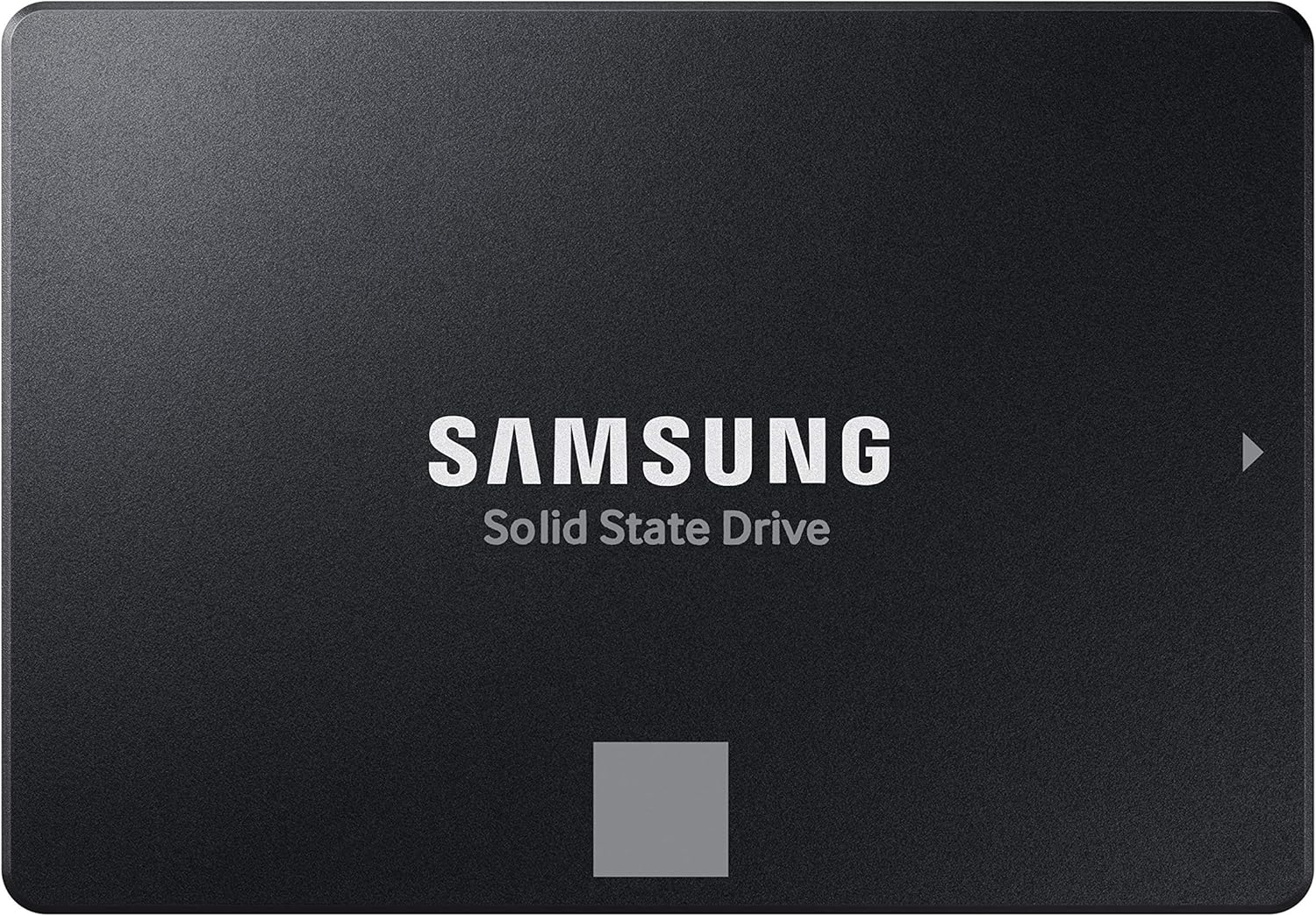
Pros
- Exceptional sequential read/write speeds maximize SATA III performance
- High endurance rating (600 TBW) and 5-year warranty for peace of mind
- Easy installation with migration software and Magician 6 dashboard tools
- Wide compatibility with PCs, laptops, NAS, and recording devices
Cons
- Limited to SATA III interface; cannot match NVMe speeds for PCIe 4.0 systems
- Premium price compared to budget SATA SSDs from lesser-known brands
- Some users may prefer a larger capacity or NVMe for high-end gaming builds
The Samsung 870 EVO 1TB SATA III internal solid state drive is a reliable and high-performance storage upgrade designed for PC gamers, streamers, content creators, and everyday users who want faster load times and smoother multitasking. As a 2.5-inch SATA SSD, it fits perfectly into desktop towers and older laptops, offering an easy path to breathe new life into existing gaming rigs or workstations.
This drive is best suited for gamers who prioritize boot speed and game loading over absolute sequential throughput, as well as esports players, casual gamers, and streamers running multiple applications. Content creators handling large media files will appreciate the consistently high write speeds driven by Samsung's Intelligent TurboWrite technology, which maintains a larger variable buffer for sustained performance. The 870 EVO also appeals to college gamers and work-from-home users looking for an affordable yet dependable storage upgrade.
In real-world use, the 870 EVO delivers sequential reads up to 560 MB/s and writes up to 530 MB/s, effectively maxing out the SATA III interface. This translates to Windows boot times under 10 seconds, faster level loads in open-world games, and snappier response when switching between apps during a Twitch stream. For competitive gaming, the reduced latency compared to a traditional hard drive gives a subtle but noticeable edge in fast-paced titles like FPS and MOBA games. While not as blazing as NVMe, the 870 EVO offers more than enough speed for the vast majority of gaming scenarios.
Build quality is top-notch, featuring Samsung's own V-NAND and DRAM components, along with AES 256-bit encryption for data security. The drive is rated for up to 600 TBW under a 5-year limited warranty, underscoring its reliability for heavy gaming loads and content creation tasks. The included Samsung Magician 6 software provides easy drive health monitoring, firmware updates, and performance optimization, making maintenance straightforward. The migration software simplifies cloning an existing drive, so even less tech-savvy users can upgrade with minimal hassle.
Setup is as simple as plugging the 2.5-inch SSD into an available SATA port and power cable, then cloning or installing the operating system. The drive's slim 0.27-inch profile fits easily in most desktop cases and laptops, and cable management remains clean with standard SATA cables. No special tools or brackets are required for a typical desktop build, though some laptops may need an adapter for the 7mm thickness. Once installed, the SSD runs silently and generates no vibration, improving overall gaming comfort.
One limitation is that the 870 EVO is SATA III, so users with modern motherboards supporting NVMe may prefer a faster M.2 PCIe option for maximum performance. Additionally, the price is higher than some competing SATA SSDs from lesser-known brands, but the reliability and long warranty justify the premium for serious gamers and streamers. Overall, the Samsung 870 EVO 1TB is a solid investment for anyone building or upgrading a gaming PC, offering dependable speed, exceptional durability, and easy integration into a wide range of setups. It's a safe choice for gamers who need a balanced mix of performance and value.

Pros
- Incredible read/write speeds significantly reduce game load times and improve system responsiveness
- Excellent thermal management with nickel-coated controller prevents throttling during intense gaming
- Broad compatibility with both PCIe 4.0 and 5.0 systems offers future-proofing for new builds
- Samsung Magician software makes drive maintenance and firmware updates simple and user-friendly
Cons
- Premium pricing compared to some PCIe 4.0 SSDs may not fit all budgets
- Requires a compatible M.2 slot (PCIe 4.0 or 5.0) to achieve full advertised speeds
- Some users may prefer a heatsink for sustained heavy workloads, though the nickel coating helps
The Samsung 990 EVO Plus SSD 2TB is a high-performance internal solid-state drive designed for PC gamers, competitive gamers, esports players, streamers, content creators, and gaming setup builders who demand fast load times and reliable storage. With sequential read speeds up to 7,250 MB/s and write speeds up to 6,300 MB/s, this M.2 2280 drive leverages PCIe Gen 4x4 and Gen 5x2 interfaces to deliver exceptional bandwidth for gaming, large file transfers, and multitasking.
For PC gamers, the 990 EVO Plus means quicker game launches, reduced level loading, and smoother texture streaming in open-world titles like Cyberpunk 2077 or Call of Duty. Competitive gamers will appreciate the low latency and fast data access, which can shave seconds off respawn times and keep you in the action. Streamers and content creators benefit from the Intelligent TurboWrite 2.0 technology, which accelerates large file writes for video editing, rendering, and simultaneous streaming without hiccups.
Build quality is top-notch, featuring Samsung's latest NAND memory and a nickel-coated controller that improves thermal efficiency. This helps maintain consistent performance during long gaming sessions or heavy workloads without overheating. The drive also supports HMB (Host Memory Buffer) technology, which uses system RAM to boost performance without needing dedicated DRAM, reducing power consumption and keeping your gaming rig cool.
Setup is straightforward: the M.2 2280 form factor fits into compatible slots on most modern motherboards and laptops. Samsung Magician software simplifies firmware updates, drive health monitoring, and performance optimization, making maintenance easy even for less tech-savvy users. The drive's compact size also helps with cable management in tight gaming cases or small-form-factor builds.
One realistic limitation is the price point, which is higher than some PCIe 4.0 SSDs. However, the combination of Gen 5x2 compatibility and top-tier speeds justifies the investment for users who want future-proofing and maximum performance. Some users may also want an aftermarket heatsink for sustained heavy workloads, though the nickel coating handles typical gaming and content creation well.
Overall, the Samsung 990 EVO Plus SSD 2TB is an excellent choice for PC gamers, streamers, and content creators who need fast, reliable storage for their gaming setups or workstations. It's particularly well-suited for those building a high-end gaming PC, upgrading a laptop for faster load times, or managing large media libraries. If you prioritize speed, thermal efficiency, and long-term reliability, this drive is a solid investment.
Frequently Asked Questions
Will upgrading an SSD void my gaming laptop warranty?
No, upgrading internal storage generally does not void your laptop warranty provided you avoid damaging other internal hardware. Most brands offer access to M.2 slots via removable bottom panels. Follow proper anti-static precautions and review manufacturer guidelines before opening the case. Retain the original drive in case you need official support.
Can a faster NVMe SSD increase in-game FPS?
No, a faster drive will not directly raise maximum frame rates produced by your graphics card. It does, however, sharply cut level loading screens and eliminate micro-stutters caused by asset streaming. Fast data throughput ensures game assets load smoothly into memory without hitching during gameplay.
How do I know if an M.2 SSD fits my gaming notebook?
Check your notebook manual for the supported M.2 size, which is commonly the standard 2280 form factor. While many systems take dual-sided drives, compact builds often require single-sided cards to fit properly over thermal pads. If you use a machine like an ASUS TUF gaming laptop, confirming PCIe Gen4 compatibility ensures optimal throughput.
Do PCIe Gen5 SSDs run too hot for laptop chassis?
Yes, PCIe 5.0 drives can generate intense heat under prolonged write sessions and risk thermal throttling in tight laptop compartments. Many players choose efficient Gen4 models when outfitting a thin gaming laptop under 1000 to maintain sustained performance without excess heat.
Is a 1TB SSD large enough for modern gaming in 2026?
A 1TB drive holds your operating system alongside three to four modern AAA titles, but 2TB offers far better longevity. Many blockbuster releases now exceed 100GB after updates and high-res texture packs. Picking the Best Ssd Upgrade For Gaming Laptop with at least 2TB capacity prevents frequent uninstalls and keeps your favorite games ready.







Write Your Review
No reviews yet. Be the first to share your experience!