


Buying a laptop with 64gb ram laptop capacity often comes with a tricky catch. Many modern machines, especially slim gaming models, use soldered memory that cannot be upgraded later. This means you must get the capacity right from the start. If you run heavy virtual machines, large 3D projects, or dozens of browser tabs, standard 16GB or 32GB setups might bottleneck your workflow. Understanding the difference between upgradeable SODIMM slots and fixed onboard memory is critical before you commit to a purchase.
We analyzed the specifications of five popular models to help you navigate this decision. These options range from business workstations to high-end gaming rigs. Each offers distinct advantages in terms of processor pairing, display quality, and connectivity. By focusing on the listed hardware details, you can identify which configuration aligns with your specific productivity or creative demands. This guide breaks down the key features to ensure you avoid common compatibility pitfalls.



FAQs About 64GB RAM Laptops
Can I upgrade the RAM later?
It depends on the specific model. The Razer Blade 16 uses non-upgradeable LPDDR5X memory, so you must buy the full capacity upfront. Other models may use SODIMM slots, but you should verify the manufacturer’s specifications for your exact configuration before purchasing.
Is 64GB overkill for most users?
For general office work, it is likely excessive. However, for video editing, 3D rendering, or running multiple virtual machines, 64GB provides headroom. This prevents system lag when handling large datasets or complex creative projects that demand significant memory bandwidth.
What is the difference between DDR4 and DDR5?
DDR5 is the newer generation with higher speeds and efficiency. It is not backward compatible with DDR4 slots. Check your laptop’s motherboard support to ensure the correct module type is installed, as mixing generations is physically impossible and will prevent the system from booting.
Does more RAM make my laptop faster?
It reduces lag during multitasking but does not speed up single-core tasks. If your current system swaps to the hard drive due to low memory, adding RAM helps. However, if you only run light applications, the extra capacity may not yield noticeable performance gains.
Which brand offers the best value?
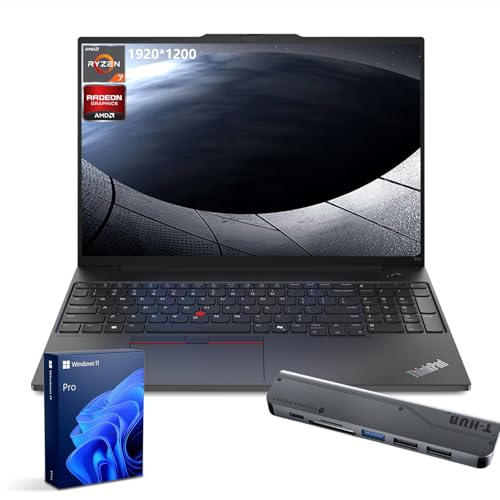
Value depends on your specific needs. The Lenovo ThinkPad E16 offers a balanced spec sheet for business users. The HP 15.6″ provides a solid entry point for multitasking. Compare the processor and storage options to determine which package offers the best overall utility for your budget.





Write Your Review
No reviews yet. Be the first to share your experience!