


Upgrading laptop memory often starts with a frustrating question: can my machine actually handle 64GB? Many owners discover that soldered components or strict capacity limits block their plans before they even shop. This uncertainty leads to wasted money on incompatible modules or missed opportunities for smoother multitasking. If you are looking for a 64gb ram upgrade laptop solution, the first step is verifying your specific hardware support. Not every laptop accepts high-capacity kits, and the difference between DDR4 and DDR5 is physical, not just a software setting. Getting this wrong means no boot screen, which is a costly mistake to avoid.
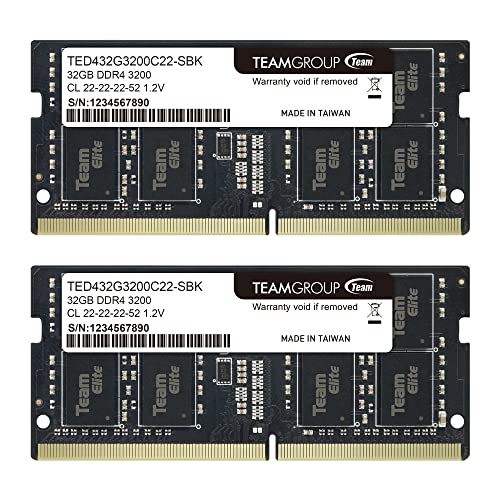
Choosing the right kit requires careful analysis of specifications, including data rates, voltage, and form factor. You must match the SODIMM pin count and generation to your motherboard exactly. The products listed below represent high-capacity options from reputable brands like Crucial, G.SKILL, and TEAMGROUP. Each kit is designed for dual-channel performance, which can significantly improve system responsiveness for heavy workloads. Before purchasing, check the manufacturer’s compatibility list or use a system scanner. This ensures the laptop RAM you buy will actually function in your device. Prioritizing compatibility over raw speed is the smartest move for a stable upgrade.


FAQs for 64GB Laptop Memory
Can I install 64GB in any laptop?
No, not all laptops support this capacity. You must verify the maximum supported memory in your device’s technical manual. Many older or budget models cap out at 16GB or 32GB total. Exceeding this limit will cause the system to fail to boot entirely.
What is the difference between DDR4 and DDR5?
They use different physical pin layouts and voltages. DDR5 uses 262 pins while DDR4 uses 260 pins. They are not interchangeable. You must match the generation to your laptop’s motherboard specifications exactly to ensure compatibility.
Should I buy a kit or single sticks?
A matched kit is recommended for stability. Dual-channel configurations require two identical modules to work together optimally. Mixing different brands or speeds can lead to system instability. A 2x32GB kit ensures the memory controller operates at its intended performance levels.
Does 64GB make my laptop faster?
It helps if you run memory-heavy applications. More RAM reduces the need for swap space, which slows down performance. For general web browsing, it may not show a difference. Heavy multitasking and virtual machines benefit significantly from this capacity.
Is installation difficult for beginners?
It is a simple physical process. You typically just open a panel and click the modules into place. Static electricity is a minor concern if handled carefully. Many guides and videos are available to walk you through the specific steps for your model.


Write Your Review
No reviews yet. Be the first to share your experience!