


Hardware Demands for Immersive Virtual Reality
Driving a virtual reality headset demands significantly more graphical horsepower and thermal headroom than standard PC gaming on a flat screen. High-resolution VR panels require rock-solid frame rates to prevent stuttering and motion sickness during fast movement. Because mobile GPUs often operate within tight wattage limits, identifying the best gaming laptop vr setup means paying close attention to dedicated graphics power and active cooling. If you are also figuring out how to get into PC gaming, balancing core hardware specs is the most critical first step.
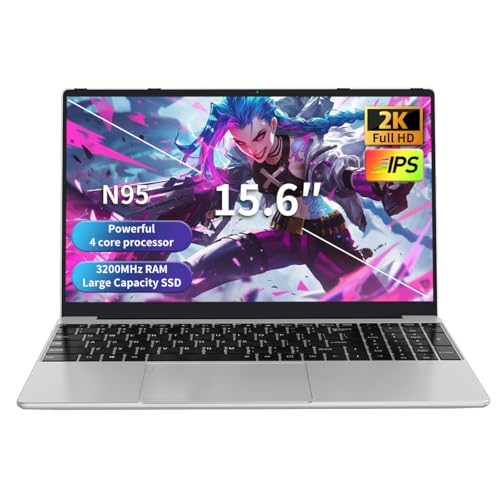
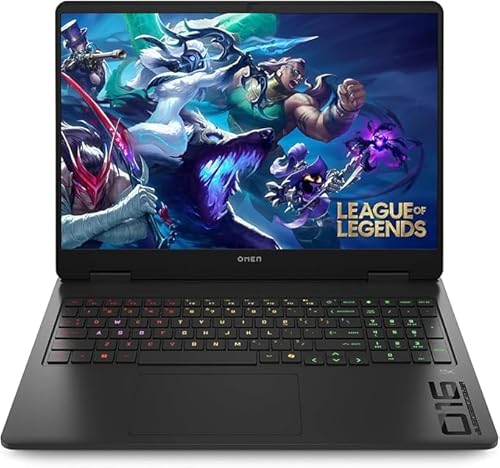
Premium options such as the HP Omen 16 and Lenovo Legion 5 feature dedicated NVIDIA GeForce RTX 5070 graphics and high-bandwidth DDR5 memory designed for complex 3D environments. In contrast, ultra-budget models running entry-level chips like the Celeron N95 or AMD Ryzen 7430U with integrated graphics work well for general productivity but lack the discrete rendering power needed for tethered virtual reality. Buyers should also evaluate physical port layouts, as external headsets typically need dedicated DisplayPort over USB Type-C or high-speed HDMI connections. Checking system memory, thermal management, and power supply wattage ensures your machine sustains peak performance without throttling.


Frequently Asked Questions
What GPU is recommended for a VR gaming laptop?
A dedicated graphics card such as an NVIDIA GeForce RTX 4050, RTX 5070, or higher is recommended for smooth virtual reality experiences. Integrated graphics solutions found in budget notebooks cannot process the dual high-resolution video streams that modern VR headsets demand. Discrete GPUs supply the necessary video memory and graphical pipelines to maintain target refresh rates. Higher-tier options like the RTX 5070 Ti provide additional headroom for complex simulations and graphically dense PC VR titles.
How much RAM is needed for virtual reality gaming?
A minimum of 16GB of system RAM is recommended to run virtual reality titles reliably. Modern VR environments load massive textures into active memory alongside operating system background tasks. While 16GB is standard for entry configurations, laptops equipped with 32GB or 64GB of DDR5 memory provide extra stability for multitasking. If you are running an older machine, exploring laptop DDR4 memory can help maximize multitasking performance within that platform’s limits.
Can an entry-level laptop with integrated graphics run PC VR?
No, laptops relying solely on integrated processors like the Intel Celeron N95 or AMD Ryzen 7430U cannot run standard tethered VR headsets. Virtual reality headsets demand dedicated 3D rendering hardware capable of delivering high frame rates to both eyes simultaneously. Integrated graphics chips share system memory and lack the dedicated compute cores required by VR runtimes. These affordable notebooks excel at everyday web browsing and office productivity rather than intensive spatial computing.
What ports are essential when using a laptop with a VR headset?
You need at least one high-bandwidth video output and compatible USB ports to connect a virtual reality headset. Most modern headsets rely on DisplayPort over USB Type-C, Thunderbolt 4, or HDMI to transmit video data. In addition to video, standard headsets require at least one USB 3.0 or USB 3.2 port for sensor tracking and audio data. Verifying that the laptop’s dedicated GPU directly connects to the external display port is crucial for headset compatibility.
Does refresh rate on the laptop screen impact virtual reality performance?
No, the built-in laptop screen refresh rate does not affect the display performance inside your VR headset. The virtual reality headset contains its own dedicated internal displays that refresh independently of the laptop panel. However, selecting a Best Gaming Laptop Vr of 2026 with a high-refresh display like 165Hz or 240Hz ensures smooth visual feedback when playing standard desktop games. The laptop GPU renders frames specifically for the headset’s native refresh targets during VR sessions.


Write Your Review
No reviews yet. Be the first to share your experience!