


Key Hardware Demands for Armored Combat
Competitive armored warfare requires steady frame pacing and clear visual clarity, yet many buyers focus solely on processor clock speeds while overlooking thermal stability and display refresh rates. Running heavy vehicular skirmishes across dense terrain can quickly reveal the limits of subpar cooling systems or entry-level integrated graphics. Searching for the best gaming laptop for world of tanks involves evaluating how dedicated GPUs, multi-core processors, and high-frequency memory function together during prolonged sessions. Devices built with robust thermal management and discrete graphics, like modern configurations seen across gaming laptop computers, maintain consistent performance without sudden throttling during heated battles.
Striking the right balance between graphical fidelity and panel response times ensures you spot distant targets before they spot you. Selecting a rig with at least an RTX series GPU, a 144Hz or higher IPS display, and ample DDR5 RAM prevents sluggish rendering when artillery strikes and smoke effects fill the screen. Higher tier configurations offer premium 240Hz screens and high-wattage hardware, while budget-friendly units provide portable combat readiness if settings are adjusted appropriately. Evaluating thermal designs, display specifications, and port connectivity helps secure a durable setup that matches your competitive ambitions.




Frequently Asked Questions
Can an entry-level laptop run World of Tanks smoothly?
Yes, World of Tanks scales well across various configurations, but a dedicated graphics processor is necessary for high frame rates and higher graphics presets. Integrated graphics like Radeon RX Vega 8 can handle the game on reduced settings, yet competitive players usually prefer a dedicated GPU. Exploring solid budget gaming laptop options provides dependable performance without overspending.
How much RAM is recommended for World of Tanks?
A minimum of 16GB of system memory is ideal for stable gameplay alongside voice chat and background applications. While 8GB meets the basic baseline, 16GB or 32GB of DDR5 RAM ensures smoother multitasking and prevents micro-stutters during intensive engagements. Upgradable memory slots also provide flexibility for demanding future game updates.
What display refresh rate works best for competitive tank battles?
A display with a 144Hz or 240Hz refresh rate delivers noticeably smoother motion and faster target tracking than a traditional 60Hz screen. Faster refresh panels allow players to track distant vehicle movement and react more swiftly during quick maneuvers. Pairing high refresh rates with an anti-glare IPS screen keeps visuals sharp even in bright environments.
Do you need a high-end graphics card to play World of Tanks in 2026?
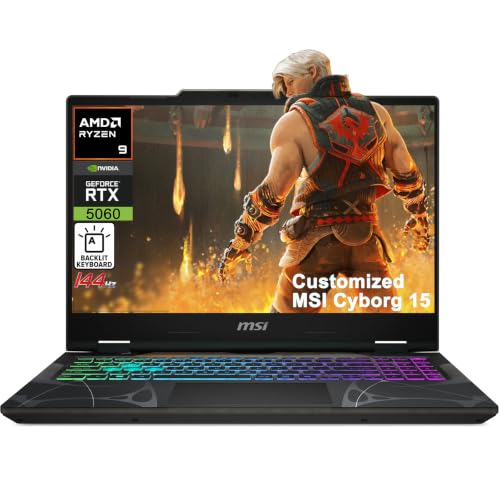
No, you do not need an ultra-expensive graphics card, though having a modern dedicated gaming graphics card ensures superior visual clarity at maximum settings. Mid-range GPUs such as an RTX 4060 or RTX 5060 easily achieve fluid framerates at 1080p or 1440p resolutions. Higher-tier options like the RTX 5070 provide extra headroom for high-resolution external monitors.
Why does thermal design matter for the Best Gaming Laptop For World Of Tanks?
Adequate thermal dissipation prevents thermal throttling, which can cause severe frame drops during extended matches. Dual-fan cooling designs and multi-vent exhaust systems keep CPU and GPU temperatures within safe operational ranges. Efficient cooling also sustains peak clock speeds and reduces wear on internal components over time.





Write Your Review
No reviews yet. Be the first to share your experience!