


Managing Temperature in Your Gaming Setup
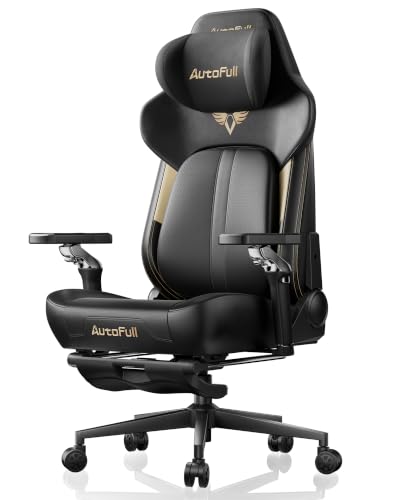
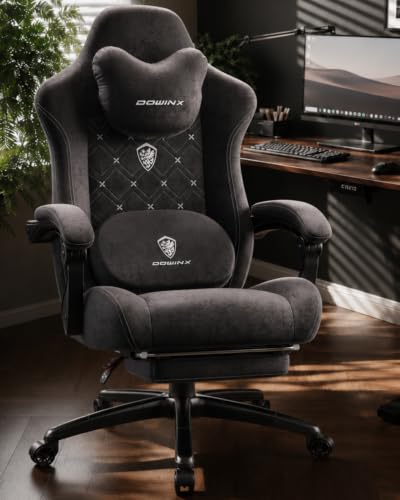
Gaming setups can quickly become stifling during intense matches, while chilly drafty rooms make sitting still uncomfortable. Standard synthetic leather and high-density foam frequently trap body warmth, causing clamminess over extended sessions. When room conditions fluctuate, selecting the best gaming chair with heating and cooling helps you balance thermal comfort directly from your seat. Options from AutoFull feature active ventilation fans and graphene heat pads, while Dowinx models pair breathable fabric with heated lumbar massage elements.
Beyond temperature features, checking physical dimensions and adjustability ensures your chair works with your desk. Models provide distinct weight capacities, ranging from 350 pounds on reinforced frames up to 400 pounds on heavy-duty bases. You will also want to assess seat height ranges, multi-stage armrests, and recline angles to suit your daily gaming posture. If you need dedicated posture assistance, reviewing gaming chairs for back support offers helpful guidance on lumbar designs.







Frequently Asked Questions
How do climate control features function in a gaming chair?
Climate-equipped chairs utilize internal electric fans for cooling and graphene or wire elements for heat. Active ventilation fans pull air through perforated cushions to move heat away from your body. Heating systems warm the lumbar or seat area to gentle preset temperatures. These features usually operate via built-in buttons with multiple intensity levels.
How are heating and cooling gaming chairs powered?
Most chairs require a USB connection or standard wall adapter to run their fans and heating pads. Many models can connect to an external power bank placed in a side pocket, though battery packs are often sold separately. Direct wall adapters provide continuous power but require careful cable placement to avoid tangling during swivel movements.
Which upholstery works best for temperature regulation?
Breathable fabric textiles allow natural airflow and reduce moisture accumulation better than solid faux leather. While PU leather is easy to wipe down, it traps warmth unless paired with active exhaust fans. If you want help comparing materials, our guide on what are the best gaming chairs details common upholstery differences.
Does a Best Gaming Chair With Heating And Cooling of 2026 include standard ergonomic adjustments?
Yes, climate-controlled seats still feature standard adjustability like gas-lift height tuning, recline angles, and movable armrests. High-end models offer multi-directional armrests and dynamic lumbar mechanisms that adjust as you shift posture. Make sure to check armrest height limits so the chair slides easily beneath your desk.
How do you safely clean a chair with internal wiring?
Always unplug the power cord or remove the battery bank before cleaning your chair. Use a dry or slightly damp microfiber cloth to wipe down outer materials without soaking the seams. Avoid spraying liquid cleaners near fan grilles or heating connections to protect the internal electrical components from moisture damage.






Write Your Review
No reviews yet. Be the first to share your experience!