


Immersive Audio Seating for Modern Setups
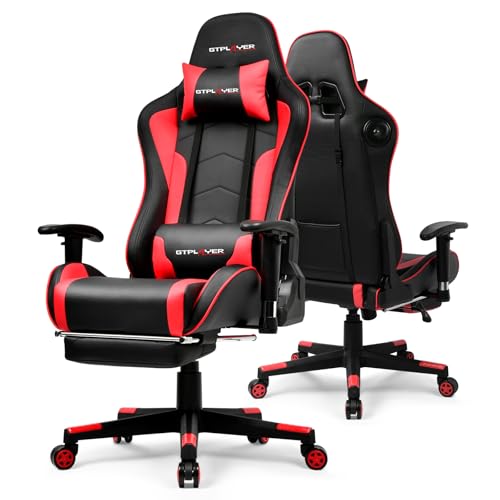
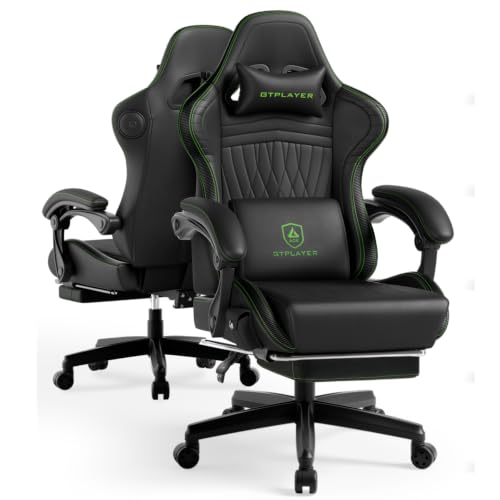
Desk setups often get cluttered with external audio cables and bulky desktop hardware that restrict clean movement. Selecting a dedicated seat with integrated sound solves this layout dilemma by placing directional speakers right behind your ears. When you search for the best gaming chair with speakers and vibration, balancing wireless connectivity with physical build quality is essential for everyday use. Many popular designs combine built-in Bluetooth speakers with lumbar vibration motors and retractable footrests so you do not need separate audio accessories. You can also review how conventional ergonomic options compare by browsing specialized gaming chairs for back support to understand basic cushion mechanics.
Physical dimensions and power cords require attention before adding an audio-enabled seat to your room. Models range from floor rockers like X Rocker designs to swivel pedestals with heavy-duty metal frames and stated weight capacities reaching up to 400 lbs. Modern Bluetooth modules sync easily with phones or PCs, though console connections often need optional USB transmitters for low latency. Checking the recline angle adjustment and gas lift ratings ensures the chair will not clash with your gaming desk or restrict your sitting posture.




Frequently Asked Questions
How do built-in Bluetooth speakers connect to gaming consoles?
Most chairs use standard Bluetooth profiles that pair directly with smartphones, tablets, and Bluetooth-enabled PCs. Consoles like the PlayStation 5, Xbox Series X, or Nintendo Switch typically require an external USB Bluetooth transmitter or audio adapter plugged into the console or TV output. Checking manufacturer specifications confirms whether you need an additional adapter for console gaming.
How does the vibration feature work in these chairs?
Vibration functions operate via compact motors embedded inside the lumbar support cushion or lower seat base. These modules usually connect through a USB cable to a wall outlet, computer port, or portable power bank. They provide gentle massage cycles rather than replicating in-game force feedback or controller rumble.
What should you consider regarding chair dimensions and desk clearance?
Armrest design and seat height adjustment determine whether a chair can slide smoothly beneath your desk frame. Chairs featuring linkage armrests shift automatically as you recline, creating a wider profile that might contact low table edges. If you want smooth caster movement across floors while keeping your setup tidy, adding a protective gaming chair rug protects surfaces from repeated wheel roll.
What does the stated weight capacity indicate on these models?
A stated weight capacity indicates the maximum load the frame and gas lift mechanism are certified to hold. Reinforced steel frames and SGS-tested gas cylinders typically support limits between 300 lbs and 400 lbs depending on the model. Buyers should match their body profile against these specifications to ensure long-term structural stability.
How should you clean and maintain PU leather upholstery?
Polyurethane leather requires regular surface wiping with a soft, damp microfiber cloth to remove dust and body oils. Avoid abrasive cleaners, bleach, or harsh chemical sprays, which can cause synthetic leather coatings to crack prematurely. Following basic care methods outlined when evaluating gaming chairs helps maintain material durability over extended daily use.
Can floor rocker gaming chairs work at standard computer desks?
Floor rockers sit directly on the floor without a gas lift or pedestal, making them incompatible with standard-height desks. These compact rocker seats suit low-profile console setups, television gaming, or casual lounging. For standard desktop setups, a swivel chair with caster wheels and height adjustment remains the practical option.






Write Your Review
No reviews yet. Be the first to share your experience!