


Affordable Seating for PC and Console Setups
Desk clearance often catches shoppers by surprise when setting up a computer desk. Bulky armrests or wide five-star bases can crowd smaller bedrooms or bump into low desk drawers. Getting the best computer gaming chair under $100 requires balancing dimensions, seat padding, and backrest support within a budget. While high-end luxury seating offers complex adjustments, models in this entry-level tier focus on practical essentials like high-back support, reclining backrests, and pull-out footrests. Gamers looking for broader tilt options can also evaluate gaming chairs under $200 before deciding.
Most affordable options combine steel frame reinforcement with durable PU leather upholstery, though seat cushioning varies across brands. Certain models use high-density rebound foam, while others feature pocket spring cushions to distribute weight evenly across the base. Linkage armrests come standard on many units, pivoting automatically as the backrest reclines between 90 degrees and 150 degrees. You can also compare features with chairs under $150 to see how frame designs differ. Checking base materials, wheel types, and stated dimensions ensures your chair glides quietly and fits your desk space comfortably.




Frequently Asked Questions
What should buyers check regarding seat cushion construction in budget gaming chairs?
Seat cushioning in this price bracket typically uses either high-density foam or independent pocket springs. Pocket spring cushions, like those in the Kslysuty Desk Computer Gaming Chair, distribute weight across coils to resist flattening. High-density rebound sponge provides firm, even support that maintains its shape over regular workdays. Gamers who sit for extended periods can also add ergonomic chair cushions for extra tailbone padding.
How do linkage armrests function on entry-level gaming chairs?
Linkage armrests attach to both the seat base and backrest to tilt naturally as you recline. When the backrest moves from 90 degrees back to resting angles, the armrests pivot to keep your forearms supported. They don’t adjust in height independently from the backrest. Measuring your desk clearance ensures the armrest height fits under your tabletop.
Can the USB massage lumbar pillow run directly from a PC or wall outlet?
Manufacturers recommend powering USB massage lumbar pillows with an external power bank rather than a wall outlet or PC tower. Chairs like the Kslysuty model advise using a battery bank to avoid cord tangles while swiveling. This setup lets the chair rotate 360 degrees without yanking cables. Always check manufacturer instructions before connecting power accessories.
What recline angles do chairs in this price range typically offer?
Most models offer backrest recline angles between 90 degrees and 135 or 150 degrees. Some utilize continuous stepless adjustment, while others lock at specific positions. Pairing a reclining backrest with a gaming chair with a recliner mechanism gives you a fold-out footrest for casual gaming breaks. Sturdy metal bases keep the chair grounded during deeper tilts.
How easy is assembly for the Best Computer Gaming Chair Under 100 models in 2026?
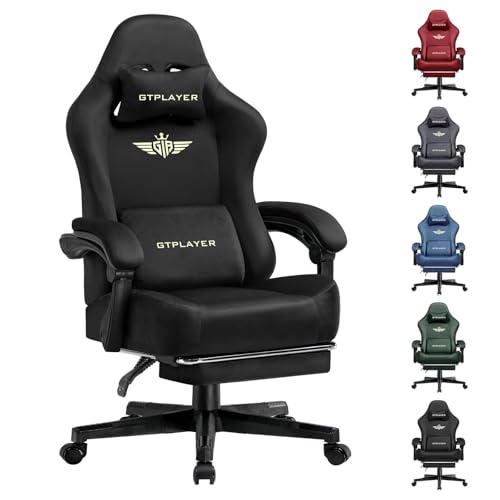
Assembly for Best Computer Gaming Chair Under 100 models in 2026 typically takes 15 to 25 minutes using the included hardware. Brands like GTPLAYER and HELXQEXB include illustrated guides, hex keys, and pre-aligned screw fittings. Assembling the parts on a flat carpeted surface protects the leather from scratches. Tightening all hardware firmly ensures the steel frame doesn’t creak during daily movement.



Write Your Review
No reviews yet. Be the first to share your experience!