


Sudden frame drops and aggressive battery drain often strike the moment an unplugged gaming rig disconnects from the wall. Dedicated graphics silicon and high-output cooling fans quickly chew through power reserves when left on unmanaged performance profiles. Learning how to optimize gaming laptop for long battery life gives mobile players a smart way to stabilize portable gaming runtime without watching percentages collapse mid-match. Modern architectures pack incredible processing power, but keeping background tasks and boost frequencies in check makes a massive difference for unplugged sessions.
Balancing display panels down to 60Hz and engaging integrated GPU switching provides immediate relief for battery strain during casual workloads or travel. Solid hardware designs found in popular budget gaming laptops demonstrate how modest wattage limits prevent unnecessary thermal stress and fan whir. Tweaking power profiles in Windows alongside vendor management utilities transforms an erratic, power-hungry machine into a reliable mobile workstation. Sensible adjustments to internal render targets and frame rate caps ensure you retain smooth gameplay while protecting your battery pack from premature wear.

Pros
- Ample 16GB RAM and 1TB SSD for fast multitasking and large file storage.
- Full HD IPS display with good color accuracy for media consumption and light gaming.
- Lightweight and thin design makes it easy to carry between classes or to LAN parties.
- Long battery life supports all-day use for work, study, or streaming.
- Comes with Windows 11 Pro and Office 365, saving you setup time and additional cost.
Cons
- Intel N150 processor is not suitable for demanding AAA gaming titles or content creation.
- Integrated graphics limit gaming to low settings and older or less demanding games.
- Battery life may vary under heavy gaming loads, reducing runtime to under 6 hours.
The FUNYET 16-inch laptop is a budget-friendly option designed primarily for students, business professionals, and casual users who need a reliable machine for everyday tasks and light entertainment. While it's marketed as a "gaming laptop" in the title, it's important to set expectations: the Intel N150 processor with integrated graphics is best suited for web browsing, document editing, streaming video, and playing less demanding games like Minecraft, League of Legends, or older titles at low settings. For competitive esports or modern AAA games, you'd want a laptop with a dedicated GPU.
For college gamers or those building a dual-purpose setup for work and play, this laptop shines in multitasking. The 16GB of RAM handles multiple browser tabs, Office apps, and a streaming service simultaneously without slowdowns. The 1TB SSD ensures fast boot-ups and plenty of space for a game library, school files, and media. The 16-inch Full HD IPS display has vibrant colors and wide viewing angles, making it enjoyable for watching videos or casual gaming sessions. The thin bezels and 90% screen-to-body ratio create an immersive look, though the 60Hz refresh rate is standard for this price range.
Portability is a strong point. At just 3.5 pounds and 0.8 inches thin, it slips easily into a backpack for moving between dorm rooms, libraries, or coffee shops. The backlit keyboard is a nice touch for typing in dimly lit environments, though the keys have moderate travel—not as tactile as a mechanical gaming keyboard but adequate for everyday use. The 6000mAh battery delivers up to 6 hours of mixed use, which should get you through a day of classes or light gaming away from an outlet. However, under heavier gaming loads, expect shorter battery life.
Build quality is practical for an entry-level laptop. The gray chassis feels sturdy enough for daily commuting, though the plastic construction may not withstand drops. The included 2-year warranty and US-based support line provide reassurance for long-term use. Setup is straightforward: Windows 11 Pro and Office 365 come pre-installed, so you can start working or gaming right away. The laptop includes standard ports: USB-A, USB-C, HDMI, and a headphone jack, making it easy to connect peripherals like a mouse or external drive for a better gaming setup.
A realistic limitation is the processor's graphics performance. You won't be playing Cyberpunk 2077 or Valorant at high settings—stay with lighter titles or cloud gaming services for modern games. Also, the speakers are adequate for video calls but lack bass for immersive audio; a good pair of gaming headphones would improve the experience. The keyboard lacks per-key RGB, but that's expected at this price point.
Overall, the FUNYET 16-inch laptop is a practical choice for college gamers who need a portable machine for homework, streaming, and occasional light gaming. It's also suitable for work-from-home setups where productivity is the priority, with casual gaming as a bonus. If you're a serious esports player or want to run AAA games, look elsewhere. But for the price, this laptop delivers solid value for everyday use and modest gaming needs.
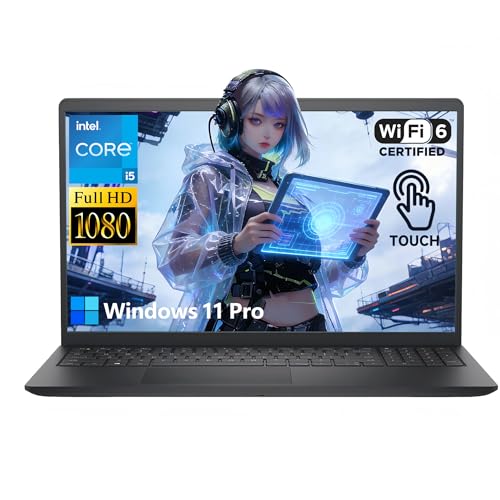
Pros
- Powerful 10-core CPU and 32GB RAM for smooth multitasking and light gaming
- Sharp 2K touchscreen display with good color and responsiveness
- Fast 1TB SSD and ample storage for games and files
- Lightweight and portable with long battery life for on-the-go use
- Professional Windows 11 Pro with enhanced security and features
Cons
- Integrated graphics limit gaming to less demanding titles; not suitable for AAA or competitive esports
- 720p webcam is adequate but not ideal for professional streaming or high-quality video calls
- Touchscreen may not appeal to all gamers who prefer traditional laptop designs
This Dell 15.6-inch touchscreen laptop is a versatile device that sits at the intersection of productivity and casual gaming. Powered by a 10-core Intel Core i5-1334U processor, 32GB of DDR4 RAM, and a 1TB SSD, it's built to handle heavy multitasking, light gaming, content creation, and everyday work with ease. The 2K touchscreen adds a layer of convenience for creative tasks and media consumption, making it a solid choice for college gamers, work-from-home gamers, and streamers who need a reliable daily driver.
For gaming, this laptop's integrated graphics mean it's best suited for less demanding titles like indie games, older AAA games, or esports titles at lower settings. It won't handle modern competitive shooters or high-fidelity open-world games at high frame rates, but for casual gaming and streaming on Twitch or YouTube, it offers a responsive experience thanks to the fast SSD and ample RAM. The WiFi 6 connectivity ensures low-latency online play, and the long battery life lets you game or work on the go without constantly hunting for an outlet.
Build quality is solid with a lightweight carbon black chassis that weighs just 4.28 pounds, making it easy to toss in a backpack for classes, meetings, or LAN parties. The 15.6-inch touchscreen is bright and colorful, with IPS technology that provides good viewing angles for sharing your screen with friends or colleagues. The keyboard and trackpad are comfortable for extended typing sessions, though gamers will likely want to connect a dedicated gaming mouse for better precision.
Connectivity is a strong point with USB-C, USB-A, and HDMI ports, allowing you to hook up external monitors, storage, and peripherals for a more immersive gaming or streaming setup. The 720p webcam is adequate for video calls but won't satisfy streamers who need high-quality video; you'll want to invest in a dedicated webcam or mirrorless camera for serious streaming. The battery life, supported by 65W fast charging, is a highlight, letting you work through a full day of classes or a long gaming session without interruption.
One realistic limitation is the integrated graphics, which cap gaming performance. This laptop is not designed for hardcore competitive esports or AAA gaming at high settings. It's a productivity-first machine that can handle light gaming on the side. The touchscreen is a nice addition for creative work but may feel unnecessary for pure gamers. Additionally, the 720p webcam is a bit dated for today's streaming standards.
Overall, this Dell touchscreen laptop is a practical choice for college gamers, work-from-home gamers, and content creators who need a powerful, portable machine for daily tasks and light gaming. It offers excellent value with its 32GB RAM, 1TB SSD, and Windows 11 Pro, making it a versatile tool for both productivity and entertainment. If you're a competitive gamer or need high-end gaming performance, you'll want to look at dedicated gaming laptops with discrete graphics, but for balanced use, this Dell is a strong contender.

Pros
- Affordable price point for budget-conscious students or professionals
- 16GB RAM and 512GB SSD provide good performance for everyday computing tasks
- Full HD display with thin bezels offers a decent screen experience in a compact form factor
- Lightweight and portable design at under 4 pounds
Cons
- Intel N150 processor and integrated graphics lack the power needed for modern gaming or demanding creative applications
- Display refresh rate is standard 60Hz, limiting smoothness for fast-paced content or gaming
- Limited to basic connectivity; no Thunderbolt or high-speed USB 4 ports
The KAIGERR 15.6-inch laptop is positioned as an affordable solution for students, remote workers, and everyday users who prioritize value over raw performance. Powered by the Intel Twin Lake N150 processor (up to 3.6GHz) paired with 16GB of DDR4 RAM and a 512GB NVMe SSD, this machine is built to handle typical productivity tasks like word processing, spreadsheet management, web browsing, and streaming video without noticeable lag.
While the specs may appear attractive at first glance, it is important to set realistic expectations. The N150 is a low-power, quad-core chip with integrated Intel UHD graphics — capable of playing older or less demanding titles at low settings, but not suitable for modern AAA games, esports titles at competitive frame rates, or content creation workloads like video editing or 3D rendering. For those seeking a dedicated gaming laptop, this is not the right choice. Similarly, streamers and competitive gamers should look elsewhere for hardware with dedicated graphics and higher refresh displays.
On the positive side, the 15.6-inch Full HD display offers a crisp and clear picture for daily use, though its 60Hz refresh rate is standard and fine for productivity. The thin-bezel design helps keep the overall footprint compact — the laptop measures 14.07 x 9 x 0.66 inches and weighs just 3.53 pounds, making it easy to slip into a backpack for commuting or moving between rooms. Battery life is touted as long-lasting, which should cover a full day of light work or classes.
Connectivity is decent for the price: you get HDMI, two USB 3.2 ports, one USB 2.0, a USB-C port (data only), a headphone jack, and a dedicated TF card slot (up to 128GB). Wi-Fi 802.11ac and Bluetooth 5.0 provide stable wireless connections for peripherals and internet access. The included 128GB TF card slot is a handy addition for extra storage if you need it.
Build quality is typical for a budget laptop — the chassis is plastic, which keeps weight down but may not feel as premium as metal alternatives. The keyboard is likely fine for typing essays or emails, but not ideal for long gaming sessions. The front-facing webcam is adequate for video calls and online classes.
In summary, the KAIGERR laptop is a practical choice for students, work-from-home professionals, or anyone who needs a basic computer for everyday tasks under $400. It will not satisfy gamers, streamers, or creative professionals — but for its intended audience, it offers solid value. If you are a college gamer who needs a secondary machine for classwork while keeping your main gaming rig at home, this could work. But if you need one laptop for both gaming and work, save up for something with a dedicated GPU.

Pros
- Strong price-to-performance ratio with RTX 4050 and high-refresh screen.
- Decent battery life for a gaming laptop (up to 8 hours for light use).
- Expandable storage and memory options for future upgrades.
- Cooling system keeps thermals in check during long gaming sessions.
Cons
- Build quality feels somewhat plasticky; not as premium as higher-end MSI models.
- RAM is DDR4 instead of DDR5, slightly slower than newer standards.
- Only 512GB storage may fill up quickly with modern games; external storage recommended.
The MSI Thin 15 B13VE-1697CA is a budget-friendly gaming laptop that strikes a fine balance between performance and portability. Powered by a 13th Gen Intel Core i5-13420H processor and NVIDIA GeForce RTX 4050 graphics, it's built to handle modern games at high settings while keeping the price accessible. The 15.6-inch 144Hz FHD display ensures smooth motion clarity, which is crucial for competitive gamers playing fast-paced titles like Valorant, Fortnite, or Call of Duty.
This laptop is ideal for PC gamers on a budget, especially college students, work-from-home gamers, and casual streamers who need a reliable system without breaking the bank. The RTX 4050 supports ray tracing and DLSS, so you can enjoy visually rich experiences in games like Cyberpunk 2077 or Forza Horizon 5. The 16GB of DDR4 RAM and 512GB NVMe SSD provide snappy load times and enough memory for multitasking while streaming or using Discord.
In terms of build quality, the MSI Thin 15 features a simple yet functional design with a sturdy plastic chassis. It weighs just 4.18 pounds, making it easy to slip into a backpack for gaming on the go or moving between your desk and the living room. The cooling system uses dual fans to keep temperatures under control, though it can get a bit loud under heavy load. The keyboard is comfortable for extended typing and gaming sessions, with decent key travel and a responsive feel.
Connectivity is solid with three USB 3.0 ports, USB-C with DisplayPort support, HDMI, and Wi-Fi 6 for low-latency online play. The Matrix Display feature allows you to connect up to two external monitors, which is great for streamers who need extra screen real estate for chat and overlays. The included MSI App Player lets you run Android games seamlessly, adding extra versatility for casual gaming.
One realistic limitation is the storage; 512GB fills up quickly with modern game installs, so you may want to invest in an external SSD or upgrade later. The RAM is DDR4 rather than DDR5, which is a small trade-off for the price point. Battery life is decent for a gaming laptop - you can get up to 8 hours of light usage, but expect much less during gaming. Overall, the MSI Thin 15 is a practical choice for anyone seeking a dependable gaming laptop for esports, casual play, and light content creation without spending a fortune.
The combination of the Intel Core i5-13420H and RTX 4050 delivers solid 1080p gaming performance. In titles like Apex Legends and Overwatch 2, you can expect frame rates well above 100 fps on high settings, fully utilizing the 144Hz screen. More demanding AAA games like Assassin's Creed Valhalla run smoothly at medium to high settings with ray tracing enabled via DLSS. The 6GB VRAM on the RTX 4050 helps avoid bottlenecks in texture-heavy scenarios. For competitive gamers, the low-latency performance is a clear advantage, providing responsive gameplay without stutter.
The MSI Thin 15 offers a good range of ports for a laptop this size. You get three USB 3.0 Type-A ports, one USB-C with DisplayPort support, HDMI 2.1, an audio combo jack, and a microSD card reader. Wi-Fi 6 ensures fast wireless connections, crucial for online multiplayer and streaming. The USB-C port allows daisy-chaining monitors or connecting high-speed external drives. Overall, the connectivity is versatile enough for a gaming setup with multiple peripherals.
MSI Center software lets you tweak performance modes, customize fan speeds, and monitor system stats. The pre-installed MSI App Player enables Android game compatibility, which is a nice bonus for casual gamers. The laptop runs Windows 11 Home out of the box, offering a familiar interface with gaming features like Auto HDR and DirectStorage. Overall, the software experience is clean and user-friendly, with no unnecessary bloatware.

Pros
- Strong CPU and GPU combo for smooth 1080p gaming and content creation
- High 32GB RAM capacity out of the box, great for multitasking and future-proofing
- 144Hz screen enhances gameplay fluidity, especially in shooters and racing games
- Backlit keyboard and numeric keypad useful for both gaming and office work
- Wi-Fi 6 ensures stable, low-latency online connectivity
Cons
- RTX 3050 may struggle with ray tracing at higher settings in demanding titles
- 5.06 pounds is a bit heavy for frequent travel compared to ultraportables
- Only 0.93 inches thick but still a traditional laptop footprint, not the most compact
The HP Victus 15.6-inch gaming laptop is a solid mid-range option for PC gamers who need a balance of performance, memory, and storage right out of the box. It combines an 8-core Intel Core i5-13420H processor with an NVIDIA GeForce RTX 3050 GPU, a 144Hz display, 32GB of DDR4 RAM, and a 1TB SSD. This configuration targets competitive gamers, streamers, content creators, college students, and work-from-home gamers who want a single device for gaming, school, and productivity tasks.
In real-world gaming, the RTX 3050 handles most modern titles at 1080p with medium to high settings, delivering smooth frame rates in games like Fortnite, Valorant, and Apex Legends. The 144Hz refresh rate makes a noticeable difference in fast-paced shooters, reducing motion blur and providing a more responsive feel. For streamers, the CPU's 8 cores help with encoding and multitasking, though the RTX 3050's 4GB VRAM may limit high-bitrate streaming in very demanding games. Casual gamers and esports players will appreciate the low-latency Wi-Fi 6, which keeps online matches stable and responsive.
Build quality is typical for the Victus line: a plastic chassis with a clean Mica Silver finish, sturdy enough for daily use in a dorm room or home office. The backlit keyboard offers decent key travel and includes a numeric keypad, which is handy for data entry or productivity software. At 5.06 pounds, it's not the lightest laptop for backpack commuting, but the 0.93-inch thickness is reasonable for a gaming machine. The 15.6-inch screen has thin bezels, giving it a modern look, and the 144Hz panel provides good color and brightness for gaming and media consumption.
Setup is straightforward: Windows 11 Pro comes preinstalled, and the 1TB SSD means you can start installing games and apps immediately. The 32GB RAM is a standout feature for multitaskers, allowing you to keep a browser with dozens of tabs, Discord, Spotify, and a game running simultaneously without slowdown. For content creators, this memory capacity helps with video editing and 3D modeling software. The numeric keypad is a plus for finance or engineering students who use spreadsheets or CAD tools.
One realistic limitation is the RTX 3050's performance in ray-traced games or titles with high VRAM demands. While it's fine for esports and most AAA games at medium settings, you won't be maxing out Cyberpunk 2077 with ray tracing. Additionally, the laptop's plastic build, while durable enough, doesn't feel as premium as some metal-chassis competitors. The 32GB RAM is DDR4 rather than DDR5, but for most users, the difference in gaming is minimal.
Overall, the HP Victus with this configuration is a strong choice for gamers who want a ready-to-go machine with ample memory and storage, without needing immediate upgrades. It suits competitive and casual gamers, streamers on a budget, college students who game and study, and anyone who needs a versatile laptop for gaming and productivity. If you prioritize ray tracing or ultraportability, you might look elsewhere, but for balanced performance and value, this Victus delivers.
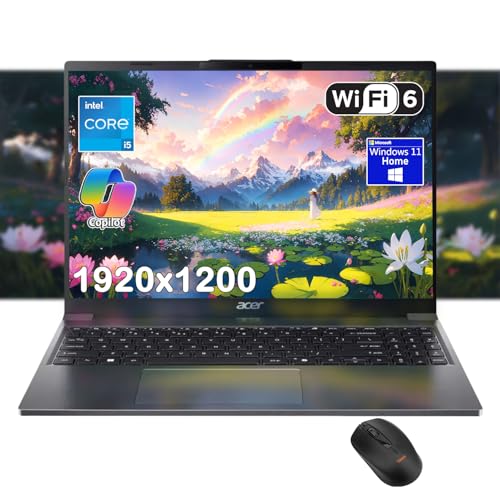
Pros
- Smooth everyday performance for web browsing, office work, and casual gaming like Minecraft or indie titles.
- High-resolution display with good color accuracy and eye-care features for long sessions.
- Ample 16GB RAM and 1TB SSD for storing games, videos, and projects without slowdowns.
- AI Copilot adds smart productivity features useful for content creation and research.
- Decent webcam and microphone for streaming or video calls, with effective noise reduction.
Cons
- Integrated Intel UHD graphics cannot handle modern AAA games; limited to lighter or older titles.
- Plastic build feels less premium than metal chassis laptops, though it keeps weight manageable.
- At 7 pounds, the laptop is heavier than many competitors, which may reduce portability for some users.
The Acer Aspire Go 15 is a versatile laptop designed for students, professionals, and casual users who need reliable performance for everyday tasks and light gaming. Powered by the Intel Core i5-1334U processor and backed by 16GB of DDR5 RAM and a 1TB PCIe SSD, this system handles multitasking with ease. While it lacks a dedicated graphics card, the integrated Intel graphics can run popular casual games like Minecraft, Stardew Valley, or older titles at lower settings, making it a practical choice for casual gamers and college gamers looking for a budget-friendly portable machine.
For streamers and content creators, the FHD webcam with Acer TNR technology and AI-powered PurifiedVoice delivers clear video and audio during streams or video calls. The 15.3-inch WUXGA IPS display (1920x1200) offers a 16:10 aspect ratio, providing extra vertical screen space for browsing, reading documents, or editing short clips. The narrow bezels and Acer BlueLightShield help reduce eye strain during long sessions, whether you're gaming or working. The built-in Copilot in Windows 11 acts as a personal AI assistant, helping you summarize documents, generate content, or streamline workflows with a single key press.
Build quality is typical of Acer's budget lineup – a mix of plastic and metal finishes that feels sturdy enough for everyday carry, though not as premium as ultralight or aluminum chassis laptops. The keyboard is comfortable for typing, and the large trackpad supports multi-finger gestures. Port selection is generous: two USB-C ports (one with 20Gbps speed and DisplayPort), two USB-A ports, HDMI 2.1, a headphone jack, and a Kensington lock. This allows you to easily connect a mouse, external monitor, or other gaming accessories without needing a hub.
Setup is straightforward with Windows 11 pre-installed. The AcerSense app centralizes system controls for battery, storage, and updates, making maintenance simple. Battery life is advertised as long – ideal for all-day classes or coffee shop sessions. However, the weight of 7 pounds is heavier than many 15-inch laptops, so it's less ideal for frequent travelers. The lack of a dedicated GPU also means you'll need to rely on cloud gaming services for modern triple-A titles.
Overall, the Acer Aspire Go 15 shines as an affordable daily driver for casual gaming, streaming, and productivity. It's best suited for college gamers who need a single device for assignments and light gaming, work-from-home users who prioritize battery life and a good display, or any PC gamer looking for a secondary laptop for travel or routine tasks. For those aiming to play the latest esports titles at high settings, a gaming laptop with a dedicated GPU would be a better fit. But for its price point, this Acer delivers solid value and dependable performance.

Pros
- Powerful Ryzen 7 Pro processor with 8 cores and 16 threads.
- Generous 32GB LPDDR5 RAM for heavy multitasking and future-proofing.
- Fast 1TB PCIe 4.0 SSD ensures quick boot times and game loading.
- 100W USB-C fast charging with included charger for rapid power top-ups.
- Backlit keyboard and fingerprint sensor for easy use in low light and secure login.
Cons
- Integrated Radeon 680M graphics may struggle with AAA titles at high settings.
- Battery life under gaming load is moderate, typical for this class.
- No dedicated GPU limits high-end gaming performance compared to traditional gaming laptops.
The NIMO 15.6" FHD Light-Gaming-Laptop is a versatile machine that blends professional-grade processing power with enough graphical muscle for casual and esports gaming. Powered by an AMD Ryzen 7 Pro 6850U with 8 cores and 16 threads, it's built to handle everything from heavy multitasking to content creation without breaking a sweat. The 32GB of LPDDR5 RAM and 1TB PCIe 4.0 SSD further ensure that your games and applications load quickly and run smoothly.
This laptop is best suited for PC gamers who play less demanding titles like Valorant, League of Legends, or CS2, as well as streamers and content creators who need reliable performance for editing and broadcasting. College gamers and work-from-home users will appreciate the portable design, long battery life (up to 9 hours on light use), and the 100W USB-C fast charging that can give you up to 2 hours of use after just 15 minutes of charging.
In terms of real-world performance, the integrated Radeon 680M graphics can push 60+ fps in many esports titles at medium settings, making it a capable companion for competitive play. The 15.6" FHD IPS anti-glare display offers clear visuals and good color reproduction, which is great for both gaming and media consumption. The backlit keyboard and precision touchpad with fingerprint reader make late-night sessions comfortable and secure.
Build quality is solid with a durable metal chassis that feels premium and can withstand daily wear. The laptop is thin and light at 0.76 inches and 3.75 pounds, making it easy to slip into a backpack for dorm or office use. Connectivity includes multiple USB ports (one USB 2.0 and four USB 3.0), Wi-Fi, Bluetooth 5.2, and a 100W USB-C port for charging and data transfer. The setup is straightforward - it comes with Windows 11 pre-installed, so you can start gaming right out of the box.
One realistic limitation is the integrated graphics - while capable for light gaming, it won't run the latest AAA titles at high settings. Battery life during gaming is shorter, but that's typical for any gaming laptop. Also, the lack of a dedicated GPU means this isn't a replacement for a traditional gaming laptop with a discrete card. However, for its price point, the NIMO offers excellent value for those who prioritize CPU performance, RAM, and storage over raw gaming horsepower.
Overall, the NIMO laptop is a practical recommendation for PC gamers, streamers, and content creators who need a portable, powerful machine for both work and play. It's especially well-suited for college students, remote workers, and anyone building a versatile gaming setup that can handle light gaming and productivity tasks with ease. If you're looking for a budget-friendly option that doesn't skimp on RAM and storage, this is worth considering.
Frequently Asked Questions
Does lowering the screen refresh rate help with How To Optimize Gaming Laptop For Long Battery Life?
Yes, reducing your display refresh rate from 144Hz to 60Hz delivers an immediate reduction in power draw. High-refresh panels force the display controller and GPU to push more frames per second, which keeps mobile hardware in an active power state. Switching your refresh rate in display settings cuts idle consumption dramatically, extending your unplugged productivity and casual gaming sessions in 2026.
Should I switch to integrated graphics while gaming on battery?
Integrated graphics provide vastly superior energy efficiency for lighter titles, though demanding 3D games still require dedicated silicon. Modern processors with integrated graphics handle 2D titles and video playback on minimal wattage. For heavier titles, enabling hybrid GPU switching ensures your discrete GPU only engages when rendering complex 3D scenes. This strategy prevents power-hungry dedicated graphics cards from running continuously at idle.
How much does thermal management affect battery endurance on a gaming laptop?
Operating at high temperatures directly increases internal resistance and accelerates battery drain. When cooling vents collect dust or laptops rest on soft bedding, internal cooling fans must spin at maximum RPM, drawing substantial wattage from the battery pack. Keeping air intakes clear and using balanced fan curves lowers operating temperatures and preserves mobile battery longevity.
Does adding more RAM or faster storage improve unplugged battery life?
Faster NVMe SSDs and dual-channel memory improve system efficiency by reducing CPU wait cycles during heavy file operations. Upgrading from 16GB to 32GB DDR4 or DDR5 RAM stops your operating system from constantly swapping memory pages to the drive, minimizing background power spikes. While researching upgrades for gaming PC and mobile rigs, prioritize high-efficiency components that operate under manufacturer wattage standards.
What is the most effective in-game setting tweak for How To Optimize Gaming Laptop For Long Battery Life in 2026?
Setting an aggressive frame rate cap between 30 and 60 FPS provides the most dramatic reduction in GPU power consumption. Uncapped frame rates force your graphics processor to operate at maximum boost clocks, emptying the battery in less than an hour. Combining a strict FPS limit with medium shadow and reflection presets ensures playable performance without exhausting your power cell.







Write Your Review
No reviews yet. Be the first to share your experience!