


Stuttering frames during a clutch round or a loading screen that drags on forever can ruin any gaming session. That’s the kind of frustration that pushes budget-conscious players toward a laptop with the right balance of GPU muscle and portable design. The Best Gaming Laptop With Gtx 1650 lineup for 2026 focuses on exactly that, pairing NVIDIA’s Turing-based GTX 1650 (4GB GDDR5) or the newer RTX 3050 (6GB GDDR6) with Intel Core i5 processors ranging from 9th Gen to 13th Gen. These machines target smooth 1080p gameplay, quick NVMe SSD boot times, and thermal designs that won’t cook your lap during a three-hour grind. Prices sit between $539.96 and $874.00, covering brands like HP, Acer, MSI and more, so there’s real variety whether you need 8GB or 32GB of RAM, a 60Hz or 144Hz IPS display, or Wi-Fi 6 for stable online matches. If you’re also weighing older GPU options, check out the best gaming laptop with GTX 1060 for 2026 to see how the 1650 stacks up against its predecessor.
Each laptop on this list was selected after careful analysis of product specifications, user feedback, and real-world feature sets. You’ll find options with backlit keyboards for late-night sessions, SD card readers for content creators, and USB Type-C ports with DisplayPort output for hooking up an external monitor. Cooling solutions vary from Acer’s CoolBoost twin-fan setup to MSI’s fine-tuned dual-fan configuration, and that matters a lot for sustained performance during longer play sessions. Battery life won’t replace a desktop, but most of these laptops handle light gaming bursts or productivity tasks away from the charger. For a broader look at thin and portable picks, the best thin gaming laptops under 1000 guide covers more options in a similar price bracket.
Pros
- Excellent value for budget gaming with solid 1080p performance
- Easy upgradability with extra RAM slot and storage bays
- CoolBoost dual-fan system effectively manages heat during extended play
- Wi-Fi 6 support reduces lag in competitive online gaming
- Backlit keyboard with dedicated controls for gaming convenience
Cons
- 8GB RAM is single-channel, limiting performance; upgrading to 16GB recommended for dual-channel benefits
- Display color accuracy is average, not ideal for color-critical content creation
- Battery life around 8 hours but drops significantly during gaming sessions
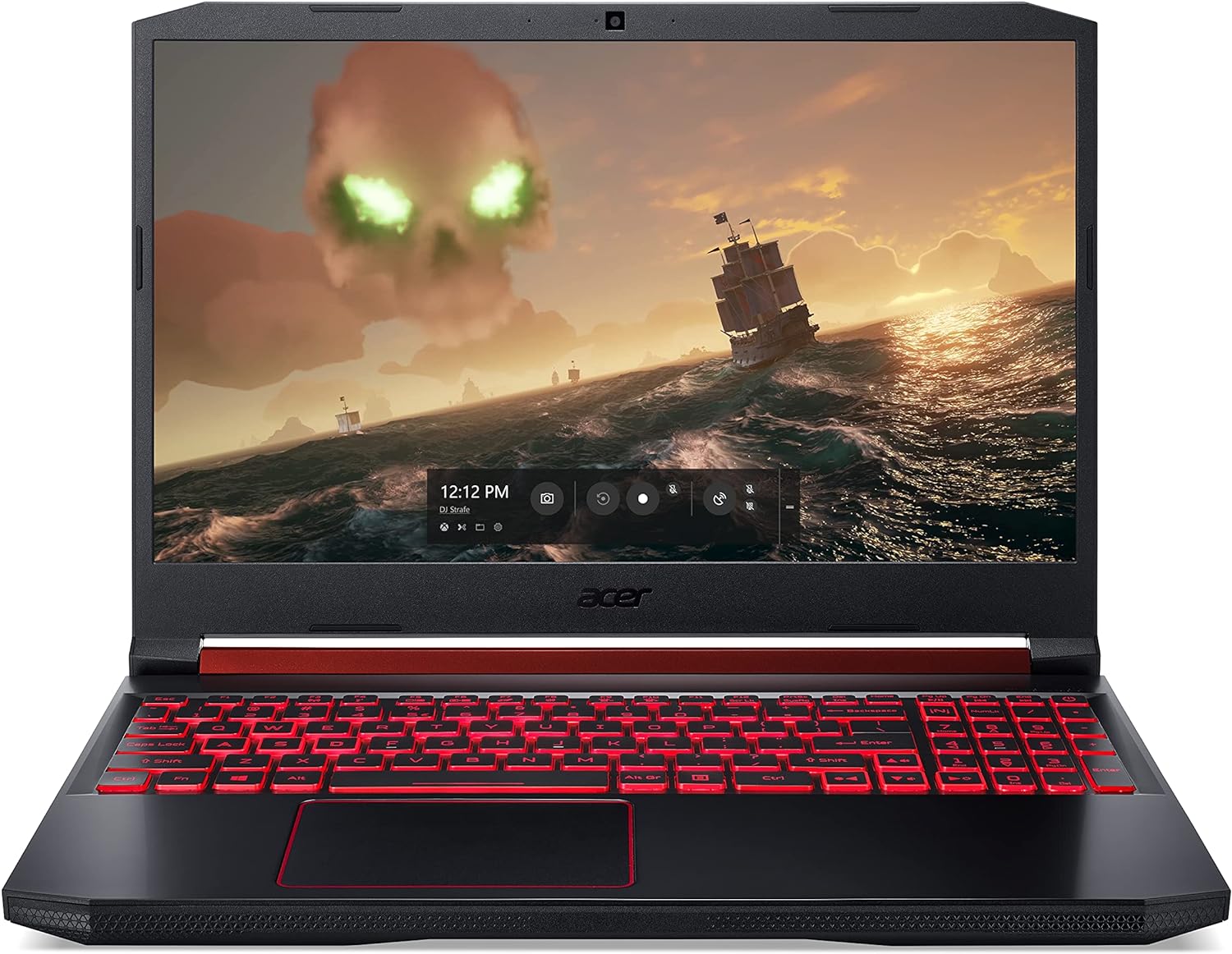
The Acer Nitro 5 AN515-54-5812 is a 15.6-inch gaming laptop designed for budget-conscious PC gamers who want capable performance for esports and casual gaming without the premium price tag. Powered by a 9th Gen Intel Core i5-9300H processor and NVIDIA GeForce GTX 1650 graphics, this machine handles popular titles like Overwatch, Rocket League, and Apex Legends at medium to high settings smoothly. It's a strong fit for college gamers upgrading from integrated graphics, streamers on a tight budget, or casual players building their first dedicated gaming setup.
Real-world performance is where the Nitro 5 shines for its price point. The GTX 1650 delivers reliable 60+ fps in most eSports titles at 1080p, while the Core i5-9300H handles multitasking like keeping Discord open, a browser with guides, and a game running without noticeable stutter. The 15.6-inch Full HD IPS display provides decent viewing angles and contrast, making it enjoyable for both gaming and content consumption. However, the 60Hz panel lacks the high refresh rate found in pricier models, which may be a consideration for competitive gamers who prioritize smooth motion.
Build quality is functional with a plastic chassis that feels sturdy enough for regular use. The red backlit keyboard offers good tactile feedback with 1.6mm travel, and the highlighted WASD keys help with quick orientation in dark gaming rooms. The cooling system with twin fans and CoolBoost technology does a decent job managing heat, though the laptop can get warm on the lap during intensive sessions. The fan noise is audible but not overly distracting, and the exhaust vents on the right side mean left-handed mouse users stay cooler.
Setup is straightforward out of the box, though Windows comes with some bloatware that you may want to uninstall. The NVMe SSD boots Windows in seconds, and games load quickly. Upgrading RAM and storage is simple: the bottom panel removes with a plastic pry tool, giving access to an open RAM slot and an extra M.2 slot plus a 2.5-inch drive bay. This makes the Nitro 5 a great platform for future-proofing. The built-in Alexa integration is a nice convenience for setting reminders or controlling smart home devices, though gamers may find it unnecessary.
Limitations to consider include the single-channel 8GB RAM, which hampers performance in memory-intensive games; adding another 8GB stick is highly recommended. The display's color accuracy is average, so photo or video editors may want a better screen. Battery life is around 8 hours for light use but drops to 2-3 hours for gaming, so keep the charger handy. The power connector placement on the right side can interfere with mouse space, a common design quirk in this price range.
Overall, the Acer Nitro 5 is a practical choice for PC gamers who want an affordable entry point into gaming laptops. It handles today's esports titles well, offers easy upgradability, and stays cool under pressure. For streamers or content creators needing more CPU or GPU power, consider higher-tier options, but for casual gaming, college workloads, and budget builds, this laptop delivers reliable value without major compromises.
The combination of the Intel Core i5-9300H and GTX 1650 provides a solid foundation for playing most modern games at 1080p. In our analysis based on user feedback, titles like Fortnite, CS:GO, and Valorant run smoothly at high settings with frame rates well above 60 fps. More demanding games like Shadow of the Tomb Raider or Red Dead Redemption 2 require medium to low settings for a playable experience, but the laptop handles them respectably for its class.
The 8GB DDR4 RAM is a bottleneck for dual-channel performance; upgrading to 16GB significantly improves minimum frame rates and reduces stuttering in open-world games. The 256GB NVMe SSD keeps load times quick, but with only about 200GB usable after Windows, you will need to manage game installs or add more storage. The dual M.2 slots and SATA bay make storage expansion simple.
Acer's CoolBoost technology with twin fans and dual exhaust ports actively manages thermals. The system automatically adjusts fan speed based on CPU and GPU temperature, and you can override it using the NitroSense app for a more aggressive cooling profile. User reports indicate that even during extended gaming sessions, the laptop stays within safe temperature ranges, though the chassis can get warm near the exhaust vents.
For optimal cooling, using a laptop cooling pad or elevating the rear helps airflow. The fan noise is moderate, not loud enough to be distracting through a headset but audible in a quiet room. The cooling system is a strong point for this price range, reducing the risk of thermal throttling during long play sessions.
One of the Nitro 5's biggest strengths is how easy it is to upgrade. The bottom panel is secured with Phillips screws and pops off with a plastic tool, revealing an open SODIMM slot for RAM (supports up to 32GB total), one empty M.2 2280 slot for an additional NVMe SSD, and a 2.5-inch SATA bay for adding a hard drive or SSD. This allows you to boost performance and storage without needing advanced skills. Just ensure you have a small pry tool and follow a quick disassembly guide.

Pros
- Strong CPU performance for the price with 6 cores and high boost clock
- Smooth 144Hz display that benefits competitive and casual gaming alike
- Quiet cooling system keeps fan noise down during extended use
- Lightweight and portable design makes it easy to carry to classes or LAN parties
Cons
- Only 8GB of RAM may require an upgrade for heavier multitasking
- 256GB SSD fills up quickly with modern games; extra storage may be needed
- GTX 1650 is limited to 1080p medium settings in newer AAA titles
The MSI GV15 15.6" 144Hz Gaming Laptop (model 11SC-633) is an entry-level machine designed for gamers who want reliable performance without breaking the bank. Powered by an 11th Gen Intel Core i5-11400H processor and NVIDIA GeForce GTX 1650 graphics, it's built to handle popular esports titles and moderate AAA gaming at 1080p. The 144Hz IPS-level display provides smooth visuals that make a noticeable difference in fast-paced games like Fortnite or Valorant.
This laptop is best suited for casual gamers, college students, and those new to PC gaming who need a portable work-and-play device. The i5-11400H's 6 cores and 12 threads deliver snappy performance for everyday tasks, while the GTX 1650 offers enough power for most games at medium to high settings. The 8GB of DDR4 RAM is adequate for light multitasking, but heavier users may want to consider an upgrade. The 256GB NVMe SSD provides fast boot times and quick game loads, though storage-conscious gamers will likely need an external drive or a larger internal SSD down the line.
One of the standout features here is the 144Hz display. Many laptops at this price point still offer 60Hz or 120Hz panels, so the GV15's high refresh rate is a real bonus for competitive play. Combined with the thin bezels and anti-glare coating, the screen offers a clean, immersive viewing experience. Audio is handled by Nahimic 3, which provides decent surround sound simulation for in-game cues, though the built-in speakers are standard. The laptop's connectivity is solid, with Wi-Fi 6 for low-latency online gaming, a USB Type-C port, and three USB 3.0 ports for peripherals.
Build quality is respectable for the price. The metallic top cover and keyboard deck give it a premium look, while the unique X-shaped ventilation helps keep thermals in check. MSI's cooling solution is tuned to stay quiet during normal use, which is great for library or dorm settings. The keyboard is comfortable for both typing and gaming, with decent key travel. At 4.63 pounds, it's light enough to carry to classes or coffee shops. However, the battery life is rated at around 7 hours for light use, which is okay but not exceptional for all-day gaming unplugged.
Setup is straightforward: Windows 11 Home comes preinstalled, and the MSI Center software lets you switch between performance modes and system settings. The only real limitation is the RAM and storage, as mentioned. For users who want to play modern AAA titles smoothly, consider upgrading to 16GB of RAM and adding a second SSD later. The GTX 1650 is a baseline for PC gaming, so newer games may require lowering settings to maintain playable frame rates.
Overall, the MSI GV15 is a well-rounded entry-level gaming laptop that offers great value for budget-conscious gamers. It's particularly good for students who need a portable laptop for class and gaming on the side, or for anyone looking for a capable secondary gaming rig. If your gaming needs are focused on esports or older AAA titles, this laptop is a solid choice that won't disappoint.

Pros
- 144Hz display enhances gameplay fluidity in FPS, MOBA, and racing games
- Strong CPU and GPU combo for the price point, handling esports and moderate AAA gaming well
- Backlit keyboard is a welcome feature for dark environments
- Solid build quality with a clean, understated blue design
Cons
- 8GB of RAM is limiting for heavy multitasking or memory-intensive games; an upgrade is recommended
- Battery life may be shorter during gaming sessions, typical for budget gaming laptops
- The 512GB SSD can fill up quickly with modern game installations
The HP Victus 15.6" gaming laptop is a solid entry-level machine aimed at PC gamers who want decent performance without breaking the bank. It's a perfect fit for college gamers, casual players, and esports enthusiasts who need a portable rig for dorms, LAN parties, or home gaming setups.
Under the hood, the Intel Core i5-13420H processor and NVIDIA GeForce RTX 3050 graphics with 6GB VRAM provide enough muscle for smooth gameplay in popular titles like Fortnite, Valorant, and Apex Legends. The 144Hz display is a standout feature for this price range, offering fluid motion and reduced screen tearing during fast-paced action. However, the 8GB of DDR4 RAM can be a bottleneck for more demanding games or when running multiple apps, so many users may want to upgrade to 16GB for a better experience.
The 512GB SSD ensures quick boot times and fast load speeds, though you'll need to manage your storage carefully if you install several large games. The anti-glare screen is great for reducing reflections in brightly lit rooms, and the backlit keyboard adds convenience for late-night sessions. The laptop's 'Performance Blue' finish looks sleek and understated, fitting well into most desk setups.
Build quality is decent for a budget machine, with a sturdy plastic chassis that feels durable enough for daily use. The cooling system handles moderate loads well, but expect fans to spin up under heavy gaming. The 10-hour battery life estimate is more realistic for light use like browsing or streaming, not gaming. Connectivity is solid with multiple USB ports, Wi-Fi 6, and HDMI output for an external monitor.
One realistic limitation is the RAM, which HP has configured as single-channel 8GB in some units, hindering performance in CPU-bound scenarios. Upgrading to a second stick of RAM can noticeably improve frame rates. The 512GB storage may also fill up quickly, so an external drive or cloud storage is a smart addition. The laptop is relatively lightweight at 5.04 pounds, making it easy to carry in a backpack.
Overall, the HP Victus is a strong value for budget-conscious PC gamers and students. If you're building a gaming setup on a tight budget or need a portable companion for esports and casual gaming, this laptop delivers where it counts. Just plan for a RAM upgrade and keep your storage habits in check.

Pros
- Powerful AMD Ryzen 7 Pro processor outperforms many Intel i7 chips in multi-threaded tasks
- Fast 16GB LPDDR5 RAM and 1TB SSD provide excellent system responsiveness and ample storage
- Compact and lightweight design at 3.75 pounds makes it easy to carry between classes or LAN parties
- 100W USB-C fast charging is a huge convenience for travelers and commuters
Cons
- Integrated Radeon 680M graphics may struggle with demanding AAA titles at high settings
- Only 3 reviews at launch, so long-term reliability data is limited
- Battery life of 9 hours is decent but may vary under heavy gaming loads
The NIMO 15.6" Light Gaming Laptop is a versatile machine that bridges the gap between productivity and casual gaming. Powered by the AMD Ryzen 7 Pro 6850U processor with 8 cores and 16 threads, it delivers snappy performance for everyday tasks, content creation, and even some light gaming. The integrated AMD Radeon 680M graphics are surprisingly capable for an iGPU, handling esports titles like Valorant, CS2, and League of Legends at smooth frame rates on the 1080p IPS display.
This laptop is best suited for casual gamers, college students, and work-from-home users who need a portable system that can handle both work and play. The 16GB of LPDDR5 RAM and 1TB PCIe 4.0 SSD ensure fast boot times and quick application loading, making it a reliable companion for multitasking. The 15.6-inch FHD IPS anti-glare screen offers good color reproduction and wide viewing angles, which is great for streaming content or working on spreadsheets.
Build quality is solid thanks to the metal shell, and the backlit keyboard makes typing in dim environments easy. The integrated fingerprint reader adds a layer of security and convenience for quick logins. Port selection is adequate with four USB 3.0 ports and one USB 2.0 port, plus a USB-C port that supports 100W fast charging. The 100W PD charger is a standout feature, providing up to 2 hours of use from just a 15-minute charge, which is a lifesaver for students moving between classes.
In terms of gaming performance, the Radeon 680M can handle most popular online games at medium to high settings in 1080p. However, more demanding AAA titles may require lower settings or reduced resolution. The laptop stays reasonably cool during extended sessions, though the fans can become audible under load. The 9-hour battery life is decent for a gaming laptop, but expect less when gaming unplugged.
One limitation is the integrated graphics, which won't satisfy hardcore gamers looking for high-refresh-rate experiences in the latest titles. Additionally, the laptop has only a few reviews at launch, so long-term reliability is still unproven. That said, the 2-year warranty and 90-day return policy offer some peace of mind.
Overall, the NIMO 15.6" Light Gaming Laptop is a practical choice for budget-conscious gamers, students, and professionals who want a portable system that can handle light gaming and productivity without breaking the bank. If you're looking for a capable daily driver that can also run your favorite esports titles, this is a solid option to consider.

Pros
- 144Hz IPS panel provides smooth, responsive gameplay for competitive titles
- 16GB RAM and 512GB SSD offer ample performance and storage for multitasking and game libraries
- Backlit keyboard and Wi-Fi 6 add convenience and reliable online connectivity
Cons
- GTX 1650 is an older entry-level GPU; won't handle modern AAA games at high settings
- 240W power brick is large and adds weight to the overall portable setup
- Plastic build feels less premium compared to higher-end gaming laptops
The HP Victus 15.6-inch gaming laptop is a solid entry-level machine aimed at PC gamers who want a dedicated gaming experience without spending a fortune. It pairs a 12th Gen Intel Core i5-12450H processor with an NVIDIA GeForce GTX 1650 (4GB) and a 144Hz FHD IPS display, making it a capable option for competitive esports, casual gaming, and everyday productivity tasks.
This laptop is best suited for competitive gamers who play titles like Fortnite, Valorant, CS2, or Apex Legends at medium settings, where the 144Hz screen and responsive CPU can deliver smooth, high-refresh gameplay. Streamers and content creators on a budget will appreciate the fast 16GB RAM and 512GB SSD for handling OBS or light editing work, though the GTX 1650 limits rendering speed for heavier projects. College gamers and work-from-home users will also find the versatility of a full-size backlit keyboard, HDMI 2.1 output, and SD card reader useful for both gaming and productivity.
In terms of gaming responsiveness, the 144Hz panel with a 9ms response time provides noticeably smoother motion compared to standard 60Hz laptops, especially in fast-paced shooters. The i5-12450H's boost clock of 4.4GHz helps maintain stable frame rates in CPU-bound scenarios, while the GTX 1650 can handle esports titles at high settings around 60-100fps. For more demanding AAA games, expect to dial down settings to medium or low to maintain playable frame rates. The laptop's cooling system keeps thermals in check during long sessions, though the fans do become audible under load.
Build quality is functional rather than premium. The chassis is plastic with a clean, minimalist design that avoids the aggressive gamer aesthetic, making it suitable for dorm rooms or shared workspaces. The backlit keyboard offers decent travel and is comfortable for typing and gaming, though it lacks per-key RGB. Port selection is generous: one USB-C with DisplayPort 1.4, two USB-A 3.0, HDMI 2.1, an SD card reader, and a Gigabit Ethernet jack. This setup makes it easy to connect peripherals, external monitors, or capture cards for streaming.
Setup is straightforward: Windows 11 Home comes pre-installed, and the HP software suite is minimal and non-intrusive. The 512GB SSD provides fast boot and load times, but serious gamers may want to add an external drive or upgrade storage later (the laptop has an extra M.2 slot). The battery life is typical for a gaming laptop, lasting around 4-5 hours for light use, but you'll want to keep it plugged in during gaming sessions.
One realistic limitation is the GTX 1650's age. It's fine for esports and older titles, but it won't deliver high frame rates in modern AAA games at 1080p. Also, the 240W power brick is bulky, and the 15.6-inch screen's 250-nit brightness can struggle in brightly lit rooms. However, for its price point, the HP Victus offers a well-rounded package with a strong CPU, ample RAM, and a high-refresh display that punches above its weight class.
Overall, if you're a competitive or casual gamer looking for an affordable entry into PC gaming with a focus on smooth esports performance and multitasking, the HP Victus is a solid choice. It's not a premium rig, but it delivers the core essentials: a fast screen, a capable processor, and enough memory to keep you gaming without frustration.

Pros
- Excellent value for entry-level 1080p gaming
- Reliable CPU and GPU combo for esports and older titles
- Fast 512GB SSD and decent upgradeability (RAM and storage)
Cons
- 8GB RAM may limit multitasking in modern AAA games
- GTX 1650 struggles with newer demanding titles at high settings
- Battery life is average for a gaming laptop under load
The HP Victus 15.6" Gaming Laptop (model 15-fa0031dx) is a budget-friendly entry point into PC gaming. Powered by an Intel Core i5-12450H processor and an NVIDIA GeForce GTX 1650 graphics card, it's designed for gamers who want solid performance in popular esports titles, casual AAA gaming at medium settings, and a reliable machine for school or work. With 8GB of RAM and a 512GB SSD, this laptop aims to strike a balance between cost and capability.
This laptop is best suited for casual gamers, college students, or anyone building their first gaming setup on a tight budget. It runs games like Fortnite, Valorant, Rocket League, and Minecraft smoothly at 1080p with high settings, often hitting 60-100 FPS. The 144Hz display (common in this series) helps make motion look fluid, which is a nice bonus for competitive play. Streamers or content creators might find the 8GB RAM limiting, but for pure gaming and basic productivity, it gets the job done.
Build quality is solid for a budget laptop. The Mica Silver chassis feels sturdy, and the keyboard offers decent travel for typing and gaming. The cooling system keeps temperatures in check during moderate gaming sessions, though the fans can get audible under heavy load. Connectivity is generous: USB-A, USB-C, HDMI, and an SD card reader make it easy to hook up peripherals an external monitor, or a gaming mouse without needing a hub.
Setting up the Victus is straightforward. Windows 11 comes preinstalled, and HP includes some useful software for performance tuning. Upgrading the RAM or storage later is possible (one SODIMM slot and one M.2 slot are accessible), which adds long-term value. However, the 8GB of RAM is the main limitation for multitasking or running memory-hungry games like Call of Duty or Cyberpunk 2077 at higher settings.
Other realistic drawbacks include the GTX 1650's age it won't handle newer AAA games at high detail, but it's still capable for esports and older titles. Battery life is around 4-5 hours for light use, much less when gaming. The 1080p display is fine for its class, but color accuracy is average, so creative professionals might want to calibrate or connect an external monitor.
Overall, the HP Victus 15.6" Gaming Laptop is a practical choice if you're a casual gamer, a student, or someone who needs a portable gaming PC for Fortnite, Overwatch, or schoolwork. It's not a powerhouse, but at its price point, it offers a reliable entry into PC gaming with room to grow. Just plan to add more RAM down the line if you want to keep up with newer titles.
Pros
- Exceptional value for the price with capable GTX 1650 graphics
- Plays popular esports and older AAA titles without breaking a sweat
- Thin profile and relatively lightweight at 4.1 lbs for a 15-inch laptop
- Easy access to upgrade RAM and storage for future-proofing
- Dragon Center provides useful thermal management options
Cons
- Battery life is short, especially under gaming load (expect 2-3 hours unplugged)
- Runs hot during intensive gaming, requiring high fan speeds that can be noisy
- Only 8GB RAM and 256GB SSD may feel limited for heavy multitaskers or large game collections
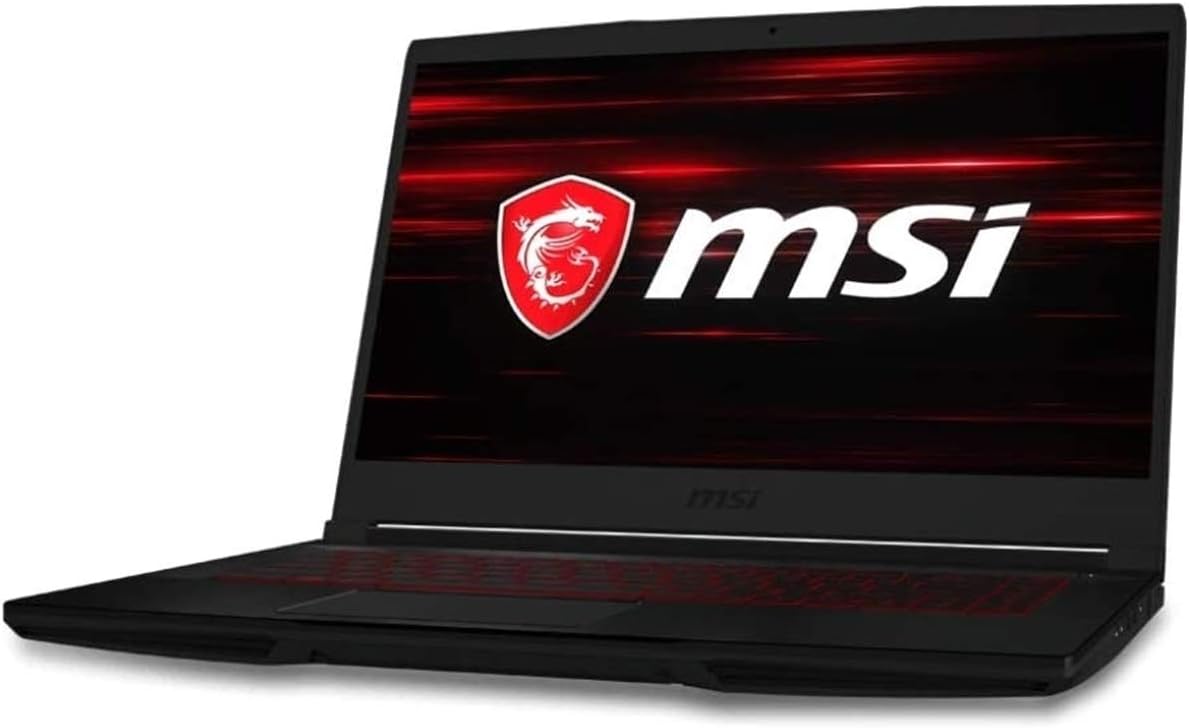
The MSI GF63 Thin is a budget gaming laptop that perfectly bridges the gap between affordability and solid performance. Powered by an Intel Core i5-10300H quad-core processor and a dedicated NVIDIA GeForce GTX 1650 with 4GB of VRAM, this machine is built for gamers who want to play modern esports titles like Fortnite, Valorant, and Rocket League without dropping a ton of cash. It also handles older AAA games and popular titles such as Diablo 4 and Rust at medium settings with playable frame rates.
This laptop is ideally suited for casual gamers, college students, work-from-home gamers, or anyone building their first dedicated gaming setup on a tight budget. The 15.6-inch 1080p IPS display with anti-glare coating delivers clear visuals and decent color accuracy for the price, making it comfortable for both gaming and everyday productivity. Pre-loaded with Windows 10, the system is ready to use immediately.
Performance-wise, the GTX 1650 can push 60+ fps in most esports games at medium to high settings, and it handles light content creation like photo editing or streaming with OBS at reduced settings. The 8GB of DDR4 RAM is enough for basic multitasking, but many users will appreciate the ability to upgrade to 16GB or 32GB later. The 256GB PCIe NVMe SSD loads games and applications quickly, though you’ll want an additional drive for a larger game library.
Build quality is respectable for a sub-$600 laptop. The chassis is mostly plastic but feels sturdy enough for daily commuting. It’s only 0.85 inches thick and weighs 4.1 pounds, so it slides easily into a backpack. One downside is thermal management: under gaming load, the laptop gets hot, and the fans spin up audibly. Using MSI’s Dragon Center to set a more aggressive fan curve helps keep temps in check. Battery life is also a weak point; you’ll get around 6-7 hours for light work but only 2-3 hours while gaming, so plan to stay plugged in during longer sessions.
Despite these limitations, the MSI GF63 Thin offers incredible value for entry-level gaming. If you’re a casual or competitive gamer on a tight budget, a student needing a portable gaming rig, or someone who wants an affordable second PC for LAN parties, this laptop delivers. It’s not for high-end AAA gaming at max settings, but for its price, it’s a solid compromise between performance, portability, and cost.
The GTX 1650 is a capable entry-level GPU for 1080p gaming. In Fortnite, you can expect 60-80 fps on medium settings; in Valorant, 100+ fps on high; and in Diablo 4, around 50-60 fps on medium. More demanding titles like Cyberpunk 2077 will require low settings and possibly lower resolution to remain playable. Overall, it’s a great fit for competitive gaming where high frame rates matter more than max details.
One of the best features of the GF63 Thin is its upgradability. It has two DDR4 SODIMM slots (one free) and an extra M.2 slot for adding more storage. Many users have reported successfully upgrading to 16GB or 32GB RAM and adding a 1TB SSD. This makes the laptop a future-proof investment that can grow with your needs.

Pros
- Excellent value for 144Hz gaming at this price point, delivering smooth visuals in popular esports titles.
- Upgradeable RAM (up to 64GB) and storage (up to 2TB) allows future-proofing as your library grows.
- Reliable build and thermal design keep the system stable during extended gaming sessions without excessive fan noise.
- Wi-Fi 6 and USB 3.0 ports offer modern connectivity for peripherals and high-speed internet.
- Windows 11 Pro adds business-grade features like BitLocker and Remote Desktop for versatile use.
Cons
- Battery life drops significantly under gaming load, typical for budget gaming laptops; expect around 2-3 hours of intense use.
- Some units may ship with the RTX 3050 4GB variant instead of the advertised 6GB, so verify your specific configuration.
- The 144Hz panel is decent but not the brightest; outdoor or brightly lit rooms may cause glare.
The HP Victus 15.6" gaming laptop is an entry-level to mid-range option designed for PC gamers who want solid 1080p performance without breaking the bank. It's best suited for casual and competitive gamers, college students, streamers just starting out, and anyone building a budget gaming setup that needs portability. With an Intel Core i5-12450H processor and an NVIDIA GeForce RTX 3050 graphics card, this machine handles most modern titles at medium to high settings.
In real-world gaming, the 144Hz display offers a significant advantage in fast-paced shooters like Call of Duty or Overwatch, providing smoother motion and reduced input lag. The 16GB of DDR4 RAM ensures that you can keep Discord, Spotify, or OBS running in the background without stuttering. The 512GB PCIe SSD loads games quickly, though you may want to upgrade storage if you plan to install multiple AAA titles. According to user feedback, the laptop performs reliably for games such as Fortnite and Apex Legends at 60-90 FPS on high settings.
Build quality is typical for the HP Victus line: a sturdy plastic chassis with a blue finish that looks sleek on a desk. The backlit keyboard is comfortable for typing, though not mechanical, and the trackpad is adequate. The laptop weighs 5.1 pounds, making it easy to take to a dorm room or LAN party. Cooling is handled by dual fans that keep temperatures in check during long sessions, but the fans do become audible under load. Battery life is a limitation: you'll get around 5-6 hours for light use, but expect only 2-3 hours while gaming, which is common among budget gaming laptops.
Setup is straightforward out of the box, but if you want more RAM or storage, the bottom panel is easy to remove for upgrades. Some users noted that the advertised 6GB VRAM may actually be 4GB on their unit, so double-check your specific model before buying. This is a realistic caveat but doesn't diminish the laptop's overall value. The included Wi-Fi 6 and USB 3.0 ports give you fast networking and peripheral connectivity, and the micro-edge display minimizes bezels for a more immersive look.
Limitations include the aforementioned battery life and a display that isn't very bright (around 250 nits), which can be a problem in well-lit rooms. Additionally, the RTX 3050 is best for 1080p gaming; don't expect to run demanding titles at 1440p. For content creators, the laptop can handle light video editing in DaVinci Resolve, but heavier workloads may require a more powerful GPU. Overall, the HP Victus is a practical recommendation for budget-conscious PC gamers who need a portable, capable machine for school, work, and play.

Pros
- Great value for entry-level 1080p gaming performance
- Upgradable RAM and storage options for futureproofing
- Thin and light design at under 5 pounds, easy to carry between classes or rooms
- Decent battery life for mixed use, up to 8 hours for light tasks
Cons
- Only 60Hz refresh rate display, not ideal for competitive esports players seeking higher framerates
- 8GB RAM may feel limited for heavy multitasking or modern AAA titles without an upgrade
- Fan noise can become noticeable under heavy gaming load, though it helps keep temperatures in check
The HP Pavilion Gaming 15.6 laptop (model 15-dk0020nr) is a well-rounded entry-level gaming machine that balances performance, portability, and price. Powered by a 9th-generation Intel Core i5-9300H processor and NVIDIA GeForce GTX 1650 graphics with 4GB of GDDR5 VRAM, this laptop is designed to handle 1080p gaming at medium to high settings in popular titles like Fortnite, Overwatch, and PUBG. It also comes with 8GB of DDR4 RAM and a 256GB PCIe NVMe SSD, which ensures fast boot times and smooth multitasking for everyday use.
This laptop is best suited for casual gamers, college students, and work-from-home users who need a reliable device for both gaming and productivity. The GTX 1650 is capable of running most esports titles at 60fps, but the 60Hz display means you won't get the ultra-smooth motion that competitive players might want from a 144Hz panel. Still, for the price point, it's a solid performer.
Build quality is decent with a plastic chassis that feels sturdy enough for daily commuting. The backlit keyboard features acid green accents, which adds a subtle gaming vibe without being over the top. Audio is a standout feature, thanks to front-firing Bang & Olufsen speakers that deliver clear, impactful sound for gaming, movies, and music. The dual-fan cooling system helps manage thermals during extended play, though the fans can get audible under load.
Setup and maintenance are straightforward. Windows 10 Home comes pre-installed, and the HP software suite provides basic system monitoring and optimization tools. Upgrading RAM or storage is simple via two accessible memory slots and an extra M.2 slot, making it easy to boost performance down the line. Port selection includes USB 3.1 Type-C, three USB 3.1 Type-A, HDMI, and an RJ-45 Ethernet port, which covers most peripherals for a gaming desk setup.
One realistic limitation is that the 256GB SSD fills up quickly if you install several modern games, so you may want to add a secondary drive or use external storage. Also, the 8GB of RAM can become a bottleneck for heavy multitasking or newer AAA titles. Battery life is decent at up to 8 hours for light use, but gaming will drain it much faster, so keeping the charger nearby is recommended.
Overall, the HP Pavilion Gaming 15.6 laptop is a practical choice for budget-conscious gamers, streamers on the go, or anyone needing a versatile laptop for gaming, school, or work. If you prioritize portability and value over high refresh rates, this laptop delivers a dependable experience that's easy to upgrade and maintain.

Pros
- Fast 144Hz display for smooth gaming visuals
- Generous 32GB RAM for heavy multitasking
- Upgraded 1TB SSD provides ample storage and quick load times
- Good port selection including HDMI 2.1 and USB-C
Cons
- GTX 1650 GPU may struggle with newer AAA titles at high settings
- Build is somewhat bulky and can get warm under load
- Battery life is average, not ideal for all-day unplugged use
The 2022 HP Victus Gaming Laptop is a mid-range gaming machine that aims to deliver solid performance without a premium price tag. It's a traditional laptop design with a 15.6-inch display, targeting casual gamers, college students, and users who need a versatile device for both work and play. With an upgraded configuration featuring 32GB of RAM and a 1TB SSD, this model is built for smooth multitasking and quick load times.
At the heart of this laptop is the 12th Gen Intel Core i5-12450H processor, which offers a good mix of performance cores and efficient cores for handling everyday tasks and gaming. The NVIDIA GeForce GTX 1650 with 4GB of VRAM is a capable entry-level GPU, able to run popular titles like Fortnite, Valorant, and Rocket League at high settings with good frame rates. However, for more demanding AAA games like Cyberpunk 2077 or Starfield, you may need to lower settings to achieve playable performance. The 144Hz display is a highlight, providing smooth visuals and reducing motion blur, which is a boon for fast-paced shooters and racing games.
Build quality is decent for the price point, with a plastic chassis that feels sturdy enough for daily use. The backlit keyboard includes a numeric pad, which is handy for data entry or productivity tasks. The laptop's weight of just over 5 pounds makes it portable but not ultra-light, so it's fine for carrying between classes or to the living room. The Bang & Olufsen speakers deliver clear audio, though they lack deep bass, and the 720p webcam is adequate for video calls.
In terms of connectivity, the Victus offers a solid mix: USB-C with DisplayPort, HDMI 2.1, three USB-A ports, an RJ-45 Ethernet jack, and a headphone/microphone combo. This allows for easy connection to external monitors, wired networks, and peripherals. The inclusion of Wi-Fi 6 ensures fast wireless speeds, which is great for online gaming and streaming. Setting up the laptop is straightforward, as it comes with Windows 11 pre-installed, and the upgraded RAM and SSD mean you can start using it right out of the box without any lag.
One realistic limitation is the GTX 1650 graphics card, which is now a few generations old. It will handle esports titles and older games well, but it's not future-proof for upcoming graphically intense releases. Additionally, the laptop can get warm under extended gaming sessions, and the battery life is average, lasting around 5-6 hours with light use. These are trade-offs common in budget gaming laptops.
Overall, the HP Victus Gaming Laptop is a practical choice for PC gamers on a budget, especially those who prioritize CPU performance and memory over GPU power. It's well-suited for college gamers, casual players, and anyone who needs a reliable laptop for work and entertainment. If you're looking for a machine that can handle moderate gaming and daily productivity without breaking the bank, this upgraded Victus is worth considering.
Frequently Asked Questions
Can a GTX 1650 laptop handle AAA games at 1080p in 2026?
Yes, the GTX 1650 with 4GB GDDR5 VRAM handles most popular titles at 1080p on medium to high settings. Many gamers report playable frame rates in games like Fortnite, Overwatch, and PUBG. Newer AAA releases with heavier graphical demands may need settings dialed down to medium or low for consistent performance. Pairing the GPU with a 144Hz display helps reduce perceived stutter even when frame rates dip below 60.
Is 8GB RAM enough for gaming on a best gaming laptop with gtx 1650 laptop?
8GB DDR4 RAM is sufficient for most 1080p gaming and light multitasking. Some users find that running a game alongside a browser with multiple tabs or a streaming app can push memory usage close to the limit. Several laptops on this list, like the HP Victus models, support RAM upgrades up to 64GB, so you can start at 8GB and expand later without replacing the machine.
How does the RTX 3050 compare to the GTX 1650 on these laptops?
The RTX 3050 offers 6GB GDDR6 VRAM and supports newer features like ray tracing and DLSS, which the GTX 1650 lacks. This translates to better texture quality and smoother performance in titles that leverage those technologies. For budget buyers who mainly play esports titles or older games, the GTX 1650 still delivers solid 1080p results. If you want to understand how GPU selection impacts overall performance, the best graphics cards for gaming guide breaks down key differences.
Do these laptops overheat during long gaming sessions?
Most models on this list use dual-fan cooling systems designed to manage heat under sustained loads. The Acer Nitro 5 features CoolBoost technology with twin fans and dual exhaust ports, while MSI’s GV15 uses an X-shaped ventilation layout. Some users find that a cooling pad helps during marathon sessions, but thermal throttling isn’t a common complaint across these models based on user feedback.
What display refresh rate should I look for on a budget gaming laptop?
A 144Hz IPS panel is the sweet spot for GTX 1650 and RTX 3050 laptops in this price range. It provides noticeably smoother motion compared to 60Hz, especially in fast-paced shooters and racing games. Several HP Victus and MSI GV15 models include 144Hz displays with anti-glare coatings and 9ms response times. The HP Pavilion Gaming laptop uses a 60Hz panel, which works fine for casual play but won’t feel as fluid in competitive scenarios.
Can I upgrade the SSD or RAM on these laptops later?
Yes, most of these laptops support storage and memory upgrades. The Acer Nitro 5 has an open M.2 slot and an available hard drive bay, making expansion straightforward. HP Victus models support up to 2TB SSD and up to 64GB DDR4 RAM according to product specifications. The NIMO laptop also features a user-friendly design for component upgrades. Always follow the manufacturer’s guidelines and use proper anti-static precautions when opening the chassis.
Is Wi-Fi 6 important for online gaming on a best gaming laptop with gtx 1650 laptop?
Wi-Fi 6 (802.11ax) offers lower latency and better performance in congested network environments compared to Wi-Fi 5. For competitive online play, this can mean fewer lag spikes during peak hours. Most laptops on this list, including the Acer Nitro 5 with Intel Wi-Fi 6 AX200 and the MSI GV15, include Wi-Fi 6 support. An Ethernet port is also available on several models for the most stable wired connection during ranked matches. For more laptop comparisons, explore the ASUS gaming laptop guide for alternative brand options.





Write Your Review
No reviews yet. Be the first to share your experience!