
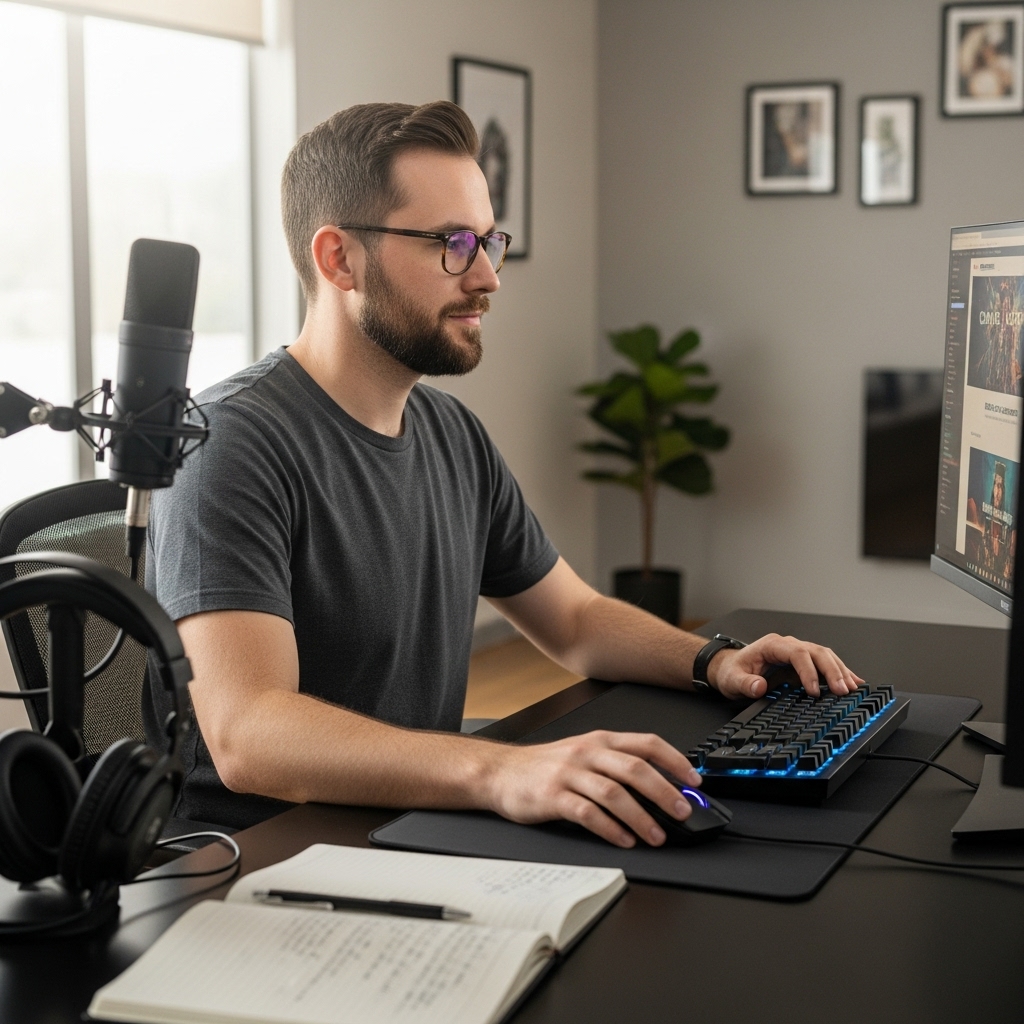

Frame drops during intense matches and whining cooling fans ruin competitive gaming faster than almost anything else. Sleek chassis designs often choke internal airflow, forcing high-end chips to throttle down after twenty minutes of heavy load. Understanding how to choose a gaming laptop means looking past peak boost clocks to evaluate real thermal capacity and sustained wattage. A solid portable rig balances power delivery with heat dissipation to keep frame rates steady when firefights erupt. Evaluating discrete silicon, like the hardware analyzed in our look at top graphics cards for gaming, shows why power limits matter as much as GPU model names.
Display quality and input responsiveness shape every second of play. A fast 144Hz IPS panel with low input latency removes distracting motion blur so you can track fast targets cleanly. Memory bandwidth and storage architecture also dictate system speed, where 16GB of fast RAM and an NVMe SSD prevent hitching during asset loads. From value options noted in our guide on budget gaming laptop hardware to high-tier rigs, balanced component synergy and reliable thermal management ensure a dependable portable setup.

Pros
- Comprehensive coverage of gaming laptop specifications and features in an easy-to-follow format.
- Great for beginners and experienced buyers alike, with clear explanations of technical terms.
- Covers both budget-friendly and high-end gaming laptop options, helping you decide where to spend.
- Includes practical advice on upgrading RAM and storage post-purchase to extend the laptop's life.
- Digital format allows for quick searching, bookmarking, and note-taking while researching laptops.
Cons
- Digital only - no physical copy available for those who prefer a printed guide.
- Content is focused on 2025 models; may become slightly dated as new hardware releases appear.
- Does not cover desktop PC builds or gaming peripherals beyond laptop selection.
The Laptop Buying Guide 2025 is a comprehensive digital resource designed to simplify the process of choosing the right laptop for students, professionals, and most importantly, PC gamers. Released as part of the Ultimate Laptop Buyer's Guide 2025 series, this eBook focuses on the key hardware decisions that directly impact gaming performance, multitasking, and long-term value. It is not a physical device, but a detailed reference that aims to educate buyers before they make a purchase.
This guide is best suited for PC gamers who are shopping for a new laptop in 2025, whether they are competitive gamers seeking high refresh rate displays and low-latency components, casual gamers looking for a balanced budget option, or streamers and content creators who need powerful hardware for both gaming and productivity. It also helps esports players, college gamers, and work-from-home users understand the trade-offs between portability, battery life, and raw performance.
When it comes to real-world performance, the guide helps you prioritize key specs like the GPU (GeForce RTX 40 series, Radeon RX 7000), CPU (Intel Core Ultra or AMD Ryzen 7000/8000), RAM capacity and speed, and SSD storage type. It explains how these components affect responsiveness, load times, and frame rates in modern games. The guide also covers display refresh rates (120Hz to 240Hz and beyond), resolution (1080p to 4K), and panel types (IPS, OLED) to match your gaming preferences. Additionally, it discusses thermal management and how cooling designs impact sustained performance during long gaming sessions.
In terms of build quality and practicality, the guide offers advice on evaluating laptop construction factors such as chassis materials (aluminum vs. plastic), keyboard durability, screen hinge strength, and overall weight. It helps you decide whether you need a thick, high-performance notebook with robust cooling or a slim, portable ultrabook with moderate gaming capabilities. The guide also touches on upgradeability options like accessible RAM slots and M.2 SSD bays, which are useful for gaming setup builders who want to expand storage or memory later.
The eBook format makes setup and use extremely simple: just download it to your Kindle device or app, and you can start reading immediately. It is searchable, meaning you can quickly jump to sections about GPUs, CPUs, or specific brands. Maintenance is minimal since it is a digital product. One realistic limitation is that the guide is specifically focused on 2025 model year laptops, so some recommendations may shift as new hardware releases arrive. Also, readers who prefer a physical book might miss having a printed copy to flip through.
Overall, the Laptop Buying Guide 2025 is a practical investment for anyone planning to purchase a gaming laptop this year. It saves time by condensing research into one well-organized source and helps you avoid common buyer mistakes. Whether you are building a portable gaming setup, setting up a dorm room battle station, or upgrading your work-from-home rig, this guide offers clear, actionable advice. For the price of a coffee, it provides peace of mind and a solid foundation for making an informed gaming laptop purchase.

Pros
- Large, easy-to-read key labels for improved typing accuracy.
- Customizable backlighting with 7 colors and 3 brightness levels.
- Quiet keys suitable for shared spaces or streaming.
- Plug-and-play simplicity with no software required.
- Budget-friendly price for a full-size illuminated keyboard.
Cons
- Not designed for competitive gaming due to lack of mechanical switches and anti-ghosting.
- Large key spacing may feel less responsive for fast-paced gaming.
- Plastic construction may not withstand heavy use over time.
The X9 Large Print Backlit Keyboard is a full-size wired keyboard that stands out with its oversized key labels and customizable backlighting. While it's marketed toward seniors and beginners, its features also appeal to PC gamers, streamers, and content creators who need clear visibility in dark rooms or prefer a simple, no-fuss typing experience. This keyboard is best suited for casual gamers, college gamers working on assignments, or work-from-home gamers who value readability over mechanical feedback.
In terms of performance, the keyboard uses quiet membrane switches that are fine for typing and casual gaming. The wired USB connection ensures low latency and reliable input, so you won't experience wireless dropouts during long sessions. However, it lacks anti-ghosting or mechanical switches, so competitive gamers playing fast-paced FPS or MOBA titles may find the key response less precise. For everyday web browsing, streaming chat, or slower-paced games, it performs adequately.
Build quality is what you'd expect at this price point: a lightweight plastic frame with a standard 104-key layout and 14 dedicated shortcut keys for media and browser control. The 5-foot USB cable is long enough for most desk setups, and the keyboard's compact footprint fits comfortably on smaller desks. The backlighting offers 7 colors and 3 brightness levels, controlled directly on the keyboard without any software, which is convenient for RGB enthusiasts who want a simple lighting accent.
Setup couldn't be easier: just plug the USB-A cable into your PC or laptop, and it works immediately with Windows and Chrome OS. No drivers or software are needed. Maintenance is straightforward - the smooth plastic surface can be wiped clean, and the keys are spill-resistant enough to handle minor accidents. Cable management is basic, but the fixed cable keeps things tidy.
The main limitations are its lack of gaming-specific features. The large key spacing, while helpful for visibility, can feel sluggish for rapid key presses. The membrane switches lack the tactile feedback many gamers prefer, and there's no software for remapping keys or creating macros. Additionally, the plastic build may not hold up well under heavy daily use.
Overall, the X9 Large Print Backlit Keyboard is a practical choice for casual gamers, streamers who need a quiet, illuminated keyboard, or anyone building a budget-friendly desk setup. It's not meant for esports or competitive play, but for its price, it delivers solid visibility and basic functionality. If you prioritize clear key labels and customizable backlighting over mechanical performance, this keyboard is worth considering.

Pros
- Expert-level buying advice saves hours of research and helps avoid costly mistakes
- Benchmark data provides clear performance expectations for specific games and workloads
- Pro hacks offer real, actionable tips for optimizing performance and extending laptop lifespan
Cons
- As a book, it does not include hands-on testing updates after print date so newer models may not be covered
- Focus is primarily on premium gaming laptops, with limited coverage of budget or mid-range options
- Some tips may require technical comfort with software tweaks and system settings
Gaming Laptops Demystified 2025 is a detailed buying guide and reference book aimed at PC gamers who want to make an informed purchase of a high-performance gaming laptop. Unlike a hardware accessory, this book delivers knowledge - covering major brands like Alienware, ASUS ROG, MSI, and Razer with honest benchmarks, buying tips, and pro gaming hacks. It's a resource designed to simplify the often overwhelming process of selecting the right portable gaming rig for your needs.
This guide is best suited for PC gamers, esports players, streamers, content creators, and even college gamers who need a laptop that can handle both gaming and productivity on the go. Whether you are a competitive gamer looking for low latency and high refresh rates, or a casual gamer wanting the best value for your budget, the book's breakdown of specs and real-world performance will help you zero in on the right model. Gaming setup builders will also appreciate the advice on how a laptop can integrate into a desktop-like station with external monitors and peripherals.
Performance-wise, the book focuses on what matters most: gaming responsiveness, input accuracy, visual clarity, and cooling efficiency. It explains how different processors, GPUs, and display technologies affect frame rates and overall feel in popular games like first-person shooters and open-world titles. The included benchmarks give you a clear picture of what to expect from each machine, and the pro hacks section offers practical tweaks to reduce latency and improve in-game reaction times.
Build quality and practicality are discussed in terms of chassis materials, keyboard feel, trackpad responsiveness, and port selection. The guide covers thermal design and airflow, which are critical for sustained gaming performance. It also touches on upgradeability and connectivity - important factors for those looking to connect external storage, high-DPI mice, or mechanical keyboards for a more comfortable gaming session.
Ease of use and setup are core themes: the book walks you through initial configuration, software customization, and even cable management if you plan to dock your laptop. It addresses realistic limitations like battery life under load, weight for portability, and the potential need for an external cooling pad. The maintenance advice covers cleaning, driver updates, and optimizing power settings to keep your laptop running smoothly for years.
Overall, Gaming Laptops Demystified 2025 is a practical and trustworthy buying companion. While it can't test every new model that launches after publication, it gives you a solid framework for evaluating any gaming laptop you consider. If you are in the market for a portable gaming PC and want to avoid common pitfalls, this guide is a worthwhile investment.

Pros
- Excellent value for budget-conscious gamers and students needing a reliable laptop
- Lightweight and portable design makes it easy to carry between classes or work
- Ample 16GB RAM and 512GB SSD provide smooth multitasking and fast boot times
- Backlit keyboard and fingerprint reader add convenience for late-night use and security
- 2K display offers sharp visuals for movies, documents, and light gaming
Cons
- Integrated Intel UHD graphics limit gaming to older or less demanding titles
- 38Wh battery may require frequent charging during extended use away from an outlet
- Mini-HDMI port may need an adapter for standard HDMI monitors or projectors
The NEOBIHIER Gaming Laptop is a budget-friendly Windows laptop designed primarily for casual gamers, students, and work-from-home users who need a portable machine for everyday computing. It targets those looking for an affordable device that can handle light gaming, streaming, schoolwork, and office tasks without breaking the bank. With its Intel 12th Gen Celeron N95 processor, 16GB of RAM, and a 512GB SSD, this laptop aims to deliver smooth performance for basic applications and entry-level gaming.
In terms of real-world performance, the N95 processor combined with 16GB DDR4 RAM allows for efficient multitasking - you can have multiple browser tabs open, stream video, and run office software simultaneously without major slowdowns. The 512GB SSD ensures quick boot times and fast app launches. However, the integrated Intel UHD graphics mean this laptop is best suited for older or less demanding games like Minecraft, League of Legends, or indie titles. It won't handle modern AAA games at high settings, and competitive esports players may find the frame rates lacking for fast-paced shooters.
Build quality and practicality are decent for the price point. The laptop weighs only 3.5 pounds, making it easy to slip into a backpack for commuting or moving between classes. The 180-degree hinge allows flexible positioning, and the backlit keyboard is a nice touch for working in dim environments. The fingerprint reader adds a layer of security and convenience. The 15.6-inch 2K IPS anti-glare display provides sharp and clear visuals for watching videos or editing documents, though the color accuracy may not satisfy professional content creators.
Connectivity is adequate with two USB 3.0 ports, a mini-HDMI output, a 3.5mm headphone jack, and a MicroSD card slot. The mini-HDMI port is a limitation if you frequently connect to external monitors, as you'll need an adapter. The 38Wh battery is on the smaller side, so expect around 4-6 hours of mixed use depending on brightness and workload. Charging is via a standard DC barrel plug.
Setting up the laptop is straightforward - it runs Windows 11 out of the box, and the fingerprint reader makes logging in quick. Maintenance is simple: keep the vents clear and update drivers as needed. The main realistic limitation is the integrated graphics, which prevent this from being a true gaming laptop for modern titles. Additionally, the build is mostly plastic, so it may not withstand heavy drops.
Overall, the NEOBIHIER Gaming Laptop is a practical choice for budget-conscious users who need a portable Windows laptop for light gaming, school, or work. It's not meant for competitive esports or demanding content creation, but for casual gamers and students, it offers good value with its 16GB RAM, fast SSD, and 2K display. If your needs are basic and your budget is tight, this laptop may work well for you.

Pros
- Provides excellent wrist support for long gaming or typing sessions
- Non-slip base stays put during frantic gameplay
- Easy to clean and maintain with a smooth gel surface
- Stylish pink cloud design fits well in gaming or office setups
Cons
- Only one size option (M) may not fit all keyboard layouts perfectly
- Gel material may feel soft for users preferring firmer support
- Limited color and design options beyond pink cloud
The Aszqvd Mouse Pad with Wrist Rest is a gel-based accessory designed to enhance comfort during long hours at the desk. It combines a mouse pad and a separate keyboard wrist rest, both featuring a soft cloud-like gel cushion. While it's not a high-tech gaming peripheral, it addresses a common pain point for PC gamers, streamers, and anyone who spends extended periods typing or gaming: wrist fatigue and pressure.
This set is best suited for casual and competitive gamers, esports players, streamers, content creators, work-from-home gamers, college gamers, and RGB setup enthusiasts who value comfort and ergonomics. The ultra-soft gel conforms to your wrists, reducing pressure and promoting a neutral wrist position to help prevent repetitive strain injuries. For gamers who grind through long sessions in FPS, MOBA, or open-world titles, this support can make a noticeable difference in endurance.
The build quality is practical for daily use. The gel surface is smooth, breathable, and resistant to dirt, sweat, and water, making it easy to wipe clean after a spill or sweaty gaming session. The non-slip silicone base ensures the pads stay firmly in place, even during frantic mouse movements or keyboard typing. The cloud-shaped wrist rest fits full-size keyboards, while the wave-shaped version (sold separately) is for 80% or smaller keyboards. The pink cloud aesthetic adds a cute, personalized touch to any gaming setup.
Setup is straightforward: just place the pads on your desk and start using them. There is no software, drivers, or cable management involved. Cleaning is simple with a damp cloth. However, the single size option (M) might not be ideal for all desk layouts, and the gel material may feel too soft for users who prefer firmer support. Additionally, the pink color and cloud design may not appeal to everyone, especially those seeking a more minimalist or gamer-centric look.
Overall, the Aszqvd Mouse Pad with Wrist Rest is a solid choice for anyone looking to improve desk ergonomics without breaking the bank. It's particularly recommended for streamers and content creators who spend hours at their desks, college gamers in dorm rooms, and work-from-home professionals who game after hours. While it won't boost your in-game performance directly, it can help you play longer and more comfortably.

Pros
- Strong 1080p gaming performance with RTX 4050 and Ryzen 7 for popular titles like COD, PUBG, and CS.
- Lightweight and portable at under 4 pounds, ideal for carrying between home, class, and work.
- Decent battery life for a gaming laptop, lasting 2-5 hours under mixed use.
- Quiet and effective cooling system with a dedicated fan boost button for sustained gaming.
Cons
- Screen color accuracy is somewhat faded, limiting its appeal for serious content creation without calibration.
- Built-in speakers are mediocre, best used with headphones or external speakers for immersive audio.
- Some users report minor software issues like bloatware interference with WiFi, easily resolved by removing Norton.
The MSI Thin A15 B7VE-214US is a 15.6-inch gaming laptop designed to balance portability and performance for a wide range of users. It packs a capable AMD Ryzen 7 7735HS processor and NVIDIA GeForce RTX 4050 graphics, making it well-suited for smooth 1080p gaming in popular titles like Call of Duty, PUBG, and Fortnite. The 144Hz FHD display ensures fluid motion and reduced screen tearing, which is a real plus for competitive gamers who need quick visual feedback.
This laptop is best suited for college gamers, commuters, and value-conscious buyers who want a machine that can handle both gaming and everyday tasks like schoolwork, streaming, or office productivity. Its lightweight design means it slips easily into a backpack, and the understated black finish looks professional enough for a lecture hall or coffee shop. The RGB keyboard adds a touch of personalization without going over the top.
In real-world use, the Ryzen 7 and RTX 4050 combo delivers reliable frame rates at high settings in mainstream games, and the 16GB of DDR5 RAM keeps multitasking snappy. Users report smooth performance in titles like Anno and Battlefield, and the Cooler Boost 5 cooling system helps maintain steady performance during longer sessions. The dedicated fan boost button is a handy feature for when you need extra thermal headroom.
Build quality is solid, with a sturdy hinge and a comfortable keyboard that features a separate number pad. The port selection includes four USB 3.0 ports, making it easy to connect peripherals like a gaming mouse or external drive. One thoughtful inclusion is an empty M.2 slot and an open RAM slot, allowing for future upgrades if you need more storage or memory down the line.
That said, the screen's color accuracy is a noticeable compromise; it's fine for gaming and general use but won't satisfy those who need precise color work for photo or video editing. The built-in speakers are basic, so you'll likely want to use a gaming headset or external speakers for immersive audio. Some users mention that pre-installed software like Norton can cause WiFi hiccups, but removing it usually resolves the issue quickly.
Overall, the MSI Thin A15 offers strong value for the price. It's a practical choice for gamers who need a portable machine that can keep up with daily life. If you prioritize portability, solid 1080p gaming performance, and the ability to upgrade later, this laptop is a smart buy. For those who need better screen accuracy or premium audio, it might be worth considering external monitors and headsets to complement this setup.

Pros
- Great multitasking performance with 16GB RAM and fast SSD
- Long battery life for extended gaming or work sessions
- RGB backlit keyboard adds gaming vibe and night usability
Cons
- Integrated graphics limit AAA game performance – best for esports and casual titles
- No dedicated GPU for demanding gaming or content creation
- Display brightness and color accuracy may be average for professional use
The NEOBIHIER Gaming Laptop is a budget-friendly 15.6-inch notebook aimed at casual gamers, college students, and anyone needing a versatile daily driver. It combines an Intel N95 processor (up to 3.4GHz), 16GB of DDR4 RAM, and a 512GB SSD for snappy performance in everyday tasks and light gaming. While it's not built for hardcore AAA titles, it handles popular esports games like League of Legends, Valorant, and CS2 at playable frame rates, making it a solid option for competitive and casual gamers on a budget.
For streamers or content creators just starting out, this laptop can manage light streaming via OBS and Discord calls without major hiccups. The 16GB RAM ensures smooth multitasking between a game, chat, and browser tabs – a real plus for Twitch or YouTube streams from a dorm or home office. The 512GB SSD provides ample space for a game library and quick load times, though you might need external storage for larger collections.
Build quality is decent for the price point. The plastic chassis is lightweight (under 6 pounds) and portable, fitting easily into a backpack. The 15.6-inch FHD display features an anti-glare coating, which is comfortable for long sessions. The RGB backlit keyboard is a nice touch, adding a gaming aesthetic and helping with visibility in darker rooms. The fingerprint unlock is responsive and adds a layer of security without any fuss.
Battery life is a standout: the 6000mAh battery claims up to 8 hours of gaming or 12 hours of productivity. In real-world use, expect around 6-8 hours of mixed usage, which is solid for a budget laptop. This makes it a reliable companion for college gamers who need to last through classes and gaming sessions.
Realistic limitations include the integrated Intel UHD graphics, which won't be enough for AAA games or heavy video editing. Also, the display's color accuracy and brightness are adequate but not exceptional – fine for casual gaming but not professional creative work. The keyboard and trackpad are functional but not premium.
Overall, the NEOBIHIER Gaming Laptop is a practical recommendation for PC gamers on a tight budget, especially those focused on esports or casual gaming. It also suits college students, work-from-home users, and anyone needing a reliable laptop with decent multitasking capabilities and a bit of RGB flair. If you're after a dedicated gaming machine or need high frame rates, you'll want to invest in a laptop with a discrete GPU. But for the price, this offers solid value and everyday versatility.
The Intel N95 processor with integrated UHD graphics handles esports and older titles well. Expect 60+ FPS in games like League of Legends, Valorant, and CS2 at medium settings and 1080p. More demanding games like Fortnite or Apex Legends may run at lower settings with frame rates around 30-45 FPS. It's best suited for casual gamers and those who play less graphically intensive titles. The 16GB RAM helps prevent stuttering during multitasking, but you won't be pushing high refresh rates or ultra settings.
The chassis is made of plastic but feels reasonably sturdy for daily use. At 5.8 pounds, it's portable enough for carrying between classes or workspaces. The hinge feels solid, and the anti-glare display reduces reflections. The RGB keyboard is a nice bonus, and the fingerprint sensor works reliably. Keep in mind that the overall finish may show fingerprints, and the build is not as premium as higher-end gaming laptops. It should hold up well for a budget device.

Pros
- Clear, beginner-friendly language that explains gaming PC component roles
- Helps you make informed decisions for FPS, MOBA, and open-world gaming
- Covers real-world scenarios like cable management, airflow, and RGB setup
- Affordable price point for a comprehensive guide
- Digital format makes it easy to reference on a tablet or phone during the build
Cons
- As a Kindle eBook, it lacks hands-on demonstrations found in video tutorials
- May not cover the very latest hardware releases if not updated frequently
- Basic formatting; no interactive diagrams or 3D models for component placement
This Kindle eBook is a practical resource for PC gamers, streamers, and gaming setup builders who are considering building their own computer. Unlike pre-built gaming rigs that often come with proprietary parts and limited upgrade paths, this guide walks you through why a DIY approach can deliver better gaming performance, lower latency, and more control over your system's aesthetics. Whether you're into competitive esports, casual gaming, or streaming on Twitch or YouTube, the book's step-by-step approach helps you choose components that match your specific needs.
The book is best suited for beginner to intermediate PC builders, especially college gamers on a budget, work-from-home users who want a dual-purpose gaming and productivity machine, and RGB enthusiasts who want full control over their setup's lighting and cable management. It covers everything from selecting the right CPU and GPU for responsiveness in fast-paced FPS and MOBA games to understanding how motherboard features affect connectivity and future upgrades. The author emphasizes practical considerations like cooling airflow, power supply headroom, and case size compatibility.
In terms of real-world performance, this guide doesn't offer hardware testing data but instead provides solid reasoning for why certain choices matter for gaming responsiveness and visual clarity. It explains the impact of CPU cores on streaming multitasking, the role of GPU memory for high-refresh rate monitors, and how storage speed affects game load times. For gamers building their first custom PC, this knowledge can directly translate to a smoother, more responsive gaming experience without overspending.
Build quality and practicality are addressed through discussions on chassis construction, fan placement, and thermal management. The book also touches on the importance of mechanical keyboards, high-DPI mice, and other peripherals, but focuses mainly on the core computer components. It offers practical advice on cable routing, PSU selection, and how to avoid common mistakes like incompatible RAM or insufficient cooling. The digital format is convenient for referencing on a laptop or tablet while working on your desk setup.
Ease of use is a highlight – the book is written in clear, conversational American English and avoids overly technical jargon. It breaks down the assembly process into logical steps, from preparing your workspace to testing the system post-build. However, it is a text-only Kindle eBook, so it lacks the interactive demonstrations of video tutorials. Some users may find that pairing this guide with YouTube build logs gives the best results.
Realistic limitations include the fact that hardware releases happen quickly, and this guide may not cover the absolute latest generation of CPUs or GPUs if not updated frequently. Additionally, it doesn't provide troubleshooting for specific niche issues. That said, for its price point, it delivers solid foundational knowledge that can save you money and help you build a reliable gaming PC. If you're a PC gamer or setup builder who prefers understanding the 'why' behind component choices before you buy, this eBook is a worthwhile investment.
This guide is tailored for gamers who want to optimize their PC for specific genres. It explains how CPU choice affects frame rates in CPU-bound games like strategy titles, while GPU selection matters more for graphically intense open-world and FPS games. The book also covers how RAM speed and capacity influence multitasking during streaming and Discord calls.
The book dedicates significant pages to ensuring component compatibility, from motherboard chipset selection to power supply wattage. It offers practical tips for cable management and desk organization, which are especially useful for gamers with limited desk space or those building a clean RGB setup.

Pros
- Breaks down complex laptop specs into easy-to-understand categories for beginners and intermediate buyers
- Covers AI-powered features that can improve in-game responsiveness, audio quality, and cooling efficiency
- Portable paperback format makes it a handy reference for desk setup planning or shopping research
- Helps buyers avoid overpaying by matching performance needs to real gaming and streaming workloads
Cons
- As a guidebook, it does not include hands-on testing or direct performance benchmarks
- May not cover every niche gaming laptop brand or the latest 2025 models by the time of reading
- Paperback format means no digital updates; buyers will need to check for newer editions if specs change quickly
This paperback guidebook, part of the Ultimate Laptop Buyer's Guide 2025 series, is designed specifically for PC gamers, streamers, and gaming setup builders who want a clear, no-nonsense roadmap to buying their next gaming laptop. It breaks down the 2025 market into entry-level, mid-range, and high-end categories, with a special focus on how next-gen AI features can affect real-world gaming performance, streaming quality, and content creation workflows.
For competitive gamers and esports players, the guide explains which AI-powered features can improve in-game responsiveness, reduce latency, and boost visual clarity during fast-paced FPS or MOBA matches. It also covers how these same features can help streamers maintain stable broadcast quality on Twitch or YouTube, even while running demanding games in the background. The book is written in plain, practical English, so you won't need a tech degree to follow along.
Build quality and practicality are key here: the paperback format is compact, measuring 6 by 0.48 by 9 inches, which makes it easy to keep on a desk or toss into a gaming bag during a trip to Micro Center or Best Buy. It doesn't cover physical hardware like switches or sensors, but it does provide a solid foundation for understanding which specs matter most for your gaming setup, whether you're building a dorm room rig or a home office gaming station.
One realistic limitation is that this is a static guidebook, so it can't update itself as new 2025 models roll out. You'll want to pair it with online research and user reviews to get the most current info. However, for someone who feels overwhelmed by the sheer number of gaming laptop options, this book offers a clear starting point.
Overall, this guide is best suited for first-time gaming laptop buyers, college gamers, and setup builders who want to make an informed decision without getting lost in marketing jargon. If you're looking for a straightforward way to understand AI-powered gaming laptops and how they fit into your gaming, streaming, or content creation needs, this is a solid desk-side companion.
Hardware Insights on How To Choose A Gaming Laptop
How much RAM is needed when learning how to choose a gaming laptop?
A minimum of 16GB dual-channel memory is optimal for modern titles and background multitasking. Running heavy games alongside chat apps quickly saturates 8GB configurations, causing sudden frame drops. High-speed DDR4 or DDR5 RAM gives your mobile CPU the bandwidth needed for stable 1% lows. Upgrading memory down the line remains one of the best gaming upgrades for smoothing out system responsiveness.
Does graphics wattage matter more than the GPU model badge?
Yes, total graphics power dictates gaming performance more than the silicon name alone. Laptop builders configure mobile GPUs across varying wattage tiers, meaning a high-wattage RTX 4050 can match a power-constrained RTX 4060. Adequate cooling enables the chip to sustain boost clocks without severe thermal throttling. Checking total wattage figures prevents unexpected performance dips in demanding titles.
Is a 144Hz display necessary for competitive play?
Yes, a 144Hz refresh rate display provides fluid motion clarity and reduces input lag significantly. High refresh screens help competitive gamers track movement accurately without screen tearing. Connecting your machine to a desktop display like a responsive gaming monitor can further improve ergonomics and viewing space at your desk.
How can players avoid thermal throttling on a gaming laptop?
Elevating the laptop base and keeping intake vents unobstructed effectively reduces internal temperatures. Operating on hard surfaces or portable stands maximizes fresh airflow for cooling fans. Keeping background applications minimal and setting balanced fan profiles in system software also maintains stable thermal headroom during long sessions.
Which screen resolution works best for portable gaming rigs?
A 1080p Full HD resolution offers the best compromise between visual clarity and high frame rates on mobile hardware. Higher resolutions like 1440p or 4K strain mobile graphics chips, significantly reducing frame rates in modern releases. A 1080p panel keeps frame delivery smooth while preserving battery life and cooling headroom.






Write Your Review
No reviews yet. Be the first to share your experience!