


Thermal Limits and Mobile Framerates in 2026
Frame drops during intense team fights and sudden thermal throttling can ruin any competitive gaming session before it even starts. Compact chassis designs force compromises between acoustic fan profiles and sustained GPU boost clocks, leaving players frustrated with inconsistent framerates. Evaluating How Much Does A Gaming Laptop Cost requires examining thermal layouts, dedicated VRAM capacity, and display refresh rates rather than trusting raw marketing numbers alone. Anyone considering portable hardware can review thin gaming laptops under 1000 to see where realistic performance compromises typically begin.
Modern game engines demand fast memory bandwidth and dedicated silicon to keep 1% low framerates stable under load. Pairing multi-core AMD Ryzen processors with dedicated GeForce RTX GPUs ensures smooth performance across modern titles without sudden stuttering. It’s also smart to check whether an ASUS TUF gaming laptop provides the structural durability and cooling headroom you require. Prioritizing upgradeable memory and proven thermal engineering protects your investment from premature obsolescence.

Pros
- Massive 18-inch 240Hz display for immersive gaming and clear motion in fast-paced titles
- Top-tier Ryzen 9 and RTX 5070 combo delivers high-end performance for gaming and productivity
- Fast 16GB DDR5 RAM and 1TB SSD ensure quick load times and plenty of space
- Wi-Fi 6E and Bluetooth 5.4 provide reliable, low-latency wireless connections
- Included USB hub adds extra ports, simplifying desktop connectivity
Cons
- Weighs 6 pounds, making it less portable than smaller gaming laptops
- Only 16GB RAM may be limiting for heavy multitasking or future games
- Zero user reviews yet, so real-world performance feedback is unavailable
The ASUS ROG Strix G18 is a high-end gaming laptop designed for PC gamers, streamers, and content creators who demand a large display and cutting-edge performance. Powered by a Ryzen 9 8940HX processor and NVIDIA GeForce RTX 5070 8GB GDDR7 graphics, this machine targets competitive and casual gamers alike, along with esports players and RGB setup enthusiasts. Its 18-inch WQXGA 240Hz Nebula display offers crisp visuals and ultra-smooth motion, making it a strong contender for desktop replacement setups.
In real-world gaming scenarios, the 240Hz refresh rate and 2560x1600 resolution provide a significant advantage in fast-paced FPS and MOBA games, where every millisecond matters. The Ryzen 9 8940HX, with its 16 cores and 32 threads, handles multitasking during streams or video editing without hiccups. Combined with 16GB of DDR5 RAM and a 1TB NVMe SSD, loading times are snappy, and game libraries have ample room. The RTX 5070 supports ray tracing and DLSS, further enhancing visual clarity and frame rates in demanding titles.
Build quality is typical of ASUS ROG - sturdy plastic with a brushed aluminum finish, a comfortable RGB keyboard, and ample connectivity including HDMI, RJ-45, USB, and Wi-Fi 6E. At 6 pounds and 1.4 inches thick, it's not the lightest laptop, but it fits well on a desk or in a large backpack. The included USB hub is a practical addition for connecting peripherals without cluttering ports.
Setting up the Strix G18 is straightforward: Windows 11 Pro comes pre-installed, and drivers are easily updated via ASUS software. The keyboard backlighting is customizable through the Armoury Crate app, allowing you to match your RGB setup. Maintenance involves periodic dusting of vents and keeping the screen clean; no special tools are needed.
Limitations to consider: the 16GB RAM is soldered? Actually, it's SODIMM, so upgradable, but many users may want 32GB out of the box. The weight makes it less ideal for frequent travel, and the high price point reflects its premium specs. Additionally, with zero reviews available, early adopters should rely on ASUS's reputation for quality.
Overall, the ASUS ROG Strix G18 is a solid recommendation for PC gamers seeking a desktop-replacement laptop with an expansive display and top-tier internals. It suits competitive players who need high refresh rates, streamers who require multitasking power, and college gamers who want a large screen for both work and play.

Pros
- Solid processing power for casual gaming and productivity tasks.
- Large 16.1-inch FHD display with good color reproduction.
- Ample 16GB RAM and fast NVMe SSD for smooth multitasking.
- Backlit keyboard and WiFi 6 add convenience and speed.
- Upgradable memory and storage options for future-proofing.
Cons
- AMD Ryzen 7 5700U is a U-series chip, not ideal for demanding AAA gaming at high settings.
- 8-hour battery life may be lower under heavy gaming loads.
- Price point is high for the hardware specifications compared to similar laptops.
The AOC 2026 Gaming Laptop is designed as a versatile mid-range machine that balances work, play, and creative tasks. Powered by an AMD Ryzen 7 5700U processor with 8 cores and 16 threads, it provides enough muscle for casual gaming, streaming, and everyday productivity. The processor can boost up to 4.3GHz, which helps keep frame rates stable in less demanding titles like Fortnite, League of Legends, or Valorant. However, it's not a dedicated gaming CPU, so for triple-A games you'll likely need to lower graphics settings.
This laptop is best suited for PC gamers who enjoy older or less intensive games, streamers on a budget, college students, and work-from-home users who need a single device for both entertainment and office tasks. The 16.1-inch Full HD (1920x1080) display offers decent visual clarity and color accuracy, making it enjoyable for watching movies or editing photos. The screen's size is a plus for immersive gaming, but the 60Hz refresh rate means competitive players may want a higher-refresh panel for smoother motion.
Under the hood, you get 16GB of DDR4 RAM and a 512GB NVMe SSD. This combo keeps Windows 11 running smoothly and loads games quickly. The RAM is upgradeable up to 64GB, and the SSD can be swapped for up to 2TB, which is nice for future storage needs. For connectivity, it includes two USB 3.2 ports, a full-function Type-C port, HDMI, a headphone jack, and a TF card slot. WiFi 6 support ensures fast internet speeds during online gaming or streaming, and the backlit keyboard adds a practical touch for low-light sessions.
Build quality is solid with a metal body that feels durable, and the laptop can open up to 180 degrees for easy sharing. It weighs around 3.3 pounds (1.5 kg), making it portable enough for backpack travel. The 53Wh battery is rated for up to 8 hours, but real-world gaming will cut that time significantly. The laptop also underwent a 7x24-hour machine test before shipping, which suggests some reliability checks.
While the AOC 2026 Gaming Laptop offers good everyday performance, there are limitations. The Ryzen 7 5700U is not a high-power gaming chip, so frame rates in modern AAA titles will be modest. The 60Hz display is standard but not ideal for esports. Also, the price is steep for the specs; you can find similar configurations from other brands at lower cost. If you prioritize pure gaming power, a laptop with a dedicated GPU would serve you better.
In summary, this laptop works well for casual gamers, streamers, students, and professionals who need a reliable device for mixed use. It handles daily tasks effortlessly and can run older or less demanding games smoothly. But if you're a competitive gamer or plan to play the latest releases on high settings, look for a system with a dedicated graphics card. The AOC 2026 Gaming Laptop is a decent all-rounder, not a specialist gaming machine.
The AOC 2026 Gaming Laptop relies on the integrated Radeon Graphics in the Ryzen 7 5700U, which is sufficient for light gaming and older titles. In games like CS:GO or Dota 2, you can expect playable frame rates at medium settings. For more demanding games like Cyberpunk 2077 or Assassin's Creed Valhalla, you'll need to lower resolution and detail significantly. The 16GB RAM helps reduce stutter during intensive moments, but the lack of a discrete GPU is the main bottleneck. Streaming on Twitch or YouTube while gaming may also stress the system, but it can handle basic streaming using x264 encoding at lower presets. Overall, this laptop is best for casual gaming sessions rather than competitive esports at high refresh rates.

Pros
- Strong CPU performance for multitasking and light gaming
- Upgradeable RAM and storage extend the laptop's lifespan
- Good port selection and Wi-Fi 6 for connectivity
- Backlit keyboard useful for low-light gaming environments
Cons
- Integrated Vega 8 graphics limit modern AAA gaming at high settings
- Only 512GB storage base; heavier users may need immediate upgrade
- Fan noise can be noticeable under sustained load
The KAIGERR 2026 LX16PRO is a 16-inch laptop positioned as a budget-friendly option for users who want a mix of productivity and light gaming capabilities. While it carries a 'gaming laptop' label, it's best understood as a versatile work-and-play machine, thanks to its AMD Ryzen 7 7730U processor and integrated Radeon RX Vega 8 graphics. This setup is well-suited for casual gamers, college students, content creators, and work-from-home users who don't require a dedicated graphics card but still want smooth everyday performance and the ability to enjoy less demanding games like Fortnite, Minecraft, or League of Legends at reasonable settings.
For PC gamers on a tight budget, the CPU's 8 cores and 16 threads provide snappy responsiveness in gaming and multitasking. You'll see minimal lag when switching between a game, Discord, and a few browser tabs. The 16-inch IPS display offers decent color accuracy and a high refresh rate, making motion look smoother than standard 60Hz panels - a plus for esports and casual titles. However, the Vega 8 integrated graphics are not powerful enough for modern AAA games at high details; expect to run older or less demanding games at medium to low settings to maintain playable frame rates.
Build quality is reasonable for the price point. The chassis is lightweight at under 4 pounds, making it easy to carry between classes or to a friend's place. The backlit keyboard is a welcome addition for late-night gaming sessions, and the Wi-Fi 6 support ensures stable online connectivity for streaming or multiplayer matches. Port selection is generous, with USB 3.2, HDMI, a full-featured Type-C (for display and data), and a TF card slot - so you can easily connect a gaming mouse, headset, or external monitor.
One major strength is upgradeability: the laptop supports up to 64GB of DDR4 RAM and a 2TB NVMe SSD. This means you can start with the base 16GB/512GB config and expand as your needs grow, giving it better long-term value. The storage is enough for a few games and files, but heavy users might want to invest in an SSD upgrade sooner rather than later.
There are some realistic trade-offs. The integrated GPU won't handle demanding games well, and fan noise can become noticeable during extended gaming sessions. Battery life is typical for a budget laptop - expect around 5-7 hours of mixed use, less under load. The screen is bright enough indoors but may struggle in direct sunlight.
Overall, the KAIGERR 2026 LX16PRO is a practical choice for casual gamers, students, and anyone who needs a well-rounded laptop for school, work, and entertainment on a budget. It's not for hardcore esports players or AAA gaming enthusiasts, but for light gaming, streaming, and everyday tasks, it delivers solid performance and flexibility.
Pros
- Upgradeable RAM and storage for long-term value
- Strong CPU performance for everyday tasks and light gaming
- Full connectivity including USB-C, HDMI, and Wi-Fi 6
- Thin and portable chassis with a backlit keyboard
Cons
- Integrated AMD Radeon Graphics limit gaming to less demanding titles
- No dedicated GPU for AAA gaming at high settings
- DDR4 RAM instead of faster DDR5, and only 60Hz display (assumed from lack of refresh rate info)
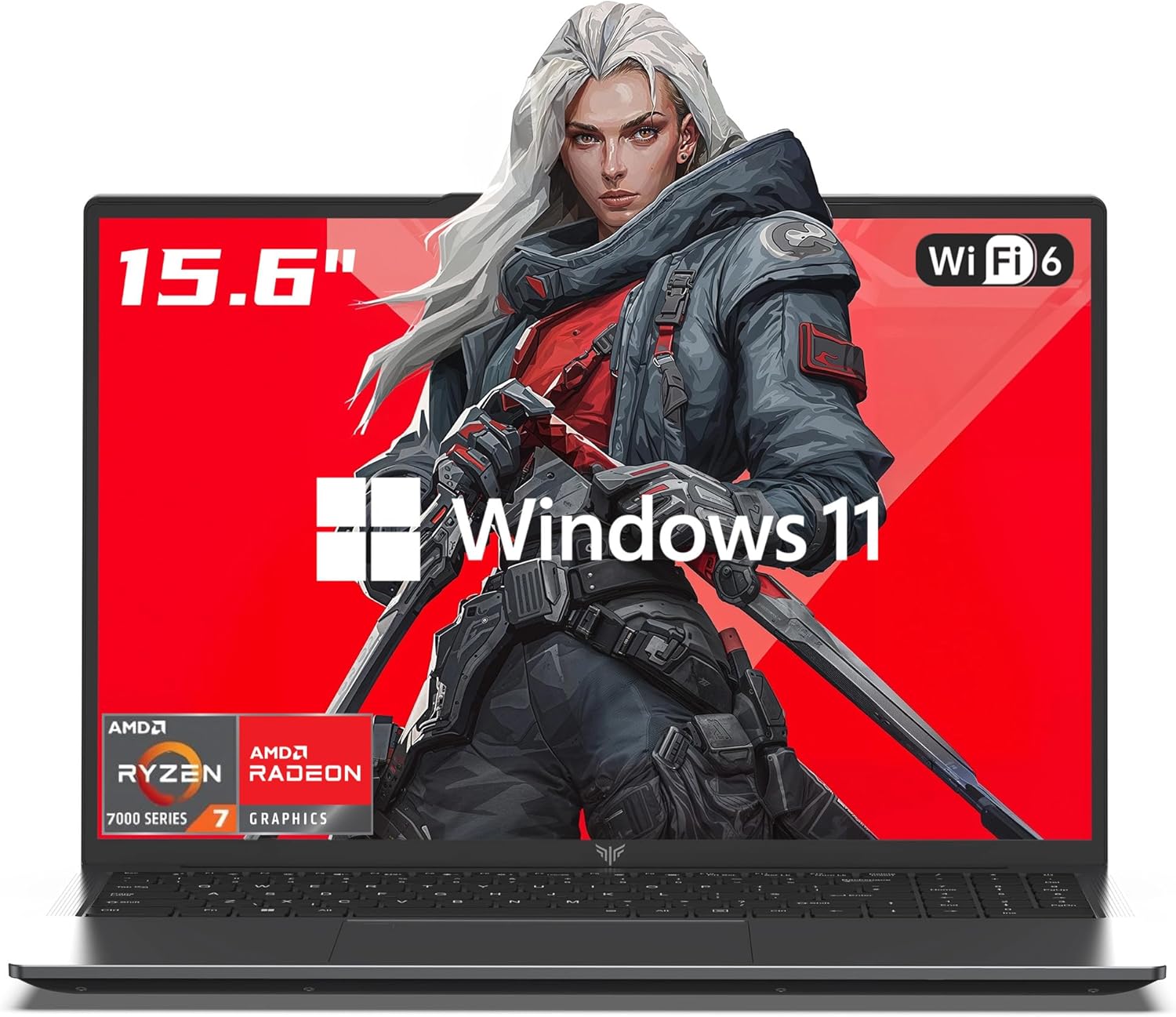
The MALLRACE LX15PRO is positioned as a gaming laptop, but it's best thought of as a versatile daily driver that can handle light gaming on the side. Powered by the AMD Ryzen 7 7730U (8 cores, 16 threads, up to 4.5GHz), this laptop excels at productivity tasks, web browsing, video streaming, and even some creative work like photo editing. The integrated AMD Radeon Graphics, while not a powerhouse, can run popular esports titles like League of Legends, Valorant, and CS2 at lower settings, making it a decent option for casual gamers or college students who want a single device for work and play.
Who should consider this laptop? It's a strong match for college gamers, work-from-home professionals, and content creators who need a portable machine with solid CPU performance. Streamers on a budget might use it for encoding light streams, but the integrated GPU won't handle heavy gaming and streaming simultaneously. RGB setup enthusiasts will appreciate the backlit keyboard, but there's no per-key RGB customization.
Real-world performance is snappy thanks to the Ryzen 7 and NVMe SSD. Boot times are quick, and multitasking between dozens of browser tabs, office apps, and Discord calls feels fluid. For gaming, expect playable frame rates in older or less demanding titles at 1080p low settings. The 16GB of DDR4 RAM is sufficient for most users, and the fact that you can upgrade to 64GB and add a second SSD is a big plus for future-proofing. The 15.6-inch 1080p IPS display is adequate for everyday use, though its refresh rate is standard 60Hz, so competitive gamers may want something faster.
Build quality is decent for the price range. The chassis is made of gray plastic and metal, weighing 5.54 pounds and measuring 0.66 inches thick - not ultrabook-light but portable enough for a backpack. The backlit keyboard offers comfortable travel for long typing sessions, though the keys may feel a bit soft for heavy typists. The trackpad is responsive, but most gamers will use a dedicated mouse. Connectivity is ample: two USB 3.2 ports, one USB 2.0, full-function USB-C, HDMI, a 3.5mm audio jack, and a TF card reader. Wi-Fi 6 ensures stable online play, and the webcam is adequate for Zoom calls or streaming.
The main limitation here is the integrated graphics. This is not a machine for playing Cyberpunk 2077 at high settings or running demanding VR titles. Users hoping for a true gaming laptop should look for models with a dedicated RTX or Radeon GPU. However, if your gaming library consists of indie titles, older AAA games, or competitive shooters on low settings, the MALLRACE LX15PRO will get the job done. Battery life is likely around 6-8 hours for light use, though heavy gaming will drain it faster.
Setting up the laptop is straightforward out of the box with Windows 11 pre-installed. The MALLRACE brand offers 12 months of repair support and unlimited technical assistance, which adds peace of mind. For maintenance, the bottom panel can be removed to upgrade RAM or SSD, and the fan vents should be cleaned periodically. Overall, if you're a college gamer or a casual player looking for a productive laptop that can handle some gaming on the side, the MALLRACE LX15PRO is a practical choice at its price point.
Integrated Radeon Graphics limit this laptop's gaming potential. It can handle esports titles like Fortnite, Rocket League, and Dota 2 at 1080p low to medium settings with playable frame rates (30-60 fps). Older or less demanding games (e.g., Minecraft, Stardew Valley, CS:GO) will run smoothly. However, modern AAA games like Cyberpunk 2077 or Red Dead Redemption 2 are not playable at acceptable settings. For serious competitive gaming, a dedicated GPU is recommended.
The MALLRACE LX15PRO offers excellent upgrade potential. It supports up to 64GB of DDR4 RAM via two SODIMM slots, and the M.2 NVMe SSD can be expanded to 2TB. This makes it a smart choice for users who want to start with a budget configuration and improve performance later. Accessing the internals is straightforward by removing the bottom panel.

Pros
- Exceptional gaming performance with top-tier CPU and GPU combo
- Stunning 4K 240Hz display with excellent color accuracy and brightness
- Ample memory and ultra-fast Gen5 storage for demanding workloads
- Per-key RGB keyboard adds customizable flair to any gaming setup
Cons
- Heavy at 7.7 pounds, making it less portable for frequent travel
- Premium price point may be out of budget for casual gamers
- Only one year warranty for a high-investment device
The Lenovo Legion 9i Gen 10 is a flagship 18-inch gaming laptop designed for PC gamers, esports players, streamers, and content creators who refuse to compromise on performance. Powered by the Intel Core Ultra 9 275HX with 24 cores and an NVIDIA GeForce RTX 5080 with 16GB of GDDR7 VRAM, this machine handles the latest AAA titles, high-refresh-rate competitive shooters, and demanding creative applications with ease. The 4K 240Hz IPS display, covering 100% of DCI-P3 and hitting 520 nits, delivers buttery-smooth visuals and vivid colors whether you're fragging in Valorant or editing 4K video.
For competitive gamers, the combination of the RTX 5080 and the 240Hz panel ensures minimal input lag and exceptional responsiveness. The per-key RGB backlit keyboard allows for personalized lighting profiles that sync with your gaming setup, while the 5MP RGB+IR camera and dual array microphone provide clear communication during intense matches or streaming sessions on Twitch and YouTube. The 32GB of DDR5 RAM and 1TB Gen5 NVMe SSD mean games load in seconds and multitasking between OBS, Discord, and your game is seamless.
Build quality is robust, with a durable chassis that feels premium despite the laptop's size. The cooling system, designed to handle the powerful internals, keeps temperatures in check during long gaming sessions, though the laptop does get warm under sustained load. The 18-inch form factor offers an immersive experience but comes with a weight of nearly 7.7 pounds, making it more of a desktop replacement than a portable companion. The 400W power adapter is substantial, but necessary to fuel the high-performance components.
Setup is straightforward with Windows 11 Home pre-installed, and Lenovo's Vantage software provides easy control over performance modes, RGB lighting, and system updates. The three available SODIMM slots allow for future memory upgrades, and the single Gen5 SSD can be supplemented with additional storage. Cable management is minimal given the laptop's all-in-one design, but the slim tip power adapter is manageable for a desk setup.
One realistic limitation is the price, which places it firmly in the premium segment. Casual gamers or those on a tighter budget may find better value in mid-range options. Additionally, the one-year warranty feels short for a device at this investment level. However, for serious gamers, streamers, and content creators who need desktop-level performance in a laptop form factor, the Legion 9i Gen 10 is a compelling choice that excels in gaming responsiveness, visual clarity, and overall versatility.

Pros
- Excellent gaming performance at 1080p with RTX 5070 and DLSS 4 support
- Generous 32GB DDR5 RAM and fast 1TB Gen4 SSD for demanding applications
- Large 17.3" 144Hz IPS display provides smooth visuals and good color reproduction
- Upgradeable storage with an extra M.2 slot and dual-channel memory
- Good selection of ports including USB4 and HDMI 2.1 for external monitors
Cons
- Heavier than many 17-inch laptops at nearly 6 pounds, less portable for daily carry
- Screen has some flex in the middle according to user feedback; build uses plastic materials
- Keyboard backlight is orange only, offering less customization for RGB enthusiasts
The Acer Nitro V 17 AI is a gaming laptop that blends powerful hardware with practical features for PC gamers, streamers, and content creators. Powered by an AMD Ryzen 7 260 processor and an NVIDIA GeForce RTX 5070 laptop GPU, this machine is built to handle modern titles at high settings while also supporting AI-driven tasks like video upscaling and creative workflows. With 32GB of DDR5 RAM and a 1TB Gen4 SSD, it offers plenty of memory and speed for multitasking and fast load times.
For competitive and casual gamers, the 17.3-inch Full HD IPS display with a 144Hz refresh rate reduces motion blur and provides a smooth, responsive experience in fast-paced games like shooters and racing sims. The RTX 5070 supports full ray tracing and DLSS 4, which boosts frame rates while maintaining visual quality. According to user benchmarks, this combo delivers over 70 FPS in Cyberpunk 2077 with ray tracing enabled, making it a capable choice for demanding titles.
Build quality is solid for the price point, with a mostly plastic chassis that keeps weight just under six pounds. The keyboard features orange backlighting and a number pad, though the lighting isn't RGB. The screen has some flex in the middle as noted in early user feedback, but the matte IPS panel offers good color and minimal reflections. Connectivity is a strong point: Wi-Fi 6E, Killer Ethernet, USB4 with Power Delivery, HDMI 2.1, and multiple USB-A ports allow easy hookup to gaming mice, headsets, and external monitors.
The dual-fan cooling system with quad intakes and exhausts does a good job managing heat during extended sessions. Users report the fans stay quiet under normal use and only ramp up during heavy gaming or updates. The laptop also includes NitroSense software for tuning performance, fan curves, and audio, plus Acer's PurifiedView and PurifiedVoice for webcam and microphone optimization during streams or calls.
One realistic limitation is the weight: at 5.97 pounds, it's less portable than some 17-inch competitors, though it still works well as a desktop replacement. The power button behavior may not match Windows sleep settings perfectly, and the pre-installed Windows Home might require an upgrade for advanced features like Remote Desktop. However, the upgradeable storage (extra M.2 slot) and dual-channel memory slots add long-term value.
Overall, the Acer Nitro V 17 AI is a strong option for gamers and creators who want a large screen, powerful internals, and AI features without breaking the bank. It's particularly well-suited for college gamers, work-from-home setups, and streamers who need a reliable laptop for both gaming and productivity. For the price, it delivers a balanced mix of performance and features that should satisfy most users looking for a versatile gaming machine.
The Acer Nitro V 17 AI's gaming performance is driven by the NVIDIA GeForce RTX 5070 GPU with 8GB of VRAM and the AMD Ryzen 7 260 processor. In benchmarks, the system scores around 12,785 in 3DMark Time Spy and 2,912 in Steel Nomad, indicating strong 1080p performance. With DLSS 4 and full ray tracing enabled, users report playable frame rates in demanding titles like Cyberpunk 2077 (over 70 FPS) and high frame rates in older games like Fallout 4 and Starfield (over 100 FPS). The 144Hz display keeps motion smooth and responsive, making this laptop suitable for competitive shooters and fast-paced esports titles. The Optimus graphics switching between the RTX 5070 and integrated Radeon 780M helps extend battery life during lighter tasks.
The Nitro V 17 AI features a mostly plastic construction with a reflective Nitro logo on the lid. While the chassis is sturdy enough for daily use, some users have noted slight flex in the center of the screen. The keyboard offers a comfortable typing experience with orange backlighting, though it's not per-key RGB. The trackpad is responsive, and the overall design is subtle enough for office or school environments. At 5.97 pounds, it's a bit heavy but manageable for moving between rooms or taking to a gaming cafe. Connectivity includes a good array of ports: USB4, three USB 3.2 Gen 2, HDMI 2.1, Ethernet, and a headphone jack. The dual-fan cooling system keeps temperatures in check, and the laptop feels solid during use. The included power brick is reasonably sized for a 1499-dollar gaming laptop.

Pros
- Strong CPU and GPU combo for the price delivers excellent gaming value.
- High refresh rate 180Hz display makes gameplay smooth and responsive.
- Ample 16GB DDR5 RAM and fast 512GB SSD for quick loading and multitasking.
- Good connectivity options including USB-C 4.0, HDMI 2.1, and RJ45 Ethernet.
Cons
- 720p webcam is below average for streaming or video calls.
- At 5.38 pounds, it may be heavy for frequent portability.
- Limited information on thermal performance and sustained gaming loads.
The Acer Nitro V 16 AI Gaming Laptop is a solid mid-range gaming machine built for PC gamers, competitive esports players, streamers, and college students who need a capable laptop for both gaming and daily tasks. Powered by an AMD Ryzen 5 240 processor with AI capabilities and an NVIDIA GeForce RTX 5050 GPU, it offers a balanced blend of performance and value. The 16-inch WUXGA 180Hz IPS display ensures smooth visuals during fast-paced FPS, MOBA, or racing games, while the 16GB DDR5 RAM and 512GB SSD keep load times short and multitasking seamless.
In real-world gaming scenarios, the RTX 5050 can handle modern titles at 1080p high settings, and the 180Hz refresh rate reduces motion blur for a competitive edge. The Ryzen 5 240's AI features (up to 421 TOPS) may help with productivity tasks like content creation or streaming, though the laptop's 720p webcam is a letdown for streamers who rely on crisp video. The backlit keyboard is comfortable for long gaming sessions, and the Wi-Fi 6E support ensures low-latency online play.
Build quality is typical for Acer's Nitro series - a sturdy plastic chassis with a clean black design. The laptop's dimensions are 10.9 x 14.2 x 0.96 inches, making it reasonably portable, though the 5.38-pound weight may feel heavy for daily carry. Port selection is generous: three USB-A 3.2 ports, one USB-C 4.0, HDMI 2.1, RJ45 Ethernet, and a microSD card reader. This allows easy connection to external monitors, gaming mice, and streaming gear without needing a hub.
Setting up the Nitro V 16 is straightforward with Windows 11 pre-installed. The included USB-C hub adds extra connectivity. The laptop runs Windows 11 Home, and the Acer Care Center software helps manage system updates and performance profiles. However, users should note that the battery life may be limited under gaming load, and the laptop's cooling fans can become audible during intense sessions. The 512GB SSD may fill up quickly for gamers with large libraries, but the microSD slot offers expandable storage.
Overall, the Acer Nitro V 16 AI Gaming Laptop is a practical choice for budget-conscious gamers, esports enthusiasts, and college students who need a versatile machine for gaming, streaming, and schoolwork. While it has some compromises like the webcam and weight, its strong CPU/GPU combo, high-refresh display, and ample RAM make it a compelling option for those looking to game on the go without breaking the bank.

Pros
- Strong CPU and GPU combo for 1080p gaming and content creation
- 32GB DDR5 memory is future-proof and great for heavy multitasking
- 144Hz display improves responsiveness in fast-paced games
- Generous storage solution with included external drive
- Lifetime Office adds real value for students and professionals
Cons
- Display brightness (300 nits) may be underwhelming in brightly lit rooms
- 720p webcam is modest for a laptop at this price point
- Software bundle may include bloatware; some users reported Office version discrepancies
The HP Victus 15.6" gaming laptop is a straightforward, no-nonsense machine built for gamers who need solid performance without the flashy RGB and premium price tag. Equipped with an AMD Ryzen 7 7445HS processor and an NVIDIA GeForce RTX 4050, it targets 1080p gaming at high settings in most modern titles. With 32GB of DDR5 RAM and a total of 1TB storage (512GB SSD plus a 500GB external drive), this laptop is designed to handle gaming, streaming, and productivity side by side.
This laptop suits a wide audience: PC gamers who want a portable rig for esports or single-player games, college gamers who need a versatile machine for both gaming and coursework, and streamers who require decent multitasking power for OBS and Discord. The 144Hz FHD IPS display provides smooth visuals and reduces screen tearing, giving you an edge in competitive shooters like Valorant or Overwatch. The display's 300-nit brightness is adequate indoors, but might struggle in direct sunlight.
On the performance front, the Ryzen 7 and RTX 4050 combo handles most AAA titles at 1080p with medium to high settings. Ray tracing is possible but expect to use DLSS for smoother frame rates. The 32GB RAM ensures you can keep multiple Chrome tabs, a game, and streaming software running without hiccups. The included 512GB NVMe SSD offers fast load times, and the external 500GB drive gives you extra space for game libraries, though it's an external drive so you'll need to manage cables.
Build quality is typical for the Victus line: a plastic chassis with a sturdy feel, weighing just over 5 pounds. The laptop isn't overly bulky, making it reasonable to carry between classes or to a LAN party. The backlit keyboard has decent travel and a numeric keypad, which is handy for productivity. The 720p webcam is serviceable for video calls but not ideal for streaming. Port selection is solid with USB-C (DisplayPort support), USB-A, HDMI 2.1, and an Ethernet port for stable online play.
Ease of setup is straightforward: Windows 11 Pro comes pre-installed with some bloatware, and the bundled MarxsolAccessory adds a USB-C hub, mouse, and mousepad. Some users noted the included Office might be the basic version rather than Professional, so verify before purchasing. The laptop's cooling system handles moderate gaming sessions well, though fans can get audible under load.
Overall, the HP Victus 15.6" offers a balanced package for gamers who need a portable workhorse. The combination of a fast processor, ample RAM, and a 144Hz screen delivers a smooth gaming experience. If you're a competitive gamer on a budget, a college student needing a do-it-all laptop, or a streamer looking for reliable performance, this Victus is a practical choice. Just be aware of the dimmer display and average webcam.
The Ryzen 7 7445HS and RTX 4050 complement each other well for 1080p gaming. In titles like Fortnite, Call of Duty: Warzone, and Apex Legends, expect frame rates well above 100 fps on medium to high settings. Ray tracing games like Cyberpunk 2077 will run around 60 fps with DLSS enabled. The 144Hz display eliminates visible stutter, and the low-latency RTX 4050 helps maintain smoothness even during intense firefights.
For esports players, the laptop's CPU boost speed and fast memory ensure quick load times and consistent frame pacing. The 32GB RAM is overkill for most games right now, but it future-proofs the system for heavier titles and multitasking. The included external storage is useful for installing less demanding games or keeping media files.
Keep in mind that the RTX 4050 is an entry-level RTX 40-series GPU, so it won't handle 4K or high-refresh 1440p gaming without compromises. But for its target audience, the performance is more than adequate.
Frequently Asked Questions
Can a budget gaming laptop run modern AAA games smoothly?
Direct Answer: Yes, but graphical settings require manual tuning for stable framerates. Entry models with dedicated GPUs like the RTX 4050 handle titles at 1080p using DLSS upscaling. Systems relying strictly on integrated graphics will struggle with complex 3D rendering.
How much RAM is recommended for gaming in 2026?
Direct Answer: A minimum of 16GB DDR5 RAM is recommended for modern gaming. Background applications and open-world titles quickly exceed 8GB of system memory. Opting for 32GB configurations eliminates micro-stuttering and provides ample bandwidth for gaming while streaming or recording.
Does screen refresh rate increase overall laptop price?
Direct Answer: Yes, panels offering 144Hz to 240Hz refresh rates noticeably increase base machine costs. Faster refresh displays reduce motion blur and input lag, giving competitive players sharper visual tracking. Investing in a versatile laptop for creators and gaming balances high refresh speeds with accurate color reproduction.
Why do gaming laptops run hotter than desktop computers?
Direct Answer: Tight chassis space restricts airflow around high-wattage components. Mobile systems use dense heat pipes and compact fans to manage thermals. Without adequate cooling architecture, boost clocks throttle down to protect hardware, making proper airflow and cooling pads essential.
How much GPU VRAM is necessary for modern titles?
Direct Answer: At least 8GB of dedicated VRAM is necessary for modern gaming without texture stuttering. Demanding titles easily overwhelm smaller buffers at high settings. Reviewing desktop graphics cards for gaming helps clarify how mobile GPU memory limits impact long-term fidelity.


Write Your Review
No reviews yet. Be the first to share your experience!