


Selecting a high-performance portable machine often leaves players overwhelmed by endless component specifications and marketing jargon. When trying to determine what is the current best gaming laptop, the right choice ultimately depends on matching specific graphics capabilities, thermal engineering, and display refresh rates to your favorite titles. Gamers seeking high frame rates in modern titles often look toward machines with dedicated graphics processors, while value-conscious players explore budget-friendly gaming laptops that deliver solid entry-level frame rates. Striking the right balance ensures that your machine handles demanding workloads without generating excessive heat or exceeding your realistic budget.
Hardware configurations vary significantly across different price tiers, from entry-level integrated Radeon solutions to cutting-edge mobile graphics processors like the GeForce RTX 5070. Memory capacity and storage architecture also dictate how seamlessly your machine juggles background programs, game updates, and content creation tasks. By focusing on balanced component combinations rather than chasing raw brand names, you can secure dependable performance that matches your everyday gaming routine. This guide breaks down essential hardware distinctions, thermal architectures, and system specifications to help you find the ideal machine for your specific portable gaming needs.


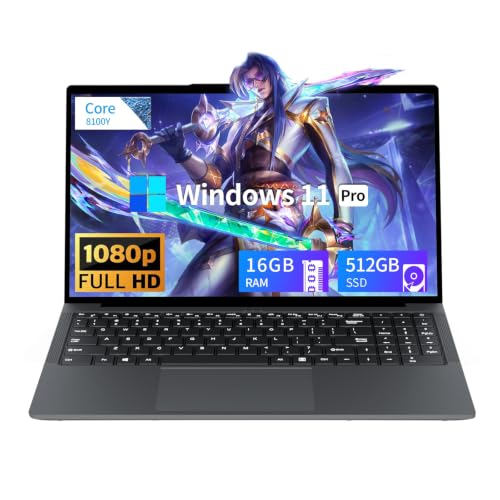


Pros
- Excellent CPU and GPU performance for the price point
- High-quality 165Hz QHD display with accurate colors
- Ample 32GB DDR5 RAM and 1TB SSD storage
- Effective cooling sustains performance over long sessions
- Solid port selection for gaming and creator peripherals
Cons
- Battery life is short (around 2 hours) typical for gaming laptops
- Chassis is mostly plastic, lacking the premium feel of higher-end models
- Fans can get loud under heavy load
The MSI Katana 15 HX is a gaming laptop built for players who want high performance without breaking the bank. Powered by an Intel Core i9-14900HX and NVIDIA GeForce RTX 5070, this 15.6-inch machine targets competitive gamers, streamers, content creators, and anyone who needs a portable system that can handle modern AAA titles and creative workloads. With 32GB of DDR5 RAM and a 1TB NVMe SSD, it's ready to run demanding software right out of the box.
In real-world gaming, the i9-14900HX and RTX 5070 push high frame rates even at QHD resolution. The RTX 5070 supports NVIDIA DLSS 4, which uses AI to boost FPS and improve image quality in supported games. The display is a QHD 165Hz panel with 100% DCI-P3 color coverage, meaning you get sharp details, smooth motion, and rich colors whether you're battling in an FPS or exploring an open world. The 165Hz refresh rate reduces motion blur for a competitive edge.
MSI's Cooler Boost 5 cooling system uses two fans and shared heat pipes to keep the CPU and GPU temperatures in check during long gaming sessions. Based on user feedback, the design does a good job maintaining stable frame rates without throttling, though the fans do become audible under load. The 4-zone RGB keyboard includes highlighted WASD keys, and the keycaps have a nice tactile feel for gaming. Port selection is generous with USB-C Gen 2, HDMI 2.1 supporting up to 8K output, multiple USB-A ports, and Wi-Fi 6E for fast wireless connectivity.
Build quality is practical rather than premium. The chassis is primarily plastic, which keeps weight down to just under 5 pounds, but it doesn't have the all-metal feel of more expensive laptops. The hinge feels sturdy, and the keyboard deck has minimal flex. Setup is straightforward: the laptop comes with Windows 11 Home and MSI Center software for performance tuning, RGB control, and system monitoring. Battery life is limited to around two hours under gaming loads, so you'll want to stay plugged in for serious play.
One realistic limitation is fan noise; under heavy gaming, the cooling fans ramp up noticeably. If you game in a quiet room or stream with an open mic, this is something to consider. Additionally, the 1080p webcam is average, so streamers may want a dedicated webcam for better quality.
The MSI Katana 15 HX offers strong value for gamers and creators who need a portable, high-performance laptop. It's ideal for college gamers, work-from-home players, and anyone building a gaming setup on a budget. If you can live with plastic build and short battery life, this laptop delivers where it counts: gaming performance, display quality, and system responsiveness.
The combination of Intel Core i9-14900HX and GeForce RTX 5070 makes the Katana 15 HX a beast for modern games. The i9's 24 cores (8 Performance + 16 Efficient) handle both gaming and background tasks seamlessly, while the RTX 5070, based on NVIDIA Blackwell architecture, brings full ray tracing and DLSS 4. In titles like Cyberpunk 2077 or Call of Duty, you can expect high to ultra settings at QHD resolution with smooth frame rates. The 32GB DDR5 RAM ensures zero stutter even when streaming or running Discord in the background. Esports players will appreciate the 165Hz display low latency for fast-paced shooters.
The 15.6-inch QHD display is a highlight, offering 2560x1440 resolution, a 165Hz refresh rate, and 100% DCI-P3 color gamut. This means you get sharp details, smooth motion, and vibrant colors suitable both for gaming and photo/video editing. The Cooler Boost 5 cooling system employs two fans and five heat pipes to keep temperatures in check. In sustained gaming, the CPU and GPU stay within safe limits, though the fans do become audible. The laptop maintains stable performance without significant thermal throttling, which is crucial for long sessions.


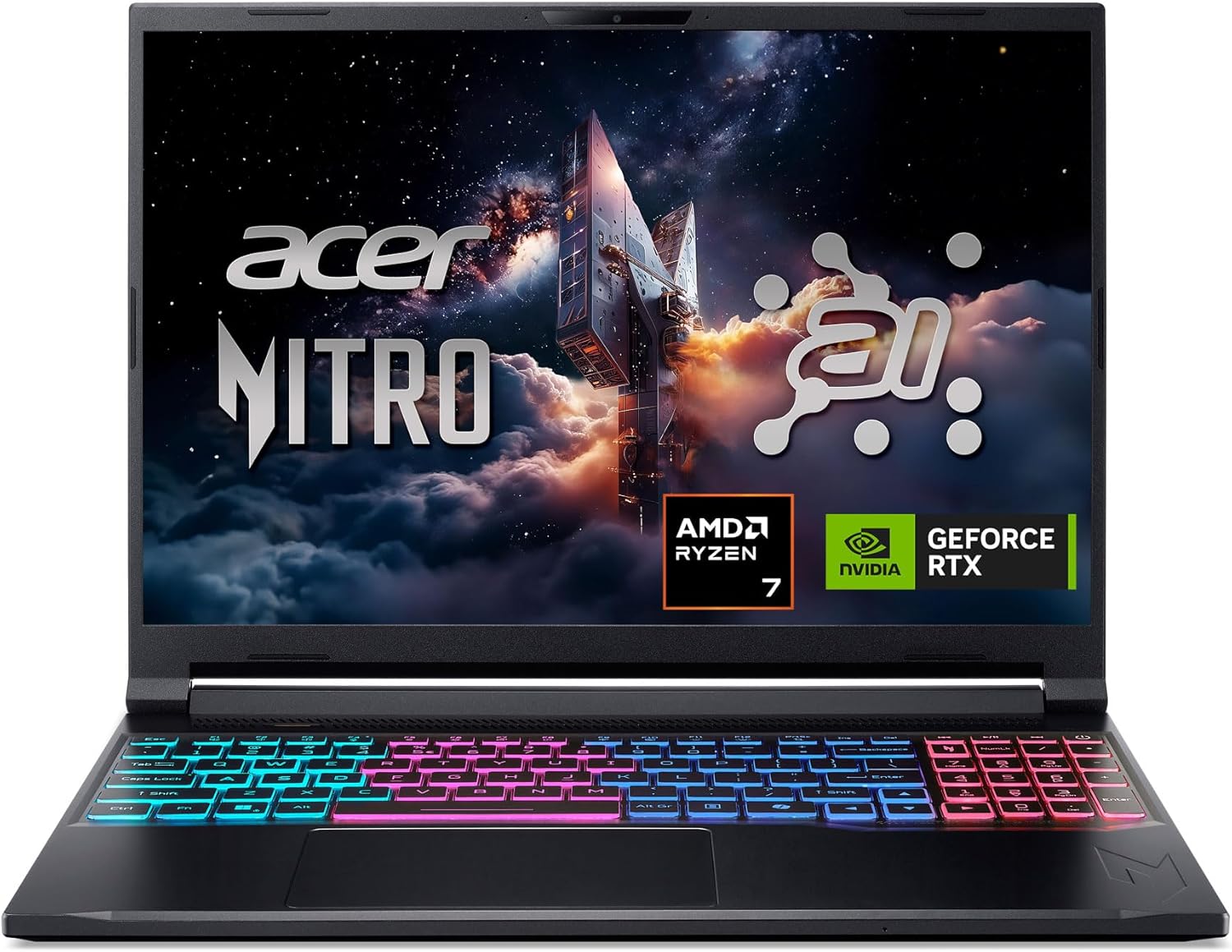
Pros
- Powerful AI-optimized CPU and GPU combination for demanding games and creative apps
- Excellent 32GB DDR5 RAM and fast 1TB Gen 4 SSD out of the box reduce need for upgrades
- High 180Hz refresh rate with good color accuracy enhances visual clarity and responsiveness
- Compact and relatively lightweight chassis (4.63 lbs) makes it portable for gamers on the go
- Robust cooling solution with quad air intakes and dual fans keeps thermals under control during intense sessions
Cons
- Maximum RAM is 32GB with no expansion slots available after purchase, limiting future upgrade potential
- Battery life may be typical for a gaming laptop and could require frequent charging during extended unplugged use
- Integrated webcam quality not specified; users may want an external camera for streaming
The Acer Nitro V 16S AI is a mid-range gaming laptop built around the latest AMD Ryzen 7 260 processor and NVIDIA GeForce RTX 5060 GPU. It's designed for PC gamers who want a balance of performance and portability, as well as content creators and streamers who can leverage the AI capabilities for tasks like upscaling, background effects, and faster encoding. With a 16-inch 180Hz display and 32GB of DDR5 RAM, this laptop aims to deliver smooth gameplay and efficient multitasking right out of the box.
When it comes to real-world gaming performance, the RTX 5060 with DLSS 4 and full ray tracing support gives you high frame rates in modern titles at 1080p or 1200p resolution. The 180Hz refresh rate makes fast action in FPS and racing games feel buttery smooth, while the 100% sRGB coverage ensures vibrant colors for open-world adventures. The AMD Ryzen 7 260's AI TOPS also help with background tasks, voice commands, and optimizing settings in supported software, giving an edge in competitive scenarios.
Build quality is typical for the Nitro line: a black plastic chassis with a clean, understated look. At 4.63 pounds, it's slim enough to slip into a backpack for college or LAN parties. The dual-fan quad-intake cooling keeps temperatures reasonable under load, though you'll still hear the fans ramp up during extended gaming sessions. The keyboard includes a backlit numeric keypad, and the touchpad is responsive for everyday use. Port selection is solid with USB4, two USB 3.2 Gen 2, HDMI 2.1, and Ethernet, making external monitor or dock setups easy.
Setting up the laptop is straightforward: it runs Windows 11 Home, and the pre-installed NitroSense software gives you control over fan speeds, power profiles, and system monitoring. The Acer PurifiedView and PurifiedVoice 2.0 features handle webcam background blur and noise reduction during Discord calls or streams. There are two M.2 SSD slots (one free) for storage expansion, but note that the RAM is soldered and maxes out at 32GB, so choose your capacity wisely at purchase.
One realistic limitation is that while the laptop includes a USB4 port, you'll need an external GPU dock if you ever want more graphics power - but for most users the RTX 5060 is plenty. Battery life is average for a gaming laptop; expect around four to five hours of light use. Also, the 1080p webcam isn't specified, but many laptops in this range offer only basic 720p or 1080p sensors, so external webcams are still recommended for professional streaming.
Overall, the Acer Nitro V 16S AI is a well-rounded portable gaming machine that hits a sweet spot for price-conscious PC gamers, esports players, and content creators. If you value high-refresh-rate gaming, AI-assisted performance, and decent portability without breaking the bank, this laptop is worth considering. It also comes with a three-month PC Game Pass trial to get you started with hundreds of games on day one.
The RTX 5060 laptop GPU with 572 AI TOPS and DLSS 4 Multi Frame Generation provides a significant boost in supported games. You can expect high settings at 1080p with smooth frame rates in titles like Call of Duty, Fortnite, and Cyberpunk 2077. The 180Hz display minimizes motion blur and screen tearing, while the AMD Ryzen 7 260 processor handles CPU-intensive simulations and background tasks without stutter. Gamers who play competitive esports titles will appreciate the low-latency response and Killer Ethernet for stable online play.
Despite being a slim 0.79-inch profile, the Nitro V 16S AI packs a dual-fan, quad-intake, quad-exhaust cooling system. This design pushes heat out efficiently, keeping the CPU and GPU within safe operating temperatures during long gaming sessions. The chassis is made of durable plastic with a matte finish that resists fingerprints. The hinge feels sturdy, and the weight of 4.63 pounds makes it manageable for daily carry. The backlit keyboard has a numeric keypad and decent key travel, suitable for both gaming and typing.

Defining What Makes the Best Gaming Laptop Today
Determining what is the current best gaming laptop requires looking past basic marketing buzzwords to evaluate how balance, thermal efficiency, and processing power interact under demanding gaming workloads. A laptop that excels in esports titles might falter when rendering modern ray-traced open worlds, while a heavyweight flagship might prove too cumbersome for players who travel frequently. True performance is defined by how well a machine sustains its clock speeds without aggressive thermal throttling while providing a smooth visual experience. Understanding the core technical specifications across modern portable hardware allows buyers to make an informed choice suited to their unique playing habits and lifestyle.
GPU Hierarchy: Integrated Graphics Versus Dedicated RTX Hardware
The graphics processing unit serves as the primary engine for rendering 3D environments, complex lighting effects, and fast animation sequences. Budget-oriented portable machines often rely on integrated graphics processors such as the AMD Radeon 680M found in the NIMO 15.6″ Light-Gaming-Laptop or entry-level UHD graphics chips. These integrated solutions share system memory to handle casual titles, older releases, and lightweight esports games with modest power consumption. However, demanding modern titles require dedicated mobile GPUs with dedicated video memory to render detailed textures without stuttering.
Stepping up to dedicated graphics cards introduces advanced neural rendering and hardware-accelerated ray tracing capabilities. Machines like the Alienware 15 Gaming Laptop, RTX 4050 feature dedicated mobile graphics that deliver fluid frame rates at 1080p resolutions across mainstream games. Enthusiast platforms such as the msi Katana 15 HX 15.6” 165Hz QHD+ Gaming Laptop and the Acer Nitro V 16S AI Gaming Laptop introduce newer RTX 50-series chips that incorporate DLSS frame generation technologies. These dedicated architectures leverage specialized Tensor cores to elevate frame rates in visually intensive releases, establishing a distinct performance threshold over integrated alternatives.
Processor Selection: Core Counts, Clock Speeds, and Hybrid Architectures
Central processing units dictate how effectively a gaming laptop processes artificial intelligence, physics calculations, and background operating system routines. Modern processors employ hybrid core architectures that combine high-performance cores with power-efficient cores to maximize processing efficiency. For instance, high-tier platforms like the ASUS ROG Strix G18 (2025) Gaming Laptop utilize the Intel Core i9-14900HX, offering a 24-core configuration capable of high burst clock speeds. These multi-threaded chips ensure that demanding titles do not experience computational bottlenecks during intense multiplayer battles or physics-heavy scenarios.
Mainstream portable options leverage efficient power envelopes that prioritize battery conservation alongside capable everyday multi-tasking. Models like the KAIGERR 18.5 inch Light Gaming Laptop feature AMD Ryzen 5 7430U processors, which utilize Zen 3 architecture to achieve clock speeds up to 4.3GHz across six cores and twelve threads. Similarly, the Acer Nitro V 16S AI Gaming Laptop incorporates the AMD Ryzen 7 260 processor to provide dedicated neural processing capabilities for specialized AI tasks. Matching your CPU selection to your workload prevents spending resources on excessive processing threads that may go underutilized in conventional gaming.
Memory and Storage Configurations for Modern Gaming Workloads
System memory directly influences how seamlessly a laptop transitions between game assets, running applications, and background communication clients. While entry-level configurations often start with 16GB of DDR4 or DDR5 RAM, modern gaming demands increasingly favor higher memory limits. Machines such as the msi Katana 15 HX 15.6” 165Hz QHD+ Gaming Laptop provide 32GB of DDR5 memory out of the box, preventing page file caching when running demanding titles alongside browser tabs. Sufficient memory bandwidth allows the processor and graphics pipeline to swap data smoothly without generating sudden frame-time spikes.
Solid-state drive architecture plays a vital role in game installation sizes, level load times, and overall system responsiveness. Modern gaming machines typically feature NVMe PCIe Gen 4 storage drives that move data at rapid speeds, substantially cutting loading screens. Configurations with 1TB of solid-state storage provide adequate headroom for several modern titles that frequently exceed one hundred gigabytes each. Secondary M.2 expansion slots, such as the extra PCIe slot noted on the Acer Nitro V 16S AI Gaming Laptop, allow players to expand their storage libraries down the road without replacing the primary boot drive.
Display Characteristics: Refresh Rates, Resolution, and Response Times
Visual output quality depends on a harmonious match between the laptop’s display resolution and its internal graphics horsepower. A standard 1080p or 1200p panel paired with a high refresh rate provides exceptional clarity for fast-action titles without overtaxing mid-range graphics hardware. For players who value competitive edge, panels offering 165Hz or 180Hz refresh rates ensure rapid motion updates and reduced visual tearing. The Acer Nitro V 16S AI Gaming Laptop features a 16-inch WUXGA screen running at 180Hz with full sRGB coverage, delivering vibrant color precision alongside fluid animations.
Stepping up to higher resolutions, such as the QHD panel on the msi Katana 15 HX 15.6” 165Hz QHD+ Gaming Laptop, provides sharper pixel density and enhanced visual fidelity in cinematic titles. When assessing display quality, gamers should also evaluate panel responsiveness to prevent motion blur and ghosting during camera movements. While specialized configurations exist with touch-enabled gaming displays for versatile creative workflows, dedicated gaming models usually focus strictly on low response times and anti-glare coatings. A panel with proper color space coverage and high brightness ensures your games look striking in various lighting environments.
Thermal Architecture and Cooling Solutions for Sustained Performance
Thermal management remains the most critical engineering challenge in any high-performance gaming laptop chassis. Compact enclosures pack powerful silicon into tight spaces, creating substantial heat during prolonged gaming sessions. Advanced configurations implement specialized multi-fan systems and shared heat pipes to pull thermal energy away from the CPU and GPU dies. MSI incorporates its Cooler Boost 5 design with dual fans and dedicated heat pipes on the Katana 15 HX to maintain consistent operating temperatures under sustained loads.
Enthusiast desktop replacement chassis push thermal design even further by deploying liquid metal compounds and vapor chambers. The ASUS ROG Strix G18 (2025) Gaming Laptop uses Conductonaut Extreme liquid metal alongside an end-to-end vapor chamber and a tri-fan layout to maximize surface airflow. Without robust cooling, a laptop will throttle its clock frequencies, resulting in noticeable stuttering and reduced frame rates during extended play sessions. Proper intake clearance and quad-exhaust channels ensure heat escapes efficiently, protecting sensitive internal components over years of continuous ownership.
Portability Versus Desktop Replacement Form Factors
Form factor decisions force gamers to weigh screen immersion against everyday travel convenience. Compact fifteen-inch designs provide a practical middle ground that fits comfortably into standard backpacks for campus or commute travel. On the other hand, massive configurations like the KAIGERR 18.5 inch Light Gaming Laptop offer desktop-like display real estate that minimizes the need for an external monitor. However, larger chassis inevitably add physical weight and require larger carrying bags, making them better suited for permanent desk setups.
For gamers who travel frequently between school, coffee shops, and LAN events, slim gaming laptops provide lightweight mobility without sacrificing core computing capabilities. Thinner profiles often operate within stricter thermal envelopes, requiring careful power tuning to balance acoustics and surface heat. Conversely, heavier desktop replacements feature thicker chassis that accommodate higher graphics wattage and larger cooling fans. Deciding where your laptop will spend most of its operational life helps you choose between an ultra-portable companion and an expansive battlestation.
Battery Expectations, Power Adapters, and Performance Modes
Battery longevity in gaming laptops presents unique behavioral patterns that differ sharply from conventional ultrabooks. When running on internal battery packs, gaming laptops automatically throttle their GPU power consumption to preserve charge and avoid exceeding cell discharge limits. Full gaming performance requires connecting the machine to its high-wattage AC wall adapter, which delivers the electrical current necessary for peak boost clocks. Budget and light-gaming models often utilize practical battery packs, such as the 38Wh cell in the Tunhail 15.6 inch Laptop, intended primarily for basic web browsing and document handling away from the wall.
Modern power delivery standards have introduced versatile charging methods that enhance travel flexibility. The NIMO 15.6″ Light-Gaming-Laptop supports 100W Power Delivery over USB Type-C, enabling users to carry a single compact charger for work and study. Proprietary management utilities, such as Alienware Command Center or Acer NitroSense, allow gamers to toggle performance profiles on demand. Selecting a quiet or stealth mode limits fan noise and tempers clock speeds in shared office environments, while performance modes unleash maximum wattage for gaming marathons.
Ports, Peripheral Connectivity, and External Display Expansion
A well-rounded port selection allows a gaming laptop to function as the centerpiece of a complete peripheral ecosystem. Connecting gaming mice, mechanical keyboards, external audio interfaces, and external monitors requires diverse interface standards. High-end models integrate high-speed USB4 or USB-C Gen 2 ports that support bidirectional power delivery, high-bandwidth data transfers, and DisplayPort video output. The Acer Nitro V 16S AI Gaming Laptop features full-function USB4 connectivity alongside dedicated HDMI output, simplifying dual-display configurations at your desk.
Network stability is equally crucial for competitive multiplayer gaming, where latency spikes can disrupt an entire match. While contemporary machines integrate fast Wi-Fi 6 or Wi-Fi 7 wireless adapters, dedicated RJ45 Ethernet ports remain the gold standard for packet reliability. High-performance gaming platforms, including the msi Katana 15 HX and Alienware 15, provide integrated Ethernet jacks alongside modern Bluetooth connectivity for wireless headsets and controllers. Ample USB-A ports eliminate the frustration of carrying multiple dongles, allowing quick plug-and-play connections for all your essential gaming accessories.
Evaluating Build Quality, Keyboard Feel, and Long-Term Ownership
Chassis construction and input ergonomics significantly affect daily satisfaction throughout the life of a gaming computer. Laptops endure continuous typing pressure, palm rest friction, and travel vibration, demanding durable casing materials. Keyboards featuring dedicated RGB backlighting, highlighted WASD key clusters, and comfortable key travel improve input precision during late-night gaming sessions. The Alienware 15 Gaming Laptop incorporates customizable AlienFX lighting zones, allowing users to tailor keyboard lighting themes to specific gaming profiles.
Warranty coverage and customer support structures offer vital protection against unexpected hardware malfunctions over long-term ownership. Certain manufacturers, such as NIMO and YOZISUAN, highlight multi-year manufacturer warranties and straightforward replacement flows to provide buyers with added peace of mind. Alienware provides dedicated onsite hardware service options that can address warranty-covered component issues directly at your home or office. Reviewing manufacturer return windows and warranty terms ensures you have clear recourse should a screen panel, cooling fan, or motherboard require professional service.
Practical Hardware Matching: Selecting the Right Tier for Your Playstyle
Answering what machine represents the ideal gaming choice requires an honest assessment of the games you plan to play. Enthusiasts dedicated to cinematic AAA releases with maximum graphics settings need the raw horsepower of high-TGP RTX 50-series graphics and 32GB of system RAM. These high-end platforms deliver the rendering throughput required to drive high-resolution panels with ray tracing enabled. Investing in flagship thermal systems and fast PCIe storage guarantees your machine remains responsive across upcoming game releases for several years.
Conversely, casual gamers, students, and esports enthusiasts can achieve satisfying results without stretching their budgets toward flagship hardware. Machines equipped with capable multi-core processors, 16GB of system memory, and efficient integrated or entry-level dedicated graphics handle titles like League of Legends, Valorant, and indie adventures smoothly. Platforms like the KAIGERR Light Gaming Laptop or the NIMO 15.6″ Light-Gaming-Laptop offer versatile multi-tasking for coursework and light gaming in a portable footprint. Evaluating your authentic gaming priorities ensures you select a balanced laptop that delivers dependable performance without unnecessary hardware expenses.
Final Practical Verdict on Choosing Your Ideal Gaming Laptop
There is no single universal machine that serves as the perfect solution for every player in the gaming laptop market. The ultimate machine for your desk depends on whether your priority leans toward lightweight travel, competitive high-refresh esports, or uncompromised desktop-replacement graphical power. High-tier platforms like the ASUS ROG Strix G18 provide immense processing muscle and large-screen immersion, while balanced mid-tier options like the Acer Nitro V 16S deliver stellar modern gaming value. Prioritizing robust cooling, an upgradeable memory architecture, and a responsive display will always yield better long-term gaming satisfaction than focusing solely on processor badge names.
Before finalizing any purchase, verify the exact configuration specifications to ensure the hardware aligns with your target game requirements. Double-check available expansion slots for future storage additions, review the supplied port array for peripheral compatibility, and assess the overall chassis weight if portability is a requirement. Taking a deliberate, evidence-based approach protects your investment and ensures that your chosen machine provides smooth frame rates and reliable daily computing. By aligning your performance expectations with realistic hardware capabilities, you can confidently invest in a gaming laptop that elevates your play.


Write Your Review
No reviews yet. Be the first to share your experience!