


Bulky factory monitor stands often crowd your desk and limit sweeping mouse movements during fast gaming sessions. Standard bases also restrict height and angle adjustments, leaving you stuck in awkward postures that strain your neck. Investing in the best gaming monitor arms clears valuable desktop area while giving you total control over screen positioning. Elevating your display creates clean space underneath for accessories and provides a much more comfortable viewing angle. When paired with top value displays, a sturdy arm provides premium ergonomics without requiring an expensive desk overhaul.
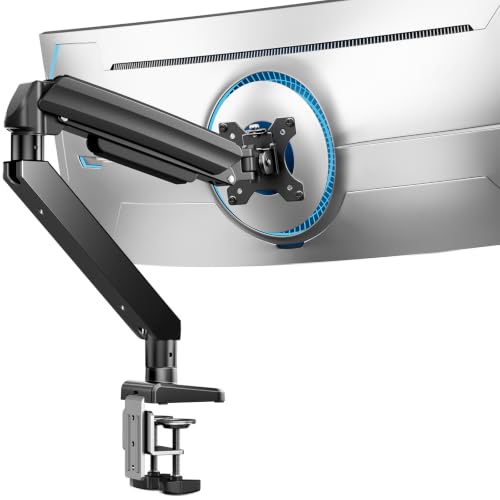
To help you compare options, this review evaluates the best gaming monitor arms based on verified manufacturer specifications, weight limits, and mounting designs across VIVO, HUANUO, ErGear and more. Today’s mounts utilize heavy-duty mechanical springs to balance everything from standard 13-inch panels up to 49-inch curved ultrawides. Proper fit requires checking your screen’s weight and VESA mounting pattern, particularly when securing heavier hardware like budget 144Hz gaming monitors. We highlight key C-clamp and grommet specifications so you can pick a stable mount that prevents screen wobble.




Frequently Asked Questions
Can gaming monitor arms hold heavy 49-inch ultrawide screens?
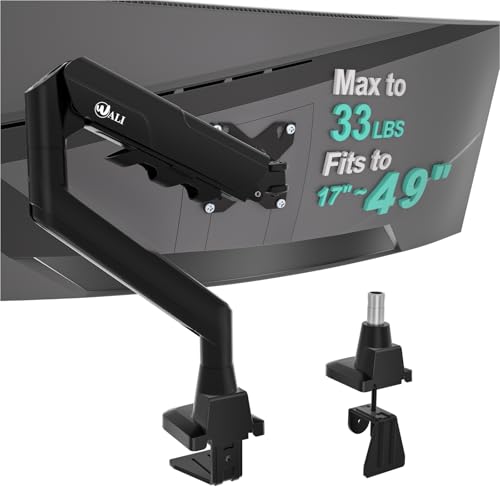
Yes, heavy duty mounts are engineered to hold large ultrawide displays. The HUANUO TitanLift supports up to 44 pounds, while the ErGear Heavy Duty arm holds up to 37.4 pounds. Always verify your screen weight without the factory base before mounting immersive gaming monitors.
How do you verify monitor arm compatibility with your screen?
Check your display’s screen size, bare weight, and rear VESA mounting pattern. Most gaming monitor arms support standard 75x75mm or 100x100mm patterns with capacities between 19.8 and 44 pounds. If your display lacks rear screw holes, you must use a separate VESA bracket adapter.
Will these monitor mounts work on glass desks?
No, manufacturers advise against installing monitor arms on glass or plastic desktops because clamp pressure can cause cracking. Models like the HUANUO FlowLift Pro recommend solid wooden surfaces between 0.59 and 3.54 inches thick. Ensure your desktop has no underside beams blocking the clamp.
Do dual monitor arms require extra clearance behind a desk?
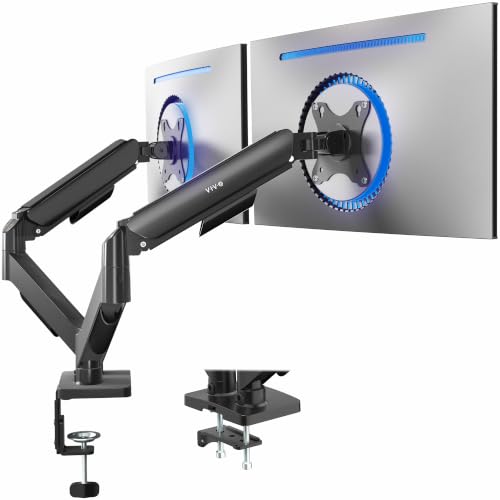
Yes, articulating dual arms need clearance behind the desk edge to allow the mechanical elbows to bend properly. With options like the VIVO Dual Monitor Stand, the joints extend past the back edge when screens sit together. You may need to pull your desk slightly away from the wall.
Why is arm stability important for fast-paced gaming?
Arm stability prevents distracting screen bounce when typing aggressively or making rapid mouse swipes. Heavy-duty C-clamps and reinforced VESA heads keep your display firmly planted at eye level. This rock-solid positioning ensures clear sightlines when tracking targets on a fast response time gaming monitor.


Write Your Review
No reviews yet. Be the first to share your experience!