


Desk space constraints and motion blur often force desktop players to reconsider how they view high-speed action. While a living room television sounds immersive, sitting close to a massive screen can strain your vision and introduce noticeable input lag. That tension sits at the heart of the tv vs monitor for pc gaming debate, where desk ergonomics meet hardware performance. Dedicated computer displays provide faster refresh rates and DisplayPort connectivity tailored for PC graphics cards. When twitch tracking matters, reviewing monitors with fast response times highlights why desktop screens excel over conventional TVs.
Selecting the right screen requires balancing panel type, refresh rate, and stand ergonomics. In this review, we examine 7 displays from Sceptre, SANSUI, KTC and more spanning $85.99 – $189.99, assessing manufacturer specifications, technical capabilities, and verified user impressions. Rather than assuming all panels perform identically, it’s vital to evaluate how 1080p or 1440p resolutions, curved VA panels, and port selections fit your setup. If you want fluid frames on a budget, exploring value-focused gaming monitors helps clarify which options deliver real desktop advantages.

Pros
- Smooth 100Hz refresh rate reduces motion blur in competitive games.
- Excellent color accuracy (99% sRGB) for the price point.
- Integrated speakers eliminate need for external audio in simple setups.
- Blue light filter is gentle on eyes during extended use.
- Great value for budget-conscious gamers and streamers.
Cons
- Limited viewing angles compared to IPS panels; colors shift off-center.
- Built-in speakers are basic and lack bass, not ideal for immersive audio.
- No height or tilt adjustments on the stand; need VESA mount for ergonomic changes.
The Sceptre 24-inch Prime Monitor (E248W-19203R) is a budget-friendly 1080p display designed for gamers, streamers, and home office users who want a smooth, color-accurate screen without spending a fortune. With a 100Hz refresh rate and 99% sRGB coverage, it hits the sweet spot for casual and competitive play, especially in fast-paced titles like shooters and strategy games.
Best suited for PC gamers on a budget, casual streamers, work-from-home users, and college gamers, this monitor offers a noticeable upgrade over standard 60Hz displays. The 100Hz refresh rate provides smoother motion, which can give you an edge in FPS and RTS games. Combined with the 99% sRGB color gamut, images look vibrant and lifelike, whether you are gaming or editing photos. The built-in speakers are a nice convenience, saving desk space and letting you hear audio straight away without extra gear.
In terms of build quality, the monitor features a durable plastic chassis and a simple stand with no ergonomic adjustments. It is lightweight at just 5.77 pounds and supports a 100mm x 100mm VESA mount, so you can easily wall-mount it or attach it to a monitor arm for a better viewing angle. The bezels are slim, giving it a modern look on any desk.
Setting up the monitor is straightforward: plug in the power, connect via HDMI or VGA, and you are ready to go. The on-screen menu includes pre-calibrated FPS and RTS modes that tweak brightness and contrast for competitive gaming. The Blue Light Shift feature is a nice addition for late-night sessions. There is no software suite to install, which keeps things simple.
However, the monitor does have some realistic limitations. The TN panel (likely) offers narrow viewing angles, so colors wash out if you are not sitting directly in front. The built-in speakers are adequate for voice calls or casual YouTube, but gamers will want a dedicated headset or external speakers for immersive audio. The stand lacks height adjustment, but a VESA mount can solve that.
Overall, the Sceptre 24-inch Prime Monitor is an excellent entry-level choice for budget-conscious gamers and streamers. It delivers smooth performance and great color at a price that undercuts many competitors. If you need an affordable secondary display or a primary monitor for esports and casual use, this is a strong recommendation for your gaming setup.

Pros
- High 160Hz refresh rate with 1ms MPRT provides excellent motion clarity for competitive gaming.
- Curved 1500R design offers an immersive viewing angle and helps reduce peripheral distractions.
- Game Assistant tools (crosshair, timer, counter) are built in and easy to access via OSD.
- Affordable price point makes it an attractive option for budget-conscious gamers building their first setup.
- FreeSync and HDR support improve visual quality and reduce tearing for a smoother experience.
Cons
- Stand only tilts (-5 to +15 degrees); no height, swivel, or pivot adjustment, limiting ergonomic flexibility.
- No built-in speakers require headphones or external speakers for audio; only a 3.5mm audio out is provided.
- HDR mode is basic and only works via HDMI; not comparable to true HDR monitors for high dynamic range content.
The SANSUI 27 Inch Curved 160Hz Gaming Monitor is a strong entry-level display aimed at PC gamers who want a smooth, responsive experience without breaking the bank. As a 27-inch FHD 1080p panel with a 1500R curvature, it’s designed to pull you into the action whether you’re grinding out wins in competitive shooters or exploring vast open-world titles. The 160Hz refresh rate and 1ms MPRT response time are key specs that directly benefit fast-paced gameplay, reducing motion blur and making quick movements feel crisp.
This monitor is best suited for competitive gamers, casual players, esports enthusiasts, and streamers on a budget. The built-in Game Assistant features like black level adjustment (shadow booster), crosshair overlays, timer, and counter give you useful tools without needing extra software. FreeSync support helps eliminate screen tearing when paired with compatible graphics cards, which is a nice bonus for smooth frame pacing. For RGB setup builders, the sleek black design with a thin bezel fits cleanly into most gaming desks.
In terms of performance, the 160Hz panel delivers noticeably smoother motion compared to standard 60Hz or 75Hz monitors. The 1ms MPRT response time is sufficient for most competitive scenarios, though keep in mind MPRT is different from true pixel response. The 4000:1 contrast ratio and 110% sRGB color coverage produce rich colors and deep blacks, making games like Cyberpunk 2077 or Red Dead Redemption 2 look vibrant. HDR support is present but limited – it works through HDMI and doesn’t offer the wide brightness and color volume of premium HDR monitors, but it’s a welcome extra for the price.
Build quality is decent for the price point. The monitor weighs only 7.7 pounds, making it easy to handle. The stand is tilt-only (-5 to 15 degrees) and lacks height, swivel, or pivot adjustments. This may require a separate VESA mount (100x100mm) for better ergonomics, especially during long sessions. The plastic construction feels sturdy enough, but the lack of height adjustment means you’ll need to carefully position the monitor to avoid neck strain. Cable management is handled by routing cables behind the stand – no integrated clips, but it gets the job done.
Setting up the monitor is straightforward: you just attach the stand (no tools required) and plug in the included HDMI cable. The on-screen display (OSD) is controlled by a simple joystick at the back, giving you quick access to settings, game modes (FPS, RTS, Racing, Office, Movie, sRGB), and Game Assistant options. There are no speakers, but the 3.5mm audio output lets you connect headphones or external speakers directly. The low blue light and anti-flicker features are easy to enable and reduce eye fatigue during extended use.
Realistic limitations include the tilt-only stand and lack of built-in audio. If you prefer a fully adjustable setup or need speakers integrated, you’ll need to invest in a monitor arm and separate audio solution. Also, the HDR mode is basic – it works over HDMI but doesn’t match true HDR standards. However, considering the price, these compromises are expected. Overall, this SANSUI monitor is an excellent choice for budget-minded PC gamers, streamers, college gamers, or anyone building their first gaming setup who wants responsive, curved visuals without spending a lot.
The 160Hz refresh rate and 1ms MPRT response time give this monitor an edge for fast-paced gaming. In FPS titles like Valorant or Overwatch, motion feels smoother, and quick flick shots track better with the Game Assistant crosshair tool. FreeSync helps keep frames in sync with your GPU, reducing tearing spikes. The FPS and RTS preset modes optimize gamma and contrast for competitive games, while the Racing mode brightens shadows in driving titles. Overall, the monitor delivers responsive gameplay that rivals more expensive models in its class.
The monitor comes with a sturdy plastic body and a basic tilt stand. At 7.7 pounds, it’s lightweight enough for most desks. The 1500R curvature helps reduce eye movement and strain by matching the natural curve of your vision. However, the lack of height and swivel adjustment can make extended sessions less comfortable if you’re not using a VESA mount. The anti-glare coating and Low Blue Light mode work together to reduce reflections and blue light emissions, which is a plus for late-night gaming. For desk space, the monitor’s 17.8-inch depth with the stand fits medium to large desks, but consider a mount to free up surface area.


Pros
- High 240Hz refresh rate and 1ms response time for exceptional motion clarity in esports and fast-paced games
- 1500R curve enhances immersion without being overly aggressive, good for both gaming and desktop use
- Strong connectivity with dual HDMI 2.0 and DP 1.4 supports high refresh rates on PC and consoles
- Tilt adjustment and VESA mount compatibility make setup versatile for different desk or room layouts
- Price-to-performance ratio is attractive for budget-conscious gamers wanting high refresh rate gaming
Cons
- 1080P resolution on a 32-inch screen results in lower pixel density compared to 1440P or 4K monitors, which may affect sharpness for productivity or media
- USB 2.0 port is limited for high-speed data transfer or charging peripherals
- Stand lacks height adjustment and swivel, requiring an aftermarket arm for ergonomic fine-tuning
If you're a PC gamer looking to level up your competitive edge without emptying your wallet, the KTC 32-inch 240Hz Curved Gaming Monitor is worth a serious look. This is a 1080P, 240Hz display with a 1500R curvature, built specifically for gamers who prioritize fast, fluid motion in FPS titles like Call of Duty, MOBAs like League of Legends, and racing sims. With a 1ms response time and support for both FreeSync and G-Sync, the monitor aims to keep your gameplay smooth and tear-free.
This monitor is best suited for competitive gamers, esports players, and casual gamers who want a large, immersive screen without jumping to 1440P or 4K. It's also a solid choice for gaming setup builders who need a versatile monitor that works with PC, PlayStation 5, Xbox Series X, and Nintendo Switch thanks to its dual HDMI 2.0 and DisplayPort 1.4 inputs. The 1500R curve helps wrap the display around your field of view, making open-world games feel more involving while reducing peripheral distractions during intense matches.
In terms of real-world performance, the 240Hz refresh rate combined with the 1ms response time delivers exceptionally fluid motion and minimal ghosting. According to product specifications, the 3500:1 contrast ratio and 125% sRGB coverage provide vibrant colors and deep blacks, which is great for both gaming and streaming setups. The anti-blue light and anti-flicker features are a thoughtful addition for long sessions, whether you're grinding ranked matches or working from home on spreadsheets.
Build quality feels solid for a monitor in this price range. The tilt-adjustable stand offers basic ergonomics, though you'll want a VESA arm if you need height or swivel adjustments. The bezels are slim, making it a good candidate for multi-monitor setups. Cable management is straightforward thanks to accessible ports (HDMI 2.0 x2, DP 1.4, USB 2.0), though the single USB 2.0 port is a bit limiting for modern peripherals. The monitor also supports VESA 100x100mm mounting, which adds flexibility for desk organization and wall mounting.
Setup is simple: plug in the included cables, adjust the tilt to your preference, and enable FreeSync or G-Sync in your GPU control panel. The on-screen display menu is easy to navigate, with preset gaming modes and customization for brightness, contrast, and color. One realistic limitation is the 1080P resolution on a 32-inch screen; text and fine details won't be as sharp as on a 24-inch 1080P or a 27-inch 1440P panel, so creative professionals or heavy multi-taskers may notice the lower pixel density.
Overall, the KTC 32-inch 240Hz curved monitor offers a strong value for PC gamers who prioritize speed and immersion over resolution. It's ideal for competitive FPS and MOBA players, as well as console gamers who want a large screen with high refresh rates. If you're building a gaming setup on a budget and need a monitor that keeps up with fast-paced action, this is a practical pick that doesn't sacrifice performance for price.
Pros
- High refresh rate and fast response time for competitive gaming.
- WQHD resolution offers a sharp, detailed picture without needing a top-tier GPU.
- Wide color gamut enhances visual quality in games and media.
- Multiple input options and included DP cable simplify connectivity.
- VESA mount compatibility allows for custom mounting solutions.
Cons
- Built-in speakers are not included, so external audio is required.
- Stand only offers tilt adjustment, lacking height and swivel options.
- 300 nits brightness may be insufficient for very bright rooms.
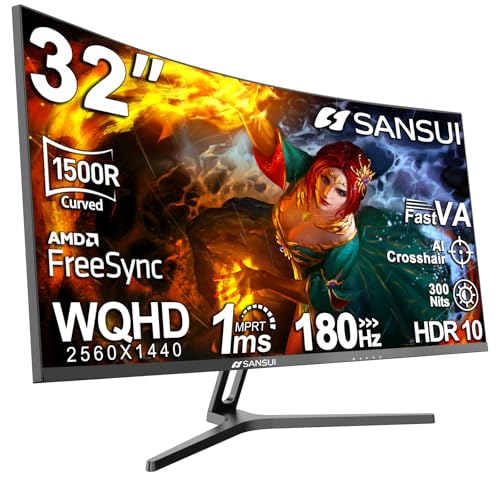
The SANSUI 32-inch curved gaming monitor is a versatile display designed for PC gamers who want a balance of performance and value. With its WQHD resolution and 180Hz refresh rate, it caters to both competitive players seeking smooth motion and casual gamers who appreciate detailed visuals. The 1500R curvature wraps around your field of view, making it a great fit for immersive single-player titles and fast-paced esports games alike.
In terms of real-world performance, the 180Hz refresh rate and 1ms response time ensure that fast movements remain clear and responsive. This is especially beneficial for FPS and racing games where every millisecond counts. The VA panel delivers deep blacks and good contrast, while the sRGB 125% and DCI-P3 95% color coverage makes colors pop, enhancing both gaming and content consumption. AMD FreeSync support helps eliminate screen tearing, providing a smoother experience when paired with compatible graphics cards.
Build quality is solid for its price range, with a sturdy stand that offers tilt adjustment. The monitor is VESA compatible, allowing you to mount it on an arm or wall for a cleaner desk setup. Connectivity is generous with two HDMI ports and two DisplayPort inputs, plus a DP cable included in the box. However, note that there are no built-in speakers, so you will need external speakers or a headset for audio.
Setting up the monitor is straightforward, and the on-screen display menu is easy to navigate. The lack of height and swivel adjustments on the stand may be a limitation for some users, but the tilt function and VESA compatibility offer flexibility. The 300 nits brightness is adequate for most indoor environments, though very bright rooms might require some shading.
Overall, the SANSUI 32-inch curved gaming monitor is a practical choice for PC gamers, streamers, and content creators who want a large, high-refresh-rate display without a premium price tag. It works well for competitive gaming, casual play, and even productivity tasks thanks to the extra screen real estate. If you can work around the lack of speakers and limited stand adjustments, this monitor delivers strong performance and visual quality for its cost.

Pros
- High 180Hz refresh rate and 1ms response time ensure smooth, responsive gameplay.
- Vivid color reproduction with 110% sRGB and HDR support enhances visual immersion.
- Flexible connectivity with HDMI 2.1 and DP 1.4, both capable of 180Hz.
- Eye care features and VESA mount compatibility add comfort and desk organization.
Cons
- No built-in speakers, requiring external audio solution.
- Limited to 1080p resolution; may not satisfy users seeking higher pixel density.
- Adjustable stand only offers tilt; lacks height or swivel adjustment.
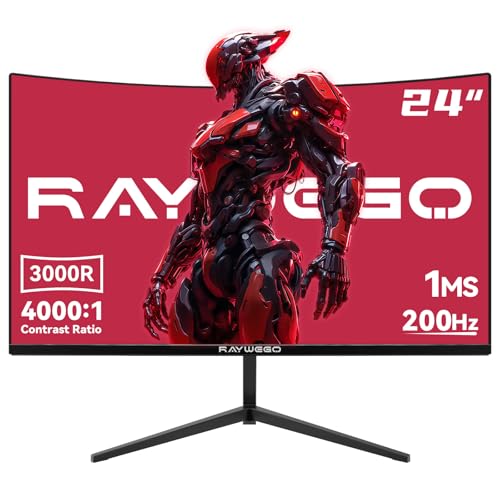
The SANSUI 24-inch gaming monitor is a budget-friendly FHD display built for PC gamers who prioritize high refresh rates and smooth motion. With a 180Hz refresh rate and 1ms MPRT response time, it's especially suited for competitive gamers playing fast-paced shooters like Valorant or Call of Duty, as well as casual players who want a fluid experience without breaking the bank. Streamers and content creators will appreciate the 110% sRGB color gamut for accurate color reproduction during editing or live broadcasts.
In real-world gaming, the 180Hz refresh rate dramatically reduces motion blur and provides a noticeable advantage in tracking targets. The 1ms response time keeps ghosting to a minimum, and FreeSync support helps eliminate screen tearing when paired with compatible GPUs. The monitor also includes game-specific presets like CrossHair, Timer, FPS, RTS, and Racing modes, allowing quick optimization for different genres.
The monitor's build is practical with a slim bezel design that works well in multi-monitor setups. Connectivity includes one HDMI 2.1 and one DP 1.4 port, both supporting the full 180Hz refresh rate, plus a 3.5mm audio jack for headphones or external speakers. VESA 75x75mm compatibility means you can mount it on an arm or wall, freeing up valuable desk space. The included HDMI cable gets you started right away.
Color performance is solid for the price, with 110% sRGB and 80% DCI-P3 coverage, plus HDR support for improved contrast in supported content. The 4000:1 contrast ratio and 300 cd/m² brightness deliver decent depth. Eye care features like anti-flicker and low blue light reduce fatigue during long sessions, making this monitor a good choice for college gamers or work-from-home users who spend hours at the screen.
The main trade-offs are the lack of built-in speakers and the stand's limited adjustability (tilt only). You'll need external speakers or a headset for audio, and you may want a monitor arm for better ergonomics. Also, 1080p at 24 inches offers standard pixel density, so users accustomed to 1440p might notice less sharpness. However, for the price, these compromises are reasonable.
Overall, the SANSUI 24-inch 180Hz monitor is a strong value pick for budget-conscious PC gamers, esports players, and streamers who need a fast, responsive display without spending a fortune. It's also a great secondary monitor for gaming setups or dorm rooms. If you prioritize high refresh rates and color accuracy over 4K resolution, this monitor delivers where it counts.
The 180Hz refresh rate and 1ms MPRT response time make this monitor exceptionally responsive for competitive gaming. In fast-paced FPS titles like Apex Legends or Overwatch, motion stays clear and fluid, giving you a split-second advantage in tracking enemies. FreeSync technology synchronizes the monitor's refresh rate with your GPU to eliminate tearing and stuttering, provided you have an AMD graphics card or a compatible NVIDIA GPU.
The included game assistant features (crosshair overlay, timer, and genre-specific presets) are handy for quick adjustments without diving into menus. The FPS mode boosts visibility in dark scenes, while RTS mode enhances color for strategy games. Racing mode reduces input lag for steering response. These presets add real convenience for gamers who switch between genres.
Input lag is minimal thanks to the high refresh rate and fast response time, ensuring your actions translate to on-screen movement almost instantly. For competitive players, this monitor offers a noticeable upgrade over standard 60Hz or 75Hz displays, without the premium cost of 240Hz or 360Hz panels.
Frequently Asked Questions
Why do PC players prefer a monitor over a television?
Gaming monitors provide higher refresh rates, lower input lag, and sharper pixel density for close-range desk setups. Models like the KTC 32 inch 240Hz Curved Gaming Monitor 1500R reach up to 240Hz, whereas standard budget TVs typically top out at 60Hz. Dedicated DisplayPort connections also ensure seamless PC graphics card compatibility.
Does a curved screen benefit both gaming and daily productivity?
Yes, curved panels like the SANSUI 27 Inch Curved 160Hz Gaming Monitor with 1500R curvature bring outer screen edges closer to your natural field of view. This design reduces neck movement during long work hours while boosting visual immersion in games. Built-in low blue light modes also help minimize visual fatigue.
Is 1080p resolution still viable for modern PC gaming?
Yes, 1080p remains a practical choice because it allows budget graphics cards to achieve higher frame rates. On 24-inch screens, including models seen among 144Hz gaming monitors, pixel density stays sharp enough for competitive gaming without straining your hardware.
Do budget gaming monitors include integrated audio speakers?
Some models do, while others require external sound gear. The Sceptre 24-inch Prime Monitor Thin 1080p LED includes built-in speakers to save desk space, whereas models from SANSUI and Raywego feature a 3.5mm audio jack intended for dedicated headphones or desktop speakers.
How does a 1440p curved monitor compare to a 1080p model?
A 1440p display like the SANSUI 32-Inch Curved Gaming Monitor WQHD 2560 x provides sharper details and expansive screen space, making it great for immersive gaming displays. However, rendering games at 1440p requires more graphical power from your computer compared to standard 1080p screens.


Write Your Review
No reviews yet. Be the first to share your experience!