


Top Seating Options for Work and Play
Sitting through marathon gaming raids or back-to-back work meetings often reveals whether your seating setup actually supports your daily routine. Many standard desk seats lack the seat depth, recline tension, and forearm support required when switching between intense keyboard inputs and relaxed controller play. Selecting the best gaming office chair means balancing ergonomic adjustability with durable cushioning so your back stays supported through long hours. If you already run a setup with dedicated gaming desk chairs, matching seat height to your desk edge prevents awkward wrist angles.
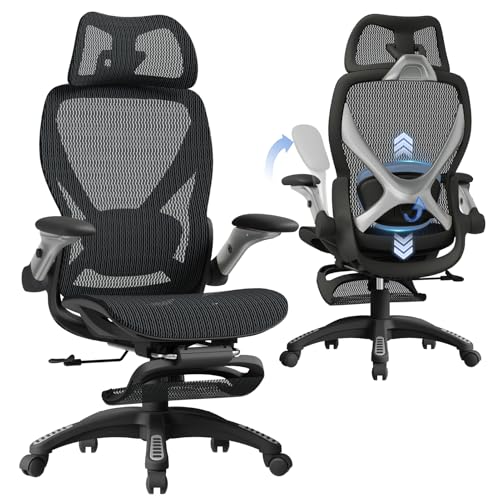
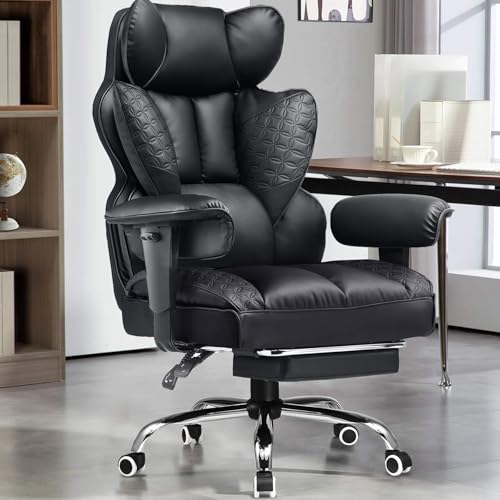
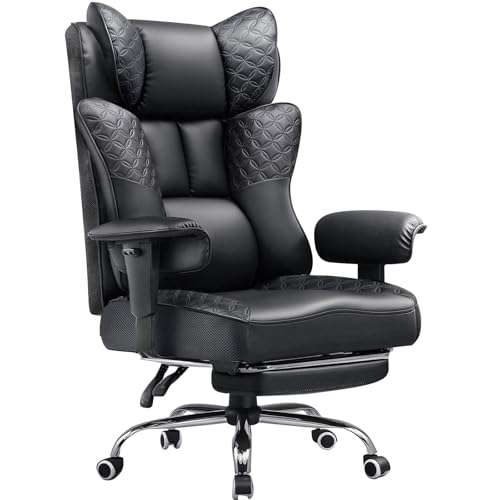
Modern hybrid seats combine breathable mesh backrests or padded PU leather with specialized features like extendable footrests and pocket spring cushions. Stated weight capacities across popular models range from 300 pounds up to 400 pounds for heavy-duty frames, giving buyers clear benchmarks for structural stability. Checking clearance beneath your desk surface is just as vital as pairing your seat with a powerful pre-built gaming PC. Comparing armrest flexibility, recline angles, and seat cushion thickness helps you select a build that fits your room.





Frequently Asked Questions
What seat width should you look for in a gaming office chair?
Seat widths between 20 inches and 21 inches offer plenty of room for different sitting postures. Standard chairs often feature narrow bases with raised side bolsters that restrict leg movement. Flat, wingless seat cushions allow you to sit cross-legged or adjust your posture freely without uncomfortable pressure points.
How do 3D and 5D armrests differ on hybrid desk chairs?
Armrest classifications define how many directional adjustments you can make to match your desk height. A 3D armrest adjusts for height, depth, and pivot angles, while 5D armrests also add width adjustments and flip-up capabilities. Flip-up armrests make it easier to roll the chair under standard desks, helping you maintain comfortable arm alignment while typing on a responsive PC keyboard.
Why are pocket springs used in gaming chair seat cushions?
Pocket springs distribute body weight evenly and prevent high-density foam from flattening prematurely. Standard foam cushions often pack down and feel firm after daily use. Combining internal steel coils with dual-layer sponge provides resilient, sofa-style support that holds its shape over long sessions.
What recline range works best for combined office work and gaming?
A recline angle between 90 degrees and 135 degrees accommodates upright typing and relaxed gaming. Upright locks support focused desk postures, while leaning past 110 degrees helps you rest during breaks. Models with retractable footrests and wider recline angles offer full leg support when stepping away to view a budget gaming monitor.
How do breathable mesh and PU leather chairs compare for daily maintenance?
PU leather wipes clean with a damp cloth, while mesh fabric offers continuous airflow to keep you cooler. Synthetic leather resists spills and pet hair but can retain heat during warmer days. Ventilated mesh backrests allow steady air circulation, though they require occasional vacuuming or dusting to keep clean.






Write Your Review
No reviews yet. Be the first to share your experience!