


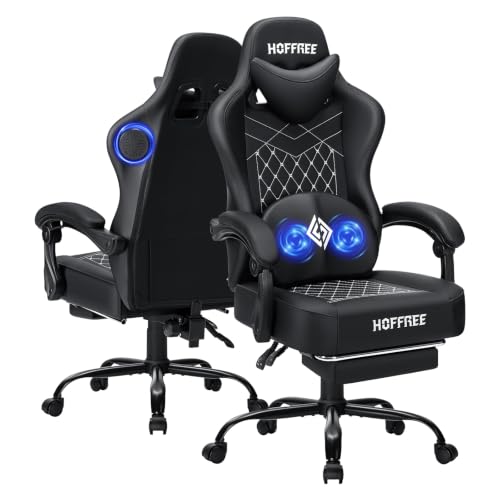
Tangled headphone cords and sweaty earcups often disrupt long streaming or work sessions. Integrated headrest speakers provide a hands-free audio alternative directly from your seat, keeping your desk clutter-free. Finding the best gaming office chair with speakers requires balancing clear sound with core physical features like seat padding, gas lift height, and base stability. Many hybrid models combine Bluetooth 5.1 or 5.3 receivers with reclining backrests and retractable footrests. Comparing these models with a standard office high-back gaming chair helps you decide if built-in audio fits your workflow and desk clearance.
Chairs with embedded audio components also introduce unique hardware factors, including battery life, charging methods, and cable management. Most options feature PU leather upholstery, high-density foam cushions, and multi-angle recline mechanisms ranging from 90 to 160 degrees. Checking whether the armrests offer 3D mobility or basic linkage movement helps ensure your elbows stay supported during typing or controller play. Evaluating how these audio-equipped models compare to an ergonomic gaming chair under $200 ensures you do not trade essential adjustments for audio novelties.



Frequently Asked Questions
How do Bluetooth speakers built into gaming chairs connect to PCs and consoles?
Most gaming chairs use Bluetooth 5.1 or 5.3 to pair wirelessly with phones, laptops, and Bluetooth-ready PCs. For consoles like the PS4, PS5, or Nintendo Switch, you typically need a separate USB Bluetooth transmitter connected to the console. Once paired, the chair outputs stereo game sound directly.
How are the speakers and massage features powered on these chairs?
Built-in speakers and vibration motors run on rechargeable internal battery packs or direct USB connections. Certain models list up to 15 or 16 hours of continuous wireless playback. When power runs low, connect the included USB cord to a computer port, wall adapter, or power bank to recharge.
What is the difference between linkage armrests and 3D armrests?
Linkage armrests pivot automatically with the backrest, keeping your forearms positioned consistently as you recline. In contrast, 3D armrests adjust in height, angle, and depth while staying stationary during recline. Gamers wanting precise desk height matching often prefer 3D arms, while recline enthusiasts prefer linkage designs.
Can I add external lumbar pillows if the included support is not enough?
Yes, you can strap an aftermarket cushion onto the backrest if you need firmer lower-back positioning. Adding an external lumbar support pillow for gaming chairs lets you customize depth without blocking upper backrest speakers. Ensure the replacement straps do not pinch audio wiring.
What weight capacity and frame materials should heavier gamers look for?
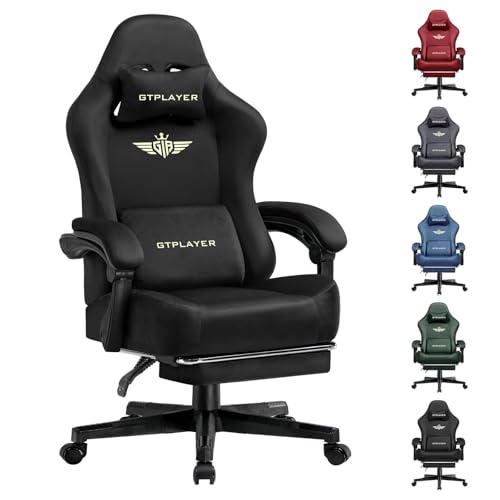
Look for chairs built with alloy frames and metal bases rated for at least 300 pounds, such as the GTPLAYER ACE-PRO. Checking gas cylinder ratings and cushion thickness also helps verify support. Buyers needing wider frames can also compare dedicated big and tall gaming chairs.




Write Your Review
No reviews yet. Be the first to share your experience!