


Unbalanced hardware pairings often lead to frustrating performance bottlenecks when shopping for an all-in-one computer setup. Buyers frequently struggle to separate marketing claims from practical capability, especially when older processors get paired with entry-level graphics cards. Investing in the best gaming desktop bundle should provide a turnkey experience that balances CPU speeds, GPU power, and reliable memory right out of the box. Whether your daily routine involves competitive multiplayer matches, streaming, or split-screen homework sessions, checking the listed component generations ensures you get dependable responsiveness. For tighter allowances, exploring budget prebuilt systems helps pinpoint where compromises in speed or graphics memory occur.
Storage type and connectivity ports also dictate your long-term satisfaction just as much as raw processing speed. Fast solid-state drives drastically cut boot times and system stutter, while having ample USB ports, DisplayPort outputs, and Wi-Fi standards keeps external gear running smoothly. Many package deals include peripherals like RGB keyboards, mice, or even monitors, making them appealing for shoppers who want to avoid piecemeal purchases. Selecting between high-end configurations and practical dedicated prebuilt gaming rigs ultimately comes down to understanding your core games and display resolution goals.

Pros
- Solid 1080p gaming performance for the price, especially in esports and older titles
- Ample 16GB RAM and 512GB SSD for smooth multitasking and fast load times
- Built-in WiFi and RGB peripherals included, reducing initial setup costs
- Compact and lightweight tower easy to place in small spaces like dorm rooms or home offices
Cons
- 6th-gen Intel Core i7 is several generations old, limiting upgrade potential and high-end gaming
- GTX 1050 Ti may struggle with newer AAA titles at higher settings
- Renewed unit may have cosmetic wear or limited warranty compared to new models
The Dell RGB Gaming Tower Computer is a prebuilt, renewed desktop designed for gamers who want a budget-friendly entry into PC gaming without the hassle of building their own rig. It combines a 6th-generation Intel Core i7 processor, an NVIDIA GeForce GTX 1050 Ti graphics card, 16GB of DDR4 RAM, and a 512GB SSD, all housed in a compact tower that comes with a matching RGB keyboard, mouse, and speakers.
This system is best suited for casual PC gamers, college students, work-from-home users, and those building their first gaming setup. It handles popular titles like Fortnite, Call of Duty, and Diablo 4 at 1080p settings with playable frame rates. The 16GB of RAM allows for smooth multitasking during gaming sessions, such as running Discord or streaming music in the background, while the 512GB SSD ensures fast boot times and quick game loads.
In terms of build quality, the Dell tower features a sturdy chassis with a compact footprint that fits easily on a desk or in a dorm room. The included RGB peripherals add a splash of color to your setup, though they are basic in feel and may not satisfy enthusiasts looking for mechanical switches or high-DPI sensors. The built-in WiFi is a practical convenience, eliminating the need for a wired connection in tight spaces.
Setup is straightforward: unbox, plug in the included keyboard, mouse, and speakers, connect to WiFi, and you're ready to game on Windows 11 Pro. The renewed nature of the unit means it may show slight cosmetic wear, but the core components are tested for functionality. Maintenance is minimal, though the compact case may limit future upgrade options for larger graphics cards or additional storage.
A realistic limitation is the age of the CPU and GPU. The 6th-gen i7 and GTX 1050 Ti are several generations old, so this PC won't run the latest AAA titles at high settings or support demanding creative workloads like 4K video editing. It's also not ideal for competitive esports players who need ultra-high frame rates or streamers requiring heavy encoding power.
Overall, this Dell RGB Gaming Tower is a practical choice for budget-conscious gamers, students, or anyone needing a capable, all-in-one gaming desktop for 1080p play and everyday tasks. If you're looking for an affordable way to jump into PC gaming or need a secondary rig for a dorm or home office, this renewed bundle offers solid value.

Pros
- High-end specs at a competitive price point for a pre-built desktop.
- Excellent thermal management with four fans and an ARGB air cooler.
- Generous 32GB DDR5 RAM and 2TB NVMe SSD provide ample speed and storage.
- User-friendly RGB customization through MSI Center software.
- Compact tower design (16 x 8.38 x 19 inches) fits well on most desks.
Cons
- Limited upgradeability due to potential proprietary components common in pre-built systems.
- No mention of integrated Wi-Fi or Bluetooth in the specifications - may require a USB adapter.
- RGB lighting may not appeal to users who prefer a minimalist or stealth look.
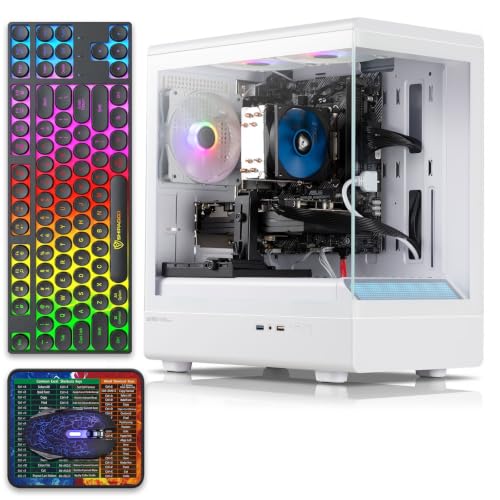
The MSI Codex Z2 (model A8NVP-436US) is a pre-built gaming desktop that brings together a potent combination of components for PC gamers, competitive players, streamers, and content creators. At its core, it features an AMD Ryzen 7-8700F processor and an NVIDIA GeForce RTX 5070 graphics card, paired with 32GB of DDR5 RAM and a 2TB NVMe SSD. This setup is designed to tackle modern games at high settings, handle streaming workloads, and support virtual reality experiences right out of the box.
When it comes to real-world gaming performance, the RTX 5070 and Ryzen 7-8700F deliver strong results for 1440p and even 4K gaming in many titles. The 32GB of DDR5 memory ensures smooth multitasking whether you are gaming, streaming, or running creative applications. The 2TB NVMe SSD provides lightning-fast load times for games and applications, reducing downtime and keeping you in the action. As a VR-ready system, it is also well-suited for immersive experiences like Half-Life: Alyx or Beat Saber.
Cooling is handled by an ARGB air cooler paired with four system fans: three in the front pulling in cool air and one in the rear exhausting heat. This configuration helps maintain stable temperatures during long gaming sessions, which is critical for both performance and component longevity. The built-in RGB lighting can be cycled using the MSI LED button on the chassis or customized further through MSI Center software, allowing you to match the look of your gaming desk setup.
Build quality is solid for a pre-built system. The case dimensions (16 x 8.38 x 19 inches) are relatively compact for a desktop with these components, and the 21.3-pound weight makes it manageable to move if needed. Setup is straightforward: connect your monitor, keyboard, mouse, and power, and Windows 11 Home is ready to go. The inclusion of a USB-C port provides modern connectivity for peripherals and external drives. Cable management inside the case appears tidy based on the product description, but as with many pre-built PCs, some users may find internal access limited for future upgrades.
One realistic limitation is that pre-built desktops often use proprietary motherboards, power supplies, or cooling mounts, which can make it harder to upgrade individual parts down the line. The product data does not specify wireless networking, so users who need Wi-Fi or Bluetooth may need to add a USB adapter or PCIe card. Additionally, the RGB lighting is present but is not as extensive as fully customizable RGB setups in enthusiast-level cases.
Overall, the MSI Codex Z2 is a strong recommendation for gamers who want high performance without the hassle of building a PC. It works well for competitive gaming (thanks to the fast CPU and GPU), casual gaming, streaming, and even light content creation. If you value convenience, strong out-of-box performance, and a cohesive aesthetic, this desktop is worth considering for your gaming setup.
The combination of the AMD Ryzen 7-8700F and NVIDIA RTX 5070 provides excellent gaming performance for both competitive and single-player titles. In games like Call of Duty: Warzone, Fortnite, and Apex Legends, you can expect high frame rates at 1440p with medium to high settings. The 32GB of DDR5 memory helps prevent stutters during intense scenes or when running background apps like Discord or streaming software. The 2TB NVMe SSD ensures maps and levels load quickly, giving you an edge in fast-paced games. For ray tracing and DLSS supported titles, the RTX 5070 delivers crisp visuals while maintaining smooth gameplay.
The MSI Codex Z2 uses a four-fan cooling setup with an ARGB air cooler on the CPU. Three front intake fans draw cool air across the components, while one rear exhaust fan pushes hot air out. This design helps keep temperatures manageable even during extended gaming sessions. The ARGB cooler adds a touch of style while ensuring the processor stays within safe operating limits. Users who plan to push the system hard may still want to monitor CPU and GPU temperatures, but the overall airflow configuration is effective for a pre-built system in this class.

Pros
- Solid 1080p gaming performance with RTX 3050 and 16GB RAM
- Pre-built with Windows 11 Home, plug-and-play out of the box
- Wi-Fi 6 and Bluetooth 5.2 provide modern wireless connectivity
- RGB fans and included keyboard/mouse add value for budget builders
- 1-year parts and labor warranty with free lifetime tech support
Cons
- 8th Gen Intel processor is a few generations old, limiting future upgrade headroom
- 512GB SSD may fill quickly for users with large game libraries
- RTX 3050 6GB is entry-level; not ideal for 1440p or high-refresh-rate gaming
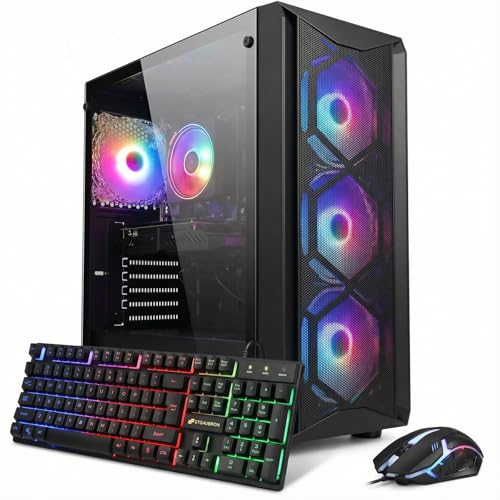
The STGAubron Gaming PC Desktop is a pre-built tower designed for gamers who want solid 1080p performance without the hassle of building their own system. Aimed at PC gamers, competitive and casual players, esports enthusiasts, streamers, content creators, work-from-home users, and college gamers, this setup delivers a balance of power and convenience right out of the box.
At the heart of this PC is an Intel Core i7-8th Gen processor, which can turbo boost up to 4.1GHz across six cores and twelve threads. Paired with an NVIDIA GeForce RTX 3050 6GB graphics card and 16GB of DDR4 RAM, it handles popular titles like Fortnite, Call of Duty Warzone, Valorant, Apex Legends, and Overwatch at 60+ FPS on medium to high settings. The 512GB SSD keeps load times snappy, and the included Wi-Fi 6 and Bluetooth 5.2 ensure low-latency online play and easy connection to wireless peripherals.
Build quality is solid for a budget pre-built. The black tower includes four RGB fans for decent airflow and a bit of visual flair. STGAubron also includes a matching RGB keyboard and mouse, which helps new gamers get started right away. The system runs Windows 11 Home, so setup is straightforward: plug in, connect to Wi-Fi, and start gaming. The compact dimensions (16.4 x 14.8 x 8.2 inches) fit well on most desks, though it's not a small form factor case.
For streaming or content creation, the 8th Gen i7 and RTX 3050 can handle light video editing and streaming at 1080p, but expect some limitations with more demanding software. The 512GB SSD is a bit tight for a large game library, but you can always add an external drive or upgrade later. The included 1-year parts/labor warranty and lifetime tech support provide peace of mind for first-time PC buyers.
One realistic limitation is the processor's age: the 8th Gen Core i7 is several generations behind current releases, so CPU-bound tasks may show slower performance compared to newer builds. Also, the RTX 3050 6GB is an entry-level card; while it runs today's esports titles well, it may struggle with ray tracing or future AAA games at higher settings. Consider this system if you primarily play competitive shooters, MOBAs, or older games on a 1080p monitor.
Overall, this STGAubron gaming PC is a practical choice for budget-conscious buyers who want a ready-to-go gaming desktop. It suits casual gamers, students, and those new to PC gaming who need an affordable, capable rig for mainstream titles and everyday tasks. With its RGB accents and included peripherals, it also adds a bit of style to any gaming desk setup.

Pros
- Complete bundle with monitor and RGB peripherals saves you time and money compared to buying separately.
- Renewed unit offers great value for the price, especially for entry-level gaming or general use.
- Plenty of RAM and SSD storage for smooth everyday performance and quick load times.
- Easy setup - just plug in and go, no building or extra configuration needed.
Cons
- GT 1030 is an entry-level GPU that won't run modern AAA games at high settings - stick to esports or older titles.
- 6th-gen Intel processor is several generations old, limiting future upgrade potential without a motherboard swap.
- Renewed condition may show cosmetic wear, and the included peripherals are basic budget quality.
The BTO HP RGB Gaming Desktop PC Bundle is a complete, budget-friendly system aimed at casual gamers, college students, and home office users who want a functional computer without the hassle of building one. This renewed setup includes a 24-inch monitor, RGB keyboard, mouse, and speakers, making it a true plug-and-play solution. Under the hood, you get an Intel Core i7-6700 (6th gen) processor, 16GB DDR4 RAM, a 1TB SSD, and an NVIDIA GeForce GT 1030 2GB graphics card.
For gaming, the GT 1030 is best suited for lighter titles like Fortnite, Valorant, League of Legends, or indie games at 1080p with medium to low settings. It handles esports well enough for casual play but won't deliver high framerates in demanding AAA releases. The i7-6700, though older, still offers enough processing power for streaming on Twitch or YouTube at 720p, multitasking with browser tabs, and running office software smoothly. The 16GB RAM ensures you can keep apps open without slowdowns.
Build quality is typical of a prebuilt office PC with a fresh coat of RGB paint. The case is practical, with decent airflow for its components, but it's nothing fancy. The renewed condition means you might notice light scratches or wear, but the internal components are tested and working. The included 24-inch monitor is your standard 1080p 60Hz display - fine for productivity and casual gaming, but competitive players will want a higher refresh rate panel.
Setting up the bundle is incredibly easy: unbox, connect the monitor and peripherals, then power on. Windows 11 Pro comes pre-installed, so you're up and running in minutes. The RGB lighting on the case, keyboard, mouse, and speakers adds a fun aesthetic that younger gamers or RGB enthusiasts will appreciate. However, the keyboard and mouse are basic membrane units with non-customizable RGB, so serious gamers might prefer to upgrade.
The main limitation is the GPU. While adequate for esports and older games, it won't run modern titles like Cyberpunk 2077 or Starfield. Additionally, the 6th-gen CPU uses an older socket (LGA 1151), so future CPU upgrades would require a new motherboard. That said, for the price, this bundle offers solid value if your expectations are aligned with entry-level gaming and daily computing.
Overall, the BTO HP RGB Gaming Desktop PC Bundle is a practical choice for budget-conscious buyers who want a complete system right away. It works well for school, office, and casual gaming. Just be aware of its hardware limits and consider this a starter setup rather than a high-performance rig. If you're a competitive gamer or plan to play the latest AAA titles, you'll want to invest in a more powerful system.

Pros
- All-in-one bundle saves money and simplifies setup for budget-conscious gamers and students.
- Adequate performance for everyday productivity, web browsing, and older or less demanding games.
- RGB peripherals and front panel lighting add visual flair to any gaming desk without extra cost.
- Small form factor leaves more desk space for other accessories or a larger mouse pad.
- Renewed unit offers a good value with warranty coverage.
Cons
- Limited gaming potential: integrated graphics mean modern AAA titles will struggle even at low settings; not suitable for competitive esports at high frame rates.
- Small form factor may restrict future upgrades (e.g., dedicated GPU, additional drives) compared to mid-tower cases.
- Peripherals are basic entry-level; serious gamers may prefer upgrading to mechanical keyboards and high-DPI mice later.
The Dell Optiplex SFF Desktop Computer bundle is a budget-friendly all-in-one package designed for casual gamers, college students, remote workers, and anyone looking to set up a functional PC without breaking the bank. This renewed system pairs a compact small-form-factor tower with a 24-inch monitor, a three-color RGB keyboard, an RGB mouse, and an RGB headset, making it an attractive option for those who want a cohesive gaming or work setup right out of the box.
Under the hood, the quad-core Intel Core i5 processor (up to 3.6GHz) combined with 16GB of RAM and a 512GB SSD delivers snappy performance for everyday tasks: web browsing, streaming videos, running Office applications, and handling multiple tabs. For light gaming, older titles like Fortnite, Minecraft, or League of Legends can run at playable settings, but the lack of a dedicated graphics card means you should temper expectations for modern AAA games. This bundle is best suited for casual gamers who prioritize affordability over high frame rates, or for a secondary family PC.
The included peripherals are decent for starting out. The RGB keyboard features three LED colors (red, green, blue) which can be toggled for nighttime gaming, while the RGB mouse adds more color under the hand. The headset is comfortable enough for longer sessions, though audiophiles may want to upgrade later. The 24-inch monitor provides a clear 1080p display for daily use. Setup is straightforward: plug in the monitor, connect the keyboard and mouse, and you're ready to go with Windows 11 Pro pre-installed.
Build quality on the Optiplex SFF is typical Dell business-class: durable metal and plastic construction, with a compact footprint that saves desk space. The front RGB panel can be controlled via a remote to match your room's vibe. Cable management is simple due to the small tower, but the SFF design limits internal expansion. Upgrading to a dedicated GPU would require a low-profile card and careful sizing, so future-proofing is limited. The renewed condition means the unit has been inspected and cleaned, with a 90-day warranty for added confidence.
Realistically, this bundle is perfect for someone entering the PC gaming world on a tight budget, a college dorm room, or a home office that also wants to enjoy casual games. It's not built for competitive esports or VR, but for its price point, it offers tremendous value. If you're looking for a low-cost entry into PC gaming and productivity without hunting for individual parts, this Dell Optiplex bundle is a solid starting point.

Pros
- Affordable entry-level gaming PC with solid 1080p performance for esports and older titles
- Includes WiFi 6 and Bluetooth 5.0 for fast wireless connectivity
- Generous 16GB RAM and 512GB SSD for smooth multitasking and quick boot times
- RGB lighting on fans and included peripherals adds a clean gaming aesthetic
- 1-year parts & labor warranty plus free lifetime tech support offers peace of mind
Cons
- Radeon RX 550 4GB is entry-level; not suitable for high-demand AAA games at max settings
- Only 2 RGB fans may require aftermarket cooling for heavy workloads or hot environments
- Case design with red accents may not fit all RGB or minimalist desk setups
The STGAubron Prebuilt Gaming PC Desktop is a budget-oriented tower aimed at PC gamers who want a ready-to-run system without the hassle of building from scratch. It combines an Intel Core i5 processor (up to 3.6GHz), 16GB of DDR4 RAM, a 512GB SSD, and an AMD Radeon RX 550 4G graphics card. This setup is designed to handle popular competitive games like Fortnite, Valorant, CSGO, and League of Legends at smooth 60+ FPS, as well as lighter creative tasks like photo and video editing.
This PC is best suited for casual gamers, college students, streamers getting started, and anyone who wants a reliable desktop for work and play. The included WiFi 6 and Bluetooth 5.0 make it easy to connect to modern networks and peripherals without extra dongles. The dual RGB fans not only look good but also provide enough airflow for moderate gaming sessions. However, the RX 550 is an entry-level GPU, so expect to dial down settings for newer AAA titles like Elden Ring or Hogwarts Legacy to maintain playable frame rates.
Build quality is decent for a prebuilt at this price point. The case has a black finish with red accents, which may not match all setups but is fairly standard. The included RGB keyboard and mouse are basic but functional, giving you everything to start gaming right away. The 512GB SSD offers fast load times, but you might need to add more storage later if you have a large game library. The 16GB of RAM is a nice touch, as many budget prebuilts only offer 8GB.
Setup is straightforward: plug in, connect to WiFi, and you're gaming. Windows 11 Home preinstalled means no extra OS purchases. The 1-year warranty and free lifetime tech support add value, especially for first-time PC buyers. One limitation is the cooling – only two RGB fans may not be enough for intense CPU/GPU loads over long periods. Adding an extra exhaust fan or upgrading the CPU cooler could help if you plan to push the system hard.
For the price, this STGAubron desktop delivers practical performance for esports and light productivity. If you're a competitive gamer focused on high FPS in shooters or a streamer using OBS, this rig can handle 1080p streaming and gaming simultaneously. Just don't expect to max out Cyberpunk 2077. It's a solid choice for budget-conscious gamers who want a prebuilt with modern connectivity and decent specs right out of the box.

Pros
- Strong price-to-performance ratio for entry-level to mid-range gaming
- Ample RAM and SSD storage for smooth multitasking and quick game loads
- Includes WiFi 6 and Bluetooth 5.0 for modern wireless connectivity
- Comes with RGB peripherals and four RGB fans for an immersive setup aesthetic
Cons
- Processor is a 4th-gen Intel Core i7, which may bottleneck newer AAA titles compared to modern CPUs
- Graphics card (RX 580) is an older architecture, limiting ray tracing and high-refresh gaming at 1440p
- Only 512GB SSD may require additional storage for larger game libraries
The STGAubron Gaming PC Desktop is a pre-built tower designed for gamers who want a solid entry-level to mid-range gaming experience without the hassle of building their own system. It combines an Intel Core i7 processor (4th-gen, up to 3.9GHz) with an AMD Radeon RX 580 8GB graphics card, 16GB of RAM, and a 512GB SSD. This configuration is well-suited for casual and competitive gamers, streaming enthusiasts, and even those who need a capable machine for photo/video editing, schoolwork, or day trading.
When it comes to real-world gaming, the RX 580 can handle popular titles like Fortnite, Call of Duty Warzone, Valorant, Apex Legends, and GTA V at 60+ FPS on medium to high settings. The 16GB of RAM ensures smooth multitasking, letting you run Discord, OBS, or browser tabs in the background while gaming. The 512GB SSD provides quick boot times and fast level loads, though heavy gamers may want to add a secondary drive later.
Build quality is typical for a budget-friendly pre-built: a standard tower with a tempered glass side panel (likely) and four RGB fans for decent airflow. The included RGB gaming mouse and keyboard are functional starters, but most users will eventually upgrade to more premium peripherals. The system also features WiFi 6 and Bluetooth 5.0, which means lag-free wireless connections and fast downloads if your router supports it.
Setup is straightforward: unbox, plug in the power and peripherals, connect to your monitor via HDMI or DisplayPort, and boot into Windows 11 Home. The case has minimal cable management pre-installed, and the RGB fans and case lighting can be controlled via a remote or button on the case. For cleaning, the easily removable side panel makes dusting the interior simple.
A realistic limitation is that the CPU is an older 4th-gen Core i7, which might hold back performance in CPU-heavy games or multitasking scenarios compared to newer budget processors like an i3-12100F. The RX 580 also lacks modern features like ray tracing and efficient encoding, so if you're aiming for high-refresh 1440p gaming or intensive streaming, you may want to look at higher-end options. The 512GB SSD fills up quickly, so an external or secondary drive is worth considering.
Overall, this STGAubron gaming PC offers good value for its price point, especially for gamers on a tight budget who want a turnkey system that can handle esports and mainstream titles. It's also a nice fit for college students or home office users who want a versatile desktop that can game and work. Just be aware of the older components and plan for potential upgrades down the line.

Pros
- Great value for 1080p gaming performance
- Ample RAM and SSD for most gamers
- Up-to-date connectivity with WiFi 6 and BT 5.2
- Comes with RGB keyboard and mouse for immediate use
- Quiet and effective cooling with dual RGB fans
Cons
- RTX 3050 6GB is entry-level; not ideal for 1440p or high-refresh gaming
- 512GB SSD may fill quickly with modern games
- Proprietary case components may limit future upgrades
The STGAubron Gaming PC Desktop is a prebuilt tower designed for gamers who want a hassle-free entry into PC gaming. It combines an AMD Ryzen 5 5500 processor with an NVIDIA GeForce RTX 3050 6GB graphics card, 16GB of DDR4 RAM, and a 512GB SSD, all running Windows 11 Home. This system targets U.S. PC gamers, especially those who are new to PC gaming, casual players, streamers, and content creators looking for a reliable, affordable setup without the need to build from scratch.
In terms of real-world gaming performance, this desktop handles 1080p resolution smoothly. According to product specifications and user feedback, popular titles like Fortnite, Valorant, Apex Legends, and Call of Duty Warzone run at 60+ FPS on medium to high settings. The RTX 3050 6GB supports ray tracing and DLSS, giving you better visual clarity and low-latency responsiveness for competitive gaming. The Ryzen 5 5500's six cores and twelve threads keep system performance snappy during gaming, streaming, and even light video editing.
Build quality is practical for the price point. The chassis includes two RGB fans that provide decent airflow to keep components cool during long sessions. The case is compact enough for a standard desk setup, and the included RGB keyboard and mouse let you start gaming immediately. Connectivity is solid with WiFi 6 and Bluetooth 5.2 for reliable wireless connections, plus HDMI, DisplayPort, and DVI outputs for multi-monitor use.
Setting up the STGAubron PC is straightforward. It arrives with Windows 11 Home pre-installed, so you just plug in, connect peripherals, and install your games. The 512GB SSD offers fast boot times, but modern AAA titles can quickly consume that space, so you may eventually need external storage. The included keyboard and mouse are basic but functional, though serious gamers might prefer upgrading to mechanical peripherals.
A realistic limitation is the RTX 3050 6GB. While it's fine for 1080p, it struggles at higher resolutions or with high-refresh-rate monitors above 144Hz. Also, some case components may be proprietary, which could complicate future upgrades. The system is best for those who want a ready-to-go gaming PC without worrying about compatibility, rather than enthusiasts planning extensive modifications.
Overall, the STGAubron Gaming PC Desktop is a strong candidate for casual gamers, college students, and streamers on a budget. It delivers reliable 1080p performance, modern connectivity, and a decent cooling setup right out of the box. If you're looking for an affordable entry into PC gaming without building your own, this is a practical choice that covers the essentials.
At its core, the STGAubron Gaming PC is built for 1080p gaming. The RTX 3050 6GB GPU handles modern esports titles like Valorant, CS2, and Overwatch 2 with ease, often exceeding 100 FPS on competitive settings. More demanding games like Cyberpunk 2077 or Hogwarts Legacy will run around 60 FPS with some graphical tweaks, thanks to DLSS support. The Ryzen 5 5500 ensures smooth frame pacing and reduced stutter during intense battles.
For streaming, the 6-core processor can handle encoding without major performance hits when using NVENC on the RTX 3050. Discord calls and background apps have minimal impact on gaming responsiveness. Dual-channel 16GB DDR4 RAM at 2666MHz provides enough bandwidth for most games, though faster RAM could slightly improve performance in CPU-bound titles.
Frequently Asked Questions
What hardware components are included in a typical desktop computer bundle?
Most desktop bundles include the central PC tower alongside core peripherals such as an RGB keyboard, mouse, and power cabling. Some packages from Dell or BTO also include a 24-inch monitor and an audio headset for a complete workstation. Always verify the manufacturer listing to confirm whether you need to add an external budget gaming display separately.
How much RAM is recommended for gaming and everyday multitasking?
A capacity of 16GB of system memory is ideal for running modern operating systems and web applications without unexpected stutter. While entry-level configurations with 8GB can manage basic office tasks, 16GB provides the breathing room needed for gaming and background discord calls. Systems built with 32GB of DDR5 RAM cater to heavier workloads like video editing and complex multitasking.
Does the graphics card matter more than the processor for gaming performance?
The graphics card handles image rendering and directly impacts frame rates at higher graphical presets. However, an outdated central processor can bottleneck a modern graphics card, creating system lag during action-heavy scenes. Balancing an capable multi-core CPU with a dedicated GPU delivers the smoothest overall experience.
Can you upgrade components inside prebuilt desktop towers later on?
Upgrade capability depends heavily on the specific motherboard format, case clearance, and power supply wattage. Standard mid-tower cases usually provide open PCIe slots, extra drive bays, and clearance for aftermarket liquid cooling setups. In contrast, slim small form factor towers often feature proprietary motherboards that limit future hardware swaps.
Why is an SSD preferred over an HDD in modern gaming setups?
Solid-state drives offer drastically faster read and write speeds compared to mechanical hard drives with spinning platters. This speed translates to near-instant operating system boots, fast level loading in games, and quicker file transfers. Most modern configurations rely on a 512GB or 1TB SSD as the primary boot drive for optimal daily responsiveness.
How do you verify peripheral compatibility before buying a desktop bundle?
Checking the rear and front I/O specifications in the product listing confirms what displays and accessories will connect directly. Look for dedicated HDMI or DisplayPort connections for video, alongside sufficient USB 3.0 ports for external gear. Desktops equipped with built-in Wi-Fi and Bluetooth also simplify connecting wireless headphones and gamepads.






Write Your Review
No reviews yet. Be the first to share your experience!