


Selecting a high-performance desktop processor involves much more than chasing peak clock speeds or staggering core counts on a spec sheet. System builders and gamers often wrestle with platform longevity, motherboard socket transitions, and thermal dissipation challenges when pairing modern silicon with high-end graphics cards. Determining what is the best intel gaming cpu requires examining how architectural advancements translate into smoother frame rates, reliable 1% low metrics, and balanced system throughput. When you evaluate options alongside evaluating gaming processor performance across various hardware tiers, you quickly discover that platform synergy dictates real-world gaming stability.
Modern desktop workloads demand a careful balance between high single-core frequency for responsive game engines and multithreaded capacity for background processes. Whether you are assembling a custom system from scratch or inspecting dedicated gaming desktop configurations, choosing the right processor defines your memory architecture, PCIe bandwidth, and long-term upgrade path. Today’s hardware catalog ranges from high-frequency LGA1700 processors to the newer LGA1851 platform, offering distinct advantages for competitive esports and immersive AAA titles. Understanding how each tier manages sustained power delivery and thermals will ensure your next system build delivers stable frame rates without unnecessary thermal throttling.

Pros
- Excellent gaming and productivity performance for the price point.
- Freedom to overclock both P-cores and E-cores for tailored performance.
- Wide motherboard compatibility with LGA1700 socket and 600/700 series chipsets.
- Supports fast DDR5 RAM and PCIe Gen 5 storage/graphics for future upgrades.
Cons
- Requires a discrete graphics card; no integrated GPU for basic display or troubleshooting.
- Does not include a CPU cooler, so budget for an aftermarket cooler.
- High power draw under load (125W base, more overclocked) may need a robust cooling solution.
The Intel Core i7-12700KF is a desktop processor designed for serious PC gamers, streamers, and content creators who demand high performance without compromise. As an unlocked, performance-hybrid chip, it combines 8 high-performance cores (P-cores) with 4 energy-efficient cores (E-cores) for a total of 12 cores and 20 threads. This makes it an excellent choice for competitive gaming, multitasking during streams, and even demanding productivity tasks like video editing or 3D rendering.
Who should buy it? This CPU suits PC gamers building a dedicated gaming rig with a discrete GPU, especially those who want to overclock for extra frames in esports titles like Valorant or CS2. It's also great for streamers who run OBS, Discord, and a game simultaneously, as the hybrid architecture keeps background tasks from hurting gaming performance. Casual gamers and content creators will appreciate its smooth multitasking, while RGB enthusiasts and setup builders will enjoy pairing it with a Z690 or Z790 motherboard for full customization.
In real-world gaming, the i7-12700KF delivers responsive, low-latency performance. With a single P-core turbo up to 5.0 GHz, it ensures high frame rates in CPU-intensive games like Warzone or Cyberpunk 2077. The 25MB L3 cache helps reduce load times and stutter in open-world environments. While it doesn't include a cooler, a quality air or liquid cooler keeps temperatures in check during long sessions. For overclockers, separate controls for P-cores and E-cores allow fine-tuning voltage and frequency to balance heat and performance.
Build quality and practicality are strong points. Intel's 7 architecture improves efficiency, and the LGA1700 socket fits a wide range of motherboards from budget B660 to premium Z790. The processor supports DDR5 RAM for faster memory bandwidth and PCIe Gen 5 for next-gen graphics cards and NVMe SSDs. Setup is straightforward: install into a compatible motherboard, apply thermal paste, attach a cooler, and pair with a discrete GPU. Cable management is minimal since it's a CPU, but ensure your case has good airflow for the 125W TDP.
One realistic limitation is the lack of integrated graphics, meaning you must have a graphics card installed even for basic troubleshooting. Additionally, the CPU doesn't come with a stock cooler, so factor that into your build cost. Power draw can climb under overclocking, so a quality PSU (at least 650W) and a capable cooler are recommended. The i7-12700KF also requires a 600 or 700 series motherboard, so older LGA1200 coolers may need an adapter bracket.
Overall, the Intel Core i7-12700KF is a fantastic value for gamers who want high-end performance without stepping up to the i9. It excels in gaming, streaming, and productivity, especially when paired with fast DDR5 memory and a modern motherboard. If you're building a new gaming PC in 2024 and plan to use a dedicated GPU, this processor offers a sweet spot of speed, cores, and overclocking flexibility for the price.

Pros
- Excellent multi-core performance for gaming and productivity workloads
- Integrated graphics provide useful backup for troubleshooting or light tasks
- Unlocked multiplier for easy overclocking with compatible Z-series motherboards
- Good compatibility with both DDR4 and DDR5 memory platforms
- Backward compatible with many LGA1700 motherboards with BIOS update
Cons
- Runs hot under load, requiring a high-end air or liquid cooler for optimal performance
- Power draw can be high, especially when overclocked or under sustained workloads
- May require BIOS update for older 600-series chipset motherboards
The Intel Core i7-14700K is a 14th-generation desktop processor that blends high-performance P-cores with efficient E-cores, giving PC gamers and content creators a versatile chip for demanding workloads. With 8 performance cores and 12 efficiency cores for a total of 20 cores and 28 threads, it offers strong multi-threaded performance for gaming while streaming, video editing, or running productivity tasks in the background. This processor is designed for the LGA1700 socket and works with both Intel 600 and 700 series motherboards, though a BIOS update may be needed for older boards.
This CPU is best suited for PC gamers who want high frame rates in modern titles, competitive esports players who need consistent responsiveness, streamers who multitask during broadcasts, and content creators who edit video or render 3D assets. Its hybrid architecture allows demanding games to run on the performance cores while background apps like Discord, OBS, or Chrome tabs are handled by the efficient cores, keeping your gameplay smooth and your stream stable. The unlocked multiplier also appeals to enthusiasts who want to push clock speeds beyond stock with adequate cooling.
When it comes to gaming, the i7-14700K delivers strong single-core performance for snappy responsiveness in fast-paced shooters like Valorant, CS2, and Call of Duty, as well as in CPU-intensive titles like Cyberpunk 2077 and Microsoft Flight Simulator. Users report noticeable gains over previous-gen i7s, especially in games that benefit from higher core counts and faster cache. The 33 MB Intel Smart Cache helps reduce latency, while support for PCIe 5.0 and DDR5 memory means this chip can take full advantage of the latest GPUs and fast RAM kits for even better frame rates.
Cooling is a critical consideration with this processor. Under full load, the i7-14700K can draw significant power and generate substantial heat. Most builders will want at least a quality 240mm AIO liquid cooler, and a 360mm AIO or custom loop is recommended for sustained all-core workloads. Undervolting is a popular technique among enthusiasts to reduce temperatures without sacrificing much performance, as noted in user feedback. A good contact frame for the LGA1700 socket can also help with even thermal paste spread and lower temps.
Setup is straightforward if you have a compatible motherboard and a BIOS updated to support 14th-gen chips. The processor integrates Intel UHD Graphics 770, which is handy for troubleshooting or basic display output without a dedicated GPU. Overclocking headroom is available for those who want to push frequencies further, though the stock Turbo Boost performance is already strong for most gaming scenarios. The chip works with both DDR4 and DDR5 memory, giving builders the option to save money with existing DDR4 kits or invest in faster DDR5 for future-proofing.
Realistically, the i7-14700K sits in a sweet spot for high-end gaming builds where you want strong multi-core performance without stepping up to the i9 price tier. It handles gaming, streaming, and productivity tasks simultaneously without breaking a sweat, making it a versatile choice for a gaming PC that also doubles as a workstation. Just be ready to invest in adequate cooling and a quality power supply, as this chip pulls significant power under load. For gamers building a new rig or upgrading from a 12th-gen or earlier platform, this CPU offers a compelling balance of price and performance.
In gaming scenarios, the i7-14700K delivers excellent single-core performance thanks to its high boost clock and Intel Turbo Boost Max Technology 3.0. This translates to high frame rates in competitive shooters like Valorant and CS2, where CPU speed often dictates performance. The 8 P-cores handle the game logic while the 12 E-cores manage background tasks like Discord, streaming software, and game launchers, resulting in smoother gameplay with fewer stutters. Users report strong performance in AAA titles at 1440p and 4K when paired with a modern GPU, with the CPU rarely becoming the bottleneck.
For streaming, the hybrid architecture lets you game on the P-cores while encoding and streaming tasks run on the E-cores, keeping in-game performance consistent. The integrated graphics are not intended for gaming but provide a useful fallback for troubleshooting or basic display output. Overclockers will appreciate the unlocked multiplier and robust VRM support on Z790 boards, though thermal headroom varies by silicon quality.

Pros
- Outstanding multi-threaded performance for both gaming and productivity tasks like video editing and 3D rendering.
- Efficient power consumption and lower thermals compared to previous generations, reducing noise and cooling demands.
- Supports latest DDR5 and PCIe 5.0 for maximum bandwidth and future upgradeability.
- Stable and reliable with consistent performance across workloads according to user feedback.
Cons
- Requires a new LGA1851 motherboard (Intel 800 series), so not a drop-in upgrade for older builds.
- No cooler included in the box, so you'll need to budget for a high-quality CPU cooler (air or liquid) for full-load use.
- Premium pricing places it at the high end of the market, best suited for users who need top-tier performance.
The Intel Core Ultra 9 285K is a desktop processor built for enthusiasts who refuse to compromise on performance. With 24 cores split into 8 Performance-cores and 16 Efficient-cores, plus a blistering 5.7 GHz unlocked boost clock, this CPU is engineered to handle the most demanding gaming and creation tasks without breaking a sweat. It's the heart of a high-end gaming PC, streaming rig, or workstation where every millisecond counts.
This chip is best suited for competitive gamers, streamers, and content creators who need to run multiple applications simultaneously—think gaming while live streaming, encoding, and running Discord in the background. The hybrid architecture intelligently distributes workloads, so your games stay smooth while background tasks hum along without hiccups. Casual gamers will also appreciate the raw power for future-proofing, but the 285K truly shines when you push it hard.
Real-world performance is stellar based on user feedback and specs. In competitive titles like Call of Duty or Valorant, the high clock speed and 40MB cache help minimize input lag and keep frame rates high. For content creators, the multi-core muscle crushes video rendering and 3D modeling. The CPU supports DDR5 memory and PCIe 5.0, so you can pair it with the fastest GPUs and SSDs for near-instant load times. Note: this is a new LGA1851 socket, so you'll need an Intel 800 series motherboard; it's not backward compatible.
Build quality is typical Intel: robust and reliable. The processor itself is a solid piece of silicon, but keep in mind that no cooler is included. You'll need a high-performance air cooler or a liquid cooling solution—especially if you plan to overclock or run sustained all-core loads. The 125W base power can climb to 250W under turbo, so a good cooling setup is critical. Pair it with a quality motherboard with robust VRMs and ample airflow in your case.
Setup is straightforward if you're comfortable building a PC: align the CPU correctly in the LGA1851 socket, apply thermal paste, and mount your cooler. The lack of an included cooler means one more purchase, but it also lets you choose exactly what fits your build's aesthetics and cooling needs. Cable management and software setup (updating BIOS, enabling XMP) are standard. Maintenance is minimal—just keep your cooling solution clean.
Realistic limitations: The main hurdle is platform cost. You'll need a new motherboard and likely DDR5 RAM, making this a significant investment. If you're on a budget or don't need extreme multi-core power, a mid-range chip might suffice. However, for gamers and creators who want the best, the Core Ultra 9 285K delivers outstanding stability and performance. Based on specs and user reviews, it's a top-tier choice for building a future-proof, high-performance gaming PC or workstation.

Pros
- Excellent gaming performance with high clock speeds and hybrid core design.
- Unlocked multiplier for overclocking enthusiasts.
- Supports both DDR4 and DDR5 memory for flexible builds.
- Strong multitasking capabilities for streaming and content creation.
- Competitive price point for a high-end CPU.
Cons
- Requires discrete graphics card, no integrated GPU.
- Higher power draw under load may need robust cooling solution.
- Older platform compared to newer 13th and 14th gen options.
The Intel Core i9-12900KF is a desktop processor built for gamers, streamers, and content creators who want top-tier performance without compromise. As part of Intel's 12th Gen lineup, this CPU uses a hybrid architecture that combines 8 high-performance cores (P-cores) with 8 efficient cores (E-cores), totaling 16 cores and 24 threads. This design allows the processor to handle demanding games and background tasks like streaming or Discord calls simultaneously without stuttering.
For PC gamers, the i9-12900KF delivers impressive responsiveness in titles like Call of Duty, Fortnite, and Cyberpunk 2077. With a single P-core turbo speed up to 5.2 GHz and 30MB of Intel Smart Cache, you can expect low-latency performance and smooth frame rates, especially when paired with a fast GPU and DDR5 memory. The unlocked multiplier also gives overclocking enthusiasts room to push performance further, though a capable cooler is recommended due to the 125W base power and higher thermal output under load.
Streamers and content creators will appreciate the multitasking prowess. The E-cores handle encoding, chat, and browser tabs while the P-cores focus on gaming, thanks to Intel Thread Director technology that prioritizes workloads intelligently. This makes the i9-12900KF a solid choice for those who game and stream on Twitch or YouTube, or edit videos in between matches. Compatibility with PCIe Gen 5 and DDR5 ensures you can build a system that stays relevant for years.
Build quality is typical of Intel's desktop processors: reliable and well-engineered. The LGA1700 socket fits a wide range of Intel 600 and 700 series motherboards, giving you flexibility in choosing features like Wi-Fi 6E, Thunderbolt 4, and ample M.2 slots. Setup is straightforward if you're familiar with PC building, though you'll need to apply thermal paste and attach a compatible cooler. Cable management is simplified by the CPU's single power connector, but the lack of an integrated GPU means you must have a discrete graphics card for display output.
One realistic limitation is that the i9-12900KF is now a previous-generation chip, with newer 13th and 14th gen processors offering incremental improvements. However, its price has dropped significantly, making it a value option for high-end gaming builds. It also runs hotter than some competitors, so investing in a quality air or liquid cooler is wise for sustained performance. For casual gamers or those on a tighter budget, a Core i5 or i7 might be more practical, but for enthusiasts who want maximum gaming and multitasking muscle, the i9-12900KF remains a strong contender.
Overall, the Intel Core i9-12900KF is a powerful processor that excels in gaming, streaming, and content creation. It's best suited for PC gamers who want high frame rates, streamers who need smooth multitasking, and builders who value overclocking headroom. If you're assembling a gaming PC with a dedicated GPU and want a CPU that balances performance and price, this is a smart buy.

Pros
- Powerful CPU and GPU combination handles modern games, streaming, and content creation without breaking a sweat.
- Generous 32GB RAM and fast 1TB NVMe SSD offer ample storage and smooth multitasking for gamers and creators.
- Effective cooling system with 360mm AIO liquid cooler and ARGB fans keeps performance consistent during long sessions.
- Attractive white mesh case with great airflow and clean aesthetics that fits well in any gaming setup.
- Includes essential peripherals (keyboard and mouse) for immediate use, saving you time and money.
Cons
- CPU is from a previous generation (11th gen Intel), though still very capable for gaming and productivity.
- No user reviews yet, so real-world feedback is limited; it's a new product on the market.
- Mid tower case may be larger than some desk setups, so measure your space before purchasing.
If you're a PC gamer, streamer, or content creator looking for a pre-built desktop that can handle demanding tasks without the hassle of building your own, the AVGPC Blizzard Gaming PC is worth a close look. This system pairs an Intel Core i9-11900KF processor (with turbo speeds up to 5.3 GHz) with the brand-new NVIDIA GeForce RTX 5060 Ti GPU, featuring 8GB of GDDR7 memory. It's designed to deliver smooth, high-frame-rate gaming in titles like Fortnite, Call of Duty, and Apex Legends, while also handling streaming on Twitch or YouTube and video editing software with ease.
Performance-wise, the combination of the i9-11900KF and RTX 5060 Ti is excellent for 1440p gaming and even some 4K titles at high settings. The 32GB of DDR4 RAM ensures you can keep multiple applications open, like Discord, OBS, and a browser, without any slowdown. The 1TB NVMe SSD provides fast load times, so you'll spend less time waiting and more time playing. For competitive gamers, the low latency and high responsiveness of this setup will be a clear advantage, especially in fast-paced FPS games where every millisecond counts.
Cooling is a key strength of this build. The 360mm liquid cooler and ARGB fans work together to keep temperatures in check during intense gaming sessions or extended periods of rendering. The Cooler Master TD500 Mesh White case is designed for optimal airflow, with a mesh front panel and a tempered glass side that shows off the internal components. The included ARGB fans can be customized to match your preferred color scheme, making this a great choice for RGB setup enthusiasts who want a clean, coordinated look.
Build quality is solid, with a sturdy metal frame and a well-organized interior that supports cable management. The 850W Gold rated power supply provides reliable power delivery, even when you're pushing the system hard. Setting up the Blizzard is straightforward: just connect your monitor, peripherals, and power, and you're ready to go. The included keyboard and mouse are basic but functional, perfect for getting started immediately. For users who want to add their own keyboard and mouse, that's easy as well.
One realistic limitation is that the CPU is from the 11th generation, not the latest, but it still offers strong single-core performance that's more than enough for most games and creative work. Additionally, since this is a new product with no reviews yet, it's wise to consider the return policy and warranty. The mid tower case has a moderate footprint, so make sure your desk or gaming area can accommodate it.
Overall, the AVGPC Blizzard Gaming PC is a practical choice for PC gamers, streamers, and content creators who want a high-performance, aesthetically pleasing system without the complexity of building. It's particularly well-suited for those who value ready-to-use convenience, good cooling, and a clean white and RGB theme. If you're in the market for a pre-built gaming desktop that can handle both gaming and productivity, this is a solid option to consider.
Gaming performance is where the AVGPC Blizzard shines. The Intel Core i9-11900KF delivers high clock speeds that excel in CPU-bound games, while the RTX 5060 Ti with 8GB GDDR7 memory provides smooth frame rates at 1440p and even 4K with DLSS enabled. In titles like 'Cyberpunk 2077', 'Valorant', and 'Rainbow Six Siege', you can expect high to ultra settings with consistent 60+ FPS at 1440p. The 32GB of RAM ensures background tasks like streaming don't impact gameplay, and the 1TB NVMe SSD reduces load times significantly. For esports players, the low latency and high responsiveness give a competitive edge.
Keeping temperatures under control is critical for a high-performance gaming PC, and the Blizzard doesn't disappoint. The 360mm liquid cooler efficiently dissipates heat from the CPU, while the ARGB fans in the Cooler Master TD500 Mesh case ensure excellent airflow through the mesh front panel. During extended gaming sessions, the system remains stable and quiet, with no thermal throttling. The design also allows for positive air pressure, which helps reduce dust buildup. The included ARGB fans can be controlled via software to match your setup, adding both performance and style.
The AVGPC Blizzard is built with care, using a reinforced steel frame and a tempered glass side panel. The Cooler Master TD500 Mesh case is known for its sturdy construction and excellent cable management options. The interior is neatly organized, with pre-routed cables that make it easy to install additional drives or upgrade components later. The 850W Gold PSU from a reputable brand provides reliable power delivery. Overall, the build feels solid and durable, giving confidence that it will last for years.

Pros
- Exceptional gaming performance with RTX 5080 and Intel Ultra 9, handling AAA titles at high settings with ease.
- Quiet operation even under load, thanks to liquid cooling and improved airflow design.
- Compact tower fits well on most desks, and clear side panel shows off internal components and RGB lighting.
- Alienware Command Center offers intuitive control over lighting, performance modes, and game profiles.
- Solid build quality with cable management and a robust power supply (1000W Platinum) ensures stability.
Cons
- Premium price compared to building a similar PC yourself, though GPU and RAM costs offset that for some buyers.
- Some users have reported startup issues that require a full discharge to resolve, which can be frustrating.
- Limited upgrade path due to proprietary motherboard and power supply connectors, though standard PCIe and RAM slots remain usable.
The Alienware Aurora ACT1250 is a top-tier gaming desktop built for PC gamers, streamers, and content creators who want a powerful system without the hassle of building their own. It combines an Intel Core Ultra 9 processor with an NVIDIA GeForce RTX 5080, delivering exceptional performance for 4K gaming, high-refresh-rate esports, and demanding creative workloads. The liquid-cooled CPU and carefully designed chassis keep things quiet and cool, even during marathon gaming sessions.
Based on product specifications and user feedback, this desktop excels in responsiveness and low-latency gaming. The RTX 5080 supports DLSS 4 and NVIDIA Reflex 2, which can dramatically boost frame rates in supported titles while reducing input lag. Many users report smooth gameplay in games like Cyberpunk 2077 and Escape from Tarkov at maximum settings. The Intel Core Ultra 9 with its 20 cores handles multitasking effortlessly, whether you're streaming, running Discord, or editing videos.
The build quality is solid: a matte black case with a clear side panel that shows off the internal components and customizable AlienFX lighting. The hexagonal side vents and top exhaust improve airflow without adding noise. Cable management is well-executed internally, keeping the system tidy and thermals efficient. The front I/O includes USB-C with Power Share, so you can charge devices even when the PC is off.
Set up is straightforward: plug in, power on, and Windows 11 Home takes care of the rest. The Alienware Command Center lets you tweak lighting, fan speeds, and performance presets - quiet, balanced, or performance mode. Some users noted that the included mouse and keyboard are basic, but most gamers will already have their own peripherals. The 1TB SSD is fast but may fill quickly with modern game libraries; you can add more drives via the two M.2 slots or a 3.5-inch bay.
Realistic limitations include the premium price - this is a significant investment. A few customers have experienced occasional startup glitches that require a full power discharge to fix, though this isn't widespread. Also, while the tower is compact, it's still a substantial piece of hardware that needs adequate desk space. The single HDMI port on the GPU might be an issue for those running multiple monitors, but the RTX 5080 typically has multiple DisplayPort outputs as well.
Overall, the Alienware Aurora ACT1250 is a strong choice for gamers who want a reliable, high-performance prebuilt with excellent cooling and quiet operation. It's especially well-suited for streamers, esports players, and anyone who values plug-and-play convenience over building their own rig. If you have the budget and prefer a polished experience, this desktop delivers.
The Alienware Aurora ACT1250 is powered by the NVIDIA GeForce RTX 5080, which brings the latest Blackwell architecture and features like DLSS 4 Multi Frame Generation. This allows for buttery-smooth frame rates in demanding titles, even at 4K resolution. Combined with the Intel Core Ultra 9, the system handles competitive games like Valorant and Call of Duty at high refresh rates with negligible input lag thanks to NVIDIA Reflex 2. According to user reviews, it easily pushes over 70 FPS in graphics-heavy games like Streets of Tarkov on ultra settings. The 32GB of DDR5 RAM ensures seamless multitasking while gaming and streaming.
The Alienware Aurora uses a 240mm liquid cooler for the CPU, supported by a smart thermal design that includes hexagonal side vents and a top exhaust. According to the product description, this results in 20% quieter operation and 7% lower temperatures compared to previous generations. The clear side panel lets you see the liquid cooling tubes and RGB lighting. The 1000W Platinum power supply ensures stable power delivery even under heavy loads. Users report that the system remains whisper-quiet during gaming and stays cool over extended sessions, making it suitable for both gaming rooms and open-plan setups.

Pros
- Incredible multi-core performance for gaming, streaming, and content creation
- High boost clock speeds up to 6.0 GHz for snappy responsiveness
- Unlocked for easy overclocking with Intel XTU software
- Broad memory and PCIe support for future-proof builds
- Reliable integrated graphics for troubleshooting or secondary displays
Cons
- High power draw and heat output require a robust cooling solution
- May need BIOS update on older 600-series motherboards
- Premium price point compared to previous-gen or AMD alternatives
The Intel Core i9-14900K is a flagship desktop processor designed for PC gamers, competitive esports players, streamers, content creators, and anyone building a high-performance gaming PC. With 24 cores (8 Performance-cores and 16 Efficient-cores) and 32 threads, it handles demanding games, multitasking, and creative workloads with ease. The unlocked multiplier lets enthusiasts overclock using Intel's Extreme Tuning Utility, pushing clock speeds beyond the already impressive 6.0 GHz boost.
For gamers, this CPU delivers smooth, high-frame-rate gameplay in titles like Call of Duty, Cyberpunk 2077, and Fortnite. The hybrid architecture ensures that gaming sessions remain responsive even with streaming software, Discord, or browser tabs running in the background. The large 36 MB Intel Smart Cache helps reduce load times and stutter, providing consistent performance during intense firefights or open-world exploration.
Streamers and content creators will appreciate the 32 threads for encoding video, rendering 3D models, or editing high-resolution footage. The processor works well with OBS, Adobe Premiere Pro, and DaVinci Resolve, handling multiple concurrent tasks without bottlenecking. Its compatibility with DDR5 memory (up to 5600 MT/s) and PCIe 5.0 storage ensures fast data access and quick project load times.
Build quality is typical of Intel's reliable engineering. The LGA 1700 socket fits both 600- and 700-series motherboards, though a BIOS update may be needed on older boards. The processor includes integrated Intel UHD Graphics 770, which is handy for troubleshooting or light productivity without a discrete GPU. However, for gaming, a dedicated graphics card is required.
Setup is straightforward for those familiar with PC building. The CPU installs easily into compatible sockets, and a high-quality cooler is essential due to the 125W base power and potential for higher draw under load. Users should plan for a robust cooling solution, like a 360mm AIO or high-end air cooler, to maintain stable temperatures during extended sessions. Cable management and case airflow are also important considerations for this power-hungry chip.
A realistic limitation is the high power consumption and heat output, which may require a premium cooler and a well-ventilated case. Some users have reported stability issues with certain motherboards, often resolved by updating BIOS and adjusting voltage settings. For most PC gamers and builders, the i9-14900K is an excellent choice for a future-proof, high-performance gaming PC. It shines in scenarios where maximum CPU power is needed, though budget-conscious buyers might consider the i7-14700K for a better price-to-performance ratio.
Pros
- Exceptional multi-core performance for gaming and productivity tasks like video editing.
- High clock speeds (up to 5.6 GHz) provide low-latency gaming and snappy system responsiveness.
- Memory flexibility with support for both DDR4 and DDR5, easing upgrade paths.
- Unlocked multiplier for overclocking, giving advanced users headroom to push performance.
Cons
- No integrated graphics - requires a discrete GPU, adding cost and complexity for basic display needs.
- High power draw under load, necessitating a quality cooler and adequate PSU.
- Older 600-series motherboards may require a BIOS update, which could be a hurdle for non-tech-savvy builders.
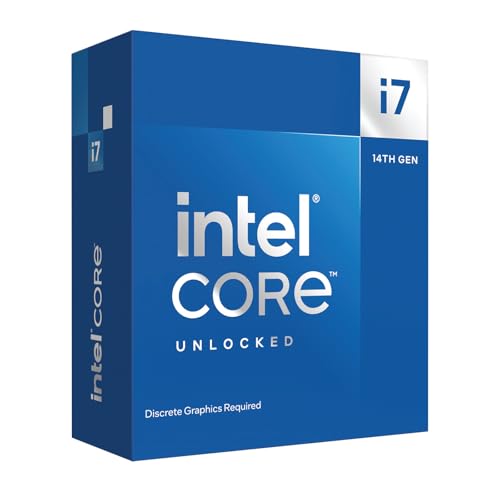
The Intel Core i7-14700KF is a high-performance desktop processor designed for PC gamers, content creators, and PC builders who demand top-tier speed and multitasking capabilities. As part of Intel's 14th Gen lineup, this unlocked CPU offers a blend of 8 performance cores and 12 efficient cores, totaling 20 cores and 28 threads - a configuration that excels in both gaming and productivity workloads. Whether you're building a gaming rig for competitive esports, streaming on Twitch, or editing videos, this processor aims to deliver without compromise.
In real-world gaming, the i7-14700KF's up to 5.6 GHz Turbo Boost Max Technology 3.0 provides low-latency responsiveness and high frame rates in CPU-intensive titles like FPS games, open-world adventures, and strategy sims. The hybrid architecture ensures background tasks such as Discord, streaming software, or browser tabs run smoothly without impacting gaming performance. For content creators, the extra E-cores accelerate video rendering and multi-threaded tasks, making it a solid choice for a combined gaming and productivity setup.
Compatibility is a strong point - the i7-14700KF works with both Intel 600-series (with a potential BIOS update) and 700-series chipset motherboards. It also supports both DDR4 and DDR5 memory, letting you choose between cost-effective or cutting-edge RAM. This flexibility makes it easier to integrate into an existing build or a new high-end system. Note that this is a 'KF' variant, meaning no integrated graphics, so you'll need a discrete GPU for display output - a standard requirement for gaming PCs anyway.
Build quality and reliability are typical for Intel's desktop chips: robust construction and proven architecture. Because it's unlocked, enthusiasts can overclock for extra performance, though a capable aftermarket cooler and quality power supply are recommended to handle the heat and power draw. Thermal management is straightforward with a good air or liquid cooler, and the CPU fits standard LGA1700 sockets used by 12th, 13th, and 14th Gen boards.
Setup is as easy as any standard CPU installation, but beginners should note the BIOS update requirement for older 600-series motherboards. The lack of an iGPU means you can't troubleshoot without a discrete graphics card connected, but for a gaming-focused build that's rarely an issue. Cable management is minimal since the CPU itself has no cables; just seat it carefully in the socket.
Overall, the Intel Core i7-14700KF is a compelling choice for PC gamers and creators who want strong multi-core performance without jumping to the top-tier i9. Its balance of gaming speed and productivity grunt makes it versatile for a range of setups - from dorm room gaming PCs to professional content creation workstations. If you already have a discrete GPU and don't mind the slight setup care for older boards, this processor delivers excellent value for high-fidelity gaming and demanding workloads.
Evaluating Intel Desktop Processors for Pure Gaming Performance
Finding what is the best intel gaming cpu requires looking past raw core counts to examine IPC efficiency, boost clocks, and gaming load behaviors. While modern game engines utilize multiple threads for asset streaming and physics, high single-core frequencies still drive peak frame rates and smooth frame pacing. Intel has evolved from monolithic quad-core designs to sophisticated performance hybrid structures and specialized tile-based layouts. Understanding how these architectural differences impact frame rendering helps builders identify the ideal chip for their budget and performance expectations.
Hybrid Core Architecture: Performance Cores Versus Efficient Cores
Modern Intel processors rely on a performance hybrid architecture pairing larger Performance cores with smaller Efficient cores. Performance cores handle latency-sensitive workloads like the primary gaming render loop and physics calculations. Efficient cores manage background operating system tasks, voice communication, and streaming software without interrupting the primary game thread. This split design ensures the processor directs maximum single-thread capability where it matters most during high-refresh gameplay.
Hardware thread coordination works directly with the operating system scheduler to assign tasks dynamically. Games execute on the faster P-cores, preventing scheduling delays that can cause abrupt micro-stutters and frame drops. When comparing these hybrid chips to older unified architectures or examining multithreaded gaming processor alternatives, this approach delivers massive multithreaded capacity without sacrificing single-core responsiveness. PC builders can run background recording or voice software simultaneously without degrading core engine performance.
Clock Frequencies, Turbo Boost Max 3.0, and 1% Low Stability
Clock speeds remain a decisive metric for competitive gaming at 1080p and 1440p resolutions. Intel leverages Turbo Boost Max Technology 3.0 alongside Thermal Velocity Boost to push select P-cores to frequencies reaching 5.6 GHz or 6.0 GHz. These elevated burst speeds ensure render threads execute with minimal latency, translating directly to higher average frame rates in fast-paced shooters. Faster frame execution reduces input lag and improves visual clarity on high-refresh monitors.
Equally critical to average frame rates is frame time consistency, commonly measured through 1% and 0.1% low metrics. A processor sustaining high clock speeds without thermal throttling prevents distracting hitching during intense firefights or dense open-world rendering. Generous cache allocations, reaching 30 MB to 40 MB on enthusiast chips, keep critical game assets close to the execution cores. This rapid cache access minimizes round trips to system memory, stabilizing overall frame pacing.
LGA1700 Versus LGA1851: Motherboard Platforms and Chipset Compatibility
Platform decisions dictate motherboard selection, upgrade paths, and total platform expenditure. The LGA1700 socket spans the 12th, 13th, and 14th Gen Core processor families across 600-series and 700-series chipsets. This platform maturity gives builders wide motherboard variety across various budget tiers, alongside dual-generation support for DDR4 and DDR5 memory. Builders installing newer 14th Gen processors on older 600-series motherboards should verify that the BIOS is updated beforehand to ensure successful system POST.
The newer LGA1851 socket introduces the 800-series chipset family, engineered specifically for Intel Core Ultra Series 2 desktop processors. This socket transition brings architectural refinements, updated power delivery layouts, and dedicated PCIe 5.0 lanes for both graphics and high-speed NVMe storage. Because LGA1851 exclusively supports DDR5 system memory, upgrading requires modern components across the board. Choosing between LGA1700 and LGA1851 hinges on whether you value platform maturity and cost efficiency or the newest interfaces and efficiency upgrades.
Core i7 Sweet Spot: Analyzing the Core i7-14700K and i7-14700KF
For most dedicated gamers, the Intel Core i7 tier represents an outstanding sweet spot between price and high-end performance. The Core i7-14700K features 20 total cores divided into 8 Performance cores and 12 Efficient cores, handling 28 concurrent processing threads. With maximum clock speeds reaching up to 5.6 GHz, this processor drives modern graphics cards effectively across demanding AAA releases. Its integrated Intel UHD Graphics 770 also serves as a reliable troubleshooting tool if your dedicated display output requires diagnosis.
Gamers using dedicated graphics cards often select the Core i7-14700KF, which delivers identical core specifications and boost clocks while omitting integrated graphics. This omission requires a discrete GPU for display output, making it a targeted option for pure gaming builds. Both models support DDR4 or DDR5 depending on motherboard choice, enabling flexible system budgeting. Their generous cache structure and aggressive boost behavior make them premier choices for smooth, high-FPS gaming without paying flagship prices.
Extreme Enthusiast Tier: The Core i9-14900K and Core Ultra 9 285K
At the top tier of desktop computing, Intel offers flagship models designed for uncompromised frame rates and heavy production workloads. The Core i9-14900K pushes clock frequencies up to 6.0 GHz across its 8 Performance cores, supported by 16 Efficient cores and 32 threads. This high frequency delivers exceptional frame throughput in CPU-bound competitive games running at uncapped refresh rates. However, sustaining these 6.0 GHz boost states requires capable motherboard voltage regulation and high-end thermal cooling.
The Core Ultra 9 285K operates on the LGA1851 platform with 24 cores (8 P-cores and 16 E-cores) and 24 threads, boosting up to 5.7 GHz. Unlike earlier flagships, this processor focuses heavily on power efficiency and cooler operation while incorporating a massive 40 MB cache buffer. Removing hyper-threading from the performance cores optimizes single-thread efficiency and lowers thermal density during extended gaming or rendering workloads. For builders assembling a new system on 800-series motherboards, the 285K represents a modern balance of thermal efficiency and responsiveness.
Value and Generational Stepping: The Core i7-12700KF and Legacy Platforms
Builders working within tighter budgets often find strong value by selecting earlier architectural generations within the LGA1700 socket. The Core i7-12700KF provides 12 cores (8 P-cores and 4 E-cores) with boost speeds reaching 5.0 GHz alongside 25 MB of L3 cache. This configuration handles modern 1440p and 4K gaming comfortably where the graphics card carries the primary rendering load. Similarly, the Core i9-12900KF expands processing capacity to 16 cores and 5.2 GHz, delivering excellent multitasking performance at mature platform pricing.
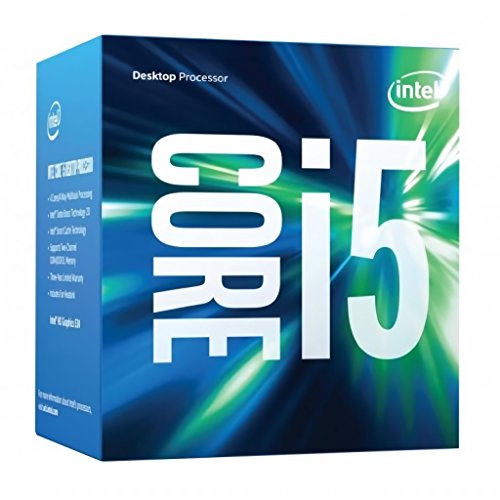
Examining older quad-core processors, like the Core i5 6500 on the LGA1151 socket, highlights how gaming demands have expanded over time. A quad-core, four-thread chip from the Skylake era quickly bottlenecks modern graphics cards, producing stuttering in modern open-world titles. While adequate for basic desktop tasks or lightweight retro gaming, older quad-core chips lack the instruction throughput required by contemporary game engines. Upgrading from older platforms to modern hybrid architectures eliminates severe system bottlenecks and restores smooth frame delivery.
Thermal Dissipation and Cooling Requirements for Modern Intel Chips
High operating frequencies generate significant thermal energy that must be transferred away from the CPU die quickly. Unlocked Intel desktop processors feature 125W base power ratings, but sustained turbo boost states draw considerably more power during intensive gaming sessions. Standard low-profile air coolers often struggle to control the heat output of a Core i7-14700K or i9-14900K under sustained load. When core temperatures reach thermal throttling limits, the chip automatically reduces its clock speed, leading to frame drops.
Maintaining consistent boost clocks over long gaming sessions requires an appropriate thermal cooling solution. Quality dual-tower air coolers with dense fin stacks provide reliable heat dissipation for 12th Gen chips and mid-tier processors. High-end processors like the i7-14700K and i9-14900K benefit noticeably from 240mm or 360mm all-in-one liquid coolers with ample surface area. Proper thermal paste application and balanced mounting bracket pressure ensure flat contact with the integrated heat spreader, preventing localized thermal spikes.
Power Delivery, Motherboard VRMs, and System Stability
Stable gaming performance depends directly on the motherboard power delivery subsystem supporting the processor. The voltage regulator module steps down 12V direct current from the power supply to the low-voltage levels needed by the CPU cores. Unlocked processors draw significant current during transient gaming spikes and multi-core boost periods. Motherboards with low power phase counts or inadequate heatsinks can suffer from VRM thermal throttling, which limits processor power even if CPU cooling is sufficient.
Installing a high-tier Core i7 or Core i9 on a quality Z690, Z790, or Z890 motherboard ensures clean power delivery through heavy-duty VRM power stages. Substantial finned heatsinks dissipate VRM heat effectively, maintaining thermal equilibrium across the circuit board. System power supplies must also handle continuous power draw and rapid GPU transient load spikes safely. Choosing an ATX 3.0 or ATX 3.1 power supply rated at 850W or 1000W provides the necessary headroom to keep the entire gaming rig stable under load.
Memory Scaling: DDR4 Flexibility Versus DDR5 Bandwidth
Memory selection impacts processor throughput, asset loading speeds, and overall system budget. The LGA1700 platform uniquely supports both DDR4 and DDR5 memory depending on motherboard design. Builders upgrading older systems can select a DDR4 motherboard to carry over existing high-speed memory kits, significantly reducing initial upgrade costs. DDR4 memory remains viable for gaming at higher resolutions where the graphics card serves as the main performance limit.
Newer DDR5 memory kits deliver higher data transfer rates that benefit modern game engines and physics calculations. Faster transfer speeds and independent 32-bit subchannels per memory module allow the CPU to retrieve game data with less bus contention. For the newer LGA1851 platform, DDR5 memory is mandatory, pairing refined memory controllers with XMP profiles for easy configuration. Builders aiming for maximum system longevity and smooth 1% low frame pacing should prioritize a balanced DDR5 memory configuration.
Prebuilt Versus Custom Integration: Cooling and Component Balancing
Deciding between building a custom gaming PC and buying a prebuilt system involves weighing component balance and assembly effort. Prebuilt systems, like the AVGPC Blizzard, combine an unlocked processor like the i9-11900KF with an RTX series graphics card and a 360mm liquid cooler for immediate plug-and-play operation. High-end systems like the Alienware Aurora integrate flagship chips like the Core Ultra 9 285 with dedicated liquid cooling and high-wattage power supplies. These complete systems avoid assembly mistakes, bent socket pin concerns, and initial firmware configuration hurdles.
Custom PC building offers full freedom over component selection, acoustic tuning, and airflow design. A custom builder can pair an unlocked Intel processor with a high-airflow mesh chassis, quiet fans, and a specific motherboard VRM configuration. Custom builds also offer cleaner upgrade paths, allowing individual component swaps without encountering proprietary chassis or power supply limitations. Both approaches deliver excellent gaming performance as long as the processor receives sufficient cooling and clean electrical power.
Synthesis: Identifying the Best Intel Gaming Match for Your Rig
Selecting the right Intel gaming processor requires matching your resolution, target frame rates, and budget to the proper silicon tier. For high-refresh competitive gaming and general enthusiast setups, the Core i7-14700K and i7-14700KF represent the clear sweet spot with 20 cores, 5.6 GHz boost clocks, and exceptional frame time stability. Gamers pursuing maximum single-thread frequencies can choose the Core i9-14900K for 6.0 GHz speeds when supported by a 360mm cooler. Builders seeking newer architectural efficiency and lower temperatures on 800-series chipsets will appreciate the Core Ultra 9 285K on LGA1851.
Budget-focused builders can achieve excellent 1440p and 4K performance with mature LGA1700 options like the Core i7-12700KF when paired with a strong discrete graphics card. Avoid outdated quad-core hardware from older generations, since modern titles demand multithreaded capacity to prevent stuttering. By balancing clock frequencies, hybrid core structure, motherboard power delivery, and cooling capacity, you can assemble a balanced system that provides consistent, high-FPS gaming for years to come.





Write Your Review
No reviews yet. Be the first to share your experience!