


Fumbling complex spell rotations or awkward multi-key shortcuts in high-stakes matches ruins momentum and fatigues your fingers. Dedicated hardware hotkeys eliminate that friction by condensing elaborate command sequences into a single clean tap. Upgrading your desk setup with the best gaming keyboard with macro keys gives you instant access to essential commands while maintaining fluid hand positioning. Whether you prefer crisp tactile clicks or quiet membrane keys for late-night sessions, having programmable keys located right on the perimeter keeps your reaction times lightning fast. Combining these hardware macros with a reliable competitive PC gaming keyboard profile ensures every input registers cleanly under pressure.
Product specifications and verified user feedback show that dedicated G-keys streamline everything from streaming scene shifts to complex build macros. Sturdy aluminum top plates and double-shot keycaps keep these boards resilient against heavy daily gameplay. Adding an ergonomic keyboard wrist rest further protects against tendon fatigue during marathon sessions. Choosing the right switch feel and onboard memory setup allows you to store custom profiles directly on your hardware without dealing with background software clutter.
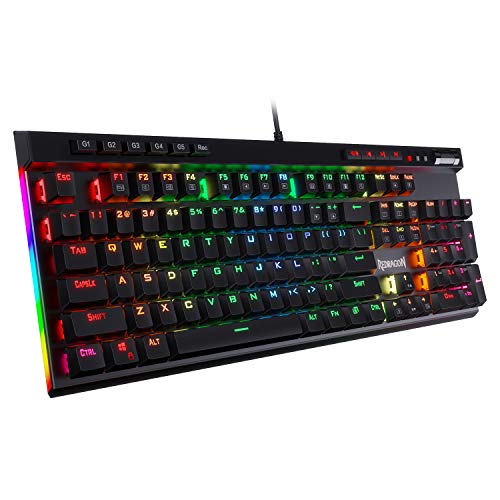


Pros
- Excellent value for the price - includes both keyboard and mouse with RGB and macro functionality.
- Ergonomic wrist rest and low-profile keys provide comfort for long gaming or typing sessions.
- Mouse DPI adjustment from 800 to 7200 offers flexibility for different game genres and screen resolutions.
- Positive user feedback on durability and build quality, with many reporting years of reliable use.
- Easy setup with no driver hassles - just plug in and start gaming or working immediately.
Cons
- Membrane keys may feel mushy to gamers accustomed to mechanical switches, lacking the tactile click.
- Wired connection only - not ideal for those seeking a clutter-free wireless desk setup.
- Software download required for full macro and lighting customization, which some users found unavailable or complicated.
The Redragon S101-3 PRO is a wired gaming keyboard and mouse combo designed for PC gamers who want solid performance without breaking the bank. It includes a full-size RGB backlit keyboard with membrane switches and a high-precision mouse with adjustable DPI up to 7200, making it a practical choice for competitive gamers, casual players, esports newcomers, streamers building a budget streaming setup, and college gamers setting up their first gaming desk.
In real-world use, the keyboard offers quick responsiveness thanks to anti-ghosting technology, ensuring every key press registers during intense FPS or MOBA sessions. The mouse's adjustable DPI lets you switch between slow, precise aiming for sniping and fast tracking for fast-paced action. User reviews highlight that the combo maintains low latency and reliable input accuracy, making it suitable for both gaming and everyday productivity tasks like typing assignments or managing spreadsheets.
Build quality is surprisingly robust for the price point. The keyboard features a spill-resistant design and a comfortable wrist rest, while the mouse has an ergonomic shape that fits medium to large hands. The membrane keys provide a soft, quiet feel that works well in shared spaces or dorm rooms, though enthusiasts used to mechanical switches may find them less tactile. The included foldable stand lets you adjust the keyboard angle for better typing posture.
Setup is straightforward: plug the USB cables into your PC, and everything works out of the box. Customizing RGB effects and macro commands requires downloading Redragon software from their website, which is free but not always easy to find according to some reviewers. Once set, lighting and DPI profiles save directly to the hardware, so you don't need the software running constantly. Cable management is simple thanks to the braided USB cables, though the wired design means two cables on your desk.
One realistic limitation is that the keyboard uses membrane switches rather than mechanical ones, so it lacks the crisp feedback that competitive gamers often prefer. Additionally, the mouse's DPI settings are preset steps (800/1200/1600/2400/7200) rather than fully customizable increments. Some users also noted that the software can be inconsistent across different Windows versions.
Overall, the Redragon S101-3 PRO is a reliable and feature-rich combo that delivers excellent value for budget-conscious PC gamers, streamers starting out, or anyone needing a dependable upgrade for work and play. It won't match high-end mechanical gear, but for its price, it offers responsive performance, comfortable ergonomics, and enough RGB flair to light up your gaming setup without emptying your wallet.

Pros
- Great value for a feature-rich membrane keyboard with RGB and macros at a budget price point.
- Quiet key feel that won't disturb others, ideal for shared spaces or late-night gaming.
- Spill resistance adds peace of mind for accidental drink spills during gaming.
- Easy setup with plug-and-play USB and intuitive iCUE software for lighting and macro customization.
- Comfortable detachable palm rest helps reduce hand fatigue during extended use.
Cons
- Membrane key switches lack the tactile feedback and durability of mechanical options preferred by competitive gamers.
- Some users report software limitations for macro programming and lighting compared to more advanced Corsair keyboards.
- Build quality may feel light and plasticky to those accustomed to metal-reinforced mechanical boards.
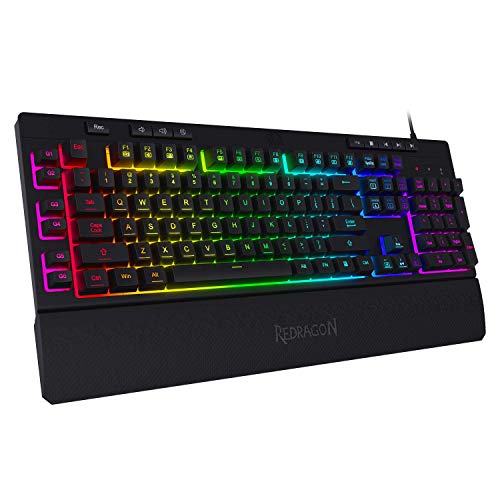
The Corsair K55 RGB PRO is a wired membrane gaming keyboard that brings a solid set of features to budget-conscious PC gamers, streamers, and casual players. Built around a quiet, responsive membrane key design, it offers five-zone dynamic RGB backlighting, six dedicated macro keys, and IP42-rated spill and dust resistance. This keyboard is aimed at those who want reliable performance and easy customization without the higher cost of mechanical switches.
When it comes to real-world gaming, the K55 RGB PRO delivers dependable input accuracy with anti-ghosting and selective key rollover, ensuring your keypresses register during fast-paced gameplay. While it won't match the crisp feedback of mechanical switches, the membrane keys are quiet and comfortable for both gaming and typing - a nice bonus for shared spaces or late-night sessions. The dedicated volume and media keys are handy for quick adjustments without alt-tabbing out of your game.
Build quality is practical for its price point: the keyboard feels lightweight with a plastic chassis, but the spill-resistant design adds real peace of mind for those who keep drinks nearby. The detachable soft rubber palm rest is a welcome addition, reducing wrist strain during long gaming marathons or work-from-home days. Customization comes through Corsair's iCUE software, which lets you control RGB lighting across five zones, assign macros to the six dedicated keys, and even integrate with Elgato Stream Deck for streaming commands. Some users note the software can be finicky, but basic lighting and macro setup is straightforward.
Setup is simple: just plug the USB cable into your PC, Mac, or Xbox, and the keyboard is ready. iCUE software installs quickly for deeper personalization. The keyboard's compact footprint (19 x 6.58 inches) fits well on most desks, and cable management is decent thanks to the fixed, braided-like cable.
Realistically, the K55 RGB PRO has limitations. Membrane keys lack the durability and tactile feel of mechanical switches, and competitive gamers may crave faster actuation and more satisfying feedback. The macro programming via iCUE could be more intuitive, as some users report it's not as polished as dedicated macro software. Additionally, the build feels light, which might not appeal to those used to heavier, metal-reinforced boards.
For budget-minded PC gamers, casual players, streamers starting out, or college gamers looking for a reliable daily driver with RGB and macros, the Corsair K55 RGB PRO is a strong choice. It balances essential gaming features, spill protection, and decent software support at a price that won't break your setup budget. If you value quiet keys, easy RGB customization, and a durable design for under $60, this keyboard is worth considering.
Frequently Asked Questions
Do macro keys require companion software to function on a Best Gaming Keyboard With Macro Keys?
No, many models feature onboard recording that saves sequences directly to internal hardware memory. Boards like the Redragon K550 and K580 allow you to record and assign combo sequences on the fly using dedicated hardware buttons. Software is usually optional and mainly used for advanced RGB light synchronization or intricate multi-key delays. This onboard flexibility lets you take your custom macros to different PCs without reinstalling utility apps.
Are mechanical switches better than membrane keys for macro execution?
Yes, mechanical switches deliver consistent actuation points and distinct tactile feedback that prevent missed inputs during fast-paced play. While membrane keyboards offer quiet operation and budget-friendly pricing, mechanical options like custom purple or blue switches register keypresses halfway through the travel distance. If you frequently balance daily work with gaming, pairing macros with a responsive tactile typing keyboard setup ensures accurate inputs for both documents and games.
Can dedicated macro keys trigger streaming commands and media shortcuts?
Yes, dedicated macro keys can trigger streaming actions, application launches, and system shortcuts seamlessly. Models such as the Corsair K55 RGB PRO integrate with software suites like Elgato Stream Deck to mute microphones, switch camera scenes, or open chat overlays in one press. Hardware volume wheels and media controls also handle background audio without forcing you to minimize your active game window.
How do hardware macro keys complement a gaming mouse setup in 2026?
Hardware macro keys offload complex multi-finger keybinds from your mouse hand so your aim remains steady. Assigning defensive skills, inventory navigation, or build commands to G-keys on your keyboard frees up your mouse fingers exclusively for targeting. Pairing your board with a dedicated gaming mouse with adjustable DPI gives you balanced control where both hands manage distinct competitive tasks smoothly.
Do macro keys cause input conflicts or ghosting during intense gameplay?
No, modern gaming boards prevent missed inputs by implementing anti-ghosting matrices or full N-key rollover. These circuits ensure that pressing dedicated macro keys while holding down movement keys (WASD) registers all inputs accurately. High-end wired mechanical boards scan each key switch independently, keeping fast command combinations reliable in 2026.


Write Your Review
No reviews yet. Be the first to share your experience!