


Buying a gaming laptop often feels like navigating a maze of confusing model numbers and marketing buzzwords. You might see a high-end GPU name, but the real question is whether the cooling system can actually sustain those frame rates without thermal throttling kicking in during long sessions. This gap between the advertised hardware and the real-world performance is where many buyers get tripped up. Finding a Best Rtx 4060 Gaming Laptop that balances power, portability, and noise levels is tricky, especially when you are comparing different brands and price points. You need a machine that handles heavy workloads without sounding like a jet engine or draining your battery in an hour.
After carefully analyzing the specifications, materials, and user feedback for these six models, we have identified the key factors that matter most. The ASUS ROG Strix G16 stands out with its robust cooling and high refresh rate display, while the MSI Thin series offers a more compact form factor for those who prioritize portability. Each option here has distinct strengths, from the Alienware’s stealth mode to the specific RAM and storage configurations in the MSI lineup. We looked at display refresh rates, processor generations, and the practical nuances of daily use, such as keyboard comfort and port availability. This guide helps you evaluate which configuration fits your specific gaming and productivity needs best.


Pros
- Solid gaming performance with RTX 4060 and 144Hz screen for smooth, responsive gameplay.
- 16GB RAM and 512GB NVMe SSD handle modern games and multitasking effectively.
- Lightweight and slim build at 0.85 inches and under 4 pounds for excellent portability.
- Backlit keyboard and Wi-Fi 6 support enhance comfort and connectivity during long sessions.
Cons
- 16GB DDR4 RAM is not upgradeable, which may limit future multitasking needs.
- 512GB SSD may fill quickly with large game libraries, requiring external storage.
- Battery life is moderate; gaming sessions may require a nearby outlet.
The MSI Thin 15 (B13VF-2829US) is a traditional gaming laptop designed for U.S. PC gamers, esports players, and streamers who need a balance of performance and portability. With a 15.6-inch 144Hz FHD IPS display, Intel Core i5-13420H processor, and NVIDIA GeForce RTX 4060 GPU, it targets competitive and casual gamers alike.
In real-world use, the 144Hz refresh rate and 1080p resolution deliver smooth visuals in fast-paced games like Valorant, Fortnite, and Call of Duty. The RTX 4060 handles modern titles at medium to high settings, while the 16GB DDR4 RAM and 512GB NVMe SSD ensure quick load times and responsive multitasking. For streamers or content creators, the dedicated 8GB GPU can handle light editing and streaming tasks, though heavy encoding may benefit from an external capture solution.
Build quality is solid for a thin-and-light chassis, with a gray aluminum-like finish that resists fingerprints. The backlit keyboard offers comfortable key travel for long sessions, though it lacks mechanical switches. Connectivity includes three USB 3.0 ports, Wi-Fi 6, and Bluetooth, making it easy to connect gaming mice, headsets, or external monitors. The 0.85-inch profile and under 4-pound weight make it a strong option for college gamers or anyone moving between dorm, office, and gaming setup.
Setup is straightforward out of the box, with Windows 11 Home preinstalled. The 512GB storage may feel tight for large game libraries, so pairing it with a USB-C or external NVMe drive is practical for heavy users. Cooling performance is adequate for its size, but during extended gaming sessions, the fans may become audible under load - typical for thin gaming laptops. Maintenance involves occasional fan cleaning to keep airflow optimal.
A realistic limitation is the non-upgradeable 16GB DDR4 RAM, which may be a constraint for future gaming or multitasking demands. Additionally, battery life is moderate; expect 4-5 hours for light tasks, but gaming will require the power adapter. These tradeoffs are common in this class of laptop but worth noting for potential buyers.
Overall, the MSI Thin 15 is a practical choice for PC gamers who want reliable 1080p gaming and portability without breaking the bank. It suits esports players, casual gamers, streamers on a budget, and college gamers who need a versatile device for both play and productivity. If you value a slim design, smooth 144Hz display, and capable RTX 4060 performance, this laptop is worth considering for your gaming setup.
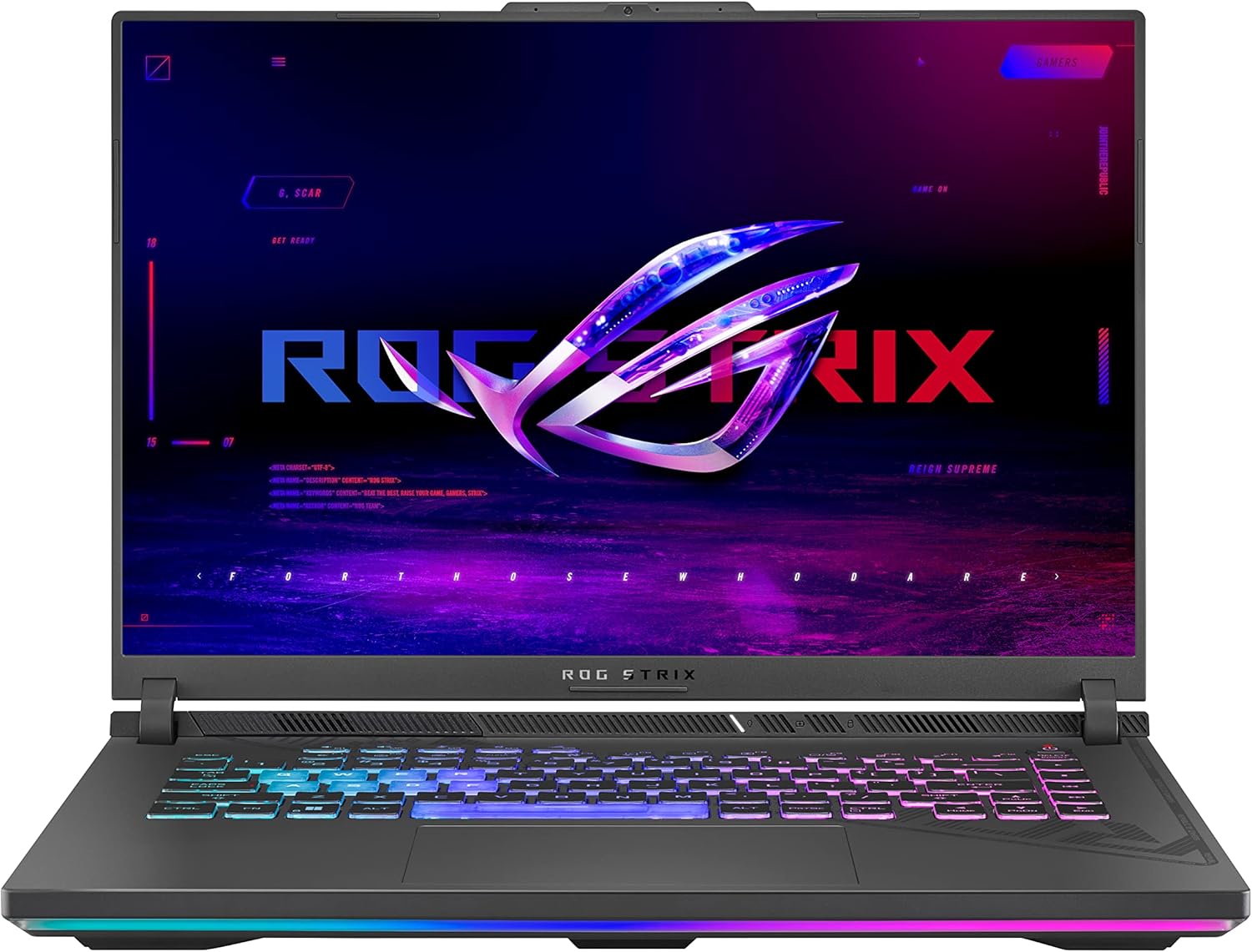
Pros
- Excellent gaming performance with RTX 4060 and high TGP design
- Fast 165Hz display with accurate color reproduction
- Effective cooling system keeps thermals in check during extended use
- Generous storage and memory for modern game libraries
Cons
- Battery life may be limited under heavy gaming loads
- Laptop is somewhat bulky for ultra-portable needs
- Integrated graphics only for basic tasks when unplugged
The ASUS ROG Strix G16 is a gaming laptop that strikes a strong balance between power and portability, making it a solid choice for PC gamers, competitive esports players, streamers, and even content creators who need a reliable mobile rig. Powered by a 13th Gen Intel Core i7-13650HX processor and an NVIDIA GeForce RTX 4060 laptop GPU at 140W Max TGP, this machine is built to handle demanding titles like Call of Duty, Fortnite, and Elden Ring at high settings without breaking a sweat. The 165Hz FHD display ensures smooth visuals, which is a big plus for fast-paced competitive gaming where every frame matters.
In real-world use, the Strix G16 delivers responsive gameplay with low latency, thanks to the combination of a high-refresh-rate panel and the powerful GPU. The 16GB DDR5-4800MHz memory and 1TB PCIe Gen4 SSD allow for quick loading times and seamless multitasking, whether you are jumping between games, streaming on Twitch, or running productivity apps for school or work. The 100% sRGB and Pantone Validation on the display also make it suitable for basic photo editing or content creation, adding versatility beyond gaming.
Build quality is solid with a durable chassis that feels premium, though the laptop is a bit on the heavier side for frequent travel. The cooling system is a standout feature, using Thermal Grizzly's Conductonaut Extreme liquid metal on the CPU and a third intake fan to keep temperatures in check during long gaming sessions. This means less thermal throttling and more consistent performance, which is crucial for marathon gaming or streaming marathons. The keyboard offers decent travel and RGB backlighting, though it is not mechanical, which may be a consideration for typing-heavy users.
Setup is straightforward with Windows 11 Home pre-installed, and the included Xbox Game Pass 90-day trial adds immediate value. Connectivity is strong with Wi-Fi 6E, USB ports, and HDMI, making it easy to connect to external monitors or peripherals for a full desktop-like gaming setup. The laptop also supports fast charging, so you can get back to gaming quickly after a short break.
One realistic limitation is battery life, which is typical for gaming laptops, especially under load. You will likely need to stay plugged in for extended gaming sessions. The laptop's size and weight also mean it is not the most portable option for daily commuting, but it fits well in a backpack for occasional travel. The fan noise can be noticeable under heavy load, but it is not excessive and is expected for a machine with this level of performance.
Overall, the ASUS ROG Strix G16 is a practical recommendation for PC gamers who want a powerful laptop for both gaming and productivity, without going overboard on price. It works well for competitive players who need a high-refresh-rate display, streamers who require reliable performance, and college gamers who want a single device for gaming and coursework. If you are looking for a well-rounded gaming laptop with strong cooling and modern specs, this is a great option to consider.

Frequently Asked Questions
Is 16GB RAM enough for modern gaming?
Yes, 16GB is generally sufficient for most current titles. It allows for smooth multitasking alongside your game. However, if you plan to do heavy video editing or run many background applications, 32GB might be a better long-term investment for your workflow.
Can I upgrade the SSD or RAM later?
It depends on the specific model’s internal design. Some laptops have accessible slots for adding more RAM or swapping the NVMe SSD. Check the manufacturer’s service manual or product description to confirm if the components are user-upgradeable before you buy the unit.
What is the difference between 144Hz and 240Hz?
A 240Hz display refreshes the image twice as often as a 144Hz panel. This results in smoother motion and reduced motion blur during fast-paced gameplay. While 144Hz is excellent for most users, 240Hz offers a slight competitive edge in reaction time and visual fluidity.
How loud are the fans under load?
Fan noise varies significantly by brand and cooling design. Models with advanced thermal solutions, like the Alienware Cryo-tech, aim to keep noise down. However, during intense gaming sessions, you will likely hear the fans spin up to maintain optimal temperatures and prevent throttling.
Does the laptop support external monitors?
Most models include HDMI or USB-C ports that support external displays. This allows you to connect a larger monitor for better visibility. Check the specific port version, such as HDMI 2.1, to ensure it supports the resolution and refresh rate you want.






Write Your Review
No reviews yet. Be the first to share your experience!