


Buying a gaming laptop often feels like guessing which specs actually matter for your daily workload. Many buyers focus on the GPU name, but the RTX 5050 performance depends heavily on the CPU, RAM, and display refresh rate. A mismatch between advertised power and real-world tasks can lead to frustration. You need a machine that handles gaming, multitasking, and travel without constant thermal throttling or battery anxiety. This guide breaks down two specific options that balance cost with capability.
Both laptops listed here feature 32GB of DDR5 RAM and 1TB SSD storage, which is a strong foundation for modern games. The Lenovo LOQ pairs an AMD Ryzen 7 250 with a 144Hz FHD screen, while the acer Nitro V 16 offers a 180Hz WUXGA panel. These configurations suggest solid value for students and casual gamers. If you are looking for more affordable options, check our budget-friendly gaming laptop picks. The key is matching the hardware to your specific gaming and productivity needs.

Pros
- Generous 32GB RAM out of the box - rare at this price point
- Smooth 180Hz display with good color accuracy for an IPS panel
- Solid gaming performance from Ryzen 5 and RTX 5050 combo
- Great port selection including HDMI 2.1 and USB-C 4 for external monitors and peripherals
- Reasonable weight and build quality for a 16-inch gaming laptop
Cons
- 720p webcam is basic - streamers may want to invest in an external camera
- Battery life is moderate under heavy gaming load; expect to stay plugged in during sessions
- Some users report minor quirks with pre-installed software and port expander compatibility
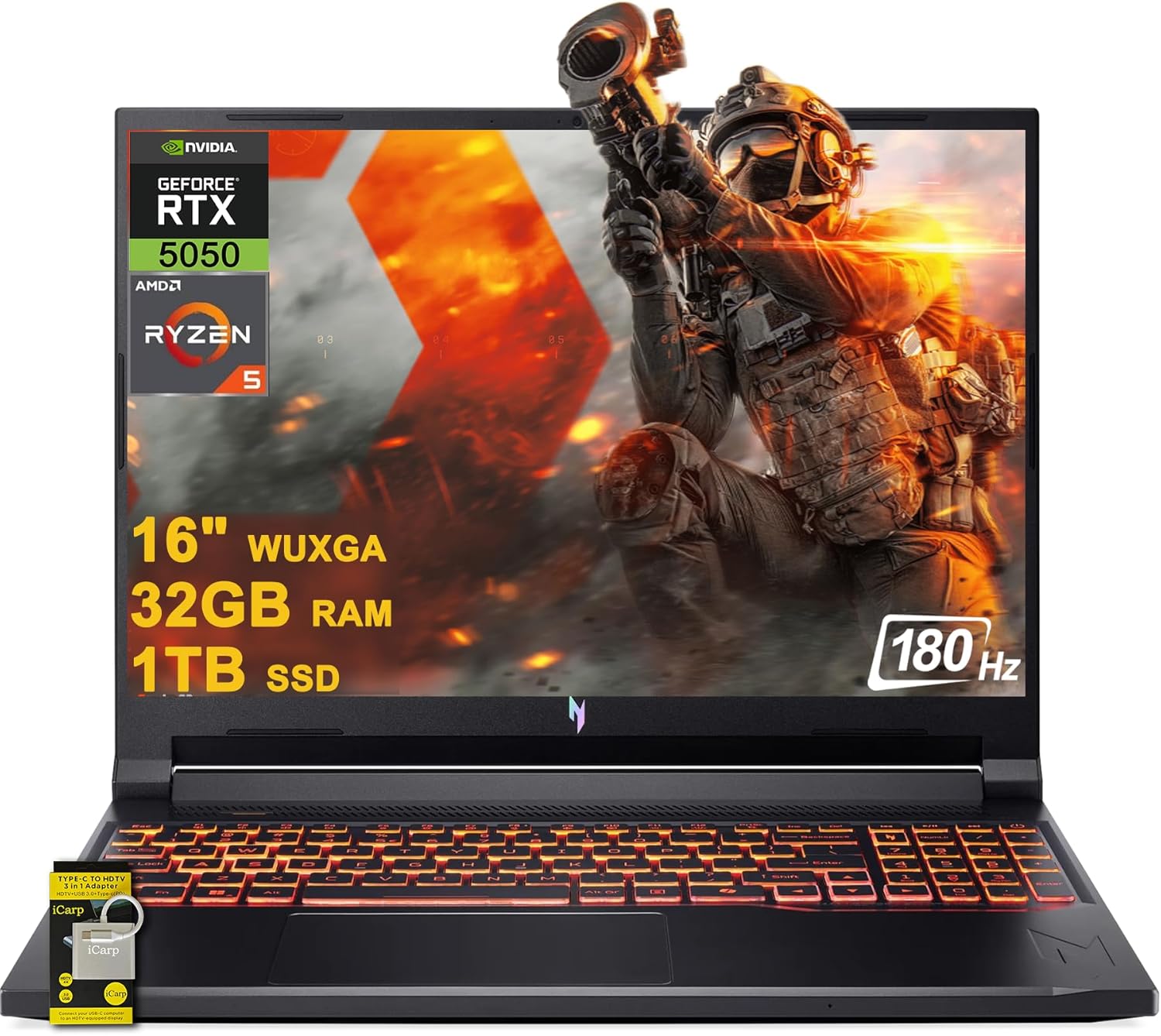
The Acer Nitro V 16 AI Gaming Laptop is a well-rounded machine that targets a broad audience: PC gamers who want solid 1080p performance, content creators needing ample RAM, streamers looking for a portable streaming rig, and even college gamers or work-from-home users who need a single device for both play and productivity. This laptop packs the latest AMD Ryzen 5 240 processor based on Zen 4 architecture and a dedicated NVIDIA GeForce RTX 5050 with 8GB VRAM, all complemented by a generous 32GB of DDR5 RAM and a fast 1TB NVMe SSD. The 16-inch WUXGA IPS display with a 180Hz refresh rate ensures smooth visuals during fast-paced games and detailed work.
Performance is where this laptop shines. Based on product specifications and user feedback, the Ryzen 5 240 handles modern titles like Cyberpunk 2077 and Elden Ring at high settings with respectable frame rates, while the RTX 5050 enables ray tracing and DLSS for extra visual fidelity. The 32GB of RAM is overkill for many users, but it future-proofs the system for heavy multitasking, such as streaming while gaming or running demanding creative software. The 180Hz display provides noticeably smoother gameplay in competitive FPS and MOBA titles, giving an edge in reaction-based scenarios. Loading times are snappy thanks to the NVMe SSD, and the laptop stays responsive even with dozens of browser tabs open.
Build quality feels solid for a gaming laptop in this price range. The chassis has minimal flex, and the backlit keyboard offers decent tactile feedback for both gaming and typing. Port selection is excellent, with three USB-A 3.2 ports, one USB-C 4 port, HDMI 2.1 for high-refresh-rate external monitors, and a gigabit Ethernet jack. Wi-Fi 6E support ensures fast wireless connectivity for online play and streaming. The cooling system does a good job under sustained loads - fans become audible during intense gaming but keep temperatures in check without throttling performance.
Practicality is a strong suit here. Setting up the laptop is straightforward with Windows 11 pre-installed; you just need to run updates and uninstall any trial antivirus. The 1TB SSD provides enough storage for a decent game library, though heavy users may eventually need an external drive. The 720p webcam is adequate for video calls but not ideal for streaming - most streamers will prefer a dedicated USB webcam. Battery life is moderate; you can expect a few hours of light use, but for gaming you'll want to stay plugged in. The laptop weighs 5.38 pounds, which is reasonable for a 16-inch model, so it's portable enough to move between rooms or take to a dorm.
Realistic limitations include the average webcam and the fact that the RTX 5050 is an entry-level RTX 50-series GPU - it handles current games well at 1080p, but may struggle with ultra settings in future AAA titles. Some users have noted quirks with the included port expander and pre-installed software, but these are minor issues that don't affect core performance. Overall, the Acer Nitro V 16 AI offers exceptional value for its price, especially considering the 32GB RAM configuration. It's ideal for gamers who want strong 1080p performance, content creators who need RAM for editing, and anyone who wants a versatile laptop that can handle both work and play without breaking the bank.
Common Buyer Questions
Is the RTX 5050 good for 1080p gaming?
Yes, the RTX 5050 is designed for entry-level 1080p gaming. It handles most titles at medium to high settings. The 8GB GDDR7 memory helps maintain stable frame rates in newer games. This configuration may suit players who prioritize value over ultra-high settings.
Which laptop has the better display for fast-paced games?
The acer Nitro V 16 offers a 180Hz refresh rate. This higher rate can make motion appear smoother in fast-paced titles. The Lenovo LOQ uses a 144Hz panel, which is still very responsive. Choose the Acer if you play competitive shooters or fast action games.
Do these laptops have enough RAM for multitasking?
Both models include 32GB of DDR5 RAM. This amount is excellent for running games alongside browsers and creative apps. You can keep many tabs open without slowing down the system. This memory capacity supports heavy multitasking during work or study sessions.
Are these laptops portable enough for travel or classes?
These are 15.6-inch and 16-inch machines, so they are not ultralight. They are heavier than standard ultrabooks due to the cooling systems. However, they are manageable for commuting to school or office work. Consider the weight if you carry them daily in a backpack.
What ports are included for external peripherals?
Both laptops feature USB-A, USB-C, and HDMI ports. The Acer includes a MicroSD card reader, which is useful for cameras. The Lenovo includes an RJ-45 Ethernet port for wired connections. These ports allow you to connect external drives, monitors, and mice easily.






Write Your Review
No reviews yet. Be the first to share your experience!