


Choosing between a 24-inch and a 27 inch monitor often comes down to balancing screen real estate with viewing distance. While 27 inches is the current sweet spot for many users, it is not the best choice for every desk or gaming style. The decision largely depends on whether you prioritize higher resolution detail, such as 1440p, or if you need the extra space for productivity tasks and immersive single-player games.
For most PC gamers and office workers, a display of this size offers a significant step up in clarity and workspace compared to smaller panels. However, if your desk is shallow or you sit very close to the screen, the larger size might feel overwhelming.
In this guide, we explore the key factors, including pixel density, refresh rates, and ergonomic considerations, to help you determine if a screen of this dimension is the right fit for your specific needs. You can also check our guide on monitors for eye strain to understand how size impacts comfort during long sessions.


Pros
- Sharp QHD resolution with good pixel density for a 27-inch screen, great for both gaming and productivity.
- 100Hz refresh rate with VRR ensures smooth gameplay without tearing, a solid upgrade from standard 60Hz.
- Frameless bezels allow for an immersive multi-monitor setup with minimal bezel gap.
- Built-in eye-care features (Flicker-Free, Blue Light Filter) reduce strain during long sessions.
- Great entry-level 1440p option for gamers upgrading from 1080p without breaking the bank.
Cons
- 100Hz refresh rate may feel less responsive for competitive gamers used to 144Hz or higher.
- No built-in speakers or USB hub, requiring external audio and additional ports for peripherals.
- Stand offers only basic tilt adjustment, limiting ergonomic flexibility for varying desk setups.
The ViewSonic VS2725-2K is a 27-inch QHD (2560x1440p) monitor that blends sharp resolution with a 100Hz refresh rate and variable refresh rate (VRR) support, making it a compelling option for PC gamers, streamers, and home office users who want a balanced upgrade from standard 1080p panels. With its frameless design and eye-care features, this monitor is well-suited for immersive gaming sessions, multi-monitor setups, and extended productivity work.
When it comes to gaming performance, the 100Hz refresh rate provides a noticeably smoother experience than the typical 60Hz office monitor, especially in fast-paced titles like shooters or racing games. The VRR technology helps eliminate screen tearing and stuttering when paired with compatible graphics cards, ensuring a more fluid visual experience. While 100Hz isn't as high as the 144Hz or 240Hz panels favored by esports professionals, it's a great middle ground for casual and competitive gamers who prioritize image quality over raw speed. The QHD resolution also delivers crisp details, making open-world games and strategy titles look more immersive and helping streamers display clear overlays and game feeds.
Build quality is solid for its price range. The monitor features a sleek, frameless design that minimizes bezels, which is especially useful for dual- or triple-monitor gaming setups where seamless transitions between screens matter. The lightweight chassis (just under 8 pounds) makes it easy to mount on an adjustable arm or simply place on a desk. Connectivity is straightforward with HDMI and DisplayPort inputs, compatible with modern gaming PCs, laptops, Macs, and even some consoles. The inclusion of Flicker-Free technology and a Blue Light Filter also helps reduce eye strain during those long gaming marathons or late-night work sessions.
Setup is about as simple as it gets: plug in the cables, power on, and adjust basic settings via the on-screen display. Given the limited stand adjustability (only tilt), you might want to invest in a monitor arm for better ergonomics if you plan to use it for long periods. Maintenance is minimal – a microfiber cloth to keep the screen free of dust is all that's needed. Cable management is straightforward thanks to the basic stand, but adding a third-party cable clip can keep your desk tidy.
Realistic limitations include the lack of built-in speakers (you'll need external speakers or a headset) and no USB hub for connecting peripherals directly. The 100Hz refresh rate, while a nice step up, won't satisfy competitive players who demand maximum responsiveness in fast-twitch games. However, for most gamers, streamers, and content creators who value a crisp, large-screen experience without breaking the budget, the ViewSonic VS2725-2K is a very practical choice. It's particularly well-suited for those building a first gaming PC or upgrading a secondary monitor for streaming and productivity tasks.
Overall, the ViewSonic VS2725-2K delivers a strong balance of resolution, refresh rate, and eye comfort at a price that makes sense for budget-conscious PC gamers and home office users. If you're looking for a versatile 27-inch monitor that handles gaming, streaming, and everyday work without fuss, this is a worthy contender.

Pros
- 120Hz refresh rate for smoother gameplay than typical 60Hz office monitors
- IPS panel offers good color reproduction and wide viewing angles
- Eye care features reduce fatigue for extended use
- Included 4-year advance replacement warranty provides strong after-sales support
- VESA mount compatible for desk or wall mounting
Cons
- Lacks DisplayPort and includes only one HDMI port, limiting connectivity for modern PCs and consoles
- 1080p resolution on a 27-inch screen may appear less sharp compared to 1440p or 4K monitors
- 120Hz is sufficient for casual gaming but not ideal for competitive esports at high frame rates
The Philips 27E2N2100 is a 27-inch Full HD IPS monitor that bridges the gap between office productivity and casual gaming. With a 120Hz refresh rate, it provides noticeably smoother motion than standard 60Hz displays, making it a great fit for college gamers, work-from-home professionals, and anyone building a budget-friendly gaming setup. The 1080p resolution keeps text and graphics clear for daily tasks while offering enough detail for immersive gameplay in titles like Fortnite, Minecraft, or story-driven adventures.
This monitor is best suited for casual gamers who value fluid visuals without needing the ultra-high refresh rates of competitive esports monitors. The IPS panel delivers accurate colors and consistent viewing angles, which is a plus for content consumption and light photo editing. The ultra-narrow bezels allow for a clean multi-monitor configuration, ideal for streamers or users who need extra screen space for Discord, OBS, or web browsing while gaming.
In terms of performance, the 120Hz refresh rate ensures that everyday scrolling, video streaming, and less demanding games feel responsive. The 1080p resolution is easy to drive for most entry-level gaming PCs and laptops, so you can hit high frame rates without a top-tier graphics card. The monitor includes LowBlue Mode and flicker-free technology, which help reduce eye strain during long sessions - a practical feature for students or remote workers who spend hours at their desk.
Build quality feels solid for a budget monitor, with a clean black design and sturdy stand. The VESA 100x100mm mount compatibility gives you the option to attach an adjustable arm or wall mount, freeing up desk space. The included connectivity - one HDMI and one VGA port - is limited, so you'll need to choose carefully if you plan to connect both a PC and a console. There's also an audio-out jack for wired speakers or headphones.
A realistic limitation is the lack of a DisplayPort, which means you can't take advantage of adaptive sync technologies like FreeSync or G-Sync if your GPU supports them. The 1080p resolution at 27 inches results in a lower pixel density than smaller 24-inch 1080p monitors, so text may not appear as razor-sharp - but it's perfectly fine for most uses. Additionally, the 120Hz refresh rate is adequate for casual play but won't satisfy competitive players aiming for 144Hz or higher.
Overall, the Philips 27E2N2100 offers strong value for its price range. It's a reliable choice for budget gaming PCs, home offices, and dorm room setups where a balance of size, smoothness, and eye comfort is key. If you're a casual gamer or a hybrid worker/gamer who doesn't need the highest refresh rates or 1440p resolution, this monitor provides a practical upgrade from a basic 60Hz display without breaking the bank.
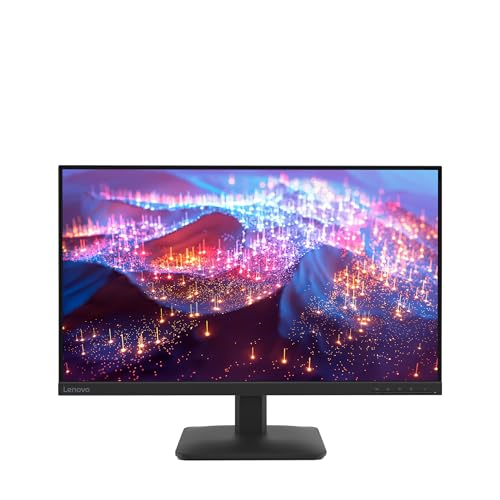


Pros
- Affordable 144Hz gaming monitor with a fully adjustable stand
- Built-in speakers save desk space and reduce cable clutter
- Decent contrast ratio (1500:1) for rich colors and deep blacks
- Easy OSD controls and Dell Display Manager for quick settings
Cons
- 1080p resolution at 27 inches may appear less sharp compared to higher resolution panels
- Limited to HDMI connectivity - no DisplayPort or USB-C
- Integrated speakers lack bass and volume for immersive gaming audio
The Dell 27 Plus Monitor (S2725HSM) is a 27-inch FHD gaming display built for smooth performance and everyday versatility. With a 144Hz refresh rate, 1ms MPRT, and AMD FreeSync support, it targets casual and competitive gamers who want responsive visuals without spending a fortune. The ash white design and full ergonomic stand also make it a practical choice for streamers, content creators, and home office users seeking a clean, adjustable setup.
In terms of gaming performance, the 144Hz panel delivers noticeably fluid motion in fast-paced titles like first-person shooters, MOBAs, and racing games. FreeSync eliminates screen tearing when paired with compatible GPUs, while the 1ms response time keeps ghosting to a minimum. The 1500:1 contrast ratio adds depth to dark scenes, making it suitable for both competitive play and single-player exploration. However, the 1080p resolution at 27 inches means pixel density is lower than 1440p or 4K panels - something to keep in mind if you prefer razor-sharp text or sit very close to the screen.
Build quality is solid for its price class, with a sturdy plastic frame and a stand that offers height, tilt, pivot, and swivel adjustments. This flexibility is rare at this price point and a big plus for ergonomics, helping you find a comfortable viewing angle during long gaming sessions or workdays. The integrated dual 3W speakers are convenient for casual listening or voice calls, but they lack bass and volume for immersive gaming - a dedicated headset or external speakers will still be preferred. Connectivity is limited to HDMI inputs (no DisplayPort or USB-C), which may matter if you plan to use the monitor with multiple devices or require higher bandwidth for adaptive sync.
Setup is straightforward: plug in the power and HDMI cable, then adjust the stand to your liking. The on-screen display (OSD) is intuitive, and Dell Display Manager software adds extra productivity features like window snapping and preset modes. The ash white finish looks clean on a desk, though it may show dust more easily than darker monitors. Cable management is basic - there's a single cutout in the stand neck to route cables - but sufficient for a simple configuration.
Overall, the Dell 27 Plus Monitor is a well-balanced choice for budget-conscious gamers, college students, and those building a clean, adjustable desktop setup. It delivers the key gaming features - 144Hz, FreeSync, low latency - along with ergonomic comfort and decent built-in audio. If you prioritize resolution above 1080p or need a wider variety of ports, you may want to look elsewhere. But for anyone seeking an affordable, everyday gaming monitor that also handles work and streaming tasks well, this display offers great value.
The Dell 27 Plus Monitor is built for responsive gameplay. Its 144Hz refresh rate ensures smooth motion in fast-paced titles like shooters and racing games, while the 1ms MPRT reduces motion blur during rapid scene changes. AMD FreeSync compatibility eliminates screen tearing when matched with compatible AMD or some NVIDIA GPUs (via HDMI). The 1500:1 contrast ratio helps dark areas retain detail, giving you a competitive edge in games with heavy shadows. While not a high-resolution panel, the FHD resolution keeps frame rates high on mid-range hardware, making it a solid match for esports and mainstream gaming.
This monitor stands out for its fully adjustable stand - a rarity at this price. You can raise, lower, tilt, swivel, and pivot the screen to find your ideal viewing angle, reducing neck and eye strain during long sessions. The ash white design fits well in bright, modern setups. Setup is simple: connect via HDMI, adjust height, and you're ready. The included 3W speakers are fine for casual use, but for serious gaming audio, external speakers or a headset are recommended. The OSD menu is easy to navigate, and Dell Display Manager software offers additional window management and preset options for different tasks.

Pros
- IPS panel offers accurate colors and wide viewing angles, ideal for multiplayer games and media consumption
- 75Hz refresh rate provides a noticeable upgrade from 60Hz for smoother gameplay and desktop navigation
- VESA mounting compatibility and tilt adjustment simplify desk organization and cable management
- Multiple input options (HDMI, DisplayPort, VGA) ensure compatibility with most PCs and consoles
- Built-in speakers are convenient for casual use, reducing clutter on a gaming desk
Cons
- 75Hz refresh rate and lack of adaptive sync (FreeSync/G-Sync) limit competitive gaming performance
- Built-in speakers are basic and lack bass, making a gaming headset or external speakers a better choice for immersive audio
- Stand offers only tilt adjustment, no height or swivel, which may require a VESA arm for ergonomic setups
The Amazon Basics 27-inch IPS Monitor is a solid entry-level display that bridges office productivity and casual gaming. Powered by AOC technology, it features a 1920x1080 Full HD resolution with an IPS panel that delivers vibrant, consistent colors from nearly any viewing angle. While it's not built for competitive esports, its 75Hz refresh rate offers a smoother experience than standard 60Hz monitors, making it a practical upgrade for casual gamers, college students, and work-from-home gamers looking for an affordable all-rounder.
This monitor fits well in a mixed-use setup. For gaming, the IPS panel ensures that fast-moving scenes in games like Fortnite, Minecraft, or Valorant remain clear and colorful. However, competitive players who rely on high refresh rates (144Hz or above) and adaptive sync technologies may find the 75Hz limit a bit restrictive. Streamers and content creators will appreciate the accurate color reproduction for editing photos or videos, and the built-in speakers are fine for quick YouTube clips or Discord calls, though a dedicated headset or external speakers are recommended for immersive game audio.
Build quality is typical for Amazon Basics: a sturdy plastic frame with a slim bezel, a tilt-adjustable stand, and VESA 100x100mm compatibility for wall mounting. The monitor weighs just under 10 pounds, so it's easy to reposition on a desk or mount. Cable management is straightforward thanks to the HDMI, DisplayPort, and VGA inputs, allowing you to connect a gaming PC, a console, and a laptop without constant swapping. The Energy Star certification also helps keep power bills in check during extended sessions.
Setting up the monitor is plug-and-play; it includes an HDMI cable and power cord, so you can get started right out of the box. The on-screen display (OSD) is basic but functional, letting you adjust brightness, contrast, and color temperature. One limitation is the stand's lack of height adjustment or swivel, which might require a monitor arm for proper ergonomics if you're spending long hours gaming or working. Cleaning the matte screen is easy with a microfiber cloth, and the monitor's footprint is compact enough for smaller desks or dorm rooms.
In terms of gaming performance, the 75Hz refresh rate provides a noticeable improvement over 60Hz, but it's not a replacement for high-end gaming monitors. Fast-paced shooters may still show some motion blur without adaptive sync. For casual and open-world games like GTA V or The Witcher 3, the IPS colors and decent response time make for an enjoyable visual experience. The built-in speakers are adequate for system sounds and voice chats, but they lack depth, so a gaming headset or external speakers will enhance immersion.
Overall, the Amazon Basics 27-inch IPS Monitor is a strong value for budget-conscious gamers, streamers on a tight budget, and anyone building a versatile gaming or home office setup. Its combination of IPS color accuracy, 75Hz smoothness, and flexible connectivity makes it a reliable secondary display or a primary monitor for casual use. If you prioritize competitive gaming features like high refresh rates and adaptive sync, you'll want to look elsewhere. But for the price, it's a solid choice that won't disappoint casual gamers and multitaskers.

Is 27 Inches Right for Your Setup?
The primary advantage of a 27-inch panel is the balance between immersion and usability. At this size, you can comfortably read text and work with multiple windows side-by-side without constantly switching tabs. For gamers, it provides enough screen area to see more of the game world without requiring excessive head movement. This makes it a versatile choice for both work and play, though it does require a bit more desk depth than a 24-inch model.
| Feature | 24-Inch Monitor | 27-Inch Monitor |
|---|---|---|
| Typical Resolution | 1080p (1920×1080) | 1080p or 1440p (2560×1440) |
| Pixel Density (PPI) | ~92 PPI at 1080p | ~82 PPI at 1080p / ~109 PPI at 1440p |
| Desk Depth Required | Minimal | Moderate (15-20 inches from edge) |
| Best For | Competitive FPS, small desks | Single-player, productivity, 1440p gaming |
Before committing to a larger screen, it is helpful to check your current viewing habits and hardware capabilities. The following checklist highlights the key areas you should evaluate to ensure a display of this size integrates well into your daily routine.
- Measure the distance from your eyes to the current screen edge
- Determine if your graphics card supports 1440p at high frame rates
- Check if your desk has enough depth to accommodate a larger stand
- Consider if you currently use a second monitor for multitasking
- Decide if you prefer 1080p sharpness or 1440p detail on a larger panel
Resolution and Pixel Density Considerations
Resolution is the most critical factor when moving to a screen of this dimension.
- At 1080p, a monitor of this size has a lower pixel density than a 24-inch model, which can make text look slightly softer or less crisp.
- This is noticeable when doing word processing or reading long documents, but for gaming and media consumption, the difference is often negligible, especially if you sit at a comfortable distance.
- If you plan to use the monitor for office work, a 1440p resolution is highly recommended to maintain text clarity.
Many users find that 1440p on a panel of this size offers the ideal balance. The higher resolution provides more screen real estate, allowing you to fit more content on the screen without shrinking the UI. This is particularly beneficial for developers, video editors, and anyone who uses multiple applications simultaneously. Based on the listed specifications, many models of this dimension now offer 1440p as a standard or premium option, making it an accessible upgrade for most setups.
Ergonomics and Viewing Distance
Viewing distance is a common concern when upgrading to a larger monitor. A general rule of thumb is that your eyes should be at least one arm’s length away from the screen. For a display of this size, this usually means sitting 20 to 30 inches away. If your desk is shallow or you sit close to the edge, you might find the screen too large, requiring you to turn your head more frequently to see the corners.
Ergonomic adjustments play a significant role in comfort. Look for monitors with height, tilt, and swivel adjustments to position the screen at eye level. This helps reduce neck strain and eye fatigue during long sessions. If you cannot adjust the height, consider using a monitor stand or a VESA mount to achieve the correct position. Proper setup ensures that the larger screen enhances your experience rather than causing discomfort.
Refresh Rate and Gaming Performance
For gamers, the refresh rate of a monitor of this size is just as important as its dimensions. High refresh rates, such as 144Hz or 180Hz, provide smoother motion and reduced input lag, which is beneficial for both competitive and single-player games. The larger screen size allows you to see more of the game environment, while the high refresh rate ensures that the action remains fluid and responsive.
It is important to match the monitor’s refresh rate with your graphics card’s capabilities. If your GPU cannot consistently output high frame rates at 1440p, you might not fully utilize the monitor’s potential. In such cases, a 1080p 144Hz monitor might offer a better balance of performance and visual quality. Some users prefer this setup for competitive titles, where frame rate is prioritized over resolution. Always check the specifications to ensure your hardware supports the desired mode.
Panel Types and Image Quality
The type of panel used in a monitor of this size affects its image quality and viewing angles. IPS panels are popular for their accurate colors and wide viewing angles, making them suitable for both gaming and creative work. VA panels offer higher contrast ratios, which result in deeper blacks and better performance in dark scenes. OLED and QLED technologies provide even better contrast and brightness but are typically more expensive.
Based on the supplied specifications, most monitors of this size in this range use IPS or VA panels. IPS is generally recommended for users who need color accuracy, such as graphic designers or video editors. VA panels may suit gamers who play in dark environments and value contrast over viewing angles. Consider your primary use case when choosing a panel type, as each has distinct advantages and tradeoffs.
Connectivity and Compatibility
Connectivity options vary between models, so it is essential to check the ports before purchasing. Most monitors of this size include HDMI and DisplayPort inputs, with some models offering multiple versions of each. DisplayPort is generally preferred for gaming due to its support for higher refresh rates and variable refresh rate technologies like FreeSync and G-Sync. HDMI is more common for connecting consoles, Blu-ray players, and other media devices.
If you plan to use the monitor with a console, ensure that the HDMI version supports the resolution and refresh rate you need. For example, HDMI 2.1 is required for 4K at 120Hz, while HDMI 2.0 supports 1440p at up to 144Hz. Many users also appreciate additional features like USB hubs, which allow you to connect peripherals directly to the monitor. Check the included cables and ensure they match your device’s ports to avoid compatibility issues.
Choosing a monitor of this size is a personal decision that depends on your specific needs and setup. If you have the desk space and hardware to support it, the larger size offers a significant upgrade in terms of immersion and productivity. However, if you are limited by space or budget, a 24-inch monitor might be a more practical choice.
Consider the factors outlined above and evaluate your current setup to make an informed decision. For more insights on high-refresh displays, you might find our guide to 240Hz gaming monitors useful for understanding the performance benefits of high refresh rates.





Write Your Review
No reviews yet. Be the first to share your experience!