

Evaluating Entry-Level Discrete Graphics for Modern Play
Balancing graphical capability with budget constraints often creates a difficult dilemma for portable PC buyers. Many entry-tier machines cut critical corners on thermal design, screen refresh rates, or memory speeds just to fit dedicated silicone inside a budget-friendly chassis. Identifying the best gaming laptop rtx 4050 requires looking past raw component names and checking the total thermal system, memory type, and physical port selection. Machines carrying this graphics card typically target smooth 1080p gaming with support for advanced features like DLSS 3 frame generation, but configurations vary dramatically between entry-level models. Shoppers hunting for affordable gaming machines must also decide whether an eight-gigabyte memory base will suffice or if stepping up to sixteen gigabytes is mandatory.
Modern options like the ASUS TUF Gaming F16 and Acer Nitro V combine dedicated graphics with fast multi-core processors like the Intel Core i7-13620H or Core i5-13420H. Some designs provide modern high-bandwidth interfaces, rivaling gaming laptops with Thunderbolt connectivity for docking setups and high-speed external storage. You should also evaluate panel specifications, because displays ranging from 144Hz to 165Hz with Adaptive-Sync or 100% sRGB color gamut deliver vastly different visual results. Selecting the right combination of DDR5 RAM, adequate solid-state storage, and sufficient cooling ensures your machine maintains consistent clocks without throttling during extended sessions.

Pros
- Strong gaming performance for its price with i7 and RTX 4050
- 165Hz display with thin bezels provides immersive, fluid visuals
- Fast 1TB Gen 4 SSD and 16GB DDR5 RAM for quick boot and game loads
- Good connectivity including Thunderbolt 4, HDMI 2.1, and Wi-Fi 6
- Effective cooling system with customizable fan curves
Cons
- Battery life around 5 hours may require frequent charging during extended use
- Weighs 4.66 lbs, making it less portable than some ultrabooks
- Only 6GB VRAM on RTX 4050 may limit future AAA titles at high settings
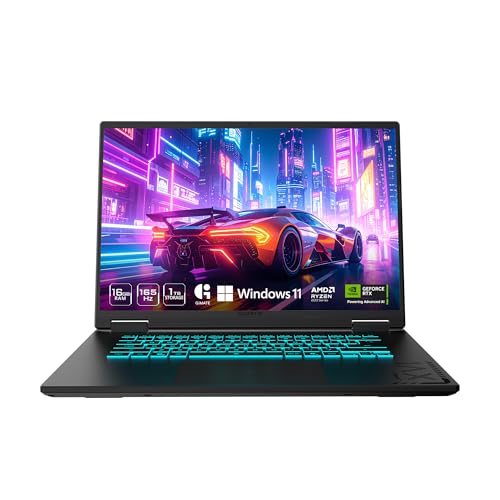
The Acer Nitro V 15 (ANV15-52-76NK) is a dedicated gaming laptop that hits a sweet spot for PC gamers, competitive esports players, streamers, and content creators who need reliable performance without breaking the bank. Powered by an Intel Core i7-13620H processor and an NVIDIA GeForce RTX 4050 GPU, this machine is built to handle modern games, multitasking, and creative workloads like video editing or live streaming.
For gamers, the real highlight is the 15.6-inch Full HD IPS display with a 165Hz refresh rate. This means you get buttery-smooth motion in fast-paced shooters like Valorant or Call of Duty, with minimal ghosting and precise tracking. The 1920x1080 resolution keeps frame rates high, and the thin bezels offer an immersive 82.64% screen-to-body ratio. The RTX 4050 supports DLSS 3.5 and ray tracing, so even demanding titles like Cyberpunk 2077 can look stunning with AI-enhanced visuals.
Performance is backed by 16GB of DDR5 RAM (upgradeable to 32GB) and a 1TB PCIe Gen 4 SSD. Load times are snappy, and you can keep multiple apps open without lag. The laptop also includes Wi-Fi 6 and Killer Ethernet E2600 for low-latency online play, plus a Thunderbolt 4 port that supports fast charging, data transfer, and video output. The dual-fan cooling system with adjustable fan speeds helps keep the CPU and GPU cool during extended sessions, though the laptop does get warm under heavy load.
Build quality is solid with a black plastic chassis that feels durable, though it's not ultra-premium. The backlit keyboard includes a numeric keypad, making it practical for both gaming and productivity tasks. The 4.66-pound weight is manageable for moving between rooms but not ideal for daily commuting. The 5-hour battery life is typical for a gaming laptop, so expect to stay plugged in for gaming sessions.
Setting up the software is straightforward with Windows 11 pre-installed and Acer's NitroSense utility for monitoring performance and customizing fan curves. The AI-powered PurifiedView and PurifiedVoice features improve webcam and microphone quality for Discord calls or streaming, though the built-in webcam is only 720p. One limitation is the RTX 4050's 6GB VRAM, which may struggle with ultra textures in future AAA titles, but for 1080p gaming and most current releases, it's plenty capable.
Overall, the Acer Nitro V 15 is a practical recommendation for college gamers, work-from-home gamers, and anyone building a versatile setup that can handle both gaming and daily tasks. It offers strong value at its price point, and the 165Hz display combined with RTX 4050 makes it a reliable choice for competitive and casual gamers alike.
The combination of the Intel Core i7-13620H (10 cores, up to 4.9 GHz) and NVIDIA GeForce RTX 4050 (6GB GDDR6, 194 AI TOPS) delivers excellent 1080p gaming performance. In competitive titles like Fortnite and Apex Legends, you can expect well over 100 FPS at high settings, while more demanding games like Elden Ring or Assassin's Creed Mirage run smoothly with DLSS enabled. The 165Hz display ensures every frame looks fluid, giving you a clear edge in fast-paced shooters.
The 15.6-inch Full HD IPS panel offers vibrant colors and decent contrast with a 165Hz refresh rate. The 16:9 aspect ratio and thin bezels create an immersive gaming experience. Response times are good enough to minimize ghosting, and the 300-nit brightness works well indoors. For a gaming laptop at this price, the display is a strong selling point.
Port selection is generous: one Thunderbolt 4 (USB-C with 65W charging, DisplayPort), one USB 3.2 Gen 2 Type-C, two USB 3.2 Gen 1 Type-A, HDMI 2.1, Gigabit Ethernet, and a headphone jack. This setup supports dual external monitors, fast peripherals, and reliable wired networking. Wi-Fi 6 and Bluetooth 5.2 round out wireless connectivity.

Pros
- Military-grade build quality gives confidence for on-the-go gaming and work.
- RTX 4050 hits a sweet spot for 1080p high-refresh gaming without breaking the bank.
- 144Hz display with Adaptive-Sync provides a smooth, tear-free experience in fast-paced shooters.
- Excellent cooling solution keeps thermals in check even under sustained loads.
- 16:10 aspect ratio offers extra vertical screen space for productivity and gaming.
Cons
- 512GB SSD may fill up quickly with modern game installs; external storage recommended.
- Battery life is typical for gaming laptops - expect around 4-5 hours on light use.
- Design is understated; those wanting RGB flair may need to add external accessories.
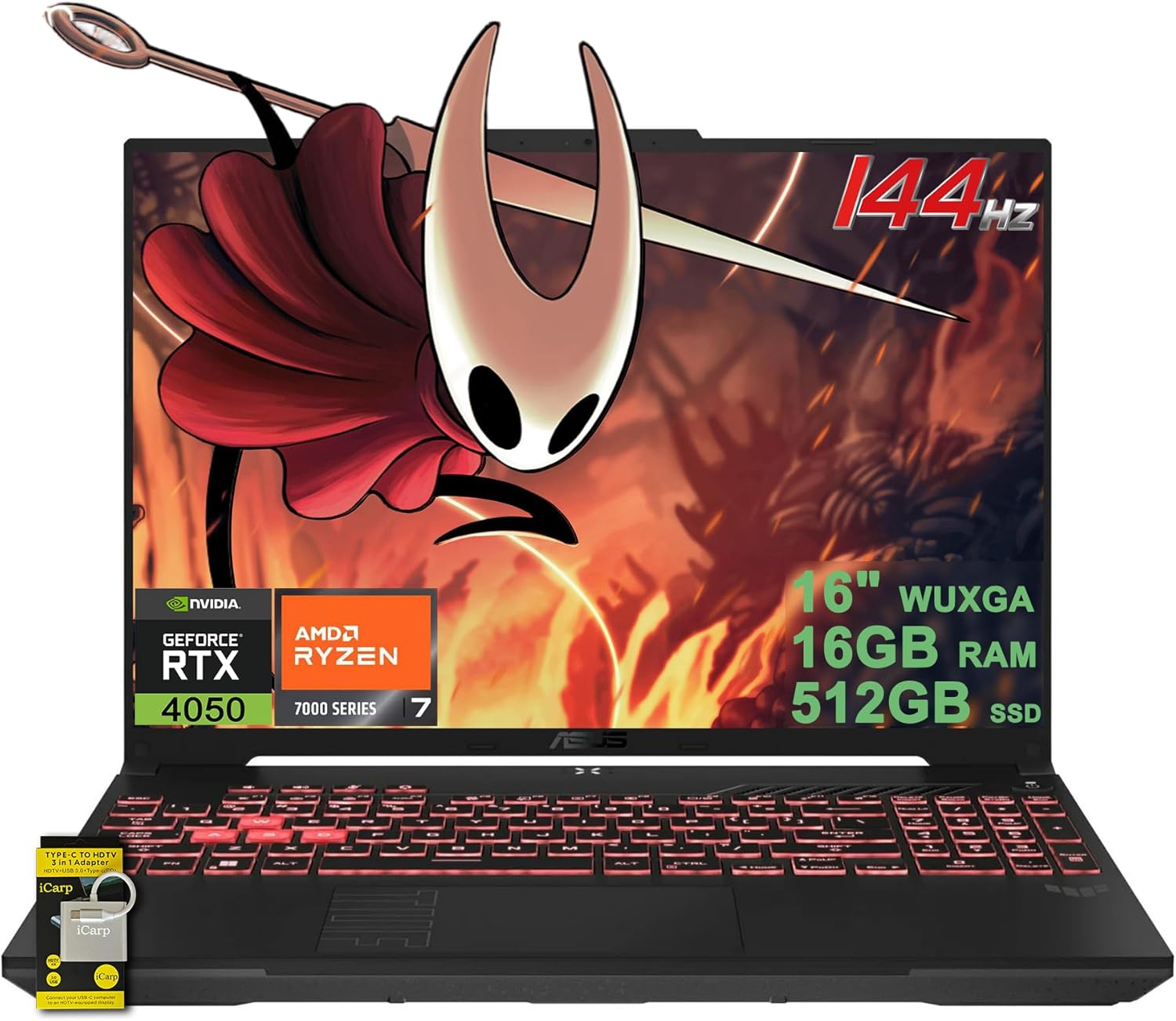
The ASUS TUF Gaming F16 (model FX607VU-SS53) is a 16-inch gaming laptop that brings together a capable mid-range hardware package with the ruggedness expected from the TUF series. Powered by an Intel Core 5 210H processor and an NVIDIA GeForce RTX 4050 laptop GPU (with a Max TGP of 115W and Advanced Optimus), this machine is designed to handle modern titles at 1080p with high refresh rates. It's a solid pick for PC gamers, competitive esports players, and even streamers who need a reliable secondary rig for on-the-go broadcasting.
The 16-inch FHD+ display (1920x1200, 16:10 aspect ratio) runs at 144Hz and covers 100% sRGB, offering vibrant colors and smooth motion. Adaptive-Sync technology reduces screen tearing and stuttering, which is a big plus for fast-paced games like Call of Duty or Overwatch. The extra vertical space from the 16:10 ratio also helps with productivity tasks like editing spreadsheets or coding, making this laptop versatile for work-from-home gamers and college students.
Build quality is a standout feature here. The TUF F16 is MIL-STD-810H certified, meaning it has passed tests for drops, vibration, humidity, and extreme temperatures. The chassis feels solid, with minimal flex, and the Mecha Gray finish resists fingerprints. This durability makes it a great companion for gamers who frequently travel to LAN parties or need a machine that can survive a dorm room backpack.
Cooling performance is handled by ASUS's Arc Flow Fans, four exhaust vents, five dedicated heat pipes, and an anti-dust filter. Based on user feedback, this setup keeps the CPU and GPU temperatures in check even during extended gaming sessions, while the fans remain reasonably quiet. The anti-dust filter is a practical touch that reduces the need for frequent internal cleaning.
Connectivity is well-covered with Wi-Fi 6, two USB 3.0 ports, and other essential I/O. The 16GB of DDR5 RAM and 512GB PCIe Gen4 SSD provide snappy boot times and quick level loads, though power users may want to upgrade the storage later since games are only getting larger. The backlit keyboard is comfortable for both gaming and typing, with decent key travel.
Realistically, the 512GB SSD is the main limitation for those with large game libraries, and battery life hovers around 4-5 hours for light use, which is standard for this class. However, for its price point, the ASUS TUF Gaming F16 offers a well-rounded package that balances performance, durability, and display quality. It's a strong recommendation for U.S. gamers who need a portable workhorse for competitive gaming, streaming on Twitch, or handling daily productivity tasks in a gaming setup.

Pros
- Strong price-to-performance ratio with RTX 4050 and 165Hz display
- AI-powered graphics and DLSS 3.5 support for modern games
- Easy RAM upgrade path to overcome the 8GB bottleneck
- Solid connectivity including Thunderbolt 4 and Wi-Fi 6
- Effective cooling system with customizable fan profiles
Cons
- 8GB RAM is insufficient for many modern AAA titles out of the box
- Some user reports of screen ghosting at high refresh rates
- Fan noise can be noticeable under heavy load in performance mode
The Acer Nitro V 15 (model ANV15-52-586Z) is a budget-friendly gaming laptop that aims to deliver solid performance without breaking the bank. It's powered by an Intel Core i5-13420H processor and an NVIDIA GeForce RTX 4050 laptop GPU, which together provide enough muscle for esports titles, popular battle royale games, and even some AAA experiences at medium settings. The 15.6-inch Full HD IPS display with a 165Hz refresh rate is a standout feature at this price point, offering smooth motion and decent color reproduction for both gaming and content consumption.
This laptop is best suited for PC gamers on a tight budget, college gamers looking for a portable rig, and casual gamers who want to play modern titles without spending a fortune. It also works well for light content creation or streaming, thanks to the RTX 4050's AI capabilities and DLSS 3.5 support. However, it's not a turn-key solution for demanding users right out of the box, as the 8GB of DDR5 RAM is a clear bottleneck. Many user reviews highlight that upgrading to 16GB or 32GB significantly improves performance and eliminates stuttering in games like Hogwarts Legacy.
In terms of real-world gaming performance, the RTX 4050 handles most games at 1080p with high settings, and the 165Hz screen makes fast-paced shooters feel responsive. The dual-fan cooling system does a good job keeping temperatures in check, though the fans get loud in performance mode. The keyboard is comfortable for gaming with a backlit layout and numeric keypad, but the spacebar lacks backlighting, which some users may find odd. Build quality is typical for this price range: mostly plastic with a sturdy feel, and the laptop weighs 4.66 pounds, making it portable enough for a backpack.
Connectivity is a strong point, with Thunderbolt 4, HDMI 2.1, three USB 3.2 Gen 1 ports, and Wi-Fi 6. This makes it easy to connect to external monitors, high-speed storage, or a gaming dock. The Acer PurifiedVoice noise reduction technology helps with in-game chat and Discord calls, though the built-in microphone is average. Setting up the laptop is straightforward, but you'll want to update drivers and consider a fresh Windows install if you encounter any pre-installed software issues, as some users reported.
The biggest limitation is the 8GB RAM, which causes stuttering and high memory usage even on the desktop. Upgrading the RAM is simple (two DDR5 slots), and many users recommend doing it right away. Another potential issue is screen ghosting at 165Hz, which may be noticeable in fast-paced games. Fan noise under load is also worth noting if you play in a quiet room. Despite these drawbacks, the Acer Nitro V 15 offers excellent value for its price, especially after a RAM upgrade.
If you're a budget-conscious gamer, a college student, or someone building their first gaming setup, this laptop is a practical choice. It's not perfect out of the box, but with a small investment in more RAM, it becomes a very capable machine for gaming, streaming, and everyday use. For esports players or those who prioritize competitive performance, the 165Hz display and RTX 4050 provide a smooth experience in games like Valorant, Fortnite, and Overwatch 2. Just be prepared to spend a little extra time and money to unlock its full potential.
The Acer Nitro V 15's RTX 4050 GPU and Intel i5 processor deliver solid 1080p gaming performance. In esports titles like CS:GO and Valorant, you can expect well over 100 FPS on high settings, taking full advantage of the 165Hz display. For more demanding games like Cyberpunk 2077, DLSS 3.5 and frame generation help maintain playable frame rates at medium settings. The 8GB RAM is a bottleneck here, causing occasional stutters in open-world games; upgrading to 16GB resolves this. The dual-fan cooling system keeps the CPU and GPU from throttling during long sessions, though the fans become audible in performance mode. Overall, this laptop offers great gaming value once you address the memory limitation.
The Acer Nitro V 15 features a dark, understated design with a glossy Acer logo on the lid and subtle gradient accents. The chassis is primarily plastic but feels sturdy enough for daily use. At 4.66 pounds and 0.93 inches thick, it's reasonably portable for a 15.6-inch gaming laptop. The keyboard includes a backlit layout with a numeric keypad, though the spacebar lacks illumination. The touchpad is responsive, but most gamers will use an external mouse. The display has thin bezels on the sides, giving an 82.64% screen-to-body ratio, and the hinge feels solid. Port placement is practical, with USB ports on both sides and the HDMI and Thunderbolt 4 on the rear. Overall, the build quality meets expectations for the price range, with no major creaking or flex during normal use.

Pros
- Strong 1080p gaming performance with RTX 4050 for the price.
- High-refresh 144Hz display enhances gameplay smoothness.
- Ample 16GB RAM and fast SSD storage out of the box.
- Good connectivity with Wi-Fi 6, HDMI 2.1, and USB-C.
Cons
- Display color accuracy is limited (45% NTSC), not ideal for color-critical creative work.
- Battery life is modest for non-gaming tasks, around 6 hours.
- Plastic build may not feel as premium as more expensive laptops.
The HP Victus 15-FA100 is a 2024 budget-oriented gaming laptop that aims to deliver solid 1080p gaming performance without emptying your wallet. It's powered by a 13th Gen Intel i5-13420H processor and an NVIDIA GeForce RTX 4050 with 6GB of GDDR6 VRAM, a combination that handles modern titles at high settings with ease. This machine is best suited for casual and competitive gamers, streamers on a budget, college students, and work-from-home gamers who need a versatile system for both play and productivity.
In terms of real-world performance, the 144Hz FHD IPS display makes a noticeable difference in fast-paced games like first-person shooters and racing titles, providing smooth motion and reduced screen tearing. The RTX 4050 is a capable entry-level ray tracing GPU, allowing for decent frame rates in popular esports and AAA games at medium to high settings. The 16GB of DDR4 RAM and 512GB NVMe SSD ensure quick boot times and snappy multitasking, which is useful for streaming, Discord calls, or running productivity apps alongside your game.
Build quality is typical for a budget gaming laptop: a plastic chassis that keeps weight manageable at 5.1 pounds. It's not the most premium feeling, but it's sturdy enough for daily use and transport between home, dorm, or office. The backlit keyboard with a numpad is comfortable for typing and gaming, though key travel is average. The 720p webcam is basic but functional for video calls, and the integrated microphone works for casual chat.
Setup is straightforward: Windows 11 Home comes pre-installed, and you can be up and running in minutes. The port selection is generous, including USB-C with power-off charging, HDMI 2.1 for an external monitor, and an SD card reader, making it easy to connect peripherals and expand your desk setup. Cable management is simple, and the laptop's compact 15.6-inch footprint fits well on most desks.
One realistic limitation is the display's color accuracy (45% NTSC), which means it's not ideal for photo or video editing where color precision matters. The battery life is also modest at around 6 hours for non-gaming use, so you'll want to keep the 200W AC adapter handy for longer sessions. The included 32GB USB drive is a nice bonus for storage or transferring files.
Overall, the HP Victus 15-FA100 offers strong value for gamers who prioritize performance and a high-refresh display over premium materials or color accuracy. It's a practical choice for competitive gaming, casual play, streaming, and everyday tasks, making it a reliable entry-level gaming laptop for U.S. buyers.

Pros
- Strong gaming performance for the price with i7 and RTX 4050
- Thin and light design makes it highly portable
- 144Hz display enhances smoothness in competitive gaming
- Easy to upgrade RAM and storage via bottom panel
- Cooling system keeps thermals in check during extended use
Cons
- Battery life is limited, requiring frequent plug-in during gaming
- Build feels somewhat plastic compared to premium laptops
- Keyboard backlight is red only, not full RGB
The MSI Thin 15 is a gaming laptop built for players who want strong performance without a bulky, heavy chassis. It combines an Intel Core i7-13620H processor with an NVIDIA RTX 4050 GPU, making it a capable machine for 1080p gaming, streaming, and everyday productivity. This laptop is well-suited for college gamers, competitive esports players, casual gamers, and anyone needing a portable system that can handle both work and play.
In real-world use, the i7-13620H and RTX 4050 deliver smooth frame rates in popular titles like Fortnite, Valorant, and Call of Duty at high settings. The 144Hz FHD display keeps motion clear and reduces screen tearing, giving you a competitive edge in fast-paced matches. With NVIDIA DLSS 3 and Reflex support, the laptop can boost performance and lower input latency, which helps in both single-player and multiplayer games. The 16GB of DDR4 RAM and fast 512GB NVMe SSD ensure quick game loads and snappy multitasking, whether you are switching between Discord, a browser, and your game.
Build quality is a mixed bag. The laptop is impressively slim and lightweight for its specs, making it easy to toss into a backpack for the dorm or office. However, the plastic construction may not feel as premium as more expensive metal-clad rivals. MSI's Cooler Boost technology does a good job keeping temperatures reasonable during longer sessions, though the fans can get noticeable under load. The bottom panel is easy to remove, giving you access to upgradeable RAM and an extra M.2 or 2.5-inch drive bay, a nice touch for future-proofing.
Setup is straightforward out of the box. Windows 11 Home comes pre-installed, and the MSI Center software lets you tweak performance profiles, monitor system stats, and control keyboard lighting. The red backlit keyboard is functional but lacks per-key RGB customization, which may disappoint some RGB enthusiasts. Port selection is solid with multiple USB-A 3.1 ports, a USB-C port, HDMI, and an Ethernet jack, so you can connect peripherals and external displays without a dongle. Wi-Fi 6E provides reliable wireless connectivity for online gaming and streaming.
Battery life is a realistic limitation. Expect around 4 hours of light use, and noticeably less while gaming, so you will want to keep the power adapter handy. Some users have noted that the plastic casing feels less rugged, so a padded backpack is recommended if you travel frequently. The fan noise can also be audible during demanding games, but it is typical for a slim gaming laptop of this class.
Overall, the MSI Thin 15 offers a compelling mix of portability, gaming performance, and upgradeability at a reasonable price point. It works well as a primary machine for a student gamer, a secondary rig for a streamer on the go, or a capable work-from-home laptop that can also handle modern games. If you prioritize a slim form factor and solid 1080p gaming without breaking the bank, this laptop is worth considering.
Frequently Asked Questions
Can an RTX 4050 laptop run modern AAA games smoothly?
Yes, an RTX 4050 laptop can handle modern titles at 1080p resolution with balanced graphic presets. The GPU benefits from 6GB of GDDR6 VRAM and AI-powered DLSS 3 frame generation, which helps maintain stable frame rates in demanding releases. Demanding titles with heavy ray tracing will require adjusting shadow and lighting settings to stay within memory limits.
Is 8GB of RAM enough for a gaming laptop in 2026?
While 8GB of RAM can run basic tasks and older games, 16GB is the recommended baseline for modern gaming rigs. A configuration with 8GB can lead to micro-stuttering in memory-heavy titles and limits background multitasking while streaming or voice chatting. If you buy a model with 8GB, verifying whether it has an open slot for an upgrade is essential.
How does display refresh rate impact your gaming experience?
Higher refresh rates such as 144Hz or 165Hz render on-screen motion with greater fluidity and reduce input lag compared to standard 60Hz panels. When paired with Adaptive-Sync, high-refresh screens help eliminate visual tearing during fast-paced competitive gameplay. You can learn more about tuning settings in our guide on optimizing your gaming laptop for esports.
What should you look for in thermal cooling for an entry-level gaming laptop?
Look for laptops featuring multi-fan configurations, several dedicated copper heat pipes, and multiple exhaust vents to dissipate heat effectively. Adequate thermal management prevents the CPU and GPU from thermal throttling during extended sessions, preserving stable clock speeds. Companion software like Acer NitroSense or MSI Cooler Boost also lets you manually adjust fan curves for different tasks.
Does TGP affect the performance of an RTX 4050 GPU?
Yes, the Total Graphics Power (TGP) rating dictates how much electrical wattage the GPU can draw under load. A laptop with a higher TGP, such as the 115W maximum limit on certain chassis, will generally deliver higher clock speeds than a thin, power-constrained alternative running at 45W. Checking manufacturer specifications for power limits is just as important as reading our roundup of the top sub-1000 euro gaming laptops when comparing value.



Write Your Review
No reviews yet. Be the first to share your experience!