
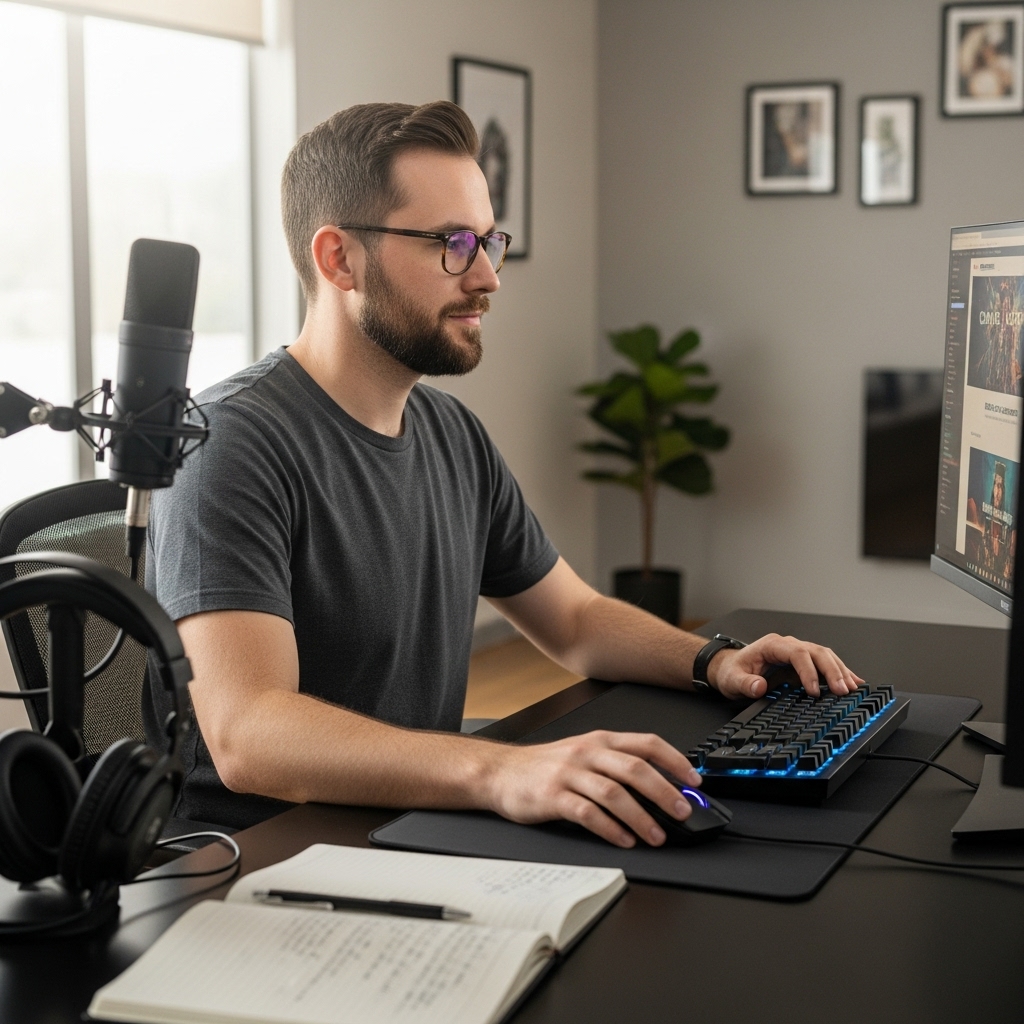

Choppy playback, dropped preview frames, and brutal thermal throttling during export passes can bring any creative project to a grinding halt. Demanding editing suites rely on multi-threaded processors and discrete graphics to calculate complex color grades and transitions without stalling. That workload often leads creators to ask: are gaming laptops good for video editing? Dedicated silicon engineered for high-FPS gameplay excels at parallel media processing, making portable gaming rigs a practical solution for creative workflows. Many editors wanting a dual-purpose machine look closely at the best laptop for creators and gaming to balance gaming frame rates with timeline responsiveness.
Cooling performance in gaming notebooks plays an essential role in sustaining boost clocks across long export sessions. Unlike thin office machines that throttle clock speeds when heat builds up, gaming laptops feature dual fans, heat pipes, and exhaust vents to control thermal buildup under load. Fast NVMe SSD storage and dual-channel RAM configurations further reduce bottlenecking when scrubbing high-bitrate video clips. Louder fan profiles and shorter battery runtimes remain realistic trade-offs during heavy operations, but the high computing throughput of dedicated graphics delivers dependable rendering speed.

Pros
- Strong CPU performance for multitasking – handles browser tabs, office apps, and light creative work smoothly
- Fast NVMe SSD boots Windows in seconds and loads games quickly
- Full port selection reduces need for dongles – great for connecting to monitors, USB hubs, and headsets
- Budget-friendly price point for casual gamers and students
- Silent operation in light workloads – suitable for shared spaces
Cons
- Integrated Radeon graphics limit gaming to low settings on modern AAA titles and esports at medium settings
- Single fan cooling may struggle under sustained heavy loads – expect some thermal throttling in demanding games
- 1MP webcam is basic – fine for video calls, but not ideal for streaming without external camera
The MALLRACE Gaming Laptop is a budget-friendly portable PC that aims to balance productivity and light gaming. Powered by an AMD Ryzen 7 5700U processor with 8 cores and 16 threads, it’s built to handle everyday multitasking – think juggling multiple browser tabs, office documents, and video calls without stutter. The 16GB DDR4 RAM and 512GB NVMe SSD further ensure snappy responsiveness, whether you’re booting up Windows 11 or launching applications.
For gamers, this laptop sits firmly in the casual or esports-oriented crowd. The integrated AMD Radeon Graphics can handle titles like League of Legends, Valorant, CS2, and Minecraft at 1080p with reasonable frame rates, especially if you dial settings to medium or low. Don’t expect to run Cyberpunk 2077 or Starfield at high resolutions – this machine is built for lighter workloads. That said, the WiFi 6 support helps keep online matches stable, and the full port selection (including USB-C and HDMI 1.4) lets you connect an external monitor or capture card for streaming on Twitch.
Build quality is typical for the price point: a plastic chassis weighing 1.65 kg and measuring just 0.7 inches thick. It’s portable enough for college dorms or coffee shop gaming sessions. The cooling system – a single fan with dual copper heat pipes – does a decent job keeping temperatures under control during moderate use. During extended gaming sessions, expect the fan to ramp up, and thermals may edge toward the upper 80s Celsius range. It’s not a thermal beast, but it won’t throttle immediately under light loads.
The 15.6-inch IPS display offers 1920x1080 resolution with okay brightness and color reproduction – fine for web browsing, video streaming, and less color-critical work. The 1MP webcam and dual noise-canceling microphones are adequate for Zoom calls or Discord chats, though streamers will want an external webcam and microphone for better quality. The dual speakers get loud enough for casual listening but lack bass – a headset is recommended for immersive gaming or content creation.
Setup is straightforward: Windows 11 is pre-installed, and the laptop comes with MALLRACE’s minimal bloatware. You can jump into gaming or productivity right out of the box. The 512GB SSD is a tad tight if you install many modern games (some AAA titles exceed 100GB), so you might need external storage. The included Micro SD slot offers easy expansion for media files.
Overall, the MALLRACE Gaming Laptop is a solid value for budget-conscious PC gamers who prioritize CPU performance over GPU power. It’s a great fit for college gamers, work-from-home users, or anyone needing a capable laptop for light gaming and everyday tasks. If you’re after a portable machine for esports, streaming, and schoolwork without breaking the bank, this is worth considering – just temper your expectations on graphics-intensive titles.
The MALLRACE Gaming Laptop relies on the integrated AMD Radeon Graphics (Vega 8) found in the Ryzen 7 5700U. In real-world use, this translates to playable frame rates in popular esports titles: Valorant can hit 60-90 FPS at 1080p medium settings, League of Legends runs smoothly at 80-100 FPS, and CS2 can manage around 50-70 FPS on low. Modern AAA games like Cyberpunk 2077 or Elden Ring will struggle – expect sub-30 FPS even on lowest settings. The 16GB dual-channel RAM helps the integrated GPU perform slightly better than 8GB configurations, but you’re still limited by the lack of a dedicated graphics card.
WiFi 6 connectivity ensures low-latency online play, and the 15.6-inch 60Hz IPS display is fine for casual gaming. For streaming or content creation, you can use the HDMI port to connect a higher refresh rate external monitor, though the integrated GPU won’t push beyond 60Hz at 1080p in most games. If you’re a competitive gamer seeking high refresh rates or ray tracing, this laptop isn’t for you – but for budget-conscious casuals and students, it gets the job done.
The MALLRACE Gaming Laptop features a gray plastic chassis that feels sturdy enough for daily carry, though it won’t win any awards for premium materials. The hinge is firm, and the keyboard deck has minimal flex. At 1.65 kg (about 3.6 lbs) and 0.7 inches thick, it slips easily into a backpack for college or work. Port selection is generous for a budget laptop: 3x USB 3.2 Gen2 Type-A, 1x USB-C, HDMI 1.4, a headphone/mic combo jack, and a Micro SD card slot. This means you can connect a mouse, external drive, and monitor without needing a hub – a nice convenience for setup builders and streamers.
The cooling solution (single fan + dual copper pipes) is adequate for the CPU’s 15W TDP but can get noisy under sustained load. The bottom vents are placed well, but you’ll want to use the laptop on a hard surface for optimal airflow. The keyboard is standard membrane with decent travel, though backlighting is absent – less ideal for gaming in dim rooms. The touchpad is responsive for navigation.

Pros
- Strong price-to-performance ratio for entry-level 1080p gaming.
- 144Hz display provides smooth gameplay in fast-paced titles.
- Decent storage and memory configuration out of the box.
- Eco-friendly construction with recycled materials.
Cons
- 7-pound weight makes it less portable for frequent travel.
- DDR4 RAM (not DDR5) may limit future upgradability potential.
- No Thunderbolt or USB4 support limits external GPU options.
The HP Victus 15.6-inch laptop (model 15-fa1040nr) is a mid-range gaming machine designed for PC gamers who want a capable desktop replacement without breaking the bank. Powered by a 12th Gen Intel Core i5-12500H and an NVIDIA GeForce RTX 4050 with 6GB of dedicated GDDR6 memory, this laptop can handle modern esports titles like Valorant and Apex Legends at high settings, while also running demanding single-player games at medium-to-high details in 1080p. The 144Hz FHD IPS anti-glare display adds a level of smoothness that competitive gamers will appreciate, reducing motion blur and helping you track fast-moving targets.
This laptop is best suited for budget-conscious PC gamers, college students who need a blend of gaming and study performance, and casual gamers who want a reliable machine for their dorm room or home office setup. The 16GB of DDR4 RAM and 512GB PCIe Gen4 NVMe SSD provide snappy boot times and quick level loads, so you can jump into games without long waits. The RTX 4050 supports ray tracing and DLSS in supported titles, which helps improve visual fidelity without tanking frame rates. For streamers or content creators, the 6GB VRAM can handle light 1080p video editing and streaming, though more demanding 4K work may be a stretch.
Build quality is solid for the price point, with a Mica Silver chassis that has a clean, understated look. The laptop weighs 7 pounds, which is on the heavier side, so it's better suited for stationary use or occasional transport rather than daily backpack commuting. The keyboard includes a number pad and offers decent key travel, though it's not mechanical. The 88-degree wide-angle HD webcam with AI noise cancellation is a welcome addition for remote work or Discord calls, ensuring your voice comes through clearly in noisy environments.
Audio from the HP Dual Speakers tuned by B&O is surprisingly rich for a laptop in this class, with decent volume and clarity for casual media consumption and in-game sound effects. For serious gaming, you'll likely still want a dedicated gaming headset for positional audio. Connectivity includes Wi-Fi 6 and Bluetooth 5.3, along with USB-A, USB-C, HDMI, and a headphone jack, covering the basics for peripheral hookup. The battery life is moderate; expect around 4-5 hours of mixed use, less during gaming.
One realistic limitation is the use of DDR4 RAM instead of the newer DDR5, which means memory upgrades won't benefit from the fastest speeds available in other 2023 laptops. Also, the single storage slot limits expansion without replacing the existing SSD. The 512GB drive may fill up quickly if you install several modern games, but you can always use an external drive or cloud storage. Overall, this HP Victus offers a well-balanced package for gamers seeking an affordable entry into 1080p 144Hz gaming without compromising on core performance.
If you're a PC gamer looking for a budget-friendly laptop that can handle esports and moderate AAA titles, or a student needing a versatile device for both gaming and coursework, the HP Victus 15-fa1040nr is a strong contender. Its combination of a responsive 144Hz display, capable CPU/GPU, and reasonable memory configuration makes it a practical choice for U.S. gamers who want reliable performance without overspending.
With the Intel Core i5-12500H and RTX 4050, the HP Victus delivers smooth 1080p gaming in most modern titles. Esports games like Fortnite, Overwatch 2, and Rocket League can easily hit 144fps on competitive settings, fully leveraging the 144Hz panel. Heavier games like Cyberpunk 2077 or Elden Ring will run at medium settings with DLSS enabled for a steady 60fps. The 6GB of VRAM is enough for high-resolution texture packs in many games, though future titles may require more.
The 15.6-inch FHD IPS panel with 144Hz refresh rate and anti-glare coating is a highlight at this price. Colors are decently vibrant with good contrast, and the 178-degree viewing angles make it easy to share the screen. The anti-glare finish helps reduce reflections in bright rooms, which is a plus for gaming near windows or under direct light. The 144Hz refresh rate offers a noticeable upgrade over standard 60Hz for fast-paced gaming, reducing motion blur and improving perceived smoothness.

Pros
- Full HD display for crisp text and video playback.
- Portable and reasonably lightweight for a 15.6-inch laptop.
- Windows 11 included, saving setup time.
- Vibrant red finish stands out on a desk or in a backpack.
- Basic performance for office work, web, and streaming.
Cons
- 4GB RAM limits multitasking; may struggle with multiple browser tabs or apps.
- 64GB storage is very limited; external storage or cloud reliance is necessary.
- Intel Celeron processor is underpowered for gaming, video editing, or heavy software.
- Wi-Fi only supports 2.4GHz b/g/n, lacking 5GHz for faster connections.
The Core Innovations 15.6" Full HD Laptop is a budget-friendly device aimed at users who need basic computing without breaking the bank. It features an Intel Celeron N4020 processor, 4GB of RAM, and 64GB of eMMC storage, all running Windows 11. This combination is designed for light tasks like web browsing, email, word processing, and streaming video. It is not built for PC gaming, esports, or content creation due to its limited hardware.
This laptop is best suited for college gamers who need a secondary device for note-taking and research, or work-from-home gamers who need a machine for non-gaming productivity. It may also work for casual users who primarily watch YouTube or Netflix. However, competitive gamers and streamers will find it insufficient for any modern game or streaming workload. The 15.6-inch 1080p display offers decent clarity for media consumption, but the 4GB RAM is a bottleneck when running multiple applications simultaneously.
Build quality is typical for the price range: a plastic chassis that keeps weight around 5.2 pounds. The red color adds a bit of flair to a desk setup, though it won't match any gaming RGB themes. Connectivity is limited to USB-A and HDMI, with no USB-C or high-speed Wi-Fi (only 2.4GHz). For a gaming setup, this laptop lacks the performance for gaming peripherals that require low latency, and the storage is too small for game installations.
Setup is straightforward: Windows 11 pre-installed means you can start using it right out of the box. Maintenance involves keeping the system clean and managing storage carefully. The eMMC storage is soldered and not upgradeable, so users should rely on cloud services or external hard drives. The keyboard is adequate for typing but not designed for gaming; there is no backlighting.
A realistic limitation is that this laptop is not suitable for the target audience of this review (PC gamers, streamers, esports players). It belongs to a different category - basic productivity. If you are a college gamer looking for a cheap laptop for campus work while using a separate gaming desktop, this could work. But if you need any gaming capability, invest in a device with at least an AMD Ryzen or Intel Core processor, 8GB RAM, and dedicated graphics.
Overall, based on product specifications and user expectations, the Core Innovations laptop offers basic value for money for its intended use. Gamers and setup builders should look elsewhere. It gets a recommendation only for those who need an ultra-budget secondary device for non-gaming tasks and prefer a red chassis.

Pros
- Full HD display offers clear visuals for streaming and productivity
- Lightweight and portable design for easy travel
- Windows 11 pre-installed with modern features and security
- Affordable price makes it accessible for students and budget-conscious buyers
Cons
- Limited 4GB RAM may struggle with multitasking or demanding applications
- 64GB SSD provides minimal storage for large files or games
- Intel Celeron N4020 is not suitable for gaming or intensive tasks
The Core Innovations 15.6" Full HD Laptop is a straightforward, budget-friendly Windows 11 device aimed at users who need a basic laptop for everyday computing. It's not a gaming machine, but it serves well for web browsing, streaming video, working on documents, and video calls. This laptop is best suited for college students, casual users, or anyone looking for an affordable secondary laptop for light tasks.
Performance is driven by an Intel Celeron N4020 processor paired with 4GB of RAM and a 64GB SSD. This combination handles basic productivity apps like Microsoft Office, web browsing with multiple tabs, and streaming services like Netflix or YouTube without major hiccups. However, it's not designed for gaming, video editing, or heavy multitasking. The 64GB SSD provides quick boot times and responsive app loading, but storage space is limited, so you'll likely rely on cloud storage or external drives for larger files.
The 15.6-inch Full HD display (1920x1080) is a highlight at this price point, offering crisp and clear visuals for watching movies, reading text, or working on spreadsheets. The laptop's lightweight design, under 4 lbs, makes it easy to slip into a backpack and carry around campus or to a coffee shop. Port selection includes dual USB ports, mini HDMI, and Bluetooth, allowing you to connect external monitors, a mouse, or other peripherals for a more comfortable desk setup.
Build quality is typical for a budget laptop: a plastic chassis that feels sturdy enough for daily use but not premium. The keyboard is adequate for typing notes or emails, though it lacks the tactile feedback of higher-end laptops. The trackpad is responsive for basic navigation. Windows 11 runs smoothly out of the box, with a clean interface and enhanced security features like Windows Hello (if supported).
One realistic limitation is the 4GB RAM, which can become a bottleneck if you try to run multiple applications simultaneously. The 64GB SSD fills up quickly, especially after installing Windows updates and a few programs. This laptop is not suitable for gaming, streaming, or content creation. It's purely a productivity and media consumption device.
Overall, the Core Innovations 15.6" Full HD Laptop is a practical choice for budget-conscious users who need a basic laptop for school, work, or casual home use. If you're a college gamer looking for a secondary device for note-taking and web browsing, this could work, but don't expect any gaming performance. For the price, it delivers a decent Full HD display and Windows 11 experience in a lightweight package.

Pros
- Full HD 1080p screen is a step up from typical budget 1366x768 panels.
- SSD storage improves overall system responsiveness and app loading times.
- Comes with Windows 11 pre-installed, saving setup time and hassle.
- Lightweight and portable design for on-the-go use.
Cons
- Intel Celeron N4020 and 4GB RAM struggle with modern gaming or multitasking.
- 64GB storage fills quickly with games, apps, and media files.
- Wi-Fi only supports 2.4GHz band, limiting network speeds and stability.
The Core Innovations 15.6" Full HD Laptop is a straightforward, budget-oriented machine aimed at users who need a basic Windows 11 laptop without breaking the bank. It's not a gaming powerhouse by any stretch, but it can handle light gaming, streaming, and everyday productivity tasks for college gamers, casual players, or anyone who needs a secondary device for their desk setup.
For PC gamers and esports enthusiasts, this laptop's Intel Celeron N4020 processor and 4GB of RAM mean you'll be limited to older or less demanding titles like Stardew Valley, Minecraft at lower settings, or web-based games. It won't run modern AAA games or competitive shooters smoothly. However, for casual gaming sessions or streaming content on Twitch or YouTube, the 15.6-inch Full HD display offers decent visual clarity, and the 64GB SSD helps the system feel snappier than a traditional hard drive.
Build quality is typical for the price point: a plastic chassis that feels light but not premium. The keyboard and trackpad are functional for web browsing, document editing, and light gaming, but they won't satisfy serious gamers looking for mechanical switches or high polling rates. The 2.4GHz Wi-Fi connection is adequate for streaming video but may lag in crowded networks or during online gaming.
Setup is straightforward thanks to Windows 11 already installed. You'll be up and running in minutes. Storage is limited at 64GB, so you'll need to rely on cloud storage or external drives for games and media. The 4GB of RAM is fine for basic multitasking, but you'll feel the slowdown if you try to run multiple apps or a modern web browser with many tabs open.
Overall, this laptop is best suited for college gamers who need a cheap machine for note-taking, web browsing, and the occasional indie game. It's also a decent option for a secondary streaming or media consumption device in a gaming setup. If your goal is serious PC gaming, content creation, or esports, you'll want to invest in a more powerful system with a dedicated GPU and faster processor.

Pros
- Dual wired and Bluetooth support for flexible connectivity.
- Silent, soft-touch keys reduce typing noise and fatigue.
- Programmable keys allow custom macros for any application.
- Compact size saves desk space and suits minimalist setups.
- Works simultaneously with another keyboard without conflicts.
Cons
- Limited to only five programmable keys – may not suffice for complex macro-heavy workflows.
- No mechanical switch feel – quieter but less tactile feedback for gamers used to mechanical keys.
- No onboard memory or software customization details provided – may require dedicated software (not specified).
The Tangxi 5-Key Programmable Keypad is a compact macro pad designed to streamline your gaming, streaming, or productivity workflow. While it isn't a full gaming keyboard, this mini keypad excels as a dedicated companion for PC gamers, streamers, content creators, video editors, and even office workers who need quick access to frequently used commands. Its small footprint makes it an easy addition to any desk setup without cluttering your space.
Based on product specifications and user feedback, the keypad offers both wired USB and Bluetooth dual-mode connectivity. This flexibility allows you to switch between a stable wired connection for low-latency gaming or wireless freedom for a cleaner desk. The five keys are fully programmable, meaning you can assign complex combo macros or simple shortcuts to each key. For competitive gamers, this can translate to faster ability activations or inventory management in MOBAs and FPS titles. Streamers will appreciate the ability to trigger scene transitions, mute toggles, or donation alerts with a single tap.
Build quality appears focused on portability and quiet operation. The silicone keys provide a soft, nearly silent typing experience, which is a plus for late-night sessions or shared workspaces. However, they lack the tactile click of mechanical switches, so gamers who prefer mechanical feedback may need to adjust. The keypad is lightweight and easily carried in a bag, making it suitable for college gamers or those who work from multiple locations.
Setup is straightforward – simply connect via USB or Bluetooth, and the keypad is recognized as a standard keyboard. You can use it alongside your existing keyboard without any conflicts, and no additional drivers are needed for basic operation. For advanced programming, you may need to install the vendor's software (if available), but the product description does not detail this, so potential buyers should verify compatibility with their operating system before purchasing.
A realistic limitation is the number of keys – only five. While that's enough for essential macros or shortcuts, users with intricate workflows may find it restrictive. Additionally, the lack of onboard memory means your customizations may not persist across devices unless the software stores them. There is also no mention of RGB lighting, which may disappoint RGB setup enthusiasts looking for programmable LEDs.
Overall, the Tangxi keypad is a practical, budget-friendly solution for anyone who wants to add a few dedicated macro keys to their gaming or creative setup. It's best suited for streamers, video editors, and gamers who need quick access to specific commands without investing in a full macro keyboard. If you value silence, portability, and dual-mode connectivity, this little pad is worth considering.
Performance Insights: Are Gaming Laptops Good For Video Editing FAQs
Do gaming laptops offer enough GPU power for 4K video editing?
Yes, gaming laptops equipped with discrete GPUs deliver ample graphics power for 4K video workflows. Hardware video encoders, dedicated GDDR6 VRAM, and high CUDA or stream processor counts accelerate visual effects and timeline scrubbing. Systems like the HP Victus with an RTX 4050 provide dedicated hardware encoding that reduces export times compared to standard integrated graphics.
How much RAM is recommended in a gaming laptop for editing?
At least 16GB of system RAM is recommended for smooth video editing in 2026. While 8GB or budget 4GB setups can open basic 1080p clips, editing high-bitrate footage or multitasking across software suites requires additional memory to prevent timeline stutter. Users seeking affordable portability often explore a thin gaming laptop under 1000 featuring upgradeable memory slots.
Will thermal throttling slow down long video export sessions?
Thermal throttling can occur, but dedicated gaming laptop cooling designs actively minimize sustained slowdowns. Multiple copper heat pipes and high-RPM dual fans dissipate thermal buildup during extended exports. Keeping intake vents clear and operating the laptop on a hard desk surface helps maintain maximum boost clocks during heavy renders.
Can display refresh rates and color accuracy impact video production?
High refresh displays provide fluid timeline navigation, though color gamut coverage remains the critical factor for color grading. A 144Hz IPS display ensures fluid cursor movement, but professional color grading often requires an external color-calibrated monitor. Many creators check reviews on dedicated graphics cards for gaming to understand how modern GPUs output high-fidelity color profiles to external displays.
Do macro pads and programmable keypads speed up video editing workflows?
Yes, dedicated macro keypads significantly streamline video editing by assigning multi-key shortcuts to single physical switches. Compact programmable devices like the Tangxi 5 Keys Programmable Keypad allow editors to map blade cuts, timeline zooming, and ripple deletes directly to tactile keys. This setup reduces hand fatigue and speeds up repetitive timeline edits.








Write Your Review
No reviews yet. Be the first to share your experience!