


Audio Integration and Ergonomic Seating for Gamers
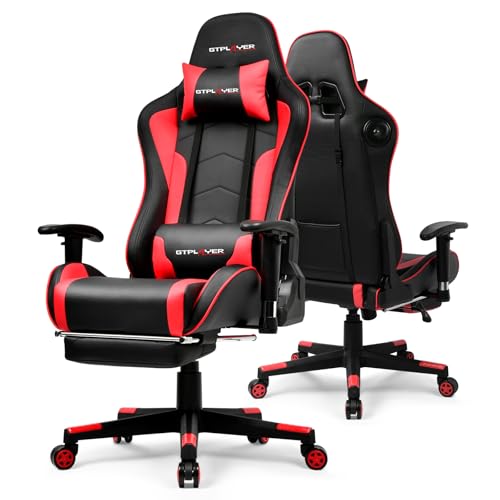
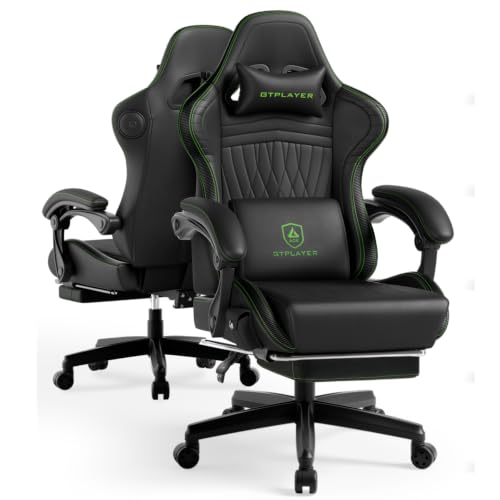
Tucking a bulky seat under a compact computer desk often reveals clearance issues that product listings gloss over. If your armrests bump against the desk edge or your room lacks space for external speakers, an audio-equipped seat solves both challenges at once. Many players seek the best gaming chair with speakers to enjoy personal sound without wearing heavy headsets all day. Consulting our practical guide to gaming chairs illustrates how frame stability and cushion density matter just as much as audio drivers. Selecting a chair that balances sound output with solid back support keeps your workstation comfortable and functional.
Manufacturers build wireless receivers and headrest drivers directly into the frame, but acoustic features are only part of the equation. You also need to evaluate structural elements like sturdy metal frames, adjustable lumbar cushions, and practical recline ranges spanning 90 to 155 degrees. Brands like GTPLAYER, HOFFREE, and Mr IRONSTONE pair Bluetooth 5.1 or 5.3 audio with retractable footrests and stated weight limits up to 400 pounds. Checking these exact specifications helps you avoid issues like fixed linkage armrests that don’t fit beneath your desktop.






Frequently Asked Questions
How do built-in Bluetooth speakers connect to consoles and PCs?
Most chairs feature Bluetooth 5.1 or 5.3 receivers that pair directly with mobile devices and Bluetooth-equipped PCs. For consoles like the PlayStation, Xbox, or Nintendo Switch, you typically need a separate USB Bluetooth transmitter to achieve low-latency sound. Checking whether an adapter is required prevents unexpected connection delays.
What weight capacity do these gaming chairs typically support?
Stated weight capacities vary by frame construction, generally ranging between 300 and 400 pounds. Options from GTPLAYER typically support up to 300 pounds, while reinforced heavy-duty models from Mr IRONSTONE list capacities up to 400 pounds. Verifying the gas lift rating and base materials confirms structural stability before purchase.
How do linkage armrests differ from 3D adjustable armrests?
Linkage armrests recline synchronously with the backrest to support your forearms at an angle, but they do not adjust vertically. In contrast, 3D armrests move up, down, forward, and backward. This directional adjustment lets you align the pads directly with your desktop height to ease shoulder strain.
How are the chair speakers and RGB lights powered?
Audio chairs run on rechargeable internal batteries offering up to 15 hours of playback or use external USB cords. Operating dynamic RGB lighting or lumbar vibration typically requires connecting a USB cable to a power bank or PC port. Organizing these cords with budget gaming accessories prevents cables from catching under the casters.
Is a Best Gaming Chair With Speakers suitable for long desk work sessions?
These chairs function well for combined desk work and gaming if the backrest height and seat width fit your body. Upright locking angles near 90 degrees support focused typing, while headrest speakers handle meeting audio cleanly without headphones. Be sure to measure desk clearance so the armrests slide underneath when not in use.



Write Your Review
No reviews yet. Be the first to share your experience!