


Balancing fluid motion clarity against sharp screen resolution often dictates how well your desktop setup performs during fast gameplay. Deciding between standard 1080p speed and dense 1440p pixel clarity requires weighing your graphics hardware capabilities against desk space. If you want expansive viewing real estate without overwhelming your desk, the best gaming monitors 27 inch category strikes a practical balance for competitive play and clear desktop tasks. You will find that panel technology, including IPS displays with wide viewing angles or curved screens, influences your everyday contrast and color vividness.
Connecting modern graphics cards or consoles demands reliable ports like DisplayPort and HDMI, alongside variable refresh rate tech like AMD FreeSync to prevent screen tearing. Our comparative review examines published manufacturer specifications, listed panel attributes, and verified buyer feedback to help you evaluate displays from brands like ASUS, Sceptre, Acer and more. If you are searching for high-speed value, reviewing our best 27 inch 144hz monitor under 200 guide can help align refresh targets with your budget. Each display profile balances native pixel resolution, response times, and ergonomic stand adjustments so you can configure your desk with confidence.

Pros
- Smooth 100Hz refresh rate and 1ms response for responsive gameplay.
- Rich color reproduction with 100% sRGB for vibrant visuals.
- Multiple connectivity options including DisplayPort and two HDMI ports.
- Frameless bezel design fits well in multi-monitor arrays or tight desk setups.
- Included VESA mount support allows flexible placement options.
Cons
- Built-in speakers are adequate for basic use but lack bass and volume for immersive gaming.
- Stand offers tilt only, no height adjustment or swivel, so an aftermarket arm may be needed for ergonomic setups.
- 100Hz refresh rate is a step up from 60Hz but not as high as 144Hz monitors preferred by competitive esports players.
The Sceptre E275W-FW100T is a 27-inch gaming monitor that hits a sweet spot for PC gamers who want a smooth, vivid display without breaking the bank. With a 100Hz refresh rate and 1ms response time, this monitor handles fast-paced action in FPS games like Call of Duty or Valorant with minimal blur. The 100% sRGB color gamut ensures that every game world pops with accurate, rich colors, making it a strong option for both casual gamers and content creators who need decent color accuracy for light editing work.
This monitor is best suited for budget-conscious PC gamers, casual gamers, college students building their first rig, or streamers looking for an affordable secondary display. The inclusion of AMD FreeSync helps reduce screen tearing when paired with compatible AMD graphics cards, delivering a smoother experience during intense gameplay. The built-in speakers are a nice convenience for quick sessions, though you will likely want a dedicated headset or external speakers for immersive audio during long streams or multiplayer sessions.
In terms of build quality, the frameless design gives it a modern look and works well in multi-monitor setups where thin bezels minimize distractions. The stand is functional but basic, offering only tilt adjustment, so you may need to invest in a VESA mount or monitor arm for better ergonomics and desk organization. The monitor itself is lightweight at just over 7 pounds, making wall mounting straightforward. Cable management is a bit limited with the stock stand, but the VESA mount option helps keep things tidy.
Setup is plug-and-play: connect via DisplayPort for the full 100Hz, and the monitor automatically detects the signal. The on-screen display menus include FPS and RTS game modes that tweak contrast and brightness for specific genres, plus a Blue Light Shift feature to reduce eye fatigue during late-night gaming. While the monitor lacks a USB hub or advanced software customization, the hardware controls are easy to navigate. Maintenance is minimal, just occasional dusting of the matte screen.
A realistic limitation is the 100Hz refresh rate, which is a noticeable upgrade from standard 60Hz monitors but not as high as 144Hz or 240Hz panels favored by competitive esports professionals. However, for the price, this is a fantastic value. The built-in speakers are also basic they work fine for system sounds or casual YouTube watching, but don't expect rich audio for gaming. If you prioritize sound quality, plan to use a separate audio solution.
Overall, the Sceptre E275W-FW100T is a practical choice for gamers who want a larger 27-inch screen with smooth motion and great colors without spending a fortune. It works well as a primary monitor for casual to mid-level competitive gaming, as a secondary display for streamers, or as a budget-friendly option for a home office setup that also handles light gaming. If your budget allows only one monitor upgrade and you value high refresh rates, this monitor delivers where it counts.
The 100Hz refresh rate and 1ms response time on the Sceptre E275W-FW100T provide a noticeable lift in responsiveness over standard 60Hz monitors. In fast-paced games like Apex Legends or Rocket League, motion looks smoother and ghosting is minimal. AMD FreeSync further refines the experience by synchronizing the monitor's refresh rate with your GPU, reducing stutter and tearing without adding input lag. The dedicated FPS and RTS modes adjust brightness and contrast to highlight details in dark corners or keep the UI crisp in strategy games, giving you a small competitive edge in your favorite titles.

Pros
- Exceptional 240Hz refresh rate and 1ms response time for competitive edge
- Vivid 130% sRGB color coverage and 4000:1 contrast ratio for rich visuals
- Sturdy metal stand with tilt adjustment and VESA mount compatibility
- FreeSync support ensures tear-free gaming on compatible GPUs
- Great value for a 27-inch curved high-refresh monitor under $150
Cons
- Limited to 1080p resolution; may not satisfy users wanting 1440p or 4K clarity
- No built-in speakers, requiring external audio solutions for full setup
- Tilt adjustment only; lacks swivel, pivot, and height adjustment for ergonomic flexibility
The SANSUI 27-inch curved 240Hz gaming monitor is built for PC gamers who prioritize speed and immersion without breaking the bank. It targets competitive gamers, esports players, streamers, and even casual gamers who want a responsive, high-refresh display for their gaming setup. With a 240Hz refresh rate, 1ms MPRT response time, and FreeSync compatibility, this monitor is engineered to minimize input lag and screen tearing, giving you a clear advantage in fast-paced titles like Valorant, Apex Legends, or Call of Duty.
Visual quality is another strong point. The 1500R curvature wraps around your field of view, making open-world adventures or sim racing feel more engaging. Coupled with 130% sRGB and DCI-P3 95% color gamut, colors pop with vibrancy, while the 4000:1 contrast ratio delivers deep blacks that enhance shadow detail in horror games or dark scenes. HDR support adds extra punch to highlights, though it's not HDR10 certified—still, it improves the overall picture for the price.
Build quality is practical for a budget monitor. The metal stand feels solid and provides a stable footprint, though it only offers tilt adjustment (-5 to 15 degrees). If you need height or swivel, you can use the VESA 100x100mm mount to attach an arm. The monitor is lightweight at 7.26 pounds, making it easy to move or mount. Cable management is basic, but the included DP cable keeps things tidy out of the box.
Setup is truly plug-and-play. Just connect HDMI or DP (cable included), and you're ready to go. There are no built-in speakers, so plan on using a headset or external speakers for audio—common for gaming monitors in this range. The low blue light and anti-glare coating are welcome features for long sessions, reducing eye fatigue whether you're grinding ranked matches or editing streams.
One realistic limitation is the 1080p resolution. While 27 inches at 1080p can look slightly less sharp than 1440p, the high refresh rate and curved design compensate for many users, especially those focused on performance over pixel density. Additionally, the OSD offers useful gaming presets like FPS, RTS, and a crosshair overlay, which competitive players will appreciate.
Overall, this monitor is a fantastic value for PC gamers, streamers, and esports enthusiasts who want a fast, immersive screen without spending a fortune. It's equally suited for dorm room gaming, home office dual-monitor setups, or a dedicated gaming station. If you can live with 1080p and no built-in speakers, the SANSUI 240Hz curved monitor delivers where it counts: speed, color, and immersion.
The 240Hz refresh rate paired with 1ms MPRT ensures every frame renders smoothly, reducing motion blur in fast-paced shooters and racing games. FreeSync compatibility keeps gameplay tear-free when paired with an AMD GPU (or G-Sync compatible in many cases), so you stay focused on the action. The 1500R curve adds depth without distorting the image, making it easier to track targets across the screen. Black level adjustment (shadow booster) and preset game modes let you tweak visuals for better visibility in dark corners, a huge plus for competitive play.
With 130% sRGB and 95% DCI-P3 coverage, the SANSUI monitor produces rich, accurate colors that make games and media look vibrant. The 4000:1 native contrast ratio creates deep blacks, which is rare for an IPS-like VA panel in this price range. Brightness hits 300 nits, sufficient for indoor gaming, and the anti-glare coating reduces reflections. HDR support adds dynamic range, though it's basic HDR—colors and highlights get a boost, but don't expect true HDR performance. For everyday gaming and streaming, the panel delivers impressive clarity.

Pros
- Excellent value at sub-$100 for a 27-inch, 120Hz IPS monitor with FreeSync
- Fast 1ms VRB response helps reduce motion blur in competitive games
- 99% sRGB color gamut provides accurate colors for editing and media consumption
- Tilt-adjustable stand allows basic ergonomic customization without extra cost
- Lightweight and slim design simplifies desk integration and cable management
Cons
- Limited to 250 nits brightness may struggle in very bright rooms or near windows
- VGA port only, no DisplayPort or USB-C; HDMI 1.4 may cap refresh rate at certain resolutions
- Stand lacks height, swivel, and pivot adjustments, limiting ergonomic flexibility for extended sessions
The Acer KB272 G0bi is a 27-inch Full HD IPS monitor designed to balance performance and affordability for a wide range of users. With a 1920x1080 resolution, 120Hz refresh rate, and 1ms Visual Response Boost (VRB), it aims to deliver smooth, tear-free visuals for PC gamers, esports players, and casual users alike. The inclusion of Adaptive-Sync (FreeSync compatible) further enhances the experience by synchronizing the monitor's refresh rate with compatible graphics cards, reducing stutter and screen tearing during intense gaming sessions.
This monitor is best suited for budget-conscious gamers, streamers, or college gamers who need a large, fast display without the premium price tag. The 27-inch size offers an immersive field of view for FPS, MOBA, and racing games, while the 99% sRGB color coverage ensures accurate color reproduction for content creators or anyone editing photos or videos on the side. Casual gamers will appreciate the smooth motion clarity, and esports enthusiasts will benefit from the low latency and fast response time during competitive play.
In real-world gaming, the 120Hz refresh rate combined with 1ms VRB helps reduce motion blur and ghosting in fast-moving scenes. Whether you're tracking opponents in a shooter or navigating open-world environments, the display remains clear and responsive. The IPS panel provides wide viewing angles - up to 178 degrees - so colors stay consistent even when you lean back or share your screen with a friend. While brightness is capped at 250 nits, it's sufficient for most indoor gaming setups with controlled lighting.
Build quality is solid for the price point. The monitor uses a matte black plastic housing with a slim bezel design that looks clean on a desk. The included stand offers tilt adjustment (-5 to 20 degrees) but lacks height, swivel, or pivot capabilities. If you need more ergonomic flexibility, you can mount it using the 100x100mm VESA pattern. The I/O includes one HDMI port and one VGA port - no DisplayPort or USB hub. This makes it compatible with modern PCs and older hardware, but you may need an adapter for ultrabooks or consoles that rely on HDMI exclusively.
Setup is straightforward: attach the stand, plug in power and video cables, and you're ready to go. The on-screen display (OSD) controls are basic but functional, allowing you to adjust brightness, contrast, and game modes. The monitor does not include built-in speakers, so you'll need external speakers or a gaming headset for audio. Cable management is minimal due to the stand design, but the lightweight 11-pound build makes it easy to reposition or wall-mount.
Realistically, the KB272 G0bi is not a high-end gaming monitor. It lacks HDR, higher refresh rates, or wide color gamut beyond sRGB, and the VGA connection may feel outdated. However, for its price - often under $100 - it delivers excellent value. It's a perfect choice for budget gaming builds, secondary monitors for streaming setups, or for someone upgrading from a 60Hz display. If you're a competitive gamer who prioritizes high refresh and low input lag on a tight budget, this Acer monitor is a practical and reliable option.
The 27-inch IPS panel delivers Full HD (1920x1080) resolution with a 16:9 aspect ratio, offering sharp details for gaming and daily use. With 99% sRGB coverage, colors appear vibrant and accurate, which benefits both gaming immersion and light photo or video editing. The 250-nit brightness is adequate for indoor environments but may struggle in direct sunlight or very bright rooms. Wide viewing angles ensure consistent colors from almost any position, making it ideal for multiplayer sessions or shared screens.
The 120Hz refresh rate and 1ms VRB response time significantly reduce motion blur and ghosting in fast-paced games like first-person shooters, racing sims, and fighting games. Adaptive-Sync (FreeSync compatible) eliminates screen tearing when paired with a compatible AMD or some NVIDIA GPUs over HDMI. Input lag is low enough for casual and competitive play, though hardcore esports players may prefer a 144Hz+ model. The monitor handles smooth 2D motion and dramatic transitions without smearing, making it a solid choice for budget gaming rigs.
The Acer KB272 G0bi includes one HDMI port and one VGA port. HDMI supports up to 120Hz at 1080p (depending on GPU and cable), while VGA is limited to 60Hz. There is no DisplayPort, USB-C, or USB hub. Setup is simple: attach the stand (no tools required for the base), connect your video cable, and power on. The OSD menu provides basic adjustments for brightness, contrast, and preset gaming modes. The monitor is VESA mount compatible (100x100mm) for more flexible desk arrangements.

Pros
- Excellent color accuracy with DCI-P3 95% coverage for vivid visuals
- Smooth 180Hz refresh rate with low input lag for competitive gaming
- Affordable price point for a QHD IPS monitor with high refresh rate
- Built-in speakers provide basic audio for casual use without extra desk clutter
- AMD FreeSync effectively eliminates tearing and stuttering across compatible GPUs
Cons
- Stand lacks height adjustment and feels flimsy; a VESA mount is recommended
- HDMI ports limited to 144Hz; DisplayPort required for full 180Hz
- Brightness can feel low in well-lit rooms in standard mode; HDR mode helps but disables brightness control
The Acer Nitro KG271U N3bmiipx is a 27-inch QHD (2560x1440) IPS gaming monitor that strikes a solid balance between performance, color quality, and price. Designed for PC gamers, esports players, and streamers, it offers a 180Hz refresh rate and 0.5ms GTG response time, making it a strong contender for fast-paced shooters like Valorant or Call of Duty. The AMD FreeSync support also helps eliminate screen tearing when paired with compatible AMD or adaptive-sync compatible NVIDIA GPUs.
For competitive gamers, the high refresh rate and low response time translate to buttery-smooth motion and quick reaction awareness. The QHD resolution gives you extra screen real estate without the high GPU demands of 4K, making it a practical choice for both gaming and content creation. The DCI-P3 95% color coverage is a highlight, delivering vibrant, accurate colors that appeal to graphic designers and video editors working from the same setup.
Build quality is decent for the price, though the all-plastic construction and non-adjustable stand are noticeable drawbacks. The monitor feels lightweight, and the included stand lacks height, tilt, or swivel adjustments. Many users recommend using a VESA mount or a simple monitor riser to improve ergonomics and free up desk space for cable management. The zero-frame design is a plus for multi-monitor arrays, as it minimizes bezel gaps.
Setup is straightforward: connect via DisplayPort 1.2 to achieve the full 180Hz, or use HDMI 2.0 for up to 144Hz. The on-screen display is controlled by a rear joystick, which makes navigating settings like overdrive and color presets easy. One limitation is that the HDMI ports cap at 144Hz, so console gamers with HDMI-only setups won't reach the maximum refresh rate. Also, the built-in speakers are basic and lack bass, so most users will want dedicated gaming headphones or external speakers for an immersive experience.
In terms of real-world use, the monitor performs well in both competitive and casual gaming. The IPS panel offers wide viewing angles, and the matte coating reduces glare during long sessions. However, in brightly lit rooms, the standard mode's brightness may feel dim; switching to HDR mode boosts brightness but locks out manual brightness adjustments. The overdrive setting should be kept at normal or off to avoid visible overshoot at extreme levels.
Overall, the Acer Nitro KG271U is a great value monitor for U.S. PC gamers and streamers looking for QHD resolution, high refresh rates, and strong color accuracy without spending a fortune. It works well for competitive esports, casual play, and even productivity tasks. If you can work around the stand limitations and use a VESA mount, this monitor offers exceptional performance for its price. Recommended for gamers upgrading from 1080p or budget-conscious setup builders.
The 27-inch IPS panel delivers 2560x1440 QHD resolution with a 16:9 aspect ratio. DCI-P3 95% color gamut ensures vibrant, accurate colors suitable for gaming and creative work. HDR10 support adds extra dynamic range in compatible content, though peak brightness is modest. The matte screen surface reduces reflections, making it easy to use in various lighting conditions.
With a native 180Hz refresh rate and 0.5ms GTG response time, the monitor minimizes motion blur and input lag. AMD FreeSync synchronizes frame delivery with your GPU to prevent tearing during intense gameplay. Overdrive settings can be adjusted to fine-tune response, but extreme mode may cause overshoot. Ideal for FPS, racing, and fast-paced esports titles.
Pros
- Incredible 240Hz refresh rate and 0.3ms response for competitive edge
- Sharp QHD resolution with vibrant IPS colors and wide viewing angles
- G-Sync compatible and Adaptive-Sync for smooth, tear-free visuals
- Frameless design and VESA support great for multi-monitor and clean setups
- Easy-to-use OSD with practical gaming presets and Shadow Control
Cons
- Stand only offers tilt adjustment - no height, swivel, or pivot options
- HDMI 2.0 ports limit refresh rate to 144Hz over HDMI; use DisplayPort for full 240Hz
- Glossy screen surface may cause reflections in brightly lit rooms
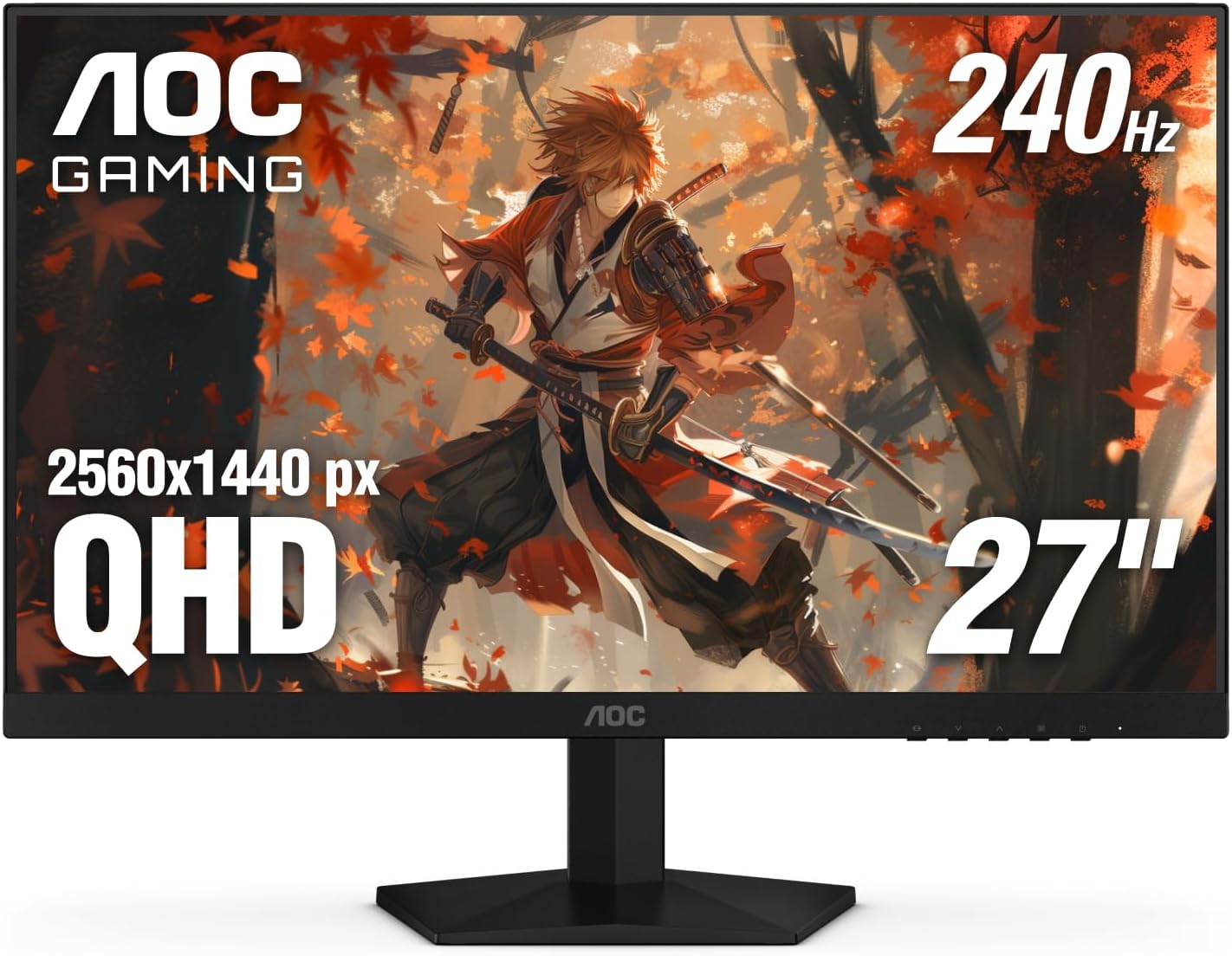
The AOC Gaming Q27G41ZE is a 27-inch QHD IPS monitor built for gamers who prioritize speed and clarity. With a native 240Hz refresh rate that can be overclocked to 260Hz and a 0.3ms MPRT response time, it targets competitive esports players, serious PC gamers, and streamers who need every frame to count. The QHD resolution (2560x1440) strikes a balance between sharpness and performance, making it a solid choice for both high-fidelity single-player games and fast multiplayer titles.
When it comes to real-world performance, this monitor delivers. The combination of high refresh rate and ultra-low response time minimizes motion blur and ghosting, which is crucial in fast-paced shooters like Valorant or Apex Legends. Adaptive-Sync technology (G-Sync compatible) keeps gameplay smooth and tear-free, working seamlessly with both NVIDIA and AMD GPUs. The IPS panel offers vibrant colors and solid viewing angles, so you won't lose image quality when leaning back or sharing your screen on stream.
Build quality is practical for a gaming setup. The three-sided frameless design reduces bezel distraction and makes multi-monitor arrays look clean. The stand only allows tilt adjustment (-3 to +21 degrees), which might be limiting for some users, but the 100x100mm VESA mount lets you swap in an arm or height-adjustable stand. The textured black and red finish gives it a sporty gaming look without being too over-the-top.
Setting up the monitor is straightforward: connect via DisplayPort 1.4 to unlock the full 240Hz refresh rate, since HDMI 2.0 caps at 144Hz. The on-screen display (OSD) is intuitive, with joystick navigation and quick shortcuts for gaming presets like FPS, RTS, and racing. Shadow Control brightens dark areas without washing out the whole image - a handy feature for spotting enemies in shadows. The monitor also includes a headphone jack for easy audio routing.
That said, there are some realistic limitations. The lack of height adjustment on the stock stand means you'll likely want an aftermarket monitor arm for ergonomic positioning, especially during long sessions. The glossy screen surface can also produce reflections if you have bright lights behind you. While the connectivity covers the basics (2x HDMI 2.0, 1x DisplayPort 1.4, audio out), it lacks USB ports or USB-C, which some users may miss for peripherals.
Overall, the AOC Gaming Q27G41ZE is a fantastic value for gamers who want high-refresh QHD performance without paying a premium. It's best suited for competitive gamers who use DisplayPort and either already have a monitor arm or don't mind the basic tilt stand. Streamers and content creators will appreciate the color accuracy and smooth motion for gameplay footage. If you're building a gaming PC on a budget or upgrading from 1080p, this monitor delivers where it matters most: speed, clarity, and responsiveness.

Pros
- High 180Hz refresh rate and 1ms response provide exceptional gaming responsiveness.
- Excellent color accuracy with 130% sRGB and HDR10 support for vivid visuals.
- Broad adaptive sync compatibility (FreeSync Premium, G-Sync Compatible) works with most GPUs.
- Solid build quality and matte finish reduce glare during long sessions.
- Good value for a feature-rich QHD gaming monitor at this price point.
Cons
- No USB-C connectivity, limiting modern laptop compatibility without adapters.
- Built-in speakers are basic and lack bass, so dedicated speakers or headset are recommended.
- Stand height adjustment is limited; some users may prefer a monitor arm for better ergonomics.
The ASUS TUF Gaming VG27AQ3A is a 27-inch QHD gaming monitor that brings together a Fast IPS panel, 180Hz refresh rate, and 1ms GTG response time. It's designed for PC gamers who want smooth, responsive visuals without breaking the bank. Whether you're a competitive esports player, a casual gamer, a streamer, or a content creator, this monitor offers a solid foundation for any gaming setup.
With a 180Hz refresh rate and 1ms response, the VG27AQ3A delivers buttery-smooth motion in fast-paced games like Call of Duty, Valorant, and Overwatch. The QHD resolution (2560x1440) is a sweet spot for gaming: sharper than 1080p but easier to drive than 4K. The Fast IPS technology ensures excellent color reproduction and wide viewing angles, making it great for both gaming and everyday use. Combined with HDR10 support and 130% sRGB coverage, visuals are vibrant and lifelike.
The monitor supports AMD FreeSync Premium, G-Sync Compatible, and VESA AdaptiveSync, ensuring tear-free gameplay with compatible GPUs. ASUS's ELMB Sync technology reduces motion blur and ghosting without sacrificing brightness. Variable Overdrive dynamically adjusts to frame rates for optimized performance. The included DisplayWidget Center software allows you to change settings like brightness, contrast, and GameVisual modes using your mouse and keyboard, making adjustments quick and convenient.
Physically, the VG27AQ3A has a sturdy TUF build with a matte finish that reduces reflections. The stand offers tilt and swivel adjustments, but height adjustment is minimal. It is VESA mount compatible (100x100mm) if you prefer an arm. Setup is straightforward: plug in the power adapter and included DisplayPort cable, and you're ready to game. However, there is no USB-C port, so laptop users may need a converter. Cable management is decent, with a small clip on the stand to keep cables tidy.
One limitation is the built-in speakers: they are adequate for basic use but lack bass, so a good gaming headset or external speakers are recommended for immersive audio. Also, HDR performance is limited due to the edge-lit panel; it's not a true HDR experience but adds punch to colors. Despite these, the VG27AQ3A offers excellent value for gamers wanting high refresh rate QHD gaming. It's ideal for competitive and casual gamers alike, and it fits well into most gaming setups. For the price, it's a strong contender in the mid-range gaming monitor market.
The VG27AQ3A excels in gaming performance thanks to its 180Hz refresh rate and 1ms GTG response time. This combination minimizes input lag and motion blur, giving you a competitive edge in fast-paced shooters and racing games. The QHD resolution allows for detailed visuals without sacrificing frame rates, especially when paired with modern GPUs.
ASUS ELMB Sync works alongside variable refresh rate technologies to eliminate ghosting and tearing, ensuring sharp motion even during rapid camera movements. Variable Overdrive automatically adjusts the pixel response to match the frame rate, further enhancing clarity. Whether you're playing at high settings in AAA titles or switching to lower settings for competitive play, the monitor adapts smoothly.
The Fast IPS panel on the VG27AQ3A delivers vibrant colors with 130% sRGB coverage and a 1,000:1 contrast ratio. Wide viewing angles mean colors remain consistent even when viewing from the side, which is great for co-op gaming or content creation. HDR10 support adds highlights and deeper shadows, making HDR-compatible games and movies look more dynamic.
While the monitor is not a true HDR display due to limited peak brightness and no local dimming, it still offers a noticeable improvement over standard SDR monitors. The matte screen surface reduces glare, allowing you to focus on gameplay without reflections.
Pros
- Excellent price-to-performance ratio for 144Hz gaming.
- IPS panel with good color reproduction for its price range.
- Eye-care features (anti-flicker, low blue light) reduce fatigue.
- Slim bezels and VESA mount allow for immersive multi-monitor setups.
Cons
- No built-in speakers or audio output – requires external speakers or headset.
- Stand only offers tilt adjustment; no height or swivel options.
- No DisplayPort – relies on HDMI and VGA, limiting high-refresh connection options on some GPUs.
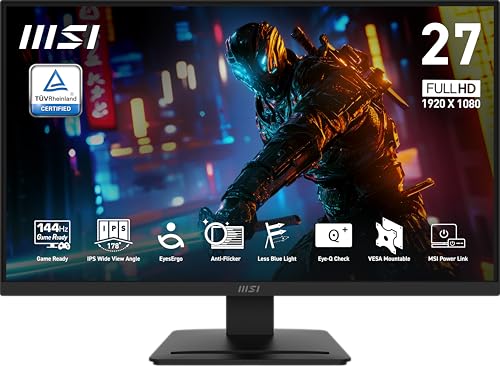
The MSI PRO MP273L E14 is a 27-inch IPS monitor that blends gaming performance with office practicality. It's aimed at PC gamers who want a budget-friendly high-refresh experience, as well as work-from-home users and college gamers who need a reliable display for daily tasks. The 144Hz refresh rate paired with 1ms response time ensures fluid motion in competitive titles like Valorant or Call of Duty, while Adaptive-Sync helps minimize screen tearing during intense gameplay.
For casual gamers and esports players, this monitor delivers a noticeable improvement over standard 60Hz displays. The 1080p resolution is sharp enough for a 27-inch screen and keeps performance demands low, making it a great match for mid-range gaming PCs. The IPS panel offers decent color accuracy and wide viewing angles, which also benefits content creators who need consistent visuals for editing basics.
Build quality is functional but not premium. The plastic construction feels sturdy enough for a static desk setup, and the slim bezels give it a modern look. The stand allows tilt adjustment only, so you may need to consider a VESA arm for full ergonomic control. On the plus side, VESA mountability and the 13-pound weight make it easy to wall-mount or attach to a multi-monitor stand.
Setup is straightforward: plug in the HDMI cable (included) and power adapter, and the monitor is ready to go. There's no software to install, but you can adjust settings via the on-screen display. One limitation is the port selection – only HDMI and VGA, no DisplayPort, which means some graphics cards may not achieve full 144Hz over older HDMI versions (make sure your GPU supports HDMI 1.4 or higher for 144Hz at 1080p).
Eye-care features are a welcomed inclusion. The TÜV-certified anti-flicker and low blue light modes reduce strain during long sessions, and the Eye-Q Check reminder is a nice touch for breaks. However, there are no built-in speakers or audio out, so you'll need a headset or external speakers for sound.
Overall, the MSI PRO MP273L E14 is a smart buy for gamers and office users on a tight budget who prioritize smooth motion and eye comfort. It's not a premium gaming monitor, but it delivers where it counts – performance and affordability. For competitive gamers needing height adjustment or a faster TN panel, look elsewhere, but for most casual to mid-level players, this monitor offers excellent value.

Pros
- High 240Hz refresh rate with 0.5ms response time for competitive gaming advantage.
- FreeSync Premium and VRR support for tear-free gameplay across PC and console.
- Vibrant IPS panel with 99% sRGB coverage for accurate colors and good viewing angles.
- TÜV certified low blue light for comfortable extended use.
Cons
- Only FHD resolution (1920x1080) may not satisfy those wanting higher pixel density on a 27-inch screen.
- Limited ergonomics: tilt-only adjustment, no height or swivel.
- No built-in speakers, so external audio is required.
The Dell SE2726HG is a 27-inch gaming monitor that combines a fast 240Hz refresh rate with IPS panel technology, making it a strong contender for budget-conscious competitive gamers. With a 0.5ms response time and AMD FreeSync Premium support, this monitor aims to deliver smooth, tear-free visuals for fast-paced titles like shooters, MOBAs, and racing games. It's a straightforward choice for PC gamers, esports players, and even console gamers looking for a responsive display without breaking the bank.
In terms of performance, the 240Hz refresh rate paired with the 0.5ms response time means you'll get fluid motion and reduced input lag, which is crucial for competitive play. FreeSync Premium and HDMI VRR compatibility ensure that screen tearing is minimized whether you're on a PC or a console like the Xbox Series X or PS5. This makes the SE2726HG a practical option for streamers and content creators who need a responsive secondary monitor for gameplay or editing timelines.
The IPS panel offers 99% sRGB color coverage, providing accurate colors and wide viewing angles that beat typical TN panels. While it's not HDR-capable, the color quality is more than adequate for casual gaming and daily productivity. The TÜV Rheinland 3-star certification for low blue light helps reduce eye strain during long sessions, which is a nice touch for gamers who spend hours on end in front of the screen.
Build quality is typical of Dell's budget monitors: a sturdy plastic frame with a simple tilt-adjustable stand. You get two HDMI ports and one DisplayPort 1.4, which covers most modern setups. However, there's no height adjustment, swivel, or pivot, so you'll need to use a VESA mount (100x100mm) if you want more ergonomic flexibility. Also, there are no built-in speakers, so plan on using a headset or external speakers for audio.
Setting up the monitor is straightforward: plug in the cables, adjust the tilt, and you're good to go. The on-screen display (OSD) is controlled via buttons on the bottom edge, which works fine but feels a bit dated. Cable management is minimal due to the stand design, but the monitor's slim profile helps keep your desk tidy. It's a good fit for dorm rooms, home offices, or small gaming setups where space is limited.
Overall, the Dell SE2726HG offers excellent value for gamers who prioritize high refresh rates and smooth gameplay over resolution. The 1080p on a 27-inch screen means lower pixel density, so text and fine details won't be as sharp as on a 1440p display. But if you're mainly playing competitive games and want a fast, reliable monitor under $200, this Dell is a solid pick. It's also a decent choice for streaming or content creation as a secondary monitor, given its color accuracy and eye comfort features.
Frequently Asked Questions
Is 1440p resolution noticeably better than 1080p on a 27-inch gaming monitor?
Yes, 1440p provides sharper pixel density on a 27-inch screen compared to standard 1080p. Displays like the ASUS TUF VG27AQ3A offer 2560 x 1440 resolution for crisp text and detailed in-game textures. While 1080p remains easier for budget graphics cards to drive, exploring dedicated 1440p gaming monitor options can clarify resolution tradeoffs.
What refresh rate should you look for when shopping for best gaming monitors 27 inch?
A refresh rate of 144Hz or higher delivers smooth motion for competitive games, though several listed models offer 180Hz or 240Hz. Panels such as the Dell SE2726HG feature 240Hz refresh rates to reduce motion blur during fast gameplay. For casual gaming, 100Hz to 120Hz displays provide a fluid upgrade over basic 60Hz panels.
Do these 27-inch monitors support variable refresh rate technologies like FreeSync or G-SYNC?
Yes, most of these models list adaptive synchronization to minimize screen tearing. The ASUS TUF VG27AQ3A supports AMD FreeSync Premium and G-SYNC compatibility, while models from Acer and Dell feature FreeSync. These protocols synchronize display refresh rates with your GPU frame delivery for consistent rendering.
Can you use a 27-inch gaming monitor for console gaming?
Yes, modern game consoles connect easily using the HDMI ports included on these displays. Monitors supporting high refresh rates and HDMI VRR handle console gaming output effectively. Buyers evaluating dedicated console setups can also check the best console monitor under 300 guide to verify resolution and audio compatibility.
What is the main difference between curved VA panels and flat IPS panels in this size?
Flat IPS panels provide wide viewing angles and consistent colors across the screen. In contrast, curved VA displays like the SANSUI model deliver higher static contrast ratios up to 4000:1 for deeper black levels. Your choice depends on whether you value wide viewing consistency or higher dark-room contrast.
Do manufacturer response time claims of 0.5ms or 1ms reflect real-world gaming performance?
No, advertised 0.5ms or 1ms response times usually reflect manufacturer overdrive test results rather than universal performance. Real-world motion clarity depends on pixel transition speed and panel tuning. Checking whether a monitor supports variable refresh rate and motion blur reduction helps assess visual clarity for 2026.


Write Your Review
No reviews yet. Be the first to share your experience!