


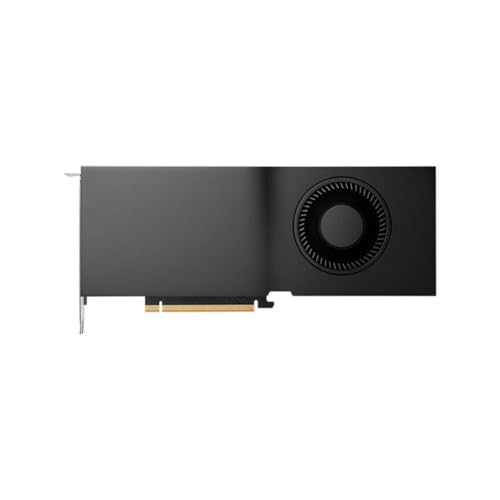
Investing in top-tier graphics hardware often presents a serious dilemma between raw computational horsepower, chassis thermals, and overall platform balance. Enthusiasts and creators frequently debate whether a workstation laptop or an enterprise desktop board aligns with their intensive multitasking goals. Browsing the best rtx 5000 ada generation pcs reveals elite options ranging from preconfigured mobile machines with 16GB GDDR6 memory to desktop cards with up to 32GB GDDR6 ECC memory. These machines target heavy 3D rendering, local artificial intelligence workloads, and complex simulations where standard desktop hardware falls short. Evaluating how these Ada Lovelace platforms balance processor cores, cooling, and memory capacity ensures you choose the right configuration for your workload.
Form factor also plays an important role when planning your workstation setup. Mobile options like the Lenovo ThinkPad P16 Gen 2 Intel Core i9-13950HX integrate vibrant OLED displays and massive memory into a portable chassis, while standalone workstation cards fit custom desktop towers. If you are assembling a high-budget desktop, matching your graphics card with adequate power delivery and airflow is vital for sustained performance. Reviewing memory bandwidth, ISV certifications, and physical dimensions will help you secure an uncompromising machine for professional output.




Frequently Asked Questions
What distinguishes an RTX 5000 Ada laptop GPU from a desktop card?
Laptop variants provide 16GB of GDDR6 memory, whereas full desktop RTX 5000 Ada cards supply 32GB of GDDR6 ECC memory. Mobile platforms like the Dell Precision 5690 Mobile Workstation 16″ OLED balance immense compute performance with portable chassis thermals. Desktop boards require a dedicated tower, separate power supply connections, and active cooling to manage sustained workloads.
Can RTX 5000 Ada systems handle gaming alongside professional workloads?
Yes, systems powered by RTX 5000 Ada hardware easily manage modern gaming alongside professional software. Built on the NVIDIA Ada Lovelace architecture, these cards feature dedicated ray tracing and Tensor cores. While enterprise drivers emphasize stability and ISV application certification, the underlying GPU silicon delivers exceptional rasterization and high-resolution rendering capabilities.
How much RAM and storage do these workstation PCs require?
Demanding engineering and rendering tasks perform best with at least 32GB of RAM and high-speed PCIe NVMe SSD storage. Configurations like the Lenovo ThinkPad P16 Gen 2 Intel Core i9-13950HX offer up to 128GB of DDR5 memory and 4TB of solid-state storage. Ample memory and fast storage ensure seamless processing for large project files and complex datasets.
How does connectivity impact Ada generation workstations?
High-speed networking ensures smooth data transfers when accessing remote servers or streaming large assets. Many modern mobile workstations include Wi-Fi 7 and Thunderbolt 4 ports for rapid peripherals support. For users balancing network performance during intense sessions, understanding wireless standards and network latency helps clarify bandwidth capabilities across various wireless and wired environments.
What maintenance keeps these workstations running reliably?
Routine cleaning and unobstructed airflow are necessary to keep high-wattage components cool and quiet. Workstation blower coolers and laptop vents collect ambient dust over time, which can elevate operating temperatures. Reviewing practical guidelines for routine PC cleaning and maintenance helps safeguard your hardware investment, prevents thermal throttling, and preserves system stability.






Write Your Review
No reviews yet. Be the first to share your experience!