


Selecting high-end hardware often leaves buyers balancing intense compute requirements against steep component costs. High-end workstations and gaming rigs demand massive memory bandwidth, reliable thermals, and adequate physical space to prevent performance bottlenecks. If you need hardware capable of handling complex simulation models alongside high-resolution play, finding the best rtx pro 4000 blackwell pcs means examining both raw GPU architecture and complete system design. Configurations built around the Blackwell generation combine updated streaming multiprocessors, high-speed GDDR7 memory, and fifth-generation Tensor Cores to manage heavy creative and gaming loads. Pair your high-performance desktop with proper audio gear like workstation headsets to maintain clean audio during intense computing sessions.
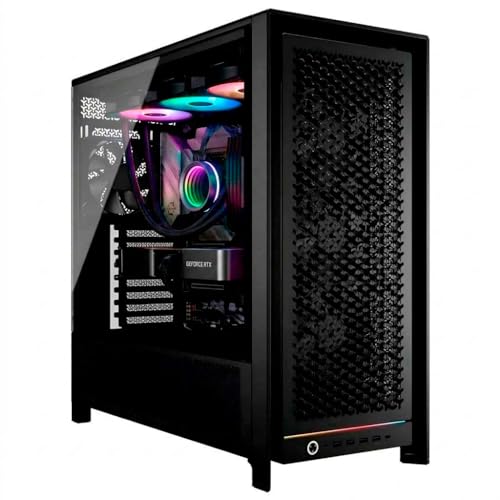
Prebuilt configurations such as the Ace Vision Pro Content Creator Workstation PC feature modern processors like the Intel Ultra 9 285K paired with 64GB DDR5 memory and multi-terabyte NVMe storage. Other platforms from brands like Adamant Custom leverage multi-core AMD Threadripper PRO CPUs with liquid cooling and ECC memory to tackle deep data science and heavy rendering pipelines. Evaluating power supply wattage, case airflow, and expansion slot clearance ensures that your chosen machine maintains reliable operation under sustained multi-hour workloads. Checking chassis clearance and connectivity ports in advance helps you build an efficient and clutter-free desk environment.





Frequently Asked Questions
What memory capacity does an RTX PRO 4000 Blackwell system offer?
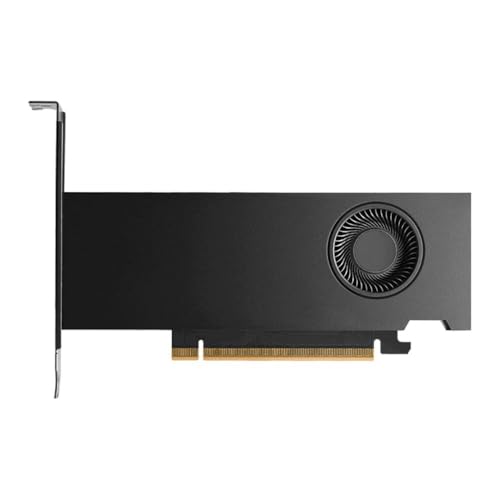
Systems built with the standard RTX PRO 4000 Blackwell GPU provide 24GB or 32GB of high-speed GDDR7 memory depending on the exact card model. For instance, the Ace Vision Pro integrates a 24GB GDDR7 configuration, while standalone PNY Blackwell variants list up to 32GB GDDR7 with 896 GB/s memory bandwidth. This substantial VRAM buffer supports massive textures, generative AI models, and detailed 3D datasets without overflowing into system memory.
Can you use an RTX PRO 4000 Blackwell PC for gaming as well as content creation?
Yes, the RTX PRO 4000 Blackwell architecture supports gaming features alongside creative acceleration. The hardware includes NVIDIA DLSS 4 technology, real-time ray tracing through dedicated RT cores, and high refresh rate support up to 8K at 165Hz. Gamers running intensive titles at ultra-high resolutions can pair their system with specialized headsets for 4K gaming for spatial immersion.
How do prebuilt Blackwell workstations manage heat during heavy workloads?
Cooling depends on the specific prebuilt desktop chassis and cooler configuration. For example, the Adamant Custom workstation utilizes a 280mm liquid cooler for its 64-core AMD Threadripper PRO CPU, while full-tower designs like the Ace Vision Pro rely on dedicated high-airflow chassis. Compact cards also feature active dual-slot cooling designs to sustain airflow within mid-tower and full-tower setups.
What display outputs are standard on Blackwell workstation graphics cards?
DisplayPort 2.1b connections represent the primary output standard across Blackwell professional graphics cards. These interfaces provide sufficient bandwidth to drive ultra-high-resolution setups, including displays up to 8K at 240Hz or 16K at 60Hz. Engineers and creators requiring multiple high-resolution monitors can easily run multi-display configurations for complex CAD modeling and simulation software. For remote design reviews, pairing your system with dedicated headsets for CAD keeps communications sharp.
Does an RTX PRO 4000 Blackwell desktop require a specialized power supply?
High-end workstation configurations require robust power supplies, often exceeding 1000 watts when paired with heavy multi-core processors. The Adamant Custom Threadripper builds, for instance, specify a Toughpower 1200W 80 PLUS Gold power supply unit. Individual compact GPU models list lower power consumption figures like 70W on entry cards, but complete workstations demand reliable power delivery for stability.








Write Your Review
No reviews yet. Be the first to share your experience!