


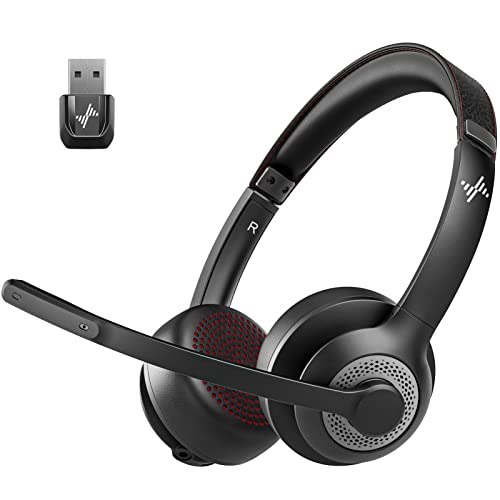
Muffled microphones and loud background chatter can turn everyday conference calls into an exercise in frustration. Missing an important discussion point because a barking dog or clattering keyboard overwhelms your voice ruins professional momentum in seconds. Pairing your computer with a dedicated best pc mouse for work streamlines desktop tasks, but clear communication still demands capable audio hardware. Finding the best wireless headsets for laptop setups requires looking closely at environmental noise cancelling boom microphones, reliable 2.4 GHz USB dongles, and plush ear cushions that prevent clamping fatigue.
Long shifts at your desk require lightweight headbands and breathable cushions so your ears stay cool and pain-free through back-to-back video conferences. Based on detailed manufacturer specifications and user feedback, modern Bluetooth and RF work headsets offer multi-day battery runtime alongside simple hardware controls like one-touch mic mute buttons and physical power switches. Stable wireless freedom lets you grab coffee or pace across the room without dropping audio quality or losing connection stability. Evaluating driver balance, wireless stability, and boom mic clarity ensures you invest in gear that keeps you heard clearly every working day.


Frequently Asked Questions
Does a dedicated USB dongle perform better than native Bluetooth on a laptop?
Yes, a dedicated USB dongle generally provides lower latency, superior call stability, and instant driver-free pairing compared to native laptop Bluetooth. Connecting via a 2.4 GHz USB adapter also unlocks hardware mute synchronization with platforms like Microsoft Teams and Zoom, which often fails over direct Bluetooth. Laptops with older operating systems or crowded wireless environments maintain a much cleaner audio signal through a pre-paired USB dongle.
How does environmental noise cancellation (ENC) filter out background chatter?
Environmental noise cancellation uses dual-microphone arrays and smart audio processing algorithms to identify and suppress ambient sounds like barking dogs, keyboard clicks, and office chatter. The boom microphone captures your vocal frequencies up close while secondary sensors isolate surrounding background noise and subtract it from the output stream. This ensures colleagues hear your voice clearly without distracting room interference.
Can you connect a wireless work headset to a laptop and smartphone simultaneously?
Yes, models supporting dual pairing or multipoint Bluetooth allow you to maintain active connections with your laptop and mobile phone at the same time. This feature lets you answer incoming cell calls seamlessly without manually disconnecting from your computer conference session. Just as pairing a versatile best wireless pc mouse simplifies multitasking across screens, multipoint audio switching prevents missed calls during busy workdays.
Does the physical microphone mute button work on laptop meeting apps?
Yes, physical mute buttons silence your voice directly at the microphone level, with many USB dongles delivering synced status prompts directly to UC software. Toggling the mute control triggers an audible voice prompt confirming whether your mic is active or muted. Note that certain headsets only activate their hardware mute function during an active phone or video call.
How many hours of battery life do wireless laptop headsets typically provide?
Most modern wireless work headsets offer between 14 and 40 hours of continuous talk time on a single charge. Many units include fast-charging capabilities that provide several hours of power after just ten to twenty minutes on a USB-C cable or charging dock. Standby battery life often extends up to 200 hours, allowing you to power through entire workweeks without constant recharging.
Which design is better for laptop calls: single-ear mono or dual-ear stereo?
Single-ear mono headsets excel in environments where you need to stay aware of colleagues or announcements, while dual-ear stereo headsets provide better immersion and acoustic focus. Mono headsets like lightweight 102g models also help you monitor your speaking volume naturally without vocal fatigue. Dual-ear options block more ambient distraction, making them preferable if you share a noisy room or listen to music between calls.







Write Your Review
No reviews yet. Be the first to share your experience!